1
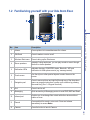
1.2 Familiarizing yourself with your Xda Atom Exec
1
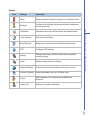
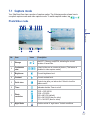
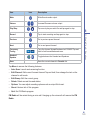
Before using your O2 Xda Atom Exec
No.
Item
Description
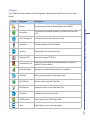
1
Volume
Press up/down to increase/decrease the volume.
2
Talk/Send
Press to make or receive a call.
3
Windows Start menu
Press to bring up the Start menu.
4
Stereo speakers
Instead of using earphones, you can play sounds or music through
the built-in stereo speakers.
5
Notification LEDs
Indicates charging, GSM/GPRS status, Bluetooth, WiFi and
notification for other phone events (e.g. message arrival).
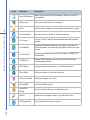
6
Touch screen
Use the stylus or other pointed objects to select items on the
screen.
7
Navigation pad
Press to move up/down and right/left through any of the drop-down
menus or program instructions; confirm your selection by pressing
the center key (See 1.4 Keypad functions).
8
End
Press to end a call.
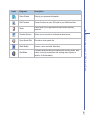
9
Messaging
Quick access key to Messaging service to send SMS, MMS and Email.
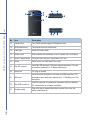
10
Infrared port
Enables you to exchange files or data with other devices without
cables or wires.
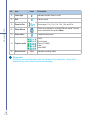
11
Record
Press and hold to record a voice note. Press and release
immediately to access Notes.
12
Camera
Press the button to launch Camera.
9