1
 2
INSTALLATION
2-1 Mounting locations
1
2
The sub monitor station has switches on
both sides. Allow at least 5 cm (2") of open
space on either side.
2
3
Allow at least 15 cm (6") of vertical open
space from the center of the mounting
bracket in order to mount the sub monitor
station.
3
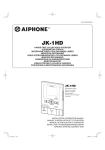
JK-1HD
+ 5 cm
(2")
English
Install the sub monitor station in a place
where the screen is not exposed to direct
sunlight.
+ 15 cm
(6")
+ 5 cm
(2")
Français
2-2 Wiring method, wiring distance
Español
Wire the units from station-to-station (daisy-chained).
A
JK-DA
JK-DV
JK-DVF
JK-1HD
4
B
C
IER-2
A
B
C
PS18
Ø 0.65 mm
50 m
5m
75 m
22 AWG
165'
16'
245'
Ø 1.0 mm
100 m
10 m
150 m
18 AWG
330'
33'
490'
Italiano
PS-1820
PS-1810DIN
PS-1820DIN
Nederlands
JK-1MED/1MD
2
2-3 Cable
1
Use PVC-coated cable with PE (polyethylene) insulation.
3
(x2)
2
Never use individual conductors, twisted pair cable or coaxial cable.
When using a cable with unused conductors, terminate both ends of
the unused pair(s) with a 120 Ω resistor.
JK-1MED/1MD
JK-1HD
A1
A2
S
S
B1
B2
L
L
B1
B2
SW
SW
+
-
+
-
120
120
-3-
JK-1HD_multi.indb
3
2008/12/11
22:52:00