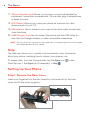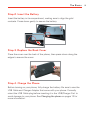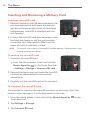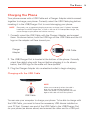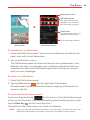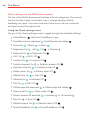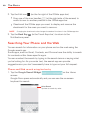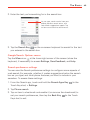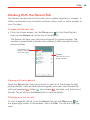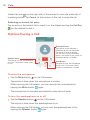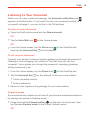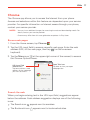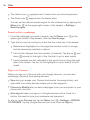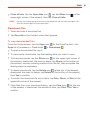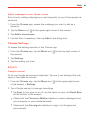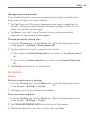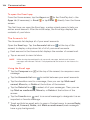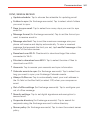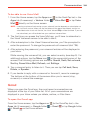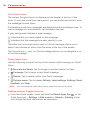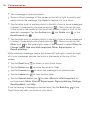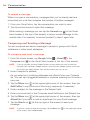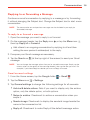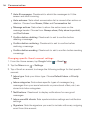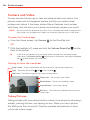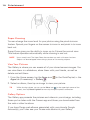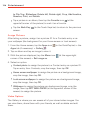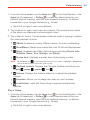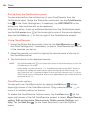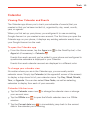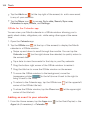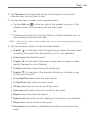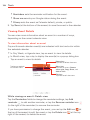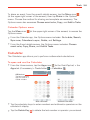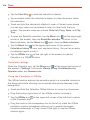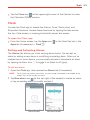
1
MFL68584901 (1.0) Guía del Usuario User Guide User Guide This booklet is made from 98% post-consumer recycled paper. This booklet is printed with soy ink. Printed in Mexico &RS\ULJKW/*(OHFWURQLFV,QF$OOULJKWVUHVHUYHG /*DQGWKH/*ORJRDUHUHJLVWHUHGWUDGHPDUNVRI/*&RUS $OORWKHUWUDGHPDUNVDUHWKHSURSHUW\RIWKHLUUHVSHFWLYH RZQHUV Important Customer Information Before you begin Before reading this user guide and getting started, please review the separate Product Safety and Warranty Information guide for important product safety and warranty information about your device. 1 2 Table of Contents Important Customer Information...............................................1 Table of Contents .......................................................................2 The Basics ...................................................................................5 Phone Overview.................................................................................................... 5 Help ....................................................................................................................... 8 Setting Up Your Phone ........................................................................................ 8 Removing the Battery and SIM Card ................................................................10 Inserting and Removing a Memory Card ..........................................................12 Charging the Phone ............................................................................................13 Optimizing Battery Life ......................................................................................14 Turning the Phone On and Off ..........................................................................16 Phone’s Status Icons .........................................................................................20 Getting to Know the Home Screen ..................................................................22 Touchscreen ........................................................................................................28 Apps: How to View, Open, and Switch ............................................................. 37 Working with Menus ..........................................................................................43 Managing Notifications .....................................................................................44 Searching Your Phone and the Web .................................................................48 Locking Your Phone ...........................................................................................50 Setting your Lock screen ....................................................................................51 Guest Mode ........................................................................................................55 Customizing the Home Screen.........................................................................56 Connecting to Networks and Devices ................................... 59 Connecting to Mobile Networks .......................................................................59 Connecting to Wi-Fi Networks .........................................................................60 USB Connection.................................................................................................62 SmartShare .........................................................................................................62 Calls .......................................................................................... 64 Placing and Ending Calls ..................................................................................64 Answering or Rejecting Calls ............................................................................ 67 Working With the Recent Tab ...........................................................................69 Calling Your Contacts..........................................................................................71 Options During a Call ........................................................................................ 72 Managing Multiple Calls .................................................................................... 73 Listening to Your Voicemail ............................................................................... 75 Table of Contents Web ............................................................................................77 Chrome................................................................................................................ 77 Communication ....................................................................... 89 Contacts ..............................................................................................................89 Messaging ...........................................................................................................96 Email .................................................................................................................. 103 Voice Mail .......................................................................................................... 108 Gmail ................................................................................................................. 109 Hangouts .............................................................................................................117 Entertainment .........................................................................120 Camera and Video............................................................................................ 120 Gallery ............................................................................................................... 129 Play Store .......................................................................................................... 133 Music ................................................................................................................. 135 YouTube™ ........................................................................................................... 141 Tools .........................................................................................143 Dual window ...................................................................................................... 143 QuickMemo+ .................................................................................................... 144 QSlide ................................................................................................................ 146 QuickRemote .................................................................................................... 149 Calendar ............................................................................................................. 151 Calculator .......................................................................................................... 155 Clock...................................................................................................................157 Maps .................................................................................................................. 160 Weather ............................................................................................................. 162 Voice Recorder ................................................................................................. 163 File Manager ..................................................................................................... 165 Tasks ...................................................................................................................167 Settings ...................................................................................168 Safety.......................................................................................198 Consumer Information About Radio Frequency Emissions ......................... 201 Consumer Information on SAR .................................................................... 205 3 4 Table of Contents FCC Hearing-Aid Compatibility (HAC) Regulations for Wireless Devices ........................................................................................ 206 Caution: Avoid potential hearing loss. .......................................................................... 209 TIA Safety Information .................................................................................... 210 Safety Information ........................................................................................... 213 FDA Consumer Update ....................................................................................217 Laser Safety Statement .................................................................................. 228 Specifications ........................................................................229 FAQ .........................................................................................230 LIMITED WARRANTY STATEMENT ...................................236 Index .......................................................................................240 The Basics Phone Overview Front View Earpiece LED Indicator Proximity Sensor Front Camera Home Screen QuickTap Bar Back Key Recent Apps Key Home Key NOTES • All screen shots in this guide are simulated. Actual displays may vary. • Instructions to perform tasks in this guide are based on the default settings and may change depending on the mode and software version on your phone. 1. LED Indicator Flashes (or blinks) to alert you for notifications (e.g., incoming call, new text message, screen unlock, etc.). 2. QuickTap Bar Provides icons for quick, one-touch access to the Applications screen and the apps you use most often. NOTE You can change the icons in the QuickTap bar to suit your needs. To reposition, add, or remove an icon, see page 23. 3. Back Key Tap this Touch Key to return to the previous screen or close pop-up items (such as menus, dialog boxes, and the on-screen keyboard). Touch and hold it to access the Dual window function which allows you to use two apps at the same time. 4. Home Key Tap this Touch Key to return to the Home screen (or your default Home screen panel from any of the Home screen extension panels) Touch and hold it to access Google now. 5. Recent Apps Key Tap this Touch Key to display recently used apps. Touch and hold it to open an Options menu with options that affect the 5 6 The Basics current screen or app. This only applies when available, depending on the screen or app. 6. Home Screen Displays all of the items needed to operate your phone including icons for app access, widgets, and the Status Bar (with status icons) allowing simple touch access to all of its functions and features. WARNING! Placing a heavy object on the phone or sitting on it can damage the LCD and touchscreen functions. 7. Front Camera Use to take pictures and record videos of yourself. You can also use this for video chatting. Keep it clean for optimal performance. 8. Proximity Sensor Senses proximity toward other objects (such as your head) so that tap commands are not accidentally activated (during a call, when inside a pocket, etc.). It also employs an ambient sensor which measures the surrounding light and adjusts the LCD brightness to provide a vivid screen. NOTE Don't block the sensor or near the sensor to avoid problems with the touchscreen. 9. Earpiece Lets you hear callers and automated prompts. Rear View Rear Camera Laser Detection Auto-focus LED Flash Volume Keys Power/Lock Key NFC Touch Point Speaker The Basics 10. Rear Camera Use to take photos and record videos. Keep it clean for optimal performance. 11. Laser Detection Auto-focus Detects the distance between the rear camera lens and nearby objects using laser technology. This feature helps the camera to focus quickly and accurately at short or long distances. NOTE Don’t cover the Proximity Sensor and LDAF sensor with a protective film, pouch, or protection case not authorized by LG as they may cause the device to malfunction. 12. Power/Lock Key Press to turn off the screen backlight and lock the screen, or turn the screen backlight back on. Press and hold it to turn the phone on/off, restart it, activate/deactivate Airplane mode, and change the sound settings. 13. NFC Touch Point Use to transfer data between compatible NFC devices. Tap the back of your phone to an NFC tag or another NFC compatible device in this location to transfer data between them. 14. Speaker Use to listen to audio (e.g., music, videos, sound clips, speakerphone, etc.) from the rear speaker instead of the earpiece. 15. Volume Keys Press to adjust the ringer, the media volumes, or the in-call volume during a call. TIPS • With the screen backlight off (asleep), you can press and hold the Volume Down Key to activate the camera. • With the screen backlight off (asleep), you can press and hold the Volume Up Key to access QuickMemo+. 16. LED Flash Brightens up the captured image or recorded video when you turn on the flash. Top and Bottom View 3.5mm Headset Jack LED Sensor USB/Charger Port Microphone 7 8 The Basics 17. 3.5mm Headset Jack Allows you to plug in an optional headset for convenient, hands-free conversations. You can also plug in headphones to listen to music. 18. LED Sensor Allows you to use your phone as a remote for other devices (such as your TV). 19. Microphone Use to transmit your voice to the other caller and activate voice functions. 20. USB/Charger Port Use to connect the phone and the USB Cable for use with the Charger Adapter or other compatible accessories. NOTE You may purchase a separate fast data cable from LG to enjoy higher data transfer speed with compatible devices (e.g., laptop). Help The Help app allows you to quickly and conveniently view information about your phone, including how-to videos, Icon glossary, etc. To access Help, from the Home screen, tap the Apps icon QuickTap bar) > the Apps tab (if necessary) > Help . (in the Setting Up Your Phone Step 1. Remove the Back Cover Insert your fingernail into the slot located on the lower left of the back cover and lift the cover up gently. The Basics Step 2. Insert the Battery Insert the battery in its compartment, making sure to align the gold contacts. Press down gently to secure the battery. Step 3. Replace the Back Cover Place the cover over the back of the phone, then press down along the edges to secure the cover. Step 4. Charge the Phone Before turning on your phone, fully charge the battery. Be sure to use the USB Cable and Charger Adapter that came with your phone. Correctly orient the USB Cable plug before inserting it in the USB/Charger Port to avoid damage to your phone. See Charging the phone on pages 13 for more information. 9 10 The Basics NOTE It’s important to fully charge the battery before initial use of the phone to maximize the battery's lifetime. Removing the Battery and SIM Card Removing the battery 1. Insert your fingernail into the slot located on the lower left of the back cover and lift the cover up gently. 2. Use the fingertip cutout at the bottom of the battery compartment to lift the battery out. The Basics SIM card/SD card slot location MicroSD Slot SIM Slot Removing the SIM card The SIM card is pre-installed in your smartphone. If you need to replace your SIM card, consult the following instructions. 1. Turn the phone off, then remove the back cover and the battery (as demonstrated in the previous instructions). 2. Locate the slot for the SIM card (the lower of the two slots above the upper-right corner of the battery compartment) and gently slide the SIM card out to remove it. CAUTION If a microSD card is inserted in your phone, please remove it from the upper slot before trying to remove the SIM card. 11 12 The Basics Inserting and Removing a Memory Card Inserting a microSD card 1. Remove the back cover (as demonstrated in the previous instructions) and locate the dual slot just above the upper-right corner of the battery compartment. (microSD is inscribed near the slot opening.) 2. Position the microSD card (sold separately) with the label side facing up and the gold contacts toward the slot, then carefully slide it into the upper slot until it's secured in place. NOTE The microSD card can be easily damaged by improper operation. Please be careful when inserting, removing, or handling it. To remove the microSD card 1. Unmount the microSD card. From the Home screen, touch and hold the (in the Touch Keys bar) Recent Apps Key > Settings > Storage > Unmount SD card. 2. Remove the back cover and locate the microSD card slot (as demonstrated in the previous instructions). 3. Carefully pull the microSD card out to remove it. To unmount the microSD card It’s important to unmount the microSD card prior to removing it from the phone to avoid damage to it or the data saved on the card. 1. From the Home screen, touch and hold the Recent Apps Key Touch Keys bar). 2. Tap Settings > Storage. 3. Tap Unmount SD card. (in the The Basics Charging the Phone Your phone comes with a USB Cable and a Charger Adapter which connect together to charge your phone. Correctly orient the USB Cable plug before inserting it in the USB/Charger Port to avoid damaging your phone. NOTE Please only use an approved charging accessory to charge your LG phone. Improper handling of the USB/Charger Port, as well as the use of an incompatible charger, may cause damage to your phone and void the warranty. 1. Correctly orient the USB Cable with the Charger Adapter, and connect them. As shown below, both the USB logo on the USB Cable and the LG logo on the adapter will face toward you. Charger Adapter USB Cable 2. The USB/Charger Port is located at the bottom of the phone. Correctly orient the cable's plug with the port before plugging it in. As shown below, the USB logo on the cable will face upward. 3. Plug the Charger Adapter into an electrical outlet to begin charging. Charging with the USB Cable NOTE Make sure to correctly orient the cable's plug with the port before plugging it in. When the phone is facing upward, the USB logo on the cable will also face upward. USB Cable You can use your computer to charge your phone. To be able to charge with the USB Cable, you need to have the necessary USB drivers installed on your PC first. Connect one end of the USB Cable to the USB/Charger Port on your phone (as shown above) and connect the other end to a USB port 13 14 The Basics on your PC. It’s best to use the rear USB port when connecting to a desktop PC. The USB hub should be powered by an external power source. NOTE You may experience a slower charging rate when charging from your computer. Optimizing Battery Life You can extend your battery’s life between charges by turning off features that run in the background. You can also monitor how apps and system resources consume battery power. Tips to extend the life of your battery Reduce the screen brightness and set a shorter screen timeout. Turn off radio communications (such as Wi-Fi, Bluetooth, GPS, etc.) that you're not actively using. (Note that the GPS receiver is only turned on when you’re using an app that makes use of it.) Turn off automatic syncing for Gmail, Calendar, Contacts, and other apps, if you don’t need it. Use the Battery saver feature to control data activity, Wi-Fi connection, Bluetooth connection, and power used for the phone such as screen brightness and screen timeout. NOTES • Allowing other devices to use your phone's hotspot connection will drain your battery more quickly. • If you accidently press the Power/Lock Key while the phone is in your pocket, the proximity sensor prevents the screen from turning on in order to save battery power and prevent unintentional actions. To check the battery charge level From the Home screen, touch and hold the Recent Apps Key Touch Keys bar) > Settings > Battery. (in the The battery level (as a percentage of fully charged) and the battery status (Charging or Discharging) are displayed at the top of the screen. Checkmark the Battery percentage on status bar checkbox to display the percentage of remaining battery charge on the Status Bar next to the battery icon. The Basics Tap Battery saver to view and/or modify your Battery saver settings. To monitor and control what uses the battery The Battery use screen allows you to see which apps are consuming the most battery power. Information on this screen allows you to identify downloaded apps you may want to turn off when not being used, so you can get the most out of your battery power. (in the From the Home screen, touch and hold the Recent Apps Key Touch Keys bar) > Settings > About phone > Battery > Battery use. OR (in the From the Home screen, touch and hold the Recent Apps Key Touch Keys bar) > Settings > Battery, then tap the Battery icon (at the top of the screen). The top of the Battery use screen displays a usage graph and below it, battery usage times. It lists all of the apps or services using battery power from the greatest amount of energy used to the least amount. Tap an app or service in the Battery use screen to see the details about its power consumption, including either how long since last connected to a power source or how long you were last running on battery power. Different apps or services offer different kinds of information, and they may even include options to modify the settings so you can reduce power consumption by that app (or stop running the app). Battery saver mode Battery saver mode changes certain settings to conserve battery power until you can recharge your phone. If you turn Battery saver mode On, it will automatically activate when the battery charge level drops to the level you set. If Battery saver mode is off, you’ll be prompted to turn on Battery saver mode when the battery reaches low levels. From the Home screen, touch and hold the Recent Apps Key Touch Keys bar) > Settings > Battery > Battery saver. (in the From the Battery saver screen, tap Turn Battery saver on (at the top of the screen) to set the phone to activate Battery saver mode immediately, 15 16 The Basics when the charge drops to 10%, 20%, 30%, or 50%. If you turn off Battery saver mode, when the battery charge becomes low, a notification prompts you to turn it on. From the Battery saver screen, checkmark the saving items you want, which include Auto-sync, Wi-Fi, Bluetooth, Vibrate on tap, Brightness, and Screen timeout. After you modify the Battery saver settings to your preferences, tap the switch (at the upper-right corner of the screen) to toggle it On (blue) or Off (gray). Turning the Phone On and Off Turning the phone on (on the back of the phone) for a Press and hold the Power/Lock Key couple of seconds until the screen turns on. Turning the phone off 1. Press and hold the Power/Lock Key the Phone options menu appears. (on the back of the phone) until 2. Tap Power off in the Phone options menu. 3. Tap OK to confirm that you want to turn off the phone. Turning the screen on using the Knock Code feature If your Lock screen unlock sequence is set to a Knock Code, tap your Knock Code on the darkened screen to automatically turn the screen on and unlock it at the same time. TIP When the screen is in time-out and a Knock Code is set, pressing the Power/Lock Key (on the back of the phone) displays the Lock screen (for instance, if you want to check the time). You can tap your Knock Code to unlock the screen or turn the screen again (or double-tap the Status Bar). back off by pressing the Power/Lock Key NOTES • If you enter the wrong Knock Code 5 times, you'll be prompted to enter a phrase to verify that you're trying to unlock your phone. You can continue attempting the unlock sequence, or you can tap Forgot Knock Code (at the lower-right corner of the screen) to enter your Google Account log in or your backup PIN to unlock your phone. • Use a fingertip instead of your fingernail to tap the screen. The Basics • If Knock Code isn't your unlock sequence, you can use the KnockON feature by double-tapping the screen to turn it on. Setting up the Knock Code feature 1. From the Home screen, touch and hold the Recent Apps Key Touch Keys bar) > Lock screen settings. (in the 2. Tap Select screen lock > Knock Code. 3. Tap the squares in a pattern (from 3 to 8 taps) to set your Knock Code, tap Done, enter it again, then Confirm. Turning the screen on using the KnockON feature The KnockON feature allows you to double-tap the screen to easily turn the screen on or off. Quickly double-tap the darkened screen to turn it on. Quickly double-tap the Status Bar, an empty area on the Home screen, or the Lock screen to turn the screen off. NOTE When turning the screen on, avoid covering the proximity sensor. Doing so will not allow you to turn the screen on. To unlock the phone If you don’t use the phone for a while, the screen and backlight will turn off to conserve battery power. To unlock the phone’s default Lock screen: 1. Turn the screen on. NOTE Avoid covering the proximity sensor when turning the screen on. Doing so, immediately turns the screen off. Press the Power/Lock Key Lock screen will appear. (on the back of the phone). The default OR Quickly double-tap the center of the screen (KnockON). NOTE If you set up a Knock Code in the Screen lock setting, KnockOn won’t work, but you can tap your sequence to turn the screen on and unlock it at the same time. 17 18 The Basics 2. From the center of the screen, swipe in any direction to unlock it. To use a shortcut, swipe the shortcut icon (at the bottom of the screen) in any direction. The screen will unlock and launch the app. NOTE The default Lock screen simply locks the screen to prevent unintentional actions. For more security to guard against unauthorized use, you can set an unlock requirement (such as a knock code, pattern, PIN, password, or face recognition) that will need to be entered to unlock it. To turn the phone sounds off If you’re in a place where your phone sounds may disturb others, you can quickly silence your phone from the Home screen. From the Home screen, press and hold the Power/Lock Key back of the phone), then tap the Silent mode icon . NOTE (on the Only one mode can be selected at a time. The currently activated mode (Silent , Vibrate , or Sound ) is underlined in blue. Tap any of the sounds mode icons to switch to that mode. OR Press the Volume Down Key on the back of the phone (when the screen isn't in timeout) until vibration is set, then press it again to turn all sounds off. OR Open the Notifications panel and tap the Sound icon until Quick Settings icon bar) is displayed. (in the Your Google Account You must sign into a Google Account to use Gmail, Hangouts, Google Calendar, and other Google apps; to download apps from Play Store; to back up your settings to Google servers; and to take advantage of other Google services on your phone. IMPORTANT • If you don’t sign into a Google Account during setup, you're prompted to sign in or to create a Google Account the first time you start an app that requires one, such as Gmail or Play Store. The Basics • When you sign in, you’re prompted to enter your username and password using the on-screen keyboard. • After you sign in, your contacts, Gmail messages, Calendar events, and other information from these apps and services on the web are synchronized with your phone. • If you've an enterprise account through your company or other organization, your IT department may have special instructions on how to sign into that account. Setting up your Google Account If you use Setup Wizard to set up your Google Account, it guides you through the following steps. 1. At the Google Account setup screen, tap Yes if you already have a Google Account, or tap No if you want to create a new account. 2. Enter your username and password (and any other necessary information if creating an account), then tap the Continue icon (on the right side of the screen). Tap OK to agree to your Google Account terms and conditions. NOTE Tap the Back Key (in the Touch Keys bar) to close the on-screen keyboard. 3. On the Google Services screen, checkmark the services you want to use (Backup & Restore, Location, and Communication), then tap the Continue icon (at the lower-left corner of the screen). 4. On the Entertainment screen, choose whether or not to set up your credit card information for Play Store purchases by tapping Set up credit card or Not Now. Your Gmail, Google Contacts, and Google Calendar events will all be synchronized with your phone automatically. NOTE This is automatic for the first Google Account you add. When adding additional Google accounts, you've to select which options to synchronize. 5. Confirm your setup checklist choices on the Setup Wizard Summary screen, then tap Done. You can use the area below to record your Google Account information for future reference. Username:[email protected] Password:____________________________________________ 19 20 The Basics Phone’s Status Icons The Status Bar appears at the top of every screen. It displays icons indicating that you’ve received notifications (on the left) and icons indicating the phone’s status (on the right), along with the current time. Notification icons Status icons If you’ve more notifications than can fit in the Status Bar, the More notifications icon is displayed as an indicator to open the Notifications panel to view them all. The following icons may appear in the Status Bar. Call icons In call Missed call Speakerphone is on Microphone is muted Sound icons Silent mode is activated Vibrate mode is activated Music is playing Network icons 3G connection 3G in use 4G LTE connection 4G LTE in use Wi-Fi connection Wi-Fi network is within range Signal strength No signal Roaming Network Extender No SIM card Unknown SIM card Airplane mode is activated GPS is on App update is available App update successful Downloading Uploading The Basics Download successful Emergency Alert Connectivity icons Syncing Problem with sign-in or sync USB is connected USB debugging mode Mobile Hotspot is on Mobile Broadband Connect in use Bluetooth connection Bluetooth is on Bluetooth headset full battery Bluetooth headset low battery NFC is on Wired headset connected Wired headset with microphone connected Internal storage is full Email and Messaging icons New email New Gmail message New text or multimedia message New Verizon message New voicemail Email not sent Message not sent Calendar and Alarm icons Alarm is set Upcoming event Battery icons Full battery Charging battery Low battery Empty battery Not charging Other icons More notifications Screenshot captured 21 22 The Basics Getting to Know the Home Screen The Home screen is your starting point to access all of the features on your phone. It displays app shortcuts, icons, widgets, and other features. Status Bar Shows device status information, including the time, signal strength, battery status, and notification icons. Application Icon Tap an icon (app, widget, folder, etc.) to open and use it. QuickTap Bar Provides easy, one-touch access to the functions used most often. NOTE Apps Icon Tap here to open the Applications screen to view all of your installed apps. Touch Keys Bar Displayed on all screens, these keys allow you to easily navigate within the device software. The Home screen is not affected by the Auto-rotate screen setting. It remains in portrait view even when held in landscape orientation. QuickTap bar icons The QuickTap icons are located in a bar at the bottom of the Home screen. NOTE Five icons are displayed, but the QuickTap bar can hold up to seven icons. You can modify the icons in this bar to suit your needs. : Opens the Phone app which displays the dialpad so you can dial a number not stored in your phone’s memory. It also provides additional tabs at the top of the screen to access your Recent calls, Contacts, Favorites, and Groups. : Opens the Contacts app which displays the names and numbers stored in your phone's memory. It also provides additional tabs at the top of the screen to access the dialpad, your Recent calls, Favorites, and Groups. : Opens the Applications screen which displays phone options and apps. It also provides a Widget tab, a Search icon , and the Menu icon at the top of the screen. : Opens the Chrome app to browse the web. : Opens the Message+ app so you can send and view text and multimedia messages. The Basics Modifying the QuickTap bar You can modify the icons in the QuickTap bar to suit your needs. Rearrange: Touch and hold the icon to move, then drag it to another position in the QuickTap bar. Add: Open the Applications screen, then drag the icon you want onto the QuickTap bar. Delete: Touch and hold the icon to delete, then drag it to the Remove icon that appears at the top of the screen. Touch Keys The Touch Keys are displayed in a bar at the bottom of all of the screens to provide easy navigation within the device software. NOTE The Touch Keys are displayed along the right side of the screen when the phone is held in landscape orientation. Back Key: Tap to back up one step at a time and close on-screen items such as pop-up messages, the on-screen keyboard, etc. Touch and hold it to activate Dual window mode, which allows you to open two apps at the same time. Home Key: Tap to immediately return to the Home screen. Touch and hold it to access Google Now. Recent Apps Key: Tap to display your recently used apps. Touch and hold it to access the Options menu for the current app or screen. Modifying the keys in the Touch Key bar You can change which keys are displayed in the Touch Keys bar, as well as how they’re displayed. 1. From the Home screen, touch and hold the Recent Apps Key QuickTap bar) > Settings > Display > Home touch buttons. (in the 2. Select the modification you want to change. Tap Button combination to select which Touch Keys you want in the bar and their location within the bar. Choose from the Back Key, the 23 24 The Basics Home Key, the Recent Apps Key, the Notifications Key, the QuickMemo+ Key, the QSlide Key, and the Dual Window Key. Tap Color to set the key color. Choose from White, White Gradation, Black, and Black Gradation. Checkmark the Transparent background checkbox to make the bar background transparent. To return to the Home screen Tap the Home Key (in the Touch Keys bar) at any time, from any app. To view other Home screen panels Swipe (or flick) your finger left or right across the Home screen. The Home screen is comprised of five sliding panels but you can add up to seven panels to allow more space for icons, widgets, shortcuts, and other items. Home Screen Panel Indicator The white dot (above the QuickTap bar) indicates the current Home screen panel. Tap any of the Home screen panel indicator dots (above the QuickTap bar) to display that panel. The Basics Pinch in on the Home screen to display the mini panel view, then tap the Home screen panel you want to view. Tap here to set the default Home screen. Tap here to add another panel. Full screen view Mini panel view Mini panel view Mini panel view allows direct access to any of the Home screen panels and also allows you to manage them. You can add, delete, and rearrange the panel from here. Pinch in on any of the Home screen panels to change from full screen view to mini panel view. From mini panel view you’ve the following options: To go directly to any panel, simply tap the one you want. To add another panel, tap the Add panel icon . To delete a panel, touch and hold the panel to delete, drag it to the Remove bar at the top of the screen, then lift your finger. To rearrange your panels, touch and hold the panel to move, drag it on top of the panel position where you want it, then lift your finger. The moved panel takes that position and the remaining panels shift accordingly. To set another panel as the default Home screen, tap the Default Home icon at the upper-right corner of the mini panel you want to be your default Home screen panel. NOTE Changing the default Home screen panel doesn't change its position with the other panels. 25 26 The Basics Hiding items on the Home screen Place two fingers on the screen, then spread them apart to hide the items on your Home screen so that only your wallpaper and the Status Bar are displayed. To redisplay your normal Home screen with all of its apps and widgets, pinch in on the screen, or tap the Back Key (in the Touch Keys bar). NOTE The phone automatically reverts to the normal Home screen view after screen timeout. Using Dual View Dual view allows you to easily add items to any of the Home screen panels. Touch and hold an empty spot on any of the Home screen panels to view your Home screen on top and the Applications screen on the bottom. Flick sideways to scroll through the Home screen panels to display the panel you want. At the bottom of the screen, tap the type of item you want to add (Apps, Widgets, or Wallpapers), then flick sideways to scroll through the available choices. Simply tap the item you want to automatically add it to the panels viewed at the top of the screen. NOTE The QuickTap bar isn't accessible while in Dual view. To return to the full screen view, tap the Back Key (in the Touch Keys bar). You can also tap one of the Home screen panels. NOTE The phone automatically reverts to the full screen view after screen timeout. Home screen layout EasyHome is a more simplified version of the Home screen that you can choose to use on your phone. To change to EasyHome From the Android Home screen, touch and hold the Recent Apps Key (in the Touch Key bar) > Home screen settings > Select Home > EasyHome. The EasyHome setting displays the Home screen like a remote control device. The main part of the screen is the dialpad to allow you to make calls, but it also has icons to access the Camera app, the Gallery app, the Contacts app, the Settings app, the Message+ app, the Chrome app, the The Basics Apps screen icon, and the Add icon that allows you to select an app of your choice for that position. The Weather widget is displayed at the top of the screen. The EasyHome Home screen has two panels. Slide the screen to the left to access your other Home screen panel and add additional shortcut icons. To change back to the Android Home screen From the EasyHome screen, tap the Apps icon screen > Select Home > Home. > Settings > Home Global access The Global access function allows you to open Google Now and QuickMemo+ from any screen. Global access is activated by dragging your finger upward from the Touch Keys bar (at the bottom of the screen). As you drag, the Global access icons appear on a white arc. Position your finger over the icon you want to use, then let go to launch it. NOTE Drag horizontally from the right side of the Touch Keys bar on to the screen when in landscape view. TIP When activating Global access, it may be easier to start dragging from below the Touch Keys bar to avoid touching and activating a Touch Key on the bar. 27 28 The Basics Mini view Activate Mini view to reduce the viewing size of the screen. Mini view is useful for one-handed operation of the phone. Checkmark the Mini view checkbox (in the One-handed operation menu) to enable this function. Using Mini view To activate Mini view, swipe left or right on the Touch Keys bar. Drag the top of the Mini view window to move its position on the screen. Drag the upper-right corner of the Mini view window to resize it. at the upper-left corner of the Mini view window Tap the Close icon to return to the normal view. Touchscreen Your touchscreen provides an excellent way to interact with and use your Android™ phone. With the touch of your finger, you can download and use available apps, make menu selections, and access data saved to your phone. The following terms are used for describing the different available actions using the touchscreen: Touch or tap A single finger touch selects items. For example, tap an icon (e.g., an app, widget, or folder), tap words (e.g., menu selection or to answer an on-screen question), or touch letters and numbers to type. Touch and hold Touch and hold an item on the screen by touching it and not lifting your finger until an action occurs. For example, to open a Context menu for editing a contact, touch and hold a contact entry until the menu pops up. Drag Touch and hold an item for a moment and then, without lifting your finger, move your finger on the screen until you reach the target position. For example, you can drag items on the Home screen to reposition them. The Basics Swipe, slide, or flick Move your finger quickly across the surface of the screen, without pausing when you first touch it (so you don’t drag an item instead). For example, you can browse through the different Home screens by swiping from left to right (and vise versa), slide the screen up or down to scroll a list, or remove an app from the Recent apps screen by flicking its graphic off the screen. Double-tap Tap the screen twice quickly to zoom, highlight text, or turn the screen on/off. For example, quickly double-tap a section of a web page to zoom that section to fit the width of the screen and control the zoom in Maps and in other apps. Double-tap a word to highlight it. Double-tap can also activate the KnockON feature to turn the touchscreen on or off. NOTE The Accessibility Settings shortcuts and Touch zoom accessibility features use a triple-tap. A double-tap also activates a new event in the Calendar app. Pinch-to-zoom Use your index finger and thumb in a pinch motion (to zoom out) or spread motion (to zoom in) when using Chrome, a map, photos, the rear camera lens, the Contacts list, the Favorites list, the Groups list, the Messaging list, and a music list. Spread apart to make screen information larger (easier to see and read), or pinch together to view more area and information. The pinch gesture also changes the Home screen. Pinch in on the Home screen to change to mini panel view, then spread apart to return to the normal Home screen view. Spread apart on the normal Home screen to hide all of your Home screen items, then pinch in to redisplay them. 29 30 The Basics Rotate the screen From many apps, the orientation of the screen adjusts to the phone’s physical orientation by rotating the screen. You can deactivate this function in the Display settings menu. NOTE The Home screen doesn't rotate to landscape view. Rotate the phone sideways for landscape orientation. Rotate the phone upright for portrait orientation. Capturing the screen Press and hold the Volume Down Key and the Power/Lock Key (on the back of the phone) at the same time to capture the current image on the screen. The captured image is saved in the Screenshots folder of the Gallery. NOTE You cannot capture an image from some videos and apps. The Smart screen feature The Smart screen feature keeps the phone from activating screen time-out when it detects your eyes looking at the screen. When you turn this feature on, you can set a shorter screen time-out to conserve your battery power, but still allow you to view a screen for a longer period of time without having to touch it to keep it activated. To turn this feature on, from the Home screen, touch and hold the Recent Apps Key (in the Touch Keys bar) > Settings > Display > checkmark the Smart screen checkbox. NOTES The following situations may prevent this feature from functioning properly. When the phone is in the dark or against bright light. When the camera lens can’t detect the location of your eyes. • When the front camera is used at the same time with other apps. • • The Basics Text Input Methods On-screen Keyboard The on-screen keyboard displays automatically on the screen when you need to enter text. To manually display the on-screen keyboard, simply tap a text field where you want to enter text. Selection Box Tap an item (e.g., letter, word, or symbol) to insert it in the text field. Toggles between 123/SYM mode and ABC mode. Modifying your LG keyboard characteristics From the Home screen, touch and hold the Recent Apps Key (in the Touch Keys bar) > Settings > Language & input > the Settings icon (next to LG Keyboard) > Keyboard height and layout. The Bottom row keys setting allows you to select the default keys on either side of the Space Key. The Extended keyboard setting displays numeric keys on the top row of the keyboard. The Keyboard height setting allows you to change the size ratio between the keyboard to the screen. The Keyboard theme setting allows you to choose a theme for your keyboard. The Split keyboard setting allows you to split the keyboard in half by spreading two fingers to the left and right. The One-handed operation setting allows you to swipe the keyboard left or right to adjust the position of the LG keyboard. 31 32 The Basics Typing tips Enter other characters Tap the Numbers/Symbols Key to display the numbers and symbols keyboard. Tap the Arrow Keys on the left side of the keyboard to view additional symbols. From the Numbers/Symbols keyboard, you can also tap the Graphics Key to enter graphics into your text. To enter foreign characters, touch and hold the associated key to display a pop-up of character choices (e.g., the “a” key also includes an accent mark “á”), drag your finger to the character you want, then lift your finger. Enter one capital letter to capitalize the next letter. Tap the Shift Key . The key changes to Enter all capital letters Double-tap the Shift Key to set caps lock. . Tap again to revert to The key changes to lowercase. Highlight text Double-tap a word to highlight it. To highlight a range of text, double-tap a word, then drag the blue highlight markers to highlight the text you want. Cut or copy selected text Highlight the desired text, then tap Cut, Copy, or Select all in the action box above the highlighted text. Paste cut or copied text Tap the location where you want to paste the text, then tap the marker . Tap Paste in the action box that appears. Delete a character Tap the Delete Key Entering text by voice Touch and hold the Settings Key then drag your finger to the Voice input icon (in the pop-up that appears). Accessing the Clip Tray Touch and hold the Settings Key your finger to the Clip Tray icon that appears). . then drag (in the pop-up The Basics Text input settings To change your text input settings and see the dictionary of terms you’ve used, from the Home screen, touch and hold the Recent Apps Key (in the Touch Keys bar) > Settings > Language & input. The following options are available in the KEYBOARD & INPUT METHODS section. Default - Designates the default keyboard to use when entering text. LG Keyboard - Tap the Settings icon to change the following settings. (on the right side of the screen) MY KEYBOARD Input language and keyboard layout: Sets the keyboard language and keyboard layout. This is where you can select multiple languages for your keyboard input. Keyboard height and layout: Tap to set certain characteristics for your keyboard to help you enter text more easily. Bottom row keys: Change voice input, handwriting, symbol keys, and more. Extended keyboard: Checkmark to show the numeric keys on the top row of the keyboard. Keyboard height: Sets the height of the keyboard to show more (or less) of the screen to make typing easier. Keyboard theme: Sets the keyboard theme. Split keyboard: Checkmark to split the screen when you spread two fingers on the on-screen keyboard in landscape view. One-handed operation: Checkmark to allow you to to position the LG keyboard on the left or right side of the screen so that it’s easier to type with just one hand. SMART INPUT Path input: Checkmark to enter a word by drawing a path through all of the letters. 33 34 The Basics Show word suggestions: Checkmark to show words through text prediction. Auto-correction: Sets the level of auto-correction. Choose from Off, Mild, Moderate, and Aggresive. Update word suggestions: Update to get more word suggestions using Swipe Connect. Additional settings EFFECTS Vibrate on keypress: Checkmark to provide a vibration when you tap the keyboard keys. Sound on keypress: Checkmark to provide a sound when you tap the keyboard keys. Pop-up on keypress: Checkmark to show a keypress bubble with each character when you tap the keyboard keys. INPUT TOOLS Auto-capitalization: Capitalize the first word of each sentence automatically. Auto-punctuation: Insert a period when the Space Key is doubletapped. Spell checker: Checkmark to show spelling errors. Clear word suggestion history: Clear history of words suggested based on your input. Personal dictionary: Add words to your word suggestions. Help: Displays information for various LG keyboard features. Google voice typing: Checkmark to select Google voice typing to enter to change the Google voice typing text. Tap the Settings icon settings. Choose input languages: Allows you to select the languages to support with Google voice typing. The Basics GENERAL Block offensive words: Checkmark to hide recognized offensive text. Offline speech recognition: Enables voice input while offline. Voice Search: Sets voice search options. Language: Sets the Google search by voice language. “Ok Google” hotword detection: Turn this feature On to allow you to launch the voice search function saying “Ok Google”. Speech output: Sets when to use speech output. Choose from On, Hands-free only, and Off. To turn on speech output only when you’ve got a headset attached to your phone, select Hands-free only. Block offensive words: Checkmark to hide offensive voice results. Offline speech recognition: Sets one or more additional languages for speech recognition when you don’t have a network connection. Personalized recognition: Checkmark to improve speech recognition accuracy. Bluetooth headset: Checkmark to record audio through a connected Bluetooth headset. Text-to-speech output: Sets the preferred speech engine and speech rate (very slow to very fast). Also plays a short demonstration of speech synthesis and displays the language status. MOUSE/TRACKPAD Pointer speed: Sets the pointer speed. 35 36 The Basics Languages You can set only one default language for your phone, but you can set multiple languages used for the on-screen keyboard. To change the default language (in the From the Home screen, touch and hold the Recent Apps Key Touch Keys bar) > Settings > Language & input > Language > tap the language you want. To add additional languages for your keyboard (in the From the Home screen, touch and hold the Recent Apps Key Touch Keys bar) > Settings > Language & input. Tap the Settings icon to the right of LG Keyboard, tap Input language and keyboard layout, then checkmark the languages you want the keyboard to be able to use. OR Open the Notifications panel (when an app that allows text input is open), tap Choose input method (in the ongoing notifications list) > Setup input methods (at the bottom of the dialog box) > the Settings icon (to the right of LG Keyboard) > Input language and keyboard layout, then checkmark the languages you want to be able to use. The Basics Apps: How to View, Open, and Switch All of the apps on your phone, including any apps that you downloaded and installed from Play Store or other sources, are grouped together on the Applications screen, which you access from your Home screen. If you’ve more apps than can fit on the Applications screen, you can slide the screen left or right to view more. Home screen Tap the Apps icon to open the Applications screen. Applications screen Tap these to select Apps, Widgets, Search, or Menu options. Slide the screen left or right to bring more icons into view. Tap an app icon to open the app. Opening and Closing the Applications screen Opening the Applications screen It’s easy to access the Applications screen no matter what feature you’re currently using. Simply tap the Home Key (in the Touch Keys bar), then tap the Apps icon (in the QuickTap bar). 37 38 The Basics Closing the Applications screen To manually close the Applications screen, tap the Home Key Back Key (in the Touch Keys bar). NOTE or the The Applications screen closes automatically when you tap an icon to open its app. Dragging an icon onto your Home screen also closes the Applications screen automatically. Customizing the Applications screen Your phone includes a wide variety of apps and you can download even more apps to your phone. You can customize these items on the Applications screen for faster, more convenient access to the apps you use most often. Applications screen options You can change the look of your Applications screen. 1. From the Home screen, tap the Apps icon tap the Apps tab, if necessary. (in the QuickTap bar), then 2. Tap the Menu icon (at the upper-right corner of the screen) to access the following Applications screen options: View apps by: Tap to sort your apps either in alphabetical order, by downloaded date, or user customized. Show small/large icons: Tap to change the app icons to either small or large, then tap Yes to set your choice. Hide/Show apps: Tap to set which app icons will be displayed in your Applications screen. Checkmark the icons you want to hide, then tap (at the upper-right corner of the screen). the Checkmark icon Edit/Uninstall apps: Tap to view app information, move apps on the screen, or uninstall apps from the Application screen or uninstall the app. Tap an app icon to view its information. Home screen settings: Tap to access the Home screen settings menu. The Basics Rearranging the Applications screen icons You can rearrange the order of the icons on the Applications screen to provide more convenient access to the apps you use the most. 1. From the Home screen, tap the Apps icon tap the Apps tab, if necessary. (in the QuickTap bar), then (at the upper-right corner of the screen), tap Edit/ 2. Tap the Menu icon Uninstall apps. The Menu icon changes to a checkmark . 3. Touch and hold the app icon you want to move, drag it to its new position, then lift your finger. The remaining icons shift to the right. NOTE If you drag the app icon onto another app icon, it creates a folder with both of the apps in it. 4. Tap the Checkmark icon save and exit. (at the upper-right corner of the screen) to Checking app information To view an app’s detail information from the Applications screen: 1. From the Home screen, tap the Apps icon (in the QuickTap bar). (at the 2. Tap the Apps tab (if necessary), then tap the Menu icon upper-right corner of the screen), then tap Edit/Uninstall apps. 3. Tap any of the app icons to display an information dialog box, then tap OK to close it. 4. Tap the Back Key screen. NOTE (in the Touch Keys bar) to return to the Applications To view an information dialog box for a widget, tap the Widget tab > tap the Menu icon > Uninstall widgets > then tap the widget to view. 39 40 The Basics Opening and Switching Apps Multi-tasking is easy with Android™ because you can use and switch among several open apps. Android™ manages each app, stopping and starting them as needed, to ensure that idle apps don’t consume resources unnecessarily. Opening an app Open an app simply by tapping its icon on the screen. TIP You can customize your Home screen with the app icons you use most often. Apps are located on the Applications screen, but you can copy any app icon to your Home screen for faster, more convenient access. No matter where the icon is, on the Applications screen or your Home screen, just tap it to open and use it. Opening multiple apps 1. Tap an app icon to open it. 2. Tap the Home Key (in the Touch Keys bar ). NOTE If the app icon you want is on your Home screen, simply tap the icon to open and use it. 3. Tap the Apps icon necessary. (in the QuickTap bar), then tap the Apps tab, if 4. Tap the icon for the other app you want to open. Switching between multiple apps 1. Tap the Recent Apps Key (in the Touch Keys bar ). A screen opens and displays a scrolling list of all of the apps that are currently open. 2. Tap the app you want to use or tap the Back Key bar ) to return to the current screen. (in the Touch Keys Tap an icon to use it. You can also tap the app image. Flick an app icon to the right or left to close the app and remove it from the list. Swipe up or down to view the entire list of open apps. The Basics NOTE Navigation in the Recent apps screen depends on the phone orientation. When held sideways, swipe left and right to view the entire list. Flick an app icon up or down off the screen to close the app and remove it from the list. TIP Pinch in on the Recent apps screen to view small app images in a grid, or pinch out to view large app images in a single row. Adding items to the Home screen Customize your Home screen with the apps you use most often. Applications screen 1. From the Home screen, tap the Apps icon tap the Apps tab, if necessary. (in the QuickTap bar), then 2. Touch and hold the icon you want to add to your Home screen. The Applications screen closes and the Home screen is displayed. NOTE You can tap the Widgets tab (at the top of the screen) to place a widget on the Home screen. 3. Lift your finger to place it or drag the icon to where you want it on the screen, then lift your finger. Dual view 1. Touch and hold an empty spot on any of the Home screen panels to view your Home screen on top and the Applications screen on the bottom. 2. Flick sideways to scroll through the Home screen panels to display the panel you want. 3. Tap the tab for the type of item you want to add (Apps, Widgets, or Wallpapers) at the bottom of the screen, then flick sideways to scroll through the available choices. 4. Tap the item you want to automatically add it to the panel viewed at the top of the screen. NOTE You can also manually drag it to the Home screen location you want. Moving apps to other Home screen panels You can place app icons on any of the Home screen panels. Touch and hold, then drag the icon to the left or right edge of the screen to advance to the other panels before lifting your finger. 41 42 The Basics Customizing an app icon on your Home screen You can create your own custom app icon(s) using the images in your Gallery. Your customized app icon(s) are only applied to icons on your Home screen. The Applications screen is not affected. Touch, hold, release, then tap an icon to edit it. Home Screen Customize Icon Screen 1. Touch and hold the icon you want to customize, then release the icon. An Edit icon appears at the upper-right corner of the app icon. NOTE If an icon can be resized, you'll see a blue box around the icon after you touch, hold and release it. Drag the edges of the box to resize it. 2. Tap the app icon (while the Edit icon is still displayed). 3. Tap the icon design you want from the available icon choices, then tap OK. OR (at the top of the screen), set the size for the 㻌 Tap the Add new icon icon, then tap OK. Select the image you want to use for the app, crop the image (if necessary), then tap OK. NOTE Your custom photo icons are saved so you can easily select them for any of your icon (at the upper-right corner of the Icon change screen) to images. Tap the Delete icon remove any of your custom photo icons. The Basics Changing an icon into a widget Some app icons can be changed into a convenient widget to use on your Home screen. 1. Touch and hold the icon you want to customize, then release the icon. 㻌 A blue frame appears around the icon if it can be resized and changed into a widget (if it can’t, only the Edit icon is displayed). 2. Drag the corners of the frame to make it larger and change it into a widget. 㻌 Touch, hold, and release the widget again to change the size of the widget, if necessary. 㻌 You can also change it back into a normal icon by dragging the corners of the resizing frame back in. Working with Menus Options menus Options menus contain tools that apply to the activities of the current screen or app, not to any specific item on the screen. To open the available Options menu, tap the Menu icon (at the upper-right corner of the screen). To open the Options menu on the Home screen, touch and hold the Recent Apps Key (in the Touch Keys bar). Not all apps have Options menus; if you tap the Menu icon on a screen that has no Options menu, nothing will happen. 43 44 The Basics Context menus Context menus contain options that apply to a specific item on the screen. To open a Context menu, touch and hold an item on the screen. Not all items have Context menus. If you touch and hold an item that has no Context menu, nothing will happen. When you touch and hold certain items on a screen, a Context menu opens. Managing Notifications Notification icons report the arrival of new messages, calendar events, alarms, as well as ongoing events, such as when you’re in a call. When you receive a notification, the notification icon will be displayed in the Status Bar. You can open the Notifications panel to view a list of all of your recent notifications. Depending on your settings, you may hear a notification sound, and/or see a notification light (at the upper-left corner of the phone), and/or the phone may vibrate. To open the Notifications panel Touch and drag the Status Bar to the bottom of the screen. The Notifications panel displays a list of your current notifications, organized into ongoing and event-based notifications. It also includes a Quick Settings icon bar (at the top of the panel) to allow you to quickly and easily change commonly used settings. NOTE You can also access the complete Settings menu from this panel by tapping the Settings (at the upper-right corner of the screen). icon The Basics Settings Menu Icon Quick Settings Bar Flick right or left to scroll through the list and tap an icon to change its setting. Clear Button Tap here to clear your list of event-based notifications. Tap a notification to open it. Home screen Notifications Panel To respond to a notification 1. Open the Notifications panel. Your current notifications are listed in the panel, each with a brief description. 2. Tap a notification to view it. The Notifications panel will close and the app that corresponds to your selection will open. For example, new voicemail notifications dial your voicemail box and Gmail notifications open the Gmail app so you can read your new messages. To clear all notifications 1. Open the Notifications panel. (on the right side of the screen. 2. Tap the Clear button All event-based notifications will be cleared; ongoing notifications will remain in the list. To close the Notifications panel Touch and drag the handle at the bottom of the Notifications panel to the top of the screen, flick the Notifications panel handle upward, or just tap the Back Key (in the Touch Keys bar ). The panel will also close when you touch a notification. NOTE When you open the Notifications panel from the Lock screen, the Touch Keys bar is not displayed at the bottom of the screen. Drag or flick the handle upward to close it. 45 46 The Basics Quick settings on the Notifications panel The top of the Notifications panel includes a Quick settings bar. The icons in this bar provide a quick, convenient way to change settings without accessing any apps. If you set more than five icons on the bar, swipe left and right to scroll through the list. Using the Quick settings icons Tap any of the Quick settings icons to toggle through the available settings: QuickMemo+ starts the QuickMemo+ app. QuickRemote bar displayed Sound On , Vibrate Brightness Full Wi-Fi On , or Silent , Half Bluetooth On Battery saver On Mobile Data On Miracast On or Airplane mode Off or Battery saver Off or Data Off . . or NFC Off Screen timeout 30 seconds or Sync Off SmartShareBeam On . or QSlide Apps Bar hidden or Quiet mode Off Mobile Hotspot On . . . QSlide Apps Bar displayed Sync On . or Rotation (screen) Off or Miracast Off Quiet mode On . . . or Location Off Airplane mode On . . , or Manual or Bluetooth Off Rotation (screen) On NFC On , Off or Wi-Fi Off Location On QuickRemote bar hidden . . , 5 minutes or 15 minutes . or Mobile Hotspot Off . or SmartShareBeam Off . . The Basics Tap the Settings icon (at the upper-right corner of the screen) to access the complete Settings menu. Customizing the Quick settings bar icons You can set the order of the icons displayed in the Quick settings bar as well as which icons are displayed. 1. Open the Notifications panel, then tap the Edit icon of the Quick settings bar. at the right side at the right side of the screen to Drag one of the icon handles move its icon to another position in the Quick settings bar. Checkmark each of the items you want to appear in the Quick settings bar. NOTE Changing the checkmarks reorganizes the icons in the Quick settings bar. 2. Tap the Back Key Notifications panel. (in the Touch Keys bar ) to return to the QSlide apps on the Notifications panel You can choose to display the QSlide apps in a bar on the Notifications panel below the Quick settings bar. These icons provide a quick, convenient way to multi-task on the same screen (similar to picture-in-picture on a TV). QSlide displays a small app window on the screen that can be moved, resized, or made transparent. Using the QSlide apps Tap any of the QSlide apps in the bar to activate it. You can open up to two QSlide windows at a time. For more information on using QSlide, see pages 147. Customizing the QSlide bar apps You can set the order of the apps displayed in the QSlide bar, as well as which apps are displayed. 1. Open the Notifications panel, then tap the QSlide icon to display it (if necessary). 47 48 The Basics 2. Tap the Edit icon (on the far right of the QSlide apps bar). (at the right side of the screen) to Drag one of the icon handles move its icon to another position in the QSlide apps bar. Checkmark the QSlide apps you want to display and remove the checkmark for the ones you want to remove. NOTE Changing the checkmarks also changes the order of the icons in the QSlide apps bar. 3. Tap the Back Key Notifications panel. (in the Touch Keys bar ) to return to the Searching Your Phone and the Web You can search for information on your phone and on the web using the Google search app. Some apps, such as Gmail, Contacts, and Chrome have the ability to search for contents within those specific apps. You can conduct the search by typing in the search terms or saying what you’re looking for. As you enter text, the search app can provide suggestions so you don’t necessarily have to type out your full request. Phone and Web search using text entry 1. Tap the Google Search Widget screen. on the Home Google Now opens automatically and you can use the on-screen keyboard to search. Voice Search Tap here to search by voice. The Basics 2. Enter the text you’re searching for in the search box. As you type, search results from your phone, previous search terms, and web search suggestions appear. Tap an item to activate that search result. 3. Tap the Search Key on the on-screen keyboard to search for the text you entered in the search box. Google Search Options menu Tap the Menu icon at the lower-right corner of the screen (close the keyboard, if necessary) to access Settings, Send feedback, and Help. Search preference settings You can use the Search preference settings to configure some aspects of web search (for example, whether it makes suggestions below the search box as you type) and what phone features you want to include in your searches. To access these settings: 1. From the Search app, touch and hold the Recent Apps Key Touch Keys bar) > Settings. (in the 2. Tap Phone search. 3. Tap an item to checkmark and enable it (or remove the checkmark) to set your search preferences, then tap the Back Key (in the Touch Keys bar) to exit. 49 50 The Basics Text Link Text Link recommends apps related to text in messages or other text you’ve selected. It connects directly to the Calendar, Contacts, Phone, Messaging, Email, Web, Maps, YouTube, Calculator, and more. To use Text Link: Tap a message bubble with the Link icon . Highlight text on a webpage or in an email, then select Text Link in the pop-up. Highlight text on a webpage, then tap Share and select Text Link. NOTES • If your phone's language is set to English or Korean, Text Link performs more functions than in other language settings. • Overly long sentences are subject to limitations. • Arithmetic operators (such as +, -, * and /) start the Calculator. • If Text Link is not linked to an app, the Browser can be used for searching. Locking Your Phone You can lock the touchscreen to prevent unintentional gesture actions, as well as lock the phone to guard against unauthorized use. The default Lock screen The default Lock screen is Swipe which protects against unintentional touchscreen actions. The Lock screen is activated when the screen times-out from inactivity. Press the Power/Lock Key (on the back of the phone) to illuminate the touchscreen. The Swipe Lock screen is displayed, but you can still conveniently check the date, time, and Status Bar icons. You can drag the Status Bar down to open and use the Notifications panel without unlocking the screen. In addition, you can also quickly access four apps (the Phone app , the Camera app , the QuickMemo+ app , the Chrome app , and the Message+ app .) without fully unlocking the screen. Simply swipe an icon upward to open and use it. The Basics Changing the items on the default Lock Screen 1. From the Home screen, touch and hold the Recent Apps Key Touch Keys bar) > Lock screen settings. (in the 2. Tap Shortcuts. 3. Tap one of the icons at the bottom of the screen, then tap the app you want to replace it with. 4. Tap Save to save these settings. Setting your Lock screen There are several Lock screen types allowing you to lock your phone so that only you can unlock it to make calls, access your data, buy apps, and prevent unauthorized use. Setting a Screen Lock for the First Time 1. From the Home screen, touch and hold the Recent Apps Key Touch Keys bar) > Lock screen settings. (in the 2. Tap Select screen lock. 3. Tap None, Swipe, Face Unlock, Knock Code, Pattern, PIN, or Password. None: No lock screen is enabled so the screen will never be locked from use. Swipe: A swipe motion in any direction on the touchscreen will unlock the screen. This is the default Lock screen that simply guards against unintentional actions. Face Unlock: Unlocks the screen using face recognition. The phone captures your image to identify you. Keep in mind that Face Unlock is less secure than a pattern, PIN, or password because it uses g eneralized shape and dimension to verify your face. Knock Code: Unlocks the screen using a knock sequence that is recognized on the screen’s 2x2 grid (the grid is invisible when the phone is in time-out). NOTE The Knock Code grid is invisible when the screen is in time-out, but the grid is displayed on the Knock Code Lock screen. 51 52 The Basics The first time you set a knock code, you'll see a tutorial with instructions on how to create it. Tap a sequence on the displayed grid (from 3 to 8 taps), then tap Done. Tap your sequence again and tap Confirm. NOTE You're prompted to create a Backup PIN as a safety measure in case you forget your Knock Code unlock sequence. Pattern: Unlocks the screen using a pattern you draw with your finger. The first time you set an unlock pattern, you’ll see a tutorial with instructions on how to create it. Read the tutorial, then tap Next. Draw your pattern (connect at least 4 dots) and tap Continue. Then redraw your pattern and tap Confirm. NOTE Follow the on-screen instructions to create a backup PIN number in case you forget your pattern. PIN Unlocks the screen with a number sequence. Enter a PIN (at least 4 digits) and tap Continue. Reenter your PIN and tap OK to confirm it. Password Unlocks the screen with an alphanumeric sequence. Enter a password (at least 4 characters) and tap Continue. Re-enter your password and tap OK to confirm it. From then on, any time you want to unlock the screen, you'll need to perform the unlock action you set (swipe, face recognition, knock code, pattern, PIN, or password) to gain access to it. Disabling a Screen Lock 1. From the Home screen, touch and hold the Recent Apps Key Touch Keys bar) > Lock screen settings (in the 2. Tap Select screen lock. 3. Confirm your unlock information (if necessary). 4. Tap None. Changing Your Screen Lock 1. From the Home screen, touch and hold the Recent Apps Key Touch Keys bar) > Lock screen settings 2. Tap Select screen lock. (in the The Basics 3. Confirm your unlock information (if necessary). 4. Tap the desired screen lock option. 5. You’re prompted to enter your screen lock, then confirm it. If necessary, enter a Backup PIN and tap Continue. Then confirm your Backup PIN and tap OK. NOTES • If you've set up a Microsoft Exchange account, you might only be able to use a password. • After 5 unsuccessful attempts to unlock your phone, you're prompted to enter a text phrase to confirm that you're trying to unlock your phone. You have 10 opportunities to enter your unlock sequence. After 10 unsuccessful attempts, your phone will automatically perform a factory data reset and all of your personal files will be erased. You will be warned after the 9th unsuccessful attempt. • If you can't remember your unlock sequence, after 5 attempts, tap the Forgot button (at the lower-right corner of the screen), then you can unlock the phone using your Google Account (if you created it on the phone) or your Backup PIN that you created when you set up the screen lock sequence. • - Enter your Google Account username and password, then tap Sign in. - Enter your Backup PIN, tap Done (at the lower-right corner of the keypad) or tap OK (below your Backup PIN entry). Security lock timer If a security lock is enabled, you can set the delay time after the screen darkens due to inactivity before the screen automatically locks and requires you to enter your unlock sequence. 1. From the Home screen, touch and hold the Recent Apps Key Touch Keys bar) > Lock screen settings (in the 2. Tap Security lock timer, then tap the setting you want to use. Power button instantly locks If a security lock is enabled, checkmark the Power button instantly locks checkbox to override the Security lock timer setting and lock the screen as soon as you press the Power/Lock Key (on the back of the phone). 1. From the Home screen, touch and hold the Recent Apps Key Touch Keys bar) > Lock screen settings 2. Checkmark the Power button instantly locks checkbox. (in the 53 54 The Basics The Lock screen wallpaper You can set the Lock screen wallpaper separately from your Home screen wallpaper. 1. From the Home screen, touch and hold the Recent Apps Key Touch Keys bar) > Lock screen settings (in the 2. Tap Wallpaper. Tap Gallery to select an image from your Gallery. Tap Wallpaper gallery to select one of the available wallpaper images. Additional Lock screen settings All of the Security locks include the following settings: Select screen lock, Screen swipe effect, Wallpaper, Widgets, Missed calls & new messages, Shortcuts, Contact info for lost phone, Security lock timer, and Power button instantly locks. There are additional Lock screen settings depending on which Security lock you set. The following are the variable settings for each lock screen: Swipe also includes Screen swipe effect. Face Unlock also includes Improve face matching and Liveness check, and may also include settings from Pattern, PIN, and Password, depending on your backup unlock sequence. Knock Code has no additional settings. Pattern also includes Pattern effect and Hidden pattern. PIN also includes Hidden PIN and Random PIN entry. Password also includes Hidden password. System recovery If you forget your unlock sequence and backup PIN, you’ll have to perform a hard reset to gain access to your phone. WARNING Performing a hard reset deletes all of your user data, which includes pictures, videos, and music saved to your internal memory. Please make sure to back up your information prior to performing a hard reset. The Basics Read ALL steps before attempting. 1. Turn the phone off. 2. Press and hold the following keys (on the back of the phone) at the same time: Volume Down Key + Power/Lock Key . 3. Release both of the key when the System recovery screen is displayed. 4. Press either of the Volume Keys press the Power/Lock Key . to highlight Factory data reset, then NOTE Highlight Continue Power up to simply restart your phone without performing a hard reset. 5. The Factory data reset screen is displayed. Press either of the Volume Keys to highlight Yes (or No to exit), then press the Power/Lock Key to continue. 6. Your phone will perform a hard reset and erase all of your personal data. Guest Mode Use Guest mode when you let someone else use your phone. They’ll only be able to use the apps that you’ve selected. Once you set it up, you can easily put your phone in Guest mode by accessing the Lock screen and drawing the guest pattern that you set, which is different from your normal unlock pattern. Knock Code, PIN, or Password can also be used for Guest mode. NOTE Guests can also use the apps that your selected apps link to. Setting up Guest mode 1. From the Home screen, touch and hold the Recent Apps Key Touch Keys bar) > Settings > Guest mode. (in the 2. Tap Lock screen type, then select the lock type (Knock Code, Pattern, PIN, or Password) to put your phone in Guest mode. If your Lock screen isn’t set to an unlock sequence, you’ll be prompted to enter an unlock sequence for yourself before you’re prompted to enter an unlock sequence for your Guest mode. 3. Tap Allowed app to view which apps can be accessed in Guest mode. 55 56 The Basics Checkmark the apps that you want to allow to be accessed in Guest mode. Remove checkmarks from the apps to hide in Guest mode. (in the Touch Keys bar) when all of the Tap the Back Key checkboxes are set as you want. 4. Tap Wallpaper to set the wallpaper to easily recognize your Guest mode Home screen. 5. Tap the Guest mode switch (in the upper-right corner of the screen) to turn on Guest mode. Your phone is available for Guest mode. Using Guest mode After you’ve set up and enabled Guest mode, lock the screen, then access the Lock screen (press the Power/Lock Key on the back of the phone or use the KnockON feature). Enter your Guest mode screen lock. The Guest mode Home screen is displayed with only the apps you’ve selected for guest access. To exit Guest mode, simply access the Lock screen again and enter your normal screen lock. Customizing the Home Screen You can personalize your Home screen by adding app icons, shortcuts, widgets, and other items to any Home screen panel. You can also change the wallpaper. To add an item to the Home screen 1. Touch and hold an empty spot on the Home screen panel where you want to add the item. The screen changes to Dual view (your Home screen panels on top and the Applications screen on the bottom). NOTE If the panel you've selected is full, make space by deleting or moving items, or switch to another panel where there is space for new items. The Basics 2. The Apps, Widgets, and Wallpapers category tabs are displayed at the bottom of the screen. Tap the one that corresponds to the item you want to add. Slide the screen right or left to view different Home screen panels. Item List Touch and hold an icon, then drag it onto the panel where you want it. Category Tabs Tap one of the item categories you want to add to a Home screen panel. 3. Swipe left and right to scroll through the available choices in the category tab you selected. Touch and hold the item you want, then drag it onto the Home screen panel, or simply tap it to automatically place it on the panel. To move an item on the Home screen 1. Touch and hold the item. 2. Drag the item to a new location on the screen. Pause at the left or right edge of the screen to drag the item onto the next available Home screen panel. 3. When the item is where you want it, lift your finger. To remove an item from the Home screen 1. Touch and hold the item. 2. Drag the item to the Remove icon 3. When the Remove icon changes to at the top of the screen. , lift your finger. 57 58 The Basics To change the look of your Home screen From the Home screen, touch and hold the Recent Apps Key (in the Touch Keys bar) > Home screen settings to access the following settings to personalize your Home screen. Select Home: Sets the type of Home screen layout. Choose Home (standard Android layout) or EasyHome (simplified version for users less familiar with Android navigation). NOTE To change from the EasyHome setting back to the Home setting, tap the Apps icon > Home screen > Select Home > Home. Settings Wallpaper: Sets the wallpaper. Choose from Gallery, Live wallpapers, Photos, and Wallpaper gallery. Screen swipe effect: Sets how the items on the Home screen panels slide from one to the next. Choose from Slide, Breeze, Accordion, Panorama, Carousel, Layer, and Domino. Allow Home screen looping: Checkmark so that the Home screen panels rotate continuously (first panel redisplays after the last panel). Allow apps list looping: Checkmark so that the Application screen panels rotate continuously (first screen redisplays after the last screen). Help: Tap to view help information about customizing the Home screen. > Connecting to Networks and Devices Connecting to Mobile Networks When you buy your phone and sign up for service, your phone is configured to use your provider’s mobile networks for voice calls and for transmitting data. Different locations may have different mobile networks available. Initially, your phone is configured to use the fastest mobile network available for data. You can also configure your phone to access a different set of networks entirely, or to behave in specific ways when roaming. The following icons in the Status Bar indicate which kind of data network you’re connected to and the network signal strength. Connected to the 4G network (LTE). Connected to the EVDO network (EVDO revA). Signal strength: the more bars that are lit, the stronger the wireless signal. Connected to another wireless service provider’s network (roaming). When connected to slower networks, you may want to postpone using your phone for data-intensive tasks until you’re connected to a faster network again or find a Wi-Fi network to connect to. To disable data when roaming You can prevent your phone from transmitting data over other carriers’ mobile networks when you leave an area that is covered by your carrier’s networks. This is useful for controlling expenses if your cell plan doesn’t include data roaming. (in the 1. From the Home screen, touch and hold the Recent Apps Key Touch Keys bar) > Settings > More... > Mobile networks > Global data roaming access. 2. Choose from Deny data roaming access, Allow access only for this trip, or Allow access for all trips. 59 60 Connecting to Networks and Devices Connecting to Wi-Fi Networks Wi-Fi is a wireless networking technology that can provide Internet access at distances of up to 100 meters, depending on the Wi-Fi router and your surroundings. To use Wi-Fi on your phone, you must connect to a wireless access point. Some access points are open and you can simply connect to them. Others are hidden or implement other security features, so you must configure your phone so it can connect to them. Turn off Wi-Fi when you’re not using it, to extend the life of your battery. The following Status Bar icon indicates your Wi-Fi status. Connected to a Wi-Fi network (waves indicate connection strength). When you connect to a Wi-Fi network, the phone obtains a network address and other information it needs from the network, using the DHCP protocol. To configure the phone with a static IP address and other advanced settings, from the Wi-Fi settings screen, touch and hold the network. Tap Modify network in the Context menu that appears, then checkmark the Show advanced options checkbox. To turn Wi-Fi on and connect to a Wi-Fi network 1. From the Home screen, touch and hold the Recent Apps Key Touch Keys bar) > Settings > Wi-Fi. If the Wi-Fi switch is off (gray icon), tap it to turn on Wi-Fi turns blue). Your phone scans for available Wi-Fi networks. (in the (ON 2. Tap a network, then tap Connect to connect to it. If the network is open, you can connect to the network directly by tapping the network name. If the network is secured, you’ll be prompted to enter a password (Ask your network administrator for details). When you’re connected to a network, you can tap the network name in the Wi-Fi settings screen for details about the speed, security, address, and related settings. Connecting to Networks and Devices To add a Wi-Fi network You can add a Wi-Fi network so the phone will remember it, along with any security credentials, and connect to it automatically when it’s in range. You can also add a Wi-Fi network manually if it doesn’t broadcast its name (SSID) or if you want to add a Wi-Fi network when you’re currently out of its range. To add a secured network, you need to contact the network’s administrator to obtain the password or other required security credentials. 1. Turn on Wi-Fi, if it’s not already on, then tap Wi-Fi in the Settings menu. 2. From the Wi-Fi screen, touch and hold the Recent Apps Key Touch Keys bar), then tap Add network. (in the 3. Enter the Wi-Fi name (SSID) of the network. 4. If the network is secured, tap Security and tap the type of security deployed on the network. Enter the required passwords and security credentials. 5. Tap Connect to save the information. The phone will connect to the wireless network (if it's currently within range). Any credentials that you entered are saved, so you're connected automatically when you come within range of this network. To forget a Wi-Fi network You can make the phone forget about the details of a Wi-Fi network that you added. For example, if you don’t want the phone to connect to it automatically or if it’s a network that you no longer use. 1. Turn on Wi-Fi, if it’s not already on, then tap Wi-Fi in the Settings menu. 2. In the Wi-Fi screen, touch and hold the name of the network that you want to forget. 3. Tap Forget network in the Context menu that appears. 61 62 Connecting to Networks and Devices USB Connection USB connection is a feature that allows your phone to connect to a PC using a USB Cable. To select a USB mode for a connection 1. From the Home screen, touch and hold the Recent Apps Key (in the Touch Keys bar) > Settings > Storage > Menu icon > USB PC connection. 2. Tap Media sync (MTP), Internet connection, or Camera (PTP) to connect to the PC. Tap Charge phone to use only the charging function and not the USB function. It also allows you to safely disconnect your phone from your PC. NOTE The MTP driver may not be installed on your PC by default. The driver is dependent on the PC's versions of Windows® and Windows Media Player (WMP). Using the Status Bar to change the connection mode setting The Status Bar displays the USB connection icon. When connected via USB, the current USB connection mode appears on the Notifications panel. Tap the connection setting to display a screen where you can change the USB connection mode. SmartShare You can use the SmartShare function to conveniently view photos and play videos (the Gallery app) and listen to music (the Music app). To enjoy SmartShare You can stream multimedia content on your phone to another device and also send files to it. Play: You can stream your content via TV, Bluetooth speaker, etc. Beam: You can send your content to Bluetooth devices or SmartShare Beam-supported LG phones. NOTE SmartShare requires both Wi-Fi and Bluetooth networks, so when you access SmartShare, it turns them on automatically. Connecting to Networks and Devices 1. Access the app that has the content you want to use with SmartShare, then tap the Share icon . NOTE SmartShare may be accessed from the Options menu, depending on the app. 2. Select the content to share, tap Share (at the bottom of the screen), then tap SmartShare Beam. 3. Tap Play or Beam. 4. Select the DLNA connected device you want to use. Tap Rescan to find the device or tap the Add icon , if necessary. To enjoy content from nearby devices on your phone You can play content saved to nearby devices on your phone. Your nearby devices must be supported by the DLNA function. To set nearby devices 1. Ensure that your phone and the nearby devices are connected to the same Wi-Fi network. 2. Set the DLNA device to enable sharing. 63 64 Calls Placing and Ending Calls The Phone app allows you to dial phone numbers manually or make calls from your phone’s memory. Manually dial calls using the Dial tab. Dial from your phone’s memory using the Recent calls tab, the Contacts tab, the Favorites tab, or the Groups tab. To open the Phone app From the Home screen, tap the Phone icon (in the QuickTap bar). Phone app tabs The Phone app tabs (Dial, Recent, Contacts, Favorites, and Groups) are at the top of the screen. Modifying the Phone app tabs You can rearrange the order of the Phone app tabs and/or delete the Favorites and Groups tabs. Moving between the Phone app tabs Tap any of the Phone app tabs (Dial, Recent, Contacts, Favorites, and Groups) at the top of the screen to view that tab. You can also flick horizontally on the screen to scroll to the other tabs. The current tab is displayed in white. 1. From the Home screen, tap the Phone icon 2. Tap the Menu icon Edit tabs. Drag a tab handle the list. (in the QuickTap bar). (at the upper-right corner of the screen), then tap to move it to the position where you want it in Tap the Favorites or Groups checkbox (checkmark displays the tab, no checkmark hides the tab). 3. When you're finished making changes, tap Save (at the bottom of the screen). Calls To place a call by dialing 1. From the Home screen, tap the Phone icon open the Dial tab of the Phone app. (in the QuickTap bar) to Delete Key Tap here to delete incorrect number(s) (appears after you begin entering numbers). Dial Tab Displays the diapad. Touch and hold to enter the plus ( + ) symbol to dial an international number. Call Key Tap here to dial the number that you entered manually. Voice Dialer Key Tap here to dial by saying the number. Message Key Tap here to send a message to the number that you entered. Voicemail Key Tap here to access your voicemail feature. 2. Enter the number you want to call on the dialpad. If you enter a wrong number, tap the Delete Key one by one. to erase digits . To erase the entire number, touch and hold the Delete Key to enter the plus ( + ) To dial an international number, touch and hold symbol. Then enter the international prefix for the country, followed by the full phone number. 3. Tap the Call Key entered. (on the dialpad) to dial the number that you Press the Volume Keys (on the back of the phone) to adjust the call volume. Use the on-screen buttons to enter additional numbers, place the call on hold to take another incoming call, add another call, use the speakerphone, end the call, and other options. You can use other phone features while the call is underway. If you open another app, the Call icon appears in the Status Bar for the duration of the call. 65 66 Calls NOTE If you opened other apps while on a call, you'll need to return to the Call screen to end (in the Touch Keys the call. To return to the Call screen, you can tap the Home Key (in the QuickTap bar), or tap the In-call box at the bar ), then tap the Phone icon upper-left corner of the Home screen). You can also drag the Status Bar down and tap in the ongoing call notification. the Call icon To end a call Simply tap the End button on the Call screen to end the call. If you accessed other device functions while the call was in progress, there are many ways to return to the Call screen to end the call. (in the Touch Keys bar ), tap the Phone icon Tap the Home Key the QuickTap bar), then tap the End button on the Call screen. (in (in the Touch Keys bar ), tap the in-call box (at the Tap the Home Key upper-left corner of the Home screen), then tap the End button on the Call screen. Drag the Status Bar down, then tap the End call button Notifications Panel. NOTE on the You can also press the Power/Lock Key (on the back of the phone) to end the call, if you activated this feature in the Call settings menu. Calling numbers in your phone’s memory You can place calls using information stored in your phone. Anywhere you see a Call icon next to a number, tap it to automatically dial it. Speed dialing If you set up Speed dials in the Contacts app, you can dial a number by simply touching and holding the Speed dial number on the dialpad. From the Home screen, tap the Phone icon then touch and hold the Speed dial number. (in the QuickTap bar), Direct dialing A Direct dial widget is like a speed dial button on your Home screen. Tap it to automatically call the number you set (for example, your home phone number). Calls To place a Direct dial widget on your Home screen 1. Touch and hold an empty area on your Home screen. 2. Tap the Widgets tab (at the bottom of the screen) > Direct dial. 3. Tap the contact in your Contacts list. Answering or Rejecting Calls When you receive a phone call, the Incoming call screen opens with the caller ID and any additional information about the caller that you’ve saved in the Contacts list. All calls are recorded in the Recent tab. To answer a call If the screen is unlocked, simply tap the Answer icon If the screen is locked, swipe the Answer icon answer the call. If you were already on a call, tap the Answer Key on hold while you answer the new call. . in any direction to to place the first call NOTE To silence the incoming call ringer, press either of the Volume Keys (on the back of the phone). Unlocked Screen Tap the Answer icon to answer the call. Locked Screen Swipe the Answer icon in any direction to answer the call. 67 68 Calls To ignore a call and divert it to voicemail If the screen is unlocked, simply tap the Ignore icon If the screen is locked, swipe the Ignore icon ignore the call. . in any direction to The caller is sent directly to your voicemail box to leave a message. Unlocked Screen Locked Screen Tap the Ignore with message icon to send a quick message to the caller and forward them to your voicemail. Tap the Ignore icon to ignore the call and send the caller directly to your voicemail box to leave a message. Swipe the Ignore icon in any direction to ignore the call. Swipe the Ignore with message icon in any direction to send a quick message to the caller and forward them to your voicemail. NOTE To silence the ringer, press either of the Volume Keys (on the back of the phone). To ignore a call and send a text message To display the Ignore with message option on the incoming call screen, enable it in the Settings menu. (in the From the Home screen, touch and hold the Recent Apps Key Touch Keys bar) > Settings > Call > checkmark the Allow ignore with message checkbox. If the screen is unlocked, tap the Ignore with message icon If the screen is locked, swipe the Ignore with message icon direction. . in any Tap the text message you want to send in place of answering the call. NOTE This feature can only be used to send a message to another mobile phone. It's not applicable to incoming landline calls. Calls Working With the Recent Tab The Recent tab records all of the calls you’ve dialed, received, or missed. It offers a convenient way to redial a number, return a call, or add a number to your Contacts. To open the Recent tab (in the QuickTap bar), From the Home screen, tap the Phone icon then tap the Recent tab (at the top of the screen). The Recent tab lists your calls chronologically by phone number. The number in parenthesis indicates the number of calls recorded for that phone number. The Recent tab displays the history of all of your calls. Call Icon Tap here to call this phone number. Viewing call entry details Open the Recent tab, then tap an entry to view all of the entries for that phone number. Calls are listed chronologically and each one includes the call type (received , dialed , and missed ), the date, and the time of the call. Tap an entry in the Recent tab to view its details. Filtering your list of calls To view a specific call list, from the Recent tab, tap the Menu icon (at the upper-right corner of the screen), then tap Filter. Tap the call type you want. 69 70 Calls Tap the Back Key screen. (in the Touch Keys bar ) to return to the Recent tab To dial a number in the Recent tab From the Recent tab, tap the Call Key at the right of the call entry. From the Recent tab, tap the image to the left of the call entry to view all of the contact's numbers saved in your phone’s memory. Tap a phone number to dial it. TIP You can edit a phone number in the Recent tab before you place the call (e.g., to insert an area code when you're traveling). Touch and hold the entry, then tap Edit number before (on the call in the Context menu. Edit the number as necessary, then tap the Call Key dialpad). To add a number from the Recent tab to your Contacts 1. Open the Recent tab, then touch and hold the call entry. 2. Tap Add to Contacts in the Context menu. 3. Tap New contact or Update contact and save it as necessary. Clearing your Recent calls You can delete the entire list of Recent calls at once or selectively delete entries. 1. Open the Recent tab. 2. Tap the Menu icon (at the upper-right corner of the screen). Tap Clear to select entries to remove from the list. Checkmark the entries to delete, tap Clear (at the bottom of the screen), then tap Yes. Tap Clear all to remove all of the entries from the list. Tap Yes to confirm you want to clear the entire list. NOTE You can also select a specific number to be deleted. Touch and hold an entry in the Recent list to open a Context menu. Tap Clear all logs of this number, then tap Yes to confirm. Calls Calling Your Contacts Instead of manually dialing phone numbers using the dialpad, you can use your Contacts list to dial quickly and easily. You can also quickly call a contact using Quick Contact or Direct dial icons that you placed on your Home screen. If you’ve contacts on the web, they’re synchronized with your phone when you first synchronize with your Google™ Account. To call a contact 1. From the Home screen, tap the Contacts icon (in the QuickTap bar). 2. Tap the contact you want to call. 3. Tap the contact’s phone number you want to call. To call a favorite contact 1. From the Home screen, tap the Contacts icon (in the QuickTap bar), then tap the Favorites tab (at the top of the screen). 2. Tap the contact you want to call. 3. Tap the contact’s phone number you want to call. Instant List Instant list is displayed on the Dial tab to help you use the information stored in your phone without needing to search for it first. Once you begin entering numbers, Instant list displays entries from your Contacts list or Recent calls that match the sequence you entered. Sequence matches Your phone searches for the entered sequence anywhere in the number; beginning, end, or anywhere in-between. The matching number sequence is displayed within the number in blue text. The name and type of number (i.e., Mobile, Work, etc.) associated with the number you entered is displayed above the dialpad. When there are multiple matches, the Instant list displays the number of matches in your phone's memory. Tap the 71 72 Calls Instant list icon (on the right side of the screen) to view the entire list of matching entries. Tap Cancel (at the bottom of the list) to close the list. Selecting an Instant list entry Tap an entry in the Instant list to insert it on the dialpad and tap the Call Key (on the dialpad) to dial it. Options During a Call Bluetooth Button Tap here to switch between a Bluetooth device and the phone. The button is blue to indicate that the call is using a Bluetooth device. The button is gray when no Bluetooth device is available. Speaker Button Tap here to turn the speakerphone on or off. The button is blue when it's on. Mute Button Tap here to mute the microphone during a call. The button is blue when the microphone is muted. To mute the microphone Tap the Mute button on the Call screen. The button is blue when the microphone is muted. When viewing the Call screen, you can unmute the microphone by tapping the Mute button again. The microphone is unmuted automatically when the call ends. To turn the speakerphone on or off Tap the Speaker button on the Call screen. The button is blue when the speakerphone is on. When viewing the Call screen, you can turn the speakerphone off by tapping the Speaker button again. Calls The speaker is turned off automatically when the call ends. WARNING! To avoid damage to your hearing, don't hold the phone against your ear when the speakerphone is turned on. To switch between a Bluetooth headset and the phone When a Bluetooth headset is paired and connected to your phone, you can conduct calls on the headset for hands-free conversation. During a call, you can opt to use the Bluetooth headset or just the phone. When using the Bluetooth headset during a call, the Ongoing Call notification icon is blue in the Status Bar (the icon is green when using the phone). on the Call screen to switch the call from Tap the Bluetooth button the phone to the Bluetooth device, or vice versa. Managing Multiple Calls Contact your wireless service provider to find out which call services are supported. To switch between current calls Tap the Swap calls button on the Call screen. The current call will be placed on hold and you'll be connected with the other call. Swap Calls Button Tap here to switch between your active calls. 73 74 Calls To set up a conference call Contact your wireless service provider to find out whether they support conference calls and how many participants you can include. 1. Place a call to the first participant. 2. When you’re connected, tap the Add call button (on the Call screen). 3. Enter the new phone number. Use the Phone app tabs (at the top of the screen) to select a saved number. OR Use the keys on the dialpad to manually enter a number. 4. Tap the Call Key (on the dialpad) to place the call. (on the Call 5. After you’re connected, tap the Merge calls button screen). The participant is added to the conference call. Merge Calls Button Tap here to merge the separate calls into a conference call. Speaker Button Tap here to turn the speakerphone on (or off). The button is blue when the speakerphone is on. Dialpad Button Tap here to dial another number to participate in the conference call. Bluetooth Button Tap here to switch between a Bluetooth device and the phone. The button is blue to indicate that the call is using a Bluetooth device. The button is gray when no Bluetooth device is available. Mute Button Tap here to mute the microphone during a call. The button is blue when the microphone is muted. Calls Listening to Your Voicemail When you’ve a new voicemail message, the Voicemail notification icon appears in the Status Bar. If you haven’t set up your voicemail number, or if you need to change it, you can do that in the Call settings. To listen to your Voicemail Open the Notifications panel and tap New voicemail. OR Tap the Voice Mail icon on the Home screen. OR (in the QuickTap bar), From the Home screen, tap the Phone icon then tap the Voicemail Key (on the dialpad). To set up your Voicemail Typically, your carrier’s voicemail system guides you through the process of listening to and managing your voicemail. The first time you call your voicemail, it also guides you through the process of recording greetings, setting a password, etc. 1. From the Home screen, tap the Phone icon 2. Tap the Voicemail Key (in the QuickTap bar). (on the dialpad) to dial your voice mailbox. Follow the setup tutorial. Enter a password. 3. Record a voice signature and greetings for your voice mailbox. Airplane mode Some locations may require you to turn off your phone’s wireless connections by placing your phone in Airplane mode. (on the back of the phone), then Press and hold the Power/Lock Key tap Turn on Airplane mode (in the Phone Options menu). OR 75 76 Calls (in the From the Home screen, touch and hold the Recent Apps Key Touch Keys bar) > Settings > the Airplane mode switch (on the right side of the screen). OR Drag the Status Bar downward, then tap Airplane mode settings bar at the top of the screen). NOTE Each of these access methods toggle the setting on or off. (in the Quick Web Chrome The Chrome app allows you to access the Internet from your phone. Access and selections within this feature are dependent upon your service provider. For specific information on Internet access through your phone, contact your service provider. NOTES • You may incur additional charges for accessing the web and downloading media. For details, contact your service provider. • Chrome may differ from this user guide due to updates via Play Store. Browse web pages 1. From the Home screen, tap Chrome 2. Tap the URL input field to access a specific web page. Enter the web address (URL) of the web page, then tap (on the on-screen keyboard). (at the upper-right corner of the screen) to access 3. Tap the Menu icon the Chrome Options menu. URL Input Field (address bar) Tap here to enter a web address for the webpage you want to access. Open Tabs Icon Tap here to view your open webpage tabs. Search the web When you begin entering text in the URL input field, suggestions appear below the address. Each address suggestion displays one of the following icons: The Search icon The Bookmark icon appears next to searches. appears next to bookmarked sites. 77 78 Web The History icon The Globe icon appears next to sites from your browsing history. appears next to related sites. You can set the default search engine for the address bar by tapping the Menu icon (at the upper-right corner of the screen) > Settings > Search engine. Search within a webpage 1. From the webpage you want to search, tap the Menu icon upper-right corner of the screen), then tap Find in page. (at the 2. Type the text you’re looking for in the find bar at the top of the screen. Matches are highlighted on the page (the current match in orange, and the remaining matches in yellow). and The find bar displays the total number of matches. Tap the up down arrows (to the right of the find bar) to go to each match. Found matches are also indicated in the scroll column along the right side of the screen. Tap any of the highlights to jump directly to that match. Sign in to Chrome When you sign in to Chrome with your Google Account, you can take advantage of several time-saving services: Sync lets you access your Chrome bookmarks, browsing history, and open tabs from other devices where you’re also signed in. Chrome to Mobile lets you send webpages from your computer to your phone with one click. Auto sign-in helps you sign in to Google services with a touch of a button. No need to type your username and password. To sign in, open Chrome and tap the Menu icon > Settings > SIGN IN TO CHROME. Tap the Google Account you want, then tap Sign in. Web Browse with tabs Your phone displays webpages in a tab format allowing you to browse several webpages simultaneously. Create multiple tabs for the sites you want, then tap the Open tabs icon (at the top right of the screen) to quickly and easily access them. Create a new tab From the Chrome app, tap the Menu icon the screen), then tap New tab. (at the upper-right corner of The New Tab page The following options are available when you create a new tab. These options, located at the bottom of the screen, help you open the page that you want quickly. Snapshots of the webpages that you visit the most are Most Visited shown here. Just tap a snapshot to visit the site using the new tab you created. Touch and hold a snapshot to open a Context menu to access Open in new tab, Open in incognito tab, or Remove. Icons for sites that you’ve bookmarked are listed here. Bookmarks Tap a bookmark icon to visit the site using the new tab you created. Touch and hold a bookmark to open a Context menu to access Open in new tab, Open in incognito tab, Edit bookmark, or Delete bookmark. Chrome tabs that are opened on other devices are Other devices shown here. Tap a page icon to open the same tab on your phone. You must be signed in to Chrome to sync your open tabs across your devices. NOTE When you edit items in the Most Visited and Bookmarks options, it can take up to 15 seconds for open tabs to refresh on other devices. 79 80 Web Working with tabs Open an Incognito tab (browse in private) From the Chrome app, tap the Menu icon (at the upper-right corner of the screen), then tap New incognito tab. When browsing in incognito mode, your browsing history, cookies, and cache are automatically cleared once you’ve closed all of your incognito tabs. You still have access to your usual bookmarks and omnibox predictions. Changes that you’ve made to your bookmarks are saved. Switch in and out of Incognito mode 1. From the Chrome app, tap the Open tabs icon screen). (at the top right of the 2. Drag from right to left to bring Incognito tabs to the front. Drag from left to right to return to your standard browsing tabs. Switch to another tab 1. From the Chrome app, tap the Open tabs icon screen). (at the top right of the 2. Scroll up or down (the tabs are stacked vertically), then tap the tab that you want to switch to. You can also swipe to switch tabs. While viewing an open tab: Swipe horizontally across the toolbar (at the top of the tab) to quickly switch tabs. Close your tabs then tap the X (at the Close a single tab: Tap the Open tabs icon upper-right corner of the tab) that you want to close. Or swipe the tab to the left or right off of the screen to close it. Close Incognito tabs: Tap the Open tabs icon . From the stacked Incognito tabs view, tap the Menu icon (at the upper-right corner of the screen), then tap Close incognito tabs. Web Close all tabs: Tap the Open tabs icon , tap the Menu icon upper-right corner of the screen), then tap Close all tabs. NOTE (at the Closing the Chrome app (or even turning the phone off) will not close your open tabs. Your tabs remain open until you close them. Download files 1. Touch and hold a download link. 2. Tap Save link in the Context menu that appears. To view downloaded files: From the Home screen, tap the Apps icon (in the QuickTap bar) > the Apps tab (if necessary) > Tools folder > Downloads . To open a downloaded file, tap it. To view earlier downloads, tap the heading date you want to view. (at the upper-right corner of To share downloads, tap the Share icon the screen), checkmark the ones to share, tap Share (at the bottom of the screen), choose a sharing method from the list, then complete the sharing steps as necessary. (at the top of the screen), To delete downloads, tap the Delete icon checkmark the ones to delete, tap Delete (at the bottom of the screen), then Yes to confirm. To switch the download file sort criteria, tap Date, Name, or Size (at the upper-left corner of the screen). (at the top Clear files from your download history, tap the Clear icon of the screen) > checkmark the entries to clear, tap Clear, then Yes to confirm. 81 82 Web Using bookmarks Bookmarks let you revisit your favorite webpages with one touch. Create a bookmark 1. While viewing the page you want to set as a Favorite, tap the Menu icon (at the upper-right corner of the screen), then tap the Favorites icon (at the top of the Options menu). 2. Edit the bookmark’s name and address, if necessary. 3. By default it will be saved to your mobile bookmarks folder. Tap the Folder field to change the location (or create a new folder for it). 4. Tap Save (at the bottom of the screen) to save the bookmark. Open a bookmark 1. From the Chrome app, tap the Menu icon (at the upper-right corner of the screen), then tap Bookmarks (or open a new tab and tap the Favorites icon at the bottom of the screen). 2. Tap the bookmark you want to visit. NOTE If you don't see the bookmark, tap the folder you saved it in, or tap the filepath (at the top of the screen) to look for the folder where it was saved. Edit or delete bookmark 1. From the Chrome app, tap the Menu icon (at the upper-right corner of the screen), then tap Bookmarks (or open a new tab and tap the Favorites icon at the bottom of the screen). 2. Touch and hold the bookmark you want to edit or delete. Tap Edit bookmark. Once you’re finished editing, tap Save. Tap Delete bookmark. TIP Sign in to Chrome to sync your bookmarks to your Google Account. Then you can access them from any device. Web Add a webpage to your Home screen Save time by adding webpages you use frequently to your Home screen as shortcuts. 1. From the Chrome app, access the webpage you want to add as a shortcut. 2. Tap the Menu icon (at the upper-right corner of the screen). 3. Tap Add to homescreen. 4. Edit the title, if necessary, then tap Add (in the dialog box). Chrome Settings To access the settings specific to the Chrome app: 1. From the Chrome app, tap the Menu icon the screen). (at the top right corner of 2. Tap Settings. 3. Tap the setting you want. BASICS Google account All of your Google accounts are displayed. Tap one to set settings that only apply to that specific account. 1. From the Chrome app, tap the Menu icon of the screen) > Settings. (at the upper-right corner 2. Tap a Google account to change its settings. Tap Sync to turn sync on or off, set the items to sync, and Reset Sync (at the bottom of the screen). Checkmark the Chrome to Mobile checkbox to send webpages from your computer to your mobile device(s). Checkmark the Auto sign-in checkbox to sign in to Google sites automatically. 83 84 Web Tap Disconnect Google Account (at the bottom of the screen). Search engine Sets your default search engine for searching the Internet. 1. From the Chrome app, tap the Menu icon the screen) > Settings > Search engine. (at the upper-right corner of 2. Tap the search engine you want to use. Autofill forms Use the autofill feature to fill in web forms with a single tap. Enable or disable autofill 1. From the Chrome app, tap the Menu icon of the screen) > Settings > Autofill forms. 2. Tap the Autofill forms switch On (blue) or Off (gray). (at the upper-right corner (at the top of the screen) to toggle it Tap Add profile to add your personal information such as company, address, etc. Tap Add credit card to add a new credit card. Edit an entry by tapping the profile in the list. Tap Save at the bottom of the screen when you’ve finished updating. Delete an entry by tapping the profile in the list. Tap Delete at the bottom of the screen to remove the entry. NOTE Access the Privacy setting to clear your autofill entries. Save passwords You can let Chrome remember your passwords for the sites you use. Enable or disable saving passwords 1. From the Chrome app, tap the Menu icon (at the upper-right corner of the screen) > Settings > Save passwords. 2. Tap the Save passwords switch toggle it On (blue) or Off (gray). (at the top of the screen) to Web Manage password prompts If you enable Chrome to save your passwords, you’ll get a prompt every time when you sign in to a new website. Tap Yes if you want Chrome to remember your sign-in credentials for that site. Chrome will automatically complete the sign-in fields for you when you visit the website again. Tap Never if you don’t want Chrome to save your username and password for the website you accessed. Change password setting sites 1. From the Chrome app, tap the Menu icon (at the upper-right corner of the screen) > Settings > Save passwords. 2. Tap the site that you want to remove from the list. Tap a site in the Saved Passwords list to move it to the Never saved list. Tap a site in the Never saved list to move it to the Saved Passwords list. 3. Tap Delete (at the bottom of the screen). ADVANCED Privacy Set your search privacy settings 1. From the Chrome app, tap the Menu icon of the screen) > Settings > Privacy. (at the upper-right corner 2. Configure your privacy settings as necessary. Clear your browsing data 1. From the Chrome app, tap the Menu icon of the screen) > Settings > Privacy. (at the upper-right corner 2. Tap CLEAR BROWSING DATA at the bottom of the screen. 3. Checkmark the items you want to clear, then tap Clear. 85 86 Web Accessibility Adjust text size on webpages and force enable zoom 1. From the Chrome app, tap the Menu icon of the screen) > Settings > Accessibility. (at the upper-right corner 2. Drag the Text scaling slider along the bar to adjust the text size scaling. The Preview box displays how it will appear on webpages. 3. Checkmark the Force enable zoom checkbox to override a site's zoom functionality and allow zooming in or out. Manage Content settings Adjust the type of content that websites can show and the information they can use to enhance your web experience. 1. From the Chrome app, tap the Menu icon of the screen) > Settings. (at the upper-right corner 2. Tap Content settings. Accept cookies: Checkmark to enable websites to store small files on your phone in order to save your preferences on websites or keep you signed in. Remove the checkmark to prevent webpages from storing cookies on your phone. Enable JavaScript: Checkmark to enable JavaScript. Many web developers use JavaScript to make their websites more interactive. Sites may function correctly only if they can run JavaScript on your phone. Block pop-ups: Checkmark to prevent websites from showing additional windows automatically. Protected content: Tap the switch (at the top of the Protected content screen) to toggle it On or Off. On allows websites to be able to authenticate your device to ensure it’s authorized to play premium protected videos. You can also reset your device credentials from this setting. Web Google Translate: Tap the switch (at the top of the Google translate screen) to toggle it On or Off. On allows Google to translate pages written in other languages using Google translate. You can also reset your translate settings from this setting. Location settings: Tap the switch (at the top of the Location screen) to toggle it On or Off. On allows apps and services to access your location information. Use the Location screen settings to set your location access used by websites. Website settings: Tap this option to clear location permissions or local data stored on your phone for a specific site. Bandwidth management Preload webpages Chrome helps you open webpages faster by predicting where you might go next on the page. The browser preloads the page’s data in the background, so the page can open immediately if you tap its link. Keep in mind this feature may use a large amount of data on your phone, but you can always control when Chrome uses this feature: 1. From the Chrome app, tap the Menu icon (at the upper-right corner of the screen) > Settings > Bandwidth management. 2. Tap Preload webpages. 3. Select an option: Always: Chrome will preload webpages no matter how you’re connected (e.g., mobile data, Wi-Fi, etc.). Only on Wi-Fi: Chrome will preload webpages only if you’re not using mobile data. Never: Chrome won’t preload webpages. Reduce data usage 1. From the Chrome app, tap the Menu icon (at the upper-right corner of the screen) > Settings > Bandwidth management. 2. Tap Reduce data usage. 87 88 Web 3. Tap the switch icon (in the upper-right corner of the screen) to toggle it On or Off. On compresses pages you visit before downloading them and enables Chrome’s Safe Browsing system to protect you from phishing, malware, and harmful downloads. NOTE SSL and Incognito pages will not be compressed before downloading. This feature may interfere with access to premium data services provided by your carrier. About Chrome Allows you to view the Application version, Operating system, Blink version, JavaScript version, Executable path, Profile path, and Legal information. (at the upper-right corner From the Chrome app, tap the Menu icon of the screen) > Settings > About Chrome. Communication Contacts The Contacts app allows you to store names, phone numbers, and other information in your phone’s memory. Entries are listed alphabetically. You can scroll through the list, or tap the Favorites tab or Groups tab at the top of the screen. Use the Contacts app to add, view, and communicate with your friends, acquaintances, and associates. To open your Contacts app From the Home screen, tap Contacts NOTE (in the QuickTap bar). You can also tap the Contacts tab at the top of the Phone app screen. If you have a new phone and haven’t added any contacts yet, the Contacts app will display hints on how to start adding contacts to your phone. Contacts list When you open the Contacts app, your contacts list is displayed. The alphabet is displayed vertically along the right side of the screen with a blue bar that indicates where you are in the list. In case of Emergency contacts is displayed above your list of contacts. Add up to 5 emergency entries from your contacts list. These are entries that someone can contact on your behalf in the event of an emergency, whether or not the phone is locked. To add emergency entries 1. From the Home screen, tap Contacts (in the QuickTap bar). 2. Tap In Case of Emergency contacts (at the top of the screen). 3. Tap the Add entry icon (at the lower-left corner of the screen). 4. Checkmark the entry (or entries) to add to your emergency list, then tap Done (at the bottom of the screen). 89 90 Communication Emergency Information In addition to your emergency contacts, you can enter personal information about you (such as medical record number, allergies, medications, special instructions, etc.) that can be accessed in case of an emergency. To add your personal information: 1. From the emergency contacts screen, tap the Information icon the bottom center of the screen). (at 2. Tap the Add icon (at the upper-right corner of the screen), enter your information, then tap Save (at the bottom of the screen). To search for a contact 1. From the Home screen, tap the Contacts icon (in the QuickTap bar). 2. Tap the Search contacts box and enter the contact name using the keyboard. Searching your online contacts simultaneously You can search for your contacts simultaneously from all of your online accounts. To set your phone to search simultaneously, from the Contacts app, tap the Menu icon (at the upper-right corner of the screen) > Settings > checkmark the Online search checkbox. To open a list of your favorite contacts Open the Contacts app and tap the Favorites tab (at the top of the screen). Favorites lists the contacts you’ve designated as your favorites (at the top of the screen) and entries you’ve contacted frequently (at the bottom of the screen). While viewing the Favorites tab, tap the Menu icon (at the upper-right corner of the screen) then tap Grid view (or List view) to change how your favorites are displayed. Communication To open your groups list Open the Contacts app and tap the Groups tab (at the top of the screen). Groups displays your contacts by category (at the top of the screen) and your accounts (at the bottom of the screen). Resizing the entries While viewing your Contacts (contacts list, favorites list, or groups), place two fingers on the screen, then spread them apart to increase the size of the entries for easier viewing. Pinch in to decrease the size and see more entries on the screen. To view details about a contact 1. Open the Contacts app. 2. Tap the contact whose details you want to view. 3. The information you entered for the contact is displayed. The following options are available (depending on the types of information saved). The Dial icon places a call to the number. The Message icon The Email icon starts a message. starts an email. 91 92 Communication (at the upper-right corner of the screen) to Tap the Menu icon access the following menu options: Delete, Share, Join, Separate, Set as default, Export, Add to Home screen, and All calls to voice mail. Adding Contacts You can add contacts on your phone and synchronize them with the contacts in your Google™ Account, Microsoft Exchange account, or other accounts that support syncing contacts. Since your contacts can come from a variety of sources, the Contacts app attempts to join new information with existing similar contact entries, to create a single entry. You can also manage that process manually by joining or splitting entries. To add a new contact 1. Open the Contacts app. 2. Tap the New contact icon (to the right of the search box). 3. If you have more than one account with contacts, select the account where you want to save the contact by tapping the Accounts field (at the top of the screen). NOTE To change the account later, edit the entry, tap the account (at the top of the screen), then tap the account you want it assigned to. 4. Enter the contact’s name. 5. Tap a category of contact information, such as phone number or email address, to enter that kind of information about your contact. to add more than one entry for that Tap a category’s Add new icon category. For example, in the phone number category, enter a work number and add a home number. Tap the label field to the right of the entered information to open a drop-down menu of preset labels. For example, HOME or WORK for a phone number. at the bottom of the screen to add additional Tap Add another field fields including Phonetic name, Organization, IM, Notes, Nickname, Website, and Events. Communication 6. Personalize the contact entry. Tap the Picture frame icon to select a picture to display next to the name in your list of contacts and in other apps. Set a ringtone to identify calls from this contact. 7. When you’re finished, tap Save (at the bottom of the screen). Editing a Contacts entry 1. Open the Contacts app and tap the contact entry you want to edit. 2. Tap the Edit icon (at the top of the screen). 3. Edit the entry as needed, then tap Save (at the bottom of the screen). Setting the default phone number When you save more than one phone number in a contact entry, you can set one of them as the default number. 1. Open the Contacts app, then tap the contact entry you want. 2. Touch and hold the number you want to set as the default number. 3. Tap Set as default number in the Context menu that appears. A red checkmark indicates the default number. Favorites Contacts The Favorites tab contains a short list of the contacts you communicate with most often. Adding or removing contacts in your Favorites list 1. Open the Contacts app, then tap a contact to view its details. 2. Tap the star at the top right of the screen. A gold star indicates a Favorite. A gray star indicates a normal contact. 93 94 Communication Contacts Options menu From the Contacts app, tap the Menu icon the screen) to access the Options menus: (at the upper-right corner of From the Contacts: Cloud, Delete, Share, Send message, Send email, Speed dial, Manage contacts (Copy contacts, Import/Export, and Join Contacts), Edit tabs, and Settings. From the Favorites: Add favorites, Remove favorites, Share, Send message, Send email, List/Grid view, Edit tabs, and Settings. From the Groups: New group, Delete, Share, Change order, Edit tabs, and Settings. Joining and separating contacts When you have two or more entries for the same contact, you can join them into a single entry. You can also separate contacts that were joined. 1. Open the Contacts app, then tap the contact entry you want to join with another entry. 2. Tap the Menu icon (at the upper-right corner of the screen). 3. Tap Join. 4. Tap the entry to join with the first entry. Once entries have been joined, Separate is included in the Options menu to allow you to separate the joined entries. 1. Open the Contacts app, then tap the contact entry you want to separate. 2. Tap the Menu icon (at the upper-right corner of the screen). 3. Tap Separate. 4. Tap Yes (in the dialog box). Setting Speed Dial 1. Open the Contacts app, then tap the Menu icon corner of the screen). 2. Tap Speed dial. (at the upper-right Communication 3. Tap the speed dial number to assign. 4. Tap the Contact entry. NOTE If the entry includes multiple numbers, make sure you tap the number you want set to that speed dial. Setting Speed dial with the Speed dial icon The Speed dial icon in the contact entry allows you to set speed dials for selected phone numbers. 1. From the contact entry (either when creating it or while editing it later), tap the Speed dial icon to the right of the phone number you want to set with a speed dial. 2. Tap the speed dial number to assign to it. 3. Tap Save (at the bottom of the screen). Transfer type When you want to send your contacts entries, you can combine them all into one file, or you can send separate vCard files. To set the transfer type, from the Contacts app, tap the Menu icon the upper-right corner of the screen) > Settings > Transfer type. (at Send as one file: This setting combines all of your contacts into one file. It allows a faster transfer, but some devices can’t receive contact information sent using this option. Send separately: This setting sends each contact as a separate vCard file. It allows all devices to receive your files. Communicating With Your Contacts The Contacts app shares information with many other apps allowing you to quickly and easily initiate communication with your saved entries. General communication 1. Tap a contact to view the entry details (from the Contacts tab, the Favorites tab, the Groups tab, or the Recent tab). 95 96 Communication 2. Tap the icon corresponding to the type of communication you want to start. The Dial icon places a call to the number. The Messages icon The Email icon NOTE starts a message. starts an email. The communication icons displayed depend on the types of information you've saved for the contact. Quick Contact for Android™ 1. Tap a contact to view the entry details (from the Contacts tab, the Favorites tab, the Groups tab, or the Recent tab). 2. Tap the contact’s picture on the left side of the entry to display the Quick Contact icons. Tap the icon corresponding to the type of communication you want to start (the Dial icon , the Messages icon , the Email icon ). NOTE The icons displayed depend on the types of information you've saved for the contact. Messaging Three apps are preloaded on your phone that allow you to send messages. The Messaging app , the Message+ app , and the Hangouts app . You can set any of these as your default messaging app. NOTE You must set the Messaging app as the default messaging app in order to use it. From > Settings > More... > Default message the Home screen, tap the Apps icon app > Messaging. To open the Messaging app From the Home screen, tap the Apps icon Apps tab (if necessary) > Messaging . (in the QuickTap bar) > the Using the Messaging app To use the Messaging features, open the Messaging app, tap the information box (at the top of the screen) to set it as your default messaging app, then Tap OK. Communication (at the top right of the screen) to start a Tap the New message icon new text or multimedia message. Tap here to create a new message. Tap an existing message thread to open it. NOTE Pinch in (or spread apart) on your list of messages to resize it for easier viewing or navigation. To delete a message thread from the Messaging window 1. Touch and hold the message thread. 2. Tap Delete in the Context menu that opens. 3. Tap Yes to confirm you want to delete the message thread. To send a text message 1. Open the Messaging app (set it as your default messaging app, if necessary), then tap the New message icon (at the top right of the screen). 2. Enter the recipient(s) in the To box. (to the right of the To box) to select one or Tap the Contacts icon more entries from your Contacts list. Enter a name or number, then select a suggestion from your Contacts list (displayed below the To box). Enter a number manually for phone numbers not in your Contacts list. 3. Tap the text field, then enter your message. A character counter is displayed to the right of the message field to let you know how many more characters you can type and also the number of pages in the message. 97 98 Communication To Field Tap here to enter the recipient(s) manually. QSlide Icon Tap here to open the Messaging app in a QSlide window. Message Field Tap here to enter your message. Contacts Icon Tap here to enter the recipient(s) by selecting from entries in your Contacts. Character Counter Displays the number of characters entered and the amount remaining. Attachment Icon Tap here to add an attachment to your message. If you tap the Back Key (in the Touch Keys bar) while composing a message, it’s automatically saved as a draft. The Draft icon on the right side of the message thread indicates a pending draft message to the recipient. Tap the message to resume composing it. 4. Tap the Send button (on the right side of the screen) to send the message. Your message is displayed and responses appear in the same window, creating a message thread with that contact. To create and send a multimedia message 1. Open the Messaging app (set it as your default messaging app, if necessary), then tap the New message icon (at the top right of the screen). 2. Enter the recipient(s) in the To box. (to the right of the To box) to select one or Tap the Contacts icon more entries from your Contacts list. Enter a name, number, or email address, then select a suggestion from your Contacts list (displayed below the To box). Enter a number or email address manually. 3. Tap the text field, then enter your message. Communication 4. Tap the Menu icon (at the upper-right corner of the screen) > Add subject to add a message subject. The subject text appears above the body text in bold letters. to open a dialog box where you can choose 5. Tap the Attachment icon the type of media file to attach to the message. Tap Picture to select a picture from your Gallery. Tap Take photo to take a photo and attach it. Tap Video to select a video from your Gallery. Tap Record video to record a video and attach it. Tap Audio to select an audio file. Tap Record voice to record an audio message and attach it. Tap Location to select a map location to send. Tap Contact to select either vCard or text to attach. Tap Schedule to select an event to send. Tap Slide to assemble up to 10 items (photos, videos, audio and/or text) to attach to your message. Tap Draw to use QuickMemo+ to create a drawing. NOTE To delete an attachment, simply tap the Delete icon on the attached file. 6. Tap the Send MMS button (on the right side of the screen) to send the message. To send a group message 1. Open the Messaging app (set it as your default messaging app, if necessary), then tap the New message icon (at the top right of the screen). 2. Add the recipients, as necessary (from your Contacts or manual entry). 3. Select how the message will be sent, by Group Conversation or Individual Messages. 99 100 Communication Tap the Group Conversation button (below the recipients) to allow all of the recipients to be viewed by each other so they can respond to you and the group. The message is sent as a multimedia message (MMS). Tap the Individual Messages button (below the recipients) so that none of the recipients can see the other recipients (similar to Bcc). Each individual can only respond to your message. NOTE Tap the Help icon these buttons. (at the right side of the screen) to view information regarding using 4. Complete the message as necessary, then tap the Send to all button (on the right side of the screen). Using Direct message A Direct message widget is like a speed dial button to send a message. If you placed a Direct message widget on your Home screen, simply tap the contact’s Direct message widget to automatically start a message to that contact. Receiving and viewing messages If you’re working in a message window, messages that you receive from that contact are displayed. Otherwise, you receive a new message notification and a new message icon appears in the Status Bar. When you tap the new message notification, the Message screen opens where you can reply to the message. If the New message pop-up setting is activated, you’ll receive a pop-up notification on the current screen where you can use it to directly reply. If the Auto-retrieve setting isn’t checkmarked, tap Download (at the bottom of the screen) to view the full message. If the message contains a media file, tap the Play button to view, watch, or listen to it. Touch and hold the media file to open a Context menu with additional options. Communication To respond to messages you receive While viewing the received message, tap the text field at the bottom of the screen, complete your response as necessary, then tap the Send button (on the right side of the text field). Changing Messaging Settings To change the Messaging settings, open the Messaging app, tap the Menu icon (at the upper-right corner of the screen) > Settings. Set default SMS app Sets the default app to use for your messaging (also accessed through the Wireless & networks settings). Choose from Messaging, Hangouts, and Messages+. This option is only available when Messaging is not set as the default messaging app. Storage Delete old messages: Checkmark to allow the phone to delete older messages in a thread when the Text message limit or Multimedia message limit is reached. Uncheckmark this setting to keep all messages. Text message limit: Tap to set the number of text messages to save per thread. Multimedia message limit: Tap to set the number of multimedia messages to save per thread. Attachment storage: Sets where to store your attachments. Choose Internal storage or SD card. Signature: Checkmark to automatically add a signature that you set. Callback number: Checkmark to automatically enter a callback number. The default is the phone number, but you can change it to another number. Text message Delivery reports: Checkmark to allow your phone to receive delivery reports for the messages you send. 101 102 Communication Manage SIM card messages: Tap to manage messages stored on your SIM card. Priority: Tap to set your text message priority. Choose Normal or High. Multimedia message Delivery reports: Checkmark to allow your phone to receive delivery reports for the multimedia messages you send. Allow delivery reports: Checkmark send a delivery report when it’s requested. Auto-retrieve: Remove the checkmark from to download only the heading of multimedia messages, so you can manually download the whole message when you’re ready. This is useful for controlling how much data you download. Roaming auto-retrieve: Checkmark to automatically retrieve messages while roaming. Priority: Tap to set your multimedia message priority. Choose from Low, Normal, and High. Group Conversation Group Conversation: Checkmark to allow everyone to reply to everyone in the group conversation. Help: Information for group conversation settings. Conversation theme Sets how your conversations are displayed. Tap the Wallpaper tab to choose the conversation background. Choose from the 6 options provided, a photo from your Gallery, or take a picture to use. Tap the Bubble tab to choose the conversation style. Choose from the 6 options provided. Notification Notifications: Checkmark to allow your phone to receive a notification in the Status Bar whenever you receive a new message. Communication New message pop-up: Checkmark to show a pop-up when new messages are received which allows you to directly respond in the pop-up window. Preview: Checkmark to preview message contents when a new message is received. Notification sound: Tap to select the ringtone to sound when you receive a new message notification. Vibrate: Tap to to set when the phone will vibrate for a new message notification. Choose from Always, While in vibrate only mode, and Never. Repeat alert: Tap to set how often the phone will repeat the alert for unread messages. Choose from Every 2 min, Every 5 min, and Never. Send message with Enter key Tap to set when the Enter Key (on the on-screen keyboard) will send your composed message. Choose from Always, When connecting to Bluetooth keyboard only, and Never. NOTE To restore all of the settings back to their default values, tap the Menu icon (in the upper-right corner of the screen), tap Restore default settings, then tap Yes to confirm. Email The Email app allows you to read email from services other than Gmail™. The following account types are supported: Microsoft Exchange, Windows Live Hotmail, Yahoo! Mail, Gmail, AOL Mail, Verizon, and other accounts. Email icons Email Setup Wizard - Yahoo Email Setup Wizard - Microsoft Exchange Email Setup Wizard - AOL Email Setup Wizard - Other Email Setup Wizard Outlook.com Maile message received Email Setup Wizard Verizon.net Mail message sending or receiving failed 103 104 Communication To open the Email app From the Home screen, tap the Apps icon (in the QuickTap bar) > the Apps tab (if necessary) > Email or tap Email directly from the Home screen. The first time you open the Email app, a setup wizard opens to help you add an email account. After the initial setup, the Email app displays the contents of your Inbox. The Accounts list The Accounts list displays all of your email accounts. (at the top of the Open the Email app. Tap the Accounts List icon screen) to display a drop-down list of all of your email accounts. Each account in the Accounts list displays the number of unread mail. Tap an account to view its Inbox. NOTE While viewing the combined list of your email messages, default email account messages are indicated. "Default" is displayed beside the account in the Account list menu. Using the Email app Tap the Compose icon message. (at the top of the screen) to compose a new Tap the Accounts List icon to switch between your email accounts. Tap the checkbox next to a message, then you can tap Mark read/ unread, Move to, or Delete at the bottom of the screen. to select all of your messages. Then you can Tap the Select all icon tap Mark as read/unread, Move to, or Delete at the bottom of the screen. next to an email message to designate it as an Tap the Favorite icon important or favorite message. Touch and hold an email entry to open a Context menu to access Reply, Reply all, Forward, Delete, and Mark as read/unread (read messages have a gray background). Communication to open the Options menu to access QSlide, Tap the Menu icon Refresh, Folders, Sort by, Downloads, and Settings. Tap the QSlide icon to open the Email app in a QSlide window. Message search Tap the Search icon (at the top of the screen), enter the text you’re looking for, then tap the Search icon on the on-screen keyboard. Reading Your Email You can read your email from the Inbox, or from other folders within each individual account. Tap a message entry to open it. NOTE If you enable the Auto-rotate screen setting, the Email app is displayed in a split-screen format when the phone is held horizontally. Your Inbox (or any other selected folder) is displayed on the left side of the screen. Tap an email to open and display its contents on the right side of the screen. To read an email 1. Open the Email app, then tap the Accounts list icon screen). (at the top of the 2. Tap an account to display that account’s Inbox. (at the upper-right corner of the screen), then Tap the Menu icon tap Folders. The account’s folder list is displayed. Tap one to change folders. NOTE When new email arrives, a notification appears in the Status Bar. Drag the Notifications panel downward and tap the email notification. Email settings Open the Email app, tap the Menu icon screen), then tap Settings. (at the upper-right corner of the General settings Set default account: Tap to select which email account to designate as your default account. 105 106 Communication Select download storage: Tap to set the download storage location to Internal storage or SD card. Email preview: Tap to set how many lines of email text to download on your phone as a preview. Conversation view: Checkmark to view email messages sent or received with the same subject in one thread. Split view: Checkmark to display your email list on the left and an open email message on the right when the phone is held in landscape orientation. Load linked images: Tap to select when you want to load linked images. Ask before deleting: Checkmark if you want to be asked before deleting email. Auto-advance: Tap to select which screen to display after deleting or moving emails. Resize image: Tap to select the default size for an image attached while composing. VIP settings: Tap to set Notifications, Sound, Vibrate for VIP lists. Trusted certificates: Tap to view the list of trusted certificates that you added. ACCOUNTS Tap an account to access settings specific to that email account including: DISPLAY NAMES Account name: Tap to change the name to easily identify the account. Your name: Tap to change your name displayed with your sent email. Use signature: Checkmark to send a signature with your email from this account. Signature: Tap to change the signature sent with your your email from this account. Communication SYNC, SEND & RECEIVE Update schedule: Tap to choose the schedule for updating email. Folders to sync (for Exchange accounts): Tap to select which folders you want to sync. Days to sync email: Tap to select how many days you want to sync email for. Message format (for Exchange accounts): Tap to set the format you want to receive email in. Message size limit: Tap to set the maximum message size your phone will receive and display automatically. To view a received message that exceeds the limit you set, tap Load full message at the bottom of the Inbox screen. Download over Wi-Fi: Checkmark to download large files when connected to Wi-Fi. File size to download over Wi-Fi: Tap to select the size of files to download over W-Fi. Accounts: Tap to access your accounts and sync information. Calendar events to sync (for Exchange accounts): Tap to select how long you want to sync your Exchange Calendar events. Always Cc/Bcc me: Tap to automatically insert your mail address in the Cc field or the Bcc field (or select Off) when you compose an email. Out of office settings (for Exchange accounts): Tap to configure your out of office message. Security settings: Tap to set digital signatures and encryption to secure email. Corporate directory (for Exchange accounts): Tap to search for recipients using the Exchange account's online directory. Server policy (for Exchange accounts): Tap to view the current server policy. 107 108 Communication NOTIFICATIONS Notifications: Checkmark to display new email notifications. Notifications sound: Tap to set the sound when you receive a new email notification. Vibrate: Tap to set when the phone will vibrate for a new email notification. SERVER SETTINGS Exchange server settings (for Exchange accounts) Tap to manually change your Exchange server settings. Incoming server settings: Tap to view and/or modify your incoming server settings. Outgoing server settings: Tap to view and/or modify your outgoing server settings. REMOVE ACCOUNT Remove account: Tap to remove the account. To add an account (at the upper-right corner of From the Email app, tap the Menu icon the screen) > Settings > Add account. Then, configure the new email account settings as necessary. Voice Mail The Voice Mail app allows the management of voicemail directly from the phone rather than accessing voicemail via traditional methods. Voice Mail can display a list of your messages allowing you to choose which message(s) to listen to or delete, without having to dial into your mailbox and listen to voice instructions or prior messages. Communication To be able to use Voice Maill 1. From the Home screen, tap the Apps icon (in the QuickTap bar) > the Apps tab (if necessary) > Verizon folder > Voice Mail or tap Voice Mail directly on the Home screen. NOTE Listening to voicemail and setting up your voicemail service depends on subscription to on the dialpad, and you've the visual mail service. When you tap the Voicemail Key subscribed to the visual mail service, the Visual Voicemail app will be launched. If you are not subscribed, you will be dialed into your traditional voicemail box. 2. The first time you access the Voice Mail app, you'll have to subscribe to the Visual Voicemail service to be able to use it. 3. After subscription to the Visual Voicemail service, you'll be prompted to enter the password. To change the password call voicemail (dial *86). 4. After entering the password, your voicemail entries will be displayed in your Inbox. While viewing the voicemail list, you can select an entry (see step 5). For additional options, tap the Menu icon (at the upper-right corner of the screen).The following options are available: Search, Save, Set as heard, Sort by, Saved Voice Mail, Refresh, and Settings. 5. Tap a voicemail entry to listen to it. Then you can tap Call back, Save, Delete, or Speaker. 6. If you decide to reply with a voicemail or forward it, record a message. The buttons at the bottom of the screen allow you to record, stop, re-record, or cancel the message. Gmail When you open the Gmail app, the most recent conversations are displayed at the top of your Inbox list. All of your conversations are displayed in your Inbox unless you delete, archive, or filter them. To open the Gmail app From the Home screen, tap the Apps icon (in the QuickTap bar) > the Apps tab (if necessary) > Google folder > Gmail or tap Google folder > Gmail on the Home screen. 109 110 Communication Your Gmail Inbox The current Google Account is displayed in the header at the top of the Inbox. If you have more than one account, you can switch accounts to view the messages in each Inbox. Conversations with new messages are displayed with bold subject lines. To read a message in a conversation, tap its subject line text. A gray background indicates a read message. indicates that you were copied on this message. indicates that this message was sent directly to you. The letter icon (or contact photo) next to a Gmail message allows you to select it and choose an action from the icons at the top of the screen. The Favorite icon next to a Gmail message allows you to designate it as a favorite message. Gmail Inbox icons Use the following icons (at the top of the screen) while viewing your Gmail Inbox: Accounts and labels: Tap to change to another account or label. Compose: Tap to begin a new Gmail message. Search: Tap to search within your Gmail messages. Options menu: Tap to access Refresh, Label settings, Settings, Send feedback, and Help. NOTE You can also drag the screen downward to refresh and check for new email. Adding another Google Account (in the From the Home screen, touch and hold the Recent Apps Key Touch Keys bar) > Settings > Add account > Google > Existing. Enter your Google Account information, as necessary. Communication To switch accounts Gmail displays conversations and messages from one Google Account at a time. If you set up more than one Google Account on your phone, you can easily switch between them. From your Gmail Inbox, tap the current account (at the upper-left corner of the Inbox header), then tap the account that contains the email you want to read. NOTE The number to the right of the selected Google Account indicates the number of unread messages you have in that account. Accounts Tap here to open a list of account choices and account labels. Gmail Inbox Message search Tap the Search icon (in the Inbox header at the top of the screen), enter the text you’re looking for, then tap the Search icon on the on-screen keyboard. Navigating and using the Gmail app While viewing your Gmail Inbox: Swipe the screen up and down to scroll through your list of messages. (in the header at the top of the screen) to Tap the Compose icon start a new Gmail message. Tap the Search icon within the Gmail app. (in the header at the top of the screen) to search 111 112 Communication Tap a message to open and read it. Swipe a Gmail message off the screen to the left or right to quickly and easily archive the message. Tap Undo to restore it to your Inbox. Tap the letter icon (or contact photo) to the left of one or more messages to select it (indicated by the checkmark icon ). Then you can tap one of the icons in the header at the top of the screen to apply it to all of the selected messages. Tap the Archive icon , the Delete icon , or the Read/Unread icon . Tap the letter icon (or contact photo) to the left of one or more messages to select it (indicated by the checkmark icon ). Then you can tap the Menu icon (at the upper-right corner of the screen) to select Move to, Change labels, Add star, Mark important, Mute, Report spam, or Report phishing. While viewing a message, swipe the screen left and right to scroll through all of your messages and use the icons in the header at the top of the screen: Tap the Gmail icon to return to your Gmail Inbox. Tap the Delete icon to move the email to Trash. Tap the Unread icon Tap the Labels icon to return the message to an unread state. to view another label. to select Move to, Mark important (or Tap the Options menu icon not important), Mute, Print all, Report spam, Report phishing, Settings, Send feedback, and Help. If you’re viewing a message or another label, tap the Back Key Touch Keys bar) until you return to your Inbox. (in the Communication Reading Your Messages From your Gmail Inbox, tap a conversation that contains the message you want to read. The conversation opens to the first new (unread) message, or to the first starred message, if you’ve previously starred a message in the conversation. Gmail Inbox Header Tap to set labels for the message to help organize your messages. Gmail Message Header While viewing a message, you can tap the message action icons on the Gmail Inbox header or the message header to access the following options: Gmail message header icons Tap the Contact’s picture to open the Quick Contact options. Tap the Favorite icon Tap the Reply icon to mark it as a favorite. to reply to the sender. Tap the Menu options icon print the message. to reply to all, forward the message, or Gmail Inbox header icons The Gmail Inbox header icons include the Gmail Inbox icon , the Compose icon , the Search icon , and the Menu icon . 113 114 Communication To reread a message When you open a conversation, messages that you’ve already read are minimized into a tab that indicates the number of hidden messages. 1. From your Gmail Inbox, tap the conversation you want to view. 2. Tap the contact name to open that message. While reading a message you can tap the Unread icon (in the Gmail Inbox header at the top of the screen) to return a read message to the unread state. For example, to remind yourself to read it again later. Composing and Sending a Message You can compose and send a message to people or groups with Gmail addresses or other email addresses. To compose and send a message 1. From the Home screen, tap Google folder > Gmail > the Compose icon (in the Gmail Inbox header at the top of the screen). NOTE If you set up more than one Google Account on your phone and want to send the message from a different Google Account, tap the current Google Account (at the top left of the Gmail Inbox header), then tap the account you want to use. 2. Enter a recipient’s address. As you enter text, matching addresses are offered from your Contacts list. You can tap a suggested address or continue entering text to enter a new one. (at the upper-right corner of the screen), then tap 3. Tap the Menu icon Add Cc/Bcc to copy (normal or blind copy) recipients, if necessary. 4. Enter a subject for the message in the Subject field. 5. Enter your email text in the Compose email field below the Subject box. (at the upper-right corner of the screen), then tap 6. Tap the Menu icon Attach file if you want to add an attachment to your Gmail message. 7. Tap the Send icon message. NOTE (at the top right of the screen) to send your If you aren't ready to send the message, tap the Menu icon of the screen), then tap Save draft. (at the upper-right corner Communication Replying to or Forwarding a Message Continue an email conversation by replying to a message or by forwarding it without changing the Subject text. Change the Subject text to start a new conversation. NOTE The conversation text and previous messages are also included in your reply (or forwarded) message. To reply to or forward a message 1. Open the message you want to reply to or forward. 2. On the message header, tap the Reply icon then tap Reply all or Forward. or tap the Menu icon , Add others to an ongoing conversation by replying to all and then adding the new person’s address(es) to the reply. 3. Compose your Gmail message as necessary. 4. Tap the Send icon message. NOTE (at the top right of the screen) to send your Gmail You can change the message action after you've started the message. Simply tap the current action (at the top left of the message header), then tap the one you want. For example, if you chose Reply but decide you want to Reply all instead. Gmail account settings 1. From the Home screen, tap the Google folder 2. Tap the Menu icon > Gmail . > Settings. 3. Tap General settings to change the following settings for all accounts. Archive & delete actions: Sets if you want to display only the archive option, only the delete option, or both options. Swipe to archive: Checkmark to archive a conversation when you swipe it. Sender image: Checkmark to display the sender’s image beside the name in the conversation list. Reply all: Checkmark to make Reply all the default message action. 115 116 Communication Auto-fit messages: Checkmark to shrink the messages to fit the screen and allow zooming. Auto-advance: Sets which conversation list is viewed after archive or deletion. Choose from Newer, Older and Conversation list. Message actions: Sets when to show the action icons on the message header. Choose from Always show, Only show in portrait, and Don’t show. Confirm before deleting: Checkmark to ask to confirm before deleting a message. Confirm before archiving: Checkmark to ask to confirm before archiving a message. Confirm before sending: Checkmark to ask to confirm before sending a message. Changing specific Gmail account settings 1. From the Home screen, tap Google folder 2. Tap the Menu icon > Gmail . > Settings. 3. Tap a Gmail an account to change the following settings for that specific account. Inbox type: Sets your Inbox type. Choose Default Inbox or Priority Inbox. Inbox categories: Sets where specific types of messages (e.g., messages from your social networks or promotional offers, etc.) are stored into Inbox categories. Notifications: Checkmark to display notifications for new gmail messages. Inbox sound & vibrate: Sets synchronization settings and notification settings. Signature: Sets the signature you want to include with every outgoing email from this account. Communication Vacation responder: Sets up an automatic email to respond with when you’re out of the office (or otherwise unavailable). Tap the switch to turn it on, enter the dates for the responder, and enter the subject/message. Sync Gmail: Checkmark to automatically sync your account. Days of mail to sync: Sets how many days of email you want to sync. Manage labels: Sets the sync and notification settings for each of your labels. Download attachments: Checkmark to automatically download attachments to recent messages via Wi-Fi. Images: Sets whether or not to display images attached to Gmail messages automatically. Choose Always show or Ask before showing. Hangouts Use the Hangouts app to have real-time text conversations with your friends. To Open the Hangouts app From the Home screen, tap Google folder > Hangouts . To sign out of Hangouts (at the upper-right corner of From your chatting list, tap the Menu icon the screen) > Settings > your account > Sign out. Chatting with Friends 1. From the Home screen, tap Google folder > Hangouts . 2. Tap the New icon to view the contacts from all of the Google Accounts you’ve added (at the top of the screen), followed by People you hangout with, Suggested people, and Other contacts (at the bottom of the screen). 117 118 Communication Tap the name of the person in your contacts list. If your friend isn’t yet on Hangouts, your friend will receive an SMS inviting them to Hangouts. OR Tap the text field to enter a name, email, number, or circle. 3. Tap the message box (at the bottom of the screen), then enter your message. TIP Before you enter your message, you can tap the Attachment icon include a location, or take a picture to attach. Tap the Graphics icon graphics in your message. 4. Tap the Send icon NOTE to attach a photo, to insert various (on the right side of the message). You can tap the call icon (at the top of the screen) to call the friend, or tap the video to start a video chat with your friend. icon Hangouts chatting list Touch and hold a friend’s name in the chat screen, then you can use the following options (at the top of the screen). Tap to turn notifications from that friend off (or on ) Tap to archive the conversation. Tap to delete the conversation. Chatting list Options menu From the chatting list, tap the Menu icon (at the upper-right corner of the screen) to access its Options menu that includes Set mood, Invites, Snooze notifications, Archived Hangouts, Settings, Send feedback, and Help. Switching between the chatting list and a chat screen From a chat screen, swipe right to view the chatting list. From the chatting list, swipe left to view the currently selected chat. Communication Blocking your Friends To block a friend from exchanging messages with you, tap the friend in the chatting list. Tap the Menu icon (at the upper-right corner of the screen) > People & options. Tap the Block icon next to the friend's name, then tap Block. To remove a friend from the blocked list, from the chatting list, tap the Menu icon (at the upper-right corner of the screen). Tap Archived Hangouts, then tap the blocked friend. Tap Unblock at the top of the screen. NOTE You can also unblock a friend from Blocked people in the Hangouts settings menu. Hangouts Option menu (at the upper-right corner of From the chatting list, tap the Menu icon the screen) to choose from Set mood, Invites, Snooze notifications, Archived Hangouts, Settings, Send feedback, and Help. (at the upper-right corner of the While chatting, tap the Menu icon screen) > choose from People & options, New group Hangout, Turn history off, Archive, Delete, Send feedback, and Help. Hangouts Settings From the chatting list, tap the Menu icon screen) > Settings. (at the upper-right corner of the Tap your account to access the following settings: Profile photo, Share your status, Hangouts notifications & invites, Video calls, Customize invites, Google+ profile, Phone number confirmed, Blocked people, Sign out, and Improve Hangouts. Tap SMS to access the following settings: SMS Enabled/Disabled, Import SMS, Notifications, Sound, Vibrate, Group messaging, Delete old messages, Delivery reports, Auto retrieve MMS, and Roaming auto-retrieve. 119 120 Entertainment Camera and Video You can use the Camera app to take and share pictures and videos. Your phone comes with a 8 megapixel camera that lets you capture sharp pictures and videos. It has many state-of-the-art features, such as laser auto-focus, that will allow you to easily and creatively capture your world. NOTE Be sure to clean the protective lens cover with a microfiber cloth before taking pictures. A lens cover with smudges from fingers can cause blurry pictures with a "halo" effect. To open the Camera app From the Home screen, tap Camera (in the QuickTap bar). OR With the backlight off, press and hold the Volume Down Key back of the phone). TIP (on the If you’ve set your phone to use the Swipe unlock method, from the locked screen, (on the back of the phone), then drag the Camera simply press the Power/Lock Key upward to open the Camera app. icon Getting to know the viewfinder Swap camera – Tap to swap between the rear camera lens and the front camera lens. Flash – Tap to turn the flash On , Off or set it to Auto . Menu Icon – Tap to hide and display the Camera settings menus. Gallery Icon – Tap to access your Gallery. Record Button – Tap to start recording a video. Capture Button – Tap to take a photo. Back Icon – Tap to close the selected menu or exit the Camera app. Taking Pictures Taking pictures with your phone’s built-in camera is as simple as choosing a subject, pointing the lens, and tapping an icon. When you take a picture, the Multi-point Auto Focus (AF) function operates automatically to allow you to see a clear image. Entertainment To take a picture: 1. From the Home screen, tap Camera (in the QuickTap bar). 2. Frame your subject on the screen. Tap the screen to choose the focus point. A square around the subject indicates that the camera has focused. Place two fingers on the screen and spread them apart to zoom in (a zoom bar indicates the zoom level) and pinch in to zoom back out. 3. Tap the Capture button, or tap the screen where you want the camera to focus. You'll hear the shutter sound and your picture will be automatically saved to the Gallery. Record Videos In addition to taking pictures, you can record, view, and send videos with your phone’s built-in video camera. 1. From the Home screen, tap Camera (in the QuickTap bar). 2. Frame your subject on the screen. 3. Tap the Record button to start recording the video. The length of the recording is displayed at the top of the screen. You can use the pinch gesture to use the dynamic zoom feature while you’re recording video. Spread your fingers on the screen to zoom in and pinch to zoom back out. You can tap the Capture icon to take pictures while recording. to pause recording video, then You can tap the Pause button resume recording again by tapping the Record button . 4. Tap the Stop button to stop recording. Your video will be automatically saved to the Gallery. 121 122 Entertainment Camera and Video Settings When you open the Camera app, the Camera menu settings are displayed on the viewfinder: The icons displayed depend on the current lens (rear camera lens or front camera lens). NOTE Some settings will display an information pop-up the first time you select its icon. Tap the Menu icon (at the top corner of the viewfinder to display the Camera settings. Tap it again to hide the settings icons. Tap each icon to adjust the settings. Flash : Sets the flash mode. Choose from On Swap camera camera lens. Mode , Off and Auto . : Swaps between the rear camera lens and the front : Allows you to change the camera mode. : Creates a wide panoramic view shot. Hold the phone • Panorama horizontally, press the shutter to start and slowly sweep the camera across the scene. • Auto Settings : Takes a picture using automatic settings. : Allows you to access the following settings. : Combines photos taken at multiple • Dynamic tone (HDR) exposures into one optimal photo to get a better photo in tricky lighting situations. : Sets the file size of your pictures and video. Choose • Image size from 8M(3264x2448), W6M(3264x1836), 5M(2448x2448), and 3M(2048x1536) for photos. Choose FHD(1920x1080) or HD(1280x720) for videos. : Allows you to take pictures with voice commands. • Voice shutter When on, you just say “Cheese”, “Smile”, “Whiskey”, “Kimchi” or “LG” to take a picture. Choose On or Off . : Sets your camera’s timer. This is ideal if you want to be a • Timer part of the picture. Choose from Off , 3 seconds , and 10 seconds . Entertainment • Grid : Displays an overlay grid on the viewfinder to help you to take better pictures by allowing you to align your subject with the horizontal or vertical lines. Choose On or Off . • Storage : Sets the storage location for your pictures and videos. Choose Internal or SD card . NOTE This menu is displayed only when a microSD card is inserted. • Help : Displays a quick guide so you can learn how each Camera function works. Switch camera Swipe to switch front and rear cameras, and take photos, including selfies. Gesture shot Allows you to take a picture with hand gesture. This is ideal for taking selfies because there’s no awkward movement to tap the Capture button. To take a photo with a gesture 1. Activate the front camera lens. 2. Raise your hand, with an open palm, until the front camera detects it (a box appears on the screen). 3. Make a fist to start a countdown before the shot is taken (allowing you time to position yourself). 123 124 Entertainment Super Zooming You can change the zoom level for your photos using the pinch-to-zoom feature. Spread your fingers on the screen to zoom in and pinch in to zoom back out. Super Zoom gives you the ability to zoom up to 4 times the normal view. This feature operates automatically while zooming in and out. NOTE Use a steady hand. The Super Zoom feature does not work with some functions. Objects can be overlapped when taking a picture of fast-moving subjects. View Your Pictures The Gallery is where you can access all of your stored camera images. You can view them in a slideshow, share them with your friends, as well as delete and edit them. 1. From the Home screen, tap the Apps icon Apps tab (if necessary) > Gallery . (in the QuickTap bar) > the 2. Select an album, then tap an image to view your picture. TIP While viewing a photo, you can tap the Menu icon (at the upper-right corner of the screen), then tap Rotate right/left to manually change the photo's orientation. Gallery Options The Gallery app presents the pictures and videos in your storage, including those you’ve taken with the Camera app and those you downloaded from the web or other locations. If you have Picasa web albums associated with your phone’s Google Account(s), you’ll also see your Picasa web albums in your Gallery. Entertainment 1. From the Home screen, tap the Apps icon (in the QuickTap bar) > the Apps tab (if necessary) > Gallery to view your images. Drag left or right to view more albums. 2. Tap an album to open it and view its contents. (The pictures and videos in the album are displayed in chronological order.) 3. Tap a picture in an album to view it. While viewing an album the following icons are displayed at the top of the screen: • Camera: Opens the Camera. • Share: Allows you to select one (or more) photos to share. Tap Share (at the bottom of the screen) to open the available sharing options (such as Messaging or Bluetooth). • Delete: Allows you to select one (or more) photos to delete. Tap Delete (at the bottom of the screen) to delete the selected picture(s). • Menu: Opens the albums Options menu which includes Move, Copy, Make collage, Slideshow, Rotate left, and Rotate right. (at the upper Tap a picture in an album then tap the Menu icon right corner of the screen) to open its Options menu which includes the following options: SmartShare, Set image as, Move, Copy, Copy 125 126 Entertainment to Clip Tray, Slideshow, Rotate left, Rotate right, Crop, Add location, Rename, Print, and Details. Tap a picture in an album, then tap the Favorite icon (at the upper-left corner of the picture) to mark it as a favorite. Tap the Back Key screen. (in the Touch Keys bar) to return to the previous Assign Pictures After taking a picture, assign it as a picture ID for a Contacts entry or as your wallpaper (the background for your Home screen or Lock screen). 1. From the Home screen, tap the Apps icon Apps tab (if necessary) > Gallery . (in the QuickTap bar) > the 2. Tap an album and tap an image to view it. 3. With the picture displayed, tap the Menu icon corner of the screen) > Set image as. (at the upper-right 4. Select an option. Contact photo to assign the picture to a Contact entry as a picture ID. Tap an entry from Contacts, crop the image, then tap OK. Home screen wallpaper to assign the picture as a background image, crop the image, then tap OK. Lock screen wallpaper to assign the picture as a background image, crop the image, then tap OK. Wallpaper to assign the picture as a background image, crop the image, then tap SET WALLPAPER (at the upper-left corner of the screen) to assign the picture. Video Options The Gallery is where you can access all of your stored video images. You can view them, share them with your friends, as well as delete and edit them. Entertainment 1. From the Home screen, tap the Apps icon (in the QuickTap bar) > the Apps tab (if necessary) > Gallery to view the videos stored in your phone’s internal memory, microSD card (external memory), or albums connected to your Google Account (e.g., Picasa). Scroll left or right to view more albums. 2. Tap an album to open it and view its contents. (The pictures and videos in the album are displayed in chronological order.) 3. Tap a video to view it. Tap the screen while the video is playing to display the video playback options. QSlide: Enables an overlay QSlide window. for easy multitasking. SmartShare: Shares your media files with DLNA certified devices. Menu: Accesses the Video Options menu including Screen ratio, Subtitles, Share, Trim, Settings, and Details. Screen shot: Captures a screen shot while playing a video. NOTE Tap the Menu icon (at the upper-right corner of the screen) > Settings > Screenshot > On to enable and use the Screen shot function. Playback controls: Displays the Playback timeline and allows you to play , pause , rewind , and . Volume: Displays the Volume slider bar to adjust the playback volume. Favorites: Allows you to assign the video to your Favorites. Lock/Unlock: Locks the Touch Keys to prevent unintentional touches. Play a Video 1. From the Home screen, tap the Apps icon (in the QuickTap bar) > the Apps tab (if necessary) > Gallery to view videos stored in the your phone’s internal memory, microSD card (external memory), or albums connected to your Google Account (e.g., Picasa). Scroll left or right to view more albums. 127 128 Entertainment 2. Tap an album to open it and view its contents. (The pictures and videos in the album are displayed in chronological order.) 3. Tap a video in an album to play it, then while the video is playing: Tap the video to view the playback controls and options. Tap the timeline to jump to it. Slide from left to right (or vice versa) to fast-forward and rewind. Slide the left side of the screen up or down to adjust the screen brightness. Slide the right side of the screen up or down to adjust the sound. Press the Volume Keys volume. NOTE (on the back of the phone) to adjust the The recording retains the orientation in which it was taken. If you hold the phone both vertically and horizontally to take pictures and record video, you'll need to rotate the phone to view full screen images in the Gallery app. Live Zoom Live Zoom allows you to zoom in or zoom out on a portion of a video that’s being played to make the desired section appear larger or smaller. When viewing a video, use your index finger and thumb in a pinching or spreading motion to zoom in or out. NOTE Don't press too hard; the touchscreen is sensitive enough to pick up a light, but firm touch. Entertainment Dual Play Dual Play connects two devices using a wired (Slimport-HDMI) cable or a wireless connection (Miracast) allowing you to view content on a different screen. The connectable device can be a TV or a monitor supported by an HDMI cable or Miracast. Viewable content can come from the Gallery app, however not all videos are supported by Dual Play. To start Dual Play, tap the Home Key (in the Touch Keys bar) once when the two devices are connected and their displays are a different status (i.e., the monitor is playing a video and your phone’s video app is displaying an empty screen. NOTE Dual Play operates at 1280x720 or higher display resolution. Gallery Open the Gallery app to view albums of your pictures and videos. To open the Gallery app From the Home screen, tap the Apps icon Apps tab (if necessary) > Gallery . (in the QuickTap bar) > the Viewing your albums The Gallery app presents the pictures and videos saved in your phone, including those you’ve taken with the Camera app and those you downloaded from the web or other locations. When another app saves a picture, it automatically creates a Downloads folder to contain the picture (e.g., capturing a screen shot creates the Screenshot folder). Tap an album to open it and view its contents. Tap a picture or video in an album to view it. (at the upper-right corner of the screen) to open Tap the Menu icon the Options menu to access Cloud, New Album, Delete, Hide/Show album, Settings, and Help. Tap the Camera icon Camera app. (at the top of the screen) to return to the 129 130 Entertainment Tap Albums (in the upper-left corner of the screen) to open the Gallery album menu to access Albums, Favorites, Videos, All files, and Nearby devices. To share an album You can share the entire contents of one or more albums or individual images or videos from an album. 1. From the Home screen, tap the Apps icon Apps tab (if necessary) > Gallery . (in the QuickTap bar) > the 2. Touch and hold the desired album, tap Share (in the Context menu), select the app to use to share your images, then complete the sending method as necessary. Working with photos Use the Gallery app to view pictures that you’ve taken with the Camera app or downloaded. To view and browse photos 1. From the Home screen, tap the Apps icon Apps tab (if necessary) > Gallery . (in the QuickTap bar) > the 2. Open an album, tap a picture, then tap the screen to display the available controls and options. 3. Tap the screen to display the icon bar (at the top of the screen) and the Touch Keys bar (at the bottom of the screen). The following options are available. Tap the Delete icon , then tap Yes to delete the picture. Tap the Share icon necessary. , tap the sharing method, then complete as Tap the Camera icon Tap the Edit icon to switch to camera mode. to edit the photo. Entertainment Tap the Favorites icon to set the picture to your Favorites folder. Camera Mode Icon Tap here to change to camera mode. Edit Icon Tap here to edit the photo. Gallery Icon Tap here to return to your Gallery. Favorites Icon Tap here to add the photo to your favorites. Share Icon Tap here to share the photo using the method you select. Menu Icon Tap here to open the Options menu. Delete Icon Tap here to delete the photo. Swipe horizontally to scroll through the photos in the current album. Swipe here to quickly scroll through the images in the album, then tap the one you want to view. Working with Videos Use the Gallery app to play videos that you’ve taken with the Camera app and to share them with friends. To play videos 1. From the Home screen, tap the Apps icon Apps tab (if necessary) > Gallery . (in the QuickTap bar) > the 2. Open an album and tap a video. The video plays in the orientation you recorded it in. Tap to play the video in a QSlide window. 131 132 Entertainment Tap to share your video via the SmartShare function. Tap to lock the video screen. Then tap the lock icon to unlock the video screen. Tap to capture an image viewed during playing a video. Tap to pause video playback. Tap to resume video playback. Tap to fast-forward 10 seconds. Tap to rewind 10 seconds. Tap to adjust the video volume. Video Options to access Screen ratio, While a video is playing, tap the Menu icon Subtitles, Share, Trim, Settings, and Details. To share a video 1. Open an album to view its contents, then tap the Share icon top of the Gallery screen). (at the 2. Checkmark the video(s) you want to share, tap Share (at the bottom of the screen), select how to share the file(s), then complete as necessary. To delete a video 1. Open an album to view its contents, then tap the Delete icon top of the Gallery screen). (at the 2. Checkmark the video(s) you want to delete, tap Delete (at the bottom of the screen), then tap Yes to confirm. QSlide while playing videos You can play videos in a QSlide window allowing you to use other apps while the video is playing. Entertainment 1. Open the Gallery app and begin playing the video. (at the top of the screen) to activate the QSlide 2. Tap the QSlide icon feature to play the video in a QSlide window. 3. To close the QSlide window, tap the Close icon corner of its title bar). (in the upper-right Play Store Play Store allows you to browse and search for free and paid apps. To open the Play Store app (in the QuickTap bar) > the From the Home screen, tap the Apps icon Apps tab (if necessary) > Play Store or tap the Play Store icon on the Home screen. To get help with Play Store Play Store Help web pages are available from all of the Play Store screens. Tap (at the upper-left corner of the screen), then tap Help. The Chrome app opens to the Play Store Help page, with links to many help topics. To open a screen with details about an app At any time while browsing in Play Store, tap an app to open its details screen. The app details screens include a description, ratings, reviews, comments, and related information about the app. From this screen, you can download, install, uninstall, and more. The following icons are available at the top of the Apps details screen: - Returns to the Play Store homepage. - Allows you to search for apps. - Adds the app to your wishlist. - Shares the app with others. 133 134 Entertainment Downloading and Installing Apps When you find an app you want, you can download and install it on your phone. To download and install an app NOTE Before you can download a paid app, you must set up a billing arrangement. Price/Install button Indicates the cost or install for free apps. 1. From the Home screen, tap the Play Store icon . 2. Tap a category from the homepage or tap the Search icon upper right of the screen) to search for an app. (at the 3. Tap the app you want to open its details screen. 4. Tap INSTALL or the Price button to download the app. 5. If you agree with the app's access requirements, tap ACCEPT. 6. The app will be downloaded and installed. Play Store menu options The Play Store menu icon (at the upper-left corner of the screen) accesses the Play Store Options menu. The options vary depending on the screen in which it was accessed. Options can include Store home, My apps, Shop apps, My wishlist, People, Redeem, Settings, and Help. Entertainment Your Wishlist While viewing an app (or music, games, etc.), tap the Wishlist icon (at the top right of the screen) to add it to your wishlist for future reference. Play Store settings Tap > Settings to access Notifications, Auto-update apps, Add icon to Home screen, Clear search history, Content filtering, and Require password for purchases. You can also view the open source licenses and build versions. Music Transferring Music Files to Your Phone The Music app plays audio files that are stored in your phone’s memory. Copy audio files from your computer onto your phone before you open the Music app. NOTE The LG USB driver needs to be installed on your PC before connecting your phone to transfer music. To copy music files into your phone 1. Connect the phone to your computer with a USB Cable. If the default connection mode is not set to Media sync (MTP), open the Notifications panel and tap USB connected > Media sync (MTP). Your computer will prompt you with different actions to take. Choose to open the folder to view files. 2. Use the computer to copy music and other audio files into the folder that you created on the phone. 3. To disconnect your phone, open the Notifications panel and tap USB connected > Charge phone. Then disconnect the USB Cable from the phone. Access the Music app From the Home screen, tap the Apps icon Apps tab (if necessary) > Music . (in the QuickTap Bar) > the 135 136 Entertainment OR Tap Music directly on the Home screen. Your Music library The Music library displays your music organized in music category tabs that include Songs, Albums, Artists, and Genres. The Music tabs are listed at the top of the screen. Flick sideways on the screen to scroll and select one. Your Songs and Artist items are listed in alphabetical order within the tab. An alphabetical search directory is displayed along the right side of the screen. Slide your finger along it to quickly access specific letter entries. Tap a song or playlist to play it. The Music Player bar is displayed at the bottom of the screen and the current song is displayed above it. Tap the Search icon Music library. (at the top right of the screen) to search your Tap Music library (at the upper-left corner of the screen) to open the Music menu that includes Favorites, Playlists, Folders, and Nearby devices. (at the upper-right corner of the screen) to open Tap the Menu icon the Options menu that includes Cloud, Select to play, Add to playlist, Shuffle all, Delete, Share, Settings, and Help. To search From the Music library screen, tap the Search icon (at the top right of the screen). Enter text in the search box. Matches are displayed below the search box for you to select. To delete a song Touch and hold a song in the Music library list. In the Context menu that opens, tap Delete, then tap Yes. Entertainment Playing Music You can listen to music using the phone’s built-in speaker, through a wired headset, or through a wireless Bluetooth stereo headset that supports the A2DP profile. To play music 1. From the Home screen, tap the Apps icon Apps tab (if necessary) > Music . (in the QuickTap Bar) > the 2. Select a music category tab at the top of the screen. 3. Tap the song you want to play. Audio Effects Icon Tap here to apply audio effects to the song. Volume Icon Tap here the adjust the Music Player volume. Playback Screen Music Player Control Icons Tap here to restart, pause, play, or skip. From the Playback screen: (at the upper-right corner of the screen) to open Tap the Menu icon the Options menu that includes Search, Add to playlist, Delete, Share, Set as ringtone, Music video, Details, Settings, and Help. Tap the Back icon the Music library. (at the upper-left corner of the screen) to return to (at the top right of the screen) to display the current Tap the List icon Music playlist screen. Tap the Favorites icon song to your Favorites. (at the top of the screen) to add the current 137 138 Entertainment (at the top of the screen) to play or beam Tap the SmartShare icon your music to another device. plays all Tap the Shuffle icon (at the top right of the Music Player). On of the songs in the album in a shuffled order. Off plays them in the listed order. Tap the Repeat icon (at the upper-right corner of the Music Player) to toggle through the repeat options. To return to the Playback screen From a Music playlist screen, tap the currently playing song at the bottom of the screen. From any other app, open the Notifications panel and tap the ongoing music notification. To control playback The The Music Player is displayed at the bottom of the Playback screen. It contains several icons that you can tap to control the playback of songs, albums, and playlists: Tap to pause playback. Tap to resume playback. Tap to skip to the next track in the album, playlist, or shuffle. Touch and hold to fast forward. Tap to restart the current track or skip to the previous track in the album, playlist, or shuffle. Touch and hold to rewind. Tap to display the Volume slider bar, then adjust the playback volume on the slider bar. Tap to set audio effects. Tap to open the menu. Choose from Cloud, Select to play, Add to playlist, Shuffle all, Delete, Share, Set as ringtone, Music video, Details, Settings, and Help. Tap to open the current playlist. Tap to add the song to your favorites. Tap to play the current playlist in shuffle mode (tracks are played in random order). Entertainment Tap to toggle through the repeat modes. Choose from Repeat all and Repeat off . song , Repeat current Tap to share your music via the SmartShare function. To control playback volume In addition to the techniques for setting media volume in the Sounds settings, you can control the volume of music in the Music app. Press the phone’s up/down Volume Keys (on the back of the phone). The current media volume is displayed on a slider bar. Continue pressing the Volume Keys to set the volume you want. (at the lower-left corner of the Music player). Tap the Volume icon The current media volume is displayed on a slider bar. Drag the button on the bar to set the volume you want. To stop music playback and exit the Music Player Open the Notifications panel, then swipe the ongoing Music notification to the right or left off the screen. Music Player widget on the Lock screen Once you’ve started playing music, a Music widget will be automatically displayed on your Lock screen so you can conveniently control your music without unlocking the screen. It includes icons for Rewind , Play , Pause , and Fast-forward . NOTE From the Lock screen, you can swipe left and right across the top of the screen to toggle between the Music widget and the current time/date. To be able to unlock the (at the bottom of the screen). screen, tap the Lock icon To use a song as a ringtone You can use a song as your phone ringtone, in place of one of the ringtones that come with the phone. Touch and hold a song in the Music Library list. In the Context menu that opens, tap Set as ringtone, then tap Ringtone or Contact ringtone. OR 139 140 Entertainment (at the upper-right corner On the Playback screen, tap the Menu icon of the screen), tap Set as ringtone, then tap Phone ringtone or Contact ringtone. Working with Playlists You can create playlists to organize your music files into sets of songs, which you can play in the order you set or in a shuffle. To create a playlist 1. From the Music library, tap Music library (at the upper-left corner of the screen), then tap Playlists. 2. Tap the Menu icon New playlist. (at the upper-right corner of the screen), then tap 3. Enter a name for the playlist and tap OK. 4. Select the songs you want to add to a playlist, then tap Add (at the lower-right corner of the screen). The new playlist is added to the Playlist tab. To add a song to a playlist 1. From the Music library, touch and hold the song you want to add to a playlist. 2. In the Context menu that opens, tap Add to playlist, then tap the name of the playlist you want to add it to. To remove a song from a playlist 1. Open a playlist. 2. Touch and hold the song you want to remove, then tap Remove from playlist in the Context menu that appears. To delete a playlist 1. Open the Playlists library. 2. Touch and hold the playlist, then tap Delete in the Context menu that appears. Entertainment 3. Tap Yes to confirm. To rename a playlist 1. Open the Playlists library. 2. Touch and hold the playlist, then tap Rename in the Context menu that appears. 3. Enter a name, then tap OK. To delete multiple songs Open the Music library screen, tap the Songs tab, tap the Menu icon (at the upper-right corner of the screen), then tap Delete. Checkmark each of the songs you want to delete, tap Delete (at the bottom of the screen), then tap Yes to confirm. NOTE Tap the Menu icon (at the upper-right corner of the screen) from another Music tab to delete one or more of the items in that selected tab. YouTube™ Opening YouTube and Watching Videos You can browse, search for, view, upload, and rank YouTube videos on your phone with the YouTube app. To open the YouTube app From the Home screen, tap the Apps icon Apps tab (if necessary) > YouTube . (in the QuickTap bar) > the Search for a video you want to watch, then tap a video to watch it. Tap the Menu icon (at the upper-right corner of the screen) for the YouTube Options menu (Settings, Send feedback, Help, and Sign in/ out). (at the upper-left corner of the screen) to Tap the YouTube icon access What to Watch and other YouTube options. 141 142 Entertainment To search for videos 1. Tap the Search icon (at the top of the main YouTube screen). 2. Enter the text to search for or tap the Microphone icon voice. to search by 3. Tap a suggestion below the search box or tap the Search Key keyboard. on the 4. Scroll through the search results and tap a video to watch it. YouTube menu options The YouTube menu icon (at the upper-left corner of the screen) accesses YouTube options including: current account, What to Watch, My Subscriptions, Uploads, History, Watch Later, Browse channels, and Best of YouTube. The Menu icon (at the upper-right corner of the screen) accesses Settings, Send feedback, Help, and Sign in/out. Tools Dual window The Dual window function allows you to split the screen to view two apps at the same time. To use this function, activate it in the Settings menu. To activate the Dual window function 1. From the Home screen, touch and hold the Recent Apps Key Touch Keys bar) > Settings > Dual window. 2. Tap the Dual window switch toggle it On or Off. (in the (at the upper-right of the screen) to Checkmark the Split view checkbox to automatically open the Dual window function when you tap a link on the full screen or tap an email image attachment. To open and use the Dual window function 1. Touch and hold the Back Key window function. (in the Touch Keys bar) to start the Dual 2. Tap or drag the app icon you want to use. The first app you tap opens in a window at the top of the screen. The second app opens in the bottom window. 3. Tap a window to select and use it. A blue box appears around the selected window with a blue semicircle handle between the windows. Drag the blue handle to change the window sizes (one larger and one smaller). 4. Tap the blue handle Tap the Swap icon to access the Dual window options. to switch (flip) the app positions. to redisplay the apps list so you can Tap the View app list icon change the app for the selected window. to open the selected app in full screen Tap the Full screen icon view. Drag the blue handle (up or down depending on the selected window) to return to Dual window. 143 144 Tools Tap the Close icon NOTE to close the selected window. The Dual window function can also be opened from the Recent Apps screen. From the (in the Touch Keys bar), then tap Dual Home screen, tap the Recent Apps Key window (at the lower-right corner of the screen). QuickMemo+ The QuickMemo+ feature allows you to create memos and capture screen shots. You can use QuickMemo+ to easily and efficiently create memos during a call, with a saved picture, or on the current phone screen. To create a QuickMemo+ Drag the Status Bar downward, then tap the QuickMemo+ icon the Quick settings bar. 1. Drag the Status Bar downward then tap the QuickMemo+ icon . NOTE 2. Use the toolbar at the top of the screen (e.g., pen type and color) to create your memo. in 3. When your memo is complete, tap the Save icon (in the toolbar at the top of the screen) to save it to your Gallery or QuickMemo+. Please use a fingertip while using the QuickMemo+ feature. Do not use your fingernail (or any other rigid object). QuickMemo+ backgrounds You can choose the background for your QuickMemo. Select a plain page or use a screenshot. TIP A screenshot could be used to draw on a map to help with directions. 145 1. Open the QuickMemo+ app. 2. Tap the Menu icon Paper style. (at the upper-right corner of the screen), then tap Tap the Screen image (on the left) to use the current screen for the background. Tap the Page image (on the right) to use a plain background, tap the paper color you want, then tap OK. 3. Create and save your memo. Using QuickMemo+ toolbar options The QuickMemo+ toolbar options (at the top of the screen) allow you to easily create memos. Tap the toolbar tab to display the QuickMemo+ toolbar icons, and tap it again to hide them. NOTE You can tap the toolbar tab to hide the toolbar, then drag inward from any of the blue corners to resize the QuickMemo. Undo - Undo the most recent action. Redo - Redo the action you just undid. Text - Add text to the memo. Pen - Select the pen type and color and use your finger to write on your memo. Erase - Erase what you wrote with the pen. Save - Save the memo to your Gallery or QuickMemo+. Menu - Share the memo with others or change the paper style. QuickMemo+ Menu Options (at the upper-right From the QuickMemo+ screen, tap the Menu icon corner of the screen) to access Share and Paper style. Tap Share, then compete the sharing method as necessary to share your QuickMemo+. Tap Paper style to set the paper background for your memo, then tap OK. 146 Tools To Exit the QuickMemo+ feature Tap the Back Key feature. (in the Touch Keys bar) to exit the QuickMemo+ Viewing saved QuickMemos QuickMemos are saved in the Gallery app or QuickMemo+ app. (in the QuickTap bar) > the From the Home screen, tap the Apps icon Apps tab (if necessary) > Gallery , then tap the QuickMemo+ album. (in the QuickTap bar) > the From the Home screen, tap the Apps icon Apps tab (if necessary) > Tools folder > QuickMemo+ , then tap your memo. Capturing a screen shot To capture a screen shot without the QuickMemo feature, press both the Power/Lock Key (on the back of the phone) and the Volume Down Key (on the back of the phone) at the same time. The captured image is automatically saved in the Gallery app in the Screenshots folder. QSlide The QSlide function enables an overlay window on your phone’s display for easy multitasking. QSlide displays a small app window on the screen that can be moved, resized, or made transparent. QSlide windows can be opened from the QSlide apps bar on the Notifications panel, or directly from the apps that suport the QSlide support. QSlide icons on the Notifications panel QSlide icons are displayed in a bar on the Notifications panel below the Quick settings bar. These icons provide a quick, convenient way to multitask on the same screen (similar to picture-in-picture on a TV). NOTE The QSlide function can support up to two windows at the same time. Tools To open a QSlide window Open the Notifications panel (tap the QSlide icon tap the desired app from the QSlide apps bar. , if necessary), then OR While using an app that supports QSlide, tap the QSlide icon . OR Using QSlide The QSlide function opens the associated app in a window in the foreground, allowing you to access other apps in the background. It will display continuously on the screen until you close it. 147 148 Tools Tap to exit the QSlide function and view the app in full screen. Slide to adjust the transparency. Tap to exit the QSlide function. Drag the QSlide title bar to move it on the screen. Drag the bottom right corner of the QSlide window to resize it. to the left to make it transparent. Move the circle on the slider bar This will allow you to interact with items underneath the transparent QSlide window. Move the slider back to the right to use the QSlide window again. (at the upper-left corner of the title bar) to open Tap the QSlide icon the app in full screen view. To go back to QSlide view, tap the QSlide icon (at the top of the screen). Tap the Close icon the QSlide window. (at the upper-right corner of the title bar) to close Customizing the QSlide apps bar icons You can set the order of the icons displayed in the QSlide apps bar as well as which icons are displayed. 1. Open the Notifications panel (swipe to the right end of the QSlide apps bar, if necessary) then tap the Edit icon . at the right side of the screen to Drag one of the icon handles move its icon to another position in the QSlide icon bar. Checkmark the icons you want to display and remove the checkmark for the ones you want to remove. 2. Tap the Back Key Notifications panel. (in the Touch Keys bar) to return to the Tools QuickRemote QuickRemote turns your phone into a Universal Remote for your home TV, and set-top box. NOTE QuickRemote may not be available for some devices. To open the QuickRemote app and set up your QuickRemote 1. From the Home screen, tap the Apps icon Apps tab (if necessary) > QuickRemote . (in the QuickTap bar) > the 2. Tap the room displayed at the upper-left corner of the screen to select its location. Choose from Livingroom, Bedroom, Kitchen, Den, and Office. 3. Tap the Add icon (at the top right of the screen). 4. Tap the device you want to set for the remote, then tap the name of the device's manufacturer. Use the letters along the right side of the screen to jump directly to that letter in the list. 5. Continue your remote set up by following the on-screen instructions to configure the device. NOTE It's important to point the IR sensor on your phone directly at the device you are configuring. 149 150 Tools Set up from the Notifications panel You can also perform the initial set up of your QuickRemote from the Notifications panel. Swipe the Status Bar downward, tap the QuickRemote icon (in the Quick Settings bar), if necessary, tap ADD REMOTE in the dialog box, then continue set up as necessary. After initial setup, to set up additional devices from the Notifications panel, tap the Full-screen icon (at the lower-right corner of the remote display), then tap the Add icon (at the top right of the QuickRemote screen). Using QuickRemote 1. Swipe the Status Bar downward, then tap the QuickRemote icon (in the Quick Settings bar), if necessary, to open a QuickRemote bar with all of the remotes you set up. 2. Select the remote you want by tapping the remote name at the top of the QuickRemote bar. 3. Tap the buttons on the displayed remote. NOTE • Tap the Full-screen icon (at the lower-right corner of the remote display) to view the QuickRemote in full-screen. • When adding a remote control for a TV, QuickRemote could use the INPUT button to configure the appropriate remote control. When configuring the INPUT button, the input source for the TV could be changed. To reset the input source of your TV, tap the INPUT button on the QuickRemote several times (depending on the number of devices connected to the TV). QuickRemote options You can edit your QuickRemote bar by tapping the Edit icon (at the upper-right corner of the QuickRemote bar). Drag a remote handle to move it to another position on the bar. (at the To access the QuickRemote Options menu, tap the Menu icon upper-right corner of the full QuickRemote screen) to select Magic Remote setting, Edit remote name, Move remote, Delete remote, Settings, and Help. Tap the Back Key (in the Touch Keys bar) to exit the Options menu. Tools Calendar Viewing Your Calendar and Events The Calendar app allows you to track your schedule of events (that you created or that you’ve been invited to), organized by day, week, month, year, or agenda. When you first set up your phone, you configured it to use an existing Google Account or you created a new account. The first time you open the Calendar app on your phone, it displays any existing calendar events from your Google Account on the web. To open the Calendar app From the Home screen, tap the Apps icon Apps tab (if necessary) > Calendar . (in the QuickTap bar) > the Events from each account you’ve added to your phone and configured to synchronize calendars is displayed in your Calendar. Events from each calendar account are displayed in a different color. To change your calendar view No matter where you are in the Calendar app, you can easily switch calendar views. Simply tap Calendar (at the upper-left corner of the screen) to display a drop-down list of your calendar views. Tap Day, Week, Month, Year, or Agenda. You can also select View Tasks, as well as selecting calendars to display from each of your accounts. Calendar title bar icons Tap the Calendar menu icon your account view. Tap the QSlide icon window. to change the calendar view or change to open the Month calendar view in a QSlide to immediately jump back to the current Tap the Current date icon date in the calendar you’re viewing. 151 152 Tools (at the top right of the screen) to add a new event Tap the Add icon to any of your accounts. to access Go to date, Search, Sync now, Tap the Menu icon Calendars to sync, Delete, and Settings. QSlide for the Calendar app You can view your Month calendar in a QSlide window allowing you to easily check dates, obligations, etc. while using other apps at the same time. 1. Open the Calendar app. 2. Tap the QSlide icon (at the top of the screen) to display the Month calendar in a QSlide window. Swipe up and down to scroll through the months. You can tap the (on the right above the calendar) to quickly return to Calendar icon the current date. Tap a date to view the events for that day in your Day calendar. Drag the bottom right corner of the QSlide window to resize it. Drag the title bar to move the QSlide window on the screen. To move the QSlide window to the background, move the to the left (move it back to the right to transparency slider bring it back to the front). To return to the Calendar app, tap the QSlide icon corner of the QSlide title bar). To close the QSlide window, tap the Close icon corner of the title bar). (at the upper-left (at the upper-right Adding an event to your calendar 1. From the Home screen, tap the Apps icon Apps tab (if necessary) > Calendar . (in the QuickTap bar) > the Tools 2. Tap Calendar (at the upper-left corner of the screen), then tap the calendar view that you want to use. 3. Choose the date to create a new calendar event. (at the top right of the screen) from any of the Tap the Add icon calendar views, and manually enter the event date. OR Double-tap the date from the Day, Week, or Month calendar view to automatically enter the event date. NOTE From the Day, Week, or Month calendar view, you can touch and hold the date to quickly save an event. 4. Tap the necessary fields to enter the event details. (to the right of the Google Account) sets a the color used Graphic to identify the events from this account in all of your calendars. Event name identifies the event. (to the right of the event name) sets an image to easily Graphic identify the event in your Calendar. Location identifies where the event takes place. (to the right of the location) allows you to attach a map Graphic for the event location. From Date/Time sets when the event starts. To Date/Time sets when the event ends. All day checkmark to set it as an all-day event. Time zone sets which time zone to use for the event. Repeat sets if the event will repeat. Repeat until sets when to stop displaying the event in your Calendar. Guests sets who is invited to the event. Description sets additional detailed information or notes about the event. 153 154 Tools Reminders sets the reminder notification for the event. Show me as sets your Google status during the event. Privacy sets the event as Calendar default, private, or public. 5. Tap Save (at the bottom of the screen) to save the event in the calendar. Viewing Event Details You can view more information about an event in a number of ways, depending on the current calendar view. To view information about an event Days with saved calendar event(s) are indicated with text and color within the selected calendar. In Day, Week, or Agenda view, tap an event to view its details. In Month view, tap a day to display the event(s) in a pop-up dialog box. Tap an event to view its details. Delete Icon Tap here to delete the event. Tap here to go back to Calendar view. Menu Icon Tap here to access Choose event color, Copy, Share, and Add to Tasks. Edit Icon Tap here to edit the event. While viewing an event’s Details view: Tap the Reminders fields to change the reminder settings, tap Add reminder to add another reminder, or tap the Remove reminder icon (to the right of the reminder) to remove the reminder. (at If you have permission to change the event, you can tap the Edit icon the top of the screen) to edit the event or tap the Delete icon (at the top right of the screen) to delete the event. Tools To share an event, from the event’s details screen, tap the Menu icon (at the upper-right corner of the screen), then tap Share in the Options menu. Choose the method for sharing and complete as necessary. The Options menu also accesses Choose event color, Copy, and Add to Tasks. Calendar Options menu Tap the Menu icon Options menu. (at the upper-right corner of the screen) to access the From the Calendar app, the Options menu includes: Go to date, Search, Sync now, Calendars to sync, Delete, and Settings. From the Event details screen, the Options menu includes: Choose event color, Copy, Share, and Add to Tasks. Calculator The Calculator app allows you to perform mathematical calculations. To open and use the Calculator (in the QuickTap bar) > the From the Home screen, tap the Apps icon Apps tab (if necessary) > Tools folder > Calculator . QSlide Icon Tap here to display the Calculator in a QSlide window. Basic calculator Scientific calculator Tap the calculator keys to enter numbers and arithmetic operators on the calculator’s display. Tap the Delete Key to delete the last number or operator you entered. 155 156 Tools Tap the Clear Key to clear the calculator’s display. Tap anywhere within the calculator’s display to place the cursor within the calculation. Touch and hold the calculator’s display to open a Context menu where you can copy what you’ve entered to use it in other tools that you access. The context menu can include: Select all, Copy, Paste, and Clip Tray. (at the upper-right To open the Scientific calculator, tap the Menu icon corner of the screen), then tap Scientific calculator. To return to the Basic calculator, tap the Menu icon again, then tap Basic calculator. (at the upper-right corner of the screen) > Tap the Menu icon Calculation history to view your calculator history. You can tap an entry to calculate it again or edit it. (at the top right of the screen) to use the Tap the QSlide icon Calculator in a QSlide window. Calculator settings Open the Calculator app, tap the Menu icon (at the upper-right corner of the screen) > Settings. You can set Vibrate on tap, Parenthesis color, Operator color, and Answer color. Using the Calculator in QSlide The QSlide function displays the calculator panel in a moveable window in the foreground while allowing you to access other phone features in the background. Touch and hold the Calculator QSlide title bar to move it on the screen. Drag the bottom right corner of the QSlide window to resize it. (at the upper-left corner of the title bar) to return Tap the QSlide icon to the Calculator app. Drag the circle on the transparency bar to the left to make the QSlide calculator window transparent allowing you to access the screen functions underneath it. Drag it back to the right to use the QSlide window again. Tools (at the upper-right corner of the title bar) to close Tap the Close icon the Calculator QSlide window. Clock You use the Clock app to access the Alarms, Timer, World clock, and Stopwatch functions. Access these functions by tapping the tabs across the top of the screen, or swiping horizontally across the screen. To open the Clock app From the Home screen, tap the Apps icon Apps tab (if necessary) > Clock . (in the QuickTap bar) > the Setting and Activating Alarms The Alarms tab allows you to set varying alarm clocks. You can set an alarm by adding a new alarm or modifying an existing alarm. After you’ve created one or more alarms, you can easily activate or deactivate an alarm by tapping its Alarm icon to toggle it on (blue) or off (grey). To set an alarm 1. Open the Clock app, then access the Alarms tab (if necessary). NOTE The first time you access your alarms, an alarm image is displayed in the middle of the screen. Tap it to set up your first alarm. 2. Tap New alarm icon (at the top right of the screen) to create an alarm, or tap an existing alarm to modify and set it. Alarms Screen Set Alarm Screen 157 158 Tools 3. Scroll the time wheel to set the alarm time (Hour and Minute) and the time of day (AM or PM). 4. Tap the day(s) when you want the alarm to sound in the Repeat field. If you don’t tap the Repeat setting, the alarm sounds only the one day you set it. 5. Tap Snooze duration to set the amount of time to wait before sounding the alarm again if it is not dismissed. You can set the alarm to ring repeatedly from 5 minutes up to 1 hour. 6. Tap Vibration to checkmark the setting and have the phone vibrate, in addition to playing the alarm sound. 7. Tap Alarm sound to set the sound notification. Tap Alarm tone or Music, select the sound for the alarm, then tap OK. The ringtone plays briefly when you select it. 8. Slide the button on the Alarm volume slider to the right to increase the alarm volume and to the left to decrease it. The alarm sound plays to help you determine the volume you want. 9. Tap Auto app starter to set the app you want to automatically open when you stop the alarm, then tap OK. 10. Tap Puzzle lock to checkmark the setting, which requires you to wake up enough to solve a simple puzzle to dismiss the alarm. 11. Tap Memo to enter information about the alarm. For example, to identify when to use it (e.g., class day). 12. When you’re finished, tap Save (at the bottom of the screen). Alarm Settings To access the Alarm settings, from the Alarms tab, tap the Menu icon (at the upper-right corner of the screen), then tap Settings. The Alarm settings include Alarm in silent mode, Volume button behavior, and Puzzle lock. When the alarm sounds , use the gesture feature of simply turning the Tap Dismiss phone over to stop the alarm. Tools Tap Snooze to stop the alarm for the snooze duration you set. NOTE If Puzzle lock is set to On, using the gesture feature of turning the phone over will snooze the alarm instead of turning it off. Setting the Timer The Timer tab can be used to alert you with an audible signal when a set amount of time has passed. 1. Open the Clock app, then select the Timer tab (if necessary). 2. Set the time on the digital timer. Tap the Hour, Minute and/or Second field(s) and enter the numbers as necessary. NOTE If you don't need to change the Timer settings, you can tap the green Start button on the time keypad to start the timer immediately. 3. Tap the Menu icon (at the upper-right corner of the screen) > Settings to set Vibration, Alert sound, and Alert volume for the timer. 4. Tap the green Start button (at the bottom of the screen) to begin the time countdown. 5. Once the alarm sounds, tap the red Stop button (at the bottom of the screen) to stop the timer. Setting the World Clock The World clock tab allows you to set up a list of cities to easily check current times in other time zones with a quick glance. 1. Open the Clock app, then select the World clock tab (if necessary). 2. Tap the New City icon (at the upper-right corner of the enter a city name in the search box, then tap the one you want. NOTE The first time you access the World clock tab, a globe image is displayed in the middle of the screen. Tap it to add the first city to your list. Managing the World Clock Cities (at the upper-right corner of the screen) to Tap the New City icon select another city for your list. (at the top right of the screen) to select one or Tap the Delete icon more cities to delete from your list. 159 160 Tools Touch and hold an entry in the list to open a Context menu to select Set daylight saving or Delete. Using the Stopwatch The Stopwatch tab allows you to use your phone as a Stopwatch. 1. Open the Clock app, then select the Stopwatch tab (if necessary). 2. Tap the green Start button (at the bottom of the screen) to start timing and tap the red Stop button to stop the time. You can use the Lap function by tapping the Lap button to record multiple milestone times within the same timing session. 3. Tap the Reset button to reset the Stopwatch or tap the green Resume button (at the bottom of the screen) to continue monitoring time. Maps The Maps app allows you to find places and get directions. To open the Maps app From the Home screen, tap the Apps icon Apps tab (if necessary) > Maps . Search Icon Tap here to open the keyboard to enter your search. (in the QuickTap bar) > the My Profile Tap here to access your information to help you to use the map features quickly and efficiently. Directions Icon Tap here to get directions to a destination. Maps Menu Tap here to access Traffic, Public transit, Bicycling, Satellite, Google Earth, Settings, Help, Send feedback, Play Google Maps trivia, and Tips and Tricks. Location Marker Tap here to access information about your search results. Current Location Tap here to show your current location on the map. Tools Maps navigation Tap the Maps menu (at the lower-left side of the screen) to access Traffic, Public transit, Bicycling, Satellite, Google Earth, Settings, Help, Send feedback, Play Google Maps trivia, and Tips and Tricks. Drag across the screen to move across a displayed map. Pinch-to-zoom to zoom in or out of the map view. Maps icons Tap to open the keyboard to enter your search request. Red markers indicate search matches. Tap a marker to open a dialog box that contains a label and additional location information. You can save the location as a favorite, share the location, and save the map to use offline. Tap to get directions to a destination. Enter the starting point (tap My location), then select from your Profile or manually type it in the Search bar. Get directions by Car , Transit , Cycling , or Walking . Tap the route information (at the bottom of the screen) to view the directions in text format (instead of map view). Once starting and destination points are entered, you can tap the (on the right side of the screen] to reverse the reverse icon directions. Tap to access map layers, Settings, Help, Send feedback, and Tips and Tricks. Tap to display your current location on the map. 161 162 Tools Weather The Weather app provides weather forecasts and other city information. The Weather widget on your Home screen displays a summary of your local weather and provides access the Weather app for more detailed information. NOTE The Weather widget on your Home screen allows you to quickly view information for each city in your City list. Flick up or down within the widget to cycle through each city in your list. To add and view a Weather widget From the Home screen, tap the Apps icon > the Widgets tab (at the top of the screen), then touch and hold the desired Weather widget to pick it up and place it on one of the Home screens. NOTE There’s a large and a small Weather widget. The small Weather widget has limited features (displays summary information and opens the Weather app). Tap the Weather widget to access the Weather app. Tap the Weather widget, then tap the New city icon of the Weather app) to add cities to your list. (at the top right Swipe right or left on the Weather app to scroll through the weather information for each of the cities in your list. (at the bottom of the screen or widget) to Tap the Refresh icon update the current weather. Tap the City list icon list. (at the top of the Weather app) to view your City To add a city or update your current location Open the Weather app, then tap the Add icon screen). (at the top right of the Enter a location in the Search city box, then tap the city you want to add. Tap Current location (at the top of the screen) to update your current location. Tools Managing your City list From the Weather app, tap the Menu icon the screen) > Settings > Edit city list. NOTE (at the upper-right corner of You can also access your City list by tapping the City list icon Weather app screen). Tap the Add icon another city. (at the top of the (at the upper-right corner of the screen) to add Tap the Delete icon from your list. (at the top right of the screen) to delete a city (on the right side of the screen) to Touch and drag the handle icon move a city to a new position in your city list. This affects the order viewed when you swipe (vertically in the Weather widget and horizontally in the Weather app) through your cities. Changing Weather settings From the Weather app, tap the Menu icon the screen) > Settings. (at the upper-right corner of Data & Synchronization: Update interval. General Settings: Edit city list, Temperature unit, and Wind speed unit. Voice Recorder The Voice Recorder app records audible files for you to use in a variety of ways. Use them to simply remind you about something you don’t want to forget (like a grocery list) or record sound effects that you can attach to a message. TIP The Recording mode icon (at the top of the Voice Record screen) allows you to save a recording as a smaller file so you can attach it to a message. Record a Voice Memo 1. From the Home screen, tap the Apps icon (in the QuickTap bar) > the Apps tab (if necessary) > Tools folder > Voice Recorder . 163 164 Tools 2. Tap the Record button (at the bottom center of the Voice Record screen) to start recording. 3. Speak into the microphone. 4. When you’re finished, tap the Stop button screen). (at the bottom right of the The recording is automatically saved to your recordings list. Storage Icon Tap here to select where to save your recording. Recording Mode Icon Tap here to change the recording mode. List Button Tap here to view a list of your recordings. Voice Record screen Record Button Tap here to start recording a voice memo. New Recording Icon Tap here to record a new voice memo. Tap here to listen to this voice memo. Trim Icon Tap here to trim the recording. Play Button Tap here to play (or pause) your recording. Volume Icon Tap here to control the volume. Recorded Voice Memo screen Bookmark Icon Tap here to bookmark a spot within your voice memo. Recording Bar Displays the recording playback. Play a Voice Memo 1. From the Home screen, tap the Apps icon (in the QuickTap bar) > the Apps tab (if necessary) > Tools folder > Voice Recorder . 2. Tap the List button (at the bottom left of the Voice Record screen). Tools 3. Tap the voice memo you want to play. 4. Use the following options (at the bottom of the screen) while listening to a voice memo. Tap the Pause button to pause the recording. Tap the Stop button screen. to end the playback and return to the List Tap the Volume icon to increase or decrease the volume. Tap on the slider recording bar (or drag on it) to listen to a specific part of the voice memo. to mark a place within the recording so you Tap the Bookmark icon can jump directly to that spot when you play the recording. Tap the Trim icon of the recording. to trim away segments at the beginning or end Managing your Voice memos From the Voice Recorder list screen: (at the top of the screen) to share the voice Tap the Share icon memo using the available choices. (at the top right of the screen) to select the voice Tap the Delete icon memo(s) you want to delete. Touch and hold a voice memo to open a Context menu to select Share, Delete, Rename, Trim, or Details. File Manager Use the File Manager app to manage your folders and files stored in your phone. File Manager makes it easy to view and manage your files. Simply tap a file type (All files, Music files, Image files, Video files, Document files, or Cloud storage), then tap on the necessary folders to find your files. 165 166 Tools To open the File Manager app From the Home screen, tap the Apps icon (in the QuickTap bar) > the Apps tab (if necessary) > Tools folder > File Manager . File Manager Options Open the File Manager app, tap All files, then tap the Internal storage folder to access to the following File Manager options (at the bottom of the screen): : Allows you to create a new folder. : Allows you to move files and folders to another folder. : Allows you to copy files and folders to another folder. : Allows you to delete files and folders. Tap the Menu icon following options. (at the lower-right corner of the screen) to access the Sort by: Allows you to sort files and folders by Name, Size, Date, or Type. View by: Allows you to display your files as a List or in a Grid. Share: Allows you to select files and folders to share with others. Zip: Allows you to select files and folders to compress into a .zip file. Show/Hide hidden files: Allows you to show hidden files or hide them. Exit: Exits the File manager app. Searching in File Manager From the File Manager app, tap the Search icon (at the upper-right corner of the File Manager screen) to search for your files or information. Using QSlide While viewing All Files, tap the QSlide icon (at the top right of the File Manager screen) to open File Manager in a QSlide window. Tools Tasks The Tasks app can be synchronized with your MS Exchange account. You can create a task, revise it, and delete it using your phone, or from MS Outlook or MS Office Outlook Web Access. To synchronize MS Exchange 1. From the Home screen, touch and hold the Recent Apps Key (in the Touch Keys bar) > Settings > Add account (under the Accounts section). 2. Tap Microsoft Exchange, then sign-in using your Email address and Password. 3. Checkmark the Sync task checkbox. To add Tasks 1. From the Home screen, tap the Apps icon (in the QuickTap bar) > the Apps tab (if necessary) > Calendar > the Calendar menu icon > View Tasks. 2. Tap the Add new task icon (at the top right of the screen). 3. Enter the Subject, Start date, Due date, Description, Repeat, and Reminder. 4. Tap Save (at the bottom of the screen). Tasks options While viewing your Tasks screen, tap the Menu icon corner of the screen) to access the following: (at the upper-right Sync now Tap to sync your Microsoft Exchange account tasks. Sort by Tap to select Due date, Priority, or Creation order. Delete Tap to select tasks to delete. View completed tasks Tap to view your list of completed tasks. Lists to display Tap to select which lists to display. Settings Tap to change your Tasks settings including Notifications, Notification sound, Vibrate, Pop-up notification, and Accounts. 167 168 Settings Settings The Settings app contains most of the tools for customizing and configuring your phone. All of the settings in the Settings app are described in this section. For settings specific to the Chrome app, see the Chrome section and for settings specific to the Google account, see the Gmail section. To open the Settings app From the Home screen, tap the Apps icon Apps tab (if necessary) > Settings . (in the QuickTap bar) > the OR From the Home screen, touch and hold the Recent Apps Key Touch Keys bar) > Settings. (in the Viewing Settings categories The settings are grouped into categories. List view displays each category (5) in capital letters followed by its related settings. Scroll up and down through the screen. Tab view displays each category (4) in tabs (at the top of the screen) that include its related settings. Swipe to the left or right to switch between tabs or tap a tab to select it. 1. From the Home screen, touch and hold the Recent Apps Key Touch Keys bar) > Settings. (in the (at the upper-right corner of the screen) > Switch 2. Tap the Menu icon to tab view (or Switch to list view). NOTE Instructions to perform tasks in this guide are based on the default List view setting. WIRELESS & NETWORKS The Wireless and Networks category allows you to configure and manage your device’s wireless radio communications. Settings Airplane mode Tap the Airplane mode switch wireless connections. to toggle it On or Off. On disables all Wi-Fi Tap the Wi-Fi switch to toggle it On or Off. On connects to a Wi-Fi network (from your list of available, detected networks). Tap Wi-Fi to access the following settings to manage your Wi-Fi connection(s): Show Wi-Fi pop-up: Checkmark to be notified when a Wi-Fi network is in range when you launch an app. WI-FI NETWORKS The list of all of the Wi-Fi networks that are within access range. Tap one to access it. NOTE Tap Search (at the bottom of the screen) to scan for available Wi-Fi networks. Tap the Menu icon (at the upper-right corner of the Wi-Fi menu screen) to access the following options. Connect by WPS button: Information to connect to a secured Wi-Fi network with a WPS button. Connect by WPS PIN: Information to connect to a secured Wi-Fi network with a WPS PIN. Add network: Tap to enter a Wi-Fi name (SSID), choose the Security and enter the Password to manually add Wi-Fi networks. Wi-Fi Direct: Allows direct connection with Wi-Fi devices without any access point. Advanced Wi-Fi: Accesses the following advanced Wi-Fi settings. NOTIFICATIONS Wi-Fi notifications: Checkmark to notify if Wi-Fi networks are available nearby or when your device is connected to a Wi-Fi network. Avoid unstable connections: Checkmark to disconnect the Wi-Fi router automatically when the Internet is unavailable. 169 170 Settings USEFUL SETTINGS Manage networks: Allows you to specify the order in which your Wi-Fi networks will be detected. Sort list by: Sets how your Wi-Fi networks are listed. Choose Signal strength or Alphabetical order. Keep Wi-Fi on when screen is off: Sets the Wi-Fi status when the screen backlight is off (asleep). Choose from Yes, Only when plugged in, and No. Allow Wi-Fi scanning: Checkmark to let Google's location service and other apps scan for networks, even when Wi-Fi is off. Wi-Fi signal weak: Checkmark to disconnect Wi-Fi automatically when the Wi-Fi signal is weak. Battery saving for Wi-Fi: Checkmark to minimize battery usage when Wi-Fi is on. PERSONAL Install certificates: Opens a screen to install certificates from storage. INFORMATION MAC address: Displays your phone's MAC address (which may need to be entered in the router to connect to some wireless networks with MAC filters). IP address: Displays your phone's IP address. Help: Displays information about the Wi-Fi features and settings. Bluetooth Tap the Bluetooth switch to toggle it On or Off. On allows you to pair and connect with other Bluetooth devices. Turn it on and tap Bluetooth to use and manage your Bluetooth devices. NOTE Tap Search for devices (at the bottom of the screen) to search for in-range Bluetooth devices. Settings MAKE PHONE VISIBLE VS880: Checkmark to allow other Bluetooth devices to see your phone for pairing and connection. AVAILABLE DEVICES The list of all of the available in-range Bluetooth devices. (at the upper-right corner of the screen) in the Tap the Menu icon Bluetooth menu to access the following options. Edit phone name: Changes your phone name for easy identification when pairing and connecting. Enter your new phone name, then tap Save. Visibility timeout: Sets the amount of time other Bluetooth devices can see your phone for pairing and connection. Show received files: Displays a list of your Bluetooth received files. Help: Displays information about Bluetooth features. Mobile data Tap the Mobile data switch to toggle it On or Off. Off disconnects you from the mobile network so you can't use the Internet unless you use a Wi-Fi connection. This allows you to manage your mobile data usage. Tap Mobile data to access the following settings to manage your mobile data usage: Limit mobile data usage: Checkmark to limit your mobile data. Your mobile data connection will be disabled when you reach the limit you set. Set your data usage limit by dragging the red line on the graph provided. Alert me about data usage: Checkmark to set your phone to alert you when your mobile data usage reaches the warning amount you set. Set your warning amount by dragging the orange line on the graph provided. Data usage cycle: Displays your current data usage cycle. Tap the date (at the top of the graph) to change the cycle date. Data usage graph: Displays your data usage on a graph. 171 172 Settings Data usage applications: Apps are displayed with their data usage on a bar graph. Tap one to see more detailed information. (at the upper-right corner of the screen) to access Tap the Menu icon the following advanced options. Display in MB/GB: Displays data usage in MB or GB. Data roaming: Checkmark to allow you to use a mobile data connection when you're roaming outside your home network area. Restrict background data: Checkmark to disable syncing in the background while using a mobile network. Auto-sync data: Checkmark to set your phone to sync contact, calendar, email, bookmark, and social network image data automatically. Show Wi-Fi usage: Displays a Wi-Fi tab (at the top of the Mobile data screen) to display your Wi-Fi usage information. Mobile hotspots: Displays a list to select and use another device's mobile network as a mobile hotspot for mobile data usage. Turn on Wi-Fi and search for mobile hotspots, if necessary. Apps can be restricted from using these networks when in the background. Apps may also warn before using these networks for large downloads. Help: Displays information about Mobile data features. Call Voice mail: Sets up your standard voicemail settings. Service: Changes your voicemail service. The default is My carrier. Setup: Changes your voicemail access (e.g., the number that dials your voicemail service). Notification sound: Sets the sound for new voicemail notification(s). Vibrate: Sets the vibrate mode for new voicemail notifications. Choose from Always, While in vibrate only mode, and Never. Settings OUTGOING CALL Auto retry: Sets the amount of time to wait before automatically redialing a call that failed to connect. Choose from Off, 10 sec, 30 sec, and 60 sec. Assisted dialing: Configures the Assisted dialing options when you're traveling outside of your home country. INCOMING CALL Incoming voice call pop-up: Checkmark to display an incoming call pop-up when an app is in use. Use the Answer, Ignore, or Ignore with message options during an incoming call. Allow ignore with message: Checkmark to enable the Ignore with message icon on the Incoming Call screen which allows you to ignore an incoming call and respond to the caller with a specified Quick text message instead. Tap the Settings icon to manage your Quick text messages. Tap the New icon to create a new quick message, tap a message to edit it, or tap the Delete icon to delete a message. Privacy keeper: Sets whether the phone displays the caller's information when you receive a call. Choose from Hide all info., Show number only, and Show caller info. Call forwarding: Configures call forwarding options. Auto answer: Sets the time before a connected hands-free device automatically answers an incoming call. Choose from Off, 1 sec., 3 secs., and 5 secs., ONGOING CALL Show dialpad: Sets which types of calls will automatically display the dialpad. Choose from Voicemail / Toll-Free, All calls, and Customized number. TTY mode: Sets the TTY mode to communicate with other TTY devices. Hearing aids: Checkmark to turn on hearing aid compatibility. Voice privacy: Checkmark to turn on enhanced privacy mode. 173 174 Settings END CALL Power key ends call: Checkmark to allow you to end voice calls by pressing the Power/Lock Key (on the back of the phone) instead of returning to the Call screen to end the call. OTHERS DTMF tones: Sets the length of the DTMF tones. Choose Normal or Long. Share & connect DATA/MEDIA SHARE NFC: Tap the NFC switch to toggle it On or Off. On allows you to send or receive files simply by bringing your phone and another data-compatible device together (typically within 20 mm of each other) at the NFC touchpoint. NFC (Near Field Communication) establishes radio communication between smartphones and similar devices. NFC will be turned off automatically when airplane mode activated. Tap NFC to access the following settings: Show NFC Security alerts: Checkmark to display a permission alert when another device tries to send you information via NFC. Only every 30 days: Checkmark to show NFC security alerts only every 30 days. Read/Peer to Peer: Checkmark to display a confirmation alert when receiving a contact or URL via NFC. Connection handover: Checkmark to display a confirmation alert when pairing devices via NFC. NFC sound in call: Checkmark to play the NFC alert sound even while you're on a call. Tap & pay: When NFC is turned on, you can use the Tap & pay feature to pay for items just by touching your phone to a reader at a register. If your phone doesn’t have a default app, you can browse Play Store for other payment apps. Settings Android Beam: Tap the Android Beam switch to toggle it On or Off. On allows you to beam app content or files to other mobile devices by holding them close together. Tap Android Beam to view information on how to use this feature. SmartShare Beam: Tap the SmartShare Beam switch to toggle it On or Off. On allows you to receive multimedia content via SmartShare Beam from another LG phone or tablet. VS880: Allows you to change your phone name for easy identification when connecting with other devices. Storage: Opens a dialog box to set your storage. Choose Internal storage or SD card. Auto-accept requests: Checkmark to automatically accept SmartShare Beam requests. Timeout: Opens a dialog box to set the amount of time before the SmartShare Beam feature automatically turns off when not in use. Choose from 5 minutes, 10 minutes, 15 minutes, and Never. File transfer history: Displays your file transfer history. Help: Displays help information for the SmartShare Beam feature. Media server: NOTE Tap the Menu icon (at the upper-right corner of the the Media server screen) to access Use DLNA feature. Content sharing: Checkmark to allow nearby devices to access content on your phone. YOUR PHONE VS880: Allows you to change your phone name for easy identification when connecting with other devices. Tap the Image icon to set your phone image. Content to share: Sets the types of content your phone is allowed to share. Checkmark Photos, Videos or/and Music. Receive content: Checkmark to allow nearby devices to send content to your phone. 175 176 Settings NEARBY DEVICES Sharing request: Sets when to accept sharing requests from nearby devices. Choose Always allow or Always ask. Allowed devices: Displays nearby devices accessible to your phone. Not-allowed devices: Displays nearby devices not accessible to your phone. SCREEN SHARE to toggle it On or Off. On allows Miracast: Tap the Miracast switch you to wirelessly mirror your phone screen and sound onto a Miracast dongle or TV. Tap Miracast to access your list of available devices. Tap Search for devices or Help (at the bottom of the screen) to refresh the device list or view help information. More... (Wireless & networks) TETHERING Tethering allows you to connect other devices to your phone's Internet connection and select your connection method. Mobile Broadband Connect: Tap the Mobile Broadband Connect switch to toggle it On or Off. On allows you to share your phone's mobile data connection using a USB connection. This setting is gray if not connected via USB. Mobile Hotspot: Tap the Mobile Hotspot switch to toggle it On or Off. On allows you to use your phone as a Mobile Hotspot for other devices to use your mobile network connection. Tap Mobile Hotspot to manage access to your mobile hotspot. Configure: Sets the name and password for your Mobile Hotspot. Manage device: Allows you to add devices and control which devices can connect. Connected devices are listed at the bottom of the screen. NOTE Tap the Menu icon (at the upper-right corner of the screen), then tap Advanced to access additional settings including Power Management. Tap Help to display Mobile Hotspot help information. Settings Bluetooth tethering: Tap the Bluetooth tethering switch to toggle it On or Off. On shares the phone's Internet connection with other Bluetooth devices. Help: Displays information regarding mobile broadband connection, mobile hotspot, and Bluetooth tethering. NETWORK Mobile networks: Sets up options for data roaming, networks, and APNs (Access Point Names). Mobile data: Checkmark to enable data access over the mobile network. Global data roaming access: Sets up your data services while roaming. Deny data roaming access: Factory default option is set to “Deny data roaming access”. The “global data roaming access” is disabled when the option is set to “Deny data roaming access”. The device will BLOCK the data usage by ALL the applications when the device is roaming in ALL modes. Allow access only for this trip: If the user selects the option “Allow access only for this trip”, the device will ALLOW the data usage by ALL the applications when the device registers with a roaming (in ALL modes) network until it registers back to the Home network. Allow access for all trips: If the user selects the option “Allow access for all trips”, the device will ALLOW the data usage by ALL the applications when the device is roaming in ALL modes. Network type and strength: Displays the current network type and the signal strength. Access point names: Sets up APN for data service. Tap an APN in the list, tap the APN name, edit it as necessary, tap the Menu icon (at the upper-right corner of the screen), then tap Delete APN, Save, or Discard. 177 178 Settings Roaming state: Displays your current roaming state. Default message app: Sets your default messaging app. Choose from Messaging, Hangouts, and Message+. VPN: Sets up and manages Virtual Private Networks (VPNs). Basic VPN: Sets your phone to use the built-in Android VPN client supporting basic features. LG VPN: Sets your phone to use an advanced LG VPN client supporting full IP Security features and interoperability. You can add an LG VPN network or select from your list of VPN connections. NOTE Tap the Menu icon (at the upper-right corner of the screen) to access additional settings. From the Basic VPN setting, it accesses Always on VPN and from the LG VPN screen it access Import certificates, Settings, and About. DEVICE The Device category allows you to configure and manage the general device functions such as sound and display options. Sound BASIC Silent mode: Sets the Silent mode to Off, Vibrate, or On. Volumes: Sets individual volume levels for phone Ringtone, Notification sound, Touch feedback & system, and Music, video, games, and other media. Move the slider button on each volume bar to set its volume. Quiet mode: Tap the Quiet mode switch to toggle it On or Off. Tap Quiet mode to set up your Quiet mode. You can schedule Quiet mode to activate automatically and designate exceptions to your Quiet mode. Sound profile: Sets the sound level for your Quiet mode. Choose Silent or Vibrate only. Set time: Sets when to activate Quiet mode. Choose Always on or Schedule. If you tap Schedule, you can set the days and times to automatically turn Quiet mode on. Settings FEATURES Block notification light: Checkmark to block the notification light when Quiet mode is on. Block alarms: Checkmark to turn the screen off and turn off all alarm sounds. Block incoming calls: Checkmark to block all incoming calls. Incoming call settings: Sets your auto-reply message for blocked calls and sets exceptions to blocked calls. Help: Displays Quiet mode help information. RINGTONES & VIBRATIONS Ringtone: Sets the ringtone for calls. You can also add a ringtone by (at the upper-right corner of the screen). tapping the New icon Notification sound: Sets the sound for notifications. You can also add a notification sound by tapping the New icon (at the upper-right corner of the screen). Ringtone with vibration: Checkmark to play a ringtone and vibrate for notifications. Vibration type: Sets the incoming call vibration option. Choose from Long Lasting, Rapid, Short repeated, Standard, and Ticktock. Tap the New icon (at the upper-right corner of the screen) to create your own vibration pattern. ADVANCED SETTINGS Vibrate on tap: Checkmark to vibrate when you touch the screen (e.g., touch keys, selections, etc.). Sound effects: Tap to set dial pad touch tones, touch sounds, screen lock sound, sound when roaming, or emergency tone. Dial pad touch tones: Checkmark to play tones when you use dial pad. Touch sounds: Checkmark to play a sound when you make screen selections. 179 180 Settings Screen lock sound: Checkmark to play a sound when you lock and unlock the screen. Sound when roaming: Checkmark to play a sound when roaming. Emergency tone: Sets the behavior when an emergency call is placed. Choose from Off, Alert, and Vibrate. to toggle it On or Off. Message/call voice notifications: Tap the switch On allows your phone to automatically read your incoming calls and/or messages out loud. Checkmark Calls for caller information, Messages for sender information, and Read messages for message content. You can also set the Voice notifications language. Display SCREEN Brightness: Sets the brightness of the screen. You can choose automatic adjustment, or you can manually set the brightness percentage. For best battery performance, use the dimmest comfortable brightness. Screen timeout: Sets the amount of time before the screen turns off due to inactivity. Screen-off effect: Sets the effect seen when you turn off the screen. Choose from Retro TV, Black hole, and Fade out. Auto-rotate screen: Checkmark to set the phone to automatically rotate the screen based on the phone orientation (portrait or landscape). Daydream: Tap the Daydream switch to toggle it On or Off. On allows the set screensaver to be displayed when the phone is sleeping while docked and/or charging. Choose Clock or Google Photos. FONT Font type: Sets the type of font used for the phone and menus. Font size: Sets the size of the font displayed in the phone and menus. ADVANCED SETTINGS Smart screen: Checkmark to keep the screen from timing-out when the phone detects your eyes looking at the screen. Settings Home touch buttons: Sets the Touch Keys displayed at the bottom of all of the screens. Set which ones are displayed, their position on the bar, and what they look like. Select Button combination, Color, and Transparent Background. Notification light: Tap the switch to toggle it On or Off. On will activate the LED light for the notifications you checkmark. Home screen Select Home: Sets the layout of the Home screen. Choose Home (standard Android layout) or EasyHome (simplified version for users less familiar with Android navigation). SCREEN Wallpaper: Sets the wallpaper to use on your Home screen. Select it from Gallery, Live wallpapers, Photos, or Wallpaper gallery. Screen swipe effect: Sets the effect when you swipe to change screens. Choose from Slide, Breeze, Accordion, Panorama, Carousel, Layer, and Domino. Allow Home screen looping: Checkmark to allow continuous Home screen scrolling (loop back to first screen after the last screen). Allow apps list looping: Checkmark to allow continuous Application screen scrolling (loop back to first screen after the last screen). TIPS Help: Displays information regarding the Home screen items and functions. Lock screen SCREEN SECURITY Select screen lock: Sets how to secure your phone from unintentional and/or unauthorized use. Choose from None, Swipe, Face Unlock, Knock Code, Pattern, PIN, and Password. Screen swipe effect: Sets the screen swipe effect options. Choose from Light particle, Vector circle, Mosaic, and Soda. 181 182 Settings CUSTOMIZE Wallpaper: Sets your Lock screen wallpaper. Select it from Gallery or Wallpaper gallery. Widgets: Checkmark to show widgets on your Lock screen. To add widgets to the Lock screen, swipe the Lock screen to the right. Missed calls & new messages: Show notifications of missed calls and new messages on Lock screen. Shortcuts: Allows you to change the shortcuts on the Swipe Lock screen. Contact info for lost phone: Show contact info on Lock screen in the event your phone is lost. LOCK TIME Security lock timer: Sets the amount of time before the screen automatically locks after the screen backlight turns off (times-out due to inactivity). Power button instantly locks: Checkmark to instantly lock the screen when the Power/Lock Key is pressed. This setting overrides the Security lock timer setting. The Security lock settings depend on the Lock type. The following settings may also be displayed. Hidden pattern: Checkmark to display the unlock dot pattern when (and where) you tap the Lock screen. Make pattern visible: Checkmark to make your pattern visible while drawing it. Hidden PIN: Checkmark to display the keypad when you tap the Lock screen. Random PIN entry: Sets the keypad to random numbers so that someone watching cannot detect your PIN from your hand movements. Hidden password: Checkmark to display the keyboard when you tap the Lock screen. Settings Improve face matching: Sets a more precise detection for face matching. Liveness check: Checkmark to require you to blink during face matching detection (to guard against using a photo of you). Gestures Silence incoming calls: Checkmark to enable you to turn the phone over to silence the incoming call ringtone. Snooze or stop alarm: Checkmark to enable you to turn the phone over to snooze or stop the alarm. Pause video: Checkmark to enable you to turn the phone over to pause the currently playing video. Help: Opens a help guide on how to use the Gestures features of your device. SENSOR Motion sensor calibration: Allows you to improve the accuracy of the tilt and speed of the sensor. One-handed operation Dial keypad: Checkmark to enable you to move the dial keypad to the right or left side of the touchscreen. Simply tap the arrow to move it to one side or the other. LG keyboard: Checkmark to enable you to move the keyboard to the right or left side of the touchscreen. Simply tap the arrow to move it to one side or the other. Lock screen: Checkmark to enable you to move the PIN Lock screen keypad to the right or left side of the touchscreen. Simply tap the arrow to move it to one side or the other. Mini view: Swipe left or right on the Touch Keys bar to reduce the size of the viewing screen to make one-handed operation easier. Help: Displays information regarding one-handed operation. 183 184 Settings Storage Use the Storage menu to monitor the used and available space in your phone. INTERNAL STORAGE Total space: Displays the total amount of space in the phone’s memory. It’s listed in Gigabytes and also on a colored bar graph with a colorcoordinated list of the apps as well as the amount of space they use. Remaining memory space is gray. SD CARD Total space: Displays the total amount of your external memory. Available: Displays the amount of space available in your external memory. Mount/Unmount SD card: Allows your phone to recognize your microSD card and release it to safely remove your microSD card. Erase SD card: Erases all of the data stored on your microSD card. NOTE Tap the Menu icon (at the upper-right corner of the Storage screen) to access Display in MB (or GB) and USB PC connection. Battery BATTERY INFORMATION The Battery charge information is displayed on a battery graphic along with the percentage of the remaining charge and its status. Touch the Battery charge icon to display the Battery use screen to see the battery usage level and battery use details. It displays which components and apps are using the most battery power. Tap one of the entries to see more detailed information. Battery percentage on status bar: Checkmark to display the battery level percentage on the Status Bar next to the battery icon. Battery saver to toggle it On or Off. Tap Battery saver Tap the Battery saver switch to access the following settings: Settings Turn Battery saver on: Sets the battery charge percent level that will automatically turn on Battery saver. Choose from Immediately, 10% battery, 20% battery, 30% battery, and 50% battery. BATTERY SAVING ITEMS Auto-sync: Checkmark to turn off Auto-sync when Battery saver is activated. Wi-Fi: Checkmark to turn Wi-Fi off when data is not being used while Battery saver is activated. Bluetooth: Checkmark to turn Bluetooth off when not connected while Battery saver is activated. Vibrate on tap: Checkmark to turn off touch feedback when Battery saver is activated. Brightness: Checkmark to reduce the screen brightness when Battery saver is activated. Tap the Settings icon to change the setting. Screen timeout: Checkmark to reduce the screen timeout when Battery saver is activated. Tap the Settings icon to change the setting. Help: Displays tips for using the Battery saver function. Smart cleaning This menu displays the space in use and free space in your phone. Tap the Menu icon (at the upper-right corner of the screen), then tap Settings to set the notification interval and idle time period. Tap a folder, then tap Clean (at the bottom of the screen) to clean the files in that folder to optimize space. Application manager Use the Application manager menu to view details about the apps installed on your phone, manage their data, and force them to stop. Swipe left and right to select one of the three tabs across the top of the screen to view detailed information for DOWNLOADED, ON SD CARD, RUNNING, 185 186 Settings and ALL apps. Tap an entry to view more information, tap Stop (or Force stop), then OK to stop an app from running. Tap the Menu icon (at the upper-right corner of the screen) to access Sort by, Reset app preferences, Reset default apps, Show cached processes, and Uninstall apps. Dual window Tap the Dual window switch (at the upper-right corner of the screen) to toggle it On or Off. On enables you to touch and hold the Back Key (in the Touch Keys bar) to activate two app windows at the same time. Split view: Checkmark to automatically open the Dual window feature when you tap a link on the full screen or tap an email attachment (images only). Help: Displays help information about using the Dual window feature. PERSONAL The Personal category allows you to configure and manage your personal information. Guest mode Use Guest mode when you let someone else use your phone. They’ll only be able to use the apps that you’ve selected. Once you set it up, you can easily put your phone in Guest mode by entering a specified guest screen lock on the Lock screen that you set, which is different from your normal screen lock. Guest mode: Tap the switch (at the upper-right corner of the screen) to toggle Guest mode On or Off. HOME SCREEN Allowed app: Tap to select the apps available to be viewed in Guest mode. Wallpaper: Sets the background (wallpaper) for your Guest mode Lock screen. Settings LOCK SCREEN Lock screen type: Tap to create the screen lock for Guest mode. Help: Displays information regarding Guest mode. Location Use the Location access menu to set your preferences for using and sharing your location when you search for information and use locationbased apps, such as Maps. Tap the Location switch (at the upper-right corner of the screen) to toggle it On or Off. On enables sharing of your location. E911 Location: E911 Location cannot be turned off on any mobile celluar phone. Mode: Tap location mode to choose from High accuracy (GPS and networks), Battery saving (Networks only), and Device sensors only (GPS only). RECENT LOCATION REQUEST Displays information about apps that have requested your location information. LOCATION SERVICES Camera: Checkmark to tag photos or videos with their locations. Google Location Reporting: Tap to check Location Reporting and Location History. Allows Google to periodically store and use your phone's most recent location data in connection with your Google Account. Security Use the Security menu to configure how to help secure your phone and its data. ENCRYPTION Encrypt phone: Allows you to encrypt data on the phone for security. Each time you turn on your phone, a PIN or password will be required to decrypt your data. 187 188 Settings Encrypt SD card storage: Allows you to encrypt or decrypt external SD card data. Encrypted data is not accessible to other devices. SIM CARD LOCK Set up SIM card lock: Sets the PIN to lock your SIM card and allows you to change the PIN. PASSWORDS Password typing visible: Checkmark to briefly show each character of the password as you type so that you can see what you enter. PHONE ADMINISTRATION Phone administrators: Displays the list of administrators, allowing you to deactivate device administrators. Unknown sources: Checkmark to allow installation of non-Play Store apps. Verify apps: Checkmark to disallow or warn before installation of apps that may cause harm to your phone. Notification access: Allows you to set what apps can read notifications. CREDENTIAL STORAGE Storage type: Displays the current storage type for credentials (e.g., Hardware-backed). Trusted credentials: Allows apps to access your phone’s encrypted store of secure certificates, related passwords, and other credentials. The screen has a System tab and a User tab. Credential storage is used to establish some kinds of VPN and Wi-Fi connections. Install from storage: Allows you to install a secure certificate from storage. Clear credentials: Deletes all secure certificates and related credentials and erases the secure storage’s own password. you’re prompted to confirm you want to clear this data. This setting is dimmed if you haven’t set a password to secure your credential storage. Settings Language & input Use the Language & input menu to select the language for the text on your phone and for configuring the on-screen keyboard. You can also manage your language dictionary for personal words that you’ve added. Language: Sets the language to use on your device. KEYBOARD & INPUT METHODS Default: Sets the default on-screen keyboard to use when entering text. LG Keyboard: Checkmark to select the LG Keyboard to enter data. Tap the to change the following settings: Settings icon MY KEYBOARD Input language and keyboard layout: Sets the keyboard language and layout (QWERTY and Phone). Keyboard height and layout: Allows you to adjust various height and layout options for your keyboard to make it easier to use. Bottom row keys: Sets the default keys to display on either side of the Space Key (on the bottom row of the keyboard). Choose Voice input, Handwriting, Settings, Clip Tray, and Symbols. Extended keyboard: Checkmark to display the numeric keys on the top row. Keyboard height: Sets the height of the keyboard in comparison to the screen you’re typing on. Keyboard theme: Sets the Keyboard theme. Chooose White or Black. Split keyboard: Checkmark to split the keyboard by spreading your two fingers (only when in landscape orientation). One-handed operation: Checkmark to be able to position the keyboard on the left or right side of the screen for easy one-handed operation. 189 190 Settings SMART INPUT Path input: Checkmark to enter a word by drawing a path through all of the letters. Show word suggestions: Checkmark to show words through text prediction. Auto-correction: Sets your level for automatic word correction. Choose from Off, Mild, Moderate, and Aggressive. Update word suggestions: Uses Swype Connect to provide more word suggestions. To use this feature, accept the Agreement Rights. Additional settings: Sets advanced settings including: Vibrate on keypress: Checkmark to vibrate when you tap each key. Sound on keypress: Checkmark to play a sound when you tap each key. Pop-up on keypress: Checkmark to show an expanded bubble when you tap each key. INPUT TOOLS Auto-capitalization: Checkmark to automatically capitalize the first letter of each sentence. Auto-punctuation: Checkmark to insert a period when the space key is double-tapped. Spell checker: Checkmark to alert you to possible spelling errors. Clear word suggestion history: Allows you to clear your prediction word history. Personal dictionary: Allows you to add words to your personal dictionary to assist you in entering text quickly and accurately. Help: Displays additional keyboard help information. Google voice typing: Checkmark to select Google voice typing to enter to change the Google voice settings. data. Tap the Settings icon Settings Choose input languages: Sets the languages supported with Google voice typing. GENERAL Block offensive words: Checkmark to hide recognized offensive text. Offline speech recognition: Enables voice input while offline. SPEECH Voice Search: Sets voice search options. Language: Sets the Google search by voice language. “Ok Google” hotword detection: Turn this feature On to start the Google Search app simply by saying “OK Google”. Speech output: Sets when to use speech output. Choose from On, Hands-free Only, and Off. To turn on speech output only when you’ve got a headset attached to your phone, select Hands-free only. Block offensive words: Checkmark to hide offensive voice results. Offline speech recognition: Sets one or more additional languages for speech recognition when you don’t have a network connection. Google Account dashboard: Launches the Internet to manage your collected data. Bluetooth headset: Checkmark to record audio through a connected Bluetooth headset. Text-to-speech output: Sets the preferred speech engine and speech rate (very slow to very fast). Also plays a short demonstration of speech synthesis and displays the language status. MOUSE/TRACKPAD Pointer speed: Sets the pointer speed on a slide bar. 191 192 Settings Backup & reset This menu allows you to back up and/or erase your data. BACKUP & RESTORE Back up my data: Checkmark to backup app data, Wi-Fi passwords, and other settings to Google servers. Backup account: Sets the account to backup. Automatic restore: Checkmark to allow your phone to automatically restore backed up settings and data when an app is reinstalled on the phone. LG BACKUP LG Backup service: Allows you to backup and restore your phone's data. You can also schedule backups. PERSONAL DATA Factory data reset: Allows you to erase all of the data on the phone. Read the warning, then tap Reset phone at the bottom of the screen, then tap Erase everything to confirm. Reset settings: Tap to restore the default system settings. ACCOUNTS Google: Manages your Google Account(s). ACCOUNTS: Displays your Google Account(s). PRIVACY Search: Displays your sign-in account information and allows you to manage your search settings including turning on Google Now, your phone search settings, your voice search settings, and your accounts and privacy settings. Location: Provides access to your Location services mode switch (at the top of the screen). Also displays Recent location requests and Location services regarding how apps can access and use your location. Google+: Displays your Google+ settings. Settings Ads: Displays your advertising ID, advertising ID reset, Opt out checkbox, and information about Google ads in apps on your phone. Add account: Allows you to add accounts to your phone. SYSTEM The System category allows you to view your phone’s system information, as well as manage various system settings. Shortcut key Tap the Shortcut key switch (at the upper-right corner of the screen) to toggle it On or Off. On allows you to enable the Volume Keys (on the back of the phone) to access shortcuts when the screen is off or locked. When enabled, the Volume Up Key opens the QuickMemo+ app and the Volume Down Key opens the Camera app. Date & time Automatic date & time: Checkmark to use the network-provided date and time. Automatic time zone: Checkmark to use the network-provided time zone. Set date: Tap to manually set the date to use for your phone. This setting is grayed-out when the Automatic date & time setting is checkmarked. Set time: Tap to manually set the time to use for your phone. This setting is grayed-out when the Automatic date & time setting is checkmarked. Select time zone: Tap to select select a time zone other than the one provided by the network. This setting is grayed-out when the Automatic time zone setting is checkmarked. Use 24-hour format: Checkmark to display the time using the 24-hour time format (for example, 13:00 instead of 1:00 pm). Select date format: Sets the format for displaying dates. Accessibility Improves accessibility for users who have impaired vision, hearing, or reduced dexterity. 193 194 Settings VISION (at the upper-right corner of the TalkBack: Tap the TalkBack switch screen) to toggle it On or Off. On allows you to set up the TalkBack function which assists people with impaired vision by providing verbal feedback. Tap Settings (at the bottom of the screen) to adjust the TalkBack settings. When TalkBack is turned on, the touchscreen settings require the user to first tap an item they want to select, and then double tap the item again in order to access this feature. NOTE Passwords can be heard as they are entered when headsets are connected to the phone unless settings are changed to read passwords aloud without a headset. Font size: Sets the font size. Choose from Minimum, Small, Medium, Large, Very large, and Maximum. Invert colors: Checkmark to invert the screen color contrast for people with difficulty perceiving colors. Color adjustment: Tap the Color adjustment switch (at the upper-right corner of the screen) to toggle it On or Off. On allows you to adjust the screen colors by dragging your finger across the screen to define the hue and contrast for easier viewing of screen content. Touch zoom: Tap the Touch zoom switch (at the upper-right corner of the screen) to toggle it On or Off. On allows you to zoom in and out by triple-tapping the screen. Message/call voice notifications: Tap the Voice notifications switch (at the upper-right corner of the screen) to toggle it On or Off. On allows you to hear automatic spoken alerts for incoming calls and messages. READ OUT LOUD Calls: Checkmark to read caller information out loud. Messages: Checkmark to read sender information out loud. Read messages: Checkmark to read messages out loud. LANGUAGE Voice notifications language: Tap to set Text-to-speech output. Choose Google Text-to-speech or LG TTS+. If you choose Google Settings Text-to-speech, tap the Settings icon to set Language, Settings for Google Text-to-speech Engiine, and Install voice data. If you choose LG TTS+, tap the Settings icon to set Language and Settings for LG TTS+. Speech rate: Sets the speech rate. Choose from Very slow, Slow, Normal, Fast, and Very fast. Listen to an example: Tap to play a short demonstration of Text-tospeech. Default language status: English (United States) is fully supported. Screen shades: Checkmark to dim the screen's backlight for less contrast. Accessibility shortcut: Open accessibility options quickly on any screen. Text-to-speech output: Tap to customize text-to-speech (TTS) settings. HEARING Audio type: Sets the audio type. Choose Mono or Stereo. Sound balance: Routes the sound through both the right and left channel when a headset is connected. To manually set the audio route, move the slider on the sound balance slide bar to set it. Flash alerts: Checkmark to set the LED (at the upper-left of the phone) to flash (or blink) for incoming calls and notifications. Call reject message: Checkmark to send a message customized for those with hearing impairments when a call is rejected. Turn off all sounds: Checkmark to turn off all device sounds. Captions: Tap the Captions switch (at the upper-right corner of the screen) to toggle it On or Off. On customizes caption settings for those with hearing impairments. Set Language, Font size, and Caption style. PHYSICAL AND MOTOR Touch feedback time: Sets the touch feedback. Choose from Short, Medium, and Long. 195 196 Settings Universal touch: Tap the Universal touch switch to toggle it On or Off. On allows you to replace the hardware keys with a Universal touch board .Tap the Universal touch icon to be able to tap its Power button, Home button, Volume down button, Volume up button, and the more button (Screen capture button, Back button, Settings button, and Pinch button). Draw a "C" ("call") on the board to automatically display the Dial tab. Draw an "M" on the board to automatically display the Messaging application. Draw a "W" ("web") on the board to automatically launch the Chrome app. Draw an "S" ("Settings") on the board to automatically display the settings app. Draw an "L" ("Lock screen") on the board to go directly to the Lock screen. Screen timeout: Sets the screen timeout. Choose from 15 seconds, 30 seconds, 1 minute, 2 minutes, 5 minutes, 10 minutes, 15 minutes, 30 minutes, and Keep screen turned on. RECOGNITION (at the Touch control areas: Tap the Touch control areas switch upper-right corner of the screen) to toggle it On or Off. On allows you to select an area of the screen to limit touch activation to just that area of the screen. Press the Volume Down Key and tap the Home Key at the same time to activate and deactivate this feature. SYSTEM Auto-rotate screen: Checkmark to allow the phone to rotate the screen depending on the phone orientation (portrait or landscape). Password voice confirmation: Checkmark so that your phone can read passwords you touch. Power key ends call: Checkmark so that you can end voice calls by pressing the Power/Lock Key (on the back of the phone). When enabled, pressing the Power/Lock Key during a call won't lock the screen. Accessibility settings shortcut: Sets quick, easy access to selected features when you triple-tap the Home Key (in the Touch Keys bar). Choose from Off, Show all, TalkBack, Invert colors, Universal touch, and Accessibility settings. Settings One-touch input: Checkmark to enable one-touch input. It allows each finger touch to enter a letter or character on the LG keyboard. SERVICES Displays the list of accessibility services installed on your phone. Printing Cloud Print: Tap the Cloud Print switch (at the top right corner of the Cloud print screen) to toggle it On or Off. On allows you to select a printer via the Cloud feature. About phone This menu allows you to manage your software updates and view various information relating to your device. Phone name: Tap to edit your phone name. Network: Displays your Network, Network type and strength, Service state, Roaming state, Mobile network state, and IP address. Status: Displays your phone number, ERI version, IMEI, IMEISV, PRL Version, IMS registration status, ERI version, ICCID, and Last factory data reset. Battery: Displays Battery status, Battery level, and Battery use. Hardware information: Displays Model number, Hardware version, Up time, Lifetime calls, Warranty Date Code, Wi-Fi MAC address and Bluetooth address. Software information: Displays Android version, Baseband version, Kernel version, Build number, and Software version and status. Legal information: Displays the Terms of Use and Privacy Policy for LG Software, open source licenses and Google legal information. Patent information: Displays LG patent information. System updates Check system update status: Tap to check system update status. Check for new system update: Tap to check for new system update. 197 198 Safety WARNING: This product contains chemicals known to the State of California to cause cancer and birth defects or reproductive harm. Call (800) 243-0000 for more information. Wash hands after handling. HAC This phone has been tested and rated for use with hearing aids for some of the wireless technologies that it uses. However, there may be some newer wireless technologies used in this phone that have not been tested yet for use with hearing aids. It is important to try the different features of this phone thoroughly and in different locations, using your hearing aid or cochlear implant, to determine if you hear any interfering noise. Consult your service provider or the manufacturer of this phone for information on hearing aid compatibility. If you have questions about return or exchange policies, consult your service provider or phone retailer. Any changes or modifications not expressly approved in this user guide could void your warranty for this equipment. Use only the supplied antenna. Use of unauthorized antennas (or modifications to the antenna) could impair call quality, damage the phone, void your warranty and/or violate FCC regulations. Don’t use the phone with a damaged antenna. A damaged antenna could cause a minor skin burn. Contact your local dealer for a replacement antenna. FCC RF Exposure Information WARNING! Read this information before operating the phone. In August 1996, the Federal Communications Commission (FCC) of the United States, with its action in Report and Order FCC 96-326, adopted an updated safety standard for human exposure to Radio Frequency (RF) electromagnetic energy emitted by FCC regulated transmitters. Those guidelines are consistent with the safety standard previously set by both U.S. and international standards bodies. The design of this phone complies with the FCC guidelines and these international standards. Safety Body-worn Operation This device was tested for typical body-worn operations with the back of the phone kept 0.39inches (1cm) between the user’s body and the back of the phone. To comply with FCC RF exposure requirements, a minimum separation distance of 0.39 inches (1cm) must be maintained between the user’s body and the back of the phone. Third-party belt-clips, holsters, and similar accessories containing metallic components may not be used. Body-worn accessories that cannot maintain 0.39 inches (1cm) separation distance between the user’s body and the back of the phone, and have not been tested for typical body-worn operations may not comply with FCC RF exposure limits and should be avoided. Caution Use only the supplied antenna. Use of unauthorized antennas (or modifications to the antenna) could impair call quality, damage the phone, void your warranty and/or violate FCC regulations. Don’t use the phone with a damaged antenna. A damaged antenna could cause a minor skin burn. Contact your local dealer for a replacement antenna. Part 15.19 statement This device complies with part15 of FCC rules. Operation is subject to the following two conditions: (1) This device may not cause harmful interference. (2This device must accept any interference received, including interference that may cause undesired operation. Part 15.21 statement Changes or modifications that are not expressly approved by the manufacturer could void the user’s authority to operate the equipment. Part 15.105 statement This equipment has been tested and found to comply with the limits for a class B digital device, pursuant to Part 15 of the FCC rules. These limits are designed to provide reasonable protection against harmful interference in a 199 200 Safety residential installation. This equipment generates, uses, and can radiate radio frequency energy and, if not installed and used in accordance with the instructions, may cause harmful interference to radio communications. However, there is no guarantee that interference will not occur in a particular installation. If this equipment does cause harmful interference or television reception, which can be determined by turning the equipment off and on, the user is encouraged to try to correct the interference by one or more of the following measures: - Reorient or relocate the receiving antenna. - Increase the separation between the equipment and receiver. - Connect the equipment into an outlet on a circuit different from that to which the receiver is connected. - Consult the dealer or an experienced radio/TV technician for help. The phone by LG operates on Verizon’s 4G LTE network, based on Long Term Evolution (LTE) technology and Mobile Broadband 4G networks in the United States*. Now you can connect easily at high speeds to the Internet, your corporate Intranet, and your email while you’re away from the office. * Service not available everywhere. Visit website (verizonwireless.com/4G) for a complete list of available areas. * Information subject to change. Wi-Fi Caution This device is capable of operating in 802.11(a/n) mode. For 802.11(a/n) devices operating in the frequency range of 5.15 - 5.25 GHz, they are restricted for indoor operations to reduce any potential harmful interference for Mobiles Satellite Services (MSS) in the US. Wi-Fi Access Points that are capable of allowing your device to operate in 802.11(a/n) mode(5.15 - 5.25 GHz band) are optimized for indoor use only. If your Wi-Fi network is capable of operating in this mode, please restrict your Wi-Fi use indoors to not violate federal regulations to protect Mobile Satellite Services. Safety Consumer Information About Radio Frequency Emissions Your wireless phone, which contains a radio transmitter and receiver, emits radio frequency energy during use. The following consumer information addresses commonly asked questions about the health effects of wireless phones. Are wireless phones safe? Scientific research on the subject of wireless phones and radio frequency (“RF”) energy has been conducted worldwide for many years, and continues. In the United States, the Food and Drug Administration (“FDA”) and the Federal Communications Commission (“FCC”) set policies and procedures for wireless phones. The FDA issued a website publication on health issues related to cell phone usage where it states, “The scientific community at large … believes that the weight of scientific evidence does not show an association between exposure to radio frequency (RF) from cell phones and adverse health outcomes. Still the scientific community does recommend conducting additional research to address gaps in knowledge. That research is being conducted around the world and the FDA continues to monitor developments in this field. You can access the joint FDA/FCC website at http://www.fda.gov (under “c”in the subject index, select Cell Phones > Research). You can also contact the FDA toll-free at (888) 463-6332 or (888) INFO-FDA. In June 2000, the FDA entered into a cooperative research and development agreement through which additional scientific research is being conducted. The FCC issued its own website publication stating that “there is no scientific evidence that proves that wireless phone usage can lead to cancer or a variety of other problems, including headaches, dizziness or memory loss.” This publication is available at http://www.fcc.gov/cgb/ cellular.html or through the FCC at (888) 225-5322 or (888) CALL-FCC. What does “SAR” mean? In 1996, the FCC, working with the FDA, the U.S. Environmental Protection Agency, and other agencies, established RF exposure safety guidelines for wireless phones in the United States. Before a wireless phone model is 201 202 Safety available for sale to the public, it must be tested by the manufacturer and certified to the FCC that it does not exceed limits established by the FCC. One of these limits is expressed as a Specific Absorption Rate, or “SAR.” SAR is a measure of the rate of absorption of RF energy in the body. Tests for SAR are conducted with the phone transmitting at its highest power level in all tested frequency bands. Since 1996, the FCC has required that the SAR of handheld wireless phones not exceed 1.6 watts per kilogram, averaged over one gram of tissue. Although the SAR is determined at the highest power level, the actual SAR value of a wireless phone while operating can be less than the reported SAR value. This is because the SAR value may vary from call to call, depending on factors such as proximity to a cell site, the proximity of the phone to the body while in use, and the use of hands-free devices. For more information about SARs, see the FCC’s OET Bulletins 56 and 65 at http://www.fcc.gov/Bureaus/Engineering_Technology/Documents/bulletins or visit the Cellular Telecommunications Industry Association website at http://www.ctia.org/consumer_info/index.cfm/AID/10371. You may also wish to contact the manufacturer of your phone. Can I minimize my RF exposure? If you are concerned about RF, there are several simple steps you can take to minimize your RF exposure. You can, of course, reduce your talk time. You can place more distance between your body and the source of the RF, as the exposure level drops off dramatically with distance. The FDA/FCC website states that “hands-free kits can be used with wireless phones for convenience and comfort. These systems reduce the absorption of RF energy in the head because the phone, which is the source of the RF emissions, will not be placed against the head. On the other hand, if the phone is mounted against the waist or other part of the body during use, then that part of the body will absorb more RF energy. Wireless phones marketed in the U.S. are required to meet safety requirements regardless of whether they are used against the head or against the body. Either configuration should result in compliance with the safety limit.” Also, if you use your wireless phone while in a car, you can use a phone with an antenna on the outside of the vehicle. You should also read and follow your Safety wireless phone manufacturer’s instructions for the safe operation of your phone. Do wireless phones pose any special risks to children? The FDA/FCC website states that “the scientific evidence does not show a danger to users of wireless communication devices, including children.” The FDA/FCC website further states that “some groups sponsored by other national governments have advised that children be discouraged from using wireless phones at all”. For example, the Stewart Report from the United Kingdom [“UK”] made such a recommendation in December 2000. In this report a group of independent experts noted that no evidence exists that using a cell phone causes brain tumors or other ill effects. [The UK’s] recommendation to limit cell phone use by children was strictly precautionary; it was not based on scientific evidence that any health hazard exists. A copy of the UK’s leaflet is available at http://www.dh.gov.uk (search “mobile”), or you can write to: NRPB, Chilton, Didcot, Oxon OX11 ORQ, United Kingdom. Copies of the UK’s annual reports on mobile phones and RF are available online at www.iegmp.org.uk and http://www.hpa.org. uk/radiation/ (search “mobile”). Parents who wish to reduce their children’s RF exposure may choose to restrict their children’s wireless phone use. Where can I get further information about RF emissions? For further information, see the following additional resources (websites current as of April 2005): U.S. Food and Drug Administration FDA Consumer magazine November-December 2000 Telephone: (888) INFO-FDA http://www.fda.gov (Under “c” in the subject index, select Cell Phones > Research.) U.S. Federal Communications Commission 445 12th Street, S.W. Washington, D.C. 20554 Telephone: (888) 225-5322 http://www.fcc.gov/oet/rfsafety 203 204 Safety Independent Expert Group on Mobile Phones http://www.iegmp.org.uk Royal Society of Canada Expert Panels on Potential Health Risks of Radio Frequency Fields from Wireless Telecommunication Devices 283 Sparks Street Ottawa, Ontario K1R 7X9 Canada Telephone: (613) 991-6990 http://www.rsc.ca/index.php?page=Expert_Panels_RF&Lang_id=120 World Health Organization Avenue Appia 20 1211 Geneva 27 Switzerland Telephone: 011 41 22 791 21 11 http://www.who.int/mediacentre/factsheets/fs193/en/ International Commission on Non-Ionizing Radiation Protection c/o Bundesamt fur Strahlenschutz Ingolstaedter Landstr. 1 85764 Oberschleissheim Germany Telephone: 011 49 1888 333 2156 http://www.icnirp.de American National Standards Institute 1819 L Street, N.W., 6th Floor Washington, D.C. 20036 Telephone: (202) 293-8020 http://www.ansi.org National Council on Radiation Protection and Measurements 7910 Woodmont Avenue, Suite 800 Bethesda, MD 20814-3095 Telephone: (301) 657-2652 http://www.ncrponline.org Safety Engineering in Medicine and Biology Society, Committee on Man and Radiation (COMAR) of the Institute of Electrical and Electronics Engineers http://ewh.ieee.org/soc/embs/comar/ Consumer Information on SAR (Specific Absorption Rate) This model phone meets the government's requirements for exposure to radio waves. Your wireless phone is a radio transmitter and receiver. It is designed and manufactured not to exceed the emission limits for exposure to Radio Frequency (RF) energy set by the Federal Communications Commission of the U.S. Government. These limits are part of comprehensive guidelines and establish permitted levels of RF energy for the general population. The guidelines are based on standards that were developed by independent scientific organizations through periodic and thorough evaluation of scientific studies. The standards include a substantial safety margin designed to assure the safety of all persons, regardless of age and health. The exposure standard for wireless mobile phones employs a unit of measurement known as the Specific Absorption Rate, or SAR. The SAR limit set by the FCC is 1.6 W/kg. Tests for SAR are conducted using standard operating positions specified by the FCC with the phone transmitting at its highest certified power level in all tested frequency bands. Although SAR is determined at the highest certified power level, the actual SAR level of the phone while operating can be well below the maximum value. Because the phone is designed to operate at multiple power levels to use only the power required to reach the network, in general, the closer you are to a wireless base station antenna, the lower the power output. Before a phone model is available for sale to the public, it must be tested and certified to the FCC that it does not exceed the limit established by the government-adopted requirement for safe exposure. The tests are performed in positions and locations (e.g., at the ear and worn on the body) as required by the FCC for each model. 205 206 Safety The highest SAR value for this model phone when tested for use at the ear is 0.48 W/kg and when worn on the body, as described in this user guide, is 1.01 W/kg (body-worn measurements differ among phone models, depending upon available accessories and FCC requirements). While there may be differences between SAR levels of various phones and at various positions, they all meet the government requirement for safe exposure. The FCC has granted an Equipment Authorization for this model phone with all reported SAR levels evaluated as in compliance with the FCC RF emission guidelines. SAR information on this model phone is on file with the FCC and can be found under the Display Grant section of http://www. fcc.gov/oet/ea/fccid after searching on FCC ID ZNFVS880. Additional information on Specific Absorption Rates (SAR) can be found on the Cellular Telecommunications Industry Association (CTIA) website at http:// www.ctia.org/. * In the United States and Canada, the SAR limit for mobile phones used by the public is 1.6 watts/kg (W/kg) averaged over one gram of tissue. The standard incorporates a substantial margin of safety to give additional protection for the public and to account for any variations in measurements. FCC Hearing-Aid Compatibility (HAC) Regulations for Wireless Devices On July 10, 2003, the U.S. Federal Communications Commission (FCC) Report and Order in WT Docket 01-309 modified the exception of wireless phones under the Hearing Aid Compatibility Act of 1988 (HAC Act) to require digital wireless phones be compatible with hearing-aids. The intent of the HAC Act is to ensure reasonable access to telecommunications services for persons with hearing disabilities. While some wireless phones are used near some hearing devices (hearing aids and cochlear implants), users may detect a buzzing, humming, or whining noise. Some hearing devices are more immune than others to this interference noise, and phones also vary in the amount of interference they generate. Safety The wireless telephone industry has developed a rating system for wireless phones, to assist hearing device users to find phones that may be compatible with their hearing devices. Not all phones have been rated. Phones that are rated have the rating on their box or a label located on the box. The ratings are not guarantees. Results will vary depending on the user's hearing device and hearing loss. If your hearing device happens to be vulnerable to interference, you may not be able to use a rated phone successfully. Trying out the phone with your hearing device is the best way to evaluate it for your personal needs. M-Ratings: Phones rated M3 or M4 meet FCC requirements and are likely to generate less interference to hearing devices than phones that are not labeled. M4 is the better/higher of the two ratings. T-Ratings: Phones rated T3 or T4 meet FCC requirements and are likely to generate less interference to hearing devices than phones that are not labeled. T4 is the better/ higher of the two ratings. Hearing devices may also be rated. Your hearing device manufacturer or hearing health professional may help you find this rating. Higher ratings mean that the hearing device is relatively immune to interference noise. The hearing aid and wireless phone rating values are then added together. A sum of 5 is considered acceptable for normal use. A sum of 6 is considered for best use. In the above example, if a hearing aid meets the M2 level rating and the wireless phone meets the M3 level rating, the sum of the two values equal M5. This should provide the hearing aid user with “normal usage” while using their hearing aid with the particular wireless phone. “Normal usage” in this context is defined as a signal quality that’s acceptable for normal operation. 207 208 Safety The M mark is intended to be synonymous with the U mark. The T mark is intended to be synonymous with the UT mark. The M and T marks are recommended by the Alliance for Telecommunications Industries Solutions (ATIS). The U and UT marks are referenced in Section 20.19 of the FCC Rules. The HAC rating and measurement procedure are described in the American National Standards Institute (ANSI) C63.19 standard. When you're talking over the cell phone, it's recommended that you turn the BT (Bluetooth) mode off for HAC. This phone has been tested and rated for use with hearing aids for some of the wireless technologies that it uses. However, there may be some newer wireless technologies used in this phone that have not been tested yet for use with hearing aids. It is important to try the different features of this phone thoroughly and in different locations, using your hearing aid or cochlear implant, to determine if you hear any interfering noise. Consult your service provider or the manufacturer of this phone for information on hearing aid compatibility. If you’ve questions about return or exchange policies, consult your service provider or phone retailer. For information about hearing aids and digital wireless phones: Wireless Phones and Hearing Aid Accessibility http://www.accesswireless.org/ Gallaudet University, RERC http://tap.gallaudet.edu/Voice/ FCC Hearing Aid Compatibility and Volume Control http://www.fcc.gov/cgb/dro/hearing.html The Hearing Aid Compatibility FCC Order http://hraunfoss.fcc.gov/edocs_public/attachmatch/FCC-03-168A1.pdf Hearing Loss Association of America [HLAA] http://hearingloss.org/content/telephones-and-mobile-devices Safety Caution: Avoid potential hearing loss. Prolonged exposure to loud sounds (including music) is the most common cause of preventable hearing loss. Some scientific research suggests that using portable audio devices, such as portable music players and cellular telephones, at high volume settings for long durations may lead to permanent noise-induced hearing loss. This includes the use of headphones (including headsets, earbuds and Bluetooth® or other wireless devices). Exposure to very loud sound has also been associated in some studies with tinnitus (a ringing in the ear), hypersensitivity to sound and distorted hearing. Individual susceptibility to noise-induced hearing loss and other potential hearing problems varies. The amount of sound produced by a portable audio device varies depending on the nature of the sound, the device, the device settings and the headphones. You should follow some commonsense recommendations when using any portable audio device: • Set the volume in a quiet environment and select the lowest volume at which you can hear adequately. • When using headphones, turn the volume down if you cannot hear the people speaking near you or if the person sitting next to you can hear what you are listening to. • Don’t turn the volume up to block out noisy surroundings. If you choose to listen to your portable device in a noisy environment, use noisecancelling headphones to block out background environmental noise. • Limit the amount of time you listen. As the volume increases, less time is required before your hearing could be affected. • Avoid using headphones after exposure to extremely loud noises, such as concerts, that might cause temporary hearing loss. Temporary hearing loss might cause unsafe volumes to sound normal. • Don’t listen at any volume that causes you discomfort. If you experience ringing in your ears, hear muffled speech or experience any temporary 209 210 Safety hearing difficulty after listening to your portable audio device, discontinue use and consult your doctor. TIA Safety Information The following is the complete TIA Safety Information for wireless handheld phones. Exposure to Radio Frequency Signal Your wireless handheld portable phone is a low power radio transmitter and receiver. When ON, it receives and sends out Radio Frequency (RF) signals. In August, 1996, the Federal Communications Commissions (FCC) adopted RF exposure guidelines with safety levels for handheld wireless phones. Those guidelines are consistent with the safety standards previously set by both U.S. and international standards bodies: ANSI C95.1 (1992) * NCRP Report 86 (1986) ICNIRP (1996) * American National Standards Institute; National Council on Radiation Protection and Measurements; International Commission on Non-Ionizing Radiation Protection Those standards were based on comprehensive and periodic evaluations of the relevant scientific literature. For example, over 120 scientists, engineers, and physicians from universities, government health agencies, and industry reviewed the available body of research to develop the ANSI Standard (C95.1). The design of your phone complies with the FCC guidelines (and those standards). Antenna Care Use only the supplied or an approved replacement antenna. Unauthorized antennas, modifications, or attachments could damage the phone and may violate FCC regulations. Safety Phone Operation NORMAL POSITION: Hold the phone as you would any other telephone with the antenna pointed up and over your shoulder. Tips on Efficient Operation For your phone to operate most efficiently: Don’t touch the antenna unnecessarily when the phone is in use. Contact with the antenna affects call quality and may cause the phone to operate at a higher power level than otherwise needed. Electronic Devices Most modern electronic equipment is shielded from RF signals. However, certain electronic equipment may not be shielded against the RF signals from your wireless phone. Pacemakers The Health Industry Manufacturers Association recommends that a minimum separation of six (6) inches be maintained between a handheld wireless phone and a pacemaker to avoid potential interference with the pacemaker. These recommendations are consistent with the independent research by and recommendations of Wireless Technology Research. Persons with pacemakers: • Should ALWAYS keep the phone more than six (6) inches from their pacemaker when the phone is turned ON; • Should not carry the phone in a breast pocket; • Should use the ear opposite the pacemaker to minimize the potential for interference; • Should turn the phone OFF immediately if there is any reason to suspect that interference is taking place. Hearing Aids Some digital wireless phones may interfere with some hearing aids. In the event of such interference, you may want to consult your service provider (or call the customer service line to discuss alternatives). 211 212 Safety Other Medical Devices If you use any other personal medical device, consult the manufacturer of your device to determine if it is adequately shielded from external RF energy. Your physician may be able to assist you in obtaining this information. Health Care Facilities Turn your phone OFF in health care facilities when any regulations posted in these areas instruct you to do so. Hospitals or health care facilities may use equipment that could be sensitive to external RF energy. Vehicles RF signals may affect improperly installed or inadequately shielded electronic systems in motor vehicles. Check with the manufacturer or its representative regarding your vehicle. You should also consult the manufacturer of any equipment that has been added to your vehicle. Posted Facilities Turn your phone OFF in any facility where posted notices so require. Aircraft FCC regulations prohibit using your phone while in the air. Turn your phone OFF before boarding an aircraft. Blasting Areas To avoid interfering with blasting operations, turn your phone OFF when in a “blasting area” or in areas posted: “Turn off two-way radio”. Obey all signs and instructions. Potentially Explosive Atmosphere Turn your phone OFF when in any area with a potentially explosive atmosphere and obey all signs and instructions. Sparks in such areas could cause an explosion or fire resulting in bodily injury or even death. Areas with a potentially explosive atmosphere are often, but not always, marked clearly. Potential areas may include: fueling areas (such as gasoline stations); below deck on boats; fuel or chemical transfer or storage Safety facilities; vehicles using liquefied petroleum gas (such as propane or butane); areas where the air contains chemicals or particles (such as grain, dust, or metal powders); and any other area where you would normally be advised to turn off your vehicle engine. For Vehicles Equipped with an Air Bag An air bag inflates with great force. Don’t place objects, including either installed or portable wireless equipment, in the area over the air bag or in the air bag deployment area. If in-vehicle wireless equipment is improperly installed and the air bag inflates, serious injury could result. Safety Information Please read and observe the following information for safe and proper use of your phone and to prevent damage. Caution Violation of the instructions may cause minor or serious damage to the product. • Do not disassemble or open crush, bend or deform, puncture or shred. • Do not modify or remanufacture, attempt to insert foreign objects into the battery, immerse or expose to water or other liquids, expose to fire, explosion or other hazard. • Only use the battery for the system for which it is specified. • Only use the battery with a charging system that has been qualified with the system per CTIA Certification Requirements for Battery System Compliance to IEEE1725. Use of an unqualified battery or charger may present a risk of fire, explosion, leakage, or other hazard. • Do not short circuit a battery or allow metallic conductive objects to contact battery terminals. • Replace the battery only with another battery that has been qualified with the system per this standard, IEEE-Std-1725. Use of an unqualified battery may present a risk of fire, explosion, leakage or other hazard. 213 214 Safety • Only authorized service providers shall replace battery (If the battery is non-user replaceable). • Promptly dispose of used batteries in accordance with local regulations. • Battery usage by children should be supervised. • Avoid dropping the phone or battery. If the phone or battery is dropped, especially on a hard surface, and the user suspects damage, take it to a service center for inspection. • Improper battery use may result in a fire, explosion or other hazard. Charger Adapter and Cable Safety • The Charger Adapter and the USB Cable are intended for indoor use only. • Insert the battery Charger Adapter horizontally into the wall power outlet. • Only use the LG-approved battery Charger Adapter. Otherwise, you may cause serious damage to your phone. • Use the correct adapter for your phone when using the battery pack Charger Adapter abroad. Battery Information and Care • Always unplug the charger from the wall socket after the phone is fully charged to save unnecessary power consumption of the charger. • Please read the manual for the specified charger to learn how to charge it. • Do not damage the power cord by bending, twisting, or heating. Do not use the plug if it is loose as it may cause electric shock or fire. • Do not place any heavy items on the power cord. Do not allow the power cord to be crimped as it may cause electric shock or fire. • Unplug the power cord prior to cleaning your phone, and clean the power plug pin when it’s dirty. When using the power plug, ensure that it’s firmly connected. If not, it may cause excessive heat or fire. If you put your phone in a pocket or bag without covering the receptacle of the phone Safety (power plug pin), metallic articles (such as a coin, paperclip or pen) may short-circuit the phone. Always cover the receptacle when not in use. • Recharge the battery after long periods of non-use to maximize battery life. Battery life will vary due to usage pattern and environmental conditions. • Please use only an approved charging accessory to charge your LG phone. Improper handling of the charging port, as well as the use of an incompatible charger, may cause damage to your phone and void the warranty. • The charging temperature range is regulated between 32°F (0°C) and 113°F (45°C). Do not charge the battery outside of the recommended temperature range. Charging outside this range might cause excessive heat generation, serious battery damage, and deterioration of battery’s characteristics and cycle life. • Do not use or leave the phone in direct sunlight or in a car heated by sunshine. The battery may generate excessive heat, smoke, or flame. It also might cause deterioration of battery’s characteristics or cycle life. • If skin or clothing is smeared with liquid from the battery, wash with fresh water. It may cause the skin inflammation. • Please take your phone to an authorized service center immediately if this occurs. • Do not handle the phone with wet hands while charging. It may cause an electric shock or seriously damage your phone. • Do not place or answer calls while charging the phone as it may shortcircuit the phone and/or cause electric shock or fire. • The charger and adapter are intended for indoor use only. • Insert the battery charger horizontally into the wall power socket. • Talking on your phone for an extended period of time may reduce call quality due to heat generated during use. 215 216 Safety • Do not use harsh chemicals (such as alcohol, benzene, thinners, etc.) or detergents to clean your phone as this could cause a fire. • Do not place or answer calls while charging the phone as it may shortcircuit the phone and/or cause electric shock or fire. Explosion, Shock, and Fire Hazards • Don’t put your phone in a place subject to excessive dust and keep the minimum required distance between the USB Cable and heat sources. • Unplug the USB Cable prior to cleaning your phone, and clean the power plug pin when it’s dirty. • When using the power plug, ensure that it’s firmly connected. If not, it may cause excessive heat or fire. • If you put your phone in a pocket or bag without covering the receptacle of the phone (power plug pin), metallic articles (such as a coin, paperclip, or pen) may short-circuit the phone and may cause an explosion. Always cover the receptacle when not in use. General Notice • Don’t place items containing magnetic components such as a credit card, phone card, bank book, or subway ticket near your phone. The magnetism of the phone may damage the data stored in the magnetic strip. • Talking on your phone for a long period of time may reduce call quality due to heat generated during use. • When the phone is not used for a long period of time, store it in a safe place with the USB Cable unplugged. • Using the phone in proximity to receiving equipment (i.e., TV or radio) may cause interference to the phone. • Don’t use the phone if the antenna is damaged. If a damaged antenna contacts skin, it may cause a slight burn. Please contact an LG Authorized Service Center to replace the damaged antenna. Safety • Don’t immerse your phone in water, liquid, or expose to high humidity. If the phone is expose to liquid, turn it off immediately and bring it to an LG Authorized Service Center. • Don’t paint your phone. • The data saved in your phone might be deleted due to careless use, repair of the phone, or upgrade of the software. Please backup your important phone numbers. (Ringtones, text messages, voice messages, pictures, and videos could also be deleted.) The manufacturer is not liable for damage due to the loss of data. • When you use the phone in public places, set the ringtone to vibration so you don't disturb others. • Don’t turn your phone on or off when putting it to your ear. • Use accessories, such as earphones and headsets, with caution. Ensure that cables are tucked away safely. FDA Consumer Update The U.S. Food and Drug Administration’s Center for Devices and Radiological Health Consumer Update on Mobile Phones: 1. Do wireless phones pose a health hazard? The available scientific evidence does not show that any health problems are associated with using wireless phones. There is no proof, however, that wireless phones are absolutely safe. Wireless phones emit low levels of Radio Frequency (RF) energy in the microwave range while being used. They also emit very low levels of RF when in standby mode. Whereas high levels of RF can produce health effects (by heating tissue), exposure to low level RF that does not produce heating effects causes no known adverse health effects. Many studies of low level RF exposures have not found any biological effects. Some studies have suggested that some biological effects may occur, but such findings have not been confirmed by additional research. In some cases, other researchers have had difficulty in reproducing those studies, or in determining the reasons for inconsistent results. 217 218 Safety 2. What is the FDA's role concerning the safety of wireless phones? Under the law, the FDA does not review the safety of radiation-emitting consumer products such as wireless phones before they can be sold, as it does with new drugs or medical devices. However, the agency has authority to take action if wireless phones are shown to emit Radio Frequency (RF) energy at a level that is hazardous to the user. In such a case, the FDA could require the manufacturers of wireless phones to notify users of the health hazard and to repair, replace, or recall the phones so that the hazard no longer exists. Although the existing scientific data Don’t justify FDA regulatory actions, the FDA has urged the wireless phone industry to take a number of steps, including the following: • Support needed research into possible biological effects of RF of the type emitted by wireless phones; • Design wireless phones in a way that minimizes any RF exposure to the user that is not necessary for device function; and • Cooperate in providing users of wireless phones with the best possible information on possible effects of wireless phone use on human health. The FDA belongs to an interagency working group of the federal agencies that have responsibility for different aspects of RF safety to ensure coordinated efforts at the federal level. The following agencies belong to this working group: • National Institute for Occupational Safety and Health • Environmental Protection Agency • Occupational Safety and Health Administration • National Telecommunications and Information Administration The National Institutes of Health participates in some interagency working group activities, as well. The FDA shares regulatory responsibilities for wireless phones with the Federal Communications Commission (FCC). All phones that are sold in the Safety United States must comply with FCC safety guidelines that limit RF exposure. The FCC relies on the FDA and other health agencies for safety questions about wireless phones. The FCC also regulates the base stations that the wireless phone networks rely upon. While these base stations operate at higher power than do the wireless phones themselves, the RF exposures that people get from these base stations are typically thousands of times lower than those they can get from wireless phones. Base stations are thus not the subject of the safety questions discussed in this document. 3. What kinds of phones are the subject of this update? The term “wireless phone” refers here to handheld wireless phones with built-in antennas, often called “cell”, “mobile”, or “PCS” phones. These types of wireless phones can expose the user to measurable Radio Frequency (RF) energy because of the short distance between the phone and the user’s head. These RF exposures are limited by FCC safety guidelines that were developed with the advice of the FDA and other federal health and safety agencies. When the phone is located at greater distances from the user, the exposure to RF is drastically lower because a person's RF exposure decreases rapidly with increasing distance from the source. The so-called “cordless phones,” which have a base unit connected to the telephone wiring in a house, typically operate at far lower power levels, and thus produce RF exposures far below the FCC safety limits. 4. What are the results of the research done already? The research done thus far has produced conflicting results, and many studies have suffered from flaws in their research methods. Animal experiments investigating the effects of Radio Frequency (RF) energy exposures characteristic of wireless phones have yielded conflicting results that often cannot be repeated in other laboratories. A few animal studies, however, have suggested that low levels of RF could accelerate the development of cancer in laboratory animals. However, many of the studies that showed increased tumor development used animals that had been genetically engineered or treated with cancer-causing chemicals so as to be 219 220 Safety pre-disposed to develop cancer in the absence of RF exposure. Other studies exposed the animals to RF for up to 22 hours per day. These conditions are not similar to the conditions under which people use wireless phones, so we Don’t know with certainty what the results of such studies mean for human health. Three large epidemiology studies have been published since December 2000. Between them, the studies investigated any possible association between the use of wireless phones and primary brain cancer, glioma, meningioma, or acoustic neuroma, tumors of the brain or salivary gland, leukemia, or other cancers. None of the studies demonstrated the existence of any harmful health effects from wireless phone RF exposures. However, none of the studies can answer questions about long-term exposures, since the average period of phone use in these studies was around three years. 5. What research is needed to decide whether RF exposure from wireless phones poses a health risk? A combination of laboratory studies and epidemiological studies of people actually using wireless phones would provide some of the data that are needed. Lifetime animal exposure studies could be completed in a few years. However, very large numbers of animals would be needed to provide reliable proof of a cancer promoting effect if one exists. Epidemiological studies can provide data that is directly applicable to human populations, but ten or more years follow-up may be needed to provide answers about some health effects, such as cancer. This is because the interval between the time of exposure to a cancer-causing agent and the time tumors develop — if they do — may be many, many years. The interpretation of epidemiological studies is hampered by difficulties in measuring actual RF exposure during day-to-day use of wireless phones. Many factors affect this measurement, such as the angle at which the phone is held, or which model of phone is used. 6. What is the FDA doing to find out more about the possible health effects of wireless phone RF? The FDA is working with the U.S. National Toxicology Program and with groups of investigators around the world to ensure that high priority animal Safety studies are conducted to address important questions about the effects of exposure to Radio Frequency (RF) energy. The FDA has been a leading participant in the World Health Organization International Electro Magnetic Fields (EMF) Project since its inception in 1996. An influential result of this work has been the development of a detailed agenda of research needs that has driven the establishment of new research programs around the world. The project has also helped develop a series of public information documents on EMF issues. The FDA and the Cellular Telecommunications & Internet Association (CTIA) have a formal Cooperative Research And Development Agreement (CRADA) to do research on wireless phone safety. The FDA provides the scientific oversight, obtaining input from experts in government, industry, and academic organizations. CTIA-funded research is conducted through contracts with independent investigators. The initial research will include both laboratory studies and studies of wireless phone users. The CRADA will also include a broad assessment of additional research needs in the context of the latest research developments around the world. 7. How can I find out how much Radio Frequency energy exposure I can get by using my wireless phone? All phones sold in the United States must comply with Federal Communications Commission (FCC) guidelines that limit Radio Frequency (RF) energy exposures. The FCC established these guidelines in consultation with the FDA and the other federal health and safety agencies. The FCC limit for RF exposure from wireless phones is set at a Specific Absorption Rate (SAR) of 1.6 watts per kilogram (1.6 W/kg). The FCC limit is consistent with the safety standards developed by the Institute of Electrical and Electronic Engineering (IEEE) and the National Council on Radiation Protection and Measurement. The exposure limit takes into consideration the body’s ability to remove heat from the tissues that absorb energy from the wireless phone and is set well below levels known to have effects. Manufacturers of wireless phones must report the RF exposure level for each model of phone to the FCC. The FCC website (http://www. fcc.gov/oet/rfsafety) gives directions for locating the FCC identification 221 222 Safety number on your phone so you can find your phone’s RF exposure level in the online listing. 8. What has the FDA done to measure the Radio Frequency energy coming from wireless phones? The Institute of Electrical and Electronic Engineers (IEEE) is developing a technical standard for measuring the Radio Frequency (RF) energy exposure from wireless phones and other wireless handsets with the participation and leadership of FDA scientists and engineers. The standard, “Recommended Practice for Determining the Spatial-Peak Specific Absorption Rate (SAR) in the Human Body Due to Wireless Communications Devices: Experimental Techniques”, sets forth the first consistent test methodology for measuring the rate at which RF is deposited in the heads of wireless phone users. The test method uses a tissue-simulating model of the human head. Standardized SAR test methodology is expected to greatly improve the consistency of measurements made at different laboratories on the same phone. SAR is the measurement of the amount of energy absorbed in tissue, either by the whole body or a small part of the body. It is measured in watts/kg (or milliwatts/g) of matter. This measurement is used to determine whether a wireless phone complies with safety guidelines. 9. What steps can I take to reduce my exposure to Radio Frequency energy from my wireless phone? If there is a risk from these products — and at this point we Don’t know that there is — it is probably very small. But if you are concerned about avoiding even potential risks, you can take a few simple steps to minimize your exposure to Radio Frequency (RF) energy. Since time is a key factor in how much exposure a person receives, reducing the amount of time spent using a wireless phone will reduce RF exposure. If you must conduct extended conversations by wireless phone every day, you could place more distance between your body and the source of the RF, since the exposure level drops off dramatically with distance. For example, you could use a headset and carry the wireless phone away from your body or use a wireless phone connected to a remote antenna. Again, the scientific data does not demonstrate that wireless phones are harmful. But if you are Safety concerned about the RF exposure from these products, you can use measures like those described above to reduce your RF exposure from wireless phone use. 10. What about children using wireless phones? The scientific evidence does not show a danger to users of wireless phones, including children and teenagers. If you want to take steps to lower exposure to Radio Frequency (RF) energy, the measures described above would apply to children and teenagers using wireless phones. Reducing the time of wireless phone use and increasing the distance between the user and the RF source will reduce RF exposure. Some groups sponsored by other national governments have advised that children be discouraged from using wireless phones at all. For example, the government in the United Kingdom distributed leaflets containing such a recommendation in December 2000. They noted that no evidence exists that using a wireless phone causes brain tumors or other ill effects. Their recommendation to limit wireless phone use by children was strictly precautionary; it was not based on scientific evidence that any health hazard exists. 11. What about wireless phone interference with medical equipment? Radio Frequency (RF) energy from wireless phones can interact with some electronic devices. For this reason, the FDA helped develop a detailed test method to measure Electro Magnetic Interference (EMI) of implanted cardiac pacemakers and defibrillators from wireless telephones. This test method is now part of a standard sponsored by the Association for the Advancement of Medical Instrumentation (AAMI). The final draft, a joint effort by the FDA, medical device manufacturers, and many other groups, was completed in late 2000. This standard will allow manufacturers to ensure that cardiac pacemakers and defibrillators are safe from wireless phone EMI. The FDA has tested hearing aids for interference from handheld wireless phones and helped develop a voluntary standard sponsored by the Institute of Electrical and Electronic Engineers (IEEE). This standard specifies test methods and performance requirements for hearing aids and wireless 223 224 Safety phones so that no interference occurs when a person uses a “compatible” phone and a “compatible” hearing aid at the same time. This standard was approved by the IEEE in 2000. The FDA continues to monitor the use of wireless phones for possible interactions with other medical devices. Should harmful interference be found to occur, the FDA will conduct testing to assess the interference and work to resolve the problem. 12. Where can I find additional information? For additional information, please refer to the following resources: FDA web page on wireless phones (http://www.fda.gov/cellphones/) Federal Communications Commission (FCC) RF Safety Program (http://www.fcc.gov/oet/rfsafety) International Commission on Non-lonizing Radiation Protection (http://www.icnirp.de) World Health Organization (WHO) International EMF Project (http://www.who.int/emf) National Radiological Protection Board (UK) (http://www.hpa.org.uk/radiation/) Driving Check the laws and regulations on the use of wireless phones in the areas where you drive and always obey them. Also, if using your phone while driving, please observe the following: • Give full attention to driving -- driving safely is your first responsibility; • Use hands-free operation, if available; • Pull off the road and park before making or answering a call if driving conditions or the law require it. Safety 10 Driver Safety Tips Your wireless phone gives you the powerful ability to communicate by voice almost anywhere, anytime. An important responsibility accompanies the benefits of wireless phones, one that every user must uphold. When operating a car, driving is your first responsibility. When using your wireless phone behind the wheel of a car, practice good common sense and remember the following tips: 1. Get to know your wireless phone and its features such as speed dial, direct dial, and redial. Carefully read your instruction manual and learn to take advantage of valuable features most phones offer, including automatic redial and memory. Also, work to memorize the phone keypad so you can use the speed dial function without taking your attention off the road. 2. When available, use a hands-free device. A number of hands-free wireless phone accessories are readily available today. Whether you choose an installed mounted device for your wireless phone or a speaker phone accessory, take advantage of these devices if available to you. 3. Make sure you place your wireless phone within easy reach and where you can reach it without removing your eyes from the road. If you get an incoming call at an inconvenient time, if possible, let your voicemail answer it for you. 4. Suspend conversations during hazardous driving conditions or situations. Let the person you're speaking with know you're driving; if necessary, suspend the call in heavy traffic or hazardous weather conditions. Rain, sleet, snow, and ice can be hazardous, but so is heavy traffic. As a driver, your first responsibility is to pay attention to the road. 5. Don’t take notes or look up phone numbers while driving. If you are reading an address book or business card, or writing a “to-do” list while driving a car, you are not watching where you are going. It is common sense. Don't get caught in a dangerous situation because you are reading or writing and not paying attention to the road or nearby vehicles. 225 226 Safety 6. Dial sensibly and assess the traffic; if possible, place calls when you aren't moving or before pulling into traffic. Try to plan your calls before you begin your trip or attempt to coincide your calls with times you may be stopped at a stop sign, red light, or otherwise stationary. But if you need to dial while driving, follow this simple tip -- dial only a few numbers, check the road and your mirrors, then continue. 7. Don't engage in stressful or emotional conversations that may be distracting. Stressful or emotional conversations and driving don't mix; they're distracting, and even dangerous, when you're behind the wheel of a car. Make people you're talking with aware you're driving and if necessary, suspend conversations which have the potential to divert your attention from the road. 8. Use your wireless phone to call for help. Your wireless phone is one of the greatest tools you can own to protect yourself and your family in dangerous situations -- with your phone at your side, help is only three numbers away. Dial 911 or other local emergency number in the case of fire, traffic accident, road hazard, or medical emergency. Remember, it’s a free call on your wireless phone! 9. Use your wireless phone to help others in emergencies. Your wireless phone provides you a perfect opportunity to be a “Good Samaritan” in your community. If you see an auto accident, crime in progress, or other serious emergency where lives are in danger, call 911 or other local emergency number, as you would want others to do for you. 10. Call roadside assistance or a special wireless non-emergency assistance number when necessary. Certain situations you encounter while driving may require attention, but aren't urgent enough to merit a call for emergency services. But you can still use your wireless phone to lend a hand. If you see a broken-down vehicle posing no serious hazard, a broken traffic signal, a minor traffic accident where no one appears injured or a vehicle you know to be stolen, call roadside assistance or other special non-emergency wireless number. The above tips are meant as general guidelines. Before deciding to use your mobile device while operating a vehicle, it’s recommended that you consult your applicable jurisdiction’s local laws or other regulations regarding such use. Such laws or other regulations may prohibit or Safety otherwise restrict the manner in which a driver may use his or her phone while operating a vehicle. Cautions The user interface of Google apps (Google Search, Google Maps, Navigation, etc.) can vary depending on its software version. Locations are inaccurate when GPS and Wi-Fi are not set. With the Android operating system, some available Play Store apps only operate correctly with phones that have a specific screen resolution. Please be advised that some of the apps on Play Store may not be available for your phone due to an LCD resolution requirement that doesn't match your phone. In addition, please be aware that third party apps with programming defects may cause issues with your phone, including lock ups and resets. All of the phone's contents, including content which you create or download, will be deleted after a Factory Reset. 227 228 Safety Laser Safety Statement CDRH Compliance THIS PRODUCT COMPLIES WITH APPLICABLE REQUIREMENT OF THE DHHS PERFORMANCE STANDARD FOR LASER PRODUCT, 21 CFR SUBCHAPTER J. Caution! This product employs a laser system. To ensure proper use of this product, please read this owner’s manual carefully and retain for future reference. Should the unit require maintenance, contact an authorized service center. Use of controls, adjustments, or the performance of procedures other than those specified herein may result in hazardous radiation exposure. To prevent direct exposure to laser beam, do not try to open the enclosure or make direct contact with the laser. Instructions for Wireless Charger Be sure to use a wireless charger that is genuine or compatibilitycertified (by WPC Qi standards). (Wireless charger is sold separately.) Specifications DivX HD ABOUT DIVX VIDEO: DivX® is a digital video format created by DivX, LLC, a subsidiary of Rovi Corporation. This is an official DivX Certified® device that has passed rigorous testing to verify that it plays DivX video. Visit divx.com for more information and software tools to convert your files into DivX videos. ABOUT DIVX VIDEO-ON-DEMAND: This DivX Certified® device must be registered in order to play purchased DivX Video-on-Demand (VOD) movies. To obtain your registration code, locate the DivX VOD section in your device setup menu. Go to www.vod.divx.com for more information on how to complete your registration. DivX Certified® to play DivX® video up to HD 720p, including premium content. DivX®, DivX Certified® and associated logos are trademarks of Rovi Corporation or its subsidiaries and are used under license. Reproduced with permission of Yahoo. © 2014 Yahoo. YAHOO! and the YAHOO! logo are registered trademarks of Yahoo. 229 230 FAQ Please check to see if any issues you’ve encountered with your phone are described in this section, before taking the phone in for service or calling a service representative. CATEGORY SUB-CATEGORY QUESTION ANSWER Bluetooth Bluetooth Devices What are the functions available via Bluetooth? Stereo/Mono Headset, Car Kit, and FTP connections are available. When your phone is connected to another phone via Bluetooth, you can receive Contacts data. Bluetooth Bluetooth Headset If my Bluetooth headset is connected, can I listen to my music through my 3.5mm wired headphones? When a Bluetooth headset is connected, all system sounds are played over the headset. As a result, you won't be able to listen to music through your wired headphones. Data Contacts Backup How can I back up Contacts? The Contacts data can be synchronized between your phone and Gmail™. Data Synchronization Is it possible to set up one-way-sync with Gmail? Only two-way synchronization is available. Data Synchronization Is it possible to synchronize all of the Email folders? All of your Email folders are (at synchronized. Tap the Menu icon the upper-right corner of the screen), then tap Folders to view them. Synchronization Is it possible to transfer Contacts data from a feature phone to an Android™ phone? Yes, if your contacts can be extracted into a .CSV file. How to transfer: 1. Create “.CSV” file with the contacts on your current phone (you may be able to use the PC suite software provided by LGE). 2. Log into Gmail with your PC. 3. Click Contacts. 4. Click Import. 5. Attach the “.CSV” file. 6. Your contacts will then be synchronized between your Android phone and Gmail. Gmail Log-In Should I have to log into Gmail whenever I want to access Gmail? Once you log into Gmail, you don’t need to log into Gmail again. Data Google™ Service FAQ CATEGORY SUB-CATEGORY QUESTION ANSWER Google Service Google Account Is it possible to filter emails? No, email filtering is not supported via the phone. Phone Function YouTube™ Is it possible to play YouTube videos? Yes, YouTube videos are supported but may have to be viewed through the YouTube app (instead of the Chrome app). Phone Function Email What happens when I access another app while writing an email? Your email is automatically saved as a draft when you access another app. It's still displayed when you return to Email, until you close the Email app. When you open the Email app again, from (at your Inbox, tap the Menu icon the upper-right corner of the screen), then Folders > Drafts to access it. Phone Function Ringtone Is there a file size limitation for when I want to use an .MP3 file as a ringtone? There's no file size limitation. Phone Function Navigation Is it possible to install another navigation app on my phone? Any app that's available on Play Store and is compatible with the hardware can be installed and used. Phone Function Synchronization Is it possible to synchronize my contacts from all of my email accounts? Only Gmail and MS Exchange server (Company Email Server) contacts can be synchronized. If you transferred a contact with the Wait and Pause functions saved into the number, you'll need to re-save each number to use these features. To re-save numbers with Wait and Pause Phone Function Wait and Pause Why don't my phone numbers with Wait and Pause work? 1. From the Home screen, tap the (in QuickTap bar). Phone icon 2. Dial the number, then tap the Menu (at the upper-right corner of icon the screen). 3. Tap Add 2-sec pause or Add wait, enter the remaining numbers, then tap Save to Contacts to save the number for the Contact. 231 232 FAQ CATEGORY SUB-CATEGORY QUESTION ANSWER Phone Function Security What are the phone’s security functions? You can set the phone to require the entry of an unlock sequence (face recognition, Knock Code, pattern, PIN, or password) before the phone can be accessed or used. Phone Function Unlock Pattern What should I do if I forget my Unlock Pattern? After attempting the Unlock Pattern 5 times, you can tap the Forgot Pattern? option and use your Google Account information or Backup PIN to unlock your phone. How do I create the Unlock Pattern? 1. From the Home screen, touch and (in the hold the Recent Apps Key Touch Keys bar ). 2. Tap Lock screen settings. 3. Tap Select screen lock. 4. Tap Pattern. The first time you do this, a short tutorial about creating an unlock pattern appears. 5. Set up by drawing your pattern once, tap Continue, draw it again, then tap Confirm. Phone Function Unlock Pattern Yes. You can set Speed Dials as well as save a contact directly on your Home screen. To set a Speed Dial: Phone Function Speed Dial Is Speed Dialing supported? 1. Open the Contacts app. (at the 2. Tap the Menu icon upper-right corner of the screen) > Speed dial. 3. Tap the speed dial location and select the desired contact. NOTE Use can also use the Speed dial displayed next to the phone icon number in the Contacts screen to set the speed dial. To set a Direct Dial shortcut to your Home screen: 1. Touch and hold an empty area on your Home screen. 2. Tap the Widgets tab > Direct dial. 3. Tap the contact in your Contacts list. FAQ CATEGORY SUB-CATEGORY Phone Function Memory QUESTION Will I know when my memory is full? ANSWER Yes, you'll receive a notification. The phone has multi-lingual capabilities. To change the language: 1. From the Home screen, touch and (in the hold the Recent Apps Key Touch Keys bar ) > Settings. 2. Tap Language & input > Language. 3. Tap the desired language. Phone Function Language Support Is it possible to change the language? Phone Function Language Support Which languages are supported when using Play Store? The Play Store app supports English and Spanish. Third party apps may not support all languages. Phone Function VPN How do I set up a VPN? VPN access configuration is different according to each company. To configure VPN access from your phone, you must obtain the details from your company’s network administrator. Phone Function Screen Timeout My screen turns off after only 30 seconds. How can I change the amount of time for the backlight to turn off? NOTE To set multiple languages for your on-screen keyboard, from the Language & input screen, tap the (next to LG Keyboard), Settings icon tap Input language and keyboard layout, then checkmark the languages you want to be able to type. 1. From the Home screen, touch and (in the hold the Recent Apps Key Touch Keys bar ). 2. Tap Settings > Display > Screen timeout. 3. Tap the preferred screen backlight timeout time. NOTE You can also turn on the Smart screen and Smart video features to keep the screen from turning off when the device detects your eyes looking at the screen. From the Settings menu, tap Display, then checkmark Smart screen. 233 234 FAQ CATEGORY SUB-CATEGORY Phone Function Wi-Fi and 4G QUESTION When Wi-Fi and 4G are both available, which service will my phone use? ANSWER When using data, your phone may default to the Wi-Fi connection (if Wi-Fi connectivity on your phone is set to On). However, there will be no notification when your phone switches from one to the other. To know which data connection is or Wi-Fi icon being used, use the 4G in the Status Bar at the top of your screen. Phone Function Home Screen Is it possible to remove an app from the Home screen? Yes. Just touch and hold the icon until the Remove bar appears at the top of the screen. Then, without lifting your finger, drag the icon to the Remove bar, then lift your finger. Phone Function Application I downloaded an app and it causes a lot of errors. How do I remove it? 1. From the Home screen, touch and (in the hold the Recent Apps Key Touch Keys bar ). 2. Tap Settings > Application manager. 3. Tap the app > Uninstall. Can I use music files for my ringtones? Yes. After saving a music file as a ringtone, you can use it anywhere you can set ringtones as an alert. Phone Function Ringtones Phone Function Alarm Will my alarm be audible or will it go off if the phone is turned off? No, that functionality isn't supported. Phone Function Alarm If my ringer volume is set to Off or Vibrate, will I hear my alarm? Your alarm is programmed to be audible even in these scenarios. Phone Spec Battery Time What is the maximum amount of time my phone’s battery will last before I need to recharge it? Touch and hold a song in a library list. In the Context menu that opens, tap Set as ringtone. Talk time: Approx. 15 Hours Standby: Approx. 20 days FAQ CATEGORY SUB-CATEGORY Phone Spec Band QUESTION Which wireless bands are supported by the phone? ANSWER Your phone is able to operate on the 800MHz and 1900MHz bands. How to perform a factory reset: Read ALL steps before attempting. 1. Turn the phone off. 2. Press and hold the following keys (on the back of the phone) at the same + time: Volume Down Key Power/Lock Key . 3. Release both of the key when the System recovery screen is displayed. 4. Press either of the Volume Keys highlight Factory data reset, then press the Power/Lock Key . Factory Reset How can I perform a factory reset if I can’t access the phone’s Settings menu? Recovery Solution to NOTE Highlight Continue Power up to simply restart your phone without performing a hard reset. 5. The Factory data reset screen is displayed. Press either of the Volume Keys to highlight Yes (or No to exit), then press the Power/ Lock Key to continue. 6. Your phone will perform a hard reset and erase all of your personal data. Attention: If a factory reset is performed, all installed apps and user data will be erased. Please remember to back up any important data before performing a factory reset. Power Reset The phone is locked-up and doesn't function. How can I reset it? In the case of a malfunction or lock up error, remove the battery and reinsert it and then turn on your phone. 235 236 LIMITED WARRANTY STATEMENT 1. WHAT THIS WARRANTY COVERS: LG offers you a limited warranty that the enclosed subscriber unit and its enclosed accessories will be free from defects in material and workmanship, according to the following terms and conditions: (1) The limited warranty for the product extends for TWELVE (12) MONTHS beginning on the date of purchase of the product with valid proof of purchase, or absent valid proof of purchase, FIFTEEN (15) MONTHS from date of manufacture as determined by the unit’s manufacture date code. (2) The limited warranty extends only to the original purchaser of the product and is not assignable or transferable to any subsequent purchaser/end user. (3) This warranty is good only to the original purchaser of the product during the warranty period as long as it is in the U.S., including Alaska, Hawaii, U.S. Territories and Canada. (4) The external housing and cosmetic parts shall be free of defects at the time of shipment and, therefore, shall not be covered under these limited warranty terms. (5) Upon request from LG, the consumer must provide information to reasonably prove the date of purchase. (6) The customer shall bear the cost of shipping the product to the Customer Service Department of LG. LG shall bear the cost of shipping the product back to the consumer after the completion of service under this limited warranty. 2. WHAT THIS WARRANTY DOES NOT COVER: (1) Defects or damages resulting from use of the product in other than its normal and customary manner. (2) Defects or damages from abnormal use, abnormal conditions, improper storage, exposure to moisture or dampness, unauthorized modifications, unauthorized connections, unauthorized repair, misuse, neglect, abuse, accident, alteration, improper installation, or other acts which are not the fault of LG, including damage caused by shipping, blown fuses, spills of food or liquid. (3) Breakage or damage to antennas unless caused directly by defects in material or workmanship. (4) That the Customer Service Department at LG was not notified by consumer of the alleged defect or malfunction of the product during the applicable limited warranty period. LIMITED WARRANTY STATEMENT (5) Products which have had the serial number removed or made illegible. (6) This limited warranty is in lieu of all other warranties, express or implied either in fact or by operations of law, statutory or otherwise, including, but not limited to any implied warranty of marketability or fitness for a particular use. (7) Damage resulting from use of non LG approved accessories. (8) All plastic surfaces and all other externally exposed parts that are scratched or damaged due to normal customer use. (9) Products operated outside published maximum ratings. (10) Products used or obtained in a rental program. (11) Consumables (such as fuses). 3. WHAT LG WILL DO: LG will, at its sole option, either repair, replace or refund the purchase price of any unit that does not conform to this limited warranty. LG may choose at its option to use functionally equivalent re-conditioned, refurbished or new units or parts or any units. In addition, LG will not re-install or back-up any data, apps or software that you’ve added to your phone. It is therefore recommended that you back-up any such data or information prior to sending the unit to LG to avoid the permanent loss of such information. 4. STATE LAW RIGHTS: No other express warranty is applicable to this product. THE DURATION OF ANY IMPLIED WARRANTIES, INCLUDING THE IMPLIED WARRANTY OF MARKETABILITY, IS LIMITED TO THE DURATION OF THE EXPRESS WARRANTY HEREIN. LG SHALL NOT BE LIABLE FOR THE LOSS OF THE USE OF THE PRODUCT, INCONVENIENCE, LOSS OR ANY OTHER DAMAGES, DIRECT OR CONSEQUENTIAL, ARISING OUT OF THE USE OF, OR INABILITY TO USE, THIS PRODUCT OR FOR ANY BREACH OF ANY EXPRESS OR IMPLIED WARRANTY, INCLUDING THE IMPLIED WARRANTY OF MARKETABILITY APPLICABLE TO THIS PRODUCT. 237 238 LIMITED WARRANTY STATEMENT Some states Don’t allow the exclusive limitation of incidental or consequential damages or limitations on how long an implied warranty lasts; so these limitations or exclusions may not apply to you. This warranty gives you specific legal rights and you may also have other rights which vary from state to state. 5. HOW TO GET WARRANTY SERVICE: If you experience any problems with either the Bluetooth headset or the mobile handset, in each case as may be covered by this limited warranty, you need only return the affected device. For example, if a problem exists with the Bluetooth headset, please Don’t return your mobile handset with the headset. Likewise, if a problem exists with the mobile handset, please Don’t return the Bluetooth headset with the handset. To obtain warranty service, please call or fax to the following telephone numbers from anywhere in the continental United States: Tel. 1-800-793-8896 or Fax. 1-800-448-4026 Or visit http://us.lgservice.com. Correspondence may also be mailed to: LG Electronics Service- Mobile Handsets, P.O. Box 240007, Huntsville, AL 35824 Don’t RETURN YOUR PRODUCT TO THE ABOVE ADDRESS. Please call or write for the location of the LG authorized service center nearest you and for the procedures for obtaining warranty claims. LIMITED WARRANTY STATEMENT 7.11 Warranty Laws The following laws govern warranties that arise in retail sales of consumer goods: • The California Song-Beverly Consumer Warranty Act [CC §§1790 et seq], • The California Uniform Commercial Code, Division Two [Com C §§2101 et seq], and • The federal Magnuson-Moss Warranty Federal Trade Commission Improvement Act [15 USC §§2301 et seq; 16 CFR Parts 701– 703]. A typical Magnuson-Moss Act warranty is a written promise that the product is free of defects or a written promise to refund, repair, or replace defective goods. [See 15 USC §2301(6).] Remedies include damages for failing to honor a written warranty or service contract or for violating disclosure provisions. [See 15 USC §2310(d).] Except for some labeling and disclosure requirements, the federal Act does not preempt state law. [See 15 USC §2311.] The Consumer Warranty Act does not affect the rights and obligations of parties under the state Uniform Commercial Code, except the provisions of the Act prevail over provisions of the Commercial Code when they conflict. [CC §1790.3.] For purposes of small claims actions, this course will focus on rights and duties under the state laws. 239 240 Index Numbers 10 Driver Safety Tips 225 Composing and Sending a Message 114 A Connecting to Mobile Networks 59 Adding an event to your calendar 152 Connecting to Networks and Devices 59 Adding Contacts 92 Connecting to Wi-Fi Networks 60 Answering or Rejecting Calls 67 Apps: How to View, Open, and Switch 37 Avoid potential hearing loss. 209 B Browse with tabs 79 C Calculator 155 Calendar 151 Calling Your Contacts 71 Calls 64 Camera and Video 120 Changing Messaging Settings 101 Consumer Information About Radio Frequency Emissions 201 Consumer Information on SAR 205 File Manager 165 G Gallery 129 Getting to Know the Home Screen 22 Gmail 109 Guest Mode 55 H Hangouts 117 Contacts 89 Help 8 Customizing the Home Screen 56 I D Important Customer Information 1 Download files 81 Downloading and Installing Apps 134 Driving 224 Dual Play 129 Dual window 143 E Charge the Phone 9 Email 103 Charging the Phone 13 Entertainment 120 Chrome 77 Chrome Settings 83 F Clock 157 FAQ 230 Communicating With Your Contacts 95 Favorites Contacts 93 Communication 89 FDA Consumer Update 217 FCC Hearing-Aid Compatibility (HAC) Regulations for Wireless Devices 206 Inserting and Removing the Memory Card 12 Insert the Battery 9 L Languages 36 Laser Safety Statement 228 LIMITED WARRANTY STATEMENT 236 Listening to Your Voicemail 75 Locking Your Phone 50 M Managing Multiple Calls 73 Managing Notifications 44 Maps 160 Messaging 96 Index Replying to or Forwarding a Message 115 U Music 135 O S Using bookmarks 82 Using SmartShare 62 Opening Email and the Accounts Screen 103 Safety 198 Safety Information 213 Using the Stopwatch 160 Opening YouTube and Watching Videos 141 Searching Your Phone and the Web 48 V Optimizing Battery Life 14 Setting and Activating Alarms 157 Mini canvas view 25 Options During a Call 72 Settings 168 P Setting the Timer 159 Phone Overview 5 Setting the World Clock 159 Phone’s Status Icons 20 Placing and Ending Calls 64 Setting up your Google Account 19 Playing Music 137 Setting Up Your Phone 8 Play Store 133 Setting your Lock screen 51 Specifications 229 Q QSlide 146 T QSlide apps on the Notifications panel 47 Table of Contents 2 QSlide icons on the Notifications panel 146 Tasks 167 QuickMemo+ 144 QuickRemote 149 Taking Pictures 120 Text Input Methods 31 The Basics 5 TIA Safety Information 210 USB Connection 62 Viewing Event Details 154 Viewing Your Calendar and Events 151 Voice Mail 108 Voice Recorder 163 W Weather 162 Web 77 WIRELESS & NETWORKS 168 Working with Menus 43 Working with photos 130 Working with Playlists 140 Working with tabs 80 Working With the Recent Tab 69 Working with Videos 131 Writing Your Messages 105 R Tools 143 Reading Your Messages 105, 113 Touchscreen 28 Y Transferring Music Files to Your Phone 135 YouTube™ 141 Record Videos 121 Remove the Back Cover 8 Removing the Battery and SIM Card 10 Replace the Back Cover 9 Turning the Phone On and Off 16 241