1
1. Product Description
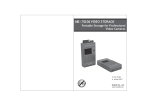
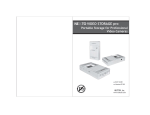
The NEXTO VIDEO STORAGE pro+ (hereinafter NVSPRO+) includes a 2.5”Serial ATA
(SATA) hard drive and a Li-Poly battery. The NVSPRO+ provides the following
functions:
1. Memory card backup
The NVSPRO+ contains a 2.5”SATA hard drive and a Li-Poly rechargeable battery.
The NVSPRO+ can copy the contents of a memory card to the internal hard drive
without a PC--even in the field where no electric power source is available.
You can copy SxS cards and CF cards (using a CF card adapter) through
the ExpressCard slot on the left side of the device. You can copy Cardbus memory
cards (including P2/P2E) through the Cardbus slot on the top of the device.
For IKEGAMI GFPAK, you can copy through the eSATA_host/USB_host combo port
on the bottom of the MVSPRO+.
For complete backup information, refer to Chapter 11 of this manual.
2. Video/Photo Preview
The NVSPRO+ can display video footage taken with professional video cameras,
such as the XDCAM or P2CAM, on a color TFT LCD. The NVSPRO+ provides a
“best effort” preview of the video clip--that is, the resolution and speed may be
lower than on a regular device. For details on Video Preview, see chapter 12.
3. Multi-Copy
NVSPRO+ can copy the contents of a memory card to the internal hard drive and
an eSATAp/USB external hard drive at the same time, allowing you to make two
copies in a single operation using this function.
For details of the Multi-Copy feature, see chapter 14.
4. Sync
The NVSPRO+ can synchronize the contents of a folder with the folder on an
eSATAp/USB external hard drive. This allows you to make a secondary copy of
the backup folder to an eSATAp/USB external hard drive without using a computer.
For details of the Sync function, see chapter 15.
5. Computer connection
6. Button operation
All of the functions of the NVSPRO+ are controlled by two buttons, one for power
(On/Off) and the other for function control (control key). The power button can
also be used as a function key in some instances. For details on Power (On/Off)
and control key operation, see chapter 8.
7. Bad Sector Recovery
When a video file stored in the NVSPRO+ cannot be copied or edited on
a computer, the problem may be a bad sector on the hard drive. The NVSPRO+
has a sector recovery function which may recover the video file. For details on
Sector recovery, see chapter 16.
8. Internal/External rechargeable battery
The NVSPRO+ contains an internal Li-Poly battery that enables the NVSPRO+ to
be used without the power adapter. The power adapter is used to charge
the internal battery, supplying power to the main unit. The external battery can
be used to charge the internal battery. For details on Charging the Internal
Battery, see chapter 7.
9. Internal hard drive
The NVSPRO+ offers these functions for the internal hard drive:
[Hard drive format]
[Hard drive capacity check]
[Hard drive self test]
For details see chapter 9 and chapter 17.
10. Firmware upgrade
When NextoDI develops new functionality—or offers support for new video
formats--firmware is provided to users through the website’s download page.
You can download the new firmware to a memory card or the internal hard
drive of the NVSPRO+. You can then upgrade your NVSPRO+ using the firmware
update function of the NVSPRO+. For details, see chapter 17.
The NVSPRO+ can be connected via USB2.0, IEEE 1394b (FireWire 800) to
a corresponding port on a computer, in order to copy data. For details of
Computer Connections, see chapter 10.
01
PRODUCT DESCRIPTION
PRODUCT DESCRIPTION
02