1
Safety Precautions
WARNING
Model PR300
Power and Energy Meter
<Installation>
● Install the PR300 in the secondary side of the exsting breaker.
● When installing the PR300, provide spacing of 50 mm or more
between each face of the PR300 body and the instrument next
to the PR300 or between each face and the wall surface.
Thank you for purchasing the PR300.
This manual describes the installation and wiring procedures of the
PR300. The electronic manuals are also provided on the accompanying
CD in addition to this manual. Read them along with this manual. To ensure correct use, be sure to read the PR300 Power and Energy Meter
User’s Manual (IM 77C01E01-01E) thoroughly before beginning operation.
● Do not install the PR300 in the following types of environments, as they may cause the PR300 to malfunction or fail.
Avoid sites:
exposed to significant shock or vibration; where corrosive
gases are present; where large amounts of dust are present;
exposed to water; exposed to direct sunlight; outside; at
altitudes above 2000 m.
● The PR300 mounting position is for vertical panels only.
Printed manuals (Electronic manuals [PDF files] are also provided on the accompanying CD.)
Model PR300 Power and Energy Meter Startup Manual <Installation> :
Electronic manuals (PDF files)
Model PR300 Power and Energy Meter User’s Manual :
IM 77C01E01-01E
Record the parameter settings of the PR300 on MEMO column in
Appendix 4, “Parameter List” of the user’s manual (IM 77C01E0101E) provided on the accompanying CD.
Note that in the case of a failure, the parameter settings set to the
failed product cannot be restored.
IM 77C01E01-02E
3rd Edition: June 2008 (YK)
Checking the Package
Verify the package as explained below before starting to use the product.
Should the delivered product be wrong or the package be missing any
item, contact the vendor from which you purchased the product.
Checking the Model and Suffix Codes
The PR300 bears a nameplate. Confirm that “MODEL” and “SUFFIX”
(suffix codes) shown on the nameplate agree with those of the product ordered.
Model
Suffix Codes
PR300
-
Description
-6
-0 Power and Energy Meter
Phase and -3
wire system
Universal three-phase four-wire system
(single-phase two-wire, single-phase three-wire, three-phase
three-wire, and three-phase four-wire systems)
-5
Three-phase four-wire system (2.5 element) *1
Input voltage/
input current
Serial Number (NO.)
Also inform this number shown in “NO.” on the nameplate when contacting the vendor from which you purchased the PR300.
Checking the Accessories
JIS/ANSI-mounting kit
Bezel (1)
Universal three-phase three-wire system
(single-phase two-wire, single-phase three-wire, and threephase three-wire systems)
-4
1
Universal voltage input *2 (150 V, 300 V, 600 V) / 1 A
2
Universal voltage input *2 (150 V, 300 V, 600 V) / 5 A
Additional input
0
and output function
1
1 digital input
1 digital input, 1 pulse output
3
1 digital input, 1 analog output, 1 pulse output
Communication
function
Optional measuring
function
Panel-mounting bolts (2)
Bracket-fixing screws (2)
Nuts (2)
Flat washers (2)
Spring washers (2)
DIN-mounting brackets
Dust cover
Terminal cover
(for DIN 96-square instrument
panel mounting)
(with 1 fixing screw)
(with 3 fixing screws)
0
RS-485 communication
3
RS-485 communication, Ethernet communication*3
0
None
3
When attaching the terminal cover
• Since the terminal cover of PR300 has the structure of
preventing electric shock, the terminal cover cannot be
attached after completing all wiring. Refer to Chapter 3,
“Attaching the Dust Cover and Terminal Cover” before wiring.
Shorting bar
(for RS-485 communication
termination)
Tag number labels
Startup manuals
(Installation/Initial Setup Operations)
Demand measurement (1 demand alarm output)
100-240 V AC ±10% (50/60 Hz) or 130-300 V DC ±15%
-6
M
ete
r
Phase indication format
A, B, and C indications
Manuals for the PR300
R, S, and T indications
(This CD contains all manuals
related to the PR300.)
*2
*3
1
Can be used only when the voltage is in a state of equilibrium. In cases where “Three-phase four-wire system (2.5 element)” is
specified, the input current specification of 1 A AC is not applicable.
Set the voltage range (150 V, 300 V, or 600 V) according to the rated input voltage to be measured.
For Ethernet communication, the RS-485 communication interface is exclusively for the Ethernet-serial gateway function.
r
ete s>
M n
y tio
0 erg era
30 n p
R E O
P d p
el an etu
od er S
M o w tial
P Ini
<
A
R
-0 Always 0
*1
● As there is a danger of electric shock, turn off the power supply and check that the cables to be connected are not conducting electricity before carring out the wiring procedure.
● For safety, be sure to install a circuit breaker switch that conforms to IEC 60947 near the PR300 so as to be operated easily, and clearly indicate that the device is used to de-energize
the PR300.
● The wiring procedure for the PR300 should be carried out by
a qualified person (an electrician etc.) with knowledge of
electrical matters and who has actual experience.
● Install a current transformer (CT) inside a panel when using a
conduit for wiring.
● Use the UL Listed Panel only for the panel on which the
PR300 is installed.
● If the voltage is below 600 V AC, it is possible to connect the
PR300 directly without using a voltage transformer (VT) and
if the current is below 5 A AC, it is possible to do so without
using a current transformer (CT). However, in order to use
the PR300 safely, the use of VT and CT is recommended.
Use the UL-approved VT and CT for the PR300.
● Perform wiring for the voltage and current input in the same
circuit.
● Check the following before turning on the power. Using the
PR300 beyond the stated specifications may cause it to heat
up and burn out.
• Check that the power supply voltage, input voltage, and input
current values to be applied to the PR300 agree with its
specifications.
• Check that the external wiring is connected to the terminals in
accordance with the specifications.
● Do not touch the screws in locations (a) to (f) shown in the
wiring diagrams. They are an essential part of the structure
of the PR300. Loosening or tightening them may result in a
malfunction or failure of the PR300.
● Be sure to attach the terminal cover to prevent electric shock
(refer to Chapter 3, “Attaching the Dust Cover and Terminal
Cover”).
NOTE
y
0 erg
30 n
R E
P d n>
el an tio
od er a
M ow tal
P Ins
<
Power supply
Panel-mounting
bracket (1)
1 digital input, 1 analog output
2
M4
4.4 max.
7.0 max.
7.8 max.
3.3 max.
5.8 max
6.7 max.
M3
F
Spade tongue terminal
A ød
Applicable
terminals
B F
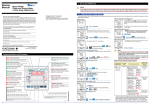
Carry out the wiring referring to the diagrams in Sections 2.1 to 2.6. The
wiring for voltage input, current input, and power supply is M4 screw terminal connection. For other wiring it is M3 screw terminal connection. The
connector for connecting to the Ethernet is RJ45.
Use strand wires for the wiring. Wiring cables with a nominal cross-sectional area of 1.25 mm2 or thicker are recommended for voltage/current input and power supply; cables with a nominal cross-sectional area of 0.5
mm2 or thicker are recommended for other signals. Durable good-contact
ring tongue crimping terminals are recommended to use.
B
(mm)
4.7 max.
Recommended
Applicable wire size
tightening torque
M4
1.2 N•m
1.04 to 2.63 mm2
M3
0.6 N•m
0.25 to 1.65 mm2
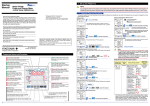
1. Installation
1.1
Installation with the ANSI 4-inch Round Form
The PR300 can be installed so that it handles ANSI 4-inch round form or
JIS 110-square instruments panel cutouts by attaching the “JIS/ANSImounting kit” accessory.
1.1.1
External Dimensions
(126.5)
104.5
Dust cover
22
2
110
(109)
Unit: mm
1.5
Terminal cover
2-M5
1 to 10
23 (Acceptable panel thickness for mounting)
Bezel
1.1.2
ANSI
109
Panel Cutout Dimensions
42.9±0.4
[1.688±0.015]
42.9±0.4
[1.688±0.015]
Unit: mm
[approx. inch]
42.9±0.4
[1.688±0.015]
42.9±0.4
[1.688±0.015]
160 min.
[6.299 min.]
ø101.6
[ø4.000]
160 min.
[6.299 min.]
ø7.9
[ø0.312]
45±0.3
JIS
45±0.3
45±0.3
45±0.3
01
IM 77C01E01-03E
Please keep this manual for future reference.
F
(mm)
110
Model PR300 Power and Energy Meter Startup Manual <Initial Setup Operations> :
IM 77C01E01-10E
A
(mm)
WARNING
IM 77C01E01-02E (This manual)
Model PR300 Power and Energy Meter Communication Interface User’s Manual :
ød
(mm)
A
NOTE
Network Solutions Business Division
2-9-32, Naka-cho Musashino-shi, Tokyo 180-8750 Japan
Phone: +81-422-52-7179 Facsimile: +81-422-52-6619
Applicable
terminals
ø1
Startup
Manual
Ring tongue terminal
ød
ø6.5
160 min.
160 min.
Normal Allowable Deviation=±(Value of JIS B 0401-1998 tolerance grade IT18) / 2
1.1.3
1
Mounting Method
1.2.2
92 +0.8
0
Set the direction of the panel-mounting bracket.
The diagram below shows the front of the bracket (the side into which the
panel-mounting bolt is inserted). Rotating the bracket 90 makes the bracket
compatible with either ANSI or JIS panel cutouts. Set the bracket to either
the ANSI or JIS mark according to which type of panel you are installing, as
shown in the diagram.
Unit: mm
(68)
92+0.8
0
Power-source
side
1 2 3
K k
CT
L l
160 min.
(68)
Rotate 90
160 min.
WARNING
NOTE
Do not ground the input
circuit when connecting
voltage and current directly
without using VT and CT.
c
a
1S
1L
3S
3L
K k
CT
L l
Fuse
U
u
V
V
v
v
2
P1
P2
P3
Normal Allowable Deviation=±(Value of JIS B 0401-1998 tolerance grade IT18) / 2
JIS
1.2.3
2
1
Fix the panel-mounting bracket securely to the back of the PR300 with two
bracket-fixing screws as shown in the diagram.
3
Insert the PR300 from its rear through the
mounting cutout in the panel as shown in
the diagram.
1
Attach the bezel from the front of the PR300.
2
Bezel (standard accessory)
4
Power-source
side
N 1 2 3
Panel-mounting bracket
(standard accessory)
2.1
6
Panel-mounting bolt
5
NOTE
1S
1L
c
a
2
4
U
6
u
Fuse
Flat washer, spring washer, and nut
(standard accessory: 2 of each)
P1
P2
V VT v
1
3
5
6
7
8
9
11
12
13
14
15
16
b
17
18
19
20
23
External Dimensions
(124.5)
110
96
96
12.3
112.2
(109)
Unit: mm
1.5
24
Nⴚ
21
22
d
f
25
10
2.6
Power supply voltage
100-240V AC±10% or
130-300V DC±15%
Terminal cover
109
Fuse
1S
1L
2S
2L
U
u
V
V
v
v
U VT u
Mounting bracket
(2 places)
2
1 to 10
(Acceptable panel thickness for mounting)
v
u
v
u
c
a
1
2
3
11
12
13
5
14
15
7
16
8
9
d
Attach the dust cover before attaching the terminal cover.
The recommended tightening torque for the screws for attaching the
dust cover and terminal cover is 0.4N•m.
f
25
PE
b
10
17
3.1
1
P1
P0
P2
a
2
1
3
4
5
6
7
8
9
b
10
11
12
13
14
15
16
17
18
19
20
U
d
Dust cover
(standard accessory)
18
19
20
e
23
24
Lⴙ
Nⴚ
Power supply
Insert into
the
marked
grooves
21
22
d
f
25
PE
Power supply voltage
100-240V AC±10% or
130-300V DC±15%
2
Secure the dust cover with the screw
provided as shown in the diagram below.
a
1
2
3
4
u
11
12
13
5
6
7
8
9
b
10
14
15
16
P1
P0
P3
v
v
c
17
18
19
20
Refer to
“Other Wiring”
e
23
24
3.2
Lⴙ
Nⴚ
Power supply
21
22
d
1
f
25
PE
Power supply voltage
100-240V AC±10% or
130-300V DC±15%
Attaching the Terminal Cover
Complete the wiring to the terminals
2, 4, 6, 8, 23, 24, and 25, then
secure the terminal cover in the
open state shown in the diagram
below with the two screws provided.
2
Complete the wiring to other
terminals with the terminal
cover open shown in the
diagram below.
(recommended tightening torque: 0.4 N•m)
Other Wiring
11
+
12
−
RS-485 communication*1
Output signal:
4 to 20mA DC
+
c
a
2
Pulse output
1
11
12
3
13
Contact capacity:
30V DC, 200mA
(resistive load)
Demand alarm output
Refer to
“Other Wiring”
e
23
24
Lⴙ
Nⴚ
Power supply
21
22
Insert the two protruding
portions on the underside of the
dust cover into the grooves on
the upper side of the PR300 as
shown in the diagram below.
(recommended tightening torque: 0.4 N•m)
1S
1L
2S
2L
3S
3L
ALM+ Contact capacity:
15
30V DC, 200mA
ALM− (resistive load)
16
c
Attaching the Dust Cover
Refer to
“Other Wiring”
P3
4
5
6
7
8
9
b
10
14
15
16
Single-phase three-wire system
K k
CT
L l
22
Power supply voltage
100-240V AC±10% or
130-300V DC±15%
Analog output
PE
14 −
Power-source
side
NOTE
1 N 2
Do not ground the input
circuit when connecting
voltage and current directly
without using VT and CT.
K k
CT
L l
Dust cover
21
•
•
Load side
Power supply
13
1.2.1
10
6
P1
P0
P2
U VT u
Lⴙ
Load side
2.2
b
Power supply
e
Secure the PR300’s panel-mounting bolts by tightening them with the washers and nuts.
Installation with the DIN 96-square Instrument Size
9
24
Lⴙ
Nⴚ
NOTE
Refer to
“Other Wiring”
(recommended tightening torque: 2.0 N•m)
1.2
8
4
u
Fuse V
V
Do not ground the input
circuit when connecting
voltage and current directly
without using VT and CT.
K k
CT
L l
15
Do not ground the input
circuit when connecting
voltage and current directly
without using VT and CT.
k
CT
L
l
Single-phase two-wire system
Power-source
side
1 2
U
K k
CT
L lK k
CT
L lK
2. Wiring
6
Insert the PR300 from its rear
through the mounting cutout in the
panel as shown in the diagram.
5
7
20
e
23
Three-phase four-wire system (2.5 element)
A B C
(R) (S) (T)
2
Bracket-fixing screw
(standard accessory: 2 screws)
6
14
19
Load side
Power-source
side
N 1 2 3
3
5
18
V VT v
Mounting bracket
(standard accessory: 2 brackets)
2.5
Panel-mounting bolt
(standard accessory: 2 bolts)
1S
1L
2S
2L
3S
3L
Fuse V
U
V
U
2
PR300
2
4
13
17
NOTE
K k
CT
L lK k
CT
L lKk
CT
L l
(recommended tightening torque: 0.4 N•m)
3
3
Do not ground the input
circuit when connecting
voltage and current directly
without using VT and CT.
A B C
(R) (S) (T)
Affix the mounting brackets to the left and
right sides of the PR300. Secure the
brackets to the PR300 by tightening the
screws in the end of the mounting brackets
with a screwdriver as shown in the
diagram.
2
12
Three-phase four-wire system
(recommended tightening torque: 0.4 N•m)
4
11
As there is a danger of electric shock, do not attach the dust
cover and terminal cover while the wires are live.
Refer to
“Other Wiring”
Load side
2.4
Mounting Method
Insert two panel-mounting bolts into the front of the panel-mounting bracket as
shown in the diagram.
1
16
U VT u
ANSI
3. Attaching the Dust Cover and Terminal Cover
Three-phase three-wire system
A B C
(R) (S) (T)
Front of the bracket
Front of the bracket
2.3
Panel Cutout Dimensions
f
25
PE
Power supply voltage
100-240V AC±10% or
130-300V DC±15%
RJ45
connector
17
17
18
19
20
R 18
23
19
24
21
22
f
d
25
20
TERM
Aⴚ
Bⴙ
SG
R: 120 (built-in)
When terminating, short-circuit
terminals 17 and 18 with the
shorting bar
Optional integration *2
control signal or
demand alarm release
DIⴙ
21
Ethernet communication
Link LED
Color
Orange
Off
Description Stopped 10Mbps
Active LED
10BASE-T
Color
Orange
Off
100BASE-TX Description Stopped Half duplex
e
22
*1
Switching between 10BASE-T and
100BASE-TX takes place automatically.
Switching between half and full duplex
takes place automatically.
Close the terminal cover and secure it
with the screw provided as shown in
the diagram below.
(recommended tightening torque:
0.4 N•m)
Voltage signal
ON signal : 4.5 to 25V DC
OFF signal : within ±1V DC
Green
100Mbps
Green
Full duplex
DIⴚ
3
*2
If Ethernet communication is used, the RS-485
communication interface is used specifically for
the Ethernet-serial gateway function.
In the case of the PR300 with the demand
measuring function, the demand alarm release
is selected.
Load side
IM 77C01E01-02E
3rd Edition June 20, 2008