1
linking
é touch
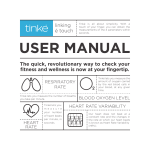
Tinké is all about simplicity. With a
touch of your finger, you can obtain the
measurements of the 4 parameters within
seconds.
USER MANUAL
The quick, revolutionary way to check your
fitness and wellness is now at your fingertip.
RESPIRATORY
RATE
Tinké lets you measure the
amount of oxygen carried
by the red blood cells in
your blood, at any given
time.
Tinké lets you measure the number of breaths
you take per minute.
BLOOD OXYGEN LEVEL
HEART
RATE
Tinké lets you
m e a s u r e
your number
of heart beats
per minute, in
seconds.
HEART RATE VARIABILITY
Our heart does not beat at a
constant rate and the changes in
the rate at which our heart beats
is known as Heart Rate Variability
(HRV).
For Android Devices
CONTENTS
1. Let’s Get Started
1.1 Install the App
1.2 Pairing Your Tinké/Select
a Measurement to conduct
1.3 Power off your Tinké
1.4 Charging your Tinké
2. Tinké at a Glance
2.1 Tinké accessories
2.2Compatibility
3.
An Overview of Tinké App
3.1 Your Tinké Account Homepage
3.2 MyVita
3.3 MyZen
4.
How to Use
4.1 Taking Measurements
4.2 Vita Index Measurement
4.3 Zen Index Measurement
4.4Inappropriate Measurement
4.5 Getting your Results
5.
Features of the Tinké App
5.1 History
5.2 The Tinké Social Network
5.3 Points & Badges
5.4 Data Export
6. Maintaining Your Tinké
6.1 Care
6.2 Built-in Battery Care
6.3 Charger Care
6.4Terms of Use
7.Disclaimers
7.1 Health Disclaimer
7.2 Product Disclaimer
7.3 Manual Disclaimer
8.Support
8.1 Zendesk Community
8.2 Troubleshooting Guide
9. Warranty Policy
9.1 Limited Warranty
9.2 Obtaining Warranty Service
10.Technical Specifications
11. Compliance Statements
1. Let’s Get Started
1.1 Install the App
Download the Tinké App from the Google Play Store.
1.2 Pairing your Tinké / Select a Measurement to conduct
When the Tinké app is installed, you will need to pair your Tinké with your Android phone.
To pair your Tinké:
1.
2.
3.
Access the settings of your Android phone to enable bluetooth.
Power on your Tinké from the switch located at the bottom left. A blinking red light at the sensing area indicates your Tinké is on.
Choose either a VITA or ZEN measurement in the app to conduct and
tap on “Pair Your Tinké” as shown in the app.
1.3 Power off your Tinké
Power off your Tinké immediately from the switch located at the bottom left after taking
a VITA or ZEN measurement.
1.4 Charging your Tinké
Make sure your Tinké is charged before you start using it. It is recommended that you
charge your Tinké for 2.5 hours before your first usage. To charge your Tinké:
1.
2.
3.
Plug the micro-USB of the charging cable into Tinké and the other end into a USB port (refer to picture below).
A red light at the top right hand corner of Tinké indicates it is charging.
Your Tinké is fully charged when the red light at the top right hand corner of Tinké turns off.
Low Battery - A blinking red light at the top right hand corner of Tinké indicates that
battery is low. Do proceed to charge your Tinké.
2. Tinké at a Glance
Tinké Android
Side Profile
Front Profile
LED
Light Detector
Sensing Platform
On/Off
switch
On/Off
switch
Dock for
charging cable
2.1 Tinké Accessories
• 1 x USB Charging cable
• 1 x Finger Sleeve
2.2 Compatibility
For a full list of compatible Android devices, please check zensorium.com/tinke/faq.html.
For compatible Android devices, Tinké requires the following settings to communicate:
•
Bluetooth 2.0, 3.0 or 4.0 (Smart Ready)
•
Android 4.0 (Ice Cream Sandwich)
3. An Overview of Tinké App
Touch any icon, maintain your touch and drag to your selection.
Guest Mode
A quick one-time measurement.
No account required.
Create your Tinké Account
Access to the full suite of app features.
To start, enter your name, gender, date
of birth etc.
3.1 Your Tinké Account Homepage
Challenge
Compare your average
fitness and wellness on a
global scale. The average
Vita Index and Zen Index
of all Tinké users around
the world are displayed
next to your scores for
your reference.
Settings
Change users, go to
Account Settings or
access the Guest Mode.
Friend Requests
Manage your friend
requests with just a tap.
Fun Facts
Learn more fitness and
wellness fun facts that
you never heard about.
Quick Access
to Comments
Home
Return to homepage.
Tinké Social Network
Access your network of
friends.
History
See your measurements
in a graphical format.
Vita Index
Measure your fitness here.
Zen Index
Measure your wellness here.
3.2MyVITA
Your Vita Index is a personalized score derived from 3 parameter readings, to give you an
indication of your fitness. The highest score attainable is 99, so aim as high as you can.
Respiratory Rate
Displayed in breaths
per minute (bpm), this
refers to the number of
breaths (1 breath consists
of inhale and exhale) you
take per minute. A person
in normal condition takes
between 12 to 20 breaths
per minute.
Science
Learn more about the
concepts behind the Vita
Index.
Heart Rate
Displayed in beats per
minute (bpm), this
refers to the number of
times your heart beats
in 1 minute. A person in
normal condition has a
heart rate of 60 to 80
beats per minute.
Blood Oxygen
Saturation Level
Displayed as a
percentage, this refers
to the amount of oxygen
carried in your red blood
cells. The optimal level is
between 95% and 100%.
Tutorial
Practice as much as
you need to before
attempting an actual
measurement.
3.3 MyZEN
Your Zen Index aims to quantify your level of relaxation at any given moment. The highest
score attainable is 99.
Compare
See how you fare against
other Tinké users.
Science
Learn about the concepts
behind the Zen Index.
Tutorial
Practice as much as
you need to before
attempting an actual
measurement.
4. How to Use
4.1 Taking Measurements
4.1.1 Select “Vita Index” or “Zen Index”.
4.1.2 To start, place your thumb on the sensing platform.
4.1.3 For accurate results, your thumb should completely cover both holes of the sensing area for the entire duration of the measurement.
Important Tips:
• Stay still, preferably sitting down, and minimize body movements throughout the duration of measurement.
• Rest your thumb gently on the sensing area when taking a measurement.
• Try taking your measurement in areas with low lighting conditions, or you can use the Finger Sleeve provided to optimize your measurements (refer to the picture below).
• Do not remove your thumb from the sensing platform until measurement is completed.
• Use the tutorial mode to practise before taking an actual measurement.
4.2. Vita Index Measurement
The following screen appears when you start the measurement:
The Ideal waveform: Ensure your waveform (shown
below) follows this shape. Otherwise retake your
measurement.
Your waveform (known as photoplethysmography
waveform) is detected due to blood volume
changes in the capillaries of your finger. The shape
of the waveform is a very important indicator of
measurement accuracy. Always ensure a consistent
waveform throughout the measuring process. Retake
your measurement if an inconsistent waveform is
observed.
The progress bar shown at the bottom indicates the
progress of the measurement. A full measurement
takes about 30 seconds.
4.3 Zen Index Measurement
The following screen appears when you start the measurement:
Concentric circles serve as a guide to synchronize
your breathing. These circles expand and collapse
periodically, indicating different frequencies.
1. To perform a measurement, synchronize your
breathing to the circle that you are most
comfortable with.
OR
2.Progress to a circle of slower rate to practise deep breathing. Taking slow deep breaths may
help you relax better.
The progress bar shown at the bottom indicates the
progress of the measurement. A full measurement
takes about 60 seconds.
4.4 Inappropriate Measurement
The following screens appear if the measurement conditions are not optimum. As Tinké
conducts its measurement via optical sensing, the sensors detect and inform when the
measurement methods or environmental conditions are not ideal. When the following
screens are encountered, follow the instructions stated on the screen and retake your
measurement.
4.5 Getting your results
Your Vita and Zen Index scores will be displayed after each respective measurement.
Confidence levels indicate how conducive your measurement conditions are.
Tap to find out more.
5. Features of the Tinké App
As an account holder, you can enjoy these exclusive features.
5.1 History
The Tinké App stores your saved measurements and trends them for your ease of reference. Choose to see your scores daily or monthly.
Your Vita and Zen Indexes displayed are averaged
over the day or months of measurements.
Compare your results with the world according to the
selected age and gender.
You can choose specific parameters, such as your
heart rate to trend.
5.2 Tinké Social Network
Find your friends and get to know more Tinké users. Simply search for them by name,
userID, mobile number or email address.
• Post your results onto Facebook.
• Share your results with friends, and encourage one another on your progress.
• Sort your network list alphabetically or by Vita and Zen Indexes.
5.3 Points & Badges
• Earn points and badges for conducting measurements.
• Be rewarded for taking measurements consistently.
5.4 Data Export
You are able to export your data in CSV format, limited to measurements taken during
the last 30 days. Simply go to ‘Account Settings’, scroll down and tap on ‘Export’. All data
will be sent to an email address of your choice. To do this, please ensure that an email
account has already been set up on your phone.
Note: Features 5.1, 5.2, 5.3 & 5.4 can only be accessed when there is internet connection. When there is no internet
connection, only Vita and Zen measurements can be taken. Your measurements will be synced to History once internet
connection is detected.
6. Maintaining Your Tinké
6.1 Care
• Do not expose your Tinké to any form of liquid, moisture, humidity or rain.
• Do not leave your Tinké under direct sunlight for extended periods of time.
• Do not tamper or abuse your Tinké.
• Do not leave your Tinké in conditions of extremely high or low temperatures.
• Do not attempt to repair, modify or disassemble your Tinké under any circumstances.
6.2 Built-in Battery Care
• Do not attempt to replace your Tinké battery, It is bulit-in and not changeable.
• Always power off your Tinké after use.
6.3 Charger Care
• Use only the charger supplied to charge your Tinké
• Do not use the charger outdoors or in damp areas.
• Avoid charging your Tinké in extremely high or low temperatures.
• Do not use your Tinké when it is charging.
6.4 Terms of Use
• Tinké is an optical sensor and should only be used when indoors under relatively low lighting conditions. Do not use Tinké under any direct light.
• Tinké should only be used when you are at rest. Assume a sitting position and remain still during use. Do not use Tinké when you are moving, engaged in any other activity, or immediately after physical exercise.
• Tinké should only be used with only one finger, preferably your thumb. Rest your thumb gently on the sensing area when taking a measurement.
• Tinké should be used when your finger is warm. If your finger is cold, warm it up before taking a measurement.
7. Disclaimers
7.1 Health Disclaimer
Tinké and its associated applications are for informational purposes only, and at no point
should be used to diagnose, treat, or prevent any disease or medical condition. Always seek
the advice of a qualified medical professional before making any changes to your exercise
regime, sleep or nutrition. Not doing so may cause severe harm or even death.
7.2 Product Disclaimer
Information has been carefully checked and is believed to be accurate; however, no
responsibility is assumed for inaccuracies. Zensorium shall not be liable for any incidental
or consequential damage resulting from the performance or use of Tinké. Zensorium
reserves the right to make changes without further notice to any products. Zensorium does
not assume any liability arising out of the application or use of any product; neither does it
convey any license under its patent rights of others.
7.3 Manual Disclaimer
Zensorium assumes no responsibility for errors or omissions or any damages resulting from
the use of the information contained in this manual. Zensorium reserves the right to revise
or alter to include any changes in specifications or functions anytime, without notice and
without any obligation to notify any person of these changes, in view of further revisions
or developments of the product in future. No part of this manual may be reproduced in any
form without the permission of Zensorium.
8. Support
8.1 Zendesk Community
Register an account at support.zensorium.com to access our Online Community where
you can ask us any questions you may have. You can also connect, get support and discuss
issues with other Tinké users here. Alternatively, you can read our list of Frequently Asked
Questions (FAQ) at http://www.zensorium.com/tinke/faq.html
8.2 Troubleshooting Guide
Problem
Recommended Solution
My phone is unable to detect my Tinké
during measurement.
Try re-pairing your Tinké with your phone.
To do so, disable and enable bluetooth in
settings and attempt to take a measurement
again.
My Tinké is not working even though the
flashing red LED light appears.
Try restarting your Tinké App. For Android
users, hold the home button to bring up the
active apps tray. Swipe to the left or right
of the screen to close the app. Relaunch the
app.
For further technical assistance or enquiries, email us at [email protected]
9. Warranty Policy
9.1 LIMITED WARRANTY
Zensorium (Company) warrants only to the purchaser (Customer) of the Product that the
product will be free from defects in materials and workmanship under the normal use and
service for which the Product was designed for a period of 12 months from the date of
purchase of the Product by the Customer.
Customer’s exclusive remedy under this Limited Warranty shall be the repair or replacement, at Company’s sole option, of
the Product, or any part of the Product, determined by Zensorium to be defective. In order to exercise its warranty rights,
Customer must notify Company in accordance with the instructions described under the heading “Obtaining Warranty Service”.
This Limited Warranty does not extend to any Product damaged by reason of alteration, accident, abuse, neglect or misuse or improper
or inadequate handling; installation, operation or use of the Product not made in strict accordance with the specifications and written
instructions provided; use of the Product for any purpose other than those for which it was designed; ordinary wear and tear; disasters or
acts of God; unauthorized attachments, alterations or modifications to the Product; or any other reason or event not caused by Zensorium.
ZENSORIUM HEREBY DISCLAIMS ALL OTHER WARRANTIES, WHETHER WRITTEN OR ORAL, EXPRESS OR IMPLIED BY LAW OR
OTHERWISE, INCLUDING WITHOUT LIMITATION, ANY WARRANTIES OF MERCHANTABILITY OR FITNESS FOR ANY PARTICULAR
PURPOSE. CUSTOMER’S SOLE REMEDY FOR ANY DEFECTIVE PRODUCT WILL BE AS STATED ABOVE, AND IN NO EVENT WILL
ZENSORIUM BE LIABLE FOR INCIDENTAL, CONSEQUENTIAL, SPECIAL OR INDIRECT DAMAGES IN CONNECTION WITH THE PRODUCT.
This Limited Warranty shall be void if the Customer fails to comply with all of the terms set forth in this Limited Warranty. This
Limited Warranty is the sole warranty offered by Zensorium with respect to the Product. Zensorium does not assume any
other liability in connection with the sale of the Product. No representative of Zensorium is authorized to extend this Limited
Warranty or to change it in any manner whatsoever. No warranty applies to any party other than the original Customer.
Zensorium and its directors, officers, employees, subsidiaries and affiliates shall not be liable for any damages arising from any loss of equipment,
loss or distortion of data, loss of time, loss or destruction of software or other property, loss of production or profits, overhead costs, claims
of third parties, labor or materials, penalties or liquidated damages or punitive damages, whatsoever, whether based upon breach of warranty,
breach of contract, negligence, strict liability or any other legal theory, or other losses or expenses incurred by the Customer or any third party.
9.2 Obtaining Warranty Service
• All returns must be made to original place of purchase. For direct purchase from Zensorium, warranty is applicable upon production of a valid Zensorium invoice or receipt.
• If the Product was purchased directly from Zensorium, please contact Customer Service at [email protected]. If the Product was purchased from any Third party, please contact them to arrange for a return.
10. Technical Specifications
Parameter
Condition
Min
Nom
Max
Unit
Dimensions
Length
-
37
-
mm
Width
-
7
-
mm
Height
-
70
-
mm
-
-
23
-
g
Red
-
660
-
nm
IR
-
940
-
nm
Red
-
-
2.8
mW/sr
IR
-
-
1.32
mW/sr
Rated Voltage
-
3.3
-
V
Rated Input Current
-
70
-
mA
Rated Power
-
250
-
mW
Weight
Optical Output Power
Electronic Ratings
Battery
Lithium ion-polymer. Approximately 120 spot checks, 30 days
atypical. Powered off after measurement.
Measurement Range
Heart Rate
40
-
120
bpm
Respiratory Rate
8
-
20
bpm
Blood Oxygen Level
90
-
100
%
Relative Humidity
Storage
5
-
95
%
Temperature
Operating
0
-
35
°C
Storage
-20
-
45
°C
11. Compliance Statements
11.1 Federal Communications Commission (FCC) Statement
Contains Transmitter Module FCC ID: T9J-RN42
This equipment has been tested and found to comply with the limits for a Class B digital device,
pursuant to part 15 of the FCC rules. These limits are designed to provide reasonable protection
against harmful interference in a residential installation. This equipment generates, uses and can radiate
radio frequency energy and, if not installed and used in accordance with the instructions, may cause
harmful interference to radio communications. However, there is no guarantee that interference will not
occur in a particular installation. If this equipment does cause harmful interference to radio or television
reception, which can be determined by turning the equipment off and on, the user is encouraged to try
to correct the interference by one or more of the following measures:
• Reorient or relocate the receiving antenna.
• Increase the separation between the equipment and receiver.
• Connect the equipment into an outlet on a circuit different from that to which the
receiver is connected.
• Consult the dealer or an experienced radio/TV technician for help.
11.2 Industry Canada (IC) Statement
Contains Transmitter Module IC: 6514A-RN42
This device compiles with Industry Canada license - exempt RSS standard(s). Operation is subject to the
following two conditions: (1) this device may not cause interference, and (2) this device must accept any
interference, including interference that may cause undesired operation of the device.
For a little extra help,
Go to ►
support.zensorium.com to access our online community
www.zensorium.com/tinke/faq.html to read our FAQ
Follow us on facebook and twitter!
www.facebook.com/zensorium
www.twitter.com/zensorium
Copyright © 2013 Zensorium. All rights reserved.