1
Learning Basics
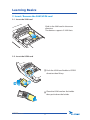
2. Insert / Remove the SAM/USIM card
2-1. Insert the SAM card
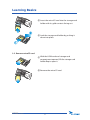
Slide in the SAM card in the arrow
direction.
The devices supports 2 SAM slots.
2-2. Insert the USIM card
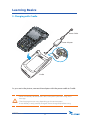
1 Push the USIM card holder to ‘OPEN’
direction then lift up.
2 Place the USIM card on the holder
then push down the holder.
MT3XX MANUAL
14