1
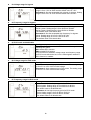
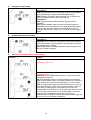
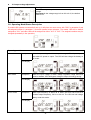
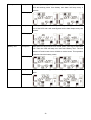
11: Reserved/Shutdown point for programmable output Interface Setting “Reserved” will be displayed if the UPS is equipped with output transformer ratio of 2:1. The following setting is only available for the UPS with output transformer ratio of 1:1. Parameter 2: 001. Set shutdown time for programmable output. Parameter 3: Shutdown time in minutes. Setting range is from 0 to 300. When shutdown time arrives, the programmable output terminal will be cut off. The default value is 30 minutes. Parameter 2: 002 Set shutdown voltage for programmable output. Parameter 3: Shutdown voltage in V. Setting range is from 11.2 to 13.6. If the battery voltage is less than the setting point, the programmable output will be cut off. The default value is 11.2V. 12: Hot standby function enable/disable Interface 13: Battery voltage adjustment Interface Setting Parameter 2: HS.H Enable or disable Hot standby function. You may choose following two options in Parameter 3: YES: Hot standby function is enabled. It means that the current UPS is set to host of the hot standby function, and it will restart after AC recovery even without battery connected. NO: Hot standby function is disabled. The UPS is running at normal mode and can’t restart without battery Setting Parameter 2: Select “Add” or “Sub” function to adjust battery voltage to real figure. Parameter 3: the voltage range is from 0V to 5.7V, the default value is 0V. 14: Charger voltage adjustment Interface Setting Parameter 2: you may choose Add or Sub to adjust charger voltage Parameter 3: the voltage range is from 0V to 9.9V, the default value is 0V. NOTE: *Before making voltage adjustment, be sure to disconnect all batteries first to get the accurate charger voltage. *We strongly suggest to use the default value (0). Any modification should be suitable to battery specifications. 20