1
USER
MANUAL
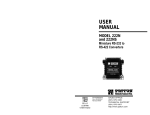
MODEL 2022
Interface Powered
RS-232 to V.36 (RS-449)
Converter
Part #07M2022-B
Doc #077091UB
Revised 6/17/97
CERTIFIED
An ISO-9001
Certified Company
SALES OFFICE
(301) 975-1000
TECHNICAL SUPPORT
(301) 975-1007
http://www.patton.com
1.0 WARRANTY INFORMATION
1.3 SERVICE
Patton Electronics warrants all Model 2022 components to be
free from defects, and will—at our option—repair or replace the product
should it fail within one year from the first date of shipment.
This warranty is limited to defects in workmanship or materials, and
does not cover customer damage, abuse or unauthorized modification.
If this product fails or does not perform as warranted, your sole
recourse shall be repair or replacement as described above. Under no
condition shall Patton Electronics be liable for any damages incurred
by the use of this product. These damages include, but are not limited
to, the following: lost profits, lost savings and incidental or
consequential damages arising from the use of or inability to use this
product. Patton Electronics specifically disclaims all other warranties,
expressed or implied, and the installation or use of this product shall be
deemed an acceptance of these terms by the user.
All warranty and non-warranty repairs must be returned freight
prepaid and insured to Patton Electronics. All returns must have a
Return Materials Authorization number on the outside of the shipping
container. This number may be obtained from Patton Electronics
Technical Support: (301) 975-1007; http://www.patton.com; or,
[email protected].
NOTE: Packages received without an RMA number will not be
accepted.
Patton Electronics' technical staff is also available to answer any
questions that might arise concerning the installation or use of your
Model 2022. Technical Support hours: 8AM to 5PM EST, Monday
through Friday.
1.1 RADIO AND TV INTERFERENCE
The Model 2022 generates and uses radio frequency energy, and if
not installed and used properly—that is, in strict accordance with the
manufacturer's instructions—may cause interference to radio and
television reception. The Model 2022 has been tested and found to
comply with the limits for a Class A computing device in accordance
with the specifications in Subpart J of Part 15 of FCC rules, which are
designed to provide reasonable protection from such interference in a
commercial installation. However, there is no guarantee that
interference will not occur in a particular installation. If the Model 2022
does cause interference to radio or television reception, which can be
determined by disconnecting the RS-232 interface, the user is
encouraged to try to correct the interference by one or more of the
following measures: moving the computing equipment away from the
receiver, re-orienting the receiving antenna and/or plugging the
receiving equipment into a different AC outlet (such that the computing
equipment and receiver are on different branches).
1.2 CE NOTICE
The CE symbol on your Patton Electronics equipment indicates
that it is in compliance with the Electromagnetic Compatibility (EMC)
directive and the Low Voltage Directive (LVD) of the Union European
(EU). A Certificate of Compliance is available by contacting Technical
Support.
1
2
2.0 GENERAL INFORMATION
3.0 CONFIGURATION
Thank you for your purchase of this Patton Electronics product.
This product has been thoroughly inspected and tested and is
warranted for One Year parts and labor. If any questions or problems
arise during installation or use of this product, please do not hesitate to
contact Patton Electronics Technical Support at (301) 975-1007.
The Model 2022 is designed to be easy to use. In most cases you
will not need to configure the Model 2022 in any way: just plug it in and
go! The Model 2022 is transparent to protocol, including data rate and
clocking method. The only configuration you may need to do is for
DTE/DCE orientation. This procedure is described below.
2.1 FEATURES
3.1 SETTING DCE/DTE ORIENTATION
• Bi-directionally converts synchronous RS-232 to V.36 (RS-449)
• Data rates to 200 Kbps, full or half duplex
• Transparent to protocol
• No AC power or batteries required
• DCE/DTE strap selectable
• DB-25 and DB-37 connectors with integral 6 foot cable
• Circuitry housed in ultra-miniature case
• Made in the USA
The Model 2022 installs between DTE devices such as terminals
and host computers and DCE devices such as modems, multiplexers
and CSU/DSUs. Most often, the DTE device will be RS-232 and the
DCE device will be V.36 (RS-449). Therefore, the default DCE/DTE
setting for the Model 2022 is RS-232 DCE to V.36 (RS-449) DTE,
based on how the Model 2022 "sees" its own orientation. For example,
if the Model 2022 sees its own RS-232 port as DCE, it will want to plug
into an RS-232 DTE device such as a terminal.
If you need to reverse the DCE/DTE orientation of the Model 2022
so that the RS-232 port is DTE and the V.36 (RS-449) port is DCE,
follow the step-by-step instructions below. (Note: it is not possible to
configure the Model 2022 so that both ports are DTE or DCE).
2.2 DESCRIPTION
The Model 2022 RS-232 to V.36 (RS-449) converter lets a
synchronous RS-232 device communicate bi-directionally with a
synchronous V.36 (RS-449) device. The Model 2022 requires no AC
power or batteries to operate and supports data rates to 200 Kbps.
Operating full or half duplex, the Model 2022 passes all necessary
clocking and control signals and is transparent to protocol.
The Patton Model 2022 connects directly to the synchronous
RS-232 interface using a male or female DB-25 connector. A male or
female DB-37 connector at the end of an integral 6 foot cable plugs into
the V.36 (RS-449) device. An internal DCE/DTE strap allows the user
to configure the Model 2022 as "DCE to DTE" or "DTE to DCE". In
most cases, this eliminates the need for special crossover cables.
Housed in an ultra-miniature case measuring only 2.66" x 2.10" x 0.73",
the Model 2022 fits easily into tight locations. The Model 2022 is
manufactured by Patton Electronics in the USA.
3.1.1 OPENING THE CASE
The DCE/DTE strap on the Model 2022 is located on the PC
board. To access the PC board you will need to open the plastic case
that houses the DB-25 connector. The case is of the pop-open/snapshut variety. To open, insert a small flathead screw driver or similar tool
between the DB-25 connector and the lip of the case as shown in
Figure 1. Then gently twist the screw driver to pop the case open as
shown in Figure 2. Be careful not to damage the case or connector as
you twist the screw driver.
Figure 1. Inserting the screw driver
3
4
4.0 INSTALLATION
Once you have properly configured the DCE/DTE orientation of the
Model 2022, all you need to do is plug it into the proper device ports.
Figures 4 and 5 show the two possible installations of the Model 2022
according to DCE/DTE orientation.
4.1 CONNECTING AN RS-232 DTE TO A V.36 (RS-449) DCE
Figure 2. Popping open the case
This is the most common application for the Model 2022 and
requires no special configuration or crossover cabling. Figure 4 (below)
illustrates proper connection of an RS-232 DTE to a V.36 (RS-449)
DCE using the Model 2022.
3.1.2 CHANGING THE STRAP
V.36 (RS-449) Modem
Once you have opened the case of the Model 2022, you will see
the green DCE/DTE strap located on the PC board in the position
shown in Figure 3 (below). The arrows on top of the strap indicate the
orientation of the Model 2022's ports. For example, if the "DCE" arrow
is pointing toward the DB-25 connector, then the Model 2022's strap is
set so that it sees its DB-25 port as DCE. It wants to plug into the
DB-25 port of a terminal or other DTE. The arrow pointing toward the
cable at the rear of the PC board shows the orientation of the Model
2022's DB-37 port.
Sync. Terminal
Figure 4. A common RS-232 DTE to
V.36 (RS-449) DCE installation
4.2 CONNECTING A V.36 (RS-449) DTE TO AN RS-232 DCE
This is a less common application for the Model 2022, and
requires re-orientation of the DCE/DTE strap inside the Model 2022
(refer to Section 3.0 Configuration). With proper DCE/DTE orientation,
no crossover cabling is required. Figure 5 (below) illustrates proper
connection of a V.36 (RS-449) DTE to an RS-232 DCE using the
Model 2022.
DCE/DTE
Strap
DCE
DTE
V.36 (RS-449) Mini Computer
Sync. Modem
Figure 3. DCE/DTE strap orientation on PC board
Figure 5. A common V.36 (RS-449) DTE
to RS-232 DCE installation
To reverse the DCE/DTE orientation, pull the entire green strap out
of its socket and rotate it 180 degrees. Then plug it back into the
socket. You will see that the arrows on top now point in the opposite
directions, showing the new DCE/DTE orientation of the Model 2022.
When you're done, realign the case halves (don't forget the captive
screws and saddle washers) and snap them back together.
5
6
APPENDIX A
APPENDIX B
INTERFACE STANDARDS
SPECIFICATIONS
Model 2022 RS-232 Interface
Interfaces:
EIA RS-232/CCITT V.24 to RS-449/CCITT
V.36
Data Rates:
0 - 200 Kbps
Transmission Mode:
Full or half duplex
Protocol:
Transparent to protocol
Clocking:
Set by connected devices
Connectors:
DB-25 male or female on RS-232 side,
DB-37 male or female on V.36/RS-449 side
Power Supply:
None required; uses power from NIC data
and control signals
Temperature Range:
0-60°C (32-140°F)
Altitude:
0-15,000 feet
Humidity:
5 to 95% noncondensing
Dimensions:
2.66"L x 2.10"H x 0.73"W
Weight:
14 oz, including cable and connectors
1- (FG) Frame Ground
2- (TD) Transmit Data
3- (RD) Receive Data
4- (RTS) Request to Send
5- (CTS) Clear to Send
6- (DSR) Data Set Ready
7- (SG) Signal Ground
8- (DCD) Data Carrier Detect
14
Transmit Clock -15
16
Receive Clock -17
18
19
Data Term. Ready (DTR) - 20
21
22
23
External Transmit Clock -24
25
Model 2022 EIA-449 Interface Reference
*
SHIELD
1-1 Shield
22
33 SIGNAL RATE INDICATOR
SENDData
DATA
44- Send
SENDTiming
TIMING
55- Send
RECEIVEData
DATA
66- Receive
REQUEST
SEND
77- Request
to TO
Send
RECEIVETiming
TIMING
88- Receive
99- Clear
to TO
Send
CLEAR
SEND
10 LOCAL LOOPBACK
11 -DATA
MODE
Data Mode
READY
12 -TERMINAL
Terminal Ready
READY
13 -RECEIVE
Receive Ready
14 REMOTE LOOPBACK
15 INCOMMING CALL
16 SELECT FREQUENCY
TIMING
17 -TERMINAL
Terminal Timing
18 TEST MODE
GROUND
19 -SIGNAL
Signal Grounding
ReceiveCOMMON
Common -20
20
RECEIVE
21
21
SendDATA
Data -22
22
SEND
SendTIMING
Timing -23
23
SEND
ReceiveDATA
Data -24
24
RECEIVE
25
REQUEST TO SEND 25
ReceiveTIMING
Timing -26
26
RECEIVE
27
CLEAR TO SEND 27
28
TERMINAL IN SERVICE 28
29
DATA MODE 29
30
TERMINAL READY 30
31
RECEIVER READY 31
32
SELECT STANDBY 32
33
SIGNAL QUALITY 33
34
NEW SIGNAL 34
TerminalTIMING
Timing -35
35
TERMINAL
36
STANDBY/INDICATOR 36
SendCOMMON
Common -37
37
SEND
7
8
APPENDIX C
BLOCK DIAGRAM
Dear Valued Customer,
Thank you for purchasing Patton Electronics products! We do
appreciate your business. I trust that you find this user manual helpful.
We manufacture one of the widest selections of data
communications products in the world including CSU/DSU's, network
termination units, powered and self-powered short range modems, fiber optic
modems, interface converters, baluns, electronic data switches, data-line surge
protectors, multiplexers, transceivers, hubs, print servers and much more. We
produce these products at our Gaithersburg, MD, USA, facility, and can
custom manufacture products for your unique needs.
We would like to hear from you. Please contact us in any of the
following ways to tell us how you like this product and how we can meet your
product needs today and in the future.
Web:
Sales E-mail:
Support E-mail:
Phone - Sales
Phone - Support
Fax:
Mail:
http://www.patton.com
[email protected]
[email protected]
(301) 975-1000
(301) 975-1007
(301) 869-9293
Patton Electronics Company
7622 Rickenbacker Drive
Gaithersburg, MD 20879 USA
We are committed to a quality product at a quality price. Patton
Electronics is BABT and ISO 9001 certified. We meet and exceed the highest
standards in the industry (CE, UL, etc.).
It is our business to serve you. If you are not satisfied with any
aspect of this product or the service provided from Patton Electronics or its
distributors, please let us know.
Thank you.
Burton A.Patton
Vice President
Copyright ©
Patton Electronics Company
All Rights Reserved
9
P.S. Please tell us where you purchased this product.
_________________________________________________________
_________________________________________________________
_________________________________________________________
_________________________________________________________
_________________________________________________________
_________________________________________________________
_________________________________________________________