1
XYR301E Wireless Ethernet
User Manual
Network Traffic Analysis
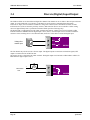
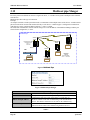
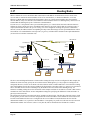
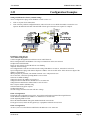
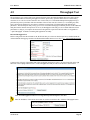
There are many devices and PC programs that will analyse performance of an Ethernet network. Freely available programs
such as Ethereal provide a simple cost effective means for more advanced analysis. By monitoring traffic on the wired
Ethernet, a better idea of regular traffic can be discovered.
Network Analysis programs make configuration of a filter for the XYR301-E a simple task.
4.7
System Tools
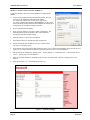
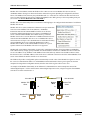
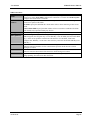
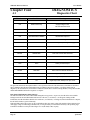
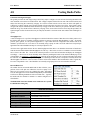
The System Tools Page has a number of tools that help maintain the module firmware and configuration.
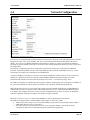
Configuration Summary
This option is used to save all the different configuration pages onto one page, for easy
viewing. Page can also be saved (using the File/Save As function on the drop File Menu)
for future reference and emailing module configuration details to Technical Support in the
event of any configuration problems.
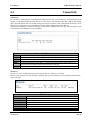
TCP Throughput Test
Performs a Throughput Test. See section 4.5 Throughput Test above for details
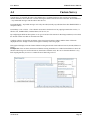
Radio Path Test
Perform a Radio Path test without the use of a Laptop and get a visual indication of RSSI
and Throughput on the front panel LEDs.
Read Configuration File
This option will show the module configuration in XML format. This file can be saved for
future reference.
Write Configuration File
Any configuration XML files saved using the ―Read Configuration above can be loaded
back into the module
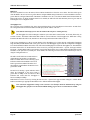
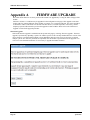
Firmware Upgrade
This option is used for firmware upgrades. Load the file using the ―Browse button and
when found press ―Send which will load the file into the module. When completed press
―Reset Firmware upgrade can be done locally or remotely via the radio.
System Log File
Shows an event log of the modules operation, used for diagnosing problems. Page can be
saved and emailed to HONEYWELL if requested. ―Clear System Log will clear out the log
file and start fresh.
Reset
Resets the module
Factory Default
Configuration
Loads the Factory default configuration and resets. CAUTION – Doing this will overwrite
any current configuration
Page 84
April 2012