1
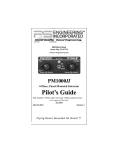
This section provides detailed operating instructions for the PS Engineering PMA4000 Audio Selector Panel/Intercom Systems. Please read it carefully before using the equipment so that you can take full advantage of its
capabilities.
This section is divided into three sections covering the basic operating areas of the PMA4000 systems. They are: Audio Selector, Transceiver Selection and Intercom.
option, will send a replacement unit at our expense if the unit should be determined to be defective after consultation with a factory technician. The customer is responsible for return shipment costs.
This warranty is not transferable. Any implied warranties expire at the expiration date of this warranty. PS Engineering SHALL NOT BE LIABLE FOR
INCIDENTAL OR CONSEQUENTIAL DAMAGES. This warranty does not
cover a defect that has resulted from improper or unreasonable use or maintenance as determined by us. This warranty is void if there is any attempt to dissemble this product without factory authorization. This warranty gives you
specific legal rights, and you may also have other rights that may vary from
state to state. Some states do not allow the exclusion of limitation of incidental
or consequential damages, so the above limitation or exclusions may not apply
to you.
1.2
Factory Service
1. General Instructions
1.1
SCOPE
Approval Basis
None
1.3
Audio Selector
Through the use of four
latched, push-button, back-lit
switches, it is possible to select any or all receiver audio.
When selected, an internal
backlight will illuminate indicating which audio source is
selected. The Com toggle
switch controls what transceiver is being heard by the
pilot and copilot. "C1" (Com
1) and "C2" (Com 2) push-buttons select the receiver, and are used to
monitor a com that is not selected for transmit. You will always hear the
audio from the transceiver that is selected by the 2-position mic selector
toggle switch.
The users can identify which receivers are selected by noting which pushbutton switches are illuminated. Push buttons labeled N1 (Nav 1), N2
(Nav 2) are "latched" type switches. When one of these buttons is pressed,
it will stay in the "in" position. Press the switch again and it be in the
"out" position and remove that receiver from the audio. While selected, an
internal lamp will also annunciate the switch.
2
PMA4000-Pilot Guide & User Manual
The PMA4000 is covered by a one-year limited warranty. See warranty information.
The unit is covered by a one-year limited warranty. See warranty information.
Call PS Engineering, Inc. at (865) 988-9800 before you return the unit. This
will allow the service technician to provide any other suggestions for identifying the problem and recommend possible solutions.
After discussing the problem with the technician and you obtain a Return
Authorization Number, ship product to:
PS Engineering, Inc.
Attn. Service Department
9800 Martel Road
Lenoir City, TN 37772
(865) 988-9800 FAX (865) 988-6619.
www.ps-engineering.com/suport.shtml
If no method of payment is provided, the units will be returned COD.
PS Engineering will not be responsible for units returned via US Mail.
PMA4000 Pilot Guide & User Manual
7