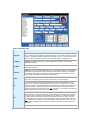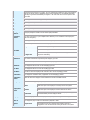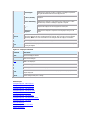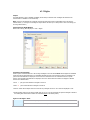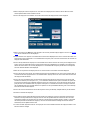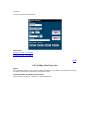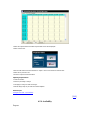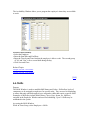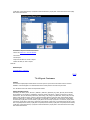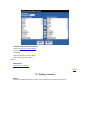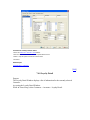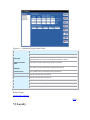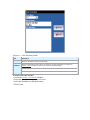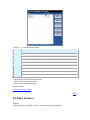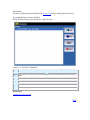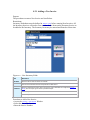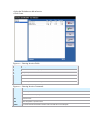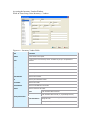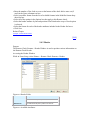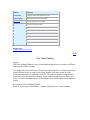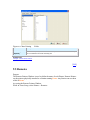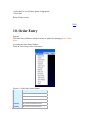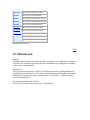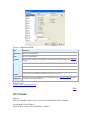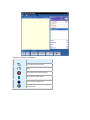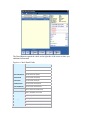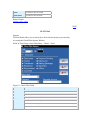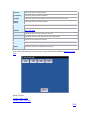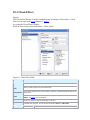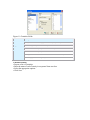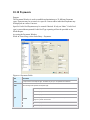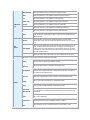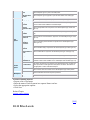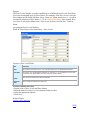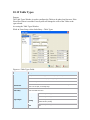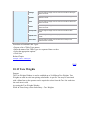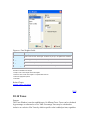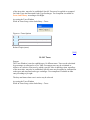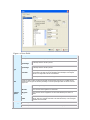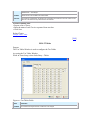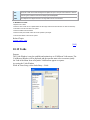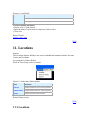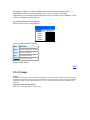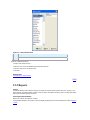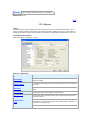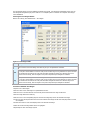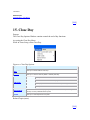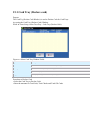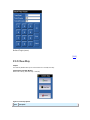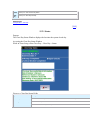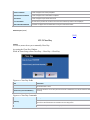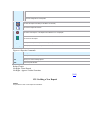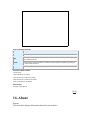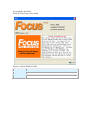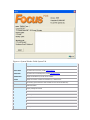
1
Focus POS Systems Table of contents 1. Focus User Manual Setup 2. Focus Setup 3. Focus Info 4. Focus End User Configuration 5. File 6. Employees 6.1 Employees 6.1.1 Add a New Employee 6.1.2 Modifying Existing Employee Information 6.1.3 Deleting an Employee 6.1.4 Printing a List of Employees 6.1.4.1 Sample Employee List Report 6.1.5 Finding Employees 6.1.6 Import Employees 6.2 Jobs 6.2.1 Jobs 6.2.2 Rights 6.2.3 Timekeeping 6.2.4 Commands 6.2.5 Creating and Maintaining Jobs 6.3 Labor Groups 6.4 Messages 6.4.1 How to Write Messages 6.5 Scheduling 6.5.1 Schedules 6.5.1.1 Printing a Schedule 6.5.2 Creating a Schedule 6.5.3 Adding Sales Projection 6.5.4 Availabilty 6.6 Skills 6.7 Termination Reasons 6.8 Time Cards 6.8.1 Editing Time Card Records 6.8.2 Sample Time Card Printout 7. Customer 7.1 Accounts 7.1.1 Adding an Account 7.1.2 Print a List of Customer Accounts 7.1.3 Print Customer Accounts Labels 7.1.4 Quick Set Customer Accounts Options 7.1.5 Import Customer Accounts 7.1.6 Export Customer Accounts 7.1.7 Finding Customer Accounts 7.1.8 Loyalty Detail 7.2 Cities 7.3 Coupons 7.4 Customers 7.4.1 Adding a Customer 7.4.2 Print a List of Customers 7.4.3 Print Customer Lables 7.4.4 Quick Set Customer Options 7.4.5 Import Customers 7.4.6 Export Customers 7.4.7 Finding Customers 7.4.8 Loyalty Detail 7.5 Loyalty 7.5.1 Adding a Loyalty Customer 7.5.2 Print a List of Loyalty Customers 7.5.3 Print Loyalty Customer Labels 7.5.4 Quick Set Loyalty Customer Options 7.5.5 Import Loyalty Customers 7.5.6 Export Loyalty Customers 7.5.7 Finding Loyalty Customers 7.5.8 Loyalty Detail 7.6 Phone Prefixes 7.7 Plans 7.7.1 Loyalty Plans 7.7.2 Receipt 7.8 Streets 7.8.1 Import 7.9 Zones 8. Inventory 8.1 Enter Inventory 8.1.1 Adding a New Inventory 8.2 Enter Invoices 8.2.1 Adding a New Invoice 8.3 Groups 8.4 Inventory Items 8.5 Recipe 8.6 Adding Inventory Items 8.7 Subgroups 8.8 Units 8.9 Vendors 9. Printers 9.1 Drivers 9.2 Formats 9.3 Groups 9.4 Remote Check Formats 9.4.1 Formats 9.4.2 Header 9.4.3 Chase Printing 9.5 Remotes 10. Order Entry 10.1 Blackboards 10.2 Checks 10.2.1 Find 10.3 Check Filters 10.4 Discounts 10.5 Gratuities 10.6 Order Types 10.6.1 Order Types 10.6.2 Customer 10.7 Packages 10.8 Paid Ins 10.9 Paid Outs 10.10 Payments 10.11 Price Levels 10.12 Table Types 10.13 Tare Weights 10.14 Taxes 10.14.1 Taxes 10.14.2 Tables 10.15 Voids 11. Locations 11.1 Locations 11.1.1 Locations 11.1.2 Menus 11.1.3 CC Voucher 11.1.4 Guest Check 11.1.5 Guest Check (Formats) 11.1.6 Printer Assignments 11.1.7 Screen Layout 11.1.8 Cash Trays 11.2 Revenue Centers 11.3 Stations 11.3.1 Stations 11.3.2 Devices 11.3.3 Information 12. Reports 12.1 Groups 12.2 Reports 12.3 Setup 12.3.1 Reports 12.3.1.1 Activity Report 12.3.1.1.1 Sample Activity Report 12.3.1.2 Attendance Report 12.3.1.2.1 Sample Attendance Report 12.3.1.3 Batch Report 12.3.1.3.1 Sample Batch Report 12.3.1.4 Collection Report 12.3.1.5 Cumulative Item Count Report 12.3.1.5.1 Sample Cumulative Item Count Report 12.3.1.6 Cumulative Sales Report 12.3.1.6.1 Sample Cumulative Sales Report 12.3.1.7 Daily Item Count Report 12.3.1.7.1 File Format 12.3.1.7.2 Sample Daily Item Count Report 12.3.1.8 Daily Report 12.3.1.8.1 File Format 12.3.1.8.2 Sample Daily Report 12.3.1.9 Discounts/Voids Report 12.3.1.9.1 Sample Discount/Voids Report 12.3.1.10 External Report 12.3.1.11 Hourly Report 12.3.1.11.1 Sample Hourly Report 12.3.1.12 Inventory On Hand Report 12.3.1.12.1 Sample Inventory On Hand Report 12.3.1.13 Inventory Reorder Report 12.3.1.13.1 Sample Inventory Reorder Report 12.3.1.14 Inventory Usage Analysis Report 12.3.1.14.1 Sample Inventory Usage Analysis Report 12.3.1.15 Inventory Worksheet Report 12.3.1.15.1 Sample Inventory Worksheet Report 12.3.1.16 Labor Percentage Report 12.3.1.16.1 Sample Labor Percentage Report 12.3.1.17 Media Report 12.3.1.17.1 File Format 12.3.1.17.2 Sample Media Report 12.3.1.18 Overtime Limit Report 12.3.1.18.1 Sample Overtime Limit Report 12.3.1.19 Paid Out Report 12.3.1.19.1 Sample Paid Out Report 12.3.1.20 Payroll Report 12.3.1.20.1 File Format 12.3.1.20.2 Sample Payroll Report 12.3.1.21 Sales Accountability Report 12.3.1.21.1 Sample Sales Accountability Report 12.3.1.22 Sales Contest Report 12.3.1.22.1 Sample Sales Contest Report 12.3.1.23 Weekly Item Count Report 12.3.1.23.1 Sample Weekly Item Count Report 12.3.1.24 Employee Performance Report 12.3.1.24.1 Sample Employee Performance Report 12.3.1.25 Account Transaction Report 12.3.1.25.1 Sample Account Transaction Report 12.3.1.26 Account Statement Report 12.3.1.26.1 Sample Account Statement Report 12.3.1.27 Menu Item Report 12.3.1.27.1 Sample Menu Item Report 12.3.1.28 Gift Card Report 12.3.1.28.1 Sample Gift Card Report 12.3.1.29 Tip Pool Report 12.3.1.29.1 Sample Tip Pool Report 12.3.1.30 Production Report 12.3.1.30.1 Sample Production Report 12.3.1.31 Loyalty Report 12.3.1.31.1 Sample Loyalty Report 12.3.1.32 Inventory Detail Report 12.3.1.32.1 Sample Inventory Detail Report 12.3.1.33 Paid In Report 12.3.1.33.1 Sample Paid In Report 12.3.1.34 Drawer Report 12.3.1.34.1 Sample Drawer Report 12.3.2 Output 12.3.3 File Format 12.4 Tip Pools 13. Menu 13.1 Canvas Designer 13.2 Canvases 13.3 Menu Items 13.3.1 Assign 13.3.2 Find 13.3.3 Tools 13.3.3.1 Print 13.3.3.2 Quick Set 13.3.3.3 Import 13.3.3.4 Export 13.3.4 Recipe 14. Miscellaneous 14.1 Accounting Interface 14.2 Events 14.3 General 14.3.1 General 14.3.2 Screen Layout 14.3.3 Screen Layout (Commands) 14.3.4 Timekeeping 14.3.5 Restaurant 14.3.6 Credit Card/PMS/Gift Card 14.3.7 Customer 14.3.7.1 Customer Setup Screen 14.3.7.2 Account Setup Screen 14.3.7.3 Loyatly Setup Screen 14.3.8 Loyalty Receipt 14.4 Screen Formats 14.5 Time Ranges 15. Close Day 15.1 Cash Tray (Declare cash) 15.2 Close Day 15.2.1 Status 15.2.2 Close Day 15.3 Credit Cards 15.3.1 Batch 15.3.2 IFACE 15.3.2.1 Status 15.3.2.2 Log 15.3.2.3 Batch Detail 15.3.2.3.1 Force 15.3.2.4 Reconcile 15.3.3 Offline 15.3.4 Refunds 15.3.4.1 Refunding a Credit Card 15.4 Daily Inventory 15.5 Deposits 15.5.1 Adding a New Deposit 16. About 1. Focus User Manual Setup [email protected] www.focuspos.com Copyright © 2007 Focus POS Systems, Inc. All rights reserved [TOP] 2. Focus Setup Purpose The Setup program is the essential Focus Module. The basic function of Setup is to create and maintain the data files. All of the system‟s user configurations and optional settings are established in Focus Setup. Access to Focus Setup is strictly controlled by Job Rights. Focus Setup may be run on any Station that is part of the Focus system. Focus runs on one executable (.exe), therefore allowing the user access to Focus Setup from any station running Focus. Focus Setup contains twelve pull down menus across the top of the workspace. Each menu consists of a window with a different, yet often related series or group of options and components. The menus are File, Employees, Customers, Inventory, Printers, Order Entry , Locations, Reports, Menu, Miscellaneous, Close Day and About . Each menu brings up another menu or dialog box. Modules A Module is a part of the Focus System that allows a user to access parts of the software. The Optional Modules which are not part of the basic Focus System are listed below. Figure x.x Module Description Name Description EDC Credit Card Module PMS Property Management Module BOF Back Office Module SCH Scheduling Module INV Inventory Module CUS Customer Module GFT Gift Card Module NEP Net ePay Module [TOP] 3. Focus Info The Focus System Information in this manual is subject to change without notice and does not represent a commitment on the part of Focus Point of Sale Systems, Inc. This software and manual are provided "as is" without any warranty. Focus Point of Sale Systems, Inc. in no way guarantees the accuracy, correctness, or reliability of this software or manual. The entire risk of using this software and manual is assumed by the user, including any incidental or consequential damage. Focus Point of Sale Systems, Inc. disclaims all warranties, expressed or implied, including but not limited to implied warranties of merchantability and fitness for a particular purpose. The software described in this document, and this document is copyrighted and Focus Point of Sale Systems, Inc reserves all rights. Only the original purchaser may legally use this software. Use of this software constitutes your acceptance of the following license statement and the previous statements regarding liability. License Statement The Focus System and this manual are licensed to the original purchaser only. Backup copies of the software and this manual may be made. No other copying of The Focus system software or this manual may occur. Failure to comply with this statement voids the license. You agree to destroy all copies of the software and manual if the license is voided. Trademarks All brands and product names are trademarks or registered trademarks of their respective holder/s. [TOP] 4. Focus End User Configuration Configuration Techniques Configuration of the Focus system to meet end-user operational requirements is simple and the processes used are consistent throughout all Modules. The following information is provided to orient the operator in the basic techniques that are recommended. With very few exceptions, when a touch screen is provided, all fields in all Modules may be accessed by touch. When configuring the system areas of Setup, Employee and Canvas, however, it is recommended that both a mouse and a keyboard are available. All areas of Point of Sale where alphanumeric input is required are provided with a pop-out keyboard on screen. Most Focus entities are pre-configured to a set number; there is no adding or deleting except for Employees, Menu Items, Inventory Items and Customers. Figure x.x Keyboard Commands Command Description Tab Used to advance from one data field to the next. Enter Used to emulate OK on the dialog box. Delete Used to indicate that no selection is required from a drop down list. Select an option from the drop down list, press DELETE, <None> will be displayed. Alt Used wherever a Hot Key is indicated on screen by an underscored letter on a Command Button. For example, Save, OK, Find, Delete, etc. Up/Down Used to move Up and Down the drop down lists. Figure x.x Screen Elements Element Description Drop-Down List A pre-configured list from which a selection must be made. Radio Box A choice of options from which only one selection may be made. Status Box Text Box Selected Not Selected Inactive To delete the contents of a text box, double-click the text box and then press the "Delete" key. To replace the contents of a text box, double-click the text box, then type the updated information directly over the selected area. Skips to the previous year. Skips to the previous month. Calendar Skips to the next month. Skips to the next year. Figure x.x Import/Export Functions Command Description Moves all available fields over to the Included fields section. Moves the selected item in Available Fields to the space selcted in the Included Fields section. Moves the selected item in Available Fields to the bottom of the list in the Included Fields section. Moves the selected item in Included Fields back to the list in Available Fields. Moves the selected item in Included Fields up the list. Moves the selected item in Included Fields down the list. Moves all items in Included Fields back to the Available Fields section. Figure x.x Standard Entry Formats Time Times are configured in 24 hour military format and must be expressed as MM:HH. Date Dates are configured in North American format: MMDDYYYY. Figure x.x Miscellaneous Italicized Labels Any label that is italicized may be clicked on to drill down to another form. On Screen Keyboard Keys To select an image (.bmp or .jpg), audio (.wav) or audio/visual (.avi) file ▪ Click Image button ▪ The Picture dialog box will be displayed. ▪ Select the directory required from the drop-down list. ▪ Click on the file required. The file name will be displayed in the file name field. ▪ Click Open. The Picture dialog box will be closed and the image selected will be displayed. . To deselect an Image, leave the File Name field empty. [TOP] 5. File Purpose The File Menu is used to Logout and Quit the Setup Window. Accessing the File Menu While in Focus Setup, select File. Figure x.x File Menu Options Option Description Logout Use to log out of Focus Setup. Quit Use to quit the Setup Module. Related Topics Job Right „Office – Exit Software‟ [TOP] 6. Employees Purpose The Employees Menu contains a variety of options for managing employees and maintaining detailed employment records. The Employee Menu is used by authorized personnel to enter and maintain employee name, address, contact information, employment status information, Job Rights and Labor Groups. An unlimited number of employees may be entered in the system. The ability to enter or view employee information is carefully controlled by Job Rights. Only those users who have the designated employee Job Rights will be able to access the Employee Module. Accessing the Employee Window While in Focus Setup, select Employees. Figure 1.1 Employee Menu Options Option Description Employees Add, remove and maintain employees. Jobs Add, remove and maintain Jobs. Labor Groups Add, remove and maintain Labor Groups. Messages Send messages to employees. Schedules Create, edit and print employee schedules. Skills User-defined levels of employee competency. Termination Reasons List of possible Termination Reasons. Time Cards Edit employee Time Cards. Related Topics (none) [TOP] 6.1 Employees Purpose The Employees Window is used to add, edit and delete employees. In addition, an employee list may be generated and printed from this window. Access to the Employee Window is controlled by Job Rights. Restrictions If the user does not have the „Edit Employees‟ or „View Employees‟ Job Right the employee menu option appears grayed. If the user is restricted to specific Jobs then only employees that have one of those Jobs appear in the list. If the user has the „View Employees‟ Job Right but does not have the „Edit Employees‟ Job Right then the user is not allowed to edit employee values and the Delete button is also disabled. The Add button is disabled if the user does not have the „Add Employees‟ Job Right. The following fields may only be viewed if the user has the associated Job Right: Access Code, Jobs, Pay Rates, Employment Status and Skills. Note: These fields are accessible and all validations are performed while adding employees. If the user has the „View Employees‟ Job Right but not the „Edit Employees‟ Job Right then any values entered into these fields are not saved. Accessing the Employees Window While in Focus Setup, select Employees > Employees. Figure x.x Employee Fields Field Description Employees A list of existing employees automatically sorted alphabetically by last name. Select an employee name to display all associated data for the selected employee. The list of active employees is shown by default. Terminated and Inactive employees do not appear in the list. If the user is restricted to specific Jobs then only employees that have one of those Jobs appear in the Employee List. First Name Required - The employee‟s First Name, up to 20 alphanumeric characters. The first letter is automatically capitalized. Last Name Required - The employee‟s Last Name, up to 20 alphanumeric characters. The first letter is automatically capitalized. Nickname Required - The employee‟s preferred Nickname, up to 15 alphanumeric characters. The Nickname will be printed on the Guest Check, Activity, Attendance and Transaction Reports. If a Nickname is not entered the field defaults to the employee‟s First Name followed by the first letter of the Last Name. Example: The Nickname for Sam Brown would be “Sam B.” Picture Display an employee picture selected from a graphic file. Click on the employee picture to select a picture. Tab to the employee picture and press the Delete key to remove the picture. ID1 An up to 20 alphanumeric character employee identifier. This field may be masked to enforce a specific format. The meaning of this field will vary by restaurant. In most cases ID1 is the user‟s social security number. The ID1 mask specified in time-keeping setup restricts the input that may be entered into this field. The length of the input must match the length of the mask otherwise the message “Length of the ID field must match the mask ” is displayed. For example, if the mask “99999-9999” is specified then the value 123- would be invalid input. ID2 An up to 20 alphanumeric character employee identifier. This field may be masked to enforce a specific format. ID2 is used by the ADP interface. The meaning of this field will vary by restaurant. In most cases ID2 is the employee number assigned by the restaurant. The ID2 mask specified in time-keeping setup restricts the input that may be entered into this field. The length of the input must match the length of the mask otherwise the message “Length of the ID field must match the mask ” is displayed. For example, if the mask “999-99-9999” is specified then the value 123- would be invalid input. If the payroll data is imported into ADP then valid values for ID2 are between 51 and 999999.) Access Code Required - A unique 1 to 4-digit numeric code used by the employee to gain access to the system. If the Access Code entered is not unique, an error message that contains the name of the employee that has the access number is displayed. Via the Access Code label, the next available sequential code may be generated automatically. A magnetic or bar code card can be used to input the code in this field. Address The employee‟s street Address, up to 30 alphanumeric characters. City The employee‟s City. State The employee‟s State. Zip Code The employee‟s Zip Code. Emergency Phone # Emergency telephone numbers use this format: (999) 999-9999. Emergency Contact The name of the person, up to 20 alphanumeric characters, to be contacted for this employee in case of an emergency. Phone # 1 The employee‟s telephone numbers use this format: (999) 999-9999. Phone # 2 Alternate telephone numbers use this format: (999) 999-9999. W4 Status Single Selected if the employee is single. Married Selected if the employee is married. Married: Withhold at single rate Selected if the employee is married, but chooses the single rate for the purpose of withholding. W4 # of Allowances The number of allowances requested by this employee, up to 99. W4 Amount The amount of any additional withholding for this employee, up to 999.99. Birth Date The employee‟s date of birth. Use the mm/dd/yyyy format. Hire Date The employee‟s date of hire. Use the mm/dd/yyyy format. Last Raise The date on which the employee last received a raise. Use the mm/dd/yyyy format. Termination The employee‟s termination date, if applicable. Use the mm/dd/yyyy format. Termination Reason Select the reason the employee was terminated from the list of available reasons. Salary/Day The amount an employee is paid per day. Employment Status Active Select this option if the employee is currently active in the system. Inactive Select this option if the employee is inactive and can not clock in. Terminated Select this option if the establishment no longer employs the employee. Terminated status prevents employee access. Language Select the Language to be used to display various prompts and messages for the employee. Pager # The employee‟s pager number uses this format: (999) 999 – 9999. Options Require Card The employee must use a magnetic card, keyboard, scanner or fingerprint to enter the Access Code and to gain access to the system. Extend Rights Selected if the employee will have a superset of Job Rights comprised of the rights associated with all of the employee‟s Jobs. Clock In/Out Only Selected if the Time Clock Module is the only Module available to this employee. Enforce Scheduling Selected if the employee is only allowed on the clock if there is a valid schedule time, otherwise a manager‟s approval is required. Fingerprint at Clock In Requires the employee to use a fingerprint to clock in/out. Fingerprint Required Selected if the employee is required to use a fingerprint to log in at all times. Jobs 1-6 Select from the list of Available Jobs that this employee will be assigned. The first Job is required and must be assigned. All other Job assignments are optional. Jobs 1 through 6 must be assigned sequentially. Note: The current Job should never be changed while the employee is clocked in. Pay Rate 1-6 The hourly pay rate, up to $999.99, for each Job assignment. Skill The Skill level of the employee for each listed Skill. Each Skill Level must be between 0 and 10, with 10 being the highest. Figure 1.2 – Employee Commands Command Description Close Closes the Employee window. Save Saves current changes. Add Adds a new employee. Delete Deletes an employee. Find Finds employees based on Job Code or Employment Status. Tools Allows access to the additional commands: Print the current employee, Print all employees, and Import employees. Cancel Cancels changes made prior to saving. Related Topics Job Right „Employees - Edit Employees‟ Job Right „Employees - Add Employees‟ Job Right „Employees - View Employees‟ Job Right „Employees - View Access Code‟ Job Right „Employees - View Jobs‟ Job Right „Employees - View Pay Rates‟ Job Right „Employees - View Employment Status‟ Job Right „Employees - View Skills‟ Add a New Employee Modify Existing Employee Information Deleting an Employee Printing a List of Employees Finding Employees Import Employees [TOP] 6.1.1 Add a New Employee Purpose The steps to add a new employee to the system are listed below. Procedure to Add a New Employee ▪ Access the Setup > Employees > Employees Window. ▪ Click Add. The Job, Rates, Require Card, Extend Rights, Clock In/Out Only, Enforce Scheduling, Language, W4 Status, # of Allowances, W4 Additional Amount, and Employment Status fields are automatically initialized to the fields of the current employee. ▪ Enter the employee's information (see Figure x.x). ▪ Click Add or press the Enter key to save the employee and continue adding employees. ▪ Click Save to save the employee and exit add mode. ▪ Click Cancel or press the Escape key to exit add mode without saving the current employee. ▪ Click Close to close the form without saving the employee. Related Topics Job Right „Employees - Edit Employees‟ Job Right „Employees - Add Employees‟ Job Right „Employees - View Employees‟ Job Right „Employees - View Access code‟ Job Right „Employees - View Jobs‟ Job Right „Employees - View Pay Rates‟ Job Right „Employees - View Employment Status‟ Job Right „Employees - View Skills‟ [TOP] 6.1.2 Modifying Existing Employee Information Purpose The steps to modify existing employee information are listed below. Restrictions If termination is the reason for modifying the information, Employee Termination Reasons must be established prior to completing this procedure. If the user does not have the „Edit Employees‟ Job Right then the user will not be able to Add, Edit or Delete employees. Procedure to Modify Existing Employee Information ▪ Access the Setup > Employees > Employees Window. ▪ Select the employee name in the Employee List to display information for the selected employee. Verify that the employee to change is highlighted. ▪ Make any necessary modifications to the employee information. Note: The employee‟s pay rates should not be changed while the employee is clocked in. Past payroll records are not changed by pay rate changes. ▪ Click Save. Related Topics Job Right „Employees - Edit Employees‟ Job Right „Employees - Add Employees‟ Job Right „Employees - View Employees‟ Job Right „Employees - View Access Code‟ Job Right „Employees - View Jobs‟ Job Right „Employees - View Pay Rates‟ Job Right „Employees - View Employment Status‟ Job Right „Employees - View Skills‟ [TOP] 6.1.3 Deleting an Employee Purpose The steps to delete an employee are listed below. Restrictions If the user does not have the „Edit employees‟ Job Right then the user will not be able to delete an employee. If the employee is currently clocked in, the error message “An employee may not be deleted while clocked in.” is displayed. You will need to clock the employee out or manually clock them out through the Time Cards Module. Procedure to Delete an Employee ▪ Access the Setup > Employees > Employees Window. ▪ Select the employee name in the Employee List to display the employee information for the selected employee. Verify that the employee to delete is highlighted. ▪ Click Delete. ▪ Click Yes to confirm the deletion. Related Topics Job Right „Employees - Edit Employees‟ Job Right „Employees - View Employees‟ Time Cards [TOP] 6.1.4 Printing a List of Employees Purpose The steps to print employee information are listed below. You can print the information for the current employee or a list of all employees. Procedure to Print a List of Employees ▪ Access the Setup > Employees > Employees Window. ▪ Click Tools. ▪ Click the appropriate Print Current or Print All option. ▪ Choose which options you want printed on the report. ▪ Choosing All Information will select or deselect all options. ▪ Click Print. Related Topics Job Right „Employees - View Employees‟ [TOP] 6.1.4.1 Sample Employee List Report Purpose A sample Employee List Report and description of the fields are listed below. Note: The sample report may differ from the actual report. The options used to configure the report will determine the actual output of the report. Figure x.x Employee List Report Focus Cafe Employee List (5/25/2007 11:24:23 AM) Page 1 ================================================================================ Baker, Sarah Sarah B. Bartender, Billy Billy B. Boat, Tony Tony B. Boop, Betty Betty B. Busser, Bobby Bobby B. Cashier, Kathy Kathy C. Cook, Charles Charles S. Driver, Danny Danny D. Focus, Installer Installer F. Louie, Chef Chef L. Man, Sales Salesman Manager, Barbara Barbara M. Manager, Mike Mike M. Manager, Steve Steve M. Mummart, Sharon Manager S. Server, Bill Wild Bill Smith, Frank Frank S. Smothers, Sally Silly Sall Taker, Order Order T. Figure x.x Employee List Report Fields Field Description First Name, Last Name Prints the employee‟s First and Last Name. Nickname Prints the employee‟s Nickname. ID1 Prints the employee‟s ID1 field. ID2 Prints the employee‟s ID2 field. Access Code Prints the employee‟s Access Code. Address, City, State, Zip Prints the employee‟s Address, City, State and Zip Code. Phone Number 1 Prints the employee‟s Phone Number 1. Phone Number 2 Prints the employee‟s Phone Number 2. Emergency Information Prints the employee‟s Emergency Phone Number and Contact. Birth Date Prints the employee‟s Birth Date. Hire Date Prints the employee‟s Hire Date. Last Raise Date Prints the employee‟s Last Raise Date. Termination Date Prints the employee‟s Termination Date. Termination Reason Prints the employee‟s Termination Reason. W4 Information Prints the employee‟s W4 Information. Employment Status Prints the employee‟s Employment Status. Jobs Prints the Jobs assigned to the employee. Pay Rates Prints the employee‟s Pay Rates according to Job. Require Card An “X” will print if the employee has the Require Card option. Extend Rights An “X” will print if the employee has the Extend Rights option. Clock In/Out Only An “X” will print if the employee has the Clock In/Out Only option. Enforce Scheduling An “X” will print if the employee has the Enforce Scheduling option. Fingerprint at Clock/In An “X” will print if the employee has the Fingerprint at Clock In option. Fingerprint Required An “X” will print if the employee has the Fingerprint Required option. Skill Levels Prints the employee‟s Skill Levels. All Information Prints all employee information. Related Topics (none) [TOP] 6.1.5 Finding Employees Purpose The steps to find a list of employees with a particular Employment Status or Job are listed below. Restrictions The Employee List can be restricted to those employees with specific Jobs or a particular Employment Status. Procedure to Find Employees ▪ ▪ Access the Setup > Employees > Employees Window. Click Find. ▪ ▪ ▪ To find employees with a specific Employment Status, select the Status from the drop-down List: Active, Inactive or Terminated. To find employees that are assigned specific Jobs select the Jobs in the Job List. Note: Multiple Jobs may be selected. Click Ok. Related Topics Job Right „Employees - View Employees‟ Accessible Jobs [TOP] 6.1.6 Import Employees Purpose The steps to import a list of employees are listed below. Restrictions The format of the file to be imported should be as follows. The first line should contain the field names to be imported in quotes followed by commas. The fields that may be imported are: “FirstName”,”LastName”,”Nickname”,”ID1”,”ID2”,”Address”,”City”,”State”,”Zip”,”PhoneNumber1”,”PhoneNumber2”,”Emer gencyPhoneNumber”,”EmergencyContact”,”BirthDate”,”HireDate”, ”LastRaiseDate”,”TerminationDate”,”TerminationReason”,”EmploymentStatus”,”JobCode1”,”JobCode2”,”JobCode3”,”JobCo de4”,”JobCode5”,”JobCode6,”PayRate1”,”PayRate2”,”PayRate3”, ”PayRate4”,”PayRate5”,”PayRate6”,”AccessCode”,”ExternalJob1”,”ExternalJob2”,”External Job3”,”ExternalJob4”,”ExternalJob5”,”ExternalJob6” Procedure for Importing Employees ▪ ▪ Access the Setup > Employees > Employees Window. Click Tools and then click Import. ▪ Select the file containing the import information and click OK. The imported employee records will now appear in the Employee List. Related Topics Job Right „Employees - Edit Employees‟ Job Right „Employees - Add Employees‟ [TOP] 6.2 Jobs Purpose The Jobs Window is used to establish and maintain Job specific information. Jobs represent categories of employees that have the same set of system capabilities. Up to 64 Jobs may be maintained in the system. Accessing the Jobs window While in Focus Setup, select Employees > Jobs. Figure x.x Jobs Options Option Description Jobs Used to name the Jobs and assign the appropriate options for Jobs. Rights Used to configure access levels for Jobs. Timekeeping Used to establish and maintain different Timekeeping options for Jobs. Commands Used to configure the Command Ribbon used in Focus Order Entry. Related Topics Job Right „Office – Job‟ [TOP] 6.2.1 Jobs Purpose The Jobs Window allows you to name the Jobs and assign the appropriate options for each Job. Accessing the Jobs window While in Focus Setup, select Employees > Jobs. Figure x.x Jobs Fields Field Description Jobs The list of available Jobs. Name Required - Choose a name for each Job. The name may be up to 15 alphanumeric characters. Image A graphic that represents the Job. Labor Group Required - A Labor Group selected from the list of available Labor Groups. Location A Location selected from the list of available Locations. If a Location is selected it overrides the Location defined for the Station. Beverage Requirement None Turn this option on if there is no Beverage Requirement. Warning Turn this option on if the user should be warned that the Beverage Requirement has not been met but may still print the check. After Print Close Check Options Compulsory Turn this option on if the Beverage Requirement must be satisfied before the check can be printed. Display Current Check Turn this option on if the current check should remain on the screen after it has been printed. Remove Check Turn this option on if the current check should be removed from the screen. The Total and Balance Due will remain on the screen after it has been printed. Quit Turn this option on if the user should be returned to the Entry screen after the check has been printed. Display Current Check Turn this option on if the check is to remain on the screen after it has been closed. Display Balance Turn this option on to remove the check from the screen but continue to display the balance of the check after it has been closed. Quit Turn this option on to return to the Entry screen. This option overrides the Job Right „Return to Order Access After Close‟ after it has been closed. Floor in Seconds Enter the number of seconds, up to 9999, after which the terminal will return to the Entry screen if the Station is inactive while the Order Entry screens is displayed. Office in Minutes Enter the numbers of minutes, up to 9999, after which the terminal will return to the Entry screen if the Station is inactive and the user has left Focus Setup. Number of Reports Enter the number of copies of the Checkout Report, 0 to 9 that will print when the user clocks out. Checkout Report Select the report that will print when the user clocks out. Time Out Checkout Report Options Figure x.x Jobs Commands Commands Description Close Closes the Jobs window. Save Saves current changes. Copy Copies the selected Job. Paste Pastes the copied Job information into a new Job position. Cancel Cancels changes made prior to saving. Related Topics Job Right „Office – Jobs‟. [TOP] 6.2.2 Rights Purpose The Rights Window is used to establish Job Rights (access levels) for different Jobs. Job Rights also determine the functions that are available in Focus Order Entry. Note: Turning on all Job Rights for a particular Job will more than likely create an undesirable result in the way the software works. (i.e. turning on the Job Right to „Require Name‟ will cause you to always enter a name even though you are using table numbers.) Accessing the Job Rights Window While in Focus Setup, select Employees > Jobs > Rights. Procedure to set Job Rights Select an option and select either On or Off to assign Job Rights to the Job selected. Note: All Job Rights are extendable unless they have an (NE) beside them. An extendable Job Right allows all of the employee's Jobs to be considered, not just the Job associated with the employee's current clock in to determine if the user is allowed access to a specific function. The Job Right associated with the employee‟s clock in is used to determine whether an employee is allowed access to the related function. ▪ On: A plus green text indicates a Job Right is turned on. ▪ Off: A X ▪ Search: plus red text indicates a Job Right is turned off. Search allows multiple words to be entered. Any Job Right with one or more words are displayed in a list. ▪ Section Header: Clicking on the section header does not turn on or off any Job Rights. No specific Job Right is related to the heading itself. Note: Section headers are underlined (Office in the above picture). Figure x.x Job Rights - Office Accounts Allows the user to Add, Edit, and Delete customer Accounts. Checks Allows the user to view checks in Focus Setup. Check Filters Allows the user to configure Check Filters. Close Day Allows the user to Close Day. Configure Blackboards Allows the user to configure Blackboards in Focus Setup as well as in the Detail button (see “Manager‟s Wrench > Blackboard”) and from the Manager Wrench in Focus Order Entry (see Entry Screen > Manager Wrench > Blackboards > Details). Customers Allows the user to Add, Edit and Delete Customers. Customer Setup Allows the user to edit customer Coupons, Plans, Phone Prefixes, Streets and Zones. Deposits Allows the user to enter Deposits. Discounts Allows the user to configure Discounts. Edit Blackboards Allows the user to edit Blackboards from the Manager Wrench. Enter Inventory Allows the user to Enter Inventory. Enter Invoices Allows the user to Enter Invoices. Exit Software Allows the user to terminate the software. Fingerprint Registration Allows the user to register a fingerprint for an employee. General Allows the user to configure options in the General Window. Gratuities Allows the user to configure Gratuities. Inventory Setup Allows the user to edit Inventory Groups, Ingredients, Recipes, Subgroups, Units, and Vendors. Jobs Allows the user to configure Jobs. Labor Groups Allows the user to configure Labor Groups. Locations Allows the user to configure Locations. Loyalty Allows the user to Add, Edit, and Delete Loyalty Customers. Menu Allows the user access to the Canvas Designer and Menu Item configuration. Office Software Allows the user access to Focus Setup. Order Types Allows the user to configure Order Types. Packages Allows the user to configure Packages. Paid Ins Allows the user to configure Paid Ins. Paid Outs Allows the user to configure Paid Outs. Payments Allows the user to configure Payments. Price Levels Allows the user to configure Price Levels. Printer Drivers Allows the user to configure Printer Drivers. Printer Formats Allows the user to configure Printer Formats. Printer Groups Allows the user to configure Printer Groups. Remote Check Formats Allows the user to configure Remote Check Formats. Remote Printers Allows the user to configure Remote Printers. Report Groups Allows the user to configure Report Groups. Report Setup Allows the user to configure Reports. Restore from Backup Allows the user to restore the system to the primary server. Revenue Centers Allows the user to configure Revenue Centers. Screen Formats Allows the user to configure Screen Formats. Skills Allows the user to configure Skills. Stations Allows the user to configure Stations. Table Types Allows the user to configure Table Types. Tare Weights Allows the user to configure Tare Weights. Taxes Allows the user to configure Taxes. Termination Reasons Allows the user to configure Termination Reasons. Time Ranges Allows the user to configure Time Ranges. Voids Allows the user to configure Void Reasons. Figure x.x Job Rights Employees Edit Employees Allows a user to edit and delete employees. Add Employees Allows the user to add employees. If the user does not have this Job Right the Add button is grayed. View Employees View Access Code Allows the user to view employees. To restrict a user from viewing specific fields turn them off. Allows the user to view employees Access Codes. To restrict a user from viewing these fields turn it off. View Jobs Allows the user to view employees Jobs. To restrict a user from viewing these fields turn it off. View Pay Rates Allows the user to view employees Pay Rates. To restrict a user from viewing these field turn it off. View Employment Status View Skills Allows the user to view Employees Status and Termination Reasons. To restrict a user from viewing these fields turn it off. Allows the user to view an employee's Skills. To restrict a user from viewing these fields turn it off. Figure x.x Job Rights Time Manager Approve Clocks Allows the user to clock in/out any employee. Turn this option on if the user can approve unscheduled clock ins and clock outs. Edit Time Cards Allows the user to Edit Time Cards. Turn this option on if the user can edit Time Cards. Edit Schedules Allows the user to Edit Schedules. Turn this option on if the user is allowed to schedule employees. Restrict Time Card Edit to Current Day Allows the user to edit only the current day‟s Time Cards. Figure x.x Job Rights Time Clock Bump Up Early Clock In (NE) Turn this option on to set the user clock in time to the scheduled clock in time if they clock in early. Bump Back Late Clock In (NE) Turn this option on to set the user clock in time to the scheduled clock in time if they clock in late. Print Clock In Chit (NE) Turn this option on if a clock in chit should print when the user clocks in. Bump Up Early Clock Out (NE) Turn this option on to set the user clock out time to the scheduled clock out time if they clock out early. Bump Back Late Clock Out (NE) Turn this option on to set the user clock out time to the scheduled clock out time if they clock out late. Print Clock Out Chit (NE) Turn this option on if a clock out chit should print when the user clocks out. Clock Out with Open Checks (NE) Turn this option on if the user can clock out if they are the owner of open checks. Clock Out with Missing Tips (NE) Turn this option on if the user can clock out if they have payments that have not had tips added but the Tip Required option is on for the payment. Clock In/Out Must be Approved Turn this option on if the user must have each clock in and clock out approved (always). Must Read Messages Before Clock In/Out The user is forced to read Messages before they are allowed to clock in or clock out. Declare Tips Turn this option on if the user should Declare Tips before clocking out. Take Breaks (NE) Turn this option on if the user may Take Breaks. View Time Card Print Time Card View Schedule Print Schedule Enter Availability Turn this option on if the user is allowed to view their Time Card. Turn this option on if the user is allowed to print their Time Card. The user must have the „View Time Card‟ Job Right and the „Print Time Card‟ Job Right to print a Time Card. Turns this option on if the user is allowed view their schedule. Turn this option on if the user is allowed to print their schedule. The user must have the „View Schedule‟ Job Right and the „Print Schedule‟ Job Right to print a schedule. Turn this option on if the user may define their availability schedule. Overtime Must be Approved Turn this option on if the user may clock in with 40 hours or more without manager approval. Messages Turn this option on if the user may receive Messages at clock in and clock out. Write Messages Turn this option on if the user may send Messages. Figure x.x Job Rights Order entry Cashier - (Tray) Open/Close (NE) Allows the employee to Open or Close a cash tray. Cashier - (Tray) Declare Cash (NE) Allows the employee to declare the cash that is in the cash tray. Cashier - (Tray) Required (NE) This right requires that the user be assigned to an open cash tray to perform tender related operations on a cash tray (see Locations > Cash trays > Require Open Before Use). Cashier - (Tray) Select at Clock In (NE) This right prompts the user to select a cash tray when they clock in. Cashier Accountable for Sales The Checkout Report will assign the sales to the employee that closed the check. Note: This option only affects the Checkout Report, not the Sales Accountability Report, thus the sales figures on the Checkout Report for employees with this Job Right will not balance to the sales figures on the Sales Accountability Report. Cashier Approve Functions All Paid Outs are displayed in the list instead of just the Paid Outs entered by the user. This Job Right also allows the user to perform the following cash tray functions for cash trays not assigned to them: Declare Cash, Assign Employees, Edit the Starting Bank, Enter Counts and Close. Cashier Assign Drawer Allows an employee to assign themselves to a drawer. Cashier Declare Cash at Clock Out (NE) Allows the user to record the amount of cash they counted in their drawer. Cashier Declare Starting Bank (NE) Allows the user to enter the starting bank when they clock in. Cashier - Drops Allows the user to enter Drops. Cashier - Enter Paid Outs Allows the user to enter Paid Outs. Cashier - Enter Paid Ins Allows the user to enter Paid Ins. Cashier - Open Drawer Allows an employee to open the cash drawer with the Open command. Cashier - One User Per Drawer Only one employee may be assigned to a drawer. Cashier - Open Any Drawer (NE) Allows the user to open any cash drawer. Cashier Prevent Login if No Drawer is Assigned The employee must have a cash drawer assigned to use the Station before logging on. Cashier Prevent Use if Drawer Open Turn this option on to prevent the user from using the software while the drawer is open. Note: This feature only works with a direct connect serial drawer. Cashier - Select Cash Drawer at Clock In (NE) Turn this option on if the user should be prompted for a cash drawer when clocking in. Cashier - Select One Drawer Only Turn this option on to prevent the employee from assigning themselves to more than one cash drawer. Check Items Hold Allows the user to place items on Hold. Check Items Tax Exempt Allows the user to exempt tax. Check Items Void Allows the user to Void menu items. The user may also remove a Void from a menu item. Checks - Clear (NE) Turn this option on if the check should be removed from the screen after the Subtotal After Subtotal command is executed. Checks - Delete Last Item (Approve) Allows the user to approve the Delete of previously ordered items if the option „Delete Last Item Restriction‟ is on in Locations. Checks – Delete/Modify Items on Hold Turn this option on to allow the user to delete items on hold from a check. This right also allows the user to modify the items on hold. Checks Display Total Before Service (NE) Turn this option on if the total should be displayed on the screen check before Subtotal or Quitting. This is used for bars or counter service where the user rings up the items, tells the customer the total then Deletes the items from the check. Checks - Edit Guests The number of guests on the check cannot be changed unless this Job Right is turned on. Checks - Print Check When Closed (Tip Required) (NE) Turn this feature on to automatically print a copy of a guest check after editing the tip on the Edit Tips screen. Checks - Print Check When Closed (Always) Turn this option on if the check should always print when it is closed regardless of whether a tip has been added. The „After print options‟ does not apply when the check is printed as a result of the check being closed. This is primarily a counter / quick service option. Checks Prompt for Guests (NE) Turn this option on if the user should be prompted for the number of guests when an order is begun. Checks Reprint Allows the user to Reprint a guest check. Checks - Select Location Allow the user to change the current Location. If a check is on-screen its Location and Revenue Center are also changed. Checks - Split Allows the user to Split checks. Checks - Split After Print Allows the user to split a check after it has been printed. Checks - Split Display Payments Displays payments on the Split Screen. Checks - Split First Seat After Print Allows the user to Split a check after it has been printed if there is only one seat on the check. This Job Right allows the server to Split a check after presentation of a printed check to the customer without requiring manager approval. If the user does not have this Job Right they will be prompted for the „Checks - Split After Print‟ Job Right. Checks - Split Payments Allows the user to move payments between seats. Customer Approve Allows an employee to place a customer with the „Require approval‟ Job Right option on a check. Customer Dispatch Turn this option on to allow the employee to dispatch checks to drivers. All checks that are Delivery Pending appear on the Dispatch Screen if this option is on, otherwise just the checks that the user owns appear. Customer Dispatch to Any Driver The user must have this right to assign a check to drivers other than themselves. Customer Driver (NE) Turn this option on if the employee will be the delivery driver. Drivers may be assigned checks with the „Driver‟ command as well as the „Assign‟ command on the Dispatch screen. Drivers are automatically prompted to close their open orders to cash when returning from route when logging in. Customer Print Check When Assigned Turn this option on if the guest check should print when it is assigned to a driver. This option applies to both the „Driver‟ command and the „Assign‟ command on the Dispatch screen. Customer Prompt for Order Type Turn this option on if the customer should be prompted to choose an Order Type before looking up a customer. This is used if the order taker asks the customer up front whether the order is delivery or pickup. Since the Order Type is known, the proper search criteria and fields are displayed for the customer. Discounts Approve Turn this option on if the user may approve Discounts, which have the „Require Approval‟ option. Gratuity Select Turn this option on if the user may apply or remove any Gratuity. Menu - Change Item Count Menu - Change Item Price Menu - Display Ordered Count The user may change count on items from Focus Order Entry. The user may change the price of a menu item from Focus Order Entry. The number of times each item has been ordered (but not sent) is placed on the canvas item. Menu - Mark Items Out of Stock The user may place items out of stock from Focus Order Entry. Menu - Select Turn this option on if the user may select a Menu. Name - Enter The user may enter the customer Name on the check. Name - Prompt (NE) The user is prompted for the Name of the check after a check is closed or when they try to start an order. Name - Require (NE) If a Name has not been entered when the check is serviced then the user is prompted for the name. Order Access Access After Close The user is allowed to access a closed check in Focus Order Entry. This option has no impact on the user viewing the check on the Check List Screen. Order Access Display After Close (NE) The chosen order access method is displayed automatically after a check is closed (see Setup > Locations > Order access options). Order Access Display After Login (NE) The chosen order access method is displayed automatically after the use logs in (see Setup > Locations > Order access options). Order Access - Turn this option on if the user may filter checks. Filter Checks Order Access Display Sales Total (NE) If this option is on then the total sales appear on Check List Screen. For employees who do a blind check out this option should be off. Order Access Checks by Location (NE) Turn this option on to restrict checks to the current Location on the check form. Order Access Login Multiple Stations Allows an employee to log in to multiple Stations simultaneously. Order Access Other’s Checks Allows the user to view other user‟s checks. Order Access Require Table Number (NE) Turn this option on if the user must place all orders on tables. Order Access Quit With Open Check Allows the user to Quit or access another check while there is currently a non-zero balance open check on the screen. Order Type Prompt (NE) Turn this option on to prompt for an Order Type automatically after a check is closed or when a check is started by touching a menu item. Order Type Require (NE) Turn this option on if the user is required to select an Order Type. Order Type Select Turn this option on if the user may change the Order Type of a check. Payments Adjust Turn this option on if the user may adjust the amount of a previously verified credit card payment. Payments Advances Turn this option on if the user may enter or Delete an Advance. Payments Approve The user may approve payments that „Require Approval‟. Payments Approve Credit Limits The user may approve credit card transactions that exceed the „Max. Amount‟ or „Max. Tip %‟ (see Setup > Miscellaneous > General > Credit). Payments Batch Credit Card The user may batch credit cards. Payments Close All Open Checks Turn this option on to allow an employee to close their open checks to cash using the „Pay All‟ command. Payments Display Change in Large Print (NE) The change due is displayed prominently when the check is closed. Payments - Edit Tips Payments - Edit Allows the user to edit the tip on a payment. (NE) The user may enter the tips from the Verification screen after the approval is received. Tips Immediately Payments Enter Gift Cards Allows the user to perform the following gift card functions: Accept Payment, Activate, Increment, and Balance. Payments Enter Own Tips Allows the user to enter tips on payments that they entered. Payments Enter Other’s Tips Allows the user to enter tips on other user‟s payments. Payments Force Allows the user to force authorization on credit card payments. Payments Manual Credit Cards Allows the user to enter manual credit card payments (not swipe). Payments Preauthorize Allows the user to preauthorize a credit card. Payments Reapply Allows the user to apply a payment entered on another check to the existing check. Payments Refunds Allows the user to refund a payment. Payments Tender Other’s Checks (NE) Allows the user to place payments on other user‟s checks. Payments Tender Own Checks Allows the user to place payments on checks they own. Payments Void Allows the user to Void payments. Printing - Delay Allows the user to place an order but delay it from being sent to the Remote Printer for a period of time. Printing - Edit Assignments Allows the user to edit the Printer Assignments for the current Location from the „Manager Wrench‟ in Focus Order Entry. Ring - Other’s Checks (NE) Turn this option on if the user may ring on checks they do not own. Ring - Own Checks (NE) Turn this option on if the user is allowed to ring orders. Ring - Variable Price Items Turn this option on if the user may enter the price for Variable Price Items. Training Mode The user is allowed to place the Station in Training Mode. Will not print a guest check or remote check and the cash drawer will not open. Transfer Automatic Pending This option is useful in environments where ownership of the check should be relinquished when it is accessed by a subsequent user. Transfer Combine The user may combine checks. Transfer Employee (NE) The user is allowed to transfer a check to another employee. Transfer Employee Pending (NE) The check is marked as pending (displayed in green) when a check is transferred to an employee. The originating employee owns the check until the pending employee accepts the check. Transfer Items The user may transfer individual items from a check. Transfer Table (NE) The user is allowed to edit the table number. Transfer Table Pending (NE) The check is marked as pending (displayed in green) when a check is transferred to a table. The originating employee owns the check until the check is accepted by another employee. Transfer - All Open Checks All open checks are moved from the current employee to the selected employee. Figure x.x Job Rights Reports Checkout Report - View (NE) The user may View their Checkout Report (see Setup > Jobs > Check out report options). Checkout Report - Print (NE) The user may Print their Checkout Report while they are still on the clock. Checkout Report - Print if No Open Checks/Tips If the employee does not have any open checks and no missing tips then they are allowed to print their Checkout Report. The Print button is enabled but the message “Checkout report cannot be printed with open checks or missing tips.” is displayed. Once the Checkout Report is printed the employee is not allowed to perform any order entry functions other than Quit. Checkout Report – Access Other’s Reports This right determines whether a user can generate a check out report for another employee. Drawer Report - View The user is allowed to view the Drawer Report (see Setup > Locations > Cash Trays). Drawer Report - Print The user is allowed to Print the Drawer Report. Drawer Report - Access Other’s Reports The user is allowed to View/Print Drawer Reports for cash trays that they are not assigned. Report Security Code (1-9) The user is allowed to View/Print reports that have the same Security Code. Related Topics Job Right „Office - Job‟ [TOP] 6.2.3 Timekeeping Purpose The Timekeeping Window is used to establish and maintain different timekeeping options including the Scheduling Color, payroll Overtime Options, Grace Periods and Break Options. The Overtime Options that are configured in the Timekeeping Window are Job specific and only apply to the selected Job. Accessing the Timekeeping Window While in Focus Setup, select Employees > Jobs > Timekeeping. Figure x.x Field Description Jobs The list of available Jobs defined in Employees > Jobs. Color The Color is used to distinguish Jobs in the Scheduling Window. Select a basic color, custom colors are not available. Printer Format The format is used to print the scheduled times for the Job on the 80 column Schedule Report. Overtime Options ADP External ID Daily The daily overtime multiplier rate, up to 999.99, for each Job. Example, if daily overtime rate is time plus one half, 1.50 should be entered. Weekly Enter the weekly overtime multiplier rate, up to 999.99, for each Job. Example, if weekly overtime rate is double that of the standard hourly rate, 2.00 should be entered. Warning Hours If the 'Overtime Must be Approved Job Right' is turned on and the number of hours the employee has worked during the current pay period week exceeds Overtime Warning Hours they must receive approval to clock in. The external ID must match the name of the Job in ADP or CrunchTime if the ADP Job costing option is used or if the interface is to CrunchTime. Shortcuts The eight most commonly worked shifts to be entered in the Schedule. Default clock in and clock out times should be configured for each Job. Early The number of minutes, up to 999, that the employee may clock in early without requiring manager approval. If this value is zero, then the early clock in grace period is not enforced. The user can clock in as early as they want without requiring manager approval. Late The number of minutes, up to 999, that the employee may clock in late without requiring manager approval. If this value is zero then the late clock in grace period is not enforced. The user can clock in as late as they want without requiring manager approval Early The number of minutes, up to 999, that the employee may clock out early without requiring manager approval. If this value is zero, then the early clock out grace period is not enforced. The user can clock out as early as they want without requiring manager approval. Late The number of minutes, up to 999, that the employee may clock out late without requiring manager approval. If this value is zero then the late clock out grace period is not enforced. The user can clock out as late as they want without requiring manager approval. Dock Pay After The number of minutes, up to 999, after that the employee‟s pay is docked. Example, if an employee is on break for 30 minutes and the Dock Pay option is set to 15 minutes, then only the first 15 minutes of the break is paid. Require Break The number of minutes, up to 999, that the employee must remain on break if they have been on break longer than the minimum limit. After The number of minutes, up to 999, after which the employee must remain on break before clock-in “Off Break” is allowed. Dock Pay After The number of minutes, up to 999, after which the employee‟s pay is docked. Example, if an employee is on break for 30 minutes and the dock pay option is set to 15 minutes, then only the first 15 minutes of the break is paid. Require Break The number of minutes, up to 999, that the employee must remain on break if they have been on break longer than the minimum limit. After The number of minutes, up to 999, after which the employee must remain on break before clock-in “Off Break” is allowed. Clock in Grace Periods Clock out Break 1 Minutes Break Options Break 2 Minutes Related Topics Job Right „Office – Job‟ [TOP] 6.2.4 Commands Purpose The Commands Window is used to configure the Command Ribbon used in Focus Order Entry. Each Job may have a different Command Ribbon. Only select the Commands that are required by the selected Job. Some Commands require the Job Right to use them (i.e., The Job Right „Check items – Void‟ is necessary to execute the „Void‟ Command). Accessing the Commands Window While in Focus Setup, select Employees > Jobs > Commands. Note: Packages may be place on the Command Ribbon. Figure x.x Command Descriptions Command Description Delete Allows the employee to delete Menu Items that have not been saved or sent. Repeat Allows the employee to repeat any Menu Items highlighted together with any associated modifiers. Can be used in conjun Quantity Allows the employee to enter the number of Menu Items they wish to order. Print Allows the employee to optionally print or reprint a guest check. If more than one seat on the check is present, the user w Split Allows the employee to create multiple seats on a check and move Menu Items between those seats. Also allows the empl Modify Allows the employee to add optional modifiers to a Menu Item. Hold Allows the employee to place an item that has not been sent on Hold. The guest Check cannot be closed while an item is Fire Allows an employee to send a Menu Item that has been on Hold. Void Allows an employee to Void an item on a saved check or to Void a Payment on a check. A reason code for the Void must Gratuity Allows the employee to optionally select, remove or change a Gratuity based on the subtotal value of the check. The Job Transfer Table, Server Allows the employee to transfer a check from a Tab to a Table, from one Table to another or to anoth Items Allows the employee to transfer selected Menu Items from one check to another. Combine Allows the employee to combine two checks. Using the Split Command, all Menu Items on all seats ca Subtotal Allows the items on a check to be saved and sent. If the Job Right „Checks – Clear After Subtotal‟ is “ON” the check is su Tab Allows the employee to associate a Name or ID to an open guest check. Split Item Allows an item to be split. The Job Right „Checks - Split‟ is required. Name Allows the employee to enter/edit the Name or ID associated with an open guest check. The Job Right „Name - Enter‟ is re Edit Tips Provides access to the Edit Tip function to add (or change) a tip of a pre-authorized credit card Payment. An employee ma Item Edit Provides access to the Item Edit functions of In or Out of Stock, Prices, Nutrition, Recipe, Training or Item Counts. The Jo Delay Print Allows employee to delay the order from printing to the remote printer. Location Allows the employee to select an alternative Location. The selected Location remains in effect until the employee logs out. Select Menu Allows the employee to select a Menu other than the default Menu of the current Location. The Menu may only be change Tax Exempt Allows the employee to cancel or restore the taxability of items on a guest check. ID Lookup Provides access to an ID Lookup Window so that a Menu Item can be ordered by entering an ID name or code. This comm Inquire Allows an Inquire to the PMS Interface. Assign Allows a cash drawer to be Assigned to an employee. Paid Outs Allows the employee access to the Paid Outs Window. Open Allows the employee to Open the cash drawer. The Job Right „Cashier – Open Cash Drawer‟ is required. Quit Returns the employee to Focus Order Entry. Reports Allows the employee access to the Reports Window. New Seat Allows the employee to add another seat to the check. Close Day Allows the employee access to the Close Day Window. Customer Allows the employee access to the Customer Search Window. Driver Allows an employee to assign a check to a delivery driver. Status Allows the employee to view the Status of a table. Paid Ins Allows the employee to access the Paid Ins Window. Batch Allows the employee to Batch authorized credit cards. Advance Allows the employee to place a cash Advance on a check. Pay All Allows the employee to close all checks to tender even. Preauth Allows the employee to preauthorize checks and or tabs by verifying credit card funds. Share Allows the employee to split the check by the number of splits selected. Finalize Allows the employee to close a check that has been pre-authorized or captured. Drops Allows the employee to record the transfer of cash from one employee to another. Refunds Allows the employee to do a refund to a credit card. Dispatch Allows the employee access to the Dispatch Window. Gift Card Allows the employee access to the Gift Card Window. Tab List Allows the employee access to the Tab List Window. Capture Allows the employee to capture a credit card without authorizing that card. Stop Timer Allows the employee to stop the timer on an item that has the Timed Rate option set in Setup > Menu Items > Options > Offline Allows the employee to place credit cards Online or Offline. Next Position Allows the employee to advance the position if position seating is used Current Position Allows the employee to select the current position if position seating is used. Edit Position Allows the employee to change the position of the Menu Item selected. Review Allows the employee to review the check on the full screen. Position Split Allows the employee to convert the positions to split checks if position seating is used. Account Allows the employee access to the Customer Account Window. Payment Adjust Allows the employee to adjust a credit card amount. Loyalty Allows the employee access to the Customer Loyalty Window. Reapply Payment Allows the employee to re-authorize a credit card after if it has been Voided. Cash Tray Allows access to the Cash Tray Function. Packages Predefined Packages may be used as a Command. Accessible Jobs Select the Jobs that will restrict the employees that appear in the employee list on the Employee, Time Card, Time Clock, Fingerprint Registration, and Check Out Report (Open Clock Ins) Windows. For example, if a kitchen manager can only view their employees then select the kitchen help Job. If the employee has the Edit Employees Job Right then the only Jobs that they may assign to an employee are the restricted Jobs. This is necessary to prevent the user from adding an employee with more privileges than they have, i.e., owner. Procedure to Select Commands ▪ Select the Job. ▪ Select the Commands that will be available to the selected Job from each of the Commands drop-down list boxes. The selected Commands are displayed sequentially with no spaces left between them on the Command Ribbon. A maximum of 30 can be displayed. ▪ Click Save. Related Topics Job Right „Office - Job‟ [TOP] 6.2.5 Creating and Maintaining Jobs Purpose To procedures to establish and maintain Jobs are listed below. Procedure to Create Jobs ▪ Prepare a list of Job names. ▪ Access the Setup > Employees > Jobs Window. ▪ Enter the name of each Job in a separate Name text box. Begin with the first text box and enter the Job names consecutively. ▪ Select an image to be associated with the Job if appropriate. ▪ Click Save. To Assign Job Options ▪ Select a Job name in the Name text box to highlight it. ▪ Set the appropriate options for Jobs . ▪ Set the appropriate options for Rights . ▪ Set the appropriate options for Timekeeping . ▪ Set the appropriate options for Commands . ▪ Click Save. Related Topics Job Right „Office - Job‟ Setup > Jobs > Jobs Setup > Jobs > Rights Setup > Jobs > Timekeeping Setup > Jobs > Commands [TOP] 6.3 Labor Groups Purpose The Labor Groups Window is used to establish Employee Labor Groups. Up to 20 Labor Groups may be defined for labor percentage reporting. Accessing the Labor Groups Window While in Focus Setup, select Employees > Labor Groups. Figure x.x Labor Group Fields Field Description Name Enter the name of each Labor Group up to 15 alphanumeric characters. Figure x.x Labor Group Commands Command Description Close Closes the Labor Group Window. Save Saves current changes. Cancel Cancels changes made prior to saving. Procedure to Name Labor Groups ▪ Prepare a list of Labor Groups. ▪ Enter the name of each Labor Group in a separate Name text box. ▪ Click Save. Related Topics Job Right „Office - Labor Groups‟ [TOP] 6.4 Messages Purpose The Messages Window allows you to send messages to an individual employee, selected employees, or employees with a specific Job. Upon accessing the Time Clock Window the employee is alerted if they have an unread message. If the employee has the Job Right '„Must Read Message Before Clock In/Out‟ then they are forced to read the message before they are allowed to clock in or out. Restrictions The user must have the Job Right „Messages‟ to access this function. To write a message they must have the Job Right „Write Messages‟ . Accessing the Messages Window While in Focus Setup, select Employees > Messages. Description A list of Messages will appear that show the sender, date and time the mail was sent as well as the Message subject. If the mail is unread an arrow appears next to the Message. Figure x.x Messages Commands Command Description Write Opens a window to create a Message. Read Opens the selected Message for on-screen viewing. To read a Message select it and click Read. The Message can be printed to the local guest check printer. Delete Deletes the selected Message. Select the Message and press Delete. Close Closes the Messages Window. Related Topics Job Right „Time Clock - Messages‟ Job Right „Time Clock - Write Messages‟ [TOP] 6.4.1 How to Write Messages Purpose The steps to write a Message are listed below. Procedure to Write a Message ▪ Access the Setup > Employees > Messages Window. ▪ Click Write. ▪ Click on the button. ▪ Select the employees you wish to write a Message. If you wish to write a Message to all the employees of a particular Job, click Job. If you with to send a Message to all employees that are currently on the clock then click On Clock. ▪ Select the Jobs for all employees you wish to send a Message. You can select multiple Jobs on this screen. ▪ The subject of the Message is entered. ▪ The text of the Message is written. ▪ After completing your Message, click Send. The employees you sent a Message to will receive the Message when they clock in. Related Topics Job Right „Time Clock - Write Messages‟ [TOP] 6.5 Scheduling Purpose The Scheduling Menu extends the standard Timekeeping capabilities into a highly sophisticated management tool used to control and manage labor cost in the restaurant. Significant savings in labor costs can be achieved through the ability to efficiently schedule employees by Job and Skill Level to effectively staff the restaurant at any level of sales volume. Using forecasted or historical Projected Sales, actual labor cost and labor percentages may be modeled with ease. Additional cost savings may be achieved by the strict enforcement of Clock In and Clock Out times within acceptable Grace Periods together with the option to Bump Up Early Clock Ins or Bump Back Late Clock Outs. Reusable Schedules can be created for the standard work week naming specific employees, or, alternatively, template schedules can be created which detail only Jobs and the shifts to be filled. Prior year sales automatically roll forward to assist in the development of the current schedule. Special event and seasonal schedules such as Administrative Professionals Week or Winter Hours can also be named and saved so that they can be reused each year. Employees with the appropriate Job Rights may view or print their own schedules for the current week or for the following week at the point-of-sale. The level of an employee‟s Job Skill can be matched with those required for maximum efficiency. When the employee schedule is enforced, all clock ins and clock outs that do not meet the Grace Period requirements must be authorized by a supervisor with the „Approve Clocks‟ Job Right. Accessing the Scheduling Window While in Focus Setup, select Employees > Scheduling. Related Topics Job Right „Time Clock - View Schedule‟ Job Right „Time Clock - Print Schedule‟ [TOP] 6.5.1 Schedules Purpose The Schedules Window allows you to create a new Schedule, Edit, Selete, or Name an existing schedule. Restrictions Access to the Scheduling Module and associated functionality is strictly reserved for employees having the „Edit Schedules‟ Job Right. Additionally, the Scheduling Module is an option rather than a standard component of the Focus system; therefore, the system software key must be specially configured in order to recognize that the Scheduling Module has been purchased. Should any attempt be made to access the Scheduling Module other than in demonstration mode, when the Scheduling Module has not been purchased, the warning message „No Scheduling Key‟ will be displayed. Access to the many functions of the Scheduling Module is provided via the Schedule button when the Command Ribbon is displayed. Accessing the Schedules Window While in Focus Setup, select Employees > Scheduling. Description A list box of all schedules is displayed. If a schedule exists for the current week it is highlighted. Figure x.x Command Description Close Allows the operator to exit the Schedules Window. New Allows the operator to Create a Schedule. Edit Allows the operator to view and/or edit an existing Schedule. Delete Deletes the selected message. Select the schedule and press Delete. Name Allows a schedule to be named. Select the Schedule and click Name. Enter a name to identify the Schedule (i.e., Summer Schedule, Christmas Schedule, etc.) using the on-screen keyboard. Click Enter. The newly entered Schedule name will appear is the Schedule List. Related topics Creating a Schedule Job Right 'Edit Schedules‟ [TOP] 6.5.1.1 Printing a Schedule Purpose The procedures to print a Schedule are listed below. Procedure to Print a Schedule ▪ While in Focus Setup, select Employees > Schedules. ▪ Select the Schedule to print and click Edit. ▪ Click Tools. ▪ Click Print. ▪ Click Yes to include the cost information on the Schedule, otherwise click No. Related Topics Creating a Schedule Job Right 'Edit Schedules‟ [TOP] 6.5.2 Creating a Schedule Purpose The steps to create a Schedule are listed below. Accessing the Schedule Module While in Focus Setup, select Employees > Scheduling. Procedure to Create a Schedule ▪ Click New. The New Schedule Window will appear. Figure x.x New Schedule Fields Field Description Start Date Required - Select the date that the new Schedule begins. For schedule enforcement to be active it should fall on the same day of the week as specified in the Start Day Scheduling Option. End Date Required - Select the date that the new Schedule ends. The end date defaults to six days after Start Date. Starting In many cases when creating a new Schedule it is often easier to begin with an existing Schedule and Schedule simply modify it. If this is the case select a starting Schedule. ▪ Click OK to create a new schedule. A list of Jobs will be displayed. ▪ Select the Jobs that will be used for the Schedule. Scheduling Window A blank Schedule as shown below will be displayed when a new Schedule is created without specifying a Starting Schedule. Otherwise the Employees, Shifts, and Projected Sales are copied from the Starting Schedule. The Schedule Name is included in the Schedule title. In the case of a specific date schedule, the date and day will identify each of the seven days of the schedule. In the case of a Named schedule, each of the seven days will be identified only by the day of the week, beginning with the first day of the work week as configured in Setup > Miscellaneous > General > Timekeeping. Each row in the Schedule may contain a shift for each day of the week. Each shift consists of the following attributes: Job, Time In, Time Out, Skill Level, Comment and the Don't Enforce Time Out option. So that adequate staffing of a Schedule may be verified at a glance, the color of each shift is displayed on the screen schedule in the color selected for the Job. Each row also has a Totals column that accumulates the hours worked for all the shifts on the row. The following labor statistics are displayed at the bottom of each column: Hours, Cost $, Sales, and Labor %. Hours is t he total of the hours on the displayed schedule or sub-schedule. Cost $ is the total of the hourly rate paid for all the hours on the displayed schedule or sub-schedule. Sales are the total gross sales revenue forecast on the projected Sales tab. Labor % is the percentage of Labor Cost to Projected Sales. These stats are updated real-time as the Schedule is entered. Up to eight Shortcut times are displayed just below the labor statistics if Job(s) have been selected. Shortcuts are commonly worked shifts defined for each Job (see Setup > Employees > Jobs > Timekeeping > Shortcuts). Figure x.x Scheduling Commands Command Description Close Closes the Scheduling Window. Save Saves the changes to the Schedule. Add Adds a new employee or Job shift below the currently selected row. Delete If the focus is on the Employee Name, the Employee Name and all shifts on the line will be deleted. A confirmation message will be displayed. If the focus is on a Job shift, the specific Job shift that is highlighted will be deleted and no confirmation message will be displayed. Jobs Displays a list of Jobs that sub-schedules by Job can be created. Copy If the focus is on a Job shift, the shift will be copied in the clipboard. If the focus is on an Employee Name, all the Job shifts on the line will be copied to the clipboard. The name of the employee cannot be copied. Paste If the focus is on a Job shift, the Job shift in the clipboard will be pasted onto the focus area. If the focus is on an Employee Name or an empty Employee Name area, all the Job shifts on the line will be pasted onto the focus line. Print Prints the currently displayed Schedule. Cancel Cancels changes made prior to saving. Figure x.x Scheduling Fields Field Description Schedule Name Closes the Scheduling Window. Employee The employee‟s name. Days of the Week Days of the week. The time periods the employee works are displayed under the Days of the Week. Totals Total hours the employee is scheduled for the week. Hours Total hours for all the employees scheduled for the week. Cost $ The total Cost $ the scheduled employees will cost. Sales The Projected Sales amount. Labor % The Projected Labor %. Shortcuts The Job specific Shortcuts. Adding an Employee to a Schedule Any employee may be included on any non-Job specific schedule using the OK button to provide access to the Employee List. When a Job is selected, only employees with the Job in their employee record may be selected. So that adequate staffing of a schedule may be verified at a glance, the color of each day shift time range is displayed on the screen schedule in the color selected for the Job. Procedure to Add an Employee to a Schedule ▪ Click Add. The focus and drop-down list access will be on the first blank employee name field. ▪ Select an Employee from the drop-down box. The names of all employees who meet the Job and Revenue Center criteria explained above will be included in the list. ▪ Click on the employee to be scheduled. The list box will close and the employee name will be displayed. ▪ Select a Job from the list. Note: Only Jobs assigned to the currently selected employee appear in the list. The Shortcut Times for the selected Job are then displayed. ▪ Click the Shortcut Time required. The selected shortcut times will be displayed in the Time In and Time Out fields. If no shortcuts have been programmed or a non-standard shift is required, click on the Time In field. Enter the time that the employee shift should start. ▪ Click on the day field that the employee is to be scheduled. If the shortcut times of the correct job are displayed on the screen, click on the appropriate shortcut and the shortcut time will be displayed on the schedule in the selected day field. If the shortcut time is not currently displayed or if a nonstandard shift is required, double click on the day field. The Enter Schedule Window will be displayed. ▪ Select the Job required from the Employee‟s Job List. The shortcuts for the selected Job will be displayed. ▪ Click on the Shortcut time required. The selected shortcut times will be displayed in the Time In and Time Out fields. If no shortcuts have been programmed or a non-standard shift is required, click on the Time In field. Enter the time that the employee shift should start. ▪ Click on the Time Out field and enter the time that the employee shift should end. If the clock out time for the shift should not be enforced, turn this option on. A _ in the check box indicates that the option is selected. This option can be used in environments where individual employees may be sent "off the clock" as soon as business volume cannot justify the cost of the scheduled staff. The purpose of this option is to eliminate the need for a manager to authorize the unscheduled Clock Out.If a specific skill level is required to do the job scheduled efficiently, click on the Skill dropdown list and select the Skill required. ▪ Click on the Level List and select the level of skill required to do the job efficiently. Multiple skills may not be selected. ▪ Click Save to schedule the employee. ▪ If the employee has the appropriate Skill Level entered into their employee record, the shift will be entered into the schedule on the day selected. If the employee does not have the specified Skill Level entered into their record the confirmation message „The employee does not have the required skill level. Schedule anyway? Yes/No.‟ To disregard the skill requirement and schedule the employee, click Yes. The Edit Schedule Time dialog will be closed and the schedule day will be updated with the shift. ▪ To enforce the Skill requirement click No. The employee will not be scheduled and either the employee selection or the Skill Level must be changed. ▪ Click Save. ▪ Click Close to close the Schedule Window. Related Topics Job Right „Time Clock - View Schedule‟ Job Right „Time Clock - Print Schedule‟ [TOP] 6.5.3 Adding Sales Projection Purpose The Projection Sales Window is used to create and adjust Projected Sales for the Schedule. Projected Sales may use data from previous week‟s sales or be adjusted by a percentage up or down. Procedure for Adding and Adjusting Projected Sales ▪ Access the Setup > Employees > Scheduling > Projected Sales Window. ▪ Select the Projected Sales tab. A blank Projected Sales Screen will be displayed. ▪ Select Load from File. ▪ Enter the Start Date of the sales information to import or click on the calendar to select the date. ▪ Select the Day or Week to set. ▪ Click OK to import the sales information. Adjusting Projected Sales ▪ ▪ ▪ ▪ Check the Edit Box. Enter the percentage to change. Click Apply % Change to make the changes. Manual changes may only be made to schedule templates. Related Topics Job Right „Time Clock - View Schedule‟ [TOP] 6.5.4 Availabilty Purpose The Availability Window allows you to program the employee's times they are available to work. Procedure to Enter Availability ▪ Select the Employee. ▪ Enter the Start Date and End Date. ▪ Enter the Time In and Time Out that the employee is able to work. The second group of "In" and "Out" is for a second shift during the day. ▪ Click Save and Close. Related Topics Job Right „Time Clock - View Schedule‟ Job Right „Time Clock - Enter Availability‟ [TOP] 6.6 Skills Purpose The Skills Window is used to establish Skill Names and Codes. Skills allow levels of competency to be assigned to employees for specific tasks. They are used in Scheduling to ensure that only qualified employees are assigned to shifts that require a specific Skill. Examples of Skills may include Head Waiter, Carver, Prep, Steam, etc. Skills are assigned in the Employee Window and used for Scheduling. Up to 19 Skills may be maintained in the system. Accessing the Skills Window While in Focus Setup, select Employees > Skills. Figure x.x Skills Fields Field Description Name A unique name of up to 15 characters for each Skill. Code A unique one character shortcut code for the named Skill which will be printed and displayed in the Schedule Module. Procedure to Establish Skills ▪ Make a list of the Skill names that will be used. ▪ Place the cursor in the first Skill name text box and enter the Skill name. Then enter the Skill Code in the Skill Code text box. ▪ Continue entering Skill Names and Codes as necessary. ▪ Click Save. Related Topics Job Right „Office - Skills‟ [TOP] 6.7 Termination Reasons Purpose The Termination Reasons Window contains a list of possible reasons for a termination. A maximum of 20 Termination Reasons and corresponding descriptions may be entered and maintained. The name of the Termination Reason can be placed into an employee‟s record when appropriate. Accessing the Termination Reasons Window While in Focus Setup, select Employees > Terminations Reasons. Figure x.x Termination Reasons Fields Field Description Name Enter a name for each Termination Reason. The Name may be up to 15 alphanumeric characters. Description Enter an explanation or reason for the termination. The Description may be up to 250 alphanumeric characters (including spaces). Procedure to Establish Termination Reasons ▪ Prepare a list of possible Termination Reasons and a description of each. ▪ Enter the name of the Termination Reason in the Name text box. ▪ Enter an explanation or description of the Termination Reason in the Description text box. ▪ Click Save. Related Topics Job Right „Office - Termination Reasons‟ [TOP] 6.8 Time Cards Purpose Whenever an employee clocks in or out of Focus, a Time Card is saved. These Time Cards contain the time and date of the clock in, time and date of the clock out, Job, Revenue Center Sales, credit card tips, and break times. Time card data may be edited or added by an employee with the “Edit Time Cards” job right. Restrictions If the employee does not have the Edit Time Cards Job Right the Time Cards Menu option is disabled. If the user is restricted to specific Jobs then only employees who have one of those Jobs appear in the list. Terminated employees do not appear in the list. Accessing the Time Cards Window While in Focus Setup, select Employees > Time Cards. Figure x.x Time Cards Filters Filter Description From Enter the start date of the Time Card to be displayed. Clicking on the word "From" will automatically advance the start date and edit date to the previous pay period. To Enter the end date of the time card to be displayed and press the Tab key to update the Time Cards List. Clicking on the word "To" will automatically advance the start date and end date to the next pay period. Dates Job Status Specify a Job to view Time Cards to those with the selected Job. On Clock Only employees that are currently on the clock are included in the Employee List. Off Clock Only employees that are not on the clock are included in the Employee List. Time Clock Only employees that worked during the pay period are included in the Employee List. Figure x.x Time Cards Fields Fields Description Employees Only the employees and Jobs allowed by Accessible Jobs appear in the Employee List. Time Cards The Time Cards List displays the clock in clock out record for the period defined in dates. Time In Displays the time that the employee logged in. Time Out Displays the time that the employee logged out. Date In Displays the date that the employee logged in. Date Out Displays the date that the employee logged out. Job Displays the Job that the employee performed. The user may only choose Jobs the employee is allowed to work. Revenue Center Displays the Revenue Center that the employee logged into. The Revenue Center may be edited to another Revenue Center. On Displays the time that the employee started break 1. Out Displays the time that the employees break 1 ended. Break 1 On Displays the time that the employee started break 2. Out Displays the time that the employees break 2 ended. Break 2 Declared Tips Displays the amount of tips that the employee declared at clock out. Sales Adjustment Tipped Sales are adjusted by this amount. For example, this field is used to allocate banquet sales to employees that worked banquet. Charge Tip Adjustment Charge Tips are adjusted by this amount. For example, this field is used to allocate banquet tips to employees that worked a banquet. Total Hours Breaks are deducted from the hours worked. The dock pay options are used to compute the net break time. The current time is used to compute the hours for Time Cards when the employee is still clocked in or are on break. Adjustment Fields User-defined fields that allow the user to record information associated with the Time Card. They also appear on the Payroll Report. The names of these fields are defined in Miscellaneous > General > Timekeeping. Figure x.x Time Cards Commands Fields Description Close Only the employees and Jobs allowed by Accessible Jobs appear in the Employee List. Save Press Save or select another time record in the Time Card to save the Time Card and exit add mode. Add Press Add to save the Time Card and continue adding Time Cards. Delete Press Delete to delete a Time Card. Print Press Print to print a list of hours worked for the selected employee. Cancel Press the “Cancel” button to exit add mode without saving the current Time Card. Related Topics Job Right „Time Manager - Edit Time Cards‟ [TOP] 6.8.1 Editing Time Card Records Purpose The procedure to edit Time Cards are listed below. Restrictions Time Cards are stored by pay period witch is configured in Miscellaneous > General > Timekeeping. The dates may be changed to the dates required. All changed Time Cards are noted as edited. Current date restriction: If the user has the „Restrict Timecard to Current Date‟ Job Right and they attempt to edit, add or delete a Time Card for a date other than the current date then the message "Operation only allowed for timecards for the current business date ______." is displayed. Figure x.x Editing Time Cards Hint Description Clocking If the user is adding a Time Card and the date out field is left blank for an employee who is not clocked in In Clocking Out then the user is asked if they want to clock in the employee. If a keyboard is not available the user may be clocked in by pressing the “Date Out” caption. If the date out field is entered for an employee who is currently on the clock then the user is asked if they want to clock out the employee. The user is clocked out unless it is the Time Card for the current user that is editing the Time Cards then the message “The current user can only clock out using the time clock.” is displayed. Procedure to Edit Time Cards ▪ Access the Setup > Employees > Time Cards Window. ▪ Select the date range for the Time Card. ▪ Select the employee to edit. ▪ Make the appropriate changes to the Time Card. Related Topics Job Right „Time Manager – Edit Time Cards‟ See also (Setup > Employees > Time Cards) [TOP] 6.8.2 Sample Time Card Printout Purpose A sample Time Card Printout and description of the fields are shown below. Note: The sample report may differ from the actual report. The options used to configure the report will determine the actual output of the report. Figure x.x Sample Attendance Report Time Card (5/25/200X 9:32:33 AM) Braswell, JEREMY 5/7/200X - 5/20/200X Date In Out Hours Job ---------------------------------------05/09/0X 17:11 22:26 4.68 Cook Break 19:13 19:47 05/10/0X 16:47 22:36 5.20 Cook Break 19:21 19:58 05/11/0X 18:20 23:53 4.75 Cook Break 21:39 22:27 05/12/0X 16:48 23:09 5.50 Cook Break 19:31 20:22 05/13/0X 17:04 22:00 4.05 Cook Break 19:48 20:41 05/14/0X 17:31 20:17 2.72 Cook Break 20:14 20:17 05/16/0X 16:53 20:02 2.48 Cook Break 20:02 20:42 05/16/0X 20:42 22:12 1.50 Cook 05/19/0X 08:43 12:10 2.77 Cook Break 12:10 12:51 05/19/0X 12:51 15:07 2.27 Cook 05/20/0X 15:45 19:50 3.27 Cook Break 19:50 20:39 05/20/0X 20:39 22:25 1.77 Cook ---------------------------------------Total Hours 40.95 Figure x.x Attendance Report Fields Option Description Date The date the employee clocked in. Breaks are noted by the word “Break”. In The time the employee clocked in or started a Break. Out The time the employee clocked out or ended a Break. Hours The number of hours the employee worked for the shift. Job The Job the employee worked for the shift. Total Hours The total number of hours the employee worked for the selected time period. Related Topics (none) [TOP] 7. Customer Purpose The Optional Customer Options Window contains the components for using and maintaining a database of Customers for delivery, pickup and Customer tracking. Accessing the Customers Window While in Focus Setup, select Customers. Figure x.x Customers Window Commands Field Description Accounts Add, remove and maintain accounts. Cities Add, remove and maintain cities. Coupons Add, remove and maintain loyalty coupons. Customers Add, remove and maintain customers. Loyalty Add, remove and maintain loyalty options. Phone Prefixes Add, remove and maintain phone prefixes. Plans Add, remove and maintain loyalty plans. Streets Add, remove and maintain streets. Zones Add, remove and maintain delivery zones. Related Topics (none) [TOP] 7.1 Accounts Purpose The Accounts Window is where the Customers with Accounts can be configured and edited. The Accounts configuration is not required before using the Customer Module. The primary fields in the Accounts Window have letters underlined (First Name) by hitting the “Alt” key and the underlined letter or number the cursor will be moved to that field. Accessing the Accounts Window While in Focus Setup, select Customer > Accounts. Figure x.x – Customers Account Fields Field Description Customers A list of existing Customers sorted alphabetically by Last Name. Select a Customers Last Name to display all associated data for the selected Customer. At the top of the Customer Accounts list box the number of Customers Accounts will be displayed e.g. (3). If the user arrives at the Customer (Accounts) Window screen via the Accounts Menu then the field that appears in the list box depends on the Account Order field in Miscellaneous > General > Customer > Account Order. First Name Required - The Customer‟s First Name, up to 20 alphanumeric characters. Last Name Required - The Customer‟s Last Name, up to 20 alphanumeric characters. Phone # Display the Customer‟s Phone number, up to 10 numeric characters. Note: The Customers are usually added at the time of purchase. The fields that are required are configured in Setup > Order Entry > Order type > New Customer Fields . Card # Displays the Customer‟s Account or Card Number, up to 20 alphanumeric characters. Picture File Name Display a Customer‟s picture selected from a graphic file. The Customer‟s picture will be displayed in the upper right corner of the Customer Found Window. Address The Customer‟s Address, up to 30 alphanumeric characters. Apt./Suite The Customer‟s Apartment or Suite Number, up to 5 alphanumeric characters. City The Customer‟s City, select from the drop list of pre-configured Cities. State The Customer‟s State, select from the drop list of pre-configured States. Zip Code Enter the Customer‟s Zip Code, up to 5 alphanumeric characters. Delivery Zone The Customer‟s Delivery Zone, select from the drop list of pre-configured Delivery Zones. Delivery Instructions The instructions on arrive at the Customer, 3 lines with 35 alphanumeric characters. Phone #2 Display the Customer‟s second Phone Number, up to 10 numeric characters. Fax # Display the Customer‟s Fax Number, up to 10 numeric characters. Comments Any other information regarding the Customer, up to 60 alphanumeric characters. Do Not Deliver A check box to not allow delivery. (The warning “Do not deliver” will flash on the customer screen in Focus Order Entry.) Bad Check A check box to indicate that the Customer has a bad check. (The warning “Bad check” will flash on the Customer Window in Focus Order Entry.) Allow Charge A check box to indicate that the Customer is allowed to charge. This option controls whether the customer will be displayed in the Customers Accounts Window. (The warning “Allow charge” will flash on the Customer Window in Focus Order Entry.) VIP A check box to indicate that the Customer is a VIP. (The warning “VIP” will flash on the Customer Window in Focus Order Entry.) Return Mail If checked, the next time the Customer is used the server will be notified that a new address is needed. Require Approval If checked, the server will be prompted to receive manager approval to continue. The job right “Customer – Approve” is required E-Mail Address Enter the E-mail Address, up to 30 alphanumeric characters. Company Enter the Company Name, up to 25 alphanumeric characters. Birth Date Enter the Customer‟s Birth Date, up to 8 numeric characters. Anniv. Date Enter the Customer‟s Anniversary Date, 8 numeric characters. Charge Limit Enter the payment limit is the Customer is allowed to charge. If there is no limit then the Customer has no limit set. Note: The payment must be configured in Setup > Order Entry > Payments > Type> Local Account is turned on. Balance Will display the Customer‟s current Balance. Customers with a credit balance will be displayed “negative sign –“ Loyalty Plan 14 Check the plan the Customer is a member of. Figure x.x – Customer Accounts Commands Close Closes and exits the Customers Window and saves changes to the current screen. Save Saves the changes in the Customers Window without closing the dialog box. Add Allows a new Customer to be added to the Customer list. Default values are copied on the Phone Prefix (Area Code and Prefix), City, State, Zip Code and Delivery Zone of the previously selected Customer. Delete Click Delete to remove a Customer from the Customers list. A message prompts the operator to confirm the deletion. Tools Click Tools to print, print labels, import and export. Find Click Find to access the Customer Filter Window. In the Customer Filter Window pre-configured filters can be used for searches on the Customer database. Loyalty Detail Click Loyalty Detail to display a list of sales information for the Customer. Cancel Click Cancel to close without saving. Related Topics Job Right „Office - Accounts‟ [TOP] 7.1.1 Adding an Account Purpose The steps to add an Account to the system are added below. Note: The Cities, Phone Prefixes, Streets, and Zones tabs should be established before this procedure can be completed. New Customers may also be added at their first order from the Customer Command on Focus Order Entry. Procedure to Add an Account ▪ Access the Customers > Accounts Window . ▪ Click Add. ▪ Input the Customer information. ▪ Click Save. Related Topics Job Right „Office - Accounts‟ [TOP] 7.1.2 Print a List of Customer Accounts Purpose The Accounts Print Format Window is used to print various information from the Customer database. Items that appear in the Included Fields section will be printed in the order they are listed. The commands down the center of the screen are used to move items over to the Included Fields section. Options Available to Print First Name, Last Name, Picture, Account #, Address 1, Address 2, Apartment, City, State, Zip Code, Phone Number, Phone Number 2, Fax Number, E-mail Address, Comment, Delivery Instructions 1, Delivery Instructions 2, Delivery Instructions 3, Zone, Do Not Deliver, Bad Check, Allow Charge, VIP, Charge Limit, Birth Date, Prefix, Suffix, Last Visit, Order $ Total, Number of Orders, Company, Last Payment Date, Balance, Anniversary Date, Returned Mail, Require Approval, Loyalty Plan 1, Loyalty Plan 2, Loyalty Plan 3, Loyalty Plan 4, Loyalty Plan 1 Current Points, Loyalty Plan 2 Current Points, Loyalty Plan 3 Current Points, Loyalty Plan 4 Current Points, Loyalty Plan 1 Total Points, Loyalty Plan 2 Total Points, Loyalty Plan 3 Total Points, Loyalty Plan 4 Total Points, Loyalty Plan 1 Coupons/Discounts Issued, Loyalty Plan 2 Coupons/Discounts Issued, Loyalty Plan 3 Coupons/Discounts Issued, Loyalty Plan 4 Coupons/Discounts Issued, Loyalty Plan 1 Discounted Amount, Loyalty Plan 2 Discounted Amount, Loyalty Plan 3 Discounted Amount, Loyalty Plan 4 Discounted Amount. Procedure to Print Accounts Information ▪ ▪ ▪ ▪ ▪ Access the Customers > Accounts Window. Click Tools. Click Print. Select the fields you wish to print. Click OK. Related Topics Job Right „Office - Accounts‟ [TOP] 7.1.3 Print Customer Accounts Labels Purpose The Print Labels option prints labels for the Accounts currently displayed in the Accounts list box. For this example, labels will be printed for Steve Arooni, Becky Baker, Matt Kovo and Russ McGuire. Procedure to Print Account Labels ▪ Access the Customers > Accounts Window. ▪ Click Tools. ▪ Click Print Labels. Note: Labels will be printed for the list of currently displayed Customers. Use the Find feature to filter Customers. Related Topics Job Right „Office - Accounts‟ [TOP] 7.1.4 Quick Set Customer Accounts Options Purpose The Customer Quick Set Window is used to configure options for multiple Customers at once. Options Available to Quick Set Do Not Deliver, Bad Check, Allow Charge, VIP Returned Mail, Require Approval, Loyalty Plans (up to 4 user-defined plans), Loyalty Plan Statistics, Current Points, Total Points, Coupons/Discounts Issued, Coupons/Discounts Redeemed and Discount Amount. Procedure to Quick Set Accounts ▪ ▪ ▪ ▪ ▪ Access the Customers > Accounts Window. Click Tools. Click Quick Set. Note: Options will be Quick Set for the list of currently displayed Customers. Use the Find feature to filter Customers. Select the options to Quick Set. Click Quick Set. Related Topics Job Right „Office - Accounts‟ [TOP] 7.1.5 Import Customer Accounts Purpose The Customer Import/Export Format Window is used to import or export various information from the Customer database. Items that appear in the Included Fields section will be printed in the order they are listed. The "File Name" field is the location the imported file resides. Options Available to Print First Name, Last Name, Picture, Account #, Address 1, Address 2, Apartment, City, State, Zip Code, Phone Number, Phone Number 2, Fax Number, E-mail Address, Comment, Delivery Instructions 1, Delivery Instructions 2, Delivery Instructions 3, Zone, Do Not Deliver, Bad Check, Allow Charge, VIP, Charge Limit, Birth Date, Prefix, Suffix, Last Visit, Order $ Total, Number of Orders, Company, Last Payment Date, Balance, Anniversary Date, Returned Mail, Require Approval, Loyalty Plan 1, Loyalty Plan 2, Loyalty Plan 3, Loyalty Plan 4, Loyalty Plan 1 Current Points, Loyalty Plan 2 Current Points, Loyalty Plan 3 Current Points, Loyalty Plan 4 Current Points, Loyalty Plan 1 Total Points, Loyalty Plan 2 Total Points, Loyalty Plan 3 Total Points, Loyalty Plan 4 Total Points, Loyalty Plan 1 Coupons/Discounts Issued, Loyalty Plan 2 Coupons/Discounts Issued, Loyalty Plan 3 Coupons/Discounts Issued, Loyalty Plan 4 Coupons/Discounts Issued, Loyalty Plan 1 Discounted Amount, Loyalty Plan 2 Discounted Amount, Loyalty Plan 3 Discounted Amount and Loyalty Plan 4 Discounted Amount. Procedure to Import Accounts Information ▪ ▪ ▪ ▪ ▪ ▪ Access the Customers > Accounts Window. Click Tools. Click Import. Input the File Name for the file to Import. Select the fields you wish to Import. Click OK. Related Topics Job Right „Office - Accounts‟ [TOP] 7.1.6 Export Customer Accounts Purpose The Customer Import/Export Format Window is used to import or export various information from the Customer database. Items that appear in the Included Fields section will be printed in the order they are listed. The "File Name" field is the location the imported file resides. Options Available to Print First Name, Last Name, Picture, Account #, Address 1, Address 2, Apartment, City, State, Zip Code, Phone Number, Phone Number 2, Fax Number, E-mail Address, Comment, Delivery Instructions 1, Delivery Instructions 2, Delivery Instructions 3, Zone, Do Not Deliver, Bad Check, Allow Charge, VIP, Charge Limit, Birth Date, Prefix, Suffix, Last Visit, Order $ Total, Number of Orders, Company, Last Payment Date, Balance, Anniversary Date, Returned Mail, Require Approval, Loyalty Plan 1, Loyalty Plan 2, Loyalty Plan 3, Loyalty Plan 4, Loyalty Plan 1 Current Points, Loyalty Plan 2 Current Points, Loyalty Plan 3 Current Points, Loyalty Plan 4 Current Points, Loyalty Plan 1 Total Points, Loyalty Plan 2 Total Points, Loyalty Plan 3 Total Points, Loyalty Plan 4 Total Points, Loyalty Plan 1 Coupons/Discounts Issued, Loyalty Plan 2 Coupons/Discounts Issued, Loyalty Plan 3 Coupons/Discounts Issued, Loyalty Plan 4 Coupons/Discounts Issued, Loyalty Plan 1 Discounted Amount, Loyalty Plan 2 Discounted Amount, Loyalty Plan 3 Discounted Amount and Loyalty Plan 4 Discounted Amount. Procedure to Export Accounts Information ▪ ▪ ▪ ▪ ▪ ▪ Access the Customers > Accounts Window. Click Tools. Click Export. Input the File Name for the file to Export. Select the fields you wish to Export. Click OK. Related Topics Job Right „Office - Accounts‟ [TOP] 7.1.7 Finding Customer Accounts Purpose The Accounts Find option allows you to search for Accounts based on the criteria you are looking for. Procedure for Creating Customer Filters ▪ Access the Customers > Accounts > Find Window. ▪ Enter the name of each Customer Filter in a separate Name text box. ▪ Select or input the options used for the Customer Filter. ▪ Click Save. Related Topics Job Right „Office – Accounts‟ [TOP] 7.1.8 Loyalty Detail Purpose The Loyalty Detail Window displays a list of information for the currently selected Customer. Accessing the Loyalty Detail Window While in Focus Setup, select Customers > Accounts > Loyalty Detail. Figure x.x – Customers Loyalty Detail Fields Field Description Current Points The number of points the Customer has on the Plan. Total Points The cumulative number of points the Customer has accumulated on the Plan. Cumulative points are not reset when the award level has been reached. Coupons/Discounts Issued The number of Coupons and Discounts issued to the Account. Coupons/Discounts Redeemed The number of Coupons and Discounts redeemed by the Account. Discount Amount The cumulative amount of Discounts earned by the Account. First Order The day of the first order of the Account. Last Order The day of the last order of the Account. # of Orders The number of orders by the Account. Sales The cumulative amount of sales by the Account. Last Payment The day of the last payment of the Account. Related Topics Job Right „Office - Accounts‟ [TOP] 7.2 Cities Purpose The Cities Window is used to establish the Cities that are selected for a Customer. Pre-configuring Cities facilitates quicker and more accurate entry of Customer information. Up to 100 separate Cities can be established. Accessing the Cities Window While in Focus Setup, select Customers > Cities. Figure x.x – Cities Fields Name A unique name for each City. The name may be up to 20 alphanumeric characters. Procedure to Name Cities ▪ Prepare a list of Cities. ▪ Enter the name of each City in a separate Name text box. Begin with first text box and enter the City consecutively. ▪ Click Save. ▪ Click Cancel or press the Escape key to exit edit mode without saving the current city. ▪ Click Close to close the form. Related Topics (none) [TOP] 7.3 Coupons Purpose The Coupons Window is used create Coupons for the Loyalty Module. Accessing the Coupons Window While in Focus Setup, select Customers > Coupons. Figure x.x – Coupons Fields Field Description Name Coupon name. Discount Select from the user-defined Discounts. Expires On Select this option if the Coupon expires on a specific date. NOTE: This date prints on the coupon. The employee accepting the Coupon must manually enforce it. Expires After Select this option if the Coupon expires a specific number of days after it was issued (the current business date is used as the issuing date). Expiration Date Date Enter the specific date that the coupon expires. Days Enter the number of days after the Coupon was issued that is expires. This field is disabled if the expiration date option is set to Expires On. Header Lines Number of lines above the guest check. Image Format Printer Driver format to print the image. Body Format Printer Driver format to print the check. Bottom Lines Number of lines below the guest check. Completion Format Select the printer format that will be sent to the printer after the Coupon has printed. Customer Info. Format If a format is select the customer ID and customer name are printed on the Coupon. Customer ID in Bar Code Turn this option on to embed the customer ID within the barcode printed on the bottom of the Coupon. Description Configure the text that will be printed on the Coupon. Procedure to Establish Coupons ▪ Make a list of the Coupons that will be used. A maximum of 100 names are allowed. ▪ Input the appropriate information into the available fields. ▪ Continue entering Coupons as necessary. ▪ Click Save. Related Topics (none) [TOP] 7.4 Customers Purpose The Customer Window is used to establish Customers. The Customer configuration is not required before using the Customer Module. The Customers are usually added at the time of purchase. The fields that are required are configured in Setup > Order Entry > Order type > New Customer Fields . Accessing the Customers Window While in Focus Setup, select Customer > Customers. Figure x.x – Customers Account Fields Field Description Customers A list of existing Customers sorted alphabetically by Last Name. Select a Customers Last Name to display all associated data for the selected Customer. At the top of the Customer Accounts list box the number of Customers Accounts will be displayed e.g. (3) First Name Required - The Customer‟s First Name, up to 20 alphanumeric characters. Last Name Required - The Customer‟s Last Name, up to 20 alphanumeric characters. Phone # Display the Customer‟s Phone Number, up to 10 numeric characters. Note: The Customers are usually added at the time of purchase. The fields that are required are configured in Setup > Order Entry > Order type > New Customer Fields . Account # Displays the Customer‟s Account or Card Number, up to 20 alphanumeric characters. Picture File Name Display a Customer‟s picture selected from a graphic file. The Customer‟s picture will be displayed in the upper right corner of the Customer Found Window. Address The Customer‟s Address, up to 30 alphanumeric characters. Apt./Suite The Customer‟s Apartment or Suite Number, up to 5 alphanumeric characters. City Select from the drop list of pre-configured Cities. State Select from the drop list of pre-configured States. Zip Code Enter the Customer‟s Zip Code, up to 5 alphanumeric characters. Delivery Zone Select from the drop list of pre-configured Delivery Zones. Delivery Instructions The instructions on arrive at the Customer, 3 lines with up to 35 alphanumeric characters. Phone #2 Display the Customer‟s second Phone Number, up to 10 numeric characters. Fax # Display the Customer‟s Fax Number, up to 10 numeric characters. Comments Any other information regarding the Customer, up to 60 alphanumeric characters. Do Not Deliver A check box to not allow delivery. (The warning “Do not deliver” will flash on the customer screen in Focus Order Entry.) Bad Check A check box to indicate that the Customer has a bad check. (The warning “Bad check” will flash on the Customer Window in Focus Order Entry.) Allow Charge A check box to indicate that the Customer is allowed to charge. This option controls whether the customer will be displayed in the Customers Accounts Window. (The warning “Allow charge” will flash on the Customer Window in Focus Order Entry.) VIP A check box to indicate that the Customer is a VIP. (The warning “VIP” will flash on the Customer Window in Focus Order Entry.) Return Mail If checked, the next time the Customer is used the server will be notified that a new address is needed. Require Approval If checked, the server will be prompted to receive manager approval to continue. The job right “Customer – Approve” is required E-Mail Address Enter the E-mail Address, up to 30 alphanumeric characters. Company Enter the Company name, up to 25 alphanumeric characters. Birth Date Enter the Customer‟s Birth Date, up to 8 numeric characters. Anniv. Date Enter the Customer‟s Anniversary Date, up to 8 numeric characters. Charge Limit Enter the payment limit is the Customer is allowed to charge. If there is no limit then the Customer has no limit set. Note: The payment must be configured in Setup > Order Entry > Payments > Type> Local Account is turned on. Balance Will display the Customer‟s current balance. Customers with a credit balance will be displayed “negative sign –“ Loyalty Plan 1-4 Check witch plan the Customer is a member of. Figure x.x – Customer Accounts Commands Close Closes and exits the Customers Window and saves changes to the current screen. Save Saves the changes in the Customers Window without closing the dialog box. Add Allows a new Customer to be added to the Customer list. Default values are copied on the Phone Prefix (area code and prefix), City, State, Zip code and Delivery zone of the previously selected customer. Delete Click Delete to remove a Customer from the Customers list. A message prompts the operator to confirm the deletion. Tools Click Tools to print, print labels, import and export. Find Click Find to access the customer filter screen. In the Customer Filter Window pre-configured filters can be used for searches on the Customer database. Loyalty Detail Click Loyalty Detail to display a list of sales information for the Customer. Cancel Click Cancel to close without saving. Related Topics Job Right „Office - Customers‟ Job Right „Office – Edit Customers‟ Job Right „Customer - Approve‟ [TOP] 7.4.1 Adding a Customer Purpose The steps to add a Customer to the system are added below. Note: The Cities, Phone Prefixes, Streets, and Zones tabs should be established before this procedure can be completed. New Customers may also be added at their first order from the Customer Command on Focus Order Entry. Procedure to Add a Customer ▪ ▪ ▪ ▪ Access the Customers > Customers Window. Click Add. Input the Customer information. Click Save. Related Topics Job Right „Office - Customers‟ [TOP] 7.4.2 Print a List of Customers Purpose The Accounts Print Format Window is used to print various information from the Customer database. Items that appear in the Included Fields section will be printed in the order they are listed. The commands down the center of the screen are used to move items over to the Included Fields section. Options Available to Print First Name, Last Name, Picture, Account #, Address 1, Address 2, Apartment, City, State, Zip Code, Phone Number, Phone Number 2, Fax Number, E-mail Address, Comment, Delivery Instructions 1, Delivery Instructions 2, Delivery Instructions 3, Zone, Do Not Deliver, Bad Check, Allow Charge, VIP, Charge Limit, Birth Date, Prefix, Suffix, Last Visit, Order $ Total, Number of Orders, Company, Last Payment Date, Balance, Anniversary Date, Returned Mail, Require Approval, Loyalty Plan 1, Loyalty Plan 2, Loyalty Plan 3, Loyalty Plan 4, Loyalty Plan 1 Current Points, Loyalty Plan 2 Current Points, Loyalty Plan 3 Current Points, Loyalty Plan 4 Current Points, Loyalty Plan 1 Total Points, Loyalty Plan 2 Total Points, Loyalty Plan 3 Total Points, Loyalty Plan 4 Total Points, Loyalty Plan 1 Coupons/Discounts Issued, Loyalty Plan 2 Coupons/Discounts Issued, Loyalty Plan 3 Coupons/Discounts Issued, Loyalty Plan 4 Coupons/Discounts Issued, Loyalty Plan 1 Discounted Amount, Loyalty Plan 2 Discounted Amount, Loyalty Plan 3 Discounted Amount and Loyalty Plan 4 Discounted Amount. Procedure to Print Accounts Information ▪ Access the Customers > Accounts Window. ▪ Click Tools. ▪ Click Print. ▪ Select the fields you wish to print. ▪ Click OK. Related Topics Job Right „Office - Customers‟ [TOP] 7.4.3 Print Customer Lables Purpose The Print Labels Window prints labels for the Accounts currently displayed in the Accounts list box. Avery #8160 1” x 2 5/8” mailing labels are supported. For this example, labels will be printed for Steve Arooni, Becky Baker, Matt Kovo and Russ McGuire. Procedure to Print Account Labels ▪ Access the Customers > Accounts Window. ▪ Click Tools. ▪ Click Print Labels. Note: Labels will be printed for the list of currently displayed Customers that have a Last Name, Address, City, State and Zip Code. Use the Find feature to filter Customers. Related Topics Job Right „Office - Customers‟ [TOP] 7.4.4 Quick Set Customer Options Purpose The Customer Quick Set Window is used to configure options for multiple customers at once. Options Available to Quick Set Do Not Deliver, Bad Check, Allow Charge, VIP Returned Mail, Require Approval, Loyalty Plans (up to 4 user-defined plans), Loyalty Plan Statistics, Current Points, Total Points, Coupons/Discounts Issued, Coupons/Discounts Redeemed and Discount Amount. Procedure to Quick Set Accounts ▪ Access the Customers > Accounts Window. ▪ Click Tools. ▪ Click Quick Set. Note: Options will be Quick Set for the list of currently displayed Customers. Use the Find feature to filter Customers. ▪ Select the options to Quick Set. ▪ Click Quick Set. Related Topics Job Right „Office - Customers‟ [TOP] 7.4.5 Import Customers Purpose The Customer Import/Export Format Window is used to import or export various information from the Customer database. Items that appear in the Included Fields section will be printed in the order they are listed. The "File Name" field is the location the imported file resides. Options Available to Print First Name, Last Name, Picture, Account #, Address 1, Address 2, Apartment, City, State, Zip Code, Phone Number, Phone Number 2, Fax Number, E-mail Address, Comment, Delivery Instructions 1, Delivery Instructions 2, Delivery Instructions 3, Zone, Do Not Deliver, Bad Check, Allow Charge, VIP, Charge Limit, Birth Date, Prefix, Suffix, Last Visit, Order $ Total, Number of Orders, Company, Last Payment Date, Balance, Anniversary Date, Returned Mail, Require Approval, Loyalty Plan 1, Loyalty Plan 2, Loyalty Plan 3, Loyalty Plan 4, Loyalty Plan 1 Current Points, Loyalty Plan 2 Current Points, Loyalty Plan 3 Current Points, Loyalty Plan 4 Current Points, Loyalty Plan 1 Total Points, Loyalty Plan 2 Total Points, Loyalty Plan 3 Total Points, Loyalty Plan 4 Total Points, Loyalty Plan 1 Coupons/Discounts Issued, Loyalty Plan 2 Coupons/Discounts Issued, Loyalty Plan 3 Coupons/Discounts Issued, Loyalty Plan 4 Coupons/Discounts Issued, Loyalty Plan 1 Discounted Amount, Loyalty Plan 2 Discounted Amount, Loyalty Plan 3 Discounted Amount and Loyalty Plan 4 Discounted Amount. Procedure to Import Accounts Information ▪ Access the Customers > Accounts Window. ▪ Click Tools. ▪ Click Import. ▪ Input the File Name for the file to Import. ▪ Select the fields you wish to Import. ▪ Click OK. Related Topics Job Right „Office - Customers‟ [TOP] 7.4.6 Export Customers Purpose The Customer Import/Export Format Window is used to import or export various information from the Customer database. Items that appear in the Included Fields section will be printed in the order they are listed. The "File Name" field is the location the imported file resides. Options Available to Print First Name, Last Name, Picture, Account #, Address 1, Address 2, Apartment, City, State, Zip Code, Phone Number, Phone Number 2, Fax Number, E-mail Address, Comment, Delivery Instructions 1, Delivery Instructions 2, Delivery Instructions 3, Zone, Do Not Deliver, Bad Check, Allow Charge, VIP, Charge Limit, Birth Date, Prefix, Suffix, Last Visit, Order $ Total, Number of Orders, Company, Last Payment Date, Balance, Anniversary Date, Returned Mail, Require Approval, Loyalty Plan 1, Loyalty Plan 2, Loyalty Plan 3, Loyalty Plan 4, Loyalty Plan 1 Current Points, Loyalty Plan 2 Current Points, Loyalty Plan 3 Current Points, Loyalty Plan 4 Current Points, Loyalty Plan 1 Total Points, Loyalty Plan 2 Total Points, Loyalty Plan 3 Total Points, Loyalty Plan 4 Total Points, Loyalty Plan 1 Coupons/Discounts Issued, Loyalty Plan 2 Coupons/Discounts Issued, Loyalty Plan 3 Coupons/Discounts Issued, Loyalty Plan 4 Coupons/Discounts Issued, Loyalty Plan 1 Discounted Amount, Loyalty Plan 2 Discounted Amount, Loyalty Plan 3 Discounted Amount and Loyalty Plan 4 Discounted Amount. Procedure to Export Accounts Information ▪ Access the Customers > Accounts Window. ▪ Click Tools. ▪ Click Export. ▪ Input the File Name for the file to Export. ▪ Select the fields you wish to Export. ▪ Click OK. Related Topics Job Right „Office - Customers‟ [TOP] 7.4.7 Finding Customers Purpose The Accounts Find Window allows you to search for Accounts based on the criteria you are looking for. Procedure for Creating Customer Filters ▪ Access the Customers > Accounts > Find Window. ▪ Enter the name of each Customer Filter in a separate Name text box. ▪ Select or input the options used for the Customer Filter. ▪ Click Save. Related Topics Job Right „Office - Customers‟ [TOP] 7.4.8 Loyalty Detail Purpose The Loyalty Detail Window displays a list of information for the currently selected Customer. Accessing the Loyalty Detail Window While in Focus Setup, select Customers > Accounts > Loyalty Detail. Figure x.x – Customers Loyalty Detail Fields Field Description Current Points The number of points the Customer has on the Plan. Total Points The cumulative number of points the Customer has accumulated on the Plan. Cumulative points are not reset when the award level has been reached. Coupons/Discounts Issued The number of Coupons and Discounts issued to the Account. Coupons/Discounts Redeemed The number of Coupons and Discounts redeemed by the Account. Discount Amount The cumulative amount of Discounts earned by the Account. First Order The day of the first order of the Account. Last Order The day of the last order of the Account. # of Orders The number of orders by the Account. Sales The cumulative amount of sales by the Account. Last Payment The day of the last payment of the Account. Related Topics Job Right „Office - Customers‟ [TOP] 7.5 Loyalty Purpose The Loyalty Window displays a list of information for the currently selected Customer. Accessing the Loyalty Window While in Focus Setup, select Customers > Loyalty. Figure x.x – Loyalty Fields Field Description Customers A list of existing Customers sorted alphabetically by Last Name. Select a Customer‟s Last Name to display all associated data for the selected Customer. At the top of the Customer Accounts list box the number of Customers Accounts will be displayed e.g. (3) First Name Required - The Customer‟s First Name, up to 20 alphanumeric characters. Last Name Required - The Customer‟s Last Name, up to 20 alphanumeric characters. Phone # Display the Customer‟s Phone Number, up to 10 numeric characters. Note: The Customers are usually added at the time of purchase. The fields that are required are configured in Setup > Order Entry > Order type > New Customer Fields . Card # Displays the Customer‟s Account or Card Number, up to 20 alphanumeric characters. Picture File Name Display a Customer‟s picture selected from a graphic file. The Customer‟s picture will be displayed in the upper right corner of the Customer Found Window. Address The Customer‟s Address, up to 30 alphanumeric characters. Apt./Suite The Customer‟s Apartment or Suite Number, up to 5 alphanumeric characters. City The Customer‟s City, select from the drop list of pre-configured Cities. State The Customer‟s State, select from the drop list of pre-configured States. Zip Code Enter the Customer‟s Zip Code, up to 5 alphanumeric characters. Delivery Zone The Customer‟s Delivery Zone, select from the drop list of pre-configured Delivery Zones. Delivery Instructions The instructions on arrive at the Customer, 3 lines with up to 35 alphanumeric characters. Phone #2 Display the Customer‟s second Phone Number, up to 10 numeric characters. Fax # Display the Customer‟s Fax Number, up to 10 numeric characters. Comments Any other information regarding the Customer, up to 60 alphanumeric characters. Do Not Deliver A check box to not allow delivery. (The warning “Do not deliver” will flash on the customer screen in Focus Order Entry.) Bad Check A check box to indicate that the Customer has a bad check. (The warning “Bad check” will flash on the Customer Window in Focus Order Entry.) Allow Charge A check box to indicate that the Customer is allowed to charge. This option controls whether the customer will be displayed in the Customers Accounts Window. (The warning “Allow charge” will flash on the Customer Window in Focus Order Entry.) VIP A check box to indicate that the Customer is a VIP. (The warning “VIP” will flash on the Customer Window in Focus Order Entry.) Return Mail If checked, the next time the Customer is used the server will be notified that a new address is needed. Require Approval If checked, the server will be prompted to receive manager approval to continue. The job right “Customer – Approve” is required E-Mail Address Enter the E-mail Address, up to 30 alphanumeric characters. Company Enter the Company name, up to 25 alphanumeric characters. Birth Date Enter the Customer‟s Birth Date, up to 8 numeric characters. Anniv. Date Enter the Customer‟s Anniversary Date, up to 8 numeric characters. Charge Limit Enter the payment limit is the Customer is allowed to charge. If there is no limit then the Customer has no limit set. Note: The payment must be configured in Setup > Order Entry > Payments > Type> Local Account is turned on. Balance Will display the Customer‟s current balance. Customers with a credit balance will be displayed “negative sign –“ Loyalty Plan 1-4 Check witch plan the Customer is a member of. Figure x.x – Loyalty Commands Close Closes and exits the Customers Window and saves changes to the current screen. Save Saves the changes in the Customers Window without closing the dialog box. Add Allows a new Customer to be added to the Customer list. Default values are copied on the Phone Prefix (area code and prefix), City, State, Zip code and Delivery Zone of the previously selected Customer. Delete Click Delete to remove a Customer from the Customers list. A message prompts the operator to confirm the deletion. Tools Click Tools to Print, Print Labels, Import and Export. Find Click Find to access the Customer Filter Window. In the Customer Filter Window pre-configured filters can be used for searches on the Customer database. Loyalty Detail Click Loyalty Detail to display a list of sales information for the Customer. Cancel Click Cancel to close without saving. Related Topics Job Right „Office - Loyalty‟ [TOP] 7.5.1 Adding a Loyalty Customer Purpose The steps to add a Loyalty Customer to the system are added below. Note: The Cities, Phone Prefixes, Streets, and Zones tabs should be established before this procedure can be completed. Procedure to Add a Customer ▪ Access the Customers > Loyalty Window. ▪ Click Add. ▪ Input the Customer information. ▪ Click Save. Related Topics Job Right „Office - Loyalty‟ [TOP] 7.5.2 Print a List of Loyalty Customers Purpose The Loyalty Print Format Window is used to print various information from the Customer database. Items that appear in the Included Fields section will be printed in the order they are listed. The commands down the center of the screen are used to move items over to the Included Fields section. Options Available to Print First Name, Last Name, Picture, Account #, Address 1, Address 2, Apartment, City, State, Zip Code, Phone Number, Phone Number 2, Fax Number, E-mail Address, Comment, Delivery Instructions 1, Delivery Instructions 2, Delivery Instructions 3, Zone, Do Not Deliver, Bad Check, Allow Charge, VIP, Charge Limit, Birth Date, Prefix, Suffix, Last Visit, Order $ Total, Number of Orders, Company, Last Payment Date, Balance, Anniversary Date, Returned Mail, Require Approval, Loyalty Plan 1, Loyalty Plan 2, Loyalty Plan 3, Loyalty Plan 4, Loyalty Plan 1 Current Points, Loyalty Plan 2 Current Points, Loyalty Plan 3 Current Points, Loyalty Plan 4 Current Points, Loyalty Plan 1 Total Points, Loyalty Plan 2 Total Points, Loyalty Plan 3 Total Points, Loyalty Plan 4 Total Points, Loyalty Plan 1 Coupons/Discounts Issued, Loyalty Plan 2 Coupons/Discounts Issued, Loyalty Plan 3 Coupons/Discounts Issued, Loyalty Plan 4 Coupons/Discounts Issued, Loyalty Plan 1 Discounted Amount, Loyalty Plan 2 Discounted Amount, Loyalty Plan 3 Discounted Amount and Loyalty Plan 4 Discounted Amount. Procedure to Print Loyalty Information ▪ Access the Customers > Loyalty Window. ▪ Click Tools. ▪ Click Print. ▪ Select the fields you wish to print. ▪ Click OK. Related Topics Job Right „Office - Loyalty‟ [TOP] 7.5.3 Print Loyalty Customer Labels Purpose The Print Labels Window prints labels for the Customers currently displayed in the Customers list box. For this example, labels will be printed for Becky Baker, Anna Banana and Matt Kovo. Procedure to Print Loyalty Labels ▪ Access the Customers > Loyalty Window. ▪ Click Tools. ▪ Click Print Labels. Note: Labels will be printed for the list of currently displayed Customers. Use the Find feature to filter Customers. Related Topics Job Right „Office - Loyalty‟ [TOP] 7.5.4 Quick Set Loyalty Customer Options Purpose The Loyalty Quick Set Window is used to configure options for multiple Customers at once. Options Available to Quick Set Do Not Deliver, Bad Check, Allow Charge, VIP Returned Mail, Require Approval, Loyalty Plans (up to 4 user-defined plans), Loyalty Plan Statistics, Current Points, Total Points, Coupons/Discounts Issued, Coupons/Discounts Redeemed and Discount Amount. Procedure to Quick Set Loyalty Customers ▪ ▪ ▪ ▪ ▪ Access the Customers > Loyalty Window. Click Tools. Click Quick Set. Note: Options will be Quick Set for the list of currently displayed Customers. Use the Find feature to filter Customers. Select the options to Quick Set. Click Quick Set. Related Topics Job Right „Office - Loyalty‟ [TOP] 7.5.5 Import Loyalty Customers Purpose The Customer Import/Export Format Window is used to import or export various information from the Customer database. Items that appear in the Included Fields section will be printed in the order they are listed. The "File Name" field is the location the imported file resides. Options Available to Print First Name, Last Name, Picture, Account #, Address 1, Address 2, Apartment, City, State, Zip Code, Phone Number, Phone Number 2, Fax Number, E-mail Address, Comment, Delivery Instructions 1, Delivery Instructions 2, Delivery Instructions 3, Zone, Do Not Deliver, Bad Check, Allow Charge, VIP, Charge Limit, Birth Date, Prefix, Suffix, Last Visit, Order $ Total, Number of Orders, Company, Last Payment Date, Balance, Anniversary Date, Returned Mail, Require Approval, Loyalty Plan 1, Loyalty Plan 2, Loyalty Plan 3, Loyalty Plan 4, Loyalty Plan 1 Current Points, Loyalty Plan 2 Current Points, Loyalty Plan 3 Current Points, Loyalty Plan 4 Current Points, Loyalty Plan 1 Total Points, Loyalty Plan 2 Total Points, Loyalty Plan 3 Total Points, Loyalty Plan 4 Total Points, Loyalty Plan 1 Coupons/Discounts Issued, Loyalty Plan 2 Coupons/Discounts Issued, Loyalty Plan 3 Coupons/Discounts Issued, Loyalty Plan 4 Coupons/Discounts Issued, Loyalty Plan 1 Discounted Amount, Loyalty Plan 2 Discounted Amount, Loyalty Plan 3 Discounted Amount and Loyalty Plan 4 Discounted Amount. Procedure to Import Loyalty Information ▪ ▪ ▪ ▪ ▪ ▪ Access the Customers > Accounts Window. Click Tools. Click Import. Input the File Name for the file to Import. Select the fields you wish to Import. Click OK. Related Topics Job Right „Office - Loyalty‟ [TOP] 7.5.6 Export Loyalty Customers Purpose The Customer Import/Export Format Window is used to import or export various information from the Customer database. Items that appear in the Included Fields section will be printed in the order they are listed. The "File Name" field is the location the imported file resides. Options Available to Print First Name, Last Name, Picture, Account #, Address 1, Address 2, Apartment, City, State, Zip Code, Phone Number, Phone Number 2, Fax Number, E-mail Address, Comment, Delivery Instructions 1, Delivery Instructions 2, Delivery Instructions 3, Zone, Do Not Deliver, Bad Check, Allow Charge, VIP, Charge Limit, Birth Date, Prefix, Suffix, Last Visit, Order $ Total, Number of Orders, Company, Last Payment Date, Balance, Anniversary Date, Returned Mail, Require Approval, Loyalty Plan 1, Loyalty Plan 2, Loyalty Plan 3, Loyalty Plan 4, Loyalty Plan 1 Current Points, Loyalty Plan 2 Current Points, Loyalty Plan 3 Current Points, Loyalty Plan 4 Current Points, Loyalty Plan 1 Total Points, Loyalty Plan 2 Total Points, Loyalty Plan 3 Total Points, Loyalty Plan 4 Total Points, Loyalty Plan 1 Coupons/Discounts Issued, Loyalty Plan 2 Coupons/Discounts Issued, Loyalty Plan 3 Coupons/Discounts Issued, Loyalty Plan 4 Coupons/Discounts Issued, Loyalty Plan 1 Discounted Amount, Loyalty Plan 2 Discounted Amount, Loyalty Plan 3 Discounted Amount and Loyalty Plan 4 Discounted Amount. Procedure to Export Loyalty Information ▪ ▪ ▪ ▪ ▪ ▪ Access the Customers > Loyalty Window. Click Tools. Click Export. Input the File Name for the file to Export. Select the fields you wish to Export. Click OK. Related Topics Job Right „Office - Loyalty‟ [TOP] 7.5.7 Finding Loyalty Customers Purpose The Loyalty Find Window allows you to search for Loyalty Customers based on the criteria you are looking for. Procedure for Creating Loyalty Filters ▪ ▪ ▪ ▪ Access the Customers > Loyalty > Find Window. Enter the name of each Customer Filter in a separate Name text box. Select or input the options used for the Customer Filter. Click Save. Related Topics Job Right „Office – Loyalty‟ [TOP] 7.5.8 Loyalty Detail Purpose The Loyalty Detail Window displays a list of information for the currently selected Customer. Accessing the Loyalty Detail Window While in Focus Setup, select Customers > Accounts > Loyalty Detail. Figure x.x – Customers Loyalty Detail Fields Field Description Current Points The number of points the Customer has on the Plan. Total Points The cumulative number of points the Customer has accumulated on the Plan. Cumulative points are not reset when the award level has been reached. Coupons/Discounts Issued The number of Coupons and Discounts issued to the Account. Coupons/Discounts Redeemed The number of Coupons and Discounts redeemed by the Account. Discount Amount The cumulative amount of Discounts earned by the Account. First Order The day of the first order of the Account. Last Order The day of the last order of the Account. # of Orders The number of orders by the Account. Sales The cumulative amount of sales by the Account. Last Payment The day of the last payment of the Account. Related Topics Job Right „Office - Loyalty‟ [TOP] 7.6 Phone Prefixes Purpose The Phone Prefixes Window is use to establish the Customer‟s Phone Prefixes for use with the Customer Search Window. The City, State, Zip Code, and the Delivery Zone may also be configured. The configuration of Phone Prefixes is not required before using the Customer Module. If Caller ID is not used in Focus Order Entry the first eight Phone Prefixes will be displayed. Accessing the Phone Prefixes Window While in Focus Setup, select Customers > Phone Prefixes. Figure x.x – Phone Prefix Fields Field Description Area code Enter the Area Code to be configured. The Area Code may be up to 3 alphanumeric characters. Exchange Enter the Exchange to be configured. The Exchange may be up to 3 alphanumeric characters. City Select the City that the Area Code is in. State Select the State that the Area Code is in. Zip code Enter the Zip Code that will be used for the Area Code Zone Select the Zone that the Area Code is in. Figure x.x - Phone Prefix Commands Command Description Close Closes the Phone Prefixs Window. Save Saves current changes. Cancel Cancels changes made prior to saving. Procedure to Name Phone Prefixes ▪ Prepare a list of Phone Prefixes. ▪ ▪ Enter the information into the available fields. Click Save. Related Topics (none) “Customer setup” job right the menu option is disabled. [TOP] 7.7 Plans Purpose The Loyalty Plans Window allows you to create Loyalty Plans and Receipts. Figure x.x – Phone Prefix Options Field Description Loyalty Plans Used to setup Loyalty Plans for Customers. Receipt Used to describe the Loyalty Plans. Related Topics (none) [TOP] 7.7.1 Loyalty Plans Purpose The Loyalty Plans Window is used to setup Loyalty Plans for Customers. Accessing the Loyalty Plans Window While in Focus Setup, select Customer > Plans. Figure x.x – Loyalty Plans Fields Field Description Name Enter the name of the Loyalty Plan. Active Turn this option on to allow the Loyalty Plan to be in effect. If this option is off the points will not accumulate, instant Discounts and Coupons will not be awarded. Reward Type Bonus Coupon When the award level is reached a Coupon is printed. A Coupon may be specified if the reward type is Bonus Coupon otherwise this field is disabled. Bonus Discount When the award level is reached the Customer qualifies for an automatic Discount on their NEXT order. A Discount may be specified if the reward type is “Bonus Discount” or “Instant Discount” otherwise this field is disabled. Instant Discount The Customer qualifies for a Discount on the current order. Points are not accumulated and each order qualifies for an award. A Discount may be specified if the reward type is “Bonus Discount” or “Instant Discount” otherwise this field is disabled. Points The bonus is accumulated Points. This field is disabled if the reward type is Instant Discount. Sales The bonus is accumulated Sales. This field is disabled if the reward type is Instant Discount. Bonus Method Bonus Level Qualifying Bonus Items The Bonus Level is specified to determine if the award is given. This field is disabled if the reward type is “Instant Discount”. Filters Five Filters may be specified to identify items that accumulate to the bonus. Points Specify the number of points that each item in the filter counts towards the award. Related Topics (none) [TOP] 7.7.2 Receipt Purpose The Receipt Window is used to describe the Loyalty Plans Accessing the Receipt Window While in Focus Setup, select Customers > Plans > Receipt. Figure x.x – Loyalty Plans Fields Field Description Description (No Award Given) The text printed on the Loyalty Receipt when the Customer has NOT qualified for an award. Description (Award Given) The text printed on the Loyalty Receipt when the Customer has qualified for an award. Related Topics (none) [TOP] 7.8 Streets Purpose The Streets Window is used to pre-configure the Customers Streets for ease of use when entering Customers. The City, State, Zip Code, and the Delivery Zone may also be configured. The configuration of Streets is not required before using the Customer Module. If Streets are pre-configured and the option Display Streets on New Customer is turned on in Miscellaneous > General > Customer Options , all of the Streets will be displayed in the New Customer screen in Focus Order Entry. Accessing the Customers Streets Window While in Focus Setup, select Customers > Streets. Figure x.x - Customers Streets Fields Field Description Name Enter the Street Name to be configured. The Street name may be up to 30 alphanumeric characters. Minimum Address Enter the Minimum street address to be configured. The Minimum Address may be up to 5 alphanumeric characters. Maximum Address Enter the Maximum street address to be configured. The Maximum Address may be up to 9 alphanumeric characters. City Select the City that the Street is in. State Select the State that the Street is in. Zip code Enter the Zip Code that will be used for the Street. Delivery Zone Select the Delivery Zone that the Street is in. Address 2 Enter the second Address name that will be used for the Street. The Address 2 name may be up to 30 alphanumeric characters. Directions Enter the direction to the Street. The Directions may be up to 35 alphanumeric characters on 3 lines. Figure x.x – Customers Streets Commands Command Description Close Closes and exits the Streets Window and saves changes to the current screen. Save Saves the changes in the Streets Window without closing the dialog box. Add Allows a new Street to be added to the Street list; Default values are copied on the Minimum Address, Maximum Address, City, State, Zip Code, Delivery Zone, Address2 and Directions of the previously selected Street. Delete Click Delete to remove a Street from the Streets list. A message prompts the operator to confirm the deletion. Import Allows you to import Streets. Cancel Exit the dialog box without saving. Procedure to Add a Street ▪ Access the Customers > Streets Window. ▪ Click Add. ▪ Input the Street information. ▪ Click Save. Related Topics (none) [TOP] 7.8.1 Import Purpose The Street Import Window is used to import Streets for delivery purposes. Note: Streets to import are only visible after the Customer database is established. Accessing the Street Import Window While in Focus Setup, select Customers > Streets > Import. Procedure to Import Streets ▪ Select the criteria you wish for the import. ▪ Click Import. ▪ Click Close. Related Topics (none) [TOP] 7.9 Zones Purpose The Zones Window is used to establish Delivery Zones. Up to 100 Zones may be entered into the system. Accessing the Zones Window While in Focus Setup, select Customers > Zones. Figure x.x - Zone Window Fields Field Description Name Enter the name of each Zone up to 15 alphanumeric characters. Figure x.x – Zone Window Commands Command Description Close Closes the Zones Window. Save Saves current changes. Cancel Cancels changes made prior to saving. Procedure to Name Zones ▪ ▪ Prepare a list of Zones. Enter the name of each Zone in a separate Name text box. Related Topics (none) [TOP] 8. Inventory Purpose The Optional Inventory Module contains a variety of options for managing and maintaining detailed Inventory. In Focus, authorized personnel can enter and maintain Vendors and Inventory Items. The Focus system uses standard inventory formulas for calculating inventory. (Starting Inventory + Purchases – Sales = Projected Ending Inventory and Actual Inventory – Projected Ending Inventory = Variance.) The Inventory Module is not a stand-alone operation. Before you begin, it would be a good idea to become familiar with the major functions of this module. The reports for Inventory are configured in Reports > Setup. Figure x.x – Inventory Menu Options Field Description Enter Inventory Enter Inventories. Enter Invoices Enter Invoices. Groups Setup Inventory Groups. Inventory Items Setup Inventory Items. Subgroups Setup Inventory Subgroups. Units Setup Inventory Units. Vendors Setup Inventory Vendors. Related Topics (none) [TOP] 8.1 Enter Inventory Purpose The Enter Inventory Window is used to enter Inventories. If the Inventory has a green check then it has been posted. Accessing the Enter Inventory Window While in Focus Setup, select Inventory > Enter Inventory. Figure x.x – Inventories Commands Field Description Close The Close button allows the operator to exit the Inventories Window. New The New button allows the operator to create a New Inventory. Edit The Edit button allows the operator to view and/or edit an existing Inventory until it is Posted. Delete The Delete button allows the operator to delete an Inventory that is not Posted. Related Topics Job Right „Office – Enter Inventory‟ [TOP] 8.1.1 Adding a New Inventory Purpose The procedures to enter a New Inventory are listed below. Restrictions Inventory Worksheets must be defined in Reports > Setup before entering New Inventory. The Inventory will need to Post in order for the items on the Inventory to be added to the Inventory. The Inventory may be entered and Posted at a later time. If the Inventory has a green check to the left of the date the Inventory has been Posted. Figure x.x – New Inventory Fields Field Description Post Date Select the date that the Inventory will be Posted. Worksheet Select the Worksheet that will be used for the Inventory. Inventory Worksheets are configured in Reports > Setup and select the report type of “Inventory Worksheet Report”. Create Allows the operator to create a New Inventory. Cancel Allows the operator to exit the New Inventory Window. Procedure to Add a New Inventory ▪ Access the Inventory > Enter Inventory Window. ▪ Select the date of the Inventory to be Posted. ▪ Select the Worksheet to add an Inventory. ▪ Click Create. Figure x.x – Create Inventory Fields Field Description Item Select the Item and enter the Quantity. Oty The number of Items in stock. Unit The Unit of the Items in stock. Close Allows the operator to exit the New Inventory Window. Save Saves the Inventory without Posting. Post Posts the Inventory. Print Allows the operator to print the Inventory. Reopen If an Inventory has been Posted and corrections need to be made then it can be Reopened. ▪ Enter the Qty of each Inventoried Item. ▪ Click Save to Save the Inventory. ▪ Click Post to Post the Inventory. Related Topics Job Right „Office – Enter Inventory‟ [TOP] 8.2 Enter Invoices Purpose The Enter Invoice Window is used to enter the Invoices of purchases. Restrictions Inventory Worksheets must be defined in Reports > Setup before entering New Inventory. Accessing the Enter Invoices Window While in Focus Setup, select Inventory > Enter Invoices. Figure x.x – Invoices Commands Field Description Posted A list of Invoices. If it the Invoice has a green check edited. Close Exits the Invoices Window. New Allows the operator to create a New Invoice. Edit Allows the operator to view and/or Edit an existing Invoice. Delete Allows the operator to Delete an Invoice. the Invoice has been posted it can be viewed but not Related Topics Job Right „Office – Enter Invoices‟ [TOP] 8.2.1 Adding a New Invoice Purpose The procedures to enter a New Invoice are listed below. Restrictions Inventory Worksheets must be defined in Reports > Setup before entering New Invoices. All the Inventory Invoices will need to Post in order for the Items on the Inventory Invoice to be added to the Inventory. The Inventory Items may be entered and Posted at a later time. Figure x.x – New Inventory Fields Field Description Post Date Select the date to witch the invoice was received. Invoice # Enter the Invoice Number that will correspond with the New Invoice. Worksheet Select the Worksheet that will be used for the Invoice. Invoice Worksheets are configured in Reports > Setup, select the report type of Inventory Worksheet Report. Create Allows the operator to cerate a New Invoice. Cancel Allows the operator to exit the New Invoice Window. Procedure to Add a New Invoice ▪ Access the Inventory > Enter Invoices Window. ▪ Select the date of the Invoice. ▪ Enter the Invoice Number. ▪ Select the Worksheet to add an Invoice. ▪ Click Create. Figure x.x – Entering Invoices Fields Field Description Item Select the Item and enter the Quantity and Price. Qty The Quantity received. Unit The Units received. Price The Price of the Item received. Extension Automatically filled in calculation of Qty * Price. Figure x.x – Entering Invoices Commands Field Description Close Allows the operator to exit the New Invoice Window. Save Saves the Invoice without posting. Post Posts the Invoice. Print Allows the operator to print the Invoice. Reopen If an Invoice has been Posted and corrections need to be made then it can be Reopened. ▪ Double Click an Item to receive. A scanner may also be used to receive the Item. ▪ Enter the Qty and Price of the Item. ▪ Click Save to Save the Invoice. ▪ Click Post to Post the Invoice. Related Topics Job Right „Office – Enter Invoices‟ [TOP] 8.3 Groups Purpose The Inventory Groups Window is where up to 100 Inventory Groups are configured. Accessing the Inventory Groups Window While in Focus Setup, select Inventory > Inventory Groups. Figure x.x – Inventory Groups Fields Field Description Inventory Group A list of Names for Inventory Groups. Name Required – A unique name for each Inventory Group. The name may be up to 15 alphanumeric characters. Procedure to Establish Inventory Groups ▪ Click on an unused Groups. ▪ Click on the Name field ▪ Enter the Groups name. ▪ Click Save. Related Topics Job Right „Office – Inventory Setup‟ [TOP] 8.4 Inventory Items Purpose The Inventory Items Window is where Inventory Items as well as Menu Items with the Inventoried option on are configured. An example of a Menu Item that would have the Inventoried option on is bottled beer that is sold as well as inventoried. Accessing the Inventory Items Window While in Focus Setup, select Inventory > Inventory Items. Figure x.x – Inventory Item Fields Field Description Subgroup Filters the Inventory Items by Subgroups. Clicking on the word “Subgroup” will open the Inventory Subgroup Window. Vendor Filters the Inventory Items by Vendor. Clicking the word “Vendor” will open the Vendors Window. Filters Inventory Items The name of the Inventory Item. Name The name of the Inventory Item. ID The ID of the Inventory Item. Inventory Subgroup Select the Inventory Subgroup that the item belongs. Vendor The Vendor that the Inventory Item will be purchased. Clicking the word “Vendor” will open the Vendors Window. Vendor Item Number The Item Number that the Vendor uses on the Vendors Invoice. This number appears on the Inventory Reorder Report. Unit Conversions User defined conversions. Recipe Unit Select a Unit that describes the quantity of the item as it is used in Recipes or as it is sold if it is a sale unit. Quantity1 The quantity that will be sold to equal the Stock Unit. Stock Unit Select a Unit that describes the container for the item as it is counted for taking inventory. Quantity2 The quantity that will be sold to equal the Purchase Unit. Purchase Unit Select a Unit that describes the container for the item as it is purchased from the Vendor. Par level The quantity that will be in stock before reorder point is reached for the Inventory Reorder Report. Min. Purchase The quantity that will be reordered on the Inventory Reorder Report. Purchase cost The initial purchase cost of the Inventory Item. Figure x.x – Inventory Items Commands Close Closes and exits the Inventory Items Window and saves changes to the current screen. Save Saves the changes in the Inventory Items dialog box without closing the dialog box. Add Allows a new Inventory Item to be added to the Inventory Items list. Default values are copied on all of the fields of the previously selected Item except name. Note: Click Save to save the new Menu Item and exit the Add mode. To exit the Add mode without saving the information or adding an Item, click Cancel. Delete Click Delete to remove an Inventory Item from the Inventory Items list. A message prompts the operator to confirm the deletion. Print Print will print the Inventory Items and Recipe information that has been configured. Recipe Allows a Recipe for Ingredients to be created and cost calculated. Items Returns you back to the Items Window from the Recipe Window. Cancel Cancels changes made prior to Saving. Related Topics Job Right „Office – Inventory Setup‟ [TOP] 8.5 Recipe Purpose The Inventory Items Recipe Window is used to input the recipe of the Inventory Items. Accessing the Inventory Items Window While in Focus Setup, select Inventory > Inventory Items > Recipe. Figure x.x – Inventory Item Fields Field Description Inventory Items The name of the Inventory Item. Ingredients Select the Inventory Items that will be used in the recipe. The Units and Cost fields are the same as the ones configured in Inventory Items. Qty Enter the Quantity of the Ingredients to be used. Unit The Unit of the Inventory Item. Cost The extended Cost of the Ingredient. Total The Total is the Cost for this Inventory Item recipe. Related Topics Job Right „Office – Inventory Setup‟ [TOP] 8.6 Adding Inventory Items Purpose The procedures to add new Inventory Items are listed below. Procedure to Add Inventory Items ▪ Access the Inventory > Inventory Items Window. ▪ Click Add. Note: The new Inventory Item will automatically retain the fields from the previously selected Item. ▪ Enter the Name of the Inventory Item. ▪ Enter the fields necessary for the Inventory Item. ▪ Click the Recipe Button and enter any necessary information. ▪ Click Save. Related Topics Job Right „Office – Inventory Setup‟ [TOP] 8.7 Subgroups Purpose The Inventory Subgroups Window is used to define the Subgroups that will be used in Inventory Items and Reports Setup. Up to 100 separate Inventory Subgroups can be established. The Inventory Worksheets can be setup to use the Inventory Subgroup to make the counting of Inventory easier. Accessing the Inventory Subgroups Window While in Focus Setup, select Inventory > Inventory Subgroups. Figure x.x – Inventory Subgroups Fields Field Description Inventory Subgroups The names for the Inventory Subgroups. Name A unique name for each Inventory Subgroup. The Name may be up to 15 alphanumeric characters. Inventory Group Select the Inventory Group that this Inventory Subgroup will be a part of. Procedure to Establish Inventory Subgroups ▪ Access the Inventory > Subgroups Window. ▪ Click on an unused Subgroup. ▪ Enter the Subgroup Name. ▪ Select the Inventory Group that the new Subgroup will be part of. ▪ Click Save. Related Topics Job Right „Office – Inventory Setup‟ [TOP] 8.8 Units Purpose The Inventory Units Window is used to define the units of measurement that will be used throughout the Inventory process. Up to 100 separate Inventory Units can be established. The Inventory Units are the base units used in recipe measurements, purchased size, and stock packages. E.G. each, LB., OZ., box, case. Accessing the Inventory Units Window While in Focus Setup, select Inventory > Inventory Units. Figure x.x – Inventory Subgroups Fields Field Description Inventory Units A list of names of the Inventory Units. Name A unique name for each Inventory Unit. The Name may be up to 4 alphanumeric characters. Procedure to Establish Inventory Units ▪ Access the Inventory > Units Window. ▪ Click on an unused Unit. ▪ Click on the Name field. ▪ Enter the Unit name. ▪ Click Save. Related Topics Job Right „Office – Inventory Setup‟ [TOP] 8.9 Vendors Purpose The Inventory Vendors Window is used to enter the Vendors that will be used throughout the Inventory process. Up to 100 separate Inventory Vendors can be established. Accessing the Inventory Vendors Window While in Focus Setup, select Inventory > Vendors. Figure x.x – Inventory Vendor Fields Field Description Vendors A list of Vendors in the system. Name A unique name for each Inventory Vendor. The Name may be up to 15 alphanumeric characters. Address Enter the Address of the Vendor. City Enter the City for the Vendor. State Enter the State for the Vendor. Zip Code Enter the Zip code for the Vendor. Phone Number Enter the Phone number. Ext Enter the phone Extension number. Fax Number Enter the Fax number. E-Mail Address Enter the E-Mail address for the Vendor. Contact Enter the Contact for the Vendor. Route Enter information about the Route. Arrival Information Enter information about Arrivals (i.e., expected day and time). Order Information Enter information about ordering (i.e., cut off day and time for placing the order Terms Terms provided by the Vendor. Delivery Information Notes Enter Notes about the Vendor. Figure x.x – Inventory Vendor Commands Field Description Close Allows the operator to exit the Inventory Vendors Window. Save Saves the Inventory Vendors information. Cancel Exits the dialog box without saving the search. Procedure to Add Inventory Vendors: ▪ Click on an unused Vendor. ▪ Click on the Name field. ▪ Enter the Vendor name. Note: All of the other fields are optional and for information only. ▪ Click Save. Related Topics Job Right „Office – Inventory Setup‟ [TOP] 9. Printers Purpose The Printers Window is used to establish and maintain the Check and Remote Printers and assign related options. All Remote Printers must be RS232/Serial or Parallel. USB printers are not available. Accessing the Printers Window While in Focus Setup, select Printers. Figure x.x Printer Menu Options Option Description Drivers Controls the printer operations. Formats Manage the printing styles used for printing. Groups Manage logical printer Groups. Remote Check Formats Manage the look and feel of kitchen chits. Remotes Manage remote printers. Related Topics (none) [TOP] 9.1 Drivers Purpose The Printer Drivers Window is used to establish and configure the set of control codes that activate and control the printer operation. The printer codes are entered in a Hex format. Refer to the printer manual provided with the manufacture‟s operators or installer‟s manuals. Accessing the Printers Drivers Window While in Focus Setup, select Printers > Drivers. Figure x.x Printer Driver Options Option Description Name A unique name should be used for each Driver. The Name may be up to 15 alphanumeric characters. Bar Code Format Select the Bar Code Format if used. Bar code printing is supported on the Guest Check. If a bar code scanner us used at the cashier Station, the Guest Check number will be accessed through the scanner. Use Windows Printer If a Windows printer is to be used then Font Select the Font for the Format. Size Select the Font Size for the Format. Driver turn this option on. Style Select the Style of Font for the Format. Color Select the Color for the Format. Landscape Select if the Format is to print Landscape. Format Enter the hex codes for each of the Formats. Cancel Enter the hex codes to cancel the Format. Columns Enter the number of Columns the printer supports using this Format. Lines per Page Enter the number of lines per page the printer supports using this format. Procedure to Establish Printer Drivers ▪ Prepare a list of all printer types. ▪ Enter the name or the printer description of each printer in a separate Name text box. ▪ Enter the Bar Code Format if used. ▪ Enter the hexadecimal printer control codes for the selected format. ▪ Enter the number of columns. ▪ Click Save. Related Topics Job Right – „Printer Drivers‟ [TOP] 9.2 Formats Purpose The Printer Formats Window allows the user to define the Formats used in Printers Drivers. Accessing the Printer Formats Window While in Focus Setup, select Printers > Formats. Figure x.x Printer Formats Fields Option Description Name A unique name for each Format. The Name may be up to 15 alphanumeric characters. Procedure to Establish Printer Formats ▪ Prepare a list of Printer Formats. ▪ Enter the name of each printer Format in a separate Name text box. ▪ Click Save. Related Topics Job Right – „Printer Formats‟ [TOP] 9.3 Groups Purpose The Printer Groups Window is used to establish a maximum of 32 Printer Groups. Printer Groups are logical groups of similar Menu Items. They are a convenient way to determine which Remote Printers the Menu Items will be printed to. Accessing the Printer Groups Window While in Focus Setup, select Printers > Groups. Figure x.x Printer Group Fields Option Description Name A unique name for each Group. The name may be up to 15 alphanumeric characters. Procedure to Establish Printer Groups ▪ Prepare a list of Printer groups. ▪ Enter the name of each Printer Group in a separate Name text box. ▪ Click Save. Related Topics Job Right – „Printer Groups‟ [TOP] 9.4 Remote Check Formats Purpose The Remote Check Formats Window is used to establish up to 10 different Remote Check Formats. The Remote Checks are printed at the assigned printers. Accessing the Remote Check Formats Window While in Focus Setup, select Printers > Remote Check Formats. Figure x.x Remote Check Format Options Option Description Formats Used to setup the appearance of the Remote Check Format. Header Used to setup the appearance of the top of the Remote Check Format. Chase Printing Used to setup Chase Printing. Related Topics Job Right – „Remote Check Formats‟ [TOP] 9.4.1 Formats Purpose The Remote Check Formats > Formats Window is used to establish information printed on the Remote Chit. Accessing the Formats Window While in Focus Setup, select Printers > Remote Check Formats > Formats. Figure x.x Format Fields Field Description Name A unique name for each Remote Check Format. The Name may be up to 15 alphanumeric characters. Lines at Top The number of lines to print at the start of the check. Lines at Bottom The number of lines to print at the bottom of the check. Append Guest Check Location Select if a copy of the guest check (configured using the Location selected) is appended to the Remote Check. Options Print Header at Top of Check Turn this option on if the header should print at the top of the check. Turn this option off to print the header at the bottom of the check. Print Modifiers Turn this option on if modifiers should be printed on the check. Consolidate Turn this option on to consolidate Menu Items on a check. Separate by Seat Turn this option on to print Menu Items by seat order. Separate Chit by Item Turn this option on to print each Menu Item on a separate chit. Note: The consolidate option is not used when the separate chit option is on. Sort by Priority Items are printed in ascending priority order followed by items with a zero priority. Note: If this option is off then items are printed in the order in which they were ordered. Prints First If this value is not zero then items with this priority will always appear first on the check. Items The Printer Format used to print the Item name. Modifier The Printer Format used to print the Modifier name. Printer Name The Printer Format used to print the Printer name. Revenue Center The Printer Format used to print the Revenue Center name. Order Type The Printer Format used to print the Order Type name. Server The Printer Format used to print the Server name. Time/Date The Printer Format used to print the Time/Date. Station The Printer Format used to print the Station name. Table/Tab The Printer Format used to print the Table/Tab name. Check The Printer Format used to print the Check number. Guests The Printer Format used to print the number of Guests. Seat Separator The Printer Format used to print the Seat Separator divider. Dash Line The Printer Format used to print the Dashed Line separator. Complete The Printer Format used to Complete the end of the check. Void The Printer Format used to print Voided Items. Recipe The Printer Format used to print the Recipe. Priority Options Formats Procedure to Establish Remote Check Formats ▪ Enter the name for the Remote Check. ▪ Enter the number of line feeds to occur at the start of the check in the Lines at top text box. ▪ Enter the number of line feeds to occur at the bottom of the check before auto-cut (if used) in the Lines at bottom text box. ▪ Select a modifier format from the list of available formats in the Modifier format dropdown list box. ▪ Select all of the options in the Options box that apply to this Remote check. ▪ Select the header attribute by line and position if the Print header at top of check option is selected. ▪ Select the format for each of the header attributes included in the Header list boxes. ▪ Click Save. Related Topics Job Right – „Remote Check Formats‟ [TOP] 9.4.2 Header Purpose The Remote Check Formats > Header Window is used to position various information on the Remote Check Header. Accessing the Header Window While in Focus Setup, select Printers > Remote Check Formats > Header. Figure x.x Header Fields Field Description Position 1 1-8 The attribute that will print in position 1 of each line. Position 2 1-8 The attribute that will print in position 2 of each line. Figure x.x Available Attributes Attribute Description Printer Name The Remote Printer Name that prints the chit. Revenue Center The Revenue Center the order was taken. Order Type The Order Type the order was taken. Server The Server who took the order. Time The Time the order was taken. Station The Station the order was taken. Table/Tab The Table/Tab name of the order. Check The Check Number of the order. Guests The number of Guests of the order. Date The Date the order was taken. Related Topics Job Right – „Remote Check Formats‟ [TOP] 9.4.3 Chase Printing Purpose The Chase Printing Window is used to establish printing based on a certain set of Menu Items routed to Printer Groups. For example, there are two Printer Groups (pizza and sandwiches). The pizza items and sandwich items always go to the pizza printer, but the pizza items do not go to the sandwich printer unless a sandwich is ordered. The sandwich Printer Group should be turned on to prevent checks from printing on the sandwich printer that just have pizza items. So unless a sandwich item is ordered then a check will not print on the sandwich printer. Accessing the Chase Printing Window While in Focus Setup, select Printers > Remote Check Formats > Chase Printing. Figure x.x Chase Printing Fields Field Description Printer Groups (Required) If a Printer Group is required for the remote check to print then select them. If Printer Groups are not selected then the check will always print. Related Topics Job Right – „Remote Check Formats‟ [TOP] 9.5 Remotes Purpose The Remote Printers Window is used to define the name of each Printer. Remote Printers are the printers physically attached to a Station running Focus. Any Station can use them while in Focus. Accessing the Remote Printers Window While in Focus Setup, select Printers > Remotes. Figure x.x Remote Printers Option Description Name A unique name for each Printer. The Name may be up to 15 alphanumeric characters. Station Select the Station that will print the remote checks. If a Station is not selected then the printer is not operational. Driver Select the Driver to match the Printer installed. Drivers are setup in Setup > Printers > Drivers. Port Select the Port the printer is connected. Up to 32 com ports and 2 parallel ports may be utilized. Guest check printers may be used as Remote Printers. Baud Select the Baud Rate of the Port. Remote Check Format The Remote Check Format to be used. Backup Printer The Printer that will be used if the status of the original printer is offline. Use Local Printer If selected, the remote check will be printed on the check printer of the workstation where the order entry is done. If not selected, the Remote Printer is used instead of the Station Printer. Order Type The Order Type for the Remote Check Format. Remote Check Format Select the Remote Check Format for the Remote Printer. Procedure to Establish Remote Printers ▪ Prepare a list of Remote Printers. ▪ Enter the name of each Remote Printer in a separate Name text box. ▪ Click on the Station drop-down list arrow and select from the displayed list of Stations. Make sure the selected Station name displays in the Station text box. ▪ Select the Port from the list of available Ports. ▪ Select a Remote Check format from the list of available Formats. ▪ Select a Backup Printer from the list of available Remote Printers. ▪ Select the Use Local Printer option, if appropriate. ▪ Click Save. Related Topics (none) [TOP] 10. Order Entry Purpose The Order Entry Windows contain a variety of options for managing Focus Order Entry. Accessing the Order Entry Window While in Focus Setup, select Order Entry. Figure 1.1 Order Entry Menu Options Option Description Blackboards Add, remove and maintain Blackboards. Checks View Checks Window. Check Filters Add, remove and maintain Check Filters. Discounts Add, remove and maintain Discounts. Gratuities Add, remove and maintain Gratuities. Order Types Add, remove and maintain Order Types. Packages Add, remove and maintain Packages. Paid Ins Add, remove and maintain Pain Ins reasons. Paid Outs Add, remove and maintain Paid Outs reasons. Payments Add, remove and maintain Payments. Price Levels Add, remove and maintain Price Levels. Table Types Add, remove and maintain Table Types. Tare Weights Add, remove and maintain Tare Weights. Taxes Add, remove and maintain Taxes. Voids Add, remove and maintain Void reasons. Related Topics (none) [TOP] 10.1 Blackboards Purpose The Blackboards Window is used to establish a convenient way of delivering messages to all of the staff. Example: The Weekly Specials. Blackboards are configurable to display at all or only selected Stations. Restrictions The files must be stored in the \\Focus\C\Focus\Images directory. Editing Blackboards should be done at the file server. The Focus system will update all Stationss when editing Blackboards. The file types that are displayed are .txt (Text files), .rtf (Rich text files), and .bmp (Bitmap files). Accessing the Blackboards Window While in Focus Setup, select Order Entry > Blackboards. Figure x.. Blackboard Fields Field Description Blackboards The list of current Blackboards. Name The name of the Blackboard. File Name The file you want to display on the Blackboard. Must be stored in the Image Directory set in Locations > Stations. Active Days Select the days that the Blackboard will be displayed. Active Turn this option on if the blackboard should be displayed. Stretch Used to skew a picture to fit the entire blackboard. # of Seconds Enter the number of seconds that the blackboard will remain on the screen. Display level The Display Level for each Blackboard along with the display level set in Locations > Stations determine the Stations the Blackboard will appear. Related Topics Job Right – „Office – Configure Blackboards‟ [TOP] 10.2 Checks Purpose The Check Window allows you to view checks from the back office computer. Accessing the Check Window While in Focus Setup, select Order Entry > Checks. Figure x.x Checks Sort Options Option Description Sort the checks by Check Number. Sort the checks by the Time the check was started. Toggle between Open and Closed checks. Sort the checks by Dollar Amount. Sort the checks by Table Number. Sort the checks by the Server Name who opened the check. The Detail Button expands the check on the right side of the screen to show you additional information. Figure x.x Check Detail Fields Field Description Check Number Number of the check. Server Name The Server who is responsible for the check. Date of the Check Date the check was opened. Time Opened Time the check was opened. Time Closed Time the check was closed. Time Reopened Time the check was reopened. Time Transferred Time the check was transferred. Transferred by Who the check was transferred by. Table Table or Tab Name of the check. Guests Number of guests on the check. Order Type Order Type the check is currently. Closer of Check Employee who closed the check. Location Location the check is currently. Station The station the check was created. Station Closed The station the check was closed. Related Topics Job Right – „Office – Checks‟ [TOP] 10.2.1 Find Purpose The Find button allows you to search for a check for the current or previous day. Accessing the Check Filter Options Window While in Focus Setup, select Order Entry > Checks > Find. Figure 1.1 Check Filter Fields Field Description Date The Date you want to find a check. Check # The Check Number of a check. Employee The Employee who is the owner of the check. Discounted Finds checks with Discounts applied. Voided Finds checks with Voids applied. Transferred Finds checks which have been Transferred. Reopened Finds checks which have been Reopened. Renumbered Finds checks which have been Renumbered. Cancelled Finds checks which have been started but all items have been Deleted and not sent. Payment Pending Finds checks which have a Pending Payment. Missing Tip Finds checks which have Missing Tips. Missing Beverage Finds checks which are Missing Beverages. Menu Items can be set as beverages as an option in Menu > Menu Items . Reprinted Finds checks which have been printed more than once. Offline Finds checks which have credit card payments while in Offline Mode. Menu Item Finds checks with the Menu Item specified. Payment Finds checks which have the specified Payment type. Payment Account Finds checks which have the specified Account Number. You can also find checks on a previously set up Check Filter defined in Order Entry > Check Filters. Related Topics Job Right – „Office – Checks‟ Job Right – „Office – Check Filters‟ [TOP] 10.3 Check Filters Purpose The Check Filter Window is used to establish groups of settings to filter checks. Check Filters can be used in the Checks Window or Packages. Accessing the Check Filters Window While in Focus Setup, select Order Entry > Check Filters. Figure 1.1 Check Filter Fields Field Description Name Name of the Check Filter. Image File Name Image you want to appear on the Check Filter button. Check List Size Size the screen defaults to when viewing. Default is “<None>”. Expanded is double the width of the default setting. Detail The option to view the check as it was rang up (Normal) or the detailed view with times etc. (Detail). See Checks for more information. Active Allows you to specify if a particular Check Filter is to be used. Sort The default order of checks. You may also sort the checks by Server or Table/name. Check Options Cancelled Finds checks which have been started but all items have been deleted and not sent. Check Status Discounted Finds checks with Discounts applied. Missing Beverage Finds checks which are Missing Beverages. Menu Items can be set as beverages as an option in Menu > Menu Items. Missing Tip Finds checks which have Missing Tips. Moved Checks Checks which items have been moved. Offline Finds checks which have credit card payments while in Offline Mode. Payment Pending Finds checks which have a pending Payment. Reopened Finds checks which have been Reopened. Reprinted Finds checks which have been printed more than once. Transferred Finds checks which have been Transferred. Voided Finds checks with Voids applied. Open Checks currently Open. Closed Checks currently Closed. All All Checks. Date Defaults to the current date or you can specify Previous Date. Time Range User-defined Time Ranges set in Miscellaneous > Time Ranges. Specific A specific employee can be used (i.e. AM BAR). This option must be on before the Employee option will work. Employee Select the Employee you wish to view checks. Date/Time Employee Options Locations You may select a particular Location by making them with a Menu Items You may select particular Menu Items for the Check Filter. Mark these items with a Order Types Defaults to no Order Types. You may select a particular Order Type by marking them with a Payments You may select a specific Payment for the Check Filter. Mark these items with a Figure 1.1 Check Filter Commands Command Description Close Closes the Check Filters Window. Save Saves changes made in the Check Filter Window. Clear Clears the content of the currently selected Check Filter. Cancel Cancels changes made in the Check Filter Window. Related Topics Job Right – „Office – Check Filters‟ . . . . [TOP] 10.4 Discounts Purpose The Discounts Window is used to establish and maintain the Discount. Discounts are the means by which a specific Menu Item, range of Menu Items or an entire transaction can be Discounted. Discounts may be a percentage or a dollar amount and may be used to enter coupons or promotions. A specific Discount Canvas may be created to show all Discounts or individual Discounts may be shown on various Canvases. The use of Discounts may be strictly controlled using the Required Items and Application Items features. In addition to management authorization, use of specific Discounts at a Location may be inhibited by the configuration of Canvases. Accessing the Discounts Window While in Focus Setup, select Order Entry > Discounts. Figure x.x Discount Fields Field Description Name A unique name for each Discount type. The Name may be up to 15 alphanumeric characters. Image File Name Select the graphic that represents the Discount. Active Time Select from the list of available Time Ranges to indicate when the Discount can be used. Computation Item Selection Subtotal % Select if the Discount is to be a percentage of the subtotal amount. Subtotal $ Select if the Discount is to be a maximum dollar amount deducted from the subtotal amount due before tax. Item % Select if the Discount is to be a percentage of an item amount. Item $ Select if the Discount is to be a dollar amount deducted from an item price. Buy and Get Select if the Discount uses the Buy and Get process where a customer must purchase specific item(s) in order to receive a free item(s) or item(s) reduced in price by a percentage or dollar amount. Rate If the computation method is % (Subtotal or Item), enter a percentage between 0 and 100.00. If a value greater than 100.00 is entered, an error message displays. If the computation method is $ (Subtotal or Item), the rate is disabled. If the computation method is Buy and Get, the rate is required. Enter the % of the get price item. For example, if the promotion is a Buy a dinner - Get an appetizer free, the rate would be 100%. If the promotion is a Buy a dinner - Get an appetizer for half price, the rate would be 50%. Amount A flat dollar amount the Discount is used for. Selected Items Select if the Discount is to be applied to manually selected items or by pre-defined requirement. One Item Select if the Discount is to be applied automatically to the first item eligible for discount. All Items Select if the Discount is to be applied to all items eligible for discount. Subtotal $ Taxes Select the Taxes that are removed from the Subtotal $ Amount Discount if the “Customer pays tax” option is off. Bar Code Specify the Bar Code that is used to identify the discount when scanned. Loyalty Plan When redeeming Coupons that are to be tracked by Customer specify the Loyalty Plan the Coupon is associated with so it can be tracked. Active Select if the Discount is active. Variable Rate Select if the Discount rate is variable. The operator will be prompted to enter the discount % rate or dollar amount. If appropriate, a default percentage may be entered into the rate field. No percentage or dollar limit may be set for a variable rate. Enter Source Select if the user will be prompted to enter the source of the discount. For example, a coupon may have a code, which identifies its origin, such as an advertisement or magazine. The Discount Report can be sorted by source. Customer Pays Tax Select if the tax is calculated on the pre-discounted value. The customer must pay any tax on pre-subtotal dollar discounted values, unless the affected items are tax exempted. Options Buy and Get Requirement Items Discount Order Type Charges Select if the Discount can be applied to an Order Type Charge. Require Approval Select if the intervention of an employee with the “Approve Discounts” Job Right is required. Include Modifiers An item‟s modifiers are accumulated to determine whether the item is selected as meeting the requirement or the Application Filter for Buy and Get Discounts. Discount Gift Card If this option is on then Gift Cards are eligible for discounting. Require Customer The Discount may not be placed on the check unless there is a customer on the check. Required Items Applies only to Buy and Get Discounts. Select the Menu Item Filters, which define the items, which must be ordered before the Discount can be applied to the Application Items. Application Items Select the Menu Item Filters from the available list to determine which items are eligible for a discount. If a Filter is not selected, then all items are eligible. Buy and Get Discounts require both Requirement and Application filters to be established. Procedure to Establish Discounts ▪ Prepare a list of Discount types. ▪ Enter the name of each type of Discount. ▪ Select the appropriate Discount options. ▪ Click Save. Related Topics Job Right – „Office - Discounts‟ [TOP] 10.5 Gratuities Purpose The Gratuities Window is used to establish and maintain up to 16 different Gratuities. Gratuities can be configured to activate based on Location and number of guests in a party as defined by method of operation. An employee with the Select Gratuity Job Right may apply or Void a preset or variable percentage Gratuity. Accessing the Gratuities Window While in Focus Setup, select Order Entry > Gratuities. Figure 1.1 Gratuities Fields Field Description Name A unique name for each Gratuity type. The Name may be up to 15 alphanumeric characters. Image File Name Select an image that represents the Gratuity. Variable Rate Select if the server will be prompted to enter the Gratuity Rate. Flat Amount Select if the server will be prompted to enter a Flat Amount. Rate A rate (%) between 0.00 and 100.00 or a flat dollar amount for the Gratuity. Taxes Select an appropriate Tax if the gratuity is taxable. To Establish Gratuities ▪ Prepare a list of Gratuities. ▪ Enter the name of each Gratuity in a separate Name text box. ▪ Select the appropriate options. ▪ Click Save. Related Topics Job Right – „Office - Gratuities‟ [TOP] 10.6 Order Types Purpose The Order Types Window is used to establish and maintain up to 24 different Order Types such as Dine In, Take Out, Room Charge etc. Order Types are used in Focus Order Entry. Each Order Type may be configured to permit an amount or percentage charge to be added to the order or to all items. Taxability of an Order Type may also be defined. Accessing the Order Type Window While in Focus Setup, select Order Entry, Order Types. Figure x.x Order Types Options Option Description Order Types The Order Type Window is used to setup the Order Type specific options. Customer The Customer Window is used to customized the Customer screen. Related Topics (none) [TOP] 10.6.1 Order Types Purpose The Order Type Window is used to setup the Order Type specific options. Accessing the Order Types Window While in Focus Setup, select Order Entry > Order Types. Figure x.x Order Types Fields Field Description Name A unique name for each Order type. The Name may be up to 15 alphanumeric characters. Image An image that represents the Order Type. Check Header Color Select the color of the header on the on-screen check that will be displayed for orders with this Order Type. None Select if no surcharge is to be associated with the Order Type. Check % Select if a surcharge percentage, based on the subtotal value, is to be associated with checks for the Order Type. Check $ Amount Select if a surcharge dollar ($) amount is to be associated with checks for the Order Type. Item % Select if a surcharge percentage is to be associated with items in the Order Type. Item $ Amount Select if the item $ amount is to be associated with items in the Order Type. Rate A percentage, between 0.00 and 500.00, of the Order Type charge. The computation rate percent represents the percent by which a surcharge is calculated in excess of the base value. Menu Items to Charge If the charge should only apply to specific Menu Items then select the Filter that includes those Menu Items. Tipped If selected, the sales of the order type are included in the tippable sales total for IRS calculation. If not selected, the sales of the Order Type are not included in the Tippable Sales column on the Payroll Report and do not participate in the tip pool contribution calculations. Display Charge at If selected, the charge is printed at the bottom of the check. Required if the computation type is set to Check % or Check $ Amount. An error message will Computation Options Bottom of Check display if not selected for this computation type. If the Apply to Check option is not selected, then the charge is displayed at the bottom of the check on the Order Entry screen but is included in the items on the printed check. Delivery Pending If selected, put the check in a delivery state automatically. None Does not prompt any user input. Name Prompts for the Tab Name. Note: Must have the Job Right to Enter Names. Prompt Order Type Charge Taxes Select the Taxes, which are applicable to the Order Type surcharge amount. These Taxes apply only if the computation type is set to Check % or Check $ amount. All Taxes that are selected will be charged on the surcharge regardless of the tax eligibility of the items ordered. Order Type charges that apply to items are taxed at the item‟s tax rate. Procedure to Establish Order Types ▪ Prepare a list of Order Types. ▪ Enter the name of each Order Type in a separate Name text box. ▪ Select the appropriate fields. ▪ Click Save. Related Topics Job Right – „Office – Order Types‟ [TOP] 10.6.2 Customer Purpose The Customer Window is used to customize the Customer Screen. Accessing the Customer Window While in focus Setup, select Order Entry > Order Types > Customer. Figure x.x Customer Fields Field Description Phone Number Defaults the search by the Customer‟s Phone Number. Company Name Defaults the search by the Customer‟s Company Name. Last Name Defaults the search by the Customer‟s Last Name. Card Number Defaults the search by the Customer‟s Card Number. Beginning With Defaults the user input section to Beginning With. Containing Defaults the user input section to Containing. Exact Only Defaults the user input section to Exact Only. Search Method Match New Customer Fields These fields determine if the setting is visible on the screen. For all the fields, you may choose the options: Do Not Display, Display / No Tab, Display / Tab, Required / No Tab, Required / Tab. The following fields are: Phone #, Picture, Last Name, Address 2, State, Zone, Comments, Bad Check, VIP, Account #, First Name, Address, City, Zip Code, Directions, Do Not Deliver, Allow Charge, Phone #2 Related Topics Job Right – „Office – Order Types‟ [TOP] 10.7 Packages Purpose The Packages Window is where you configure a button to take multiple actions with one push of a button. You can have up to 250 packages with each Package containing up to 25 options. Accessing the Packages Window While in Focus Setup, select Order Entry > Packages. Figure x.x Packages Fields Field Description Name The name of the Package. Image File Name The image to be used for the Package. Type Select the type of function for the Package. Figure x.x Packages Functions Field Description Menu Item Select a Menu Item for the Package. Discount Select a Discount for the package. Option Description Quantity If a Quantity has been configured for the Menu Item then it may be selected to be part of the Package. Price Level If a Price Level has been configured for the Menu Item then it may be selected to be part of the Package. Do Not Display Messages If this option is on then the message “The discount was not applied. No eligible items.” Is NOT displayed. This would be the case where the user wants to Discount the entire check but wants to do so with separate Discounts for food and liquor. Thus they create a package with both Discounts inside of the package but there may not be any items eligible for one of the Discounts. Price Level Restriction If this option is on then specify the specific Price Levels that the Discount is applicable. Apply to All Seats Turn this option on to apply the Discount to all seats (i.e. a 5% discount to On-Duty Police, they come in and order and they want separate checks, the manager has to put the Discount on every check separately). Order Type An Order Type may be specified so only checks with that Order Type appear on the Tab List Window. If an Order Type is specified then the Order Type name appears on the caption of the Tab List Window. Payment Selects a Payment type to be used. Modifier Select a modifier to be used to modify an item in the Modify Window. If used in the Order Entry Window, you must use the commands “Modify” and “Modify Complete” in conjunction with “Modifier”. The Package should read “Command > Modify”, “Modifier > specified modifier” and then “Command > Modify Complete”. Modifier Command You can select if the modifier options Sub, Extra and No. These options are defined in Miscellaneous > General > Screen Layout (Commands). Command Combine Seat Combines multiple seats on a check to the same seat. Delete Allows the employee to delete Menu Items which have not been saved or sent. Gratuity Select the specific Gratuity to be applied. If a Gratuity is not selected then the user is prompted for a Gratuity. If a Gratuity is not selected and the user selects the “Remove” Command then the Gratuity is removed from all eligible seats. All Seats If the Gratuity should apply to all seats turn this option on. The Gratuity the user selected is applied to all eligible seats. Modify Allows the employee to add optional modifiers to a Menu Item. Quantity Allows the employee to enter the number of items they wish to order. Quit Allows the employee to return to the Focus Login Window. Repeat Allows the employee to Repeat any items highlighted together with any associated modifiers. Can be used in conjunction with the “Repeat Round” option in Menu Item Setup. Select All This Command selects all items on the current check regardless of whether or not any item on the check is currently selected. Subtotal Allows the items on a check to be saved and sent. According to Job definition, the check detail will be retained on screen or cleared. Hold Allows the employee to place an item which has not been sent on Hold. The guest check cannot be closed while an item is on Hold. Job Right or Authorization required. Fire Allows an employee to send and save an item, which has not been saved, or to send an item that is on Hold. Print Allows the employee to optionally print or reprint a guest check. If more than one seat on the check is present, you will be prompted to print the current, selected or all seats. Printer Assignment Allows the employee to select the desired Location of the remote check. Tab Allows the employee to associate a Name or ID to an open guest check. Void Allows an employee to Void an item on a saved check or to void a Payment on a check. Select the specific Void Reason. If a Void Reason is not selected then the Void Reasons dialog appears. New Seat Allows employee to add another seat to the check. Revenue Center Allows the employee to select the desired Revenue Center. Modify Complete This command is used along with the Modify and Modifier commands (i.e., fast bar screen has the package settings (Command-Modify, Modifier-Rocks, Command-Modify Complete). Customer Allows the employee access to the Customer Search Window. Location Select the specific Location. If a Location is not selected then the user is prompted for a Location. Name Allows the employee to enter the customer‟s name. Split Allows the employee to create multiple seats on a check and to use the Split Command to move check items from one seat to another. Using the Split Command the employee may also split a Menu Item (or quantity) and to move the item portions from one seat to another. Job right or Authorization required. Share Allows the employee to split the check by the number splits selected. Open Allows the employee to open the cash drawer. Clear Clears the check from the screen (useful in counter or quick service environments). Tab List An Order Type may be specified so only checks with that Order Type appear on the Tab List Window. If an Order Type is specified then the Order Type name appears on the caption of the Tab List Window. Preauth Allows the employee to preauthorize checks and or tabs by verifying credit card funds. Capture Allows the employee to capture a credit card without authorizing that card. Tax Exempt The specific Tax that will be exempt. Note: The specified Taxes are removed from all items on the check that have that tax. To remove Taxes from specific items the “Tax Exempt” Command must be used outside of a Package. Table Allows the employee access to the Table Selection Window. Check A Check Filter may be specified so only checks that meet the filter criteria appear on the form. If a Check Filter is specified then the Check Filter name appears on the caption of the check form. Stop Timer Allows the employee to stop the timer on an item that has the timed item option set. Paid Outs The specific Paid Out and amount may be specified. Note: If a Paid Out field (Vendor, Invoice or Comment) is required then the New Paid Out Window is displayed with the focus set to that field, otherwise a Paid Out is created for the amount in the Package. Also if the amount in the Package is left blank then the Paid Out form is displayed with the focus set to the amount field. Select Last Payment Unselects all items on the check and selects the last Payment that is not voided on the check. Thus to reopen a check the user can create a package that has the “Select Last Payment” Command followed by the “Void” Command. Transfer Employee The employee that will receive the check may be selected in advance. If an employee is not selected then it functions as if the user pressed the “Transfer” button followed by the “Server” button. Previous Check The previous check access is retrieved. Once the user returns to the access screen the previous check is set to zero. If a check has not been accessed since the user logged in then the message “No previous check.” is displayed. Transfer All Allows the employee to transfer all open checks to another employee. Advance The specific amount of the advance may be pre-configured. If an amount is not entered the number pad is displayed just as if the user selected the “Advanced” button from the Command Ribbon. Edit Position The specific position may be specified. If a position is not specified then the user is prompted for the position as if the “Edit Position” button was pressed. Next Position Allows the employee to change the positions if seating is being used. Current Position The specific position may be specified. If a position is not specified then the user is prompted for the position as if the “Current position” button is pressed. Review Allows the employee to review the check on the full screen. Position Split Allows the employee to convert the positions to split checks if seating is being used. Position Split All All positions are split into separate seats. Item Edit Provides access to the Item Edit functions of “In or Out of Stock”, Prices, Nutrition, Recipe or Training. Job Rights or Authorization is required to perform the selected function. Reprint CC Voucher Allows the employee to reprint the credit card voucher on the currently active check. Gift Card Balance Used to verify the balance remaining on a gift card. Gift Card Activation Used to activate a gift card. If an amount is pre-configured then the user cannot change it. Gift Card Increment Used to increment the balance of a gift card. If an amount is preconfigured then the user cannot change the amount. Delay Print The number of minutes the check should be delayed for sending the order. Account Allows the employee access to the Account Window. Modify Next The Modifier Window moves forward as if the user pressed the “Next” button on the Modifier Window. Transfer Combine Allows the employee to transfer a check and automatically combine with another check. Payment Adjust Allows the employee to adjust a credit card amount. Finalize Allows the employee to close a check that has been preauthorized or captured. Default Order Access The user‟s default Order Access Method is displayed. Paidins The specific Paid In and amount may be specified. The amount is just the default and can be changed by the user. Loyalty Allows the employee access to the Customer Loyalty Window. Login User Specify the Location to restrict the employees that may be logged in. Logout User Logs out the user. Pour The Pour Command shows the Bar Vision "Pour" information. Reapply Payment Allows the employee to re-authorize a credit card after it has been voided. Transfer Combine/No Seats This command combines the checks and then combines the seats. Item Information If a Menu Item is selected then the “Recipe, Nutrition, or Training” attribute is shown for this item. If a Menu Item is not selected then a Menu Item must be selected within 5 seconds. Return to Canvas When this Command is executed the current Canvas is recorded. After an item is ordered the user is returned to this Canvas. Deposits Allows access to the Deposits Window. Cash Tray Allows access to the Cash Tray Function. Reroute Printer The Printer Reroute Command allows the user to reroute remote checks to another remote printer. Daily Inventory Allows access to enter the Daily Inventory counts. Related Topics Job Right – „Office – Packages‟ [TOP] 10.8 Paid Ins Purpose The Paid Ins Window is used to establish and maintain a maximum of 50 specific Paid In types. Each Paid In can be assigned a specific Payment type if appropriate. In addition, each Paid In type may be configured to Require Approval. Accessing the Paid Ins Window While in Focus Setup, select Order Entry > Paid Ins. Figure x.x Paid Ins Fields Field Description Name A unique name for each Paid in type. The Name may be up to 15 alphanumeric characters. Payment Select the payment type of the paid in if a specific payment is required. Leave the field empty to allow payments that have the “Allow paid in” to be selected. # of Vouchers The number of Vouchers, 0-9, that will be printed when a Paid In occurs. Require Approval Check if a manager approval is required. The user must have the Enter Paid Ins Job Right to select this Paid In. Received on Local Account Check if the Local Account will receive the Payment. Procedure to Establish Paid Ins ▪ Prepare a list of Paid In types. ▪ Enter the name of each Paid In in a separate Name text box. ▪ Select the appropriate options. ▪ Click Save. Related Topics Job Right – „Office - Paidins‟ [TOP] 10.9 Paid Outs Purpose The Paid Outs Window is used to establish and maintain up to 50 different Paid Out types. Each Paid Out type can be configured to require approval by an authorized employee and/or require additional information such as Invoice Number or Vendor ID, etc. Accessing the Paid Outs Window While in Focus Setup, select Order Entry > Paid Outs. Figure x.x Paid Outs Fields Field Description Name A unique name for each Paid out type. The Name may be up to 15 alphanumeric characters. # of Vouchers The number of Vouchers, 0-9, that will be printed when a Paid Out occurs. Open Drawer Select if the cash drawer is to open when the Paid Out is entered. Require Invoice Select if an Invoice Number is required for the Paid Out. Require Vendor Select if a vendor number is required for the Paid Out. Require Comment Select if an operator is required to enter a comment with the Paid Out. Procedure to Establish Paid Outs ▪ Prepare a list of Paid Out types. ▪ Enter the name of each Paid Out type in a separate Name text box. ▪ Select the appropriate options. ▪ Click Save. Related Topics Job Right – „Office - Paidouts‟ [TOP] 10.10 Payments Purpose The Payments Window is used to establish and maintain up to 25 different Payments types. Payments may be accessed via a specific Canvas and/or individual Payments may be displayed on various Canvases. Specific Credit Card Payments may be created if desired. If only an “Other” Credit Card type is created then separated Credit Card Type reporting will not be provided on the Media Report. Accessing the Payments Window While in Focus Setup, select Order Entry > Payments. Figure x.x Payments Fields Field Description Name A unique name for each Payment type. The Name may be up to 15 alphanumeric characters. Image File Name Select an image that represents the Payment type. Cash Select if the payment amount is received as Cash. Check Select if the payment amount is received as a Check. Credit Card Select if the payment amount is received as a Credit Card. Account Select if the payment amount is to be applied to an Account, such as a house charge or a guest‟s room account. Gift Certificate Select if the payment amount is received as a Gift Certificate. Local Account Select if the payment amount is received as a Local Account. Type Credit Card Type Cash Options Tip Fee % Employee Meal Select if the payment amount is received as an Employee Meal. Amex Select if the payment is to be applied to American Express credit card. Visa Select if the payment is to be applied to a Visa credit card. Master Card Select if the payment is to be applied to a Master Card credit card. Discover Select if the payment is to be applied to a Discover credit card. Carte Blanche Select if the payment is to be applied to a Carte Blanche credit card. Diners Club Select if the payment is to be applied to a Diners Club credit card. Other Select if the payment is to be applied to a credit card that is not one of the above listed. The account number range of “Other” cards cannot be verified during the payment process. Amount The denomination of fixed amount cash tendered and/or the next highest denomination of cash. Amount should be left blank for tender even. See Tender even. Next Highest Select if the next highest amount of the cash to tender is the balance due on the check rounded to next whole dollar amount. For example, if the next highest is configured to be $1 and the amount due is $4.50 then the amount of the tender would be $5.00. If the next highest was configured to be $10 then the amount of the tender would be $10.00. Tender Even Select if the amount of the cash tender is set to the balance due on the check. The tip fees on tips of Payments that the employee is accountable. Open Cash Drawer The cash drawer is opened when media is received. Required Approval Select if manager approval is required for the Payment type. Tip Required Select if a Tip entry (possibly by Tip Edit) is required for the Payment type before the check can be closed. Credit card or Charge Account type only. This option is not suitable for Check Payment type. Over-Tender Equal Tip Select if an over-tender equals tip for the named Payment type in Order Entry. This option may be appropriate for check, credit card or account Payment types. Allow OverTender Select if over-tender is allowed for the named Payment type. Verify Select if verification is required for the named Payment type. On-line credit card, check guarantee, checks verification, and account types only. Print Check When Closed Select if the guest check will be printed at close when settled using this Payment type. This selection is activated when Print Check at Close is not required by job for all checks. Alphanumeric Input Select if alphanumeric input is required to enter information when this Payment type is used in Order Entry. Allow Paid In/Gift Card Selected if this Payment type is acceptable media for a Paid In. Prompt for Folio Select if Payment type is for a PMS that requires a folio number or name. Options Field Options Voucher Options Post Select if Payment type is to post to the PMS system. Edit Tips Open Drawer Select if Payment type is supposed to open the cash drawer when editing tips. Display Tip Select if a Tip field is required to display for the named Payment type. Require Account Select if an account number must be entered for the named Payment type. Account number will be available on the Media Report. Require Expiration Date Select if an Expiration Date is required for the named Payment type. Credit card type only. Require Check Number Select if a Check Number is required for the named Payment type. Check type only. Require Drivers License # Select if a Drivers License Number is required for the named Payment type. Check type only. Require Checking Account # Select if a Checking Account Number is required for the named Payment type. Check type only. Require ABA Routing Select if an ABA routing is required for the named Payment type. Check type only. Require Date of Birth Select if a Birth Date is required for the named Payment type. Check type only. Require State Select if a State name is required for the named Payment type. Check type only. Require Gift Certificate # Select if a Gift Certificate number is required for the named Payment type. The Gift Certificate number will be available on the Media Report. Gift Certificate type only. # of Vouchers The number of Vouchers to be printed for the named Payment type. Vouchers are often required when credit approval or PMS systems are offline. This selection is not appropriate to online credit card draft print. Printer Select a Printer where the voucher for the named Payment type will be printed. Account Enter the PMS account that the Payment is posted to. Payment # Enter the PMS Payment number. PMS Options Procedure to Establish Payments ▪ Prepare a list of Payments. ▪ Enter the name of each Payment in a separate Name text box. ▪ Select the appropriate options. ▪ Click Save. Related Topics Job Right – „Office - Payments‟ [TOP] 10.11 Price Levels Purpose The Price Levels Window is used to establish up to 10 different Price Levels. Each Price Level may be assigned up to six Price Names. For example, if the Price Level is size, the Price Names may be Small, Medium, Large, Giant, etc. Menu Item Prices (1 – 6) will be activated by selection of Price Name (1 – 6) in Focus Order Entry. Once created, Price Levels use is selected by Menu Items. Price Levels by Item over-ride Price Times by Menu. Accessing the Price Levels Window While in Focus Setup, select Order Entry > Price Levels. Figure x.x Price Level Fields Field Description Name Enter a name for each Price Level, i.e., size. The Name may be up to 15 alphanumeric characters. Price Name Enter a name, up to 15 alphanumeric characters, for each price (1 – 6). For example, for a Price Level for soda sizes, enter Small, Medium, and Large, X-large for the Price Names. Screen Format Select the Screen Format that the buttons will display. Image File Name Select an image that represents the Price Level. Procedure to Establish Price Levels ▪ Prepare a list of Price Levels and Price Names. ▪ Enter the name of a Price Level in a separate Name text box. ▪ Select the appropriate options. ▪ Click Save. Related Topics Job Right – „Office – Price Levels‟ [TOP] 10.12 Table Types Purpose The Table Types Window is used to configure the Tables to be placed on Canvases. If the Floor Plan Canvas is used the Focus System will change the color of the Tables to the type selected. Accessing the Table Types Window While in Focus Setup, select Order Entry > Table Types. Figure x.x Table Types Fields Field Description Name A unique name for each Table type. The Name may be up to 15 alphanumeric characters. Screen Format Select the format that is used to display the stage images. Default Guests The number of guests form defaults to this value when a table is started. Alert Minutes Enter the number of minutes after which the table enters the service alert stage if the table is still in the occupied, or beverage stage. Default Menu Item (Pool Table) Select the default Menu Item. Stage Images Clean Select the image to display when the table is not in use. Occupied Select the image to display when the table has been sat. Pending Select the image to display when the check for the table has been transferred and is pending. Hold Select the image to display when the check for the table has items on hold. Beverage Select the image to display when the check for the table has beverages added to the check. Appetizer Select the image to display when the check for the table has appetizers added the to check. Entree Select the image to display when the check for the table has had entrée added to the check. Dessert Select the image to display when the check for the table has had desserts added to the check. Check printed Select the image to display when the check for the table has been printed. Payment rcvd. Select the image to display when the payment for the table has been entered. Service Alert Select the image to display when the table has no activity for the specified amount of minutes. Procedure to Establish Table Types ▪ Prepare a list of Table Types names. ▪ Enter the name of the Table Types in a separate Name text box. ▪ Select the appropriate options. ▪ Click Save. Related Topics Job Right – „Office – Table Types‟ [TOP] 10.13 Tare Weights Purpose The Tare Weights Window is used to establish up to 20 different Tare Weights. Tare Weights are used in scale item pricing calculations. A specific Tare may be associated with a Menu Item or the operator can be required to select from the Tare List each time the scale item is sold. Accessing the Tare Weights Window While in Focus Setup, select Order Entry > Tare Weights. Figure x.x Tare Weights Fields Field Description Name Enter a name for each Tare Weight. The Name may be up to 15 alphanumeric characters. Image File Name Select a graphic that represents the Tare Weight. Weight Enter the Tare Weight for each item. The Tare Weight format is 999.999 of a pound. Variable Weight Select if the server will be prompted to enter the Tare Weight. Procedure to Establish Tare Weights ▪ ▪ ▪ ▪ Prepare a list of Tare Weight names and Weights. Enter the name of each Tare Weight in a separate Name text box. Select the appropriate options. Click Save. Related Topics Job Right – „Office – Tare Weights‟ [TOP] 10.14 Taxes Purpose The Taxes Window is used to establish up to 16 different Taxes. Taxes can be calculated by percentage or referenced to a Tax Table. Percentage Taxes may be calculated as inclusive or exclusive. Flat Taxes by which a specific value is added per item, regardless of the item value, may also be established. Specific Taxes may be applied or exempted for Order Types and associated Order Type surcharges. Tax exemption is available in Focus Order Entry according to Job Right. Accessing the Taxes Window While in Focus Setup, select Order Entry > Taxes. Figure x.x Taxes Options Option Description Taxes The Taxes Window is used to setup the Tax specific options. Tables The Tables Window is used to configure the Tax Tables. Related Topics (none) [TOP] 10.14.1 Taxes Purpose The Taxes Window is used to establish up to 16 different taxes. Taxes can be calculated by percentage or referenced to a Tax Table. Percentage taxes may be calculated as inclusive or exclusive. Flat taxes by which a specific value is added per item, regardless of the item value, may also be established. Specific taxes may be applied or exempted for order types and associated order type surcharges. Tax exemption is available in order entry according to job right. The days and times when a tax is active may be selected. Accessing the Taxes Window While in Focus Setup, select Order Entry > Taxes. Figure x.x Taxes Fields Field Description Name A unique name for each Tax. The name may be up to 15 alphanumeric characters. Exclusive percentage If selected, enter the rate as a percent. Inclusive percentage If selected, enter the rate as a percent. Tax table If selected, enter the threshold, cycle, and breakpoints. An error message displays if the threshold is less than the first tax breakpoint. Each breakpoint is the highest amount in the range before the tax is incremented. Flat If selected, enter the amount that is charged on each item. Type Rate Minimum Options Taxes are whole numbers preceding the decimal with fractional tax following up to 99.9999. Enter a percent if the tax type is an exclusive percentage or inclusive percentage. Enter the amount if the tax type is flat. None If the tax is applied regardless of the amount of the check. By total If the minimum limit is applied to the check total. By guest If the minimum amount is applied to the check total divided by the number of guests. Limit The minimum no tax limits, up to 999.99. If the total is greater than or equal to this amount, then tax is charged. If the total is less than this amount, no tax is charged regardless of the threshold. Order Types The order types which are taxed by this tax. Active Time The time a particular tax is to be used. The Active Time is a user defined range specified in Miscellaneous > Time Ranges. Rounding Allows the tax to be rounded to the nearest nickel. Smart Tax If a smart tax is selected then the inclusive tax is replaced by the smart tax for the item if there is a tax amount on the check from any other tax that is not inclusive. Procedure to Establish Taxes ▪ Prepare a list of Taxes. ▪ Enter the name of each Tax in a separate Name text box. ▪ Click Save. Related Topics Job Right – „Office – Taxes‟ [TOP] 10.14.2 Tables Purpose The Tax Tables Window is used to configure the Tax Tables. Accessing the Tax Tables Window While in Focus Setup, select Order Entry > Tables. Figure x.x Tax Tables Fields Option Description Threshold The threshold is the largest amount on which tax is not charged. Cycle Specify the number of the break that begins the repetitive tax cycle. The cycle must be between 1 and 100. Table If the tax type is a table then enter the Treshold, Cycle and Breakpoints. Breaks The breakpoint is the highest amount in the range before the tax is incremented. To Establish a Tax Table ▪ Prepare a list of Taxes. ▪ Enter the name of each Tax in a separate Name text box. Begin with first text box and enter the Taxes consecutively. ▪ Click Save to save the Tax name in the system. ▪ Enter the taxable amount threshold. ▪ Enter the break point number where the second repetitive cycle begins. ▪ Click the Save button to save the tax options. Related Topics Job Right – „Office – Taxes‟ [TOP] 10.15 Voids Purpose The Voids Window is used to establish and maintain up to 50 different Void reasons. The Void Reason Window will be displayed and the operator must select a reason to justify the Void of the Menu Item or Payment. Void Reasons appear on reports. Accessing the Voids Window While in Focus Setup, select Order Entry > Voids. Figure x.x Void Fields Option Description Name A unique name for each Void reason. The Name may be up to 15 alphanumeric characters. Image File Name Select a graphic that represents the Void. Procedure to Establish Void Reasons ▪ Prepare a list of Void reasons. ▪ Enter the name of each reason in a separate Voids text box. ▪ Click Save. Related Topics Job Right – „Office – Voids‟ [TOP] 11. Locations Purpose The Locations Options Windows are used to establish and maintain Stations, Revenue Centers and Locations. Accessing the Locations Widow While in Focus Setup, select Locations. Figure 1.1 Order Entry Menu Options Option Description Locations Configure Locations for Front of House operations. Revenue Centers Configure Revenue Centers for reporting purposes. Stations Configure the Front of House terminals. Related Topics (none) [TOP] 11.1 Locations Purpose The Locations Window is used to configure Focus Order Entry operations. Accessing the Locations Window While in Focus Setup, select Locations > Locations. Figure x.x – Locations Windows Field Description Locations Defines the basic attributes of the Location such as the Name, Revenue Center, Order Type etc. Menus Used to establish Menus for the Location. CC Voucher Used to establish the format of the Credit Card Voucher. Guest Check Used to establish the format of the Guest Check. Guest Check (Formats) Used to establish the style of the Guest Check when printed. Printer Assignments Used to establish the Printer Assignments (routing) of Remote Printers. Screen Layout Displays an option to show or hide the “Table” label in Focus Order Entry. Cash Trays Used to establish Cash Trays in a particular Location. Related Topics (none) [TOP] 11.1.1 Locations Purpose The Locations Window is used to establish the name and basic functions of each Location. A Location consists of one or more Stations. Accessing the Locations Window While in Focus Setup, select Locations > Locations. Figure x.x – Locations Fields Field Description Name A unique name for each Location. The Name may be up to 15 alphanumeric characters. Revenue Center Select a Revenue Center associated with the Location. Revenue Centers are configured in Locations > Revenue Centers. Order Type Select an Order Type that will be associated with the Location. Employees with the assigned Job Right may select the Order Type at the Location. Order Types are configured in Order entry > Order types. Check # The default Access Method after the user logs in is the Check Number Window. Table # The default Access Method after the user logs in is the Table Number Window. Floor plan The default Access Method after the user logs in is the Floor Plan Canvas. Select the initial Canvas to be displayed. Customer The default Access Method after the user logs in is the Customer Window. The user is prompted to select a customer. Dispatch The default access method after the user logs in is the Dispatch Window. Tab list The default Access Method after the user logs in is the Tab List. Access Method Floor Plan Canvas Select the canvas that is displayed if the Display Order Access After Login option is on and if the Access Method is set to Floor Plan. This is the number of the Floor Plan Canvas found in Locations > Locations > Menu. Floor Plan Times Turn this option on to display the time each table was started on the Floor Plan. Default # of Enter the default number of guests for the Location. This number should be set to zero if the Increment Guests option is selected. Verify if More Than Enter the customary maximum number of guests per check for this location. If a higher number is entered, the operator will be prompted to verify they entered the correct number of guests. Automatic Gratuity Select a default Gratuity type for the Location to be automatically applied to the guest check based on the number of guests at the table. If More Than Enter the number of guests that will cause the Gratuity to be applied to the check automatically at the Location. Display Position If this option is on then the position is displayed to the right of the price on the on-screen check. Increment Position by Meal Stage The position is automatically incremented if the item ordered has the same Meal Stage as the previous item ordered. Quick Service Option None Default ordering method. One Behind The check is “Serviced” before each item is ordered. Menu Items to Charge Gratuity Select the Menu Item Filter for which items the Gratuity should be calculated. Print Loyalty Receipt If this option is on the Loyalty Receipt will print for Loyalty Customers. Delete Last Item Only Turn this option on to allow the user to only delete the last item rang. Taxes Select the taxes that apply to items rang at the location. Figure x.x – Locations Commands Field Description Close Closes the Locations Window. Save Saves current settings. Copy Copies the settings of the selected Location to the clipboard. Paste Pastes the settings of the previously copied Location. Cancel Cancels changes without saving. Procedure to Establish Locations ▪ Select a Location name in a Name text box to highlight it. ▪ Select a Revenue Center from the Revenue Center drop-down list. ▪ Select an Order Type from the Order Type drop-down list. ▪ Select the Access method Check #, Table # or Floor plan. ▪ Enter the default number of guests in the Default # of text box for the selected Location. ▪ Enter the number of guests that if exceeded the user will be prompted to verify the number of guests in the Verify if more than text box. ▪ Select the automatic Gratuity from the Gratuity drop-down list that will be applied for the selected location. ▪ Enter the number of guests that are required for the automatic Gratuity to be applied in the selected location in the “If More Than” text box. ▪ If Floor Plans are used, enter the Canvas number that will be used for the Floor Plan. ▪ Check the time that the check was stated is to be displayed. ▪ Select all of the Taxes that will be applied at the Location. ▪ Click Save. Related Topics Job Right „Office - Locations‟ [TOP] 11.1.2 Menus Purpose The Menus Window is used to establish up to three Menus that can be time activated. In order to create a Menu, Menu Items and Canvases must first be created. In most instances it is also required that Payments, Discounts and Order Types must also exist in order that these Order entry functions can be made available to the Server or Cashier operators. Accessing the Menus Window While in Focus Setup, select Locations > Locations > Menus. Figure x.x – Menus Fields Field Description Goto Modifiers (Forced) If selected, the Modifier Canvases associated with the Menu Items on the Canvas will be displayed automatically in Focus Order Entry. This option should be selected when the Menu will be used at a Station where modifiers must be sent to a preparation area. The option would be inappropriate in a bar environment where the bartender who enters the items onto the check will also prepare the drinks. However, if a server were to order drinks at a Station in the restaurant to be prepared in the bar, then the option should be set. Price Times Price Times enables the Menu Item price charged to be defined by day and time as configured in Miscellaneous > Time Ranges. From the Price Times list box, select the Time Range to apply to the Menu Item for Prices (1 – 6). If no price is programmed for the Price Time selected, the price will default to Price 1. If no Time Range is configured for the time when the item is ordered, the price will default to Price 1. Price Times established for Menu Items override the Price Times configured for a Menu. Menu Menu 1 Name, Menu 2 Name and Menu 3 Name are user-defined names for the Menus. Assignments Active Select the option witch is to be used for the Menu Assignments for this Location. (Menu 1, Menu 2 or Menu 3) Active Time Select the Time Range during which the Menu Active. A Time Range is not required. Default Canvas Select the starting Canvases for the three Menus. The Default Canvas will be displayed after the table has been selected if the Floor Plan access method is used. The number of buttons will vary due to the size of the Canvas Ribbon buttons. Time Activated Turn this option on if time is used to determine the active menu. Menu Canvases Select the canvases to include on the menu. A Canvas may be displayed on more than one Menu Canvas position and may be included in more than one Menu. Modifier Canvases should not be selected. If a Modifier Canvas is placed onto a Menu Canvas Ribbon, the modifiers will be printed on the guest check and at the remote printers as items, not as modifiers. Copy Used to copy the order and list of Menu Canvases on the currently selected Location. Paste Used to paste the order and list of Menu Canvases to the currently selected Location. Procedure to Establish Menus ▪ ▪ ▪ ▪ ▪ ▪ ▪ Select and highlight the Location to configure. Click on the Goto Modifier check box of each Canvas for which the compulsory modifiers for the associated menu items should be displayed. Click on the drop down list box to display the list of Time Ranges. Select the Price Times that will be associated with the Menu as appropriate. Select one of the Menu Assignment Active assignment options: Time Activated, Menu 1, Menu 2, or Menu 3. Click on the drop-down list box of Canvases to select each of the Canvases to be displayed in positions 1 – 30 of the menu. Enter the number of the Default Canvas. Click Save. Related Topics Job Right „Office - Locations‟ [TOP] 11.1.3 CC Voucher Purpose The CC Voucher Window is used to establish and maintain the Credit Card Voucher formats. Once created, the Credit Card Voucher formats are used only in on-line credit environments. Accessing the CC Voucher Window While in Focus Setup, select Locations > Locations > CC Voucher. Figure x.x – CC Voucher Fields Field Description Header Enter up to four lines of 1-40 characters each that will display at the top of the Voucher. Each line will be centered. Lines Enter the number of lines (0-99) that the paper will advance at the beginning of the Voucher before the Header is printed. Format Select the Printer Format for the Header. Disclaimer Enter the Disclaimer message, up to five lines of 40 characters each, which will print in the middle of the Voucher. Format Select the Print Format for the Disclaimer. Footer Enter up to four lines of 1-40 characters each that will print at the bottom of the Voucher. Each line will be centered. Lines Enter the number of lines (0-99) that the paper will advance after the Footer message on the Voucher. Format Select the Print Format for the Footer from the list of available Formats. Other Text Format Select the Print Format that will be used on all text relevant to the credit card approval when it is printed on the Voucher. Example: Approval codes. Completion Format Select the Print Format that will be used at the end of the Voucher (i.e. Full Cut to automatically cut the paper) Food Voucher will print tip and total lines and will allow the tip to be added. Retail Voucher will print a total line only. Voucher Type Print Threshold The amount the credit card needs to be authorized before a Voucher is to be printed. Tip Line Text Allow the user to define the text on the tip line. If not set, the standard phrase “Tip” will be displayed. Additional Tip Line Turn this option on if an additional line should be printed on the Voucher if there is a Gratuity on the check already. Additional Tip Line Text Allow the user to define the text on the additional tip line. Procedure to Establish CC Voucher Formats ▪ ▪ ▪ ▪ ▪ ▪ ▪ ▪ ▪ ▪ ▪ Select and highlight the Location to configure. Enter the text that will print on each of the 4 Voucher Header lines in the Header text box. Enter the number of lines the paper should advance before the header is printed. Select the Print Format of the Header from the Format drop-down list box. Enter the text that will print on each of the 5 disclaimer lines in the Disclaimer text box. Select the Print Format of the Disclaimer message from the Format drop-down list box. Enter the text that will print on each of the 4 Voucher Footer lines in the Footer text box. Enter the number of lines the paper should advance after the Footer message has printed. Select the Print Format from the Format drop-down list box. Select the Print Format for any additional text that will print on the CC Voucher from the Other text drop-down list box. Click Save. Related Topics Job Right „Office - Locations‟ [TOP] 11.1.4 Guest Check Purpose The Guest Check Formats Window is used to establish up to 10 different Guest Check Formats. The Formats established in this window will be assigned to Locations. Remember to consider the capabilities of the assigned printer with respect to paper size and font availability when designing Guest Check Formats. Accessing the Guest Check Window While in Focus Setup, select Locations > Locations > Guest Check. Figure x.x – Guest Check Fields Field Description Consolidate Select this option to consolidate like Menu Items on the check. Print Guests If selected, the guest name will print if entered. If this option is off then the Order Type is displayed instead of the number of guests. Bar Code If selected, prints a bar code at the bottom of the check. A scanner can be used to access the Guest Check. Modifiers with Price If selected, prints only the modifiers which have a price associated with them. This option overrides the Print on Guest Check option configured and the Include in Item Price option defined for each Menu Item. Combine OT/Gratuity The Order Type Charge and Gratuity are included in the Order Type Total (this option is used in delivery environments where there is a delivery fee for the restaurant and the driver). Header at Bottom If selected, prints the Header at the bottom of the Guest Check. Voided Items If selected, prints the Voided items on the Guest Check. Do not Print Prices If selected, prices will not be printed on the Guest Check. Exclusive Tax Options Inclusive Tax Options # of Copies None Select if the Exclusive Taxes should not print. Detail Select if the total of each Exclusive Tax should print. Total Select if only the combined total of all Exclusive Taxes is to be printed. None Select if the inclusive taxes should not print. Detail Select if the total of each inclusive tax should print. Total Select if only the combined total of all inclusive taxes should print. Input the number of copies the Guest Check should print. 0 will print only 1 copy. 1 will print 2 copies etc. Header Enter up to 4 lines of up to 40 characters each that will display at the top of the Guest Check. Each line is automatically centered. Lines Enter the number of line feeds, 0-99, to occur at the top of the Guest Check before printing starts. Image Select the name of the graphic file that will display at the top of the Guest Check. Note: The properties for the file must be; Monochrome format with a Width of 208 pixels, and the Height of 64 pixels. Enter up to 4 lines of up to 40 characters each that will display at the bottom of the Guest Check. Each line will not be centered. Footer The user may include a Macro in the Footer to be printed. Macros are supported in the header as well when it is combined with the footer. %c Prints the Guest Check Number. %n Prints the Customer Name if present otherwise it will print the Tab Name. %bx A specific begin format where “x” is the format number. %ex A specific end format where “x” is the format number. Lines Enter the number of line feeds, 0-99, to occur at the bottom of the Guest Check before auto cut. Survey Frequency The survey information found in Miscellaneous > General > Loyalty Receipt > Survey is printed beneath the Footer if the Survey Format is specified. Tip Rate 1 Enter the percentage for a suggested Tip Rate 1. If no Format is selected for the “Tip Example”, the suggested tip will not print. Tip Rate Name Enter the name of the Tip Rate to be displayed on the Guest Check. Tip Rate 2 Enter the percentage for a suggested Tip Rate 2. If no Format is selected for the “Tip Example” the suggested tip will not print. Tip Rate Name Enter the name of the Tip Rate to be displayed on the Guest Check. Tip Rate 3 Enter the percentage for a suggested Tip Rate 3. If no Format is selected for the “Tip Example” the suggested tip will not print. Tip Rate Name Enter the name of the Tip Rate to be displayed on the Guest Check. Tip Rate Options Procedure to Establish Guest Checks ▪ ▪ ▪ ▪ ▪ ▪ ▪ Select and highlight the Location to configure. Select the options to be used at the selected Location. Select one of the Exclusive Tax options: None, Detail or Total. Select one of the Inclusive Tax options: None, Detail, or Total. Enter the text that will be printed at the Header of each Guest Check to a maximum of 4 lines, 40 characters per line. Enter the number of lines the printer will advance at the beginning of the Guest Check. Select an image. ▪ ▪ ▪ ▪ ▪ Enter the text that will be printed at the Footer of each Guest Check. Enter the number of lines the printer will advance at the end of the Guest Check before auto cut (If used). Select an image. Enter the suggested Tip Rates. Click Save. Related Topics Job Right „Office - Locations‟ [TOP] 11.1.5 Guest Check (Formats) Purpose The Guest Check (Formats) Window is used to establish Formats of the Guest Check for Locations. Remember to consider the capabilities of the assigned printer with respect to paper size and font availability when designing Guest Check Formats. Accessing the Guest Check (Formats) Window While in Focus Setup, select Locations > Locations > Guest Check (Formats). Figure x.x – Guest Check (Formats) Fields Field Description Reprint Format of the Reprint option displayed on the Guest Check. Restaurant Name Format of the Restaurant Name displayed on the Guest Check. Image Format of the Image used for the Header displayed on the Guest Check. Header Format of the Header displayed on the Guest Check. Table/Tab Format of the Table/Tab displayed on the Guest Check. Check Format of the Check number displayed on the Guest Check. Guests/Order Type Format of the number of guests displayed on the Guest Check. Server Format of the Server name displayed on the Guest Check. Time Format of the Time displayed on the Guest Check. Date Format of the Date displayed on the Guest Check. Items Format of the Menu Items displayed on the Guest Check. Modifiers Format of the Modifiers displayed on the Guest Check. Subtotal Format of the Subtotal displayed on the Guest Check. Order Type Charges Format of the Order Type Charges displayed on the Guest Check. Discounts Format of the Discounts displayed on the Guest Check. Gratuities Format of the Gratuities displayed on the Guest Check. Taxes Format of the Taxes displayed on the Guest Check. Total Format of the Total displayed on the Guest Check. Payments Format of the Payments displayed on the Guest Check. Balance/Change Due Format of the Balance/Change Due displayed on the Guest Check. Footer Format of the Footer displayed on the Guest Check. Food, Bar, Other Totals Format of the Food, Bar, Other Totals displayed on the Guest Check. Tip Rates Format of the Tip Rates displayed on the Guest Check. Survey Format of the Survey displayed on the Guest Check. Completion Format Format of the Completion method used after the Guest Check is printed. The following fields will only be displayed when printing a Delivery Check. Figure x.x Delivery Fields for Guest Check (Formats) Field Description Customer Name Format of the Customer Name displayed on the Guest Check. Customer Phone # Format of the Customer Phone Number displayed on the Guest Check. Customer Address Format of the Customer Address displayed on the Guest Check. Delivery Instructions Format of the Delivery Instructions displayed on the Guest Check. Delivery Zone Format of the Delivery Zone displayed on the Guest Check. Completion Format Format of the Completion method used after the Guest Check is printed. Loyalty Information Format of the Loyalty Information displayed on the Guest Check. Procedure to Establish Guest Check (Formats) ▪ Select a Format for each of the following items. The selected Format name will display in the list box. If no format is selected the selected text or caption and total will not print on the Guest Check. Formats are configured in Printers > Formats. Note: Only captions with a Format selected will print on a Guest Check. Captions without Formats (none) will not print on the Guest Check. ▪ Click Save. Related Topics Job Right „Office - Locations‟ [TOP] 11.1.6 Printer Assignments Purpose The Printer Assignment Window is used to define the link between a Location, Printer Groups (physical printer) and Remote Printers (the logical printer). Use the Printer Assignments Window to establish the different Printer Assignments. Assignments are made to specific Printer Groups and can be related to Time Ranges. For example, a printer could be designated as the active printer during a predefined range of days and hours. Accessing the Printer Assignments Window While in Focus Setup, select Locations > Locations > Printer Assignments. Figure x.x – Printer Assignments Fields Field Description Assignment Names Input a user-defined name for the Printer Assignments 1, 2 and 3. Time Activated Select this option if the Printer Assignment is time activated. If the Assignment is not time activated, select the Active Assignment from the 3 available options Assignment 1 Select this option as appropriate when the associated printers are Active. Assignment 2 Select this option as appropriate when the associated printers are Active. Active Assignment 3 Select this option as appropriate when the associated printers are Active. Printer Groups The Printer Group to which Menu Items have been Assigned. Remote Printers The actual and physical printers where the items in the Printer Group should be printed. Multiple printers may be selected for each Printer Group. Active Time Select the Time Range that the Assignment is Active. Procedure to Establish Printer Assignments ▪ Select a Printer Group under the Printer Groups option. ▪ Select the printers under the Remote Printers option you wish to include in the group. In the example shown, all menu items routed to the “Kitchen” printer group will only print to the “video 1” Printer. Related Topics Job Right „Office - Locations‟ [TOP] 11.1.7 Screen Layout Purpose The Screen Layout Window is used to configure the look of the Guest Check in Focus Order Entry. Accessing the Screen Layout Window While in Focus Setup, select Locations > Locations > Screen Layout. Figure x.x Screen Layout Field Description Display Table Label Select this option to display the word “Table” on the On Screen Check in Focus Order Entry. Related Topics Job Right „Office - Locations‟ [TOP] 11.1.8 Cash Trays Purpose The Cash Trays Window is used to establish Cash Tray functions. Accessing the Cash Trays Window While in Focus Setup, select Locations > Locations > Cash Trays. Figure x.x – Cash Trays Field Description Require Open Before Use The drawers on Stations associated with this Location will be treated as Cash Trays and require the Cash Tray Open Procedure to be completed before the user is allowed to perform tender related operations to it. Prompt for Starting Bank The user is prompted to enter the starting bank when the Cash Tray is opened. One User Per Tray Select this option if only one employee may be assigned to a Cash Tray. Bank Amount This amount becomes the default starting bank. # of Reports The number of times that Close Tray Report is ran when the Close Cash Tray function is performed Close Tray Report Select the Drawer Report to print when the Close Cash Tray procedure is performed. Shift Inventory Worksheet The Inventory Worksheet Report that determines the items that counts will be entered for the Cash Tray Count function. Related Topics Job Right „Office - Locations‟ [TOP] 11.2 Revenue Centers Purpose The Revenue Centers Window is used to maintain a list of Revenue Center names, (example: dining room names, bar, patio, etc.). Revenue Centers provide a way to identify parts of the organization for very detailed reporting. Each Revenue Center is assigned a unique name that is referenced in reports, Location and Station configuration. Accessing the Revenue Centers Window While in Focus Setup, select Locations > Revenue Centers. Figure x.x – Revenue Centers Field Description Name A unique name for each Revenue Center. The Name may be up to 15 alphanumeric characters. Related Topics Job Right „Office – Revenue Centers‟ [TOP] 11.3 Stations Purpose The Stations Windows are used to establish and maintain up to 100 different Stations. Every Station must be assigned a unique Station ID that is the same as the Windows Computer Name. Accessing the Stations Window While in Focus Setup, select Locations > Stations. Figure x.x – Station Windows Window Description Station Used to define Station names and general information. Devices Used to define Devices attached to a Station. Information Displays the Devices and controls used with a Station. Related Topics (none) [TOP] 11.3.1 Stations Purpose The Stations Window is used to establish and maintain up to 100 different Stations at each Location by name. Each Station can be configured to accommodate the individual characteristics of the station. Every Station must be assigned a unique Station ID. Accessing the Stations Window While in Focus Setup, select Locations > Stations. Figure x.x – Stations Window Field Description Name A unique name for each Station. The Name may be up to 15 alphanumeric characters. Computer Name The Windows Computer Name for the station that is up 20 alphanumeric characters. The Computer Name is used by the system/network to match users and activity. The name of the Station will be displayed at the bottom of the Login Window. Working Directory Select the path that image files that will be used. Location Select a Location the Station belongs to. Messages Display Event Blackboards None Messages are not recorded. Normal Normal audit trail messages are logged. Detailed Extensive messaging is logged. Turn this option on to display promotions and other reports that are created by Events that are displayed on the Blackboard. Check Printers Report Credit Port Select the Port that the printer is connected. Available selections are Com 1 trough Com 32, Lpt1 and Lpt2. Driver Select the model name description of the printer. Drivers are configured in Setup > Printers > Drivers. Station Select the Station that the printer is attached. The Focus system will support printing on different Stations. Example: Two Stations located side by side sharing one check printer. Port Select the Port that the printer is connected. Available selections are Com 1 trough Com 32, Lpt1 and Lpt2. Driver Select the model name description of the printer. Drivers are configured in Setup > Printers > Drivers. Station Select the Station that the printer is attached. The Focus system will support printing on different Stations. Example: Two Stations located side by side sharing one check printer. Port Select the Port that the printer is attached. Available selections are Com 1 trough Com 32, Lpt1 and Lpt2. Driver Select the model name description of the printer. Drivers are configured in Setup > Printers > Drivers. Station Select the Station that the printer is attached. The Focus system will support printing on different Stations. Example: Two Stations located side by side sharing one check printer. Display Blackboards Configure the Station to view Blackboards based on the levels 1-10 when the Blackboard is created. Pole Display Options Two lines of 19 characters may be entered to display on the pole display when there is not a check on the screen. None The Station will not restart. Station The software exits automatically and Windows is restarted at the restart time. Focus The software exits automatically and is restarted at the restart time.. Time The time the software exits and Windows is restarted if the Restart Option is set to Station or Focus. Day The day of the week that the software is restarted if the Restart Option is set to Station or Focus. Restart Options Procedure to Name a Station ▪ Prepare a list of Stations. ▪ Enter the name of each Station in a separate Name text box. ▪ Select the appropriate options for the Station. ▪ Click Save. Related Topics Job Right „Office - Stations‟ [TOP] 11.3.2 Devices Purpose The Devices Window is used to configure additional hardware/software. Devices define the communication detail for each peripheral attached to the Station. Keyboard wedge devices such as Card Readers or Scanners are not defined as devices in this context and should not be included. Accessing the Devices Window While in Focus Setup, select Locations > Stations > Devices. Figure x.x – Available Devices Field Description Scanner This devise is used to configure serial scanners. Scale This device is for a Scale to be used with Tare Weights. Pole Display This device is used to configure a Pole Display. Drawer This device is used to configure Cash Drawers. Changer This device is used to configure Coin Changers. Caller ID This device is used to configure Caller ID systems. Fingerprint This device is used to configure a Fingerprint scanner. Berg This device is used to configure the Berg interface. Bar Vision This device is used to configure the Bar Vision interface. IP Log/Camera This device is used to configure the IP Log/Camera interface. Figure x.x – Devices Field Description Port Select the port which the device is connected. Device Select the device type from the list of available Devices. Note: If present, printer/drawer number one must be configured as device 1. If present, printer/drawer number two must be configured as device 2. Baud Select the Baud Rate for the Port. Parity Select the Parity of Port. Data Bits Select the number of Data Bits for the Port. Stop Bits Select the number of Stop Bits for the Port. Initialize The hexadecimal codes that are sent to initialize the Device (i.e., pole display brightness). Access The hexadecimal codes that are sent to access the Device (i.e., open cash drawer). Related Topics Job Right „Office - Stations‟ [TOP] 11.3.3 Information Purpose The Information Window is used to view the Devices and functions attached to a particular Station. The Devices will be displayed under the Information list box. There are no settings in this window to configure. Accessing the Information Window While in Focus Setup, select Locations > Stations > Information. Figure x.x – Information Fields Field Description Remote Printers If a Station has a Remote Printer on it then the name of the Remote Printer and its Port is displayed in the list box. Check Printer If a Station has a Check Printer then the name of the Station and its Port is displayed in the list box. Report Printer If a Station has a Report Printer then the name of the Station and its Port is displayed in the list box. CC Printer If a Station has a CC Printer then the name of the Station and its Port is displayed in the list box. Close Day Station If the Station is the Close Day station then “Close Day Station” appears in the list. Event Station If the Station is the Event Station then “Event station” appears in the list. Email Server If the Station is the E-mail Station then “Email server” appears in the list. Credit Card Station If the Station is the Credit Card Station the “Credit Card Station” appears in the list. Related Topics Job Right „Office - Stations‟ [TOP] 12. Reports Purpose The Reports Window is used to establish and maintain the Reports generated in Focus. Each Report can be customized multiple times to meet a variety of reporting requirements. By selecting from the different properties available for each Report, a wide selection of Reports may be created Accessing the Reports Menu Options While in Focus Setup, select Reports. Figure x.x Reports Menu Options Option Description Groups Used to configure Report Groups. Reports Used to view Reports. Setup Used to setup Reports. Tip Pools Used to setup Tip Pools. Related Topics (none) [TOP] 12.1 Groups Purpose The Report Groups Window is used to establish and maintain up to 150 separate Report Groups. All Menu Items must be associated with a Report Group. Report Groups can be used as an optional sort option for Item Count Reports. Additional segmentation of Report Groups is made available by use of 1 or 2-character Sort Codes that may be specified on each Menu Item. Accessing the Report Groups Window While in Focus Setup, select Reports > Report Groups. Figure x.x – Report Groups Fields Field Description Name A unique name for each Report Group. The Name may be up to 15 alphanumeric characters. Procedure to Add a Report Group ▪ ▪ ▪ ▪ Prepare a list of Report Groups. Place the cursor in the first available Report Group Name text box. Enter the name for the new Report Group. Click Save. Related Topics Job Right „Office – Report Groups‟ [TOP] 12.2 Reports Purpose The Reports Window contains only the names of the Reports for which the active operator has access, security, or Job Rights assigned. The Reports Window contains a series of buttons. Each button contains a caption or image of the Report that can be accessed by pressing the button. Accessing the Reports Window While in Focus Setup, select Reports > Reports. A sample Report Window is shown below. The actual display will depend upon the customized Reports created in Reports > Setup. Related Topics Job Right „Reports – Report Security Code 1 -9‟ [TOP] 12.3 Setup Purpose The Report Setup Window is used to establish and maintain the Reports used in Focus. Each Report type can be customized multiple times to meet a variety of reporting requirements. By selecting from the different properties available for each Report, a wide selection of Reports may be created. Properties options selected in these Windows are established as defaults when the Report is run. Accessing the Reports Setup Window While in Focus Setup, select Reports > Setup. Figure x.x – Report Setup Windows Field Description Reports Used to name and define Reports. Output Used to select the Output type of the Report. File Format Used to select fields available for Output on certain Reports. Related Topics (none) [TOP] 12.3.1 Reports Purpose The Reports Window is used to establish and maintain report. Each report can be customized multiple times to meet a variety of reporting requirements. By selecting from the different properties available for each report, a wide selection of Reports may be created. Properties options selected in these Windows are established as defaults when the report is run. Accessing the Reports Window While in Focus Setup, select Reports > Reports. Figure x.x – Report Types Type Description Activity Report Server Checkout Report or the Cashiers Report dependent upon the information included or excluded. Attendance Report The Attendance Report displays employee‟s attendance based on the Jobs configured in the setup. Batch Report The Batch Report displays the credit card transactions that have been processed and settled. Collection Report Up to 40 reports may be specified within a Collection Report. Cumulative Item Count Report The Cumulative Item Count Report displays a count of Menu Items sold by the Day, Week, Month and Year. Cumulative Sales Report The Cumulative Sales Report contains sales information similar to the Daily Report but is divided into sales for the Current Day, Week, Month and Year. This Report is a snapshot of the year to date sales. Daily Item Count The Daily Item Count Report displays the Menu Items sold during the specified time. Report Daily Report The Daily Report displays an overview on the restaurant‟s performance. The sales information can be broken down into 4 different periods (i.e. Breakfast, Lunch, Dinner and Late Night). Discounts/Voids Report The Discounts / Voids Report displays the various Discounts and Voids in detail. External Report The External Report allows Focus to call another program, file or website from within the Report Window. Hourly Report The Hourly Report displays sales and labor information from a pre-defined time interval. Inventory On Hand Report The Inventory On Hand Report is used to show the amount of product you should have on hand. Inventory Reorder Report The Inventory Reorder Report is used in conjunction with the Par Levels setup in the Inventory Module. This Report calculates the inventory on hand, what needs to be ordered and the extended price of the order. Inventory Usage Analysis Report The Inventory Usage Analysis Report compares the actual inventory count compared to the projected or ideal inventory count (Variance Report). Inventory Worksheet Report The Inventory Worksheet Report is used to take the actual inventory. Labor Percentage Report The Labor Percentage Report displays an overview of the labor costs. Media Report The Media Report displays the Payments which have been specified in Report Setup. Overtime Limit Report The Overtime Limit Report is used in conjunction with the Scheduling Module to determine if an employee is going into overtime. Paid Out Report The Paid Out Report displays the Paid Outs for the specified date range. The Paid Out amount and reason will be displayed. No further configuration is necessary. Payroll Report The Payroll Report displays employees hours and pay rates for the pay period specified. You can export the Payroll Report to specific file formats for use with different payroll processes. Sales Accountability Report The Sales Accountability Report displays individual employee sales related items on one report. Sales Contest Report The Sales Contest Report displays user defined criteria for Menu Item sales. Weekly Item Count Report The Weekly Item Count Report displays the Menu Items sold for each day of the week. Employee Performance Report The Employee Performance Report is a customizable report based on employee sales data. A user may create custom column names, fields and filters. Account Transaction Report The Account Transaction Report displays the transactions a House Account incurs. Account Statement Report The Account Statement Report displays the current House Accounts and the balances of each. Menu Item Report The Menu Item Report displays a list of menu items. Gift Card Report The Gift Card Report displays a list of gift cards sold. Tip Pool Report The Tip Pool Report displays the amounts of the tip pools and the distribution list. Production Report The Production Report displays the amount of an ingredient that was used on an interval basis. Loyalty Report The Loyalty Report displays the accounts currently in the Loyalty Program and the Points associated with each account. Inventory Detail Report The Inventory Detail Report displays inventory Unit and percent variance. Paid In Report The Paid In Report displays the Paid Ins sorted by type. Drawer Report The Drawer Report is similar to the Activity Report but also displays Inventory Counts and the employees assigned to the drawer. Related Topics (none) [TOP] 12.3.1.1 Activity Report Purpose The Activity Report is often referred to as the Server Checkout Report or the Cashiers Report depending upon the information included or excluded. Multiple Activity Reports may be configured to accommodate the requirements of the operator and checkout procedures. The format selection defined for this report cannot be further modified in the report module with the exception of include/exclude open checks and open clocks which may be selected by a manager with the “Access Others Checks” Job Right. Accessing the Activity Report Options While in Focus Setup, select Reports > Setup and then selet the Activity Report. Figure x.x Activity Report Options Option Description Sections Summary Section Select if the report will contain a Summary section. Sales and Tax Section Select if the report will include a Sales and Tax section. Payments Section Select if the report will contain a Payments section. Gratuities Section Select if the report will contain a Gratuities section. Gratuity section is included on the report when a specific server and Time Card are selected in the Reports Window. Detailed Payments Section Select if the report will contain a Detailed Payments section. Payment detail is included on a manager report only when a specific employee is selected. Cash payment detail is included when that Job Right has been assigned to the employee. Open Checks Section Select if the report will contain an Open Check section. Open checks are always included on a Server Activity Report unless de-selected in the Report Window. Paid Outs Section Select if the report will contain a Paid Outs section. Voided Paid Outs are not included. Paid Ins Section Select if the report will contain a Paid Ins section. Voided Paid Ins are not included. Tip Pool Section Select if the report will contain a Tip Pool section. Tip Pool information is included in a manager report when a specific server and Time Card are selected. Open Clocks Section Select if the report will contain a list of all employees currently “on the clock.” This option can be overridden when the report is generated. Labor Percentage Section Select if the report will contain Labor Percentage information. Labor percentage is not included in an individual server‟s report. Labor percentage may not be the only section included in an Activity Report. Missing Tips Section Select if the report will contain a list of all employees credit card payments that are missing tips. Retained Tips Section Select if the report will contain the Retained Tips Section. Drops Section Select if the report will contain the Drops Section. Open Drawer Section Select if the report will contain the Open Drawer Section. Include Cash Payments in Detail Select if the report will contain the Cash Payments in Detail Section. Inventory Section Start Time The starting time of the report. End Time The ending time of the report. Shift Drawer Open Threshold (Seconds) If the “Drawer Section” is printed on the report then the # of drawer opens longer than “X” seconds is printed. Station If a Station is selected, all checks, payments and sales information that were processed at the Station will be reflected on the report. Check Selected if the report will be printed on a 40 column check printer. Report Selected if the report will be printed on a standard office printer. Printer Related Topics Job Right „Reports – Report Setup‟ Job Right „Checkout Report – Access Other‟s Reports‟ Job Right „Checkout Report – View‟ Job Right „Checkout Report – Print‟ Job Right „Checkout Report – Print if No Open Checks/Tips‟' [TOP] 12.3.1.1.1 Sample Activity Report Purpose A sample Activity Report and description of the fields are shown below. Note: The sample report may differ from the actual report. The options used to configure the report will determine the actual output of the report. Figure x.x Sample Activity Report Focus Cafe Activity Report Page 1 5/21/200X 3:44:03 PM ======================================== DAYS 5/4/0X - 5/4/0X ======================================== S U M M A R Y ---------------------------------------Labor (Cost, %) 0.00 0.00 Average Check 2 22.75 Average Guest 3 15.17 Average Time 4:36:03 Voids 0 0.00 Discounts 0 0.00 ======================================== S A L E S A N D T A X E S ---------------------------------------Liquor 1 5.00 Food 6 40.50 ---------------------------------------Total 7 45.50 To Go 1.24 ---------------------------------------Subtotal 46.74 Inclusive Tax 0.00 Subtotal Disc. 0.00 ---------------------------------------Net Sales 46.74 Sales Tax 3.34 ---------------------------------------Total Tax 3.34 ---------------------------------------Total Sales 50.08 Paid Outs 0.00 Paid Ins 0.00 CC Tip Fee 0.00 Refunds 0.00 ======================================== TOTAL ACCOUNTABLE 50.08 ======================================== P A Y M E N T S S U M M A R Y ---------------------------------------Gross Cash 0 0.00 Paid Outs 0 0.00 CC Tip Fee 0.00 Tips Paid Out 0.00 ---------------------------------------Net Cash 0.00 Master Card 0 0.00 Visa 0 0.00 Amex 0 0.00 Discover 0 0.00 Gift Cartificat 0 0.00 Check 0 0.00 Diners Club 0 0.00 MC Visa 0 0.00 Gift Card 0 0.00 ---------------------------------------TOTAL PAYMENTS 0.00 ======================================== P A Y M E N T S D E T A I L ---------------------------------------Payment Amount Tip Total ---------------------------------------Master Card 0.00 0.00 0.00 Visa 0.00 0.00 0.00 Amex 0.00 0.00 0.00 Discover 0.00 0.00 0.00 Gift Cartif 0.00 0.00 0.00 Check 0.00 0.00 0.00 Diners Club 0.00 0.00 0.00 MC Visa 0.00 0.00 0.00 Gift Card 0.00 0.00 0.00 ======================================== O P E N C H E C K S Server Chk # Total Balance ---------------------------------------TOGO T. 1 28.14 28.14 SANTIAGO A. 2 21.94 21.94 ---------------------------------------Total 50.08 50.08 ======================================== M I S S I N G T I P S NO MISSING TIPS ======================================== P A I D O U T S ---------------------------------------======================================== P A I D I N S ---------------------------------------======================================== D R O P S ======================================== D R A W E R O P E N S ======================================== O P E N L O G I N S Name Time Date ---------------------------------------Server (2) Martin S. 10:53 05/01 Abel A. 11:25 05/01 Manager (3) Espie 11:52 05/01 Alfredo 09:36 05/01 Rosaura D. 09:02 05/01 Busboy (2) Estuardo M. 09:54 05/01 Roberto C. 09:54 05/01 Cook (1) Simon R. To GO TOGO Prep Cook Ninfa B. 14:55 05/01 (1) 11:29 05/01 (1) 15:25 05/01 Figure x.x – Summary Section Fields Field Description Labor (Cost, %) The dollar amount and percentage the labor cost is at for the selected time period. Average Check The number of checks and the dollar amount of the average check. Average Guest The number of guests and the average dollar amount for each guest. Average Time The average time a check was opened. Average Beverage The number of beverages divided by the number of guests. Voids The number of Voids and the total dollar amount of the Voids. No Sale Count The number of No Sale Counts. Note: The No Sale Count is included if a Time Card has been specified or if the rep Error Correct Count The number of deleted items. Modifiers are not included in this total. Note: The Error Correct Count is included if a configured to print at checkout. Drawer Opens If the “Drawer Section” is printed on the report then the number of Drawer Opens long than “X” seconds is printed. Discounts The number of Discounts and the dollar amount of each Discount is displayed. Refunds The number of Refunds and the total dollar amount of Refunds. Figure x.x – Sales and Tax Section Fields Field Description Report Group Units and Sales The Report Group name, units sold and dollar amount will be displayed. Order Type Charges The Order Type Charge name, number and dollar amount will be displayed. Note: Item discounts that reduce Orde Total The total amount of the Report Group units and sales. Subtotal The Subtotal equals the total Report Group sales plus the total Order Type Charges. Inclusive Tax The total amount of Inclusive Tax Subtotal Discounts The total amount of Subtotal Discounts. Net Sales The Net Sales of the time period selected. Taxes The name and amount of each Tax used. Total Tax The total of Inclusive and Exclusive Tax. Total Sales Total Sales equals Net Sales plus Total Tax. Paid Outs The total of all Paid Outs. Paid Ins The total of all Paid Ins. Gift Cards The total of all Gift Cards. CC Tip Fee The Tip Fees of Payments that the employee is accountable. Retained Tips If the “Tips” option is set to “Retain Tips” then all non cash tips are retained and do not reduce cash. Retained Tip Pool The total of all Tip Pools that have the “Turn In” option on. If a Time Card has been specified and the “Retained Tip displayed and is added to the Total Accountable and Total Payments totals. Drops The total dollar amount of all Drops. Refunds Refunds on payments that the employee is accountable. Total Accountable Total Accountable equals Total Sales minus Paid Outs plus Paid Ins minus Drops plus Retained Tips plus the CC Tip Figure x.x – Payment Section Fields Field Description Gross Cash The number of cash payments and the total amount of cash collected from all payments minus cash tips minus ch Paid Outs The number of Paid Outs and the total dollar amount of the Paid Outs is displayed. Advances The total dollar amount of all Advances is displayed. Drops The total dollar amount of all Drops is displayed. CC Tip Fee The Tip Fee on tips of Payments that the employee is accountable is displayed. Tips Paid Out If the “Tips” option is set to “Pay out all tips” then all tips on non cash payments are paid out. If the “Tips” option reduce cash. If the “Tips” option is set to “Use Manual Tip Outs” then only the tip outs entered via the “Tip out” ca Retained Tip Pool The total dollar amount of the Retained Tip Pool is displayed. Net Cash Gross cash minus paid outs, minus advances, minus drops, plus CC tip fee, minus tips paid out, plus retained tip p Non Cash Payments The name of the Payment, number of times the Payment was used and the total dollar amount of the Payment plu Note: The Gratuity Section is only displayed if a Time Card has been specified Figure x.x – Gratuities Sections Fields Field Description Declared Tips The tips the user declared when they clock out. Tipped Sales The total of all Order Type Sales that are tipped as well as the Order Type Charges for those sales. Discounts do Sales. Tip % of Tipped Sales The tip reporting % defined in Focus Setup is multiplied by Tipped Sales. Cash Tips The tips entered on cash Payments that the employee has earned. Charge Tips The tips entered on all non cash Payments that the employee has earned. CC Tip Fee The Tip Fee on all tips that the employee has earned. Net Charge Tips Charge tips minus CC Tip Fee. Tips Owed by Me The tips I owe to other employees are printed. The tips are net of the CC Tip Fee. Tips Owed to Me The tips that are owed to me by other employees. The tips are net of the CC Tip Fee. Note: The option “Include Cash Payments in Detail” must be on for the cash Payments to appear. Figure x.x – Detailed Payment Section Fields Field Description Cash Chk # The check number for the Payment. Amount The amount of the Payment. Tip The tip amount for the Payment. Total The Amount plus Tip. Declared Cash The amount of cash declared is displayed. Net Cash The amount of cash that should be accountable. Starting Bank The amount of the Starting Bank. Over/Short Subtract the Net Cash and Starting Bank from the Declared Cash. Figure x.x – Open Checks Section Fields Field Description Name The employee name who has the Open Check is displayed. Check Number The Check Number of the Open Check is displayed. Total The Total amount of the Open Check is displayed. Remaining Balance The Remaining Balance of the Open Check is displayed. Note: Each individual Paid Out is listed. Figure x.x – Paid Outs Section Fields Field Description Name The name of the Paid Out is displayed. Invoice Number The Invoice Number of the Paid Out is displayed. Amount The Amount of the Paid Out is displayed. Note: Each individual Paid In is listed. All gift cards are displayed as well. Figure x.x – Paid Ins Section Fields Field Description Name The name for the Paid In is displayed. Amount The Amount of the Paid In is displayed. Voided Paid Ins If a paidin is voided then the original paidin is printed with the voided instance appearing immediately beneath it. Note: The tip pool section is only displayed if the report is filtered by time card. Figure x.x – Tip Pool Section Fields Field Description Name The name of the Tip Pool is displayed. Amount The amount of the Tip Pool is displayed. Note: If an employee is selected then this section is not printed. Accessible jobs are used to determine the punches that get displayed if the report is not ran via an event. Figure x.x – Open Clocks Section Field Description Job The Job name for the employees on the clock. The number of employees on the clock for each job is printed besid Name The employee‟s Nickname. Note: Displays in the Summary Section. Figure x.x – Labor Percentage Section Field Description Labor (Cost, %) The dollar amount and percentage the labor cost is at for the selected time period. Figure x.x – Missing Tips Section Field Description Name The name of the employee who has a Missing Tip. Check Number The Check Number of the Payment with a Missing Tip. Amount The Amount of the Check Total with the Missing Tip. Figure x.x – Retained Tips Section Field Description Retained Tips If the “Pay tips out” option is set to “Retain tips” then all non cash tips are retained and do not reduce cash. Figure x.x – Drops Section Field Description Name The employee the Drop was assigned is displayed. Amount The Amount of the Drop is displayed. Figure x.x – Open Drawer Section Field Description Name The employee name that opened the drawer longer than the specified “X” number of seconds. Time The time the drawer was opened longer than the specified “X” number of seconds. Figure x.x – Include Cash Payments in Detail Section The option “Include cash payments in detail” must be on for the cash payments to appear in the Payment Detail Section. Note: If the report has been configured to print the Inventory Counts and the report is NOT for an employee and it IS for a single day then the Inventory Count Section is included on the report. Figure x.x – Inventory Section Field Description Item The name of the Item is displayed. Beg Qty The beginning quantity of the Item is displayed. Add Qty The quantity added during the shift is displayed. End Qty The ending quantity of the Item is displayed. Qty Used The quantity used during the shift is displayed. Calculated by Beg Qty plus Add Qty minus End Qty. Qty Sold The quantity sold during the shift is displayed. Over/Short The quantity Over/Short during the shift is displayed. Calculated by Qty Used minus Qty Sold. Related Topics (none) [TOP] 12.3.1.2 Attendance Report Purpose The Attendance Report displays employee‟s Attendance based on the Jobs configured in the setup. Accessing the Attendance Report Options While in Focus Setup, select Reports > Setup and then select the Attendance Report. Figure x.x Attendance Report Options Option Description Attendance/Overtime Limit Report Options Select the jobs that are to be included in the Labor percentage report. Related Topics Job Right „Reports – Report Setup‟ [TOP] 12.3.1.2.1 Sample Attendance Report Purpose A sample Attendance Report and description of the fields are shown below. Note: The sample report may differ from the actual report. The options used to configure the report will determine the actual output of the report. Figure x.x Sample Attendance Report Focus Cafe Attendance Report for 04/28/200X at 05/07/200X 5:19:12 PM Page 1 | | Time| Time| Date| Date| | | Tipped | 8.00%| Charge | Declared | Employee | Job | In | Out | In | Out | Hours|Breaks| Sales | Sales| Tips | Tips | ========================================================================================= ========= Carlos R. To GO 13:52 15:53 4/28 4/28 2.02 0.00 0.00 0.00 0.00 0.00 Carlos R. To GO 16:36 22:41 4/28 4/28 6.08 0.00 0.00 0.00 0.00 0.00 Carlos R. Busboy 13:57 21:27 4/28 4/28 7.50 0.00 0.00 0.00 0.00 0.00 E Carlos R. Busboy 13:55 23:00 4/28 4/28 8.08 1.00 0.00 0.00 0.00 0.00 E Francisco Server 16:51 22:30 4/28 4/28 5.65 0.00 0.00 0.00 0.00 0.00 Francisco Server 16:55 23:34 4/28 4/28 6.65 0.00 0.00 0.00 0.00 0.00 Francisco Cook 16:56 23:22 4/28 4/28 6.43 0.00 0.00 0.00 0.00 0.00 Francisco Hostess 16:51 22:35 4/28 4/28 5.73 0.00 0.00 0.00 0.00 0.00 E Francisco Busboy 16:57 22:00 4/28 4/28 5.05 0.00 0.00 0.00 0.00 0.00 Francisco Busboy 16:53 23:27 4/28 4/28 6.57 0.00 0.00 0.00 0.00 0.00 Guicho Server 9:52 14:55 4/28 4/28 5.05 0.00 0.00 0.00 0.00 0.00 E Guicho Server 16:53 22:45 4/28 4/28 5.87 0.00 0.00 0.00 0.00 0.00 Guicho Busboy 16:50 23:38 4/28 4/28 6.80 0.00 0.00 0.00 0.00 0.00 D Guicho Server 16:50 23:11 4/28 4/28 0.00 0.00 0.00 0.00 E Guicho Server 16:51 22:30 4/28 4/28 5.65 0.00 0.00 0.00 0.00 0.00 E Guicho Server 16:58 21:20 4/28 4/28 4.37 0.00 0.00 0.00 0.00 0.00 E Hugo . Server 10:51 22:03 4/28 4/28 10.20 1.00 0.00 0.00 0.00 0.25 Juan Ramir Server 16:58 23:49 4/28 4/28 6.85 0.00 0.00 0.00 0.00 0.00 Juan Ramir Dishwasher 16:59 23:26 4/28 4/28 6.45 0.00 0.00 0.00 0.00 0.00 E Juan Ramir Server 17:13 22:00 4/28 4/28 4.78 0.00 0.00 0.00 0.00 0.00 Juan Ramir Cook 16:58 23:26 4/28 4/28 6.47 0.00 0.00 0.00 0.00 0.00 Juan Ramir Cook 17:03 23:25 4/28 4/28 6.37 0.00 0.00 0.00 0.00 0.00 Juan Ramir Busboy 16:59 23:10 4/28 4/28 6.18 0.00 0.00 0.00 0.00 0.00 Juan Ramir Busboy 16:59 23:28 4/28 4/28 6.48 0.00 0.00 0.00 0.00 0.00 Kristina G Cook 9:52 13:09 4/28 4/28 3.28 0.00 0.00 0.00 0.00 0.00 Kristina G Cook 15:01 23:26 4/28 4/28 8.42 0.00 0.00 0.00 0.00 0.00 Kristina G Dishwasher 9:58 15:05 4/28 4/28 5.12 0.00 0.00 0.00 0.00 0.00 Kristina G Busboy 10:00 16:03 4/28 4/28 6.05 0.00 0.00 0.00 0.00 0.00 Kristina G Busboy 16:23 22:00 4/28 4/28 5.62 0.00 0.00 0.00 0.00 0.00 Kristina G Hostess 16:05 20:31 4/28 4/28 4.43 0.00 0.00 0.00 0.00 0.00 Kristina G Busboy 9:55 14:04 4/28 4/28 4.15 0.00 0.00 0.00 0.00 0.00 E Maricruz A Server 14:03 22:56 4/28 4/28 7.88 1.00 0.00 0.00 0.00 0.00 Maricruz A Cook 14:59 23:20 4/28 4/28 8.35 0.00 0.00 0.00 0.00 0.00 E Maricruz A Busboy 14:14 22:50 4/28 4/28 7.60 1.00 0.00 0.00 0.00 0.00 Maricruz A Dishwasher 15:00 23:27 4/28 4/28 8.45 0.00 0.00 0.00 0.00 0.00 O Maricruz A Busboy 14:04 21:00 4/28 4/28 6.93 0.00 0.00 0.00 0.00 0.00 Maricruz A Prep Cook 14:58 22:53 4/28 4/28 7.92 0.00 0.00 0.00 0.00 0.00 Maricruz A Hostess 14:53 23:02 4/28 4/28 8.15 0.00 0.00 0.00 0.00 0.00 E Nora R. Server 11:13 21:44 4/28 4/28 9.52 1.00 0.00 0.00 0.00 0.00 Nora R. Server 11:13 21:58 4/28 4/28 10.75 0.00 0.00 0.00 0.00 0.00 E Nora R. Busboy 11:10 14:04 4/28 4/28 2.90 0.00 0.00 0.00 0.00 0.00 E Omron T. Server 10:53 22:50 4/28 4/28 10.95 1.00 0.00 0.00 0.00 0.00 Omron T. Server 10:54 14:33 4/28 4/28 3.65 0.00 0.00 0.00 0.00 0.00 Omron T. Server 10:55 11:00 4/28 4/28 0.08 0.00 0.00 0.00 0.00 0.00 Omron T. Hostess 11:04 16:58 4/28 4/28 5.90 0.00 0.00 0.00 0.00 0.00 Omron T. Hostess 11:04 15:04 4/28 4/28 4.00 0.00 0.00 0.00 0.00 0.00 Omron T. Busboy 10:54 14:06 4/28 4/28 3.20 0.00 0.00 0.00 0.00 0.00 Roberto H. Dishwasher 9:09 15:08 4/28 4/28 5.98 0.00 0.00 0.00 0.00 0.00 D Roberto H. Server 9:59 14:27 4/28 4/28 0.00 0.00 0.00 0.00 Roberto H. Cook 9:51 13:09 4/28 4/28 3.30 0.00 0.00 0.00 0.00 0.00 Roberto H. Cook 9:05 15:11 4/28 4/28 6.10 0.00 0.00 0.00 0.00 0.00 Roberto H. Prep Cook 9:50 15:01 4/28 4/28 5.18 0.00 0.00 0.00 0.00 0.00 Roberto H. Busboy 9:50 13:06 4/28 4/28 3.27 0.00 0.00 0.00 0.00 0.00 E Roberto H. Server 9:53 14:37 4/28 4/28 4.73 0.00 0.00 0.00 0.00 0.00 Focus Cafe Attendance Report for 04/28/200X at 05/07/200X 5:19:12 PM Page 2 | | Time| Time| Date| Date| | | Tipped | 8.00%| Charge | Declared | Employee | Job | In | Out | In | Out | Hours|Breaks| Sales | Sales| Tips | Tips | ========================================================================================= ========= Roberto H. Cook 9:04 15:07 4/28 4/28 6.05 0.00 0.00 0.00 0.00 0.00 Roberto H. Prep Cook 9:34 15:26 4/28 4/28 5.87 0.00 0.00 0.00 0.00 0.00 Roberto H. Busboy 9:50 13:06 4/28 4/28 3.27 0.00 0.00 0.00 0.00 0.00 Roberto H. Prep Cook 9:05 15:06 4/28 4/28 6.02 0.00 0.00 0.00 0.00 0.00 O hector d. Manager 10:00 4:00 4/28 4/29 18.00 0.00 0.00 0.00 0.00 0.00 E hector d. Bartender 10:33 21:30 4/28 4/28 9.95 1.00 0.00 0.00 0.00 0.00 D hector d. Busboy 10:50 11:11 4/28 4/28 0.00 0.00 0.00 0.00 E hector d. Busboy 10:58 16:38 4/28 4/28 5.67 0.00 0.00 0.00 0.00 0.00 hector d. Hostess 10:51 14:01 4/28 4/28 3.17 0.00 0.00 0.00 0.00 0.00 ------------------------------------------------------------------------------------------------Totals 371.14 7.00 0.00 0.00 0.00 0.25 ========================================================================================= ========= A = Add, E = Edit, D = Delete, O = Automatic clockout at close day Figure x.x Attendance Report Fields Option Description Date Range A Date Range may be specified to accumulate the report over multiple business dates. The dates default to the current business date. The payroll cut off time is used in conjunction with the start and end date to filter time records. Revenue Center The Time Card records are filtered by Revenue Center, not the individual check. Job The Job the employee worked for the shift. Employee The Nickname of the employee. Status O An „O‟ appears next to the time records that have been clocked out automatically at close day. A An „A‟ appears next to the time records that have been added. E An „E‟ appears next to the time records that have been edited. D A „D‟ appears next to the time records that have been deleted. Time In The clock in time. Time Out The clock out time. Date In The date the employee clocked in. Date Out The date the employee clocked out. Hours The number of hours the employee worked. The number of hours is represented in hundredths of an hour (i.e., 2 hours and 30 minutes is represented as 2.5 hours). Breaks The amount of time the employee was on break. The number of hours is represented in hundredths of an hour (i.e., 2 hours and 30 minutes is represented as 2.5 hours). Break In and Out Times The time the employee went on break and came off break is displayed for each break. Tipped Sales The amount of Tipped Sales for the employee. % of Tipped Sales The tip reporting % multiplied by Tipped Sales. Net Charge Tips Tips on credit card and account Payments minus the Tip Fee on those Payments. Declared Tips The tips the employee declared when they clocked out. Total Hours The total hours worked for each employee are accumulated. Legend The legend for the aforementioned status is displayed. Related Topics (none) [TOP] 12.3.1.3 Batch Report Purpose The Batch Report displays the credit card transactions that have been processed and settled. Accessing the Batch Report Options While in Focus Setup, select Reports > Setup and then select the Batch Report. Figure x.x Batch Report Options Option Description Text Used for viewing and printing the report. Comma Delimited Used to export the information to a comma delimited value. File Format Related Topics Job Right „Reports – Report Setup‟ [TOP] 12.3.1.3.1 Sample Batch Report Purpose A sample Batch Report and description of the fields are shown below. Note: The sample report may differ from the actual report. The options used to configure the report will determine the actual output of the report. Figure x.x Sample Batch Report Focus Cafe Batch Report for 4/5/200X at 4/5/200X 3:49:11 PM Page 1 Account Exp. Date Approval Amount Tip Total Chk # ============================================================================ Amex 371328XXXXX2008 08/10 586054 52.57 10.00 62.57 220 371381XXXXX1006 03/10 568819 7.42 2.58 10.00 53 371543XXXXX1052 03/09 580596 32.97 8.00 40.97 237 371573XXXXX2003 06/08 501446 13.31 3.00 16.31 11 371700XXXXX1009 11/10 581345 18.24 3.76 22.00 110 371715XXXXX1000 03/08 565970 15.80 3.00 18.80 5 371715XXXXX1001 08/08 522740 72.74 20.00 92.74 158 371726XXXXX1002 01/09 502499 44.87 8.00 52.87 167 372340XXXXX1015 05/07 542998 47.25 7.00 54.25 251 372347XXXXX1001 09/10 564657 6.66 1.04 7.70 52 372350XXXXX2009 08/10 533743 35.51 6.00 41.51 29 372378XXXXX1008 06/08 563780 50.24 7.00 57.24 324 372781XXXXX1008 09/10 501108 19.05 2.95 22.00 176 372792XXXXX1003 07/08 554529 25.11 7.00 32.11 253 372800XXXXX4004 06/08 513272 26.79 5.50 32.29 225 372820XXXXX2002 05/08 586215 30.32 0.00 30.32 248 372830XXXXX3006 02/11 572434 16.38 2.50 18.88 226 372833XXXXX1013 02/08 568139 4.50 1.00 5.50 223 372833XXXXX1013 02/08 522974 26.66 0.00 26.66 255 372859XXXXX1010 08/09 526825 42.14 8.86 51.00 311 373180XXXXX3011 05/10 503436 43.30 8.00 51.30 299 373962XXXXX1001 01/08 131124 51.86 8.00 59.86 265 378268XXXXX8008 08/07 544757 55.70 8.00 63.70 199 378292XXXXX2111 06/10 565874 13.12 3.00 16.12 242 378367XXXXX5005 03/09 524368 12.18 2.50 14.68 65 378765XXXXX7004 09/10 548071 16.78 3.50 20.28 49 378766XXXXX1009 12/10 566031 46.34 8.00 54.34 302 379017XXXXX4141 05/08 583244 19.05 5.00 24.05 150 ---------------------------------------------------------------------------Total 846.86 153.19 1000.05 Visa 400344XXXXXX9669 401174XXXXXX4830 402411XXXXXX8112 403995XXXXXX7089 404615XXXXXX5046 406315XXXXXX8449 408161XXXXXX6778 411507XXXXXX8801 412092XXXXXX1022 414709XXXXXX6287 415433XXXXXX4420 415710XXXXXX9581 415726XXXXXX4137 415726XXXXXX5146 415726XXXXXX6427 415726XXXXXX6427 07/10 06/08 02/09 07/09 02/10 06/08 08/07 05/09 10/08 06/10 09/07 08/08 01/09 10/09 02/10 02/10 00223B 605251 02591B 000082 037749 607305 084913 077787 016795 00687C 005606 005010 079340 177840 914010 061150 6.66 19.76 139.85 7.63 47.91 37.16 38.51 16.78 24.35 33.72 24.52 25.22 71.00 20.57 6.50 41.16 1.00 3.00 0.00 2.00 4.00 7.00 6.00 2.50 5.00 5.00 5.00 5.00 14.00 5.00 1.00 8.94 7.66 22.76 139.85 9.63 51.91 44.16 44.51 19.28 29.35 38.72 29.52 30.22 85.00 25.57 7.50 50.10 36 87 290 3 329 279 159 67 250 270 192 37 212 114 291 297 415726XXXXXX6734 06/09 271880 23.11 8.00 31.11 421764XXXXXX8620 05/10 016325 40.46 5.00 45.46 422847XXXXXX1143 06/08 024048 8.50 5.50 14.00 422847XXXXXX6729 01/09 014392 42.48 7.00 49.48 424631XXXXXX7790 06/08 006040 103.79 15.00 118.79 424631XXXXXX7876 01/09 040508 16.80 2.50 19.30 Focus Cafe Batch Report for 4/5/200X at 4/5/200X 3:49:11 PM Page 2 152 164 339 281 314 10 Account Exp. Date Approval Amount Tip Total Chk # ============================================================================ 426684XXXXXX0428 08/08 00545A 61.52 15.00 76.52 296 426684XXXXXX4334 10/08 00047B 6.66 1.00 7.66 36 426684XXXXXX4550 12/07 00324B 12.92 1.08 14.00 142 426684XXXXXX6961 07/07 07533B 24.41 5.00 29.41 272 426688XXXXXX6733 12/09 07109B 12.50 1.00 13.50 160 426690XXXXXX5757 12/08 01078B 20.57 2.00 22.57 86 427178XXXXXX0479 02/09 008918 32.11 7.00 39.11 183 427178XXXXXX0509 11/09 098740 28.04 4.00 32.04 175 427178XXXXXX4586 01/09 030797 20.78 3.00 23.78 33 427179XXXXXX6351 10/08 204971 19.59 3.00 22.59 122 429475XXXXXX8937 03/09 051805 26.63 3.37 30.00 228 432371XXXXXX1003 08/07 741975 31.50 2.00 33.50 54 432374XXXXXX0013 10/07 069807 14.99 2.51 17.50 42 432374XXXXXX0407 05/07 912021 16.20 0.00 16.20 222 432374XXXXXX0807 01/08 796212 35.61 3.00 38.61 68 432374XXXXXX3029 08/08 214432 15.67 3.00 18.67 209 432374XXXXXX3202 08/08 904426 19.81 3.19 23.00 161 432374XXXXXX3308 02/08 001427 26.63 4.00 30.63 260 432374XXXXXX3902 06/07 257436 27.33 5.00 32.33 232 432374XXXXXX4017 04/07 811651 16.78 3.22 20.00 90 432374XXXXXX4102 07/09 062494 16.78 2.00 18.78 45 432374XXXXXX4912 01/09 064543 17.00 0.00 17.00 80 432374XXXXXX6400 01/10 982121 33.58 8.00 41.58 207 432374XXXXXX6502 01/08 255036 20.71 3.00 23.71 197 432374XXXXXX8519 01/08 740911 18.68 0.00 18.68 23 432374XXXXXX9038 02/09 081327 12.43 2.57 15.00 101 432374XXXXXX9820 01/08 311131 34.69 6.00 40.69 315 432626XXXXXX1125 02/11 125268 40.70 8.00 48.70 157 432881XXXXXX6305 05/09 074579 27.44 5.00 32.44 233 433993XXXXXX8422 04/08 057202 19.21 4.00 23.21 289 435237XXXXXX0732 07/09 042710 30.42 4.58 35.00 97 435272XXXXXX9938 07/10 141538 64.90 10.00 74.90 241 435603XXXXXX0243 12/10 104603 19.10 3.90 23.00 256 435603XXXXXX0386 03/09 155210 20.97 4.00 24.97 191 435603XXXXXX0790 10/09 181778 16.78 3.22 20.00 38 435603XXXXXX1025 12/09 175359 28.78 4.00 32.78 125 435603XXXXXX1944 02/11 165476 4.00 0.60 4.60 343 435603XXXXXX1944 02/11 160572 38.59 5.79 44.38 287 435603XXXXXX2342 09/09 193920 22.42 2.00 24.42 252 435603XXXXXX2520 02/11 101876 23.99 5.00 28.99 217 435603XXXXXX2547 02/11 115319 18.67 3.00 21.67 178 435603XXXXXX2708 02/11 120972 34.86 4.00 38.86 325 435603XXXXXX3316 03/11 141506 24.35 0.00 24.35 339 435603XXXXXX3896 02/11 110351 38.33 8.67 47.00 336 435603XXXXXX4071 12/07 144570 29.12 4.00 33.12 293 435603XXXXXX4142 12/09 175181 8.39 2.00 10.39 12 435603XXXXXX4916 09/09 103815 20.92 3.00 23.92 317 435603XXXXXX5791 05/10 193969 17.92 3.00 20.92 148 435603XXXXXX7302 04/09 135627 6.97 0.00 6.97 14 435603XXXXXX8328 11/10 175990 24.09 4.00 28.09 341 435603XXXXXX8823 10/08 131458 8.47 10.00 18.47 161 435603XXXXXX9464 03/09 134456 26.61 4.50 31.11 292 435686XXXXXX8607 10/08 150750 42.21 6.00 48.21 273 435687XXXXXX2872 08/07 192489 20.63 5.37 26.00 124 435760XXXXXX3175 03/10 185163 24.63 5.00 29.63 30 Focus Cafe Batch Report for 4/5/200X at 4/5/200X 3:49:11 PM Page 3 Account Exp. Date Approval Amount Tip Total Chk # ============================================================================ 436678XXXXXX6340 03/08 916420 37.78 3.00 40.78 103 436718XXXXXX8829 03/09 007338 25.17 4.50 29.67 15 441103XXXXXX9940 08/09 022821 29.06 3.94 33.00 261 441105XXXXXX1874 05/08 050820 20.46 3.00 23.46 204 441105XXXXXX2512 03/10 093321 32.58 8.00 40.58 263 441105XXXXXX2746 09/08 025322 80.36 8.00 88.36 310 441105XXXXXX6337 05/08 093713 15.16 4.00 19.16 47 441105XXXXXX7489 07/08 081213 15.80 2.00 17.80 24 442048XXXXXX1889 09/09 005969 23.22 4.00 27.22 332 442644XXXXXX5822 09/08 00554B 5.94 0.00 5.94 23 442710XXXXXX4739 06/08 03527A 9.20 1.50 10.70 328 442756XXXXXX2547 11/09 085820 19.04 4.00 23.04 142 444796XXXXXX2034 01/09 005990 24.33 2.67 27.00 321 446542XXXXXX1111 08/09 00570A 26.91 5.00 31.91 238 446542XXXXXX8708 01/10 00503A 14.83 0.00 14.83 100 447669XXXXXX7050 01/09 177980 41.19 5.00 46.19 327 461046XXXXXX1569 11/08 001314 17.86 4.00 21.86 79 461046XXXXXX2691 02/10 042721 23.06 3.00 26.06 261 461046XXXXXX3283 08/09 080622 37.21 6.00 43.21 303 461046XXXXXX6471 05/09 062915 29.55 0.00 29.55 109 461046XXXXXX6946 09/08 064418 5.25 1.00 6.25 151 461046XXXXXX9643 08/09 012715 6.66 1.34 8.00 111 463158XXXXXX0186 06/07 502383 21.00 4.00 25.00 201 463158XXXXXX1654 09/09 175854 17.75 5.00 22.75 28 463572XXXXXX0898 02/09 164879 17.77 4.00 21.77 48 463572XXXXXX9329 02/09 182508 18.40 0.00 18.40 274 474472XXXXXX0479 10/09 134482 16.16 3.00 19.16 185 474472XXXXXX1105 04/09 152723 10.55 6.00 16.55 276 474472XXXXXX3060 09/09 185167 37.41 25.00 62.41 194 474472XXXXXX3894 10/08 161533 14.23 3.00 17.23 127 474472XXXXXX4759 07/09 165267 36.10 4.00 40.10 27 474472XXXXXX4916 07/08 172084 21.70 4.00 25.70 219 474472XXXXXX6302 06/09 170656 15.80 3.20 19.00 78 474472XXXXXX6783 08/10 100578 25.37 5.00 30.37 216 474472XXXXXX7643 04/09 151698 26.62 0.00 26.62 182 474476XXXXXX9900 02/11 154046 5.68 1.00 6.68 62 477748XXXXXX4614 12/08 107169 32.80 4.00 36.80 190 477748XXXXXX7437 10/07 107837 21.11 0.00 21.11 243 479347XXXXXX5290 12/08 017811 41.89 5.00 46.89 318 479511XXXXXX8912 06/07 000681 18.72 4.00 22.72 178 480801XXXXXX0720 10/08 054954 22.31 5.00 27.31 102 482890XXXXXX0018 12/10 373880 12.34 2.66 15.00 46 482890XXXXXX6015 01/11 345652 25.85 3.50 29.35 129 484719XXXXXX4153 12/08 013247 26.05 12.00 38.05 172 486830XXXXXX0208 10/08 970460 48.16 7.00 55.16 298 486830XXXXXX4902 01/09 308428 25.22 4.78 30.00 308 486830XXXXXX6908 11/08 228167 33.75 0.00 33.75 154 486830XXXXXX7001 10/09 264532 56.97 5.00 61.97 245 486830XXXXXX7007 09/09 832382 10.12 3.12 13.24 112 488893XXXXXX5927 02/10 00523A 31.41 5.00 36.41 288 488893XXXXXX6712 03/10 02547A 18.29 2.75 21.04 39 491992XXXXXX8816 10/08 247029 35.34 10.00 45.34 189 ---------------------------------------------------------------------------Total 3409.52 547.97 3957.49 Focus Cafe Batch Report for 4/5/200X at 4/5/200X 3:49:11 PM Page 4 Account Exp. Date Approval Amount Tip Total Chk # ============================================================================ MC 510392XXXXXX5915 06/08 902109 29.09 5.00 34.09 325 511425XXXXXX1215 02/11 021414 22.57 5.00 27.57 75 511425XXXXXX5019 03/10 044414 14.83 2.50 17.33 92 511425XXXXXX8813 01/11 015212 11.95 0.00 11.95 14 514021XXXXXX6227 12/07 074618 6.66 2.34 9.00 71 514616XXXXXX1195 12/07 29C382 18.52 6.00 24.52 142 514616XXXXXX2872 03/10 19665F 66.63 0.00 66.63 295 514616XXXXXX3696 03/09 23E4D8 21.11 0.00 21.11 168 514616XXXXXX4276 11/09 DABE62 8.39 2.00 10.39 6 514616XXXXXX8595 10/07 9BD0AF 40.50 8.00 48.50 196 514756XXXXXX0017 10/07 058330 36.26 6.00 42.26 514756XXXXXX5016 12/07 034217 23.85 0.00 23.85 514798XXXXXX9288 07/09 616421 8.39 2.00 10.39 514922XXXXXX2198 07/09 046668 21.60 3.40 25.00 517800XXXXXX8932 09/08 005294 18.11 2.00 20.11 520001XXXXXX2763 06/09 005647 9.00 3.00 12.00 528722XXXXXX1012 06/08 096388 40.46 8.00 48.46 528722XXXXXX3010 01/09 025238 13.31 3.00 16.31 528722XXXXXX3013 02/08 080590 8.98 0.00 8.98 528722XXXXXX4010 04/08 020159 80.50 8.00 88.50 528722XXXXXX4013 09/08 010684 21.33 3.50 24.83 528722XXXXXX6010 04/08 059164 5.00 1.00 6.00 528722XXXXXX6019 11/08 077818 8.39 1.61 10.00 528722XXXXXX7015 05/08 027594 7.42 1.00 8.42 529149XXXXXX6301 03/11 037925 18.68 2.00 20.68 530904XXXXXX1573 11/07 936534 15.59 2.25 17.84 532221XXXXXX6015 08/08 044491 17.21 4.00 21.21 539620XXXXXX5057 06/09 259830 14.83 2.00 16.83 540791XXXXXX1589 04/08 F50266 18.73 2.00 20.73 541065XXXXXX2019 04/10 791740 46.01 7.00 53.01 542418XXXXXX6468 07/08 490023 43.42 5.00 48.42 543805XXXXXX3726 05/08 580988 23.49 5.00 28.49 543857XXXXXX0640 08/08 F08660 32.32 5.00 37.32 544584XXXXXX7622 10/07 190885 14.83 3.00 17.83 545534XXXXXX1610 07/08 804105 14.29 2.00 16.29 545534XXXXXX5148 10/09 945517 5.66 1.00 6.66 545534XXXXXX6798 05/09 870521 10.39 4.61 15.00 545534XXXXXX7977 07/09 163674 24.75 4.00 28.75 546616XXXXXX3395 07/10 503556 39.81 6.00 45.81 546616XXXXXX5461 08/08 617064 25.11 3.00 28.11 546626XXXXXX0231 06/07 094739 19.59 3.00 22.59 546626XXXXXX0697 09/08 010080 29.83 5.17 35.00 546626XXXXXX5176 08/09 074372 29.71 5.29 35.00 546626XXXXXX8981 12/08 072800 17.00 5.00 22.00 546651XXXXXX5766 10/09 000427 33.75 6.00 39.75 547609XXXXXX5296 10/08 006851 187.87 38.00 225.87 547609XXXXXX5296 10/08 088063 39.23 8.00 47.23 549035XXXXXX3019 08/07 025186 162.28 20.00 182.28 549099XXXXXX0110 10/08 005785 25.40 5.00 30.40 549099XXXXXX9564 11/07 005525 53.52 8.00 61.52 549104XXXXXX8973 10/08 072320 10.36 0.00 10.36 549122XXXXXX7913 06/07 005311 15.00 3.00 18.00 549123XXXXXX1318 08/07 005038 46.92 8.00 54.92 551606XXXXXX2445 11/08 049260 10.39 2.00 12.39 Focus Cafe Batch Report for 4/5/200X at 4/5/200X 3:49:11 PM Page 5 258 322 8 262 321 142 200 57 240 170 96 206 56 64 163 4 126 82 32 271 304 210 282 74 22 121 95 193 254 85 171 259 294 142 331 305 344 168 216 273 14 153 275 12 Account Exp. Date Approval Amount Tip Total Chk # ============================================================================ 552851XXXXXX9942 04/10 012719 23.90 2.00 25.90 184 558821XXXXXX9442 11/08 016922 98.55 12.00 110.55 211 ---------------------------------------------------------------------------Total 1711.27 261.67 1972.94 Disc 601100XXXXXX3350 09/08 005624 8.39 1.00 9.39 52 601100XXXXXX5845 05/09 005814 33.16 0.00 33.16 120 601100XXXXXX6011 03/08 005725 28.20 6.00 34.20 323 601100XXXXXX6026 10/07 005678 31.00 5.00 36.00 125 601100XXXXXX6233 05/08 005536 6.66 1.34 8.00 94 ---------------------------------------------------------------------------Total 107.41 13.34 120.75 ============================================================================ Grand Total 6075.06 976.17 7051.23 Batch Number: 1031 Reference Number: 095225838 Settled at: 4/5/200X 10:58:20 PM File Settled: \\FOCUS\C\FOCUS\batch\0405200X\ Business Date: 04/05/200X Transaction Count: 218 Amount: 7051.23 More Information: 200 Closed 1031 7051.23 218 7051.23 218 095225838 Figure x.x – Batch Report Fields Field Description Date The date of the Batch Report is displayed. Batch Number The number for the credit card Batch is displayed. Date and Time the Batch was Settled The date and time the Batch was settled is displayed. Account # The account number of the credit card is masked and displayed. Expiration Date The expiration date of the credit card is displayed. Approval Code The Approval Code received from the credit card processor is displayed. Amount The Amount the credit card was approved for is displayed. Tip The amount of the Tip is displayed. Total The Total amount the credit card (Amount plus Tip) is displayed. Check # The Check # that the credit card was used is displayed. Offline Declined Transaction Section All Offline transactions that were declined are listed. Related Topics (none) [TOP] 12.3.1.4 Collection Report Purpose The Collection Report allows multiple reports to be processed within one report. If the individual report in the collection is set to „Screen‟ then it is printed otherwise the destination is the individual‟s report destination. Accessing the Collection Report Options While in Focus Setup, select Reports > Setup and then select the Collection Report. Figure x.x Collection Report Options Option Field Description Current Business Date The reports in the collection are for the current business date. Previous Business Date The reports in the collection are for the previous business date. If a payroll report is in the collection is co default to the previous pay period. Current Week The reports in the collection are for the current business week (determined by the current business date) Date Previous Week The reports in the collection are for the previous business week (determined by the current business date Current Pay Period This option is for the Payroll Report. Previous Pay Period This option is for the Payroll Report. Current Month This option is used for the Daily Report. Previous Month This option is used for the Daily Report. Reports to Include Select the in reports to include. Collection Related Topics Job Right „Reports – Report Setup‟ [TOP] 12.3.1.5 Cumulative Item Count Report Purpose The Cumulative Item Count Report displays a count of items sold by the Day, Week, Month and Year. Accessing the Cumulative Item Count Report Options While in Focus Setup, select Reports > Setup and then select the Cumulative Item Count Report. Figure x.x Cumulative Item Count Options Field Description Name A unique name for the report. Include Totals for Each Price Select this option if a separate line will be displayed or printed for each price at which the item has been so Include Zero Price Items Select this option if zero priced items and modifiers will be included on the report. Current Employee Select this option to view data from the currently selected employee. Primary Sort Options Secondary Sort Report Group Select this option if the report is to be sorted by Report Group. Sort Key Select this option if the report is to be sorted by the Item Sort Code field. Item Select this option if the report data is to be sorted by Menu Item Check Name. Name Select this option to use alphanumeric Item Name as the secondary sort criteria. Units Sold Select this option to use Item Units Sold as the secondary sort criteria. Sales Select this option to use Item Sales Total as the secondary sort criteria. Menu item Filter Select the menu item filter that the Cumulative item report is to be used for. Menu Item Filters ate configu Start Time The Start Time you wish to view item sales. End Time The End Time you wish to view item sales. Order Type Select the Order Type you wish to view item sales. Related Topics Job Right „Reports – Report Setup‟ [TOP] 12.3.1.5.1 Sample Cumulative Item Count Report Purpose A sample Cumulative Item Count Report and description of the fields are listed below. Note: The sample report may differ from the actual report. The options used to configure the report will determine the actual output of the report. Figure x.x Sample Cumulative Item Count Report Focus Cafe Cumulative Item Count Rep for 1/1/200X-5/3/200X at 5/21/200X 3:52:37 PM Page 1 | Year | Day | Week | Month | | | | ---- 05/03/0X ---- |04/29/0X - 05/03/0X |05/01/0X - 05/03/0X |01/01/0X - 05/03/0X | | | Net | Net | Net | Net | | Price | Units Sales | Units Sales | Units Sales | Units Sales | ========================================================================================= ===================== Liquor Bacardi | 0.00 0.00| 0.00 0.00| 0.00 0.00| 70.00 315.00| CORRALEJO S. | 10.00 60.00| 10.00 60.00| 10.00 60.00| 30.00 180.00| AMARETTO | 1.00 4.50| 1.00 4.50| 1.00 4.50| 89.00 400.50| Absolute | 0.00 0.00| 0.00 0.00| 0.00 0.00| 99.00 378.00| Apple Tini | 0.00 0.00| 0.00 0.00| 0.00 0.00| 65.00 357.50| B-52 | 0.00 0.00| 0.00 0.00| 0.00 0.00| 7.00 42.00| BIG APPLE MARTINI | 0.00 0.00| 1.00 6.50| 0.00 0.00| 14.00 91.00| Bacardi 151 | 0.00 0.00| 0.00 0.00| 0.00 0.00| 26.00 117.00| Bacardi Anejo | 0.00 0.00| 0.00 0.00| 0.00 0.00| 12.00 54.00| Bailey"s | 1.00 6.00| 1.00 6.00| 1.00 6.00| 26.00 144.00| Black Russian | 0.00 0.00| 0.00 0.00| 0.00 0.00| 3.00 18.00| Bldy Mary | 0.00 0.00| 0.00 0.00| 0.00 0.00| 43.00 215.00| Blue Hawaian | 0.00 0.00| 0.00 0.00| 0.00 0.00| 43.00 301.00| Butter Niple | 0.00 0.00| 0.00 0.00| 0.00 0.00| 91.00 546.00| CASADORES REPOSADO | 0.00 0.00| 0.00 0.00| 0.00 0.00| 129.00 762.00| CASRRITAS B. | 0.00 0.00| 0.00 0.00| 0.00 0.00| 28.00 336.00| CAZADORES ANEJO | 0.00 0.00| 0.00 0.00| 0.00 0.00| 69.00 476.00| CAZADORES SILVER | 0.00 0.00| 0.00 0.00| 0.00 0.00| 73.00 435.00| CAZARITA | 0.00 0.00| 0.00 0.00| 0.00 0.00| 1.00 12.00| CHERRY | 0.00 0.00| 0.00 0.00| 0.00 0.00| 2.00 2.00| CORAZON SILVER | 0.00 0.00| 0.00 0.00| 0.00 0.00| 4.00 26.00| CORRALEJO REPOSADO | 0.00 0.00| 0.00 0.00| 0.00 0.00| 12.00 72.00| Centenario | 0.00 0.00| 0.00 0.00| 0.00 0.00| 6.00 42.00| Chambord | 0.00 4.00 20.00| Chambord marg Jumb | 0.00 44.00 440.00| Chivas | 0.00 165.00 766.50| Clamato | 0.00 31.00 155.00| Cocaine | 0.00 18.00 135.00| Cointreau | 0.00 3.00 13.50| Conmemorativo | 0.00 3.00 14.25| Courvoisier | 0.00 13.00 78.00| Cranberry Juice | 0.00 7.00 12.25| Crown Royal | 0.00 1164.00 5780.00| Cuba Libre | 0.00 4.00 14.00| DON PEDRO | 0.00 64.00 288.00| Daq Straw | 0.00 1.00 5.00| Don Julio | 0.00 383.00 2424.50| EDUARDO REPOSADO | 0.00 21.00 141.75| EDUARDO SILVER | 0.00 1.00 6.75| Fuzzy Navel | 0.00 1.00 6.00| GREY GOOSE L' ORANGE CO | 0.00 6.00 45.00| Gin | 0.00 7.00 24.50| Goldschlager | 0.00 14.00 84.00| Gramarnier Marg. | 0.00 10.00 117.00| Gran Gala Marg. | 0.00 5.00 60.00| Grapefruit Juice | 0.00 3.00 5.25| Grd. Marnier | 0.00 72.00 367.50| Grey Goose | 1.00 119.00 585.00| HENNESSY | 0.00 40.00 280.00| HPNOTIQ | 0.00 37.00 187.00| Herradura | 0.00 22.00 141.70| Focus Cafe Cumulative Item Count Rep Page 2 | Year | Day 0.00| 0.00 0.00| 0.00 0.00| 0.00| 0.00 0.00| 0.00 0.00| 0.00| 4.00 21.00| 0.00 0.00| 0.00| 0.00 0.00| 0.00 0.00| 0.00| 2.00 15.00| 0.00 0.00| 0.00| 0.00 0.00| 0.00 0.00| 0.00| 0.00 0.00| 0.00 0.00| 0.00| 0.00 0.00| 0.00 0.00| 0.00| 0.00 0.00| 0.00 0.00| 0.00| 7.00 35.00| 7.00 35.00| 0.00| 0.00 0.00| 0.00 0.00| 0.00| 0.00 0.00| 0.00 0.00| 0.00| 0.00 0.00| 0.00 0.00| 0.00| 0.00 0.00| 0.00 0.00| 0.00| 0.00 0.00| 0.00 0.00| 0.00| 0.00 0.00| 0.00 0.00| 0.00| 0.00 0.00| 0.00 0.00| 0.00| 0.00 0.00| 0.00 0.00| 0.00| 0.00 0.00| 0.00 0.00| 0.00| 0.00 0.00| 0.00 0.00| 0.00| 0.00 0.00| 0.00 0.00| 0.00| 0.00 0.00| 0.00 0.00| 0.00| 0.00 0.00| 0.00 0.00| 0.00| 0.00 0.00| 0.00 0.00| 5.00| 1.00 5.00| 1.00 5.00| 0.00| 0.00 0.00| 0.00 0.00| 0.00| 5.00 27.50| 5.00 27.50| 0.00| 0.00 0.00| 0.00 0.00| for 1/1/200X-5/3/200X at 5/21/200X 3:52:37 PM | Week | Month | | | | ---- 05/03/0X ---- |04/29/0X - 05/03/0X |05/01/0X - 05/03/0X |01/01/0X - 05/03/0X | | | Net | Net | Net | Net | | Price | Units Sales | Units Sales | Units Sales | Units Sales | ========================================================================================= ===================== Hornitos 102.00 484.50| Hurricane 86.00 552.50| J & B Scotch 3.00 13.50| J. W. Black 99.00 519.75| JAMERSON 3.00 18.00| Jack Daniels 183.00 869.25| Jackarritas B. 16.00 160.00| Jackarritas S. 6.00 30.00| Jagermister 28.00 126.00| Jimador 50.00 225.60| Jum.Gran.Gold F. 37.00 444.00| Jum.Gran.Gold R. 25.00 300.00| Jumbo Rox 2286.00 14486.50| Jumbo Gold Frozen 145.00 1450.00| Jumbo Gold Rocas 73.00 730.00| Jumbo Mango 149.00 1160.00| Jumbo Midori Fz. 23.00 218.50| Jumbo Peach Marg 150.00 1200.00| Jumbo Sangria Margarita 53.00 498.75| Jumbo Strawberry Margar 2193.00 17458.40| JumboMarg Frozen 8806.00 55620.00| Kahlua 5.00 30.00| Kamikaze 19.00 104.50| L I Tea 191.00 1298.50| Liquor 104.00 782.44| M./ WATER 68.00 96.00| MAKER MARK 1.00 4.50| Malibu 127.00 567.00| Marg Pitcher 40.00 865.00| Marg Straw 313.00 1465.36| Marg. Froz. 1558.00 4607.10| Marg. Rox 202.00 616.50| Marg.Gold Fz. 34.00 170.00| Marg.Gr.Go.Rx 1.00 6.00| Marg.Gr.Go.fz. 4.00 24.00| Marg.Mango | 3.00 14.25| 4.00 19.00| 4.00 19.00| | 0.00 0.00| 0.00 0.00| 0.00 0.00| | 0.00 0.00| 0.00 0.00| 0.00 0.00| | 0.00 0.00| 0.00 0.00| 0.00 0.00| | 0.00 0.00| 0.00 0.00| 0.00 0.00| | 0.00 0.00| 0.00 0.00| 0.00 0.00| | 0.00 0.00| 0.00 0.00| 0.00 0.00| | 0.00 0.00| 0.00 0.00| 0.00 0.00| | 0.00 0.00| 1.00 4.50| 1.00 4.50| | 0.00 0.00| 0.00 0.00| 0.00 0.00| | 0.00 0.00| 0.00 0.00| 0.00 0.00| | 0.00 0.00| 0.00 0.00| 0.00 0.00| | 7.00 41.00| 16.00 98.00| 10.00 56.00| | 0.00 0.00| 2.00 20.00| 2.00 20.00| | 0.00 0.00| 0.00 0.00| 0.00 0.00| | 0.00 0.00| 0.00 0.00| 0.00 0.00| | 0.00 0.00| 0.00 0.00| 0.00 0.00| | 0.00 0.00| 2.00 16.00| 0.00 0.00| | 0.00 0.00| 0.00 0.00| 0.00 0.00| | 1.00 8.00| 18.00 144.00| 8.00 64.00| | 33.00 185.00| 189.00 1116.00| 127.00 715.00| | 0.00 0.00| 0.00 0.00| 0.00 0.00| | 0.00 0.00| 0.00 0.00| 0.00 0.00| | 0.00 0.00| 1.00 7.00| 0.00 0.00| | 0.00 0.00| 0.00 0.00| 0.00 0.00| | 0.00 0.00| 0.00 0.00| 0.00 0.00| | 0.00 0.00| 0.00 0.00| 0.00 0.00| | 0.00 0.00| 1.00 4.50| 1.00 4.50| | 0.00 0.00| 1.00 15.00| 1.00 15.00| | 0.00 0.00| 14.00 66.50| 9.00 42.75| | 9.00 25.50| 52.00 145.00| 32.00 85.00| | 1.00 2.50| 3.00 8.50| 2.00 5.00| | 0.00 0.00| 0.00 0.00| 0.00 0.00| | 0.00 0.00| 0.00 0.00| 0.00 0.00| | 0.00 0.00| 0.00 0.00| 0.00 0.00| | 0.00 0.00| 0.00 0.00| 0.00 0.00| 17.00 48.00| Marg.Midori | 0.00 0.00| 0.00 0.00| 0.00 0.00| 3.00 14.25| Marg.Peach | 0.00 0.00| 0.00 0.00| 0.00 0.00| 17.00 68.00| Martell | 0.00 0.00| 0.00 0.00| 0.00 0.00| 1.00 6.00| Martini | 0.00 0.00| 1.00 4.75| 0.00 0.00| 12.00 57.00| Medori | 0.00 0.00| 0.00 0.00| 0.00 0.00| 1.00 4.50| Mex Coffee | 0.00 0.00| 0.00 0.00| 0.00 0.00| 1.00 5.50| Mexican Flag | 0.00 0.00| 0.00 0.00| 0.00 0.00| 54.00 324.00| Michelada Domestica | 0.00 0.00| 14.00 56.00| 8.00 32.00| 583.00 2264.00| Michelada Importada | 13.00 58.50| 26.00 117.00| 20.00 90.00| 1220.00 5395.50| ORGASMO | 0.00 0.00| 0.00 0.00| 0.00 0.00| 3.00 18.00| Orange Juice | 0.00 0.00| 0.00 0.00| 0.00 0.00| 5.00 9.75| Patron | 2.00 13.00| 6.00 39.00| 6.00 39.00| 1401.00 9064.25| Patron Anejo | 0.00 0.00| 0.00 0.00| 0.00 0.00| 1.00 7.00| Patron Jumbo Margarita | 0.00 0.00| 0.00 0.00| 0.00 0.00| 42.00 504.00| Patron Margarita S. | 0.00 0.00| 0.00 0.00| 0.00 0.00| 4.00 24.00| Patron XO | 0.00 0.00| 0.00 0.00| 0.00 0.00| 1.00 5.00| Focus Cafe Cumulative Item Count Rep for 1/1/200X-5/3/200X at 5/21/200X 3:52:37 PM Page 3 | Year | Day | Week | Month | | | | ---- 05/03/0X ---- |04/29/0X - 05/03/0X |05/01/0X - 05/03/0X |01/01/0X - 05/03/0X | | | Net | Net | Net | Net | | Price | Units Sales | Units Sales | Units Sales | Units Sales | ========================================================================================= ===================== Pina Colada | 3.00 15.00| 10.00 50.00| 8.00 40.00| 1206.00 5932.50| Pineapple Juice | 0.00 0.00| 0.00 0.00| 0.00 0.00| 2.00 3.90| Presidente | 0.00 0.00| 0.00 0.00| 0.00 0.00| 39.00 175.50| RED BULL | 0.00 0.00| 0.00 0.00| 0.00 0.00| 34.00 102.00| REMY GRAPE | 0.00 0.00| 0.00 0.00| 0.00 0.00| 2.00 8.00| REMY MARTIN | 0.00 0.00| 0.00 0.00| 0.00 0.00| 2.00 9.00| Red Bull Blaster | 4.00 26.00| 4.00 26.00| 4.00 26.00| 81.00 526.50| Rum | 0.00 0.00| 0.00 0.00| 0.00 0.00| 13.00 43.50| Salty Dog | 0.00 0.00| 1.00 4.50| 1.00 4.50| 42.00 188.10| Sambuca | 0.00 0.00| 0.00 0.00| 0.00 0.00| 5.00 9.00| Sangria | 0.00 0.00| 0.00 0.00| 0.00 0.00| 14.00 56.00| Sangria margarita | 0.00 0.00| 0.00 0.00| 0.00 0.00| 17.00 67.50| Scotch | 0.00 0.00| 0.00 0.00| 0.00 0.00| 3.00 10.50| Screwdriver | 0.00 0.00| 0.00 0.00| 0.00 0.00| 28.00 140.00| Seagrams V.O | 0.00 0.00| 0.00 0.00| 0.00 0.00| 8.00 36.00| Seagrems 7 | 0.00 0.00| 5.00 22.50| 0.00 0.00| 99.00 441.00| Sex On The Beach | 0.00 0.00| 0.00 0.00| 0.00 0.00| 56.00 448.00| Sky | 1.00 4.50| 1.00 4.50| 1.00 4.50| 60.00 270.00| Slice | 7.00 12.25| 19.00 33.25| 13.00 22.75| 769.00 1167.00| Smirnoff | 0.00 0.00| 0.00 0.00| 0.00 0.00| 115.00 508.50| So. Comfort | 0.00 0.00| 0.00 0.00| 0.00 0.00| 3.00 12.00| Stoli | 0.00 0.00| 0.00 0.00| 0.00 0.00| 2.00 9.00| Strawbery Daikiry | 4.00 20.00| 11.00 55.00| 9.00 45.00| 563.00 2815.00| Subs. Extra Charge | 0.00 0.00| 0.00 0.00| 0.00 0.00| 4.00 4.00| Tanquaray | 0.00 0.00| 0.00 0.00| 0.00 0.00| 5.00 22.50| Teq. Sunrise | 0.00 0.00| 0.00 0.00| 0.00 0.00| 37.00 175.75| Tequila | 0.00 0.00| 0.00 0.00| 0.00 0.00| 13.00 38.25| Tequila Cuervo 1800 | 0.00 0.00| 0.00 0.00| 0.00 0.00| 473.00 2246.75| Tom Collins | 0.00 0.00| 0.00 0.00| 0.00 0.00| 7.00 33.25| Tres Generaciones | 0.00 0.00| 0.00 0.00| 0.00 0.00| 35.00 192.50| Tuaca | 0.00 0.00| 0.00 0.00| 0.00 0.00| 9.00 36.00| VODKA/RED BULL | 0.00 0.00| 3.00 19.50| 3.00 19.50| 86.00 559.00| Vampiro | 0.00 0.00| 1.00 5.00| 0.00 0.00| 107.00 535.00| Vodka | 0.00 0.00| 0.00 0.00| 0.00 0.00| 125.00 394.75| Wht Russian | 0.00 0.00| 0.00 0.00| 0.00 0.00| 47.00 282.00| Wild Turkey | 0.00 0.00| 1.00 4.50| 1.00 4.50| 9.00 40.50| uchanans | 0.00 0.00| 18.00 94.50| 6.00 31.50| 1091.00 5179.16| ------------------------------------------------------------------------------------------------------------Liquor Total | 101.00 501.00| 457.00 2380.50| 302.00 1528.00| 28964.00 165258.26| Wine Burgundy | 0.00 0.00| 1.00 3.50| 0.00 0.00| 21.00 63.50| Chardonnay | 0.00 0.00| 0.00 0.00| 0.00 0.00| 44.00 154.00| Zinfindel | 0.00 0.00| 0.00 0.00| 0.00 0.00| 84.00 294.00| ------------------------------------------------------------------------------------------------------------Wine Total | 0.00 0.00| 1.00 3.50| 0.00 0.00| 149.00 511.50| Beer Bohemia 135.00 Bud | 0.00 0.00| 0.00 0.00| 0.00 0.00| | 0.00 0.00| 5.00 11.75| 2.00 3.50| 405.00| 1216.00 3077.37| Bud Light | 29.00 67.75| 114.00 278.50| 67.00 156.25| 8804.00 22527.76| Bud Light Alumin | 0.00 0.00| 0.00 0.00| 0.00 0.00| 2.00 2.00| Focus Cafe Cumulative Item Count Rep for 1/1/200X-5/3/200X at 5/21/200X 3:52:37 PM Page 4 | Year | Day | Week | Month | | | | ---- 05/03/0X ---- |04/29/0X - 05/03/0X |05/01/0X - 05/03/0X |01/01/0X - 05/03/0X | | | Net | Net | Net | Net | | Price | Units Sales | Units Sales | Units Sales | Units Sales | ========================================================================================= ===================== Cartablanca | 0.00 0.00| 0.00 0.00| 0.00 0.00| 28.00 77.00| Coors Light | 13.00 22.75| 16.00 31.00| 16.00 31.00| 288.00 652.50| Corona | 9.00 24.25| 36.00 100.75| 27.00 71.50| 4394.00 13229.98| DosXX Lager | 0.00 0.00| 24.00 71.75| 19.00 55.50| 1000.00 2953.50| HEINEKEN | 0.00 0.00| 0.00 0.00| 0.00 0.00| 201.00 630.75| MICHELLOB | 0.00 0.00| 3.00 8.25| 1.00 2.75| 297.00 747.50| Miller Lite | 14.00 32.50| 41.00 94.75| 32.00 77.00| 2690.00 6592.25| Modelo Especial | 2.00 4.00| 11.00 30.75| 6.00 14.50| 681.00 2017.25| Negra Modelo | 0.00 0.00| 6.00 19.50| 0.00 0.00| 319.00 910.76| Tecate | 0.00 0.00| 13.00 33.50| 10.00 23.75| 596.00 1797.25| ------------------------------------------------------------------------------------------------------------Beer Total | 67.00 151.25| 269.00 680.50| 180.00 435.75| 20651.00 55620.87| Food Charros 12 oz 252.00 553.80| Guacamole Fiesta 279.00 1398.26| Jalapenos 9.00 17.91| Pico de Gallo 1.00 1.15| (1) Codorniz 18.00 72.50| 1 Beef Enchilada 55.00 117.77| 1 Cheese Enchilada 219.00 451.52| 1 Cheese Puff 3.00 5.48| 1 Chicken Enchilada 58.00 117.29| 1 Chile Relleno 8.00 20.60| 1 Crispy Taco 102.00 197.21| 1 Diet Coke 756.00 1135.77| 1 Dr. Pepper 1637.00 2475.76| | 1.00 2.75| 3.00 8.25| 2.00 5.50| | 1.00 5.95| 6.00 35.70| 2.00 11.90| | 0.00 0.00| 0.00 0.00| 0.00 0.00| | 0.00 0.00| 0.00 0.00| 0.00 0.00| | 0.00 0.00| 2.00 10.00| 0.00 0.00| | 0.00 0.00| 1.00 2.25| 0.00 0.00| | 7.00 15.75| 11.00 23.63| 11.00 23.63| | 0.00 0.00| 0.00 0.00| 0.00 0.00| | 0.00 0.00| 0.00 0.00| 0.00 0.00| | 0.00 0.00| 0.00 0.00| 0.00 0.00| | 1.00 2.00| 4.00 8.00| 3.00 6.00| | 1.00 1.75| 19.00 31.49| 9.00 14.87| | 12.00 21.00| 45.00 78.75| 27.00 47.25| 1 Fajita lunch | 0.00 0.00| 2.00 22.50| 2.00 22.50| 644.00 4331.94| 1 Flauta | 0.00 0.00| 0.00 0.00| 0.00 0.00| 37.00 48.59| 1 GORDITA | 0.00 0.00| 0.00 0.00| 0.00 0.00| 85.00 75.51| 1 Ice Tea | 68.00 117.24| 251.00 432.21| 159.00 275.61| 6995.00 10547.97| 1 Pepsi | 21.00 36.75| 103.00 179.37| 57.00 99.75| 3740.00 5692.51| 1 Soft Taco | 1.00 2.45| 1.00 2.45| 1.00 2.45| 42.00 99.24| 1 Spinach Enchilada | 0.00 0.00| 2.00 5.00| 1.00 2.50| 6.00 13.60| 1 Taco al carbon | 4.00 10.40| 32.00 79.30| 16.00 39.00| 1128.00 2671.56| 1 Tamal | 2.00 4.00| 2.00 4.00| 2.00 4.00| 52.00 100.90| 1 Tostada | 1.00 3.75| 1.00 3.75| 1.00 3.75| 66.00 199.76| 1)CAMARON | 0.00 0.00| 0.00 0.00| 0.00 0.00| 127.00 196.50| 1/2 Churros | 0.00 0.00| 0.00 0.00| 0.00 0.00| 13.00 15.00| 1/2 Guacamole | 0.00 0.00| 0.00 0.00| 0.00 0.00| 302.00 1181.04| 1/2 Jalapos | 1.00 6.95| 2.00 13.90| 1.00 6.95| 82.00 486.97| 1/2 N PAL | 2.00 12.50| 27.00 165.63| 20.00 125.00| 909.00 5321.79| 1/2 Nachos Regulares | 1.00 5.40| 1.00 5.40| 1.00 5.40| 102.00 520.56| 1/2 PAPANACHOS | 5.00 38.75| 8.00 62.00| 7.00 54.25| 127.00 915.76| 1/2 Quesadillas | 4.00 21.00| 24.00 136.80| 15.00 85.80| 834.00 4501.90| 1/2 Queso Del Mar | 0.00 0.00| 0.00 0.00| 0.00 0.00| 3.00 5.74| 1/2 Shrimp Quesadillas | 0.00 0.00| 0.00 0.00| 0.00 0.00| 40.00 229.07| 1/2 Sour Cream | 2.00 2.30| 5.00 5.75| 4.00 4.60| 162.00 176.13| 12 TAMALES | 0.00 0.00| 0.00 0.00| 0.00 0.00| 2.00 17.00| 2 Cheese Puffs | 0.00 0.00| 0.00 0.00| 0.00 0.00| 2.00 5.90| 2 Crispy Taco | 0.00 0.00| 1.00 4.00| 0.00 0.00| 24.00 91.62| 2 Enchiladas | 1.00 4.50| 5.00 20.25| 2.00 6.75| 57.00 220.64| Focus Cafe Cumulative Item Count Rep for 1/1/200X-5/3/200X at 5/21/200X 3:52:37 PM Page 5 | Year | Day | Week | Month | | | | ---- 05/03/0X ---- |04/29/0X - 05/03/0X |05/01/0X - 05/03/0X |01/01/0X - 05/03/0X | | | Net | Net | Net | Net | | Price | Units Sales | Units Sales | Units Sales | Units Sales | ========================================================================================= ===================== 2 Soft Taco | 0.00 0.00| 0.00 0.00| 0.00 0.00| 23.00 90.47| 2 Spinach Enchiladas | 0.00 0.00| 0.00 0.00| 0.00 0.00| 3.00 11.94| 3 Cripspy Taco | 0.00 0.00| 0.00 0.00| 0.00 0.00| 2.00 11.94| 3 Enchiladas | 0.00 0.00| 0.00 0.00| 0.00 0.00| 27.00 116.87| 3 Soft Taco 4.00 23.88| 3 Tortillas 115.00 104.15| Avocado 6.00 12.00| Beans Side 194.00 410.89| Brocheta 402.00 5932.08| Buffalo Wings 147.00 1268.09| C/Relleno Camaron 17.00 160.99| C/Tlalpeno chico 453.00 2365.00| CALIFORNIA BURI. 19.00 147.66| CAMARON EMPANIZADO 59.00 797.50| CAMARON/PLANCHA 79.00 1133.75| CAROTS12 1.00 2.25| CHILE C/Queso C/CARNE 787.00 3294.66| CHULETAS 144.00 1333.41| COCKTAIL CH. 157.00 968.50| COCKTAIL GDE. 203.00 1953.20| COMBO MAR 1.00 12.95| Caldo Res 478.00 3060.25| Caldo Tlalpeno 504.00 3195.06| Camaron Acapulco 70.00 1098.17| Camaron Diablo 155.00 2308.41| Camaron Mazatlan 130.00 1938.94| Carne Asada 381.00 4336.56| Carne Guisada 101.00 635.14| Carne Molida 112.00 110.80| Carots 8 oz 1.00 1.50| Chalupa 6.00 14.74| Charros 3.00 6.45| Charros Grande 8.00 41.20| Chilaquiles Verdes 5.00 12.40| Chile Relleno 281.00 2541.67| Chile con Queso 1226.00 6465.25| Chile con Queso Topping 34.00 33.50| Chimichanga 294.00 2551.59| Chimichanga B-Chik.Faji 299.00 1463.52| | 0.00 0.00| 0.00 0.00| 0.00 0.00| | 2.00 1.90| 3.00 2.85| 2.00 1.90| | 0.00 0.00| 0.00 0.00| 0.00 0.00| | 1.00 2.25| 4.00 9.00| 3.00 6.75| | 0.00 0.00| 9.00 141.75| 7.00 110.25| | 0.00 0.00| 3.00 29.25| 1.00 9.75| | 0.00 0.00| 0.00 0.00| 0.00 0.00| | 0.00 0.00| 0.00 0.00| 0.00 0.00| | 0.00 0.00| 0.00 0.00| 0.00 0.00| | 0.00 0.00| 1.00 14.50| 0.00 0.00| | 0.00 0.00| 1.00 15.75| 0.00 0.00| | 0.00 0.00| 0.00 0.00| 0.00 0.00| | 1.00 6.75| 7.00 47.25| 5.00 33.75| | 3.00 26.87| 4.00 37.62| 3.00 26.87| | 1.00 6.50| 5.00 32.50| 5.00 32.50| | 1.00 10.95| 4.00 43.80| 1.00 10.95| | 0.00 0.00| 0.00 0.00| 0.00 0.00| | 3.00 21.00| 23.00 150.50| 8.00 56.00| | 1.00 6.95| 15.00 97.29| 6.00 41.70| | 1.00 16.75| 1.00 16.75| 1.00 16.75| | 1.00 15.75| 3.00 47.25| 3.00 47.25| | 0.00 0.00| 3.00 47.25| 0.00 0.00| | 0.00 0.00| 12.00 143.40| 6.00 71.70| | 0.00 0.00| 0.00 0.00| 0.00 0.00| | 0.00 0.00| 0.00 0.00| 0.00 0.00| | 0.00 0.00| 0.00 0.00| 0.00 0.00| | 0.00 0.00| 0.00 0.00| 0.00 0.00| | 0.00 0.00| 0.00 0.00| 0.00 0.00| | 0.00 0.00| 0.00 0.00| 0.00 0.00| | 0.00 0.00| 1.00 2.48| 0.00 0.00| | 2.00 19.50| 8.00 78.00| 6.00 58.50| | 17.00 93.72| 43.00 243.22| 29.00 162.72| | 0.00 0.00| 0.00 0.00| 0.00 0.00| | 3.00 27.45| 7.00 59.47| 4.00 36.60| | 1.00 9.75| 1.00 9.75| 1.00 9.75| Chips | 0.00 0.00| 0.00 0.00| 0.00 0.00| 7.00 20.65| Chips basket | 1.00 2.95| 2.00 5.90| 1.00 2.95| 12.00 32.45| Churros | 1.00 3.50| 1.00 3.50| 1.00 3.50| 60.00 183.75| Codorniz | 4.00 71.80| 10.00 152.57| 7.00 107.70| 284.00 4819.55| Coffee | 5.00 8.75| 13.00 20.12| 5.00 8.75| 612.00 828.87| Corn Tortilla | 0.00 0.00| 6.00 1.80| 3.00 0.90| 195.00 57.45| Daikiry Virgen | 0.00 0.00| 0.00 0.00| 0.00 0.00| 55.00 192.50| Dinner De Lujo | 5.00 45.75| 12.00 109.80| 10.00 91.50| 262.00 2346.94| EXTRA FAJITA | 2.00 4.00| 4.00 8.00| 2.00 4.00| 157.00 244.25| Emp. Aguas F. | 0.00 0.00| 0.00 0.00| 0.00 0.00| 1.00 0.46| Enchilada Dinner | 3.00 28.50| 13.00 120.50| 9.00 82.50| 361.00 3105.19| Enchilada Nino | 5.00 24.75| 23.00 111.37| 11.00 54.45| 614.00 3007.08| Enchiladas Mexicanas | 8.00 64.04| 49.00 425.45| 29.00 251.61| 1427.00 12337.73| Focus Cafe Cumulative Item Count Rep for 1/1/200X-5/3/200X at 5/21/200X 3:52:37 PM Page 6 | Year | Day | Week | Month | | | | ---- 05/03/0X ---- |04/29/0X - 05/03/0X |05/01/0X - 05/03/0X |01/01/0X - 05/03/0X | | | Net | Net | Net | Net | | Price | Units Sales | Units Sales | Units Sales | Units Sales | ========================================================================================= ===================== Enchiladas Verdes | 0.00 0.00| 8.00 68.62| 6.00 50.32| 538.00 4600.87| Enchiladas de Rancho | 4.00 38.00| 9.00 85.50| 7.00 66.50| 348.00 2997.32| Extra Shrimp | 0.00 0.00| 0.00 0.00| 0.00 0.00| 22.00 35.00| FILETE EMPANIZADO | 0.00 0.00| 0.00 0.00| 0.00 0.00| 14.00 96.44| FILETE PLANCHA | 0.00 0.00| 0.00 0.00| 0.00 0.00| 33.00 196.79| FILETE RELLENO | 0.00 0.00| 1.00 6.97| 1.00 6.97| 24.00 299.91| Fajitas | 4.00 45.00| 55.00 956.73| 21.00 265.35| 1679.00 28307.18| Flan | 2.00 5.50| 2.00 5.50| 2.00 5.50| 187.00 511.49| Flautas | 0.00 0.00| 19.00 157.49| 10.00 83.12| 670.00 5369.05| Flour Tortilla | 3.00 0.90| 19.00 5.55| 14.00 4.20| 469.00 137.19| French Fries | 0.00 0.00| 0.00 0.00| 0.00 0.00| 145.00 287.57| Gorditas | 1.00 7.95| 9.00 71.55| 3.00 23.85| 370.00 2741.75| Grande Dinner | 3.00 28.50| 26.00 242.25| 12.00 114.00| 854.00 7702.87| Hamburger/Fries | 3.00 12.37| 11.00 47.01| 4.00 14.84| 391.00 1789.16| Horchata | 2.00 4.00| 42.00 84.00| 14.00 28.00| 1070.00 1895.29| Huevos Mexicana | 0.00 0.00| 0.00 0.00| 0.00 0.00| 2.00 3.98| Huevos Rancheros 2.00 2.98| Huevos Tocino 2.00 3.98| Huevos chorizo 2.00 1.98| Hugo"s Special 295.00 4312.66| Ixtapa Mix 739.00 10638.38| JALISCO BURI. 24.00 174.49| Jalapos 191.00 2170.90| Jamaica 230.00 407.27| Juice 7.00 13.65| Laredo 804.00 4796.02| Lemon 2.00 1.00| Lemonade 1079.00 1634.89| MENUDO 218.00 1347.79| MENUDO CH. 174.00 869.00| MOJARRA 44.00 384.85| MOLE ENCHILADAS 443.00 3631.28| Melon 2.00 3.75| Milanesa 298.00 2830.32| Milk/rice 2.00 4.00| Mole Pollo 153.00 1439.37| NIÑO CHICKEN 531.00 2554.11| Nachos Palenque 1176.00 9936.46| Nachos Regulares 58.00 423.00| OPEN FOOD 142.00 1467.67| PASTEL 12.00 37.14| POZOLE 79.00 453.34| Papa Nachos 205.00 1889.36| Parrilla Fiesta 864.00 36990.96| Parrilla Palenque 457.00 11728.67| Pechuaga Jardinera 136.00 1464.20| Pechuga Monterrey 351.00 3387.91| Pechuga Tapatia 93.00 949.12| Pechugas A La Diabla 108.00 1168.22| Pico de Gallo 23.00 26.55| Pina Colada Virgen 133.00 435.75| | 0.00 0.00| 0.00 0.00| 0.00 0.00| | 0.00 0.00| 0.00 0.00| 0.00 0.00| | 0.00 0.00| 0.00 0.00| 0.00 0.00| | 1.00 15.50| 4.00 62.00| 2.00 31.00| | 0.00 0.00| 15.00 228.75| 3.00 45.75| | 0.00 0.00| 0.00 0.00| 0.00 0.00| | 0.00 0.00| 4.00 47.80| 3.00 35.85| | 0.00 0.00| 7.00 12.00| 0.00 0.00| | 0.00 0.00| 0.00 0.00| 0.00 0.00| | 10.00 58.31| 33.00 207.58| 25.00 154.16| | 0.00 0.00| 0.00 0.00| 0.00 0.00| | 5.00 7.87| 31.00 53.37| 15.00 25.37| | 0.00 0.00| 6.00 21.00| 1.00 0.00| | 0.00 0.00| 0.00 0.00| 0.00 0.00| | 0.00 0.00| 2.00 17.90| 2.00 17.90| | 2.00 17.90| 8.00 71.60| 5.00 44.75| | 0.00 0.00| 0.00 0.00| 0.00 0.00| | 2.00 16.12| 5.00 48.37| 2.00 16.12| | 0.00 0.00| 0.00 0.00| 0.00 0.00| | 0.00 0.00| 3.00 29.85| 2.00 19.90| | 2.00 9.90| 15.00 69.29| 5.00 24.75| | 4.00 31.32| 29.00 250.59| 17.00 143.19| | 3.00 23.25| 3.00 23.25| 3.00 23.25| | 2.00 22.00| 2.00 22.00| 2.00 22.00| | 0.00 0.00| 0.00 0.00| 0.00 0.00| | 0.00 0.00| 4.00 27.80| 0.00 0.00| | 2.00 19.50| 7.00 58.49| 5.00 43.87| | 3.00 132.00| 19.00 761.00| 8.00 317.50| | 2.00 45.90| 11.00 261.59| 5.00 146.85| | 2.00 24.00| 2.00 24.00| 2.00 24.00| | 0.00 0.00| 3.00 29.85| 0.00 0.00| | 0.00 0.00| 7.00 69.87| 3.00 26.87| | 0.00 0.00| 1.00 11.95| 1.00 11.95| | 0.00 0.00| 0.00 0.00| 0.00 0.00| | 0.00 0.00| 2.00 7.00| 1.00 3.50| Pollo Loco | 11.00 95.00| 24.00 218.50| 15.00 133.00| 770.00 6157.69| Focus Cafe Cumulative Item Count Rep for 1/1/200X-5/3/200X at 5/21/200X 3:52:37 PM Page 7 | Year | Day | Week | Month | | | | ---- 05/03/0X ---- |04/29/0X - 05/03/0X |05/01/0X - 05/03/0X |01/01/0X - 05/03/0X | | | Net | Net | Net | Net | | Price | Units Sales | Units Sales | Units Sales | Units Sales | ========================================================================================= ===================== Quesadillas | 8.00 67.12| 22.00 187.22| 19.00 160.37| 632.00 5121.92| Quesadillas Mush. | 0.00 0.00| 1.00 8.75| 1.00 8.75| 2.00 13.12| Queso Del Mar | 0.00 0.00| 2.00 19.50| 2.00 19.50| 299.00 2764.54| Queso F.Faj-Mush | 0.00 0.00| 1.00 9.75| 1.00 9.75| 5.00 48.75| Queso Flameado | 4.00 35.80| 14.00 125.30| 10.00 89.50| 777.00 6528.56| Rancho Grande | 0.00 0.00| 8.00 116.00| 6.00 87.00| 396.00 5460.40| Reynosa | 4.00 23.80| 11.00 67.65| 6.00 35.70| 202.00 1198.16| Rice Side | 6.00 13.50| 18.00 40.50| 9.00 20.25| 484.00 1035.20| SALSA 12 | 1.00 2.00| 2.00 4.00| 1.00 2.00| 10.00 18.00| SPEC # 7 | 2.00 13.90| 13.00 90.35| 13.00 90.35| 515.00 4159.67| SPEC #1 | 74.00 511.52| 136.00 944.13| 106.00 732.53| 1689.00 11810.37| SPEC #4 | 8.00 52.12| 30.00 209.54| 22.00 145.94| 1026.00 6913.16| SPEC #5 | 10.00 69.50| 33.00 242.92| 22.00 142.47| 844.00 6057.54| SPEC #6 | 7.00 48.65| 18.00 134.65| 15.00 104.25| 505.00 3567.92| SPECIAL #2 | 6.00 38.22| 42.00 279.86| 39.00 254.36| 976.00 6739.21| SPECIAL #3 | 6.00 41.70| 34.00 222.39| 24.00 156.37| 1285.00 8885.11| Sabinas | 0.00 0.00| 5.00 31.95| 2.00 11.90| 100.00 602.25| Sherly Temple | 0.00 0.00| 0.00 0.00| 0.00 0.00| 19.00 28.50| Shredded Cheese | 0.00 0.00| 2.00 3.30| 2.00 3.30| 104.00 171.27| Shrimp Chile Relleno | 0.00 0.00| 0.00 0.00| 0.00 0.00| 8.00 66.46| Shrimp Enhilada Dinner | 0.00 0.00| 0.00 0.00| 0.00 0.00| 13.00 119.20| Shrimp Quesadillas | 0.00 0.00| 2.00 19.00| 1.00 9.50| 63.00 584.25| Side Guaca | 0.00 0.00| 6.00 9.00| 3.00 6.75| 28.00 58.50| Slice | 5.00 8.75| 43.00 75.25| 11.00 19.25| 1846.00 2804.81| Sopapillas | 1.00 3.00| 1.00 3.00| 1.00 3.00| 35.00 103.50| Sour Cream | 1.00 1.15| 5.00 5.75| 3.00 3.45| 217.00 238.00| Spinach Enchiladas | 2.00 13.72| 7.00 59.47| 2.00 13.72| 223.00 1983.70| Steak Mexicana | 1.00 11.45| 3.00 34.35| 1.00 11.45| 26.00 286.26| Stuffed Jalapeno | 0.00 0.00| 1.00 1.25| 0.00 0.00| 134.00 164.38| T.Bone Mex. | 0.00 0.00| 0.00 0.00| 0.00 0.00| 155.00 1518.03| T.Bone Ranchero | 0.00 0.00| 5.00 76.25| 0.00 0.00| 138.00 1977.50| T.Plancha B.Fajita | 0.00 0.00| 0.00 0.00| 0.00 0.00| 99.00 461.34| TEJANO | 0.00 0.00| 0.00 0.00| 0.00 0.00| 1.00 0.00| Taco Nino | 2.00 9.90| 7.00 34.65| 3.00 14.85| 194.00 957.82| Taco Salad | 2.00 19.90| 8.00 79.60| 6.00 59.70| 156.00 1412.64| Tacos A la Plancha | 2.00 9.00| 12.00 94.50| 6.00 40.50| 337.00 2697.69| Tacos Carbon | 6.00 61.50| 27.00 261.39| 15.00 143.51| 1235.00 11753.98| Tamales | 0.00 0.00| 9.00 62.67| 2.00 11.90| 106.00 658.42| Tamarindo | 1.00 2.00| 5.00 10.00| 1.00 2.00| 246.00 430.87| Tampiquena | 2.00 21.50| 11.00 118.25| 4.00 43.00| 802.00 6593.09| Tampiquena Mar | 0.00 0.00| 2.00 25.90| 1.00 12.95| 72.00 918.09| Taquitos | 5.00 28.56| 15.00 94.08| 6.00 34.51| 238.00 1460.25| Texas Combo | 0.00 0.00| 7.00 58.07| 5.00 45.75| 200.00 1693.70| Tomato Juice | 0.00 0.00| 0.00 0.00| 0.00 0.00| 1.00 1.95| Tostadas | 2.00 11.90| 5.00 31.95| 4.00 23.80| 173.00 1089.10| Tostadas/Sevi./Shri. | 0.00 0.00| 0.00 0.00| 0.00 0.00| 24.00 64.88| Vallarta | 0.00 0.00| 2.00 11.90| 1.00 5.95| 52.00 310.54| ------------------------------------------------------------------------------------------------------------Food Total | 449.00 2616.27| 1872.00 11839.63| 1109.00 6743.02| 63313.00 403619.59| ------------------------------------------------------------------------------------------------------------Grand Total | 617.00 3268.52| 2599.00 14904.13| 1591.00 8706.77|113077.00 625010.22| Focus Cafe Cumulative Item Count Rep for 1/1/200X-5/3/200X at 5/21/200X 3:52:37 PM Page 8 | Year | Day | Week | Month | | | | ---- 05/03/0X ---- |04/29/0X - 05/03/0X |05/01/0X - 05/03/0X |01/01/0X - 05/03/0X | | | Net | Net | Net | Net | | Price | Units Sales | Units Sales | Units Sales | Units Sales | ========================================================================================= ===================== ========================================================================================= ===================== Figure x.x – Cumulative Item Count Report Fields Field Description Item Name The Menu Item Name is displayed. Report Group The Report Group for the Menu Item is displayed. Price The Price for the Menu Item is displayed. Units Sold The number of Units Sold of the Menu Item is displayed. Net Sales The Net Sales of the Menu Item is displayed. Grand Total The Total of Net Sales of the Menu Items is displayed. Related Topics (none) [TOP] 12.3.1.6 Cumulative Sales Report Purpose The Cumulative Sales Report contains sales information similar to the Daily Report but is divided into sales for the current, Day, Week, Month and Year. This report is a snapshot of the year to date sales. Note: No options are available to be set for the Cumulative Sales Report. Related Topics Job Right „Reports – Report Setup‟ [TOP] 12.3.1.6.1 Sample Cumulative Sales Report Purpose A sample Cumulative Sales Report and description of the fields are listed below. Note: The sample report may differ from the actual report. The options used to configure the report will determine the actual output of the report. Figure x.x Sample Cumulative Sales Report Focus Cafe Cumulative Sales Report for 1/1/200X-5/3/200X at 5/21/200X 3:57:45 PM Page 1 | | Year Day | Week | Month | | -------- 05/03/0X ------ |-- 04/29/0X - 05/03/0X --|-- 05/01/0X --|-- 01/01/0X - 05/03/0X --| | Net % | Net % | Net % | Net % | | Units Sales Sales | Units Sales Sales | Units Sales Sales | Units Sales Sales | ========================================================================================= ===================================== Average Check | 125 26.15 | 478 31.18 | 314 27.73 | 16979 36.81 | Average Guest | 270 12.11 | 1106 13.48 | 682 12.77 | 46559 13.42 | Discounts | 17 -76.23 | 59 -362.38 | 37 201.53 | 1623 -13349.77 | Voids | 16 56.27 | 46 160.57 | 35 139.67 | 1563 6576.85 | ----------------------------------------------------------------------------------------------------------------------------Liquor | 101 501.00 15.33| 457 2380.50 15.97| 302 1528.00 17.55| 28964 165258.26 26.44| Wine | 0 0.00 0.00| 1 3.50 0.02| 0 0.00 0.00| 149 511.50 0.08| Beer | 67 151.25 4.63| 269 680.50 4.57| 180 435.75 5.00| 20651 55620.87 8.90| Food | 449 2616.27 80.04| 1872 11839.63 79.44| 1109 6743.02 77.45| 63313 403619.59 64.58| ----------------------------------------------------------------------------------------------------------------------------Totals | 617 3268.52 100.00| 2599 14904.13 100.00| 1591 8706.77 100.00| 113077 625010.22 100.00| To Go | 13.78 | 33.90 | 25.21 | 579.61 | Subtotal | 3282.30 | 14938.03 | 8731.98 | 625589.83 | Inclusive Tax | 0.00 | 0.00 | 0.00 | 0.00 | Subtotal Discount| 0.00 | 0.00 | 0.00 | 0.00 | ----------------------------------------------------------------------------------------------------------------------------Net Sales | 3282.30 | 14938.03 | 8731.98 | 625589.83 | Sales Tax | 221.49 | 1000.97 | 568.96 | 34032.15 | ----------------------------------------------------------------------------------------------------------------------------Tax Total | 221.49 | 1000.97 | 568.96 | 34032.15 | ----------------------------------------------------------------------------------------------------------------------------Total Sales | 3503.79 | 15939.00 | 9300.94 | 659621.98 | Paid Outs | 0.00 | 0.00 | 0.00 | 0.00 | Paid Ins | 0.00 | 0.00 | 0.00 | 0.00 | Gift Cards | 0.00 | 0.00 | 0.00 | 7889.00 | CC Tip Fee | 0.00 | 0.00 | 0.00 | 0.00 | Refunds | 0.00 | 0.00 | 0.00 | 0.00 | ========================================================================================= ===================================== Total Accountable| 3503.79 | 15939.00 | 05/03/0X 9300.94 | 667510.98 | ========================================================================================= ===================================== GROSS CASH | 102 1730.88 46.98| 402 7855.09 46.93| 275 4755.69 48.48| 13942 349651.77 50.80| Paid Outs | 0.00 | 0.00 | 0.00 | 0.00 | Advances | 0.00 | 0.00 | 0.00 | 0.00 | CC Tip Fee | 0.00 | 0.00 | 0.00 | 0.00 | Tips Paid Out | -196.98 | -1007.75 | 629.79 | -39634.40 | ----------------------------------------------------------------------------------------------------------------------------Net Cash | 1533.90 | 6847.34 | 4125.90 | 310017.37 | Master Card | 20 798.16 21.48| 74 2618.09 15.28| 49 1608.49 16.01| 2740 103910.33 14.14| Visa | 31 848.51 22.84| 147 4828.85 28.18| 94 2748.34 27.36| 5617 209656.61 28.52| Amex | 9 323.22 8.70| 35 1216.70 7.10| 26 818.21 8.15| 740 31247.06 4.25| Discover | 0 0.00 0.00| 1 88.02 0.51| 0 0.00 0.00| 140 4939.08 0.67| Gift Cartificat | 0 0.00 0.00| 1 20.00 0.12| 0 0.00 0.00| 1 20.00 0.00| Check | 0 0.00 0.00| 0 0.00 0.00| 0 0.00 0.00| 0 0.00 0.00| Diners Club | 0 0.00 0.00| 0 0.00 0.00| 0 0.00 0.00| 0 0.00 0.00| MC Visa | 0 0.00 0.00| 0 0.00 0.00| 0 0.00 0.00| 0 0.00 0.00| Gift Card | 0 0.00 0.00| 3 320.00 1.87| 0 0.00 0.00| 75 7720.83 1.05| ----------------------------------------------------------------------------------------------------------------------------Total Payments | 162 3503.79 100.00| 663 15939.00 100.00| 444 9300.94 100.00| 23255 667511.28 100.00| ========================================================================================= ===================================== Dine In | 103 3069.50 | 434 14588.71 | 281 8404.40 | 16314 627416.35 | To Go | 22 275.25 | 44 677.80 | 33 503.90 | 665 10943.94 | ----------------------------------------------------------------------------------------------------------------------------Focus Cafe Cumulative Sales Report for 1/1/200X-5/3/200X at 5/21/200X 3:57:45 PM Page 2 | | Year Day | Week | Month | | -------- 05/03/0X ------ |-- 04/29/0X - 05/03/0X --|-- 05/01/0X --|-- 01/01/0X - 05/03/0X --| | Net % | Net % | Net % | Net % | | Units Sales Sales | Units Sales Sales | Units Sales Sales | Units Sales Sales | ========================================================================================= ===================================== Comp | 0 0.00 | 6 -75.05 | 4 45.80 | 240 -5446.19 | 50 % Disc | 13 -69.92 | 45 -275.65 | 25 144.05 | 1210 -7390.74 | 20 % Disc | 4 -6.31 | 8 -11.68 | 8 11.68 | 172 -503.84 | Poor Food | 0 0.00 | 0 0.00 | 0 0.00 | 1 -9.00 | ----------------------------------------------------------------------------------------------------------------------------05/03/0X Sales Tax | 20.00 | 20.00 | 20.00 | 20.00 | ----------------------------------------------------------------------------------------------------------------------------Figure x.x – Cumulative Sales Report Fields Field Description Average Check Average check is computed by dividing the total Report Group Sales by the number of checks. Average Guest Average guest is computed by dividing the total Report Group Sales by the number of guests. Discounts Discount sales are the total Discount amount for all Item Discounts. Voids The total number of Voids and the total amount voided is displayed in the first column. Report Group Totals Report Group Sales are net of Item Discounts. Totals The combined total of Report Group Sales. Subtotal The Subtotal equals the total Report Group Sales plus the total Order Type Charges. Inclusive Tax The total of all Inclusive Taxes. Subtotal Discounts The total of all Subtotal Discounts. Net Sales Net Sales are the total Report Group Sales plus the total Order Type Charges minus Inclusive Tax minus Subtotal D Tax Information Each tax amount, taxable sales, and tax-exempt sales are displayed. Tax Total The total of Inclusive and Exclusive tax. Total Sales Total Sales equals Net Sales plus Total Tax. Paid Outs The total of all Paid Outs. Paid Ins The total of all Paid Ins. Credit Card Tip Fee The Tip Fees on tips of all Payments. Refunds The total amount Refunded. Total Accountable Total Accountable equals Total Sales minus Paid Outs plus Paid Ins plus Retained Tips plus the Credit Card Tip Fee Gross Cash Gross Cash equals the cash collected from all Payments minus cash tips minus change back. Paid Outs The count and total of all Paid Outs is displayed. Advances The total of all Advances is displayed. Credit Card Tip Fee The Tip Fees on tips of all Payments. Tips Paid Out The Tips Paid Out if the option in Miscellaneous > General > Timekeeping > Retain tips is set to “Pay Out Tips”. Net Cash Net Cash equals Gross Cash minus Paid Outs plus the CC Tip Fee minus Tips Paid Out minus Advances plus Retaine Other Payments All Payments that are not cash and that do not have a blank name are printed. Total Payments Total Payments equal Net Cash plus non cash Payments. Discounts The number of Discounts as well as the total Discounted Amount is displayed. Order Type Sales The total of all Order Type Sales equals the Total Report Group Sales plus any non-Subtotal Discounts. Paid Outs The count and total for each Paid Out is displayed. Paid Ins The count and total for each Paid In is displayed. Deposits The description and amount is displayed for each Deposit if there is more than one Deposit for the day. Related Topics (none) [TOP] 12.3.1.7 Daily Item Count Report Purpose The Daily Item Count Report displays the menu items sold during the specified time. Accessing the Collection Report Options While in Focus Setup, select Reports > Setup and then select the Daily Item Count Report. Figure x.x Daily Item Count Report Options Field Description Name A unique name for the report. Include Totals for Each Price Select this option if a separate line will be displayed/printed for each price at which the item has been sold. A s Include Zero Price Items Select this option if zero priced items and modifiers will be included on the report. Include Cost Information Cost information will be displayed on the report. Current Employee The current employee becomes the filter for the report and cannot be changed. This allows a server to view th Primary Sort Options Report group Select this option if the report is to be sorted by Report Group. Totals are displayed f Sort key Select this option if the report is to be sorted by the Item Sort Code field. Totals are Item Select this option if the report data is to be sorted by Menu Item Check Name. Name Select this option to use alphanumeric Item Name as the secondary sort criteria. Units Sold Select this option to use Item Units sold as the secondary sort criteria. Sales Select this option to use Item Sales Total as the secondary sort criteria. Profit Select this option to use the Profit as the secondary sort criteria. Secondary Sort Menu item Filter Select the menu item filter that the Cumulative item report is to be used for. Menu item filters ate configured i Start Time The time range you wish to view item sales. End Time The time range you wish to view item sales. Order Type Select the Order Type you wish to view item sales. Report The default value. FOODTRAK Select this option if the report will be output to a file and imported into FOODTRAK. Scannabar Select this option if the report will be output to a file and imported into Scannabar Comma Delimited Select this option if the report will be output to a comma separated value. File Format Related Topics Job Right „Reports – Report Setup‟ Setting the File Format [TOP] 12.3.1.7.1 File Format Purpose The File Format Option on the Daily Item Count Report is used to select the fields you wish to export. The File Format option must be set to “Comma Delimited” in the Report Window and the Output Type must be set to “File”. Procedure to Export a Daily Item Count Report ▪ Set the File Type of the report to “Comma Delimited”. ▪ Set the Destination of the report to “File”. ▪ Name the file using the “.csv” extension in the “File Name / E-mail Attachment Name”. ▪ Select the fields desired to be exported. ▪ Click Save. Related Topics (none) [TOP] 12.3.1.7.2 Sample Daily Item Count Report Purpose A sample Daily Item Count Report and description of the fields are listed below. Note: The sample report may differ from the actual report. The options used to configure the report will determine the actual output of the report. Figure x.x Sample Daily Item Count Report Focus Cafe Daily Item Count Report for 4/27/200X at 5/21/200X 4:00:36 PM Page 1 Net % of Price Units Sales Sales ============================================================== Liquor CORRALEJO S. 8.00 48.00 0.46 AMARETTO 1.00 4.50 0.04 Absolute 2.00 9.00 0.09 Bldy Mary 2.00 10.00 0.10 CASADORES REPOSADO 2.00 12.00 0.12 Crown Royal 14.00 70.00 0.67 Don Julio 18.00 117.00 1.12 EDUARDO SILVER 1.00 6.75 0.06 Gin 3.00 10.50 0.10 Grd. Marnier 2.00 10.50 0.10 Grey Goose 1.00 5.00 0.05 HENNESSY 5.00 35.00 0.34 HPNOTIQ 2.00 11.00 0.11 J. W. Black 5.00 26.25 0.25 Jack Daniels 3.00 14.25 0.14 Jum.Gran.Gold F. 2.00 24.00 0.23 Jumbo Rox 53.00 367.00 3.53 Jumbo Gold Frozen 1.00 10.00 0.10 Jumbo Gold Rocas 3.00 30.00 0.29 Jumbo Mango 4.00 32.00 0.31 Jumbo Midori Fz. 1.00 9.50 0.09 Jumbo Peach Marg 8.00 64.00 0.61 Jumbo Sangria Margarita 1.00 9.50 0.09 Jumbo Strawberry Margar 52.00 416.00 4.00 JumboMarg Frozen 136.00 888.00 8.53 L I Tea 1.00 7.00 0.07 Liquor 6.00 36.00 0.35 Malibu 1.00 4.50 0.04 Marg Straw 4.00 19.00 0.18 Marg. Froz. 24.00 72.00 0.69 Marg.Peach 1.00 4.00 0.04 Michelada Domestica 19.00 76.00 0.73 Michelada Importada 35.00 157.50 1.51 Patron 10.00 65.00 0.62 Patron Jumbo Margarita 3.00 36.00 0.35 Pina Colada 24.00 120.00 1.15 Rum 1.00 2.25 0.02 Sangria 1.00 4.00 0.04 Seagrems 7 3.00 13.50 0.13 Slice 9.00 15.75 0.15 Strawbery Daikiry 7.00 35.00 0.34 Tequila Cuervo 1800 4.00 19.00 0.18 Vampiro 1.00 5.00 0.05 Vodka 2.00 7.00 0.07 uchanans 4.00 10.50 0.10 -------------------------------------------------------------Liquor Total 490.00 2948.75 28.32 Wine Chardonnay 1.00 3.50 0.03 Zinfindel 4.00 14.00 0.13 -------------------------------------------------------------Wine Total 5.00 17.50 0.17 Focus Cafe Daily Item Count Report for 4/27/200X at 5/21/200X 4:00:36 PM Page 2 Net % of Price Units Sales Sales ============================================================== Beer Bohemia 5.00 16.25 0.16 Bud 21.00 57.75 0.55 Bud Light 257.00 696.25 6.69 Coors Light 10.00 17.50 0.17 Corona 45.00 142.50 1.37 DosXX Lager 49.00 153.00 1.47 HEINEKEN 6.00 19.50 0.19 MICHELLOB 2.00 3.50 0.03 Miller Lite 44.00 116.00 1.11 Modelo Especial 11.00 35.75 0.34 Negra Modelo 8.00 23.50 0.23 Tecate 23.00 67.25 0.65 -------------------------------------------------------------Beer Total 481.00 1348.75 12.96 Food Charros 12 oz Guacamole Fiesta 1 Beef Enchilada 1 Cheese Enchilada 1 Chicken Enchilada 1 Crispy Taco 1 Diet Coke 1 Dr. Pepper 1 Fajita lunch 1 Ice Tea 1 Pepsi 1 Taco al carbon 1 Tamal 1 Tostada 1/2 N PAL 1/2 PAPANACHOS 1/2 Quesadillas 1/2 Sour Cream 2 Crispy Taco 2 Enchiladas 3 Tortillas Beans Side Brocheta Buffalo Wings CAMARON EMPANIZADO CAMARON/PLANCHA CHILE C/Queso C/CARNE CHULETAS COCKTAIL CH. COCKTAIL GDE. 8.00 12.00 1.00 1.00 1.00 3.00 16.00 16.00 1.00 101.00 44.00 17.00 1.00 1.00 14.00 3.00 9.00 2.00 2.00 1.00 2.00 3.00 7.00 3.00 2.00 3.00 4.00 5.00 3.00 3.00 22.00 71.40 2.25 2.25 2.25 6.00 28.00 28.00 11.25 175.35 77.00 42.90 2.00 3.75 87.50 23.25 54.00 2.30 8.00 4.50 1.90 6.75 110.25 29.25 29.00 47.25 27.00 42.99 19.50 32.85 0.21 0.69 0.02 0.02 0.02 0.06 0.27 0.27 0.11 1.68 0.74 0.41 0.02 0.04 0.84 0.22 0.52 0.02 0.08 0.04 0.02 0.06 1.06 0.28 0.28 0.45 0.26 0.41 0.19 0.32 Caldo Res 6.00 42.00 0.40 Caldo Tlalpeno 6.00 41.70 0.40 Camaron Acapulco 2.00 33.50 0.32 Camaron Diablo 1.00 15.75 0.15 Camaron Mazatlan 2.00 31.50 0.30 Carne Asada 5.00 59.75 0.57 Focus Cafe Daily Item Count Report for 4/27/200X at 5/21/200X 4:00:36 PM Page 3 Net % of Price Units Sales Sales ============================================================== Charros 1.00 2.15 0.02 Chile Relleno 5.00 48.75 0.47 Chile con Queso 33.00 186.87 1.80 Chile con Queso Topping 1.00 1.00 0.01 Chimichanga 4.00 36.60 0.35 Chimichanga B-Chik.Faji 3.00 29.25 0.28 Corn Tortilla 3.00 0.90 0.01 Dinner De Lujo 4.00 36.60 0.35 EXTRA FAJITA 2.00 3.60 0.03 Enchilada Dinner 5.00 47.50 0.46 Enchilada Nino 7.00 34.65 0.33 Enchiladas Mexicanas 20.00 176.59 1.70 Enchiladas Verdes 13.00 118.95 1.14 Enchiladas de Rancho 7.00 57.00 0.55 FILETE PLANCHA 1.00 4.47 0.04 Fajitas 14.00 206.00 1.98 Flan 1.00 2.75 0.03 Flautas 23.00 201.25 1.93 Flour Tortilla 6.00 1.80 0.02 French Fries 1.00 2.25 0.02 Gorditas 6.00 43.72 0.42 Grande Dinner 26.00 247.00 2.37 Hamburger/Fries 6.00 24.74 0.24 Horchata 20.00 40.00 0.38 Hugo"s Special 4.00 62.00 0.60 Ixtapa Mix 6.00 91.50 0.88 Jalapos 3.00 35.85 0.34 Jamaica 6.00 12.00 0.12 Laredo 14.00 100.90 0.97 Lemonade 17.00 29.75 0.29 MENUDO 6.00 38.50 0.37 MOJARRA 1.00 8.95 0.09 MOLE ENCHILADAS 9.00 76.07 0.73 Milanesa 5.00 48.37 0.46 Mole Pollo 1.00 9.95 0.10 NIÑO CHICKEN 9.00 44.55 0.43 Nachos Palenque 27.00 232.70 2.24 OPEN FOOD 5.00 31.15 0.30 POZOLE 2.00 10.42 0.10 Papa Nachos 3.00 29.25 0.28 Parrilla Fiesta 6.00 220.50 2.12 Parrilla Palenque 6.00 158.75 1.52 Pechuaga Jardinera 3.00 36.00 0.35 Pechuga Monterrey 9.00 89.55 0.86 Pechuga Tapatia 2.00 21.50 0.21 Pico de Gallo 1.00 1.25 0.01 Pina Colada Virgen 4.00 14.00 0.13 Pollo Loco 7.00 66.50 0.64 Quesadillas 16.00 134.24 1.29 Queso Del Mar 7.00 68.25 0.66 Queso Flameado 11.00 98.45 0.95 Rancho Grande 12.00 159.50 1.53 Reynosa 2.00 14.10 0.14 Rice Side 3.00 6.75 0.06 Focus Cafe Daily Item Count Report for 4/27/200X at 5/21/200X 4:00:36 PM Page 4 Price Units Net Sales % of Sales ============================================================== SPEC # 7 4.00 27.80 0.27 SPEC #1 11.00 76.61 0.74 SPEC #4 20.00 139.00 1.34 SPEC #5 10.00 75.02 0.72 SPEC #6 5.00 53.85 0.52 SPECIAL #2 4.00 30.90 0.30 SPECIAL #3 51.00 359.05 3.45 Sabinas 2.00 10.71 0.10 Shrimp Chile Relleno 1.00 11.75 0.11 Side Guaca 4.00 9.00 0.09 Slice 27.00 47.25 0.45 Sour Cream 1.00 1.15 0.01 Spinach Enchiladas 1.00 9.15 0.09 Steak Mexicana 4.00 45.80 0.44 Stuffed Jalapeno 2.00 2.50 0.02 T.Bone Ranchero 1.00 15.25 0.15 Taco Nino 2.00 9.90 0.10 Tacos A la Plancha 14.00 112.50 1.08 Tacos Carbon 23.00 235.75 2.26 Tamales 1.00 8.15 0.08 Tampiquena Mar 2.00 25.90 0.25 Taquitos 5.00 32.16 0.31 Texas Combo 1.00 9.15 0.09 Tostadas 1.00 4.76 0.05 Vallarta 2.00 11.90 0.11 -------------------------------------------------------------Food Total 929.00 6095.49 58.55 ============================================================== Grand Total 1905.00 10410.49 100.00 Figure x.x – Cumulative Sales Report Fields Field Description Menu Item Name The Guest Check Name of the Menu Item. Price The price the Menu Item was sold. Units (Sold) The number of units sold. Net Sales Net Sales are net of Item Discounts. % of Sales The Net Sales divided by the Total Sales for all Report Groups. Unit Cost The cost of the Menu Item. Total Cost Units multiplied by Unit Cost. % of Cost The Total Cost divided by the Total Cost for all Report Groups. Cost / Sales The Total Cost divided by the Net Sales to give the cost % of the item. Gross Profit Net Sales minus Total Cost. Profit / Sales The Gross Profit divided by the Net Sales to give the profit % of the item. Related Topics (none) [TOP] 12.3.1.8 Daily Report Purpose The Daily Report displays an overview on the restaurant‟s performance. The sales information can be broken down into 4 different periods (i.e. Breakfast, Lunch, Dinner and Late Night). Accessing the Daily Report Options While in Focus Setup, select Reports > Setup and the select the Daily Report. Figure x.x Attendance Report Options Option Shifts Display Non-Resettable Grand Totals File Format Description Name 1-4 Enter a descriptive name for the shift. If no names are entered the Shifts w Start Time 1-4 Enter the start time for the shift. End Time 1-4 Enter the end time for the shift. If this option is on then the NRGT is displayed on the report unless the report is generated to span Text Default, view the report on screen and print as it displays. Comma Delimited View and export the report in a comma separated format. Account Interface Used to export to a user-defined accounting interface. Account Interface Select the interface you wish to export the report. Order Type Select the Order Type for the report. Daily Transactions If this option is checked then a separate transaction will be imported for each day within the specifi Related Topics Job Right „Reports – Report Setup‟ [TOP] 12.3.1.8.1 File Format Purpose The File Format Option on the Daily Report is used to select the fields you wish to export. The File Format option must be set to “Comma Delimited” in the Report Window and the Output Type must be set to “File”. Procedure to Export a Daily Report ▪ Set the File Type of the report to “Comma Delimited”. ▪ Set the Destination of the report to “File”. ▪ Name the file using the “.csv” extension in the “File Name / E-mail Attachment Name”. ▪ Select the fields desired to be exported. ▪ Click Save. Related Topics (none) [TOP] 12.3.1.8.2 Sample Daily Report Purpose A sample Daily Report and description of the fields are listed below. Note: The sample report may differ from the actual report. The options used to configure the report will determine the actual output of the report. Figure x.x Sample Daily Report Focus Cafe Daily Report for 4/27/200X at 5/21/200X 4:02:55 PM Page 1 | Dinner | Lunch | Happy Hour | | | % | 08:00 - 14:00 | 14:00 - 19:00 | 19:00 Disc. | Units Sales Sales | Units Sales | Units Sales | Units Sales | Units Sales ========================================================================================= 08:00 | Disc. ========================= Average Check | 258 40.35 | 74 24.31 | 57 26.30 | 127 56.00 | Average Guest | 729 14.28 | 180 9.99 | 122 12.29 | 427 16.66 | Voids | 18 66.25 | 5 13.90 | 3 11.25 | 10 41.10 | ----------------------------------------------------------------------------------------------------------------Liquor | 490 2948.75 28.32 | 31 128.50 | 69 398.75 | 390 2421.50 | 2 -10.50 Wine | 5 17.50 0.17 | 2 7.00 | 0 0.00 | 3 10.50 | 0 0.00 Beer | 481 1348.75 12.96 | 27 49.75 | 45 123.25 | 409 1175.75 | 2 -5.50 Food | 929 6095.49 58.55 | 309 1613.81 | 148 976.88 | 472 3504.80 | 34 -117.26 ----------------------------------------------------------------------------------------------------------------Totals | 1905 10410.49 100.00 | 369 1799.06 | 262 1498.88 | 1274 7112.55 | 38 -133.26 To Go 9.33 ----------------------------------Subtotal 10419.82 Inclusive Tax 0.00 Subtotal Discounts 0.00 ----------------------------------Net Sales 10419.82 Sales Tax 512.89 on 6216.85 exempt 0.00 State Tax 0.00 on 119.50 exempt 0.00 ----------------------------------Total Tax 512.89 ----------------------------------Total Sales 10932.71 Paid Outs 0.00 Paid Ins 0.00 Gift Cards 390.00 CC Tip Fee 0.00 Refunds 0.00 =================================== TOTAL ACCOUNTABLE 11322.71 ========================================================================================= ========================= GROSS CASH 210 5736.95 ____________ Paid Outs 0 0.00 - ____________ CC Tip Fee 0.00 + ____________ Tips Paid Out -608.10 - ____________ -------------------------------------------------NET CASH 5128.85 = ____________ Cash Deposit: ____________ Check 0 0.00 + ____________ -------------------------------------------------Cash & Checks 5128.85 = ____________ Cash & Checks: ____________ Master Card 36 1506.87 + ____________ Visa 93 3718.41 + ____________ Amex 10 410.13 + ____________ Discover 2 122.66 + ____________ Gift Cartificat 0 0.00 + ____________ Diners Club 0 0.00 + ____________ MC Visa 0 0.00 + ____________ Gift Card 4 435.79 + ____________ TOTAL PAYMENTS 11322.71 = ____________ 11322.71 = Over/Short ____________ CC Total $5,758.07 ========================================================================================= ========================= Dine In 247 10358.05 To Go 11 185.70 ----------------------------------------------------------------------------------------------------------------Comp 2 24.95 50 % Disc 15 99.72 20 % Disc 2 8.59 Figure x.x Daily Report Fields Field Description NRGT Non-Resettable Grand Total. The NRGT equals the NRGT for the previous day plus the Subtotal on the Dai date range is for more than one day then the NRGT is not printed. Average Check Average Check is computed by dividing the total Report Group Sales by the number of checks. Average Guest Average Guest is computed by dividing the total Report Group Sales by the number of guests. Voids The total number of Voids and the total amount voided is displayed in the first column. Report Group Units and Sales Report Group Sales is net of Item Discounts. Report Group Units are only incremented for non-zero priced counted. Discount Units and Sales Discount units is the total number of items that have been discounted by Item Discounts. Discount Sales is Discounts. Order Type Charges Order Type Charges are displayed. Subtotal The Subtotal equals the total Report Group Sales plus the total Order Type Charges. Inclusive Tax The total of all Inclusive Taxes. Subtotal Discounts The total of all Subtotal Discounts. Net Sales Net Sales equals the total Report Group Sales plus the total Order Type Charges minus Inclusive Tax minu Taxes Each Tax Amount, Taxable Sales, and Tax-Exempt Sales are displayed. Total Tax The total of Inclusive and Exclusive Tax. Total Sales Total Sales equals Net Sales plus Total Tax. Paid Outs The total of all Paid Outs. Paid Ins The total of all Paid Ins. Gift Cards The total of all Gift Cards. Retained Tips If the “Pay Tips Out” option is set to “Retain Tips” then all non cash tips are retained and do not reduce ca CC Tip Fee The Tip Fees on tips of all Payments. Refunds The amount Refunded. Total Accountable Total Accountable equals Total Sales minus Paid Outs plus Paid Ins plus Retained Tips plus the CC Tip Fee Gross Cash Gross Cash equals the cash collected from all Payments minus cash tips minus change back. Paid Outs The count and total of all Paid Outs is displayed. Advances The total of all Advances is displayed. CC Tip Fee The Tip Fees on tips of all Payments. Tips Paid Out If the Miscellaneous > General > Timekeeping > Retain Tips option is set to “Pay Out Tips” then all tips on displayed. Net Cash Net Cash equals Gross Cash minus Paid Outs plus the CC Tip Fee minus Tips Paid Out minus Advances plu Non Cash Payments All Payments that are not cash and do not have a blank name are printed. Total Payments Total Payments equal Net Cash plus non cash payments. CC Total The total amount of credit cards is displayed. Discounts The number of Discounts as well as the total discounted amount is displayed. Order Type Sales The number of checks for the Order Type and Order Type Sales is displayed. The total of all Order Type Sa plus any non-Subtotal Discounts. Paid Outs The count and total for each Paid Out is displayed. Paid Ins The count and total for each Paid In is displayed. Deposits The description and amount is displayed for each Deposit if there is more than one Deposit for the day. Related Topics (none) [TOP] 12.3.1.9 Discounts/Voids Report Purpose The Discounts/Voids Report displays the various Discounts and Voids in detail. Accessing the Discounts/Voids Report Options While in Focus Setup, select Reports > Setup and then select the Discounts/Voids Report. Figure x.x Discounts/Voids Report Options Option Description Approved by Select this option if the report will display data sorted by who approved the discount/void. Type Select this option if the report will display data sorted by type. If selected, all discounts will be displayed before any voids. Totals are displayed for both discounts and voids. Sort Option Source Select this option if the report will display all discount data sorted by source. If selected, totals of discounts will be displayed for each source. Voids will not be included in the report. Totals Discounts/Voids will be grouped by the total amount. Detail Discounts/Voids will be line itemed on the report. Totals Option Zero Price Items on Void Report Select this option to display menu items on the Void Report that have a zero price. Discounts Select the discounts that are to be included in the report. Voids Select the voids that are to be included in the report. Related Topics Job Right „Reports – Report Setup‟ [TOP] 12.3.1.9.1 Sample Discount/Voids Report Purpose A sample Discount/Void Report and description of the fields are listed below. Note: The sample report may differ from the actual report. The options used to configure the report will determine the actual output of the report. Figure x.x Sample Discount/Void Report Focus Cafe Discount/Void Report for 4/27/200X at 5/21/200X 4:05:54 PM Page 1 Type |Reopen |Ck # |Item |Approved By |Date |Time | Employee | Source | Amount| ========================================================================================= ================================= Comp 260 Nachos Palenque Santos S. 04/28 01:07 SARA B. -8.95 Beef Fajita SARA B. 0.00 268 uchanans Santos S. 04/28 01:06 DANIEL -5.25 uchanans DANIEL -5.25 Bud Light DANIEL -2.75 Bud Light DANIEL -2.75 ------------------------------------------------------------------------------------------------------------------------Total Comp -24.95 50 % Disc 1 Rancho Grande Santos S. 04/27 11:42 HECTOR T. -7.25 GUACAMOLE APART HECTOR T. 0.00 1 Milanesa Santos S. 04/27 11:43 HECTOR T. -5.38 Flour Tortilla HECTOR T. 0.00 Flour Tortilla HECTOR T. Chile con Queso HECTOR T. 0.00 -2.88 70 SPEC #5 Santos S. 04/27 17:02 TOGO T. -3.48 FIL/PLANCHA TOGO T. PARA/AQU TOGO T. 0.00 0.00 75 CHULETAS Santos S. 04/27 14:02 EDGAR A. EDGAR A. -5.38 CHULETAS -5.38 99 1 Taco al carbo Santos S. 04/28 00:05 ERIKA C. -1.30 104 Rancho Grande Santos S. 04/27 21:08 HECTOR T. -7.25 107 Enchiladas de R francisco p. 04/28 01:59 RUBEN B. -4.75 Cheese RUBEN B. Quesadillas RUBEN B. Beef Fajita RUBEN B. 0.00 -4.48 0.00 108 Enchiladas de R RAUL G. 04/27 23:40 CHAGUITO -4.75 Cheese CHAGUITO 0.00 112 Water RAUL G. 04/27 17:46 ANDRES V. 0.00 Gorditas ANDRES V. DESEBRADA ANDRES V. -3.98 0.00 123 Quesadillas Santos S. 04/28 00:53 TOGO T. -4.48 Chicken Faj TOGO T. TO GO TOGO T. TO GO TOGO T. TO GO TOGO T. TO GO TOGO T. Hamburger/Fries TOGO T. Cheese TOGO T. Hamburger/Fries TOGO T. Cheese TOGO T. PARA AQUI TOGO T. 0.00 0.00 0.00 0.00 0.00 -2.48 0.00 -2.48 0.00 0.00 126 FILETE PLANCHA francisco p. 04/28 01:34 ANGELICA I -4.48 145 Tacos A la Plan Santos S. 04/28 01:19 DANIEL -4.50 Beef Fajita DANIEL Tacos A la Plan DANIEL Beef Fajita DANIEL Tacos A la Plan DANIEL 0.00 -4.50 0.00 -4.50 Beef Fajita DANIEL 0.00 166 MOLE ENCHILADAS francisco p. 04/27 20:37 RUBEN B. -4.48 Enchiladas Mexi RUBEN B. -4.58 267 MENUDO Santos S. 04/28 01:15 FERNANDO A 269 POZOLE Santos S. 04/28 01:57 ANDRES V. -3.50 -3.48 Focus Cafe Discount/Void Report for 4/27/200X at 5/21/200X 4:05:54 PM Page 2 Type |Reopen |Ck # |Item |Approved By |Date |Time | Employee | Source | Amount| ========================================================================================= ================================= ------------------------------------------------------------------------------------------------------------------------Total 50 % Disc -99.72 20 % Disc 1 Taquitos Santos S. 04/27 11:43 HECTOR T. 9 1 Ice Tea Santos S. 04/27 11:38 Juan M. -1.19 -0.35 1 Ice Tea Juan M. 1 Ice Tea Juan M. 1 Ice Tea Juan M. Enchiladas Mexi Juan M. Beef Fajita Juan M. SPEC #1 Juan M. POLLO/LOCO Juan M. Sabinas Juan M. Beef Fajita Juan M. BURRITO Juan M. EXTRA FAJITA Juan M. Beef Fajita Juan M. Tostadas Juan M. Beef Fajita Juan M. -0.35 -0.35 -0.35 -1.83 0.00 -1.39 0.00 -1.19 0.00 0.00 -0.40 0.00 -1.19 0.00 Sour Cream Juan M. 0.00 ------------------------------------------------------------------------------------------------------------------------Total 20 % Disc -8.59 Discount Total -133.26 Changed Mind 33 SPECIAL #3 Santos S. 04/27 12:10 Juan M. 33 SPECIAL #3 Santos S. 04/27 12:10 Juan M. 6.95 6.95 69 1 Ice Tea Santos S. 04/27 14:05 Juan M. 1.75 96 Enchiladas de R Santos S. 04/27 17:04 EDGAR A. 9.50 127 Quesadillas Santos S. 04/28 01:15 Rene A. 127 Quesadillas Santos S. 04/28 01:15 Rene A. Guacamole Fies Santos S. 04/28 01:15 Rene A. 8.95 8.95 127 5.95 166 1 Pepsi francisco p. 04/27 20:37 RUBEN B. 166 Slice francisco p. 04/27 20:37 RUBEN B. 192 Taquitos Santos S. 1.75 1.75 04/27 21:27 EDGAR A. 7.75 248 Fuzzy Navel Santos S. 04/28 01:15 Rene A. 6.00 ------------------------------------------------------------------------------------------------------------------------Total Changed Mind 66.25 Void Total 66.25 ========================================================================================= ================================= Figure x.x Discount/Void Report Fields Field Description Type The type of the Void or Discount. Reopen If the check has been Reopened then “Yes” appears in this column. Check The check number. Item The name of the Menu Item that was Voided or Discounted. If a Gift Card was Discounted then the Gift Ca field. Approved By The employee that approved the Void or Discount. Date The date the Discount was approved. Time The time the Discount was approved. Employee The owner of the Menu Item that was Voided or Discounted. Source The Discount Source entered by the user. Discount The amount of the Discount. Void The amount of the Void. Related Topics (none) [TOP] 12.3.1.10 External Report Purpose The External Report allows the Focus system to call another program, file or website from within the Report screen. Accessing the External Report Options While in Focus Setup, select Reports > Setup and then select the External Report. Figure x.x External Report Options Field Description Program Name Enter the file name of the selected report or external program to run. Note: The path must be entered if t directory. Related Topics Job Right „Reports – Report Setup‟ [TOP] 12.3.1.11 Hourly Report Purpose The Hourly Report displays sales and labor information from a pre-defined time interval. Accessing the Hourly Report Options While in Focus Setup, select Reports > Setup and then select the Hourly Report. Figure x.x Hourly Report Options Option Description Start time Enter the Start Time boundary in the text box during which data will be included in the report. Use the hh:mm format based on End time Enter the End Time boundary in the text box during which data will be included in the report. Use the hh:mm format based on Interval Enter the interval time. The interval must be greater than or equal to 15 minutes. Labor None Labor % will not be shown on the report. Job Totals Labor % by job will be displayed. Total Total Laobr % will be displayed. Report Groups Sales will be displayed by Report Group. Total Sales will be displayed by the sales Total. Text The default format. View and print for most instances. Comma Delimited Comma separated format for use to export the report. Check Select this option if the report is to be printed with the guest check printer. Report Select this option if the report is to be printed with the office printer. Sales File Format Printer Jobs Select the jobs you wish to calculate the reports. Labor cost is displayed for each of theses Jobs if the labor option is set to Job Related Topics Job Right „Reports – Report Setup‟ [TOP] 12.3.1.11.1 Sample Hourly Report Purpose A sample Hourly Report and description of the fields are listed below. Note: The sample report may differ from the actual report. The options used to configure the report will determine the actual output of the report. Figure x.x Sample Hourly Report Focus Cafe Hourly Report Page 1 for 4/27/200X at 5/21/200X 4:08:04 PM ======================================== 11:00-12:00 Checks 33 Guests 83 Sales 775.95 Total Sales 775.95 Labor% 20.13 Total Labor% 20.13 Liquor Beer 7 11 38.00 Wine 19.25 Food 2 137 7.00 711.70 Server 17.74 Bartender 6.00 Manager 9.00 Hostess 12.50 Busboy 34.44 Cook 29.75 Dishwasher 20.25 Prep Cook 26.50 ---------------------------------------12:00-13:00 Checks 28 Guests 72 Sales 791.45 Total Sales 1567.40 Labor% 20.02 Total Labor% 20.07 Liquor Food 21 133 78.75 Beer 691.95 11 20.75 Server 19.17 Bartender 6.00 Manager 9.00 Hostess 12.50 Busboy 35.25 Cook 29.75 Dishwasher 20.25 Prep Cook 26.50 ---------------------------------------13:00-14:00 Checks 13 Guests 25 Sales 231.66 Total Sales 1799.06 Labor% 56.72 Total Labor% 24.79 Liquor Food 3 39 11.75 Beer 210.16 5 9.75 Server 19.17 Bartender 6.00 Manager 9.00 Hostess 12.50 Busboy 32.35 Cook 23.38 Dishwasher 15.05 Prep Cook 13.95 ---------------------------------------14:00-15:00 Checks 5 Guests 10 Sales 125.80 Total Sales 1924.86 Labor% 75.28 Total Labor% 28.09 Liquor Food 4 17 20.00 Beer 104.05 1 1.75 Server 3.57 Bartender 6.00 Manager 17.28 Hostess 6.25 Busboy 11.73 Cook 22.48 Dishwasher 13.64 Prep Cook 13.75 ---------------------------------------15:00-16:00 Checks 6 Guests 13 Sales 197.05 Total Sales 2121.91 Labor% 34.49 Total Labor% 28.68 Liquor Food 7 25 31.75 Beer 163.30 1 2.00 Server 6.39 Bartender 3.12 Manager 18.00 Hostess 2.81 Busboy 9.00 Cook 8.27 Dishwasher 12.28 Prep Cook 8.09 ---------------------------------------16:00-17:00 Checks 13 Guests 22 Sales 284.20 Total Sales 2406.11 Labor% 28.71 Total Labor% 28.69 Liquor Food 16 25 78.25 Beer 188.95 9 17.00 Server 9.56 Bartender 7.12 Manager 18.00 Hostess 4.04 Busboy 19.80 Cook 9.23 Dishwasher 7.09 Prep Cook 6.75 ---------------------------------------17:00-18:00 Checks 18 Guests 33 Sales 386.32 Total Sales 2792.43 Labor% 51.13 Total Labor% 31.79 Liquor Food 13 40 79.00 Beer 257.07 17 50.25 Server 32.55 Bartender 11.50 Manager 18.00 Hostess 24.50 Busboy 48.57 Cook 35.53 Dishwasher 13.50 Prep Cook 13.37 ---------------------------------------18:00-19:00 Checks 15 Guests 44 Sales 505.51 Total Sales 3297.94 Labor% 40.72 Total Labor% 33.16 Liquor Food 29 41 189.75 Beer 263.51 17 52.25 Server 33.32 Bartender 17.50 Manager 18.00 Hostess 24.50 Busboy 49.00 Cook 36.50 Dishwasher 13.50 Prep Cook 13.50 ---------------------------------------19:00-20:00 Checks 23 Guests 93 Sales 1097.55 Total Sales 4395.49 Labor% 18.75 Total Labor% 29.56 Liquor Food 43 97 268.75 Beer 741.05 29 87.75 Server 33.32 Bartender 17.50 Manager 18.00 Hostess 24.50 Busboy 49.00 Cook 36.50 Dishwasher 13.50 Prep Cook 13.50 ---------------------------------------20:00-21:00 Checks 29 Guests 99 Sales 1752.44 Total Sales 6147.93 Labor% 11.52 Total Labor% 24.42 Liquor Food 91 135 564.00 Beer 990.19 65 198.25 Server 33.32 Bartender 17.50 Manager 18.00 Hostess 22.50 Busboy 46.98 Cook 36.50 Dishwasher 13.50 Prep Cook 13.50 ---------------------------------------- 21:00-22:00 Checks 26 Sales 1644.45 Labor% 11.27 Liquor Beer 75 78 Guests 83 Total Sales 7792.38 Total Labor% 21.64 457.50 Wine 223.50 Food 1 125 3.50 959.95 Server 30.91 Bartender 17.50 Manager 11.25 Hostess 18.25 Busboy 43.89 Cook 36.50 Dishwasher 13.50 Prep Cook 13.50 ---------------------------------------22:00-23:00 Checks 17 Guests 59 Sales 1084.35 Total Sales 8876.73 Labor% 12.71 Total Labor% 20.55 Liquor Beer 66 83 410.25 Wine 236.75 Food 1 61 3.50 433.85 Server 21.24 Bartender 14.50 Manager 9.00 Hostess 8.07 Busboy 26.59 Cook 36.50 Dishwasher 12.35 Prep Cook 9.58 ---------------------------------------======================================== 11:00 - 23:00 Checks 226 Guests 636 Total Sales 8876.73 Total Labor% 20.55 Liquor Beer 375 2227.75 Wine 327 919.25 Food 4 14.00 875 5715.73 Server 263.78 Bartender 138.16 Manager 181.53 Hostess 172.92 Busboy 413.94 Cook 350.52 Dishwasher 170.97 Prep Cook 173.97 ======================================== Figure x.x Hourly Report Fields Field Description Time Range The Time Range specified for the report. Checks The number of checks that were opened during the interval. Guests The number of guests that were on checks opened during the interval. Sales/Total Sales. The total of all Report Group Sales for the interval as well as the Total Sales for the current Report Group a Groups. Labor/Total Labor The Labor % for the interval as well as the Total Labor % for all the preceding intervals including the curre Interval Report Group Sales Report Group Units and Sales for each Report Group for the interval. Job Labor Cost If the “Labor” option is set to “Jobs” then Labor Cost is displayed by Job. Totals Totals are displayed for Checks, Guests, Sales, Labor %, Report Group sales and labor cost by Job. Related Topics (none) [TOP] 12.3.1.12 Inventory On Hand Report Purpose The Inventory On Hand Report is used to show the amount of product you should have on hand. Accessing the Inventory On Hand Report Options While in Focus Setup, select Reports > Setup and then select the Inventory On Hand Report. Figure x.x Inventory On Hand Report Options Field Sort Vendors Description Vendors Select the vendors for the report. You may highlight multiple vendors by holding the Ctrl key and clicking other ven Subgroups Select the subgroups for the report. You may highlight multiple subgroups by holding the Ctrl key and clicking othe Items Select the items for the report. Select the Vendors you wish to appear on the report when the Vendor option is set. Related Topics Job Right „Reports – Report Setup‟ [TOP] 12.3.1.12.1 Sample Inventory On Hand Report Purpose A sample Inventory On Hand Report and description of the fields are listed below. Note: The sample report may differ from the actual report. The options used to configure the report will determine the actual output of the report. Figure x.x Sample Inventory On Hand Report Focus Cafe Inv On Hand for 5/21/200X at 5/21/200X 5:51:51 PM Page 1 Expected Item Beg. Stock Date Unit Begin Inv. Qty + Purchases - Sold = On Hand ========================================================================================= ================ PFG 10" Caryouts 05/21/0X Ea. 0.00 0.00 4.00 -4 Ea.(s) 15.5" Bags 05/21/0X Case 1.25 0.00 0.01 1.24 Case(s) 16 oz. bean cups 05/21/0X Slv 25.00 0.00 1.28 1 Case(s), 3.72 Slv(s) 200 Food Trays 05/21/0X Slv 0.00 0.00 0.00 0 Slv(s) 23" Bags 05/21/0X Case 1.75 0.00 0.01 1.74 Case(s) 3" Register Paper 05/21/0X Ea. 48.00 0.00 0.00 48 Ea.(s) 300 Food Trays 05/21/0X Slv 5.00 0.00 0.11 1 Case(s), 0.89 Slv 6 lb bags 05/21/0X Slv 2.00 0.00 0.15 1.85 Slv(s) 7 oz. bean cups 05/21/0X Slv 33.00 0.00 1.48 1 Case(s), 11.52 Slv(s) 9" Caryouts 05/21/0X Ea. 600.00 0.00 13.00 2 Case(s), 187 Ea.(s) Apple Turnovers 05/21/0X Ea. 240.00 0.00 10.00 1 Case(s), 110 Ea.(s) Aprons 05/21/0X Box 5.00 0.00 0.00 5 Box(s) Biscuit Dressing 05/21/0X Botl 3.00 0.00 0.11 1 Case(s), 0.89 Botl Biscuit Wrap 05/21/0X Box 9.00 0.00 0.29 8.71 Box(s) Biscuits 05/21/0X Ea. 7500.00 0.00 170.00 22 Case(s), 290 Ea.(s) Black Bowls 05/21/0X Slv 3.50 0.00 0.02 3.48 Slv(s) Bleach 05/21/0X Gal. 0.00 0.00 0.00 0 Gal.(s) Breast Fillets (Fresh) 05/21/0X Bag 0.00 0.00 0.00 0 Bag(s) Breast Fillets (FTF) 05/21/0X Bag 7.00 0.00 0.11 6.89 Bag(s) Breast Strips (Fresh) 05/21/0X Bag 38.00 0.00 1.26 4 Case(s), 4.74 Bag(s) Brooms 05/21/0X Ea. 4.00 0.00 0.00 4 Ea.(s) Brown Roll Towels 05/21/0X Ea. 8.00 0.00 0.00 8 Ea.(s) Buffalo Nuggets 05/21/0X Bag 38.00 0.00 1.43 4 Case(s), 4.57 Bag(s) Buns 05/21/0X Ea. 70.00 0.00 2.00 68 Ea.(s) Butter Solids 05/21/0X Ea. 11.00 0.00 0.00 11 Ea.(s) Butterfly Season 05/21/0X Ea. 0.00 0.00 0.00 0 Ea.(s) Butterfly Shrimp (Fresh) 05/21/0X Box 0.00 0.00 0.00 0 Box(s) Butterfly Shrimp (FTF) 05/21/0X Bag 0.00 0.00 0.00 0 Bag(s) Cajun Meat 05/21/0X Chub 41.00 0.00 0.97 4 Case(s), 4.03 Chub(s) Cajun Sparkle 05/21/0X Box 4.00 0.00 0.00 4 Box(s) Catfish Fillets 05/21/0X Bag 9.00 0.00 0.06 1 Case(s), 2.94 Bag(s) Cattlemans BBQ Sauce 05/21/0X Gal. 0.00 0.00 0.00 0 Gal.(s) Cheese Slices 05/21/0X Box 0.00 0.00 0.00 0 Box(s) Chicken Batter 05/21/0X Bag 38.00 0.00 1.65 3 Case(s), 6.35 Bag(s) Chicken Etouffee Base Case(s), 1.85 Chub(s) Chicken Flour Bag(s), 25.65 Lb(s) Chicken Season (Mild) Box(s), 28.42 Bag(s) Chicken Season (Spicy) Box(s), 28.42 Bag(s) Chicken Shortening Box(s) China Markers Box(s) Cinnamon Sugar 23.94 Bag(s) Clam Shells Case(s), 2 Slv(s) Coctail Sauce Box Cole Slaw Blend 5.95 Box(s) Cole Slaw Slurry 9.97 Box(s) Comet With Bleach Box(s), 2 Botl(s) Corn Box(s), 24 Ea.(s) Corn Bags Box Corn Skewers Box(s) Craver Carton 0.48 Case(s) Crawfish Bag(s) Crawfish Etouffee Base Chub(s) Crawfish Season Bag(s) Creamy Creole Sauce Ea.(s) Dawn Box Deck Brush Ea.(s) Degreaser Box Dipping Sauce Box(s), 156 Ea.(s) Dome Lids 3.98 Slv(s) Drink Mix 11.59 Box(s) Drink Trays Case Dust Pan Ea.(s) French Fries Case(s), 2.98 Bag(s) Fry Bags 0.99 Box(s) Fryer Cleaner Powder 1.50 Botl(s) Fryer Gloves Pair Gravy Base 8.26 Chub(s) Hair Nets Box(s) Hand Sanitizer Box(s), 2 Bag(s) 05/21/0X Chub 20.00 0.00 0.15 2 05/21/0X Lb 400.00 0.00 24.35 7 05/21/0X Bag 100.00 0.00 1.58 1 05/21/0X Bag 80.00 0.00 1.58 1 05/21/0X Box 28.00 0.00 0.00 28 05/21/0X Box 3.00 0.00 0.00 3 05/21/0X Bag 24.00 0.00 0.06 05/21/0X Slv 8.00 0.00 0.00 1 05/21/0X Ea. 200.00 0.00 0.00 1 05/21/0X Box 6.00 0.00 0.05 05/21/0X Box 10.00 0.00 0.03 05/21/0X Botl 5.00 0.00 0.00 1 05/21/0X Ea. 72.00 0.00 0.00 1 05/21/0X Box 1.00 0.00 0.00 1 05/21/0X Box 6.00 0.00 0.00 6 05/21/0X Case 0.50 0.00 0.02 05/21/0X Bag 8.00 0.00 0.00 8 05/21/0X Chub 8.00 0.00 0.00 8 05/21/0X Bag 0.00 0.00 0.00 0 05/21/0X Ea. 0.00 0.00 0.00 0 05/21/0X Gal. 3.00 0.00 0.00 1 05/21/0X Ea. 2.00 0.00 0.00 2 05/21/0X Botl 4.00 0.00 0.00 1 05/21/0X Ea. 1600.00 0.00 44.00 7 05/21/0X Slv 4.00 0.00 0.02 05/21/0X Box 12.00 0.00 0.41 05/21/0X Case 1.00 0.00 0.00 1 05/21/0X Ea. 4.00 0.00 0.00 4 05/21/0X Bag 89.00 0.00 2.02 14 05/21/0X Box 1.00 0.00 0.01 05/21/0X Botl 1.50 0.00 0.00 05/21/0X Pair 1.00 0.00 0.00 05/21/0X Chub 9.00 0.00 0.74 05/21/0X Box 0.00 0.00 0.00 0 05/21/0X Bag 8.00 0.00 0.00 1 1 Honey Packets Box Jalepeno Peppers 5.89 Can(s) Jelly Packets Box Ketchup Packets 1.92 Box(s) Kids Meal Toys Ea.(s) King Shrimp Bag(s) Large Drink Cup 8.88 Slv(s) Large Drink Lids Case(s), 1.95 Slv(s) Latex Gloves Case(s), 4 Box(s) Leaf Lettuce Box(s) Liquid Shortening Starter Botl(s) Liver Bag(s) Louisiana Hot Sauce Box Mashed Potatoes Box(s), 23.06 Bag(s) Mayonise 3.99 Gal.(s) Medium Drink Cups 18.66 Slv(s) Mississippi Mud Cake Box(s), 12 Ea.(s) Mop Handle Ea.(s) Mophead Ea.(s) Multi Purpose Batter Bag(s) Munchie Cups Slv(s) Napkins 8.77 Bale(s) Onion Rings Case(s), 2.48 Bag(s) Oven Cleaner Box(s), 1 Ea. Paper Towels Case(s), 20 Ea.(s) Pepper Bags 1.00 Box(s) Pepper Packets Box(s), 0.92 Bag Pickles 1.00 B(s) Pie Sleeves 0.99 Box(s) Plastic Gloves Box Popcorn Chicken Bag(s) Popcorn Shrimp 0.51 Bag(s) Red Beans Case(s), 5.94 Chub(s) Red Rice Season Box(s), 59.52 Bag(s) Rice Bag(s), 20.15 Lb(s) Safeguard Hand Soap 05/21/0X Box 1.00 0.00 0.00 1 05/21/0X Can 6.00 0.00 0.11 05/21/0X Box 1.00 0.00 0.00 05/21/0X Box 2.00 0.00 0.08 05/21/0X Ea. 75.00 0.00 0.00 75 05/21/0X Bag 0.00 0.00 0.00 0 05/21/0X Slv 9.00 0.00 0.13 05/21/0X Slv 12.00 0.00 0.05 1 05/21/0X Box 14.00 0.00 0.00 1 05/21/0X Box 0.00 0.00 0.00 0 05/21/0X Botl 0.00 0.00 0.00 0 05/21/0X Bag 0.00 0.00 0.00 0 05/21/0X Box 1.00 0.00 0.00 1 05/21/0X Bag 110.00 0.00 2.94 2 05/21/0X Gal. 4.00 0.00 0.01 05/21/0X Slv 20.00 0.00 1.34 05/21/0X Ea. 60.00 0.00 0.00 1 05/21/0X Ea. 0.00 0.00 0.00 0 05/21/0X Ea. 4.00 0.00 0.00 4 05/21/0X Bag 0.00 0.00 0.00 0 05/21/0X Slv 0.00 0.00 0.00 0 05/21/0X Bale 9.00 0.00 0.23 05/21/0X Bag 30.00 0.00 0.52 3 05/21/0X Ea. 7.00 0.00 0.00 1 05/21/0X Ea. 50.00 0.00 0.00 1 05/21/0X Box 1.00 0.00 0.00 05/21/0X Bag 4.00 0.00 0.08 05/21/0X B 1.00 0.00 0.00 05/21/0X Box 1.00 0.00 0.01 05/21/0X Box 1.00 0.00 0.00 1 05/21/0X Bag 5.00 0.00 0.00 5 05/21/0X Bag 0.00 0.00 0.51 - 05/21/0X Chub 82.00 0.00 4.06 8 05/21/0X Bag 120.00 0.00 0.48 1 05/21/0X Lb 75.00 0.00 4.85 1 05/21/0X Botl 1.50 0.00 0.00 1 1 1.50 Botl(s) Salt (Bulk) 0.12 Lb(s) Salt Packets Box(s), 0.88 Bag Sanatizer Box(s), 1 Botl Sanatizer test strips Roll(s) Sandwich Wrap 1.00 Box(s) Scouring Pads Box(s) Season Gloves Pair Shallots 26.51 Bag(s) Shrimp Breading Lb(s) Sliced Apple Pie Ea.(s) Sliced Lemon Pie Ea.(s) Sliced Mardi Gras Cheesecake Box(s), 3 Ea.(s) Sliced Pecan Pie Ea.(s) Small & Large Bean Lids Case(s), 4.94 Slv(s) Small & Meduim Drink Lid Case(s), 1.27 Slv(s) Small Dinner Box Case(s), 0.57 Slv Small Drink Cup 4.88 Slv(s) Snack Box Case(s), 1.62 Slv(s) Spic & Span Floor Cleaner Box Spic & Span Glass Cleaner 1.75 Botl(s) Spicy Spread 6.97 Chub(s) Sporks 2.86 Box(s) Squeegee Ea.(s) Stainless Steel Cleaner Botl Straws 12.92 Bag(s) Tartar Sauce Ea.(s) Toilet paper Case(s), 2 Roll(s) Tomato Case(s) Trash Liners Roll(s) Tray Liners 0.48 Box(s) Water Cups Slv(s) Wipes Box Ziplock Bags (Quart) 0.74 Box(s) TYSON 8 pc chicken 32.09 Case(s) 05/21/0X Lb 0.00 0.00 0.12 - 05/21/0X Bag 4.00 0.00 0.12 1 05/21/0X Botl 4.00 0.00 0.00 1 05/21/0X Roll 0.00 0.00 0.00 0 05/21/0X Box 1.00 0.00 0.00 05/21/0X Box 7.00 0.00 0.00 7 05/21/0X Pair 1.00 0.00 0.00 1 05/21/0X Bag 27.00 0.00 0.49 05/21/0X Lb 0.00 0.00 0.00 0 05/21/0X Ea. 0.00 0.00 0.00 0 05/21/0X Ea. 0.00 0.00 0.00 0 05/21/0X Ea. 54.00 0.00 3.00 1 05/21/0X Ea. 0.00 0.00 0.00 0 05/21/0X Slv 26.00 0.00 1.06 1 05/21/0X Slv 26.00 0.00 0.73 1 05/21/0X Slv 25.00 0.00 0.43 6 05/21/0X Slv 5.00 0.00 0.12 05/21/0X Slv 6.00 0.00 0.38 2 05/21/0X Botl 3.00 0.00 0.00 1 05/21/0X Botl 1.75 0.00 0.00 05/21/0X Chub 7.00 0.00 0.03 05/21/0X Box 3.00 0.00 0.14 05/21/0X Ea. 2.00 0.00 0.00 2 05/21/0X Botl 1.00 0.00 0.00 1 05/21/0X Bag 13.00 0.00 0.08 05/21/0X Ea. 200.00 0.00 7.00 193 05/21/0X Roll 98.00 0.00 0.00 1 05/21/0X Case 0.00 0.00 0.00 0 05/21/0X Roll 5.00 0.00 0.00 5 05/21/0X Box 0.50 0.00 0.02 05/21/0X Slv 15.00 0.00 0.00 15 05/21/0X Box 1.00 0.00 0.00 1 05/21/0X Box 0.75 0.00 0.01 05/21/0X Case 35.00 0.00 2.91 Chicken Wings (Whole) Case(s) Dark Chicken 4.74 Case(s) Wingers Case(s) COKE 2 liter coke Ea.(s) Bottled Water Case(s), 10 Ea.(s) 05/21/0X Case 0.00 0.00 0.00 0 05/21/0X Case 5.00 0.00 0.26 05/21/0X Case 0.00 0.00 0.00 0 05/21/0X Ea. 0.00 0.00 0.00 0 05/21/0X Ea. 107.00 0.00 1.00 4 Vendor 4 Breast Fillets (Batch) -------- Batc 0.00 0.00 0.00 0 Batc(s) Breast Strips (Batch) -------- Batc 0.00 0.00 0.00 0 Batc(s) Cajun Rice (batch) -------- Batc 0.00 0.00 0.00 0 Batc(s) Cole Slaw (Batch) -------- Batc 0.00 0.00 0.00 0 Batc(s) Crawfish (Batch) -------- Batc 0.00 0.00 0.00 0 Batc(s) Crawfish Etouffee (Batch) -------- Batc 0.00 0.00 0.00 0 Batc(s) Dinners (Batch) -------- Ea. 0.00 0.00 0.00 0 Ea.(s) Fried Chicken (dark) -------- Ea. 0.00 0.00 0.00 0 Ea.(s) Fried Chicken (mixed) -------- Batc 0.00 0.00 0.00 0 Batc(s) King Shrimp (Batch) -------- Batc 0.00 0.00 0.00 0 Batc(s) Popcorn Chicken (Batch) -------- Serv 0.00 0.00 0.00 0 Serv(s) Red Rice (Batch) -------- Batc 0.00 0.00 0.00 0 Batc(s) Snack (Batch) -------- Ea. 0.00 0.00 0.00 0 Ea.(s) Spicy Cajun Wings (Batch) -------- Batc 0.00 0.00 0.00 0 Batc(s) -------------------------------------------------------------------------------------------------------Figure x.x Inventory On Hand Report Fields Field Description Item Name The name of the Inventory Item. Beg Date The date that a physical count was last taken for the item. Stock Unit The stock unit defined for the item. Begin Inv The starting count of goods. Purchases The invoices entered into the system which occurred AFTER “Beg. Date” and before or on the user specifie posted Invoices are accumulated. Qty Sold Sales that occurred on or after „”Beg. Date” and before or on the user specified end date. Expected On Hand This figure is calculated from Begin Inv. plus Purchases minus Qty Sold. Related Topics (none) [TOP] 12.3.1.13 Inventory Reorder Report Purpose The Inventory Reorder Report is used in conjunction with the par levels setup in the Inventory Module. This report calculates the inventory on hand, what needs to be ordered and the extended price of the order. Accessing the Activity Report Options While in Focus Setup, select Reports > Setup and then select the Inventory Reorder Report. Figure x.x Inventory Reorder Report Options Option Description Vendors All items that belong to the selected Vendors are included on the report. Related Topics Job Right „Reports – Report Setup‟ [TOP] 12.3.1.13.1 Sample Inventory Reorder Report Purpose A sample Inventory Reorder Report and description of the fields are listed below. Note: The sample report may differ from the actual report. The options used to configure the report will determine the actual output of the report. Figure x.x Sample Inventory Reorder Report Focus Cafe Inv Reorder for 5/21/200X at 5/21/200X 5:54:40 PM Page 1 Purch Purch Expected Par Minimum Vendor Qty Extended Item Unit Price On Hand Level Purchase Number Needed Price ========================================================================================= =========================== PFG 10" Caryouts 2.00 51.70 15.5" Bags 16 oz. bean cups 200 Food Trays 1.00 21.00 23" Bags 3" Register Paper 1.00 47.32 300 Food Trays 6 lb bags 1.00 36.07 7 oz. bean cups 9" Caryouts Apple Turnovers Aprons Biscuit Dressing Biscuit Wrap 1.00 37.20 Biscuits Black Bowls 1.00 31.24 Bleach 1.00 13.86 Breast Fillets (Fresh) 1.00 101.19 Breast Fillets (FTF) 1.00 87.94 Breast Strips (Fresh) Brooms Brown Roll Towels 1.00 16.17 Buffalo Nuggets Buns 1.00 17.12 Butter Solids 1.00 12.67 Butterfly Season 1.00 20.25 Butterfly Shrimp (Fresh) 1.00 219.40 Butterfly Shrimp (FTF) 1.00 85.38 Cajun Meat Cajun Sparkle Catfish Fillets Cattlemans BBQ Sauce 1.00 36.40 Cheese Slices 1.00 9.04 Chicken Batter Chicken Etouffee Base Chicken Flour Chicken Season (Mild) Chicken Season (Spicy) Chicken Shortening China Markers Cinnamon Sugar 1.00 44.56 Clam Shells Coctail Sauce Cole Slaw Blend Cole Slaw Slurry Comet With Bleach Corn Corn Bags Corn Skewers Craver Carton 1.00 34.07 Crawfish Case 25.85 -4 Ea.(s) 1.00 1.00 Case Case Case 32.88 1.24 Case(s) 17.07 1 Case, 3.72 Slv(s) 21.00 0 Slv(s) 1.00 1.00 1.00 1.00 1.00 1.00 Case Case 51.22 1.74 Case(s) 47.32 48 Ea.(s) 1.00 1.00 1.00 1.00 Case Case 24.50 1 Case, 0.89 Slv 36.07 1.85 Slv(s) 1.00 1.00 1.00 1.00 Case Case Case Box Case Case 24.35 25.88 21.93 6.45 17.56 37.20 1.00 1.00 1.00 1.00 1.00 1.00 1.00 1.00 1.00 1.00 1.00 1.00 Case Case 31.06 22 Case(s), 290 Ea.(s) 31.24 3.48 Slv(s) 1.00 1.00 1.00 1.00 Case 13.86 0 Gal.(s) 1.00 1.00 1.00 1.00 Case 1 Case, 11.52 Slv(s) 2 Case(s), 187 Ea.(s) 1 Case, 110 Ea.(s) 5 Box(s) 1 Case, 0.89 Botl 8.71 Box(s) 101.19 0 Bag(s) Case 87.94 6.89 Bag(s) 1.00 1.00 Case Ea. Case 69.80 4 Case(s), 4.74 Bag(s) 5.71 4 Ea.(s) 16.17 8 Ea.(s) 1.00 1.00 1.00 1.00 1.00 1.00 Case Case 77.12 4 Case(s), 4.57 Bag(s) 17.12 68 Ea.(s) 1.00 1.00 1.00 1.00 Case 12.67 11 Ea.(s) 1.00 1.00 Case 20.25 0 Ea.(s) 1.00 1.00 Case 219.40 0 Box(s) 1.00 1.00 Case 85.38 0 Bag(s) 1.00 1.00 Case Box Case Case 61.94 33.10 85.38 36.40 1.00 1.00 1.00 1.00 1.00 1.00 1.00 1.00 1.00 1.00 Box 4 4 1 0 Case(s), 4.03 Chub(s) Box(s) Case, 2.94 Bag(s) Gal.(s) 9.04 0 Box(s) Case Case Bag Box Box Box Box Box 17.39 52.30 10.46 30.28 48.55 20.13 5.73 44.56 3 Case(s), 6.35 Bag(s) 2 Case(s), 1.85 Chub(s) 7 Bag(s), 25.65 Lb(s) 1 Box, 28.42 Bag(s) 1 Box, 28.42 Bag(s) 28 Box(s) 3 Box(s) 23.94 Bag(s) 1.00 1.00 1.00 1.00 1.00 1.00 1.00 1.00 1.00 1.00 1.00 1.00 1.00 1.00 1.00 1.00 Case Box Box Box Box Box Box Box Case 25.28 16.46 12.81 16.76 25.13 12.49 9.39 4.94 34.07 1 Case, 2 Slv(s) 1 Box 5.95 Box(s) 9.97 Box(s) 1 Box, 2 Botl(s) 1 Box, 24 Ea.(s) 1 Box 6 Box(s) 0.48 Case(s) 1.00 1.00 1.00 1.00 1.00 1.00 1.00 1.00 1.00 1.00 1.00 1.00 1.00 1.00 1.00 1.00 1.00 1.00 1.00 1.00 Case 114.72 8 Bag(s) 1.00 114.72 Crawfish Etouffee Base 1.00 41.28 Crawfish Season 1.00 23.25 Creamy Creole Sauce 1.00 15.17 Dawn Deck Brush Degreaser Dipping Sauce Dome Lids 1.00 35.54 Drink Mix Drink Trays Dust Pan French Fries Fry Bags 1.00 11.76 Fryer Cleaner Powder 1.00 129.00 Fryer Gloves Gravy Base 1.00 52.64 Hair Nets 1.00 16.00 Hand Sanitizer Honey Packets Jalepeno Peppers 1.00 15.20 Jelly Packets Ketchup Packets Kids Meal Toys 1.00 108.67 King Shrimp 1.00 174.42 Large Drink Cup 1.00 29.45 Large Drink Lids Latex Gloves Leaf Lettuce 1.00 10.67 Liquid Shortening Starter 1.00 17.92 Liver 1.00 16.00 Louisiana Hot Sauce Mashed Potatoes Mayonise 1.00 16.28 Medium Drink Cups 1.00 36.23 Mississippi Mud Cake Mop Handle 1.00 4.11 Mophead Multi Purpose Batter 1.00 40.70 Munchie Cups 1.00 41.87 Napkins 1.00 21.94 Onion Rings Oven Cleaner Paper Towels Pepper Bags 1.00 11.16 Pepper Packets Pickles 1.00 15.37 Pie Sleeves Case 41.28 8 Chub(s) 1.00 1.00 Box 23.25 0 Bag(s) 1.00 1.00 Box 15.17 0 Ea.(s) 1.00 1.00 Box Ea. Box Box Case 24.14 4.57 23.12 19.57 35.54 1 Box 2 Ea.(s) 1 Box 7 Box(s), 156 Ea.(s) 3.98 Slv(s) 1.00 1.00 1.00 1.00 1.00 1.00 1.00 1.00 1.00 1.00 Box Case Ea. Case Box 48.65 20.47 13.25 20.39 11.76 11.59 Box(s) 1.00 1 Case 1.00 4 Ea.(s) 1.00 14 Case(s), 2.98 Bag(s) 1.00 0.99 Box(s) 1.00 1.00 1.00 1.00 1.00 1.00 Box 129.00 1.50 Botl(s) 1.00 1.00 Pair Case 13.01 1 Pair 52.64 8.26 Chub(s) 1.00 1.00 1.00 1.00 Box 16.00 0 Box(s) 1.00 1.00 Box Box Case 16.20 1 Box, 2 Bag(s) 9.62 1 Box 15.20 5.89 Can(s) 1.00 1.00 1.00 1.00 1.00 1.00 Box Box Box 14.66 1 Box 17.52 1.92 Box(s) 108.67 75 Ea.(s) 1.00 1.00 1.00 1.00 1.00 1.00 Box 174.42 0 Bag(s) 1.00 1.00 Case 29.45 8.88 Slv(s) 1.00 1.00 Case Case Box 16.20 1 Case, 1.95 Slv(s) 30.86 1 Case, 4 Box(s) 10.67 0 Box(s) 1.00 1.00 1.00 1.00 1.00 1.00 Botl 17.92 0 Botl(s) 1.00 1.00 Case 16.00 0 Bag(s) 1.00 1.00 Box Box Box 9.01 1 Box 40.79 2 Box(s), 23.06 Bag(s) 16.28 3.99 Gal.(s) 1.00 1.00 1.00 1.00 1.00 1.00 Case 36.23 18.66 Slv(s) 1.00 1.00 Box Ea. 26.98 1 Box, 12 Ea.(s) 4.11 0 Ea.(s) 1.00 1.00 1.00 1.00 Ea. Case 5.79 4 Ea.(s) 40.70 0 Bag(s) 1.00 1.00 1.00 1.00 Case 41.87 0 Slv(s) 1.00 1.00 Case 21.94 8.77 Bale(s) 1.00 1.00 Case Box Case Box 34.26 24.24 15.90 11.16 1.00 1.00 1.00 1.00 1.00 1.00 1.00 1.00 Box B 7.50 1 Box, 0.92 Bag 15.37 1.00 B(s) 1.00 1.00 1.00 1.00 Box 37.69 0.99 Box(s) 1.00 1.00 3 Case(s), 2.48 Bag(s) 1 Box, 1 Ea. 1 Case, 20 Ea.(s) 1.00 Box(s) 1.00 37.69 Plastic Gloves Popcorn Chicken 1.00 69.92 Popcorn Shrimp 2.00 143.38 Red Beans Red Rice Season Rice Safeguard Hand Soap 1.00 20.10 Salt (Bulk) 2.00 9.14 Salt Packets Sanatizer Sanatizer test strips 1.00 4.81 Sandwich Wrap 1.00 60.28 Scouring Pads Season Gloves Shallots 1.00 41.22 Shrimp Breading 1.00 17.00 Sliced Apple Pie 1.00 20.60 Sliced Lemon Pie 1.00 21.85 Sliced Mardi Gras Cheesecake Sliced Pecan Pie 1.00 25.87 Small & Large Bean Lids Small & Meduim Drink Lid Small Dinner Box Small Drink Cup 1.00 31.85 Snack Box Spic & Span Floor Cleaner Spic & Span Glass Cleaner 1.00 40.41 Spicy Spread 1.00 25.75 Sporks Squeegee Stainless Steel Cleaner 1.00 13.80 Straws 1.00 36.51 Tartar Sauce 1.00 13.14 Toilet paper Tomato 1.00 18.92 Trash Liners 1.00 19.92 Tray Liners 1.00 27.14 Water Cups 1.00 48.60 Wipes Ziplock Bags (Quart) 1.00 20.70 TYSON Contact LINDA 8 pc chicken Chicken Wings (Whole) 1.00 57.27 Dark Chicken Wingers Box Case 4.03 1 Box 69.92 5 Bag(s) 1.00 1.00 1.00 1.00 Case 71.69 -0.51 Bag(s) 1.00 1.00 Case Box Bag Box 36.11 43.91 27.17 20.10 1.00 1.00 1.00 1.00 1.00 1.00 1.00 1.00 1.00 1.00 Bag 8 Case(s), 5.94 Chub(s) 1 Box, 59.52 Bag(s) 1 Bag, 20.15 Lb(s) 1.50 Botl(s) 4.57 -0.12 Lb(s) Box Box Roll 5.77 1 Box, 0.88 Bag 29.48 1 Box, 1 Botl 4.81 0 Roll(s) 1.00 1.00 1.00 1.00 1.00 1.00 Box 60.28 1.00 Box(s) 1.00 1.00 Box Pair Box 11.76 7 Box(s) 6.99 1 Pair 41.22 26.51 Bag(s) 1.00 1.00 1.00 1.00 1.00 1.00 Bag 17.00 0 Lb(s) 1.00 1.00 Box 20.60 0 Ea.(s) 1.00 1.00 Box 21.85 0 Ea.(s) 1.00 1.00 Box Box 27.50 1 Box, 3 Ea.(s) 25.87 0 Ea.(s) 1.00 1.00 1.00 1.00 Case Case Case Case 25.23 21.91 30.77 31.85 1.00 1.00 1.00 1.00 1.00 1.00 1.00 1.00 Case Box Box 16.54 2 Case(s), 1.62 Slv(s) 31.94 1 Box 40.41 1.75 Botl(s) 1.00 1.00 1.00 1.00 1.00 1.00 Case 25.75 6.97 Chub(s) 1.00 1.00 Box Ea. Box 16.16 2.86 Box(s) 6.02 2 Ea.(s) 13.80 1 Botl 1.00 1.00 1.00 1.00 1.00 1.00 Case 36.51 12.92 Bag(s) 1.00 1.00 Box 13.14 193 Ea.(s) 1.00 1.00 Case Case 33.60 1 Case, 2 Roll(s) 18.92 0 Case(s) 1.00 1.00 1.00 1.00 Box 19.92 5 Roll(s) 1.00 1.00 Box 27.14 0.48 Box(s) 1.00 1.00 Case 48.60 15 Slv(s) 1.00 1.00 Box Box 9.37 1 Box 20.70 0.74 Box(s) 1.00 1.00 1.00 1.00 Case Case 31.21 32.09 Case(s) 57.27 0 Case(s) 1.00 1.00 1.00 1.00 Case Case 19.86 4.74 Case(s) 47.41 0 Case(s) 1.00 1.00 1.00 1.00 1 Case, 4.94 Slv(s) 1 Case, 1.27 Slv(s) 6 Case(s), 0.57 Slv 4.88 Slv(s) 1.00 47.41 COKE 2 liter coke Ea. 0.99 0 Ea.(s) 1.00 1.00 1.00 0.99 Bottled Water Case 10.10 4 Case(s), 10 Ea.(s) 1.00 1.00 ------------------------------------------------------------------------------------------------------------------Total 2796.20 Figure x.x Inventory Reorder Report Fields Field Description Item The name of the Inventory Item. Purch Unit The Purchase Unit defined for the item. Purch Price The last price paid for the item within the inventory period. Expected On Hand The theoretical number of items in stock. Par Level The Par Level defined for the item. Minimum Purchase The minimum purchase defined for the item. Vendor Number The Vendor Number defined for the item. Qty Needed Equals the Expected On Hand minus the Par Level. Extended Price Extended Price equals Qty Needed multiplied by Purch Price. Related Topics (none) [TOP] 12.3.1.14 Inventory Usage Analysis Report Purpose The Inventory Usage Analysis Report compares the actual inventory count compared to the projected or ideal inventory count (Variance Report). Accessing the Inventory Usage Analysis Report Options While in Focus Setup, select Reports > Setup and then select the Inventory Usage Analysis Report. Figure x.x Inventory Usage Analysis Report Options Option Description None This option is the set by default. Subgroup Select this option to sort by Subgroup. Sorting by Subgroup overrides the Sort option specified in the Inventory Works Inventory Worksheet with the Sort Option set to Item and the Sort Option for the report was set to Subgroup then the break totals would appear by Subgroup. Sort Related Topics Job Right „Reports – Report Setup‟ [TOP] 12.3.1.14.1 Sample Inventory Usage Analysis Report Purpose A sample Inventory Usage Report and description of the fields are listed below. Note: The sample report may differ from the actual report. The options used to configure the report will determine the actual output of the report. Figure x.x Sample Inventory Usage Report Focus Cafe Inv Usage for 5/20/200X ------------------------------- Unit Usage ----------------------------Beg. Unit Stock Begin Proj. Actual Item Date Cost Unit Inv. + Purchases - Sales = End Inv. End Inv ============================================================================================================= O F Freezer Apple Turnovers 05/14/0X 0.18 Ea. 160.00 240.00 131.00 269.00 240.0 Biscuits 05/14/0X 0.10 Ea. 5920.00 3840.00 3049.00 6711.00 7500.0 Breast Fillets (Fresh) 05/14/0X 12.65 Bag 0.00 0.00 0.00 0.00 0.0 Breast Fillets (FTF) 05/14/0X 10.99 Bag 8.00 0.00 2.50 5.50 7.0 Breast Strips (Fresh) 05/14/0X 8.73 Bag 32.00 16.00 16.42 31.58 38.0 Buffalo Nuggets 05/14/0X 9.64 Bag 35.00 16.00 14.86 36.14 38.0 Buns 05/14/0X 0.18 Ea. 80.00 0.00 45.00 35.00 70.0 Butter Solids 05/14/0X 0.35 Ea. 11.00 0.00 0.54 10.46 11.0 Butterfly Shrimp (Fresh) 05/14/0X 21.94 Box 0.00 0.00 0.00 0.00 0.0 Butterfly Shrimp (FTF) 05/14/0X 8.54 Bag 0.00 0.00 0.00 0.00 0.0 Cajun Meat 05/14/0X 6.88 Chub 32.00 18.00 9.24 40.76 41.0 Catfish Fillets 05/14/0X 14.23 Bag 4.00 6.00 0.48 9.52 9.0 Chicken Etouffee Base 05/14/0X 5.81 Chub 18.00 9.00 0.85 26.15 20.0 Corn 05/14/0X 0.26 Ea. 52.00 48.00 27.00 73.00 72.0 Crawfish 05/14/0X 2.39 Bag 8.00 0.00 0.00 8.00 8.0 Crawfish Etouffee Base 05/14/0X 3.44 Chub 8.00 0.00 0.00 8.00 8.0 French Fries 05/14/0X 3.40 Bag 66.00 36.00 34.82 67.18 89.0 Gravy Base 05/14/0X 5.85 Chub 65.00 9.00 13.28 60.72 9.0 King Shrimp 05/14/0X 29.07 Bag 0.00 0.00 0.00 0.00 0.0 Mississippi Mud Cake 05/14/0X 0.56 Ea. 26.00 48.00 9.00 65.00 60.0 Onion Rings 05/14/0X 3.81 Bag 20.00 18.00 6.10 31.90 30.0 Popcorn Chicken 05/14/0X 8.74 Bag 0.00 0.00 0.00 0.00 5.0 Popcorn Shrimp 05/14/0X 7.17 Bag 30.00 20.00 6.64 43.36 0.0 Red Beans 05/14/0X 4.01 Chub 75.00 36.00 54.67 56.33 82.0 Shallots 05/14/0X 1.47 Bag 29.00 0.00 4.62 24.38 27.0 Sliced Apple Pie 05/14/0X 0.43 Ea. 0.00 0.00 0.00 0.00 0.0 Sliced Lemon Pie 05/14/0X 0.46 Ea. 0.00 0.00 0.00 0.00 0.0 Sliced Mardi Gras Cheesecake 05/14/0X 0.57 Ea. 26.00 48.00 17.00 57.00 54.0 Sliced Pecan Pie 05/14/0X 0.54 Ea. 0.00 0.00 0.00 0.00 0.0 ------------------------------------------------------------------------------------------------------------O F Freezer Totals 6705.00 4408.00 3443.00 7670.00 8418.0 Chicken 8 pc chicken 05/14/0X 31.21 Case 30.00 57.00 45.07 41.93 35.0 Chicken Wings (Whole) 05/14/0X 57.27 Case 0.00 0.00 0.00 0.00 0.0 Dark Chicken 05/14/0X 19.86 Case 5.00 4.00 10.14 -1.14 5.0 Wingers 05/14/0X 47.41 Case 0.00 0.00 0.00 0.00 0.0 ------------------------------------------------------------------------------------------------------------Chicken Totals 35.00 61.00 55.21 40.79 40.0 Cleaning 3" Register Paper 05/14/0X 0.95 Ea. 35.00 0.00 0.00 35.00 48.0 Aprons 05/14/0X 6.45 Box 5.00 0.00 0.00 5.00 5.0 Bleach 05/14/0X 2.31 Gal. 0.00 0.00 0.00 0.00 0.0 Brooms 05/14/0X 5.71 Ea. 4.00 0.00 0.00 4.00 4.0 Brown Roll Towels 05/14/0X 1.35 Ea. 8.00 12.00 0.00 20.00 8.0 China Markers 05/14/0X 5.73 Box 3.00 0.00 0.00 3.00 3.0 Comet With Bleach 05/14/0X 8.38 Botl 6.00 0.00 0.00 6.00 5.0 Dawn 05/14/0X 8.05 Gal. 2.00 3.00 0.00 5.00 3.0 Deck Brush 05/14/0X 4.57 Ea. 2.00 0.00 0.00 2.00 2.0 Degreaser 05/14/0X 5.78 Botl 6.00 4.00 0.00 10.00 4.0 Dust Pan 05/14/0X 13.25 Ea. 4.00 0.00 0.00 4.00 4.0 Fryer Cleaner Powder 05/14/0X 32.25 Botl 2.00 0.00 0.00 2.00 1.5 Fryer Gloves 05/14/0X 13.01 Pair 1.00 0.00 0.00 1.00 1.0 Hair Nets 05/14/0X 16.00 Box 0.00 0.00 0.00 0.00 0.0 Hand Sanitizer 05/14/0X 2.70 Bag 8.00 0.00 0.00 8.00 8.0 Latex Gloves 05/14/0X 3.09 Box 1.00 0.00 0.00 1.00 14.0 Mop Handle 05/14/0X 4.11 Ea. 4.00 0.00 0.00 4.00 0.0 Mophead 05/14/0X 5.79 Ea. 4.00 0.00 0.00 4.00 4.0 Oven Cleaner 05/14/0X 4.04 Ea. 8.00 0.00 0.00 8.00 7.0 Paper Towels 05/14/0X 0.53 Ea. 8.00 0.00 0.00 8.00 50.0 Plastic Gloves 05/14/0X 4.03 Box 0.00 10.00 0.00 10.00 1.0 Safeguard Hand Soap 05/14/0X 10.05 Botl 2.00 0.00 0.00 2.00 1.5 Sanatizer 05/14/0X 9.83 Botl 0.00 0.00 0.00 0.00 4.0 Sanatizer test strips 05/14/0X 4.81 Roll 0.00 0.00 0.00 0.00 0.0 Scouring Pads 05/14/0X 11.76 Box 2.00 1.00 0.00 3.00 7.0 Season Gloves 05/14/0X 6.99 Pair 1.00 0.00 0.00 1.00 1.0 Spic & Span Floor Cleaner 05/14/0X 10.65 Botl 1.50 6.00 0.00 7.50 3.0 Spic & Span Glass Cleaner 05/14/0X 13.47 Botl 2.00 0.00 0.00 2.00 1.7 Squeegee 05/14/0X 6.02 Ea. 2.00 0.00 0.00 2.00 2.0 Stainless Steel Cleaner 05/14/0X 2.30 Botl 0.00 0.00 0.00 0.00 1.0 Toilet paper 05/14/0X 0.35 Roll 100.00 0.00 0.00 100.00 98.0 Trash Liners 05/14/0X 1.99 Roll 7.00 0.00 0.00 7.00 5.0 Wipes 05/14/0X 9.37 Box 1.00 0.00 0.00 1.00 1.0 ------------------------------------------------------------------------------------------------------------Cleaning Totals 229.50 36.00 0.00 265.50 297.7 Batter & Season Butterfly Season 05/14/0X 0.27 Ea. 0.00 0.00 0.00 0.00 0.0 Chicken Season (Mild) 05/14/0X 0.43 Bag 50.00 70.00 27.60 92.40 100.0 Chicken Season (Spicy) 05/14/0X 0.97 Bag 50.00 50.00 27.60 72.40 80.0 Cinnamon Sugar 05/14/0X 1.86 Bag 3.00 24.00 0.82 26.18 24.0 Crawfish Season 05/14/0X 0.31 Bag 0.00 0.00 0.00 0.00 0.0 Red Rice Season 05/14/0X 0.73 Bag 64.00 60.00 6.39 117.61 120.0 ------------------------------------------------------------------------------------------------------------Batter & Season Totals 167.00 204.00 62.41 308.59 324.0 Drink Mix 2 liter coke 05/14/0X 0.99 Ea. 0.00 0.00 0.00 0.00 0.0 Bottled Water 05/14/0X 0.42 Ea. 24.00 120.00 15.00 129.00 107.0 Drink Mix 05/14/0X 48.65 Box 11.00 6.00 5.60 11.40 12.0 ------------------------------------------------------------------------------------------------------------Drink Mix Totals 35.00 126.00 20.60 140.40 119.0 Paper 10" Caryouts 05/14/0X 0.17 Ea. 0.00 0.00 72.00 -72.00 0.0 15.5" Bags 05/14/0X 32.88 Case 1.50 0.00 0.08 1.42 1.2 16 oz. bean cups 05/14/0X 0.85 Slv 88.00 20.00 19.88 88.12 25.0 200 Food Trays 05/14/0X 5.25 Slv 0.00 0.00 0.00 0.00 0.0 23" Bags 05/14/0X 51.22 Case 2.00 0.00 0.21 1.79 1.7 300 Food Trays 05/14/0X 6.13 Slv 5.00 0.00 1.62 3.38 5.0 6 lb bags 05/14/0X 9.02 Slv 4.00 0.00 2.24 1.76 2.0 7 oz. bean cups 05/14/0X 1.22 Slv 88.00 20.00 20.48 87.52 33.0 9" Caryouts 05/14/0X 0.13 Ea. 600.00 600.00 314.00 886.00 600.0 Biscuit Wrap 05/14/0X 3.10 Box 13.00 0.00 4.46 8.54 9.0 Black Bowls 05/14/0X 7.81 Slv 2.00 0.00 0.09 1.91 3.5 Clam Shells 05/14/0X 4.21 Slv 0.00 6.00 0.00 6.00 8.0 Corn Bags 05/14/0X 9.39 Box 1.00 0.00 0.01 0.99 1.0 Corn Skewers 05/14/0X 4.94 Box 4.00 0.00 0.03 3.97 6.0 Craver Carton 05/14/0X 34.07 Case 0.50 0.00 0.15 0.35 0.5 Dome Lids 05/14/0X 8.89 Slv 4.00 0.00 0.09 3.91 4.0 Drink Trays 05/14/0X 20.47 Case 1.00 0.00 0.00 1.00 1.0 Fry Bags 05/14/0X 11.76 Box 1.00 0.00 0.08 0.92 1.0 Kids Meal Toys 05/14/0X 0.54 Ea. 200.00 0.00 19.00 181.00 75.0 Large Drink Cup 05/14/0X 1.96 Slv 7.00 0.00 1.65 5.35 9.0 Large Drink Lids 05/14/0X 1.62 Slv 10.00 0.00 0.66 9.34 12.0 Medium Drink Cups 05/14/0X 1.51 Slv 70.00 0.00 18.40 51.60 20.0 Munchie Cups 05/14/0X 2.09 Slv 0.00 0.00 0.00 0.00 0.0 Napkins 05/14/0X 2.44 Bale 20.00 9.00 4.48 24.52 9.0 Pepper Bags 05/14/0X 11.16 Box 1.00 0.00 0.03 0.97 1.0 Pie Sleeves 05/14/0X 37.69 Box 1.00 0.00 0.09 0.91 1.0 Sandwich Wrap 05/14/0X 60.28 Box 1.00 0.00 0.02 0.98 1.0 Small & Large Bean Lids 05/14/0X 1.26 Slv 68.00 20.00 15.21 72.79 26.0 Small & Meduim Drink Lid 05/14/0X 0.91 Slv 30.00 0.00 9.86 20.14 26.0 Small Dinner Box 05/14/0X 7.69 Slv 38.00 8.00 5.97 40.03 25.0 Small Drink Cup 05/14/0X 1.33 Slv 8.00 0.00 1.32 6.68 5.0 Snack Box 05/14/0X 8.27 Slv 14.00 2.00 6.42 9.58 6.0 Sporks 05/14/0X 16.16 Box 2.00 2.00 2.05 1.95 3.0 Straws 05/14/0X 1.52 Bag 10.00 0.00 1.05 8.95 13.0 Tray Liners 05/14/0X 27.14 Box 0.50 0.00 0.24 0.26 0.5 Water Cups 05/14/0X 1.22 Slv 17.00 0.00 0.00 17.00 15.0 ------------------------------------------------------------------------------------------------------------Paper Totals 1312.50 687.00 521.87 1477.63 949.5 Other Foods Dry Cajun Sparkle Cattlemans BBQ Sauce Chicken Batter Chicken Flour Chicken Shortening Honey Packets Jalepeno Peppers Jelly Packets Ketchup Packets Liquid Shortening Starter Louisiana Hot Sauce Mashed Potatoes Mayonise Multi Purpose Batter 05/14/0X 05/14/0X 05/14/0X 05/14/0X 05/14/0X 05/14/0X 05/14/0X 05/14/0X 05/14/0X 05/14/0X 05/14/0X 05/14/0X 05/14/0X 05/14/0X 33.10 9.10 1.74 0.21 20.13 9.62 2.53 14.66 17.52 17.92 9.01 0.97 4.07 4.07 Box Gal. Bag Lb Box Box Can Box Box Botl Box Bag Gal. Bag 4.00 0.00 34.00 300.00 30.00 1.00 5.00 1.00 2.00 0.00 1.00 83.00 4.00 0.00 0.00 0.00 10.00 500.00 16.00 1.00 6.00 0.00 1.00 0.00 0.00 84.00 0.00 0.00 0.00 0.00 28.59 425.28 0.00 0.00 1.98 0.00 1.19 0.00 0.00 53.11 0.18 0.00 4.00 0.00 15.41 374.72 46.00 2.00 9.02 1.00 1.81 0.00 1.00 113.89 3.82 0.00 4.0 0.0 38.0 400.0 28.0 1.0 6.0 1.0 2.0 0.0 1.0 110.0 4.0 0.0 Pepper Packets 05/14/0X 2.50 Bag 4.00 3.00 1.16 5.84 4.0 Rice 05/14/0X 0.54 Lb 75.00 50.00 55.02 69.98 75.0 Salt (Bulk) 05/14/0X 0.18 Lb 0.00 0.00 1.38 -1.38 0.0 Salt Packets 05/14/0X 1.92 Bag 4.00 0.00 1.87 2.13 4.0 Shrimp Breading 05/14/0X 0.34 Lb 0.00 0.00 0.00 0.00 0.0 Ziplock Bags (Quart) 05/14/0X 20.70 Box 1.00 0.00 0.15 0.85 0.7 ------------------------------------------------------------------------------------------------------------Other Foods Dry Totals 549.00 671.00 569.90 650.10 678.7 O F Cooler Biscuit Dressing 05/14/0X 8.78 Botl 5.00 2.00 1.86 5.14 3.0 Cheese Slices 05/14/0X 9.04 Box 0.00 0.00 0.00 0.00 0.0 Coctail Sauce 05/14/0X 0.08 Ea. 150.00 0.00 0.00 150.00 200.0 Cole Slaw Blend 05/14/0X 12.81 Box 17.00 2.00 1.09 17.91 6.0 Cole Slaw Slurry 05/14/0X 16.76 Box 7.00 0.00 0.65 6.35 10.0 Creamy Creole Sauce 05/14/0X 0.13 Ea. 0.00 0.00 0.00 0.00 0.0 Dipping Sauce 05/14/0X 0.10 Ea. 1600.00 400.00 484.00 1516.00 1600.0 Leaf Lettuce 05/14/0X 10.67 Box 0.00 0.00 0.00 0.00 0.0 Liver 05/14/0X 2.00 Bag 0.00 0.00 0.00 0.00 0.0 Pickles 05/14/0X 15.37 B 1.00 0.00 0.03 0.97 1.0 Spicy Spread 05/14/0X 1.61 Chub 7.00 0.00 0.75 6.25 7.0 Tartar Sauce 05/14/0X 0.07 Ea. 4.00 0.00 84.00 -80.00 200.0 Tomato 05/14/0X 18.92 Case 0.00 0.00 0.00 0.00 0.0 ------------------------------------------------------------------------------------------------------------O F Cooler Totals 1791.00 404.00 572.38 1622.62 2027.0 ============================================================================================================= Totals 10824.00 6597.00 5245.37 12175.63 12854.0 Figure x.x Inventory Usage Analysis Report Fields Field Description Item The name of the Inventory Item. Beg. Date The date that a physical count was last taken for the item. Stock Unit The Stock Unit defined for the item. Unit Cost The Unit Cost is the moving average cost of the Ingredient Item. Begin Inv The starting count of goods. Units Purchased The number of Ingredient Items purchased during the inventory period. Sales The depletion of the Ingredient Items during the inventory period. Proj. End Inv Beginning Inventory plus Units Purchased minus sales for the Ingredient Item in the period. Actual End. Inv The physical Ending Inventory that was counted. Variance Variance equals Actual End Inv. minus Proj. End Inv. Proj. End. Inv. Dollar Usage Proj. End Inv Units multiplied by the Unit Cost. Actual End Inv. Dollar Usage. Actual End Inv. multiplied by the Unit Cost. Variance Dollar Usage Variance Dollar Usage equals Actual End Inv. Dollar Usage minus Proj. End Inv. Dollar Usage. Percent Variance Percent Variance equals the Variance (units) divided by Actual End Inv. Cost of Goods Sold Cost of Goods Sold is computed by multiplying Unit Sales by Unit Cost. Cost of Goods Sold %. Cost of Goods Sold % is computed by dividing Cost of Goods Sold by Net Sales. Variance Variance is computed by subtracting Cost of Goods Used from Cost of Goods Sold. Related Topics (none) [TOP] 12.3.1.15 Inventory Worksheet Report Purpose The Inventory Worksheet Report is used to take the actual inventory. Accessing the Inventory Worksheet Report Options While in Focus Setup, select Reports > Setup and then select the Inventory Worksheet Report. Figure x.x Inventory Worksheet Report Options Field Sort Page Break Description Vendors Select the Vendors for the report. All items that belong to the selected Vendors are included on the re encountered. Subgroups Select the Subgroups for the report. All items that belong to the selected Subgroups are included on th Subgroup is encountered Items Select the items for the report. Only items that are explicitly selected are included on the report. Vendor / Subgroup A page break occurs after each Vendor or Subgroup if the page break option is on Related Topics Job Right „Reports – Report Setup‟ [TOP] 12.3.1.15.1 Sample Inventory Worksheet Report Purpose A sample Inventory Worksheet Report and description of the fields are listed below. Note: The sample report may differ from the actual report. The options used to configure the report will determine the actual output of the report. Figure x.x Sample Inventory Worksheet Report Focus Cafe Inv Worksheet at 5/21/200X 6:03:55 PM Page 1 Stock Conv. Purch. Par Item Qty Unit X Factor = Unit Level Price ========================================================================================= ============ O F Freezer Apple Turnovers _______ Ea. X 120.00 = Case 1.00 Biscuits _______ Ea. X 320.00 = Case 1.00 Breast Fillets (Fresh) _______ Bag X 8.00 = Case 1.00 Breast Fillets (FTF) _______ Bag X 8.00 = Case 1.00 Breast Strips (Fresh) _______ Bag X 8.00 = Case 1.00 Buffalo Nuggets _______ Bag X 8.00 = Case 1.00 Buns _______ Ea. X 96.00 = Case 1.00 Butter Solids _______ Ea. X 36.00 = Case 1.00 Butterfly Shrimp (Fresh) _______ Box X 10.00 = Case 1.00 Butterfly Shrimp (FTF) _______ Bag X 10.00 = Case 1.00 Cajun Meat _______ Chub X 9.00 = Case 1.00 Catfish Fillets _______ Bag X 6.00 = Case 1.00 Chicken Etouffee Base _______ Chub X 9.00 = Case 1.00 Corn _______ Ea. X 48.00 = Box 1.00 Crawfish _______ Bag X 48.00 = Case 1.00 Crawfish Etouffee Base _______ Chub X 12.00 = Case 1.00 French Fries _______ Bag X 6.00 = Case 1.00 Gravy Base _______ Chub X 9.00 = Case 1.00 King Shrimp _______ Bag X 6.00 = Box 1.00 Mississippi Mud Cake _______ Ea. X 48.00 = Box 1.00 Onion Rings _______ Bag X 9.00 = Case 1.00 Popcorn Chicken _______ Bag X 8.00 = Case 1.00 Popcorn Shrimp _______ Bag X 10.00 = Case 1.00 Red Beans _______ Chub X 9.00 = Case 1.00 Shallots _______ Bag X 28.00 = Box 1.00 Sliced Apple Pie _______ Ea. X 48.00 = Box 1.00 Sliced Lemon Pie _______ Ea. X 48.00 = Box 1.00 Sliced Mardi Gras Cheesecake _______ Ea. X 48.00 = Box 1.00 Sliced Pecan Pie _______ Ea. X 48.00 = Box 1.00 Chicken 8 pc chicken Chicken Wings (Whole) Dark Chicken Wingers _______ _______ _______ _______ Case Case Case Case X X X X 1.00 1.00 1.00 1.00 = = = = Case Case Case Case 1.00 1.00 1.00 1.00 Cleaning 3" Register Paper Aprons Bleach Brooms Brown Roll Towels China Markers Comet With Bleach Dawn Deck Brush Degreaser Dust Pan Fryer Cleaner Powder Fryer Gloves Hair Nets Hand Sanitizer Latex Gloves Mop Handle Mophead Oven Cleaner Paper Towels Plastic Gloves Safeguard Hand Soap Sanatizer Sanatizer test strips Scouring Pads _______ _______ _______ _______ _______ _______ _______ _______ _______ _______ _______ _______ _______ _______ _______ _______ _______ _______ _______ _______ _______ _______ _______ _______ _______ Ea. Box Gal. Ea. Ea. Box Botl Gal. Ea. Botl Ea. Botl Pair Box Bag Box Ea. Ea. Ea. Ea. Box Botl Botl Roll Box X X X X X X X X X X X X X X X X X X X X X X X X X 50.00 1.00 6.00 1.00 12.00 1.00 3.00 3.00 1.00 4.00 1.00 4.00 1.00 1.00 6.00 10.00 1.00 1.00 6.00 30.00 1.00 2.00 3.00 1.00 1.00 = = = = = = = = = = = = = = = = = = = = = = = = = Case Box Case Ea. Case Box Box Box Ea. Box Ea. Box Pair Box Box Case Ea. Ea. Box Case Box Box Box Roll Box 1.00 1.00 1.00 1.00 1.00 1.00 1.00 1.00 1.00 1.00 1.00 1.00 1.00 1.00 1.00 1.00 1.00 1.00 1.00 1.00 1.00 1.00 1.00 1.00 1.00 Season Gloves Spic & Span Floor Cleaner Spic & Span Glass Cleaner Squeegee Stainless Steel Cleaner Toilet paper Trash Liners Wipes _______ _______ _______ _______ _______ _______ _______ _______ Pair Botl Botl Ea. Botl Roll Roll Box X X X X X X X X 1.00 3.00 3.00 1.00 6.00 96.00 10.00 1.00 = = = = = = = = Pair Box Box Ea. Box Case Box Box 1.00 1.00 1.00 1.00 1.00 1.00 1.00 1.00 Batter & Season Butterfly Season Chicken Season (Mild) Chicken Season (Spicy) Cinnamon Sugar Crawfish Season Red Rice Season _______ _______ _______ _______ _______ _______ Ea. Bag Bag Bag Bag Bag X X X X X X 75.00 70.00 50.00 24.00 75.00 60.00 = = = = = = Case Box Box Box Box Box 1.00 1.00 1.00 1.00 1.00 1.00 Drink Mix 2 liter coke Bottled Water Drink Mix _______ Ea. _______ Ea. _______ Box X X X 1.00 24.00 1.00 = = = Ea. Case Box 1.00 1.00 1.00 Paper 10" Caryouts 15.5" Bags 16 oz. bean cups 200 Food Trays 23" Bags 300 Food Trays 6 lb bags 7 oz. bean cups 9" Caryouts Biscuit Wrap Black Bowls Clam Shells Corn Bags Corn Skewers Craver Carton Dome Lids Drink Trays Fry Bags Kids Meal Toys Large Drink Cup Large Drink Lids Medium Drink Cups Munchie Cups Napkins Pepper Bags Pie Sleeves Sandwich Wrap Small & Large Bean Lids Small & Meduim Drink Lid Small Dinner Box Small Drink Cup Snack Box Sporks Straws Tray Liners Water Cups _______ _______ _______ _______ _______ _______ _______ _______ _______ _______ _______ _______ _______ _______ _______ _______ _______ _______ _______ _______ _______ _______ _______ _______ _______ _______ _______ _______ _______ _______ _______ _______ _______ _______ _______ _______ Ea. Case Slv Slv Case Slv Slv Slv Ea. Box Slv Slv Box Box Case Slv Case Box Ea. Slv Slv Slv Slv Bale Box Box Box Slv Slv Slv Slv Slv Box Bag Box Slv X X X X X X X X X X X X X X X X X X X X X X X X X X X X X X X X X X X X 150.00 1.00 20.00 4.00 1.00 4.00 4.00 20.00 200.00 12.00 4.00 6.00 1.00 1.00 1.00 4.00 1.00 1.00 200.00 15.00 10.00 24.00 20.00 9.00 1.00 1.00 1.00 20.00 24.00 4.00 24.00 2.00 1.00 24.00 1.00 40.00 = = = = = = = = = = = = = = = = = = = = = = = = = = = = = = = = = = = = Case Case Case Case Case Case Case Case Case Case Case Case Box Box Case Case Case Box Box Case Case Case Case Case Box Box Box Case Case Case Case Case Box Case Box Case 1.00 1.00 1.00 1.00 1.00 1.00 1.00 1.00 1.00 1.00 1.00 1.00 1.00 1.00 1.00 1.00 1.00 1.00 1.00 1.00 1.00 1.00 1.00 1.00 1.00 1.00 1.00 1.00 1.00 1.00 1.00 1.00 1.00 1.00 1.00 1.00 Other Foods Dry Cajun Sparkle Cattlemans BBQ Sauce Chicken Batter Chicken Flour Chicken Shortening Honey Packets Jalepeno Peppers Jelly Packets Ketchup Packets Liquid Shortening Starter _______ _______ _______ _______ _______ _______ _______ _______ _______ _______ Box Gal. Bag Lb Box Box Can Box Box Botl X X X X X X X X X X 1.00 4.00 10.00 50.00 1.00 1.00 6.00 1.00 1.00 1.00 = = = = = = = = = = Box Case Case Bag Box Box Case Box Box Botl 1.00 1.00 1.00 1.00 1.00 1.00 1.00 1.00 1.00 1.00 Louisiana Hot Sauce Mashed Potatoes Mayonise Multi Purpose Batter Pepper Packets Rice Salt (Bulk) Salt Packets Shrimp Breading Ziplock Bags (Quart) _______ _______ _______ _______ _______ _______ _______ _______ _______ _______ Box Bag Gal. Bag Bag Lb Lb Bag Lb Box X X X X X X X X X X 1.00 42.00 4.00 10.00 3.00 50.00 25.00 3.00 50.00 1.00 = = = = = = = = = = Box Box Box Case Box Bag Bag Box Bag Box 1.00 1.00 1.00 1.00 1.00 1.00 1.00 1.00 1.00 1.00 O F Cooler Biscuit Dressing _______ Botl X 2.00 = Case 1.00 Cheese Slices _______ Box X 1.00 = Box 1.00 Coctail Sauce _______ Ea. X 200.00 = Box 1.00 Cole Slaw Blend _______ Box X 1.00 = Box 1.00 Cole Slaw Slurry _______ Box X 1.00 = Box 1.00 Creamy Creole Sauce _______ Ea. X 120.00 = Box 1.00 Dipping Sauce _______ Ea. X 200.00 = Box 1.00 Leaf Lettuce _______ Box X 1.00 = Box 1.00 Liver _______ Bag X 8.00 = Case 1.00 Pickles _______ B X 1.00 = B 1.00 Spicy Spread _______ Chub X 16.00 = Case 1.00 Tartar Sauce _______ Ea. X 200.00 = Box 1.00 Tomato _______ Case X 1.00 = Case 1.00 ---------------------------------------------------------------------------------------------------Figure x.x Inventory Worksheet Report Fields Field Description Item The name of the Inventory Item. Qty A blank field the user can write the number of items in stock. Stock Unit The unit the item is stored in stock. Conv Factor The Conversion Factor setup in the inventory setup. Purch Unit The Purchase Unit setup in the inventory setup. Par Level The Par Level of the item setup in the inventory setup. Price The price column was added for retail products so the user catch errors with prices of items on the shelves Related Topics (none) [TOP] 12.3.1.16 Labor Percentage Report Purpose The Labor Percentage Report displays an overview of the labor costs. Accessing the Labor Percentage Report Options While in Focus Setup, select Reports > Setup and then select the Labor Percentage Report. Figure x.x Labor Percentage Report Options Option Description Labor Percentage report options Select the Jobs that are to be included in the Labor Percentage Report. Job Labor is sorted by Job Names. Employee Labor is sorted by Employee Names. Detail Related Topics Job Right „Reports – Report Setup‟ [TOP] 12.3.1.16.1 Sample Labor Percentage Report Purpose A sample Labor Percentage Report and description of the fields are listed below. Note: The sample report may differ from the actual report. The options used to configure the report will determine the actual output of the report. Figure x.x Sample Labor Percentage Report Focus Cafe Labor Percentage Report for 5/4/200X at 5/21/200X 4:10:42 PM Page 1 | Labor | Labor | 0.00% | Actual | % of | % of | Job | Hours | Cost |Overhead| Labor | Labor| Sales| ====================================================================== Server 0.00 6.75 0.00 6.75 25.00 14.44 ---------------------------------------------------------------------ServeR 0.00 6.75 0.00 6.75 25.00 14.44 Manager 0.00 6.75 0.00 6.75 25.00 14.44 ---------------------------------------------------------------------Manager 0.00 6.75 0.00 6.75 25.00 14.44 Dishwasher 0.00 13.50 0.00 13.50 50.00 28.88 ---------------------------------------------------------------------Cook 0.00 13.50 0.00 13.50 50.00 28.88 ====================================================================== Total 0.00 27.00 0.00 27.00 100.00 57.76 Total Labor Cost Net Sales Labor/Sales % 27.00 46.74 57.77 Figure x.x Labor Percentage Report Fields Field Description Job Labor statistics for each Job is displayed. Name The employee‟s Nickname is displayed if the format option is set to employee. Labor Hours The number of Labor Hours worked including daily and weekly overtime. Labor Cost The cost of labor. Daily overtime is included in this figure. Weekly overtime is included if the date range fo period (i.e., if the report is only for one day then weekly overtime is not included in the report). Salaried em figure for the employee‟s primary job. Overhead Overhead cost is computed by multiplying Labor Cost by the Labor Overhead Percentage. Actual Labor Actual Labor is computed by adding Labor Cost and Overhead. % of Labor % of Labor equals Actual Labor divided by the total Actual Labor for the entire period. % of Sales % of Sales equals Actual Labor divided by the Net Sales. Total Labor Cost Total Labor Cost equals the total of all Actual Labor. Net Sales Net Sales for the period. Labor/Sales % Equals total Labor Cost divided by Net Sales. Related Topics (none) [TOP] 12.3.1.17 Media Report Purpose The Media Report displays the payments which have been specified in the report setup. Accessing the Media Report Options While if Focus Setup, select Reports > Setup and then select the Media Report. Figure x.x Media Report Options Option Sort File Format Description Type Payments are sorted by Payment type, Payment number, and then by time. Time Payments are sorted by time regardless of Payment type. Account Account number sorts Payments. Subtotals are displayed for each Account. Text The default view used to view and print the report. Comma Delimited Select this option to export the report to a comma separated value. Account Number Input a specific sting of numbers for the report to search through. Payments Select the Payments for which the report will display data. Multiple Payment types may be selected. If a Payment is not sele payment. When cash is selected, all forms of cash payment are reported, including Tender Even. Related Topics Job Right „Reports – Report Setup‟ [TOP] 12.3.1.17.1 File Format Purpose The File Format Option on the Media Report is used to select the fields you wish to export. The File Format option must be set to “Comma Delimited” in the Report Window and the Output Type must be set to “File”. Procedure to Export a Media Report ▪ Set the File Type of the report to “Comma Delimited”. ▪ Set the Destination of the report to “File”. ▪ Name the file using the “.csv” extension in the “File Name / E-mail Attachment Name”. ▪ Select the fields desired to be exported. ▪ Click Save. Related Topics (none) [TOP] 12.3.1.17.2 Sample Media Report Purpose A sample Media Report and description of the fields are listed below. Note: The sample report may differ from the actual report. The options used to configure the report will determine the actual output of the report. Figure x.x Sample Media Report Focus Cafe Media Report for 4/27/200X at 5/21/200X 4:12:43 PM Page 1 Exp. Auth. Check Owner Time Amount Tip Total Chk # Account Date Result Code ========================================================================================= =============================== Master Card 6 ERIKA C. 12:00 31.01 0.00 31.01 510840XXXXXX9871 11/11 710616 13 EDGAR A. 12:18 35.56 4.44 40.00 514426XXXXXX8490 02/10 696388 23 SANTIAGO A. 12:19 53.31 10.00 63.31 556903XXXXXX4724 01/09 074874 26 HECTOR T. 12:36 20.57 2.00 22.57 536993XXXXXX0288 01/09 083806 27 HECTOR T. 12:39 21.94 0.00 21.94 515237XXXXXX1505 01/09 027546 39 Rene A. 12:47 14.88 2.00 16.88 542418XXXXXX0448 09/0X 391406 43 ERIKA C. 12:57 43.03 5.00 48.03 528722XXXXXX9015 03/09 017001 50 EDGAR A. 12:48 19.89 2.00 21.89 551697XXXXXX7507 01/08 169703 54 SANTIAGO A. 1:14 55.20 5.00 60.20 558863XXXXXX5189 04/10 620947 56 Juan M. 1:17 6.77 1.50 8.27 514616XXXXXX7249 04/08 50E5C3 61 EDGAR A. 1:15 9.42 4.00 13.42 528722XXXXXX7015 03/09 074986 64 EDGAR A. 1:27 21.54 3.00 24.54 545313XXXXXX9759 10/0X 068009 92 TOGO T. 4:55 9.91 0.00 9.91 549122XXXXXX3060 10/09 027702 103 FERNANDO A. 5:41 39.46 5.00 44.46 551697XXXXXX2426 11/0X 193765 128 SARA B. 9:06 71.10 0.00 71.10 548955XXXXXX0516 08/09 F9200X 131 SARA B. 8:07 26.50 5.00 31.50 528722XXXXXX9010 01/08 137549 144 Rene A. 8:51 12.67 1.76 14.43 515227XXXXXX6015 08/08 058925 149 CHAGUITO 8:27 54.37 7.60 61.97 528722XXXXXX6015 04/10 717560 151 ERIKA C. 9:28 20.53 2.96 23.49 528722XXXXXX8013 02/09 055067 153 ANGELICA I. 1:48 62.94 9.33 72.27 551367XXXXXX7197 06/08 029194 163 RAUL G. 8:35 23.60 0.00 23.60 551606XXXXXX6275 12/08 066103 168 DANIEL 8:07 76.00 10.00 86.00 528722XXXXXX7010 04/08 945884 170 ANDRES V. 9:00 64.84 5.00 69.84 514215XXXXXX6744 12/0X 309888 176 EDGAR A. 9:30 81.59 11.78 93.37 545534XXXXXX4278 04/10 678928 183 DANIEL 9:40 36.50 6.00 42.50 528722XXXXXX6019 03/09 071728 185 TOGO T. 9:26 15.80 5.00 20.80 515237XXXXXX8575 01/08 027451 187 CALDERON 9:49 25.38 4.00 29.38 528722XXXXXX4013 12/08 080759 190 FERNANDO A. 10:17 35.00 3.00 38.00 528722XXXXXX5012 07/08 007444 197 Rene A. 10:38 61.60 8.00 69.60 528722XXXXXX6012 09/08 018205 201 RUBEN B. 12:21 92.26 13.71 105.97 529107XXXXXX7416 01/09 036687 208 CALDERON 12:48 46.97 7.00 53.97 541657XXXXXX3303 11/09 060283 233 ERIKA C. 11:25 17.99 2.00 19.99 542418XXXXXX2615 08/08 313350 238 RAUL G. 12:42 62.25 9.34 71.59 532221XXXXXX8010 12/08 071592 247 Rene A. 12:21 16.69 3.31 20.00 514616XXXXXX3430 02/09 BFAEBA 255 RAUL G. 1:01 33.07 12.00 45.07 511408XXXXXX1098 10/10 965136 259 SARA B. 12:41 12.99 3.01 16.00 514616XXXXXX4337 09/09 31CABC ----------------------------------------------------------------------------------------------------------------------Master Card Total 1333.13 173.74 1506.87 Visa 7 SANTIAGO A. 00504A 8 SARA B. 040513 8 SARA B. 030513 11 SANTIAGO A. 653093 12 ERIKA C. 120570 14 Rene A. 120068 15 SARA B. 416595 16 Juan M. 163600 16 Juan M. 661475 16 Juan M. 163201 18 SARA B. 669798 22 Juan M. 012213 28 Juan M. 052813 Focus Cafe 11:57 27.57 0.00 27.57 442710XXXXXX8440 07/08 12:02 12.52 2.00 14.52 441105XXXXXX5472 06/08 12:01 12.52 0.00 12.52 441105XXXXXX4501 02/10 11:57 15.05 0.00 15.05 432374XXXXXX3424 09/09 12:03 7.52 0.00 7.52 435603XXXXXX6047 12/09 12:02 18.84 2.00 20.84 474472XXXXXX0928 07/10 12:14 9.42 0.00 9.42 438697XXXXXX6213 07/09 12:26 7.52 1.48 9.00 435603XXXXXX5469 08/09 12:27 11.37 1.00 12.37 432374XXXXXX6503 11/09 12:26 7.52 1.48 9.00 474472XXXXXX0465 03/11 12:04 28.75 4.00 32.75 432386XXXXXX7701 08/08 12:18 12.39 2.00 14.39 461046XXXXXX1632 11/08 12:24 19.18 0.00 19.18 441105XXXXXX2623 06/08 Media Report for 4/27/200X at 5/21/200X 4:12:43 PM Page 2 Exp. Auth. Check Owner Time Amount Tip Total Chk # Account Date Result Code ========================================================================================= =============================== 38 Juan M. 12:40 12.99 3.01 16.00 474472XXXXXX1538 10/09 154040 38 Juan M. 12:41 12.99 3.01 16.00 415726XXXXXX2439 04/08 091940 39 Rene A. 12:47 8.34 1.00 9.34 486794XXXXXX4112 05/08 075113 41 HECTOR T. 12:51 7.52 2.00 9.52 435603XXXXXX6071 08/10 105942 41 HECTOR T. 12:50 11.80 2.00 13.80 435603XXXXXX3768 02/10 105745 42 SARA B. 12:40 26.95 2.00 28.95 485584XXXXXX2000 06/0X 749475 48 ERIKA C. 12:43 18.29 1.71 20.00 486830XXXXXX6618 08/09 368385 51 ERIKA C. 12:58 11.64 2.00 13.64 432374XXXXXX5780 09/09 739392 51 ERIKA C. 12:57 12.72 2.00 14.72 474472XXXXXX4677 08/09 140712 51 ERIKA C. 12:57 12.99 2.00 14.99 418515XXXXXX8274 12/08 999999 53 SARA B. 12:51 19.11 0.00 19.11 463158XXXXXX6432 05/09 118461 57 EDGAR A. 1:17 21.21 2.79 24.00 474472XXXXXX3624 03/11 162719 65 Juan M. 1:48 40.16 0.00 40.16 463158XXXXXX8052 04/10 169073 77 SANTIAGO A. 2:39 25.17 7.00 32.17 435603XXXXXX8283 11/09 154823 84 SANTIAGO A. 4:10 25.44 0.00 25.44 432374XXXXXX1030 05/08 789808 89 DANIEL 4:52 33.00 7.00 40.00 415726XXXXXX2194 05/09 166540 91 EDGAR A. 4:58 37.04 5.00 42.04 461046XXXXXX5793 01/10 090118 92 TOGO T. 4:57 10.76 0.00 10.76 446542XXXXXX7688 08/09 02788A 92 TOGO T. 326711 92 TOGO T. 190014 92 TOGO T. 180005 93 EDGAR A. 06013C 105 ERIKA C. 174182 106 SARA B. 013055 109 ANDRES V. 032673 121 ERIKA C. 094719 124 ANDRES V. 100606 129 EDGAR A. 135552 129 EDGAR A. 135864 130 ERIKA C. 922055 133 CALDERON 606119 135 FERNANDO A. 697622 137 FERNANDO A. 071010 138 SARA B. 002811 139 ANDRES V. 155995 141 FERNANDO A. 09613A 144 Rene A. 045421 148 HECTOR T. 930755 150 TOGO T. 073620 151 ERIKA C. 165573 151 ERIKA C. 641354 151 ERIKA C. 02589A 151 ERIKA C. 051823 151 ERIKA C. 091823 151 ERIKA C. 01588A 153 ANGELICA I. 021420 153 ANGELICA I. 074223 153 ANGELICA I. 062123 153 ANGELICA I. 045702 153 ANGELICA I. 025702 154 RUBEN B. 613454 155 FERNANDO A. 532298 158 Rene A. 010123 159 RAUL G. 4:56 10.76 0.00 10.76 463158XXXXXX6570 02/10 4:57 11.61 0.00 11.61 435603XXXXXX3183 10/09 4:56 10.76 0.00 10.76 474472XXXXXX0585 02/11 4:51 12.52 2.00 14.52 408161XXXXXX3117 01/10 5:44 18.40 0.00 18.40 474472XXXXXX1826 07/09 6:29 45.45 0.00 45.45 438504XXXXXX9814 06/09 9:21 54.39 5.00 59.39 412092XXXXXX1990 11/0X 6:43 32.10 0.00 32.10 441105XXXXXX7938 05/08 6:56 64.08 6.00 70.08 474472XXXXXX3378 09/09 7:52 18.00 2.00 20.00 435603XXXXXX5368 03/08 7:52 50.69 7.60 58.29 474472XXXXXX3012 04/11 7:25 29.16 0.00 29.16 432386XXXXXX0806 07/0X 8:29 114.26 16.36 130.62 432374XXXXXX2011 05/09 7:30 39.18 0.00 39.18 401174XXXXXX3151 06/09 8:10 63.73 12.00 75.73 415726XXXXXX8409 09/08 8:24 98.87 0.00 98.87 422968XXXXXX0018 05/09 7:56 27.51 4.00 31.51 474472XXXXXX4390 02/10 10:03 33.45 5.00 38.45 486236XXXXXX5551 04/09 8:51 40.92 5.92 46.84 441105XXXXXX1670 05/08 8:27 65.69 9.26 74.95 432374XXXXXX5701 09/0X 7:33 120.00 0.00 120.00 441103XXXXXX2767 01/10 9:53 24.28 3.52 27.80 435603XXXXXX9616 02/09 9:58 19.44 2.77 22.21 432378XXXXXX6909 04/08 9:25 44.20 6.28 50.48 488893XXXXXX8374 06/08 10:14 10.01 1.39 11.40 461046XXXXXX7811 05/08 10:14 19.44 2.80 22.24 461046XXXXXX7811 05/08 10:15 26.70 3.78 30.48 431904XXXXXX2789 11/09 10:38 23.22 3.22 26.44 440354XXXXXX8830 02/10 10:39 29.09 4.12 33.21 441103XXXXXX0917 02/10 10:18 30.01 4.31 34.32 461046XXXXXX6979 02/10 1:53 48.05 24.98 73.03 441103XXXXXX2767 01/10 1:53 42.09 6.04 48.13 441103XXXXXX2767 01/10 8:28 43.80 4.00 47.80 440213XXXXXX1162 09/08 8:52 8.00 7.00 15.00 463158XXXXXX3423 03/09 9:57 57.78 8.27 66.05 441105XXXXXX7206 05/08 8:53 27.69 5.00 32.69 486830XXXXXX4800 01/10 964270 Focus Cafe Media Report for 4/27/200X at 5/21/200X 4:12:43 PM Page 3 Exp. Auth. Check Owner Time Amount Tip Total Chk # Account Date Result Code ========================================================================================= =============================== 160 CALDERON 8:47 37.24 5.76 43.00 470788XXXXXX3554 09/0X 033714 161 RAUL G. 10:26 65.12 9.39 74.51 448865XXXXXX3732 03/09 001104 164 SARA B. 8:37 30.47 4.22 34.69 482890XXXXXX7019 10/10 405172 164 SARA B. 8:36 35.61 4.94 40.55 460728XXXXXX9231 04/08 000420 174 Rene A. 10:36 61.34 0.00 61.34 486830XXXXXX8004 01/09 000816 177 FERNANDO A. 12:00 45.00 0.00 45.00 461046XXXXXX2677 10/0X 090401 177 FERNANDO A. 12:00 45.00 0.00 45.00 474472XXXXXX3279 08/08 180438 178 SARA B. 10:04 41.46 7.00 48.46 463158XXXXXX0242 05/09 571895 179 ANGELICA I. 10:36 250.55 35.66 286.21 461046XXXXXX6513 02/10 024023 200 CALDERON 11:42 66.84 6.00 72.84 442710XXXXXX8440 07/08 04554A 206 RUBEN B. 12:01 45.00 0.00 45.00 426684XXXXXX2902 05/09 05281B 206 RUBEN B. 12:01 65.00 0.00 65.00 430854XXXXXX9479 01/08 042192 207 CALDERON 10:40 15.70 0.00 15.70 461046XXXXXX1889 02/09 064423 207 CALDERON 10:41 28.00 0.00 28.00 461046XXXXXX5949 10/09 044423 221 SARA B. 11:17 22.40 3.00 25.40 435603XXXXXX6046 02/09 122700 226 HECTOR T. 12:13 57.47 8.51 65.98 435603XXXXXX0240 02/08 161476 226 HECTOR T. 1:14 143.12 21.10 164.22 435603XXXXXX1957 12/10 131484 227 ERIKA C. 11:18 83.35 15.00 98.35 430572XXXXXX8484 09/09 06450A 231 ERIKA C. 11:19 55.13 5.00 60.13 441103XXXXXX7131 05/09 022300 233 ERIKA C. 11:25 16.69 2.00 18.69 463158XXXXXX9171 03/10 599761 233 ERIKA C. 11:26 25.13 4.00 29.13 474476XXXXXX5480 02/11 182290 239 ANDRES V. 11:05 17.89 0.00 17.89 435603XXXXXX4748 02/11 150386 247 Rene A. 12:20 10.72 2.28 13.00 446540XXXXXX5027 10/09 02873A 259 SARA B. 12:46 22.44 5.00 27.44 418515XXXXXX5952 07/09 999999 261 ANDRES V. 12:44 46.72 7.28 54.00 474472XXXXXX7344 04/11 154074 270 ANDRES V. 1:47 66.16 0.00 66.16 412092XXXXXX2583 01/08 061244 ----------------------------------------------------------------------------------------------------------------------Visa Total 3353.17 365.24 3718.41 Amex 3 EDGAR 521021 5 EDGAR 569365 A. 12:28 35.19 2.00 37.19 373140XXXXX3006 09/08 A. 12:59 32.38 8.00 40.38 372716XXXXX2009 05/09 30 SANTIAGO A. 12:29 11.02 2.00 13.02 378362XXXXX1009 06/11 503228 40 Juan M. 12:45 36.32 6.00 42.32 372787XXXXX5002 09/09 566573 44 EDGAR A. 1:02 49.25 7.00 56.25 378206XXXXX1037 05/08 500413 58 Rene A. 1:12 69.67 10.00 79.67 373270XXXXX1003 08/09 528321 60 SANTIAGO A. 1:58 21.17 4.00 25.17 372716XXXXX2003 08/09 527285 118 ERIKA C. 6:22 33.34 5.00 38.34 373214XXXXX4001 07/08 526748 136 ERIKA C. 8:49 50.14 7.86 58.00 371700XXXXX1004 10/10 593472 199 RAUL G. 10:48 19.79 0.00 19.79 372574XXXXX1008 12/10 501664 ----------------------------------------------------------------------------------------------------------------------Amex Total 358.27 51.86 410.13 Discover 157 RUBEN B. 9:12 64.31 9.26 73.57 601136XXXXXX6336 02/09 027881 191 ERIKA C. 10:19 41.09 8.00 49.09 601100XXXXXX1903 02/09 027045 ----------------------------------------------------------------------------------------------------------------------Discover Total 105.40 17.26 122.66 Gift Card 115 FERNANDO A. 9054937 153 ANGELICA I. 9057139 171 CHAGUITO 9056242 184 RAUL G. 9056066 Focus Cafe 8:52 45.55 0.00 45.55 77620201606 1:52 120.00 0.00 120.00 77620201619 11:05 200.24 0.00 200.24 77620201616 10:42 70.00 0.00 70.00 77620201635 Media Report for 4/27/200X at 5/21/200X 4:12:43 PM Page 4 Exp. Auth. Check Owner Time Amount Tip Total Chk # Account Date Result Code ========================================================================================= =============================== ----------------------------------------------------------------------------------------------------------------------Gift Card Total 435.79 0.00 435.79 ========================================================================================= =============================== Grand Total 5585.76 608.10 6193.86 M = manual Figure x.x Media Report Fields Field Description Check The Check Number Refunds Refunds show “REF” in place of the check number. Paid ins Paid ins show “P/I” in place of the check number. Owner The name of the employee which entered the Payment. Time The time the Payment was entered. Amount The amount of the Payment. Refunded Payments appear as negative. Tip The amount of the Tip. Total The Amount plus Tip. Account If the Payment is a credit card and it has been entered manually then a “-M” is appended to the Account N Expiration Date The date the credit card Payment expires. Voided Pending Result Approval code If a Payment is Voided then the original Payment as well as the Voided Payment is The Payment is appending approval from the processor. Denied The Payment was not approved. Refund The Payment was refunded. The Approval Code received from the credit card processor. Related Topics (none) [TOP] 12.3.1.18 Overtime Limit Report Purpose The Overtime Limit Report is used in conjunction with the Scheduling Module to determine if an employee is going into overtime. Accessing the Overtime Limit Report While in Focus Setup, select Reports > Setup and then select the Overtime Limit Report. Figure x.x Overtime Limit Report Options Field Description Attendance / Overtime Limit Report Options Select the Jobs to include in the Overtime Limit Report. Related Topics Job Right „Reports – Report Setup‟ [TOP] 12.3.1.18.1 Sample Overtime Limit Report Purpose A sample Overtime Limit Report and description of the fields are listed below. Note: The sample report may differ from the actual report. The options used to configure the report will determine the actual output of the report. Figure x.x Sample Overtime Limit Report Focus Cafe Attendance Report for 04/28/200X at 05/07/200X 5:19:12 PM Page 1 | | Time| Time| Date| Date| | | Tipped | 8.00%| Charge | Declared | Employee | Job | In | Out | In | Out | Hours|Breaks| Sales | Sales| Tips | Tips | ============================================================================== ==================== Carlos R. To GO 13:52 15:53 4/28 4/28 2.02 0.00 0.00 0.00 0.00 0.00 Carlos R. To GO 16:36 22:41 4/28 4/28 6.08 0.00 0.00 0.00 0.00 0.00 Carlos R. Busboy 13:57 21:27 4/28 4/28 7.50 0.00 0.00 0.00 0.00 0.00 E Carlos R. Busboy 13:55 23:00 4/28 4/28 8.08 1.00 0.00 0.00 0.00 0.00 E Francisco Server 16:51 22:30 4/28 4/28 5.65 0.00 0.00 0.00 0.00 0.00 Francisco Server 16:55 23:34 4/28 4/28 6.65 0.00 0.00 0.00 0.00 0.00 Francisco Cook 16:56 23:22 4/28 4/28 6.43 0.00 0.00 0.00 0.00 0.00 Francisco Hostess 16:51 22:35 4/28 4/28 5.73 0.00 0.00 0.00 0.00 0.00 E Francisco Busboy 16:57 22:00 4/28 4/28 5.05 0.00 0.00 0.00 0.00 0.00 Francisco Busboy 16:53 23:27 4/28 4/28 6.57 0.00 0.00 0.00 0.00 0.00 Guicho Server 9:52 14:55 4/28 4/28 5.05 0.00 0.00 0.00 0.00 0.00 E Guicho Server 16:53 22:45 4/28 4/28 5.87 0.00 0.00 0.00 0.00 0.00 Guicho Busboy 16:50 23:38 4/28 4/28 6.80 0.00 0.00 0.00 0.00 D Guicho 0.00 0.00 E Guicho 0.00 0.00 E Guicho 0.00 0.00 E Hugo . 0.00 0.00 Juan Ramir 0.00 0.00 Juan Ramir 0.00 0.00 E Juan Ramir 0.00 0.00 Juan Ramir 0.00 0.00 Juan Ramir 0.00 0.00 Juan Ramir 0.00 0.00 Juan Ramir 0.00 0.00 Kristina G 0.00 0.00 Kristina G 0.00 0.00 Kristina G 0.00 0.00 Kristina G 0.00 0.00 Kristina G 0.00 0.00 Kristina G 0.00 0.00 Kristina G 0.00 0.00 E Maricruz A 0.00 0.00 Maricruz A 0.00 0.00 E Maricruz A 0.00 0.00 Maricruz A 0.00 0.00 O Maricruz A 0.00 0.00 Maricruz A 0.00 0.00 Maricruz A 0.00 0.00 E Nora R. 0.00 0.00 Nora R. 0.00 0.00 0.00 Server 0.00 Server 0.00 Server 0.00 Server 0.25 Server 0.00 Dishwasher 0.00 Server 0.00 Cook 0.00 Cook 0.00 Busboy 0.00 Busboy 0.00 Cook 0.00 Cook 0.00 Dishwasher 0.00 Busboy 0.00 Busboy 0.00 Hostess 0.00 Busboy 0.00 Server 0.00 Cook 0.00 Busboy 0.00 Dishwasher 0.00 Busboy 0.00 Prep Cook 0.00 Hostess 0.00 Server 0.00 Server 0.00 16:50 23:11 4/28 4/28 0.00 16:51 22:30 4/28 4/28 5.65 0.00 0.00 16:58 21:20 4/28 4/28 4.37 0.00 0.00 10:51 22:03 4/28 4/28 10.20 1.00 0.00 16:58 23:49 4/28 4/28 6.85 0.00 0.00 16:59 23:26 4/28 4/28 6.45 0.00 0.00 17:13 22:00 4/28 4/28 4.78 0.00 0.00 16:58 23:26 4/28 4/28 6.47 0.00 0.00 17:03 23:25 4/28 4/28 6.37 0.00 0.00 16:59 23:10 4/28 4/28 6.18 0.00 0.00 16:59 23:28 4/28 4/28 6.48 0.00 0.00 9:52 13:09 4/28 4/28 3.28 0.00 0.00 15:01 23:26 4/28 4/28 8.42 0.00 0.00 9:58 15:05 4/28 4/28 5.12 0.00 0.00 10:00 16:03 4/28 4/28 6.05 0.00 0.00 16:23 22:00 4/28 4/28 5.62 0.00 0.00 16:05 20:31 4/28 4/28 4.43 0.00 0.00 9:55 14:04 4/28 4/28 4.15 0.00 0.00 14:03 22:56 4/28 4/28 7.88 1.00 0.00 14:59 23:20 4/28 4/28 8.35 0.00 0.00 14:14 22:50 4/28 4/28 7.60 1.00 0.00 15:00 23:27 4/28 4/28 8.45 0.00 0.00 14:04 21:00 4/28 4/28 6.93 0.00 0.00 14:58 22:53 4/28 4/28 7.92 0.00 0.00 14:53 23:02 4/28 4/28 8.15 0.00 0.00 11:13 21:44 4/28 4/28 9.52 1.00 0.00 11:13 21:58 4/28 4/28 10.75 0.00 0.00 E Nora R. 0.00 0.00 E Omron T. 0.00 0.00 Omron T. 0.00 0.00 Omron T. 0.00 0.00 Omron T. 0.00 0.00 Omron T. 0.00 0.00 Omron T. 0.00 0.00 Roberto H. 0.00 0.00 D Roberto H. 0.00 0.00 Roberto H. 0.00 0.00 Roberto H. 0.00 0.00 Roberto H. 0.00 0.00 Roberto H. 0.00 0.00 E Roberto H. 0.00 0.00 Focus Cafe Busboy 0.00 Server 0.00 Server 0.00 Server 0.00 Hostess 0.00 Hostess 0.00 Busboy 0.00 Dishwasher 0.00 Server 0.00 Cook 0.00 Cook 0.00 Prep Cook 0.00 Busboy 0.00 Server 0.00 11:10 14:04 4/28 4/28 2.90 0.00 0.00 10:53 22:50 4/28 4/28 10.95 1.00 0.00 10:54 14:33 4/28 4/28 3.65 0.00 0.00 10:55 11:00 4/28 4/28 0.08 0.00 0.00 11:04 16:58 4/28 4/28 5.90 0.00 0.00 11:04 15:04 4/28 4/28 4.00 0.00 0.00 10:54 14:06 4/28 4/28 3.20 0.00 0.00 9:09 15:08 4/28 4/28 5.98 0.00 0.00 9:59 14:27 4/28 4/28 9:51 13:09 4/28 4/28 3.30 0.00 0.00 9:05 15:11 4/28 4/28 6.10 0.00 0.00 9:50 15:01 4/28 4/28 5.18 0.00 0.00 9:50 13:06 4/28 4/28 3.27 0.00 0.00 9:53 14:37 4/28 4/28 4.73 0.00 0.00 0.00 Attendance Report for 04/28/200X at 05/07/200X 5:19:12 PM Page 2 | | Time| Time| Date| Date| | | Tipped | 8.00%| Charge | Declared | Employee | Job | In | Out | In | Out | Hours|Breaks| Sales | Sales| Tips | Tips | ============================================================================== ==================== Roberto H. Cook 9:04 15:07 4/28 4/28 6.05 0.00 0.00 0.00 0.00 0.00 Roberto H. Prep Cook 9:34 15:26 4/28 4/28 5.87 0.00 0.00 0.00 0.00 0.00 Roberto H. Busboy 9:50 13:06 4/28 4/28 3.27 0.00 0.00 0.00 0.00 0.00 Roberto H. Prep Cook 9:05 15:06 4/28 4/28 6.02 0.00 0.00 0.00 0.00 0.00 O hector d. Manager 10:00 4:00 4/28 4/29 18.00 0.00 0.00 0.00 0.00 0.00 E hector d. Bartender 10:33 21:30 4/28 4/28 9.95 1.00 0.00 0.00 0.00 0.00 D hector d. Busboy 10:50 11:11 4/28 4/28 0.00 0.00 0.00 0.00 E hector d. Busboy 10:58 16:38 4/28 4/28 5.67 0.00 0.00 0.00 0.00 0.00 hector d. Hostess 10:51 14:01 4/28 4/28 3.17 0.00 0.00 0.00 0.00 0.00 ------------------------------------------------------------------------------------------------Totals 371.14 7.00 0.00 0.00 0.00 0.25 ============================================================================== ==================== A = Add, E = Edit, D = Delete, O = Automatic clockout at close day Figure x.x Overtime Limit Report Fields Field Description Name The employee‟s name is displayed. Hours worked The total hours the employee has worked this week. Scheduled Hours Scheduled Hours is the number of hours remaining in the week that the employee is scheduled to work. Projected Hours Total Projected Hours equals Hours Worked plus Scheduled Hours. Related Topics (none) [TOP] 12.3.1.19 Paid Out Report Purpose The Paid Out Report displays the Paid Outs for the specified date range. The Paidout amount and reason will be displayed. No further configuration is necessary. The following information is displayed on the Paidout Report: Date Time Vendor Invoice Amount Employee Approved by Grand Totals Related Topics Job Right „Reports – Report Setup‟ [TOP] 12.3.1.19.1 Sample Paid Out Report Purpose A sample Paid Out Report and description of the fields are listed below. Note: The sample report may differ from the actual report. The options used to configure the report will determine the actual output of the report. Figure x.x Sample Paid Out Report Focus Cafe Attendance Report for 04/28/200X at 05/07/200X 5:19:12 PM Page 1 | | Time| Time| Date| Date| | | Tipped | 8.00%| Charge | Declared | Employee | Job | In | Out | In | Out | Hours|Breaks| Sales | Sales| Tips | Tips | ============================================================================== ==================== Carlos R. To GO 13:52 15:53 4/28 4/28 2.02 0.00 0.00 0.00 0.00 0.00 Carlos R. To GO 16:36 22:41 4/28 4/28 6.08 0.00 0.00 0.00 0.00 0.00 Carlos R. Busboy 13:57 21:27 4/28 4/28 7.50 0.00 0.00 0.00 0.00 0.00 E Carlos R. Busboy 13:55 23:00 4/28 4/28 8.08 1.00 0.00 0.00 0.00 0.00 E Francisco Server 16:51 22:30 4/28 4/28 5.65 0.00 0.00 0.00 0.00 0.00 Francisco Server 16:55 23:34 4/28 4/28 6.65 0.00 0.00 0.00 0.00 0.00 Francisco Cook 16:56 23:22 4/28 4/28 6.43 0.00 0.00 0.00 0.00 0.00 Francisco Hostess 16:51 22:35 4/28 4/28 5.73 0.00 0.00 0.00 0.00 0.00 E Francisco Busboy 16:57 22:00 4/28 4/28 5.05 0.00 0.00 0.00 0.00 Francisco 0.00 0.00 Guicho 0.00 0.00 E Guicho 0.00 0.00 Guicho 0.00 0.00 D Guicho 0.00 0.00 E Guicho 0.00 0.00 E Guicho 0.00 0.00 E Hugo . 0.00 0.00 Juan Ramir 0.00 0.00 Juan Ramir 0.00 0.00 E Juan Ramir 0.00 0.00 Juan Ramir 0.00 0.00 Juan Ramir 0.00 0.00 Juan Ramir 0.00 0.00 Juan Ramir 0.00 0.00 Kristina G 0.00 0.00 Kristina G 0.00 0.00 Kristina G 0.00 0.00 Kristina G 0.00 0.00 Kristina G 0.00 0.00 Kristina G 0.00 0.00 Kristina G 0.00 0.00 E Maricruz A 0.00 0.00 Maricruz A 0.00 0.00 E Maricruz A 0.00 0.00 Maricruz A 0.00 0.00 O Maricruz A 0.00 0.00 0.00 Busboy 0.00 Server 0.00 Server 0.00 Busboy 0.00 Server 0.00 Server 0.00 Server 0.00 Server 0.25 Server 0.00 Dishwasher 0.00 Server 0.00 Cook 0.00 Cook 0.00 Busboy 0.00 Busboy 0.00 Cook 0.00 Cook 0.00 Dishwasher 0.00 Busboy 0.00 Busboy 0.00 Hostess 0.00 Busboy 0.00 Server 0.00 Cook 0.00 Busboy 0.00 Dishwasher 0.00 Busboy 0.00 16:53 23:27 4/28 4/28 6.57 0.00 0.00 9:52 14:55 4/28 4/28 5.05 0.00 0.00 16:53 22:45 4/28 4/28 5.87 0.00 0.00 16:50 23:38 4/28 4/28 6.80 0.00 0.00 16:50 23:11 4/28 4/28 16:51 22:30 4/28 4/28 5.65 0.00 0.00 16:58 21:20 4/28 4/28 4.37 0.00 0.00 10:51 22:03 4/28 4/28 10.20 1.00 0.00 16:58 23:49 4/28 4/28 6.85 0.00 0.00 16:59 23:26 4/28 4/28 6.45 0.00 0.00 17:13 22:00 4/28 4/28 4.78 0.00 0.00 16:58 23:26 4/28 4/28 6.47 0.00 0.00 17:03 23:25 4/28 4/28 6.37 0.00 0.00 16:59 23:10 4/28 4/28 6.18 0.00 0.00 16:59 23:28 4/28 4/28 6.48 0.00 0.00 9:52 13:09 4/28 4/28 3.28 0.00 0.00 15:01 23:26 4/28 4/28 8.42 0.00 0.00 9:58 15:05 4/28 4/28 5.12 0.00 0.00 10:00 16:03 4/28 4/28 6.05 0.00 0.00 16:23 22:00 4/28 4/28 5.62 0.00 0.00 16:05 20:31 4/28 4/28 4.43 0.00 0.00 9:55 14:04 4/28 4/28 4.15 0.00 0.00 14:03 22:56 4/28 4/28 7.88 1.00 0.00 14:59 23:20 4/28 4/28 8.35 0.00 0.00 14:14 22:50 4/28 4/28 7.60 1.00 0.00 15:00 23:27 4/28 4/28 8.45 0.00 0.00 14:04 21:00 4/28 4/28 6.93 0.00 0.00 0.00 Maricruz A 0.00 0.00 Maricruz A 0.00 0.00 E Nora R. 0.00 0.00 Nora R. 0.00 0.00 E Nora R. 0.00 0.00 E Omron T. 0.00 0.00 Omron T. 0.00 0.00 Omron T. 0.00 0.00 Omron T. 0.00 0.00 Omron T. 0.00 0.00 Omron T. 0.00 0.00 Roberto H. 0.00 0.00 D Roberto H. 0.00 0.00 Roberto H. 0.00 0.00 Roberto H. 0.00 0.00 Roberto H. 0.00 0.00 Roberto H. 0.00 0.00 E Roberto H. 0.00 0.00 Focus Cafe Prep Cook 0.00 Hostess 0.00 Server 0.00 Server 0.00 Busboy 0.00 Server 0.00 Server 0.00 Server 0.00 Hostess 0.00 Hostess 0.00 Busboy 0.00 Dishwasher 0.00 Server 0.00 Cook 0.00 Cook 0.00 Prep Cook 0.00 Busboy 0.00 Server 0.00 14:58 22:53 4/28 4/28 7.92 0.00 0.00 14:53 23:02 4/28 4/28 8.15 0.00 0.00 11:13 21:44 4/28 4/28 9.52 1.00 0.00 11:13 21:58 4/28 4/28 10.75 0.00 0.00 11:10 14:04 4/28 4/28 2.90 0.00 0.00 10:53 22:50 4/28 4/28 10.95 1.00 0.00 10:54 14:33 4/28 4/28 3.65 0.00 0.00 10:55 11:00 4/28 4/28 0.08 0.00 0.00 11:04 16:58 4/28 4/28 5.90 0.00 0.00 11:04 15:04 4/28 4/28 4.00 0.00 0.00 10:54 14:06 4/28 4/28 3.20 0.00 0.00 9:09 15:08 4/28 4/28 5.98 0.00 0.00 9:59 14:27 4/28 4/28 9:51 13:09 4/28 4/28 3.30 0.00 0.00 9:05 15:11 4/28 4/28 6.10 0.00 0.00 9:50 15:01 4/28 4/28 5.18 0.00 0.00 9:50 13:06 4/28 4/28 3.27 0.00 0.00 9:53 14:37 4/28 4/28 4.73 0.00 0.00 0.00 Attendance Report for 04/28/200X at 05/07/200X 5:19:12 PM Page 2 | | Time| Time| Date| Date| | | Tipped | 8.00%| Charge | Declared | Employee | Job | In | Out | In | Out | Hours|Breaks| Sales | Sales| Tips | Tips | ============================================================================== ==================== Roberto H. Cook 9:04 15:07 4/28 4/28 6.05 0.00 0.00 0.00 0.00 0.00 Roberto H. Prep Cook 9:34 15:26 4/28 4/28 5.87 0.00 0.00 0.00 0.00 0.00 Roberto H. Busboy 9:50 13:06 4/28 4/28 3.27 0.00 0.00 0.00 0.00 0.00 Roberto H. Prep Cook 9:05 15:06 4/28 4/28 6.02 0.00 0.00 0.00 0.00 0.00 O hector d. Manager 10:00 4:00 4/28 4/29 18.00 0.00 0.00 0.00 0.00 0.00 E hector d. Bartender 10:33 21:30 4/28 4/28 9.95 1.00 0.00 0.00 0.00 0.00 D hector d. Busboy 10:50 11:11 4/28 4/28 0.00 0.00 0.00 0.00 E hector d. Busboy 10:58 16:38 4/28 4/28 5.67 0.00 0.00 0.00 0.00 0.00 hector d. Hostess 10:51 14:01 4/28 4/28 3.17 0.00 0.00 0.00 0.00 0.00 ------------------------------------------------------------------------------------------------Totals 371.14 7.00 0.00 0.00 0.00 0.25 ============================================================================== ==================== A = Add, E = Edit, D = Delete, O = Automatic clockout at close day Figure x.x Paid Out Report Fields Field Description Date The Date the Paid Out was entered. Time The Time the Paid Out was entered. Vendor The Vendor associated with the Paid Out. Invoice. The Invoice Number associated with the Paid Out. Amount The Amount of the Paid Out. Employee The Employee who entered the Paid Out. Approved by The Employee who Approved the Paid Out. Totals The Totals for each Paid Out type is displayed. Grand Totals The Grand Totals is the sum of Paid Out Totals. Related Topics (none) [TOP] 12.3.1.20 Payroll Report Purpose The Payroll Report displays Employees hours and pay rates for the pay period specified. You can export the Payroll Report to specific file formats for use with different payroll processors. Accessing the Payroll Report Options While in Focus Setup, select Reports > Setup and then select the Payroll Report. Figure x.x Payroll Report Options Field Description Payroll Report Options Select the jobs that are to be included in the Payroll percentage report. Detail Individual Times Turn this option ON to print each individual time record. Job Totals The total hours for each of the employee‟s Jobs are printed. Employee Totals Turn this option ON to print only the totals for each employee. Employee Turn this option ON to sort all time records by employee name. Primary Job Turn this option ON to sort all time records by Primary Job. Report Select report for normal report format. ADP Select if using the ADP report format. ADP Job Cost Select if using the ADP Job Cost report format. Comma Delimited Declared Tips Select if exporting to a comma separated with declared tips format. Comma Delimited % Tips Select if exporting to a comma separated % tips format. QuickBooks Declared Tips Select if exporting to QuickBooks declared tips format. QuickBooks % Tips Select if exporting to QuickBooks % tips format. CrunchTime Select if exporting to CrunchTime format. Sort Payroll File Format Revenue Centers Select the Revenue Centers to be used for the report. Related Topics Job Right „Reports – Report Setup‟ [TOP] 12.3.1.20.1 File Format Purpose The File Format Option on the Payroll Report is used to select the fields you wish to export. The File Format option must be set to “Comma Delimited” in the Report Window and the Output Type must be set to “File”. Procedure to Export a Payroll Report ▪ Set the File Type of the report to “Comma Delimited”. ▪ Set the Destination of the report to “File”. ▪ Name the file using the “.csv” extension in the “File Name / E-mail Attachment Name”. ▪ Select the fields desired to be exported. ▪ Click Save. Related Topics (none) [TOP] 12.3.1.20.2 Sample Payroll Report Purpose A sample Payroll Report and description of the fields are listed below. Note: The sample report may differ from the actual report. The options used to configure the report will determine the actual output of the report. Figure x.x Sample Payroll Report Focus Cafe Payroll Report for 4/23/200X-4/29/200X at 5/21/200X 4:16:29 PM Page 1 | Time| Time| Date| Date| |------ Regular -------|------ Overtime ------| Total | Tipped | 8.00 %| Charge| Declrd| Job | In | Out | In | Out |Breaks| Hours Rate Pay | Hours Rate Pay | Pay | Sales | Sales | Tips | Tips | ========================================================================================= ========================================= Diaz, Jose 1.00 40.00 140.00 0.67W 3.52 143.52 0.00 0.00 0.00 0.00 Alvarez, Luis 0.00 40.00 269.99 0.72W 7.29 277.28 0.00 0.00 0.00 0.00 Aranda, `Abel 2.00 40.00 85.21 8.69W 27.81 113.02 0.00 0.00 0.00 0.00 Bernal, Ninfa 0.00 39.74 238.44 238.44 0.00 0.00 0.00 0.00 Briones, Genaro 0.00 37.05 175.98 175.98 0.00 0.00 0.00 0.00 Briones, Jose 1.00 40.00 85.19 4.70W 15.04 100.23 0.00 0.00 0.00 0.00 Carmona, Roberto 4.00 37.27 177.03 177.03 0.00 0.00 0.00 0.00 Chaires, Nick Simon 0.00 40.00 169.99 2.62W 16.72 186.71 0.00 0.00 0.00 0.00 Cortes, Efrain 0.00 40.00 360.00 11.24W 151.74 511.74 0.00 0.00 0.00 0.00 Cruz, Edith M. 0.00 40.00 270.01 0.48W 4.86 274.87 0.00 0.00 0.00 0.00 De Leon, Rosaura 0.00 40.00 326.02 4.65W 62.78 388.80 0.00 0.00 0.00 0.00 Doval, Alfredo 0.00 40.00 0.00 31.65W 0.00 0.00 0.00 0.00 0.00 0.00 Erazo, Anibal 0.00 31.74 160.03 160.03 0.00 0.00 0.00 0.00 Erazo, Hector 0.00 39.67 168.60 168.60 0.00 0.00 0.00 0.00 Estrada, Humberto 1.00 34.46 163.70 163.70 0.00 0.00 0.00 0.00 Garcia, Mario 0.00 38.18 81.32 81.32 0.00 0.00 0.00 0.00 Garcia, Rosemary 0.00 32.50 195.00 195.00 0.00 0.00 0.00 0.00 Giron, Perla 0.00 33.02 156.84 156.84 0.00 0.00 0.00 0.00 Gudino, Carlos 0.00 29.32 175.92 175.92 0.00 0.00 0.00 0.00 Guzman jr, Daniel 0.00 37.81 160.70 160.70 0.00 0.00 0.00 0.00 Hernandez, Esperanza 0.00 40.00 0.00 56.06W 0.00 0.00 0.00 0.00 0.00 0.00 Hernandez, Mariel 0.00 22.55 48.03 48.03 0.00 0.00 0.00 0.00 Herrera, Roberto 1.00 40.00 85.22 0.71W 2.27 87.49 0.00 0.00 0.00 0.00 Iraheta, Santos 0.00 26.98 182.11 182.11 0.00 0.00 0.00 0.00 Jaramillo, Ciro 1.00 40.00 85.21 3.69W 11.81 97.02 0.00 0.00 0.00 1.50 Lamaren, Ricardo 0.00 39.75 268.31 268.31 0.00 0.00 0.00 0.00 Lomeli, Ricardo 0.00 35.84 76.32 76.32 0.00 0.00 0.00 0.00 Lozano, Susana 0.00 37.35 233.43 233.43 0.00 0.00 0.00 0.00 Madrid, Ericka 0.00 30.76 184.56 184.56 0.00 0.00 0.00 0.00 Meledrez, Jose 2.00 40.00 85.22 0.75W 2.40 87.62 0.00 0.00 0.00 0.00 Melendrez, Francisco 0.00 40.00 170.00 0.17W 1.08 171.08 0.00 0.00 0.00 0.00 Morroquin, Estuardo 3.00 40.00 190.01 10.60W 75.47 265.48 0.00 0.00 Olide, Juan 209.30 0.00 0.00 Osorio, Jorge 102.06 0.00 0.00 Plascencia, Juana 190.71 0.00 0.00 Portillo, Manuel 210.19 0.00 0.00 Portillo, Maria D. 241.80 0.00 0.00 Portillo, Santos 268.73 0.00 0.00 Ramirez, Everardo 250.74 0.00 0.00 Ramirez, Jose 146.68 0.00 0.00 Ramirez, Simon 308.22 0.00 0.00 Ramirez, mario 184.75 0.00 0.00 Reyes, Rosalina 188.06 0.00 0.00 Rivera, Angel 87.86 0.00 0.00 Rivera, Jose 140.14 0.00 0.00 Rocatti, Michelle 205.57 0.00 0.00 Rodriguez, Nora 237.94 0.00 0.00 Sanchez, Martin 93.49 0.00 0.00 Sanchez, Oscar 286.71 0.00 0.00 Serna, Cristal 82.27 0.00 0.00 Sosa, Reina 67.45 0.00 0.00 Tech, Service 0.00 0.00 0.00 ToGO, ToGo 0.00 0.00 0.00 Triminio, Elvin 79.19 0.00 0.00 Focus Cafe 0.00 0.00 0.00 0.00 0.00 0.00 0.00 0.00 0.00 0.00 0.00 0.00 0.00 0.00 0.00 0.00 0.00 0.00 0.00 0.00 0.00 0.00 0.00 0.00 0.00 0.00 0.00 0.00 0.00 0.00 0.00 0.00 0.00 0.00 0.00 0.00 0.00 0.00 0.00 0.00 0.00 0.00 0.00 0.00 0.00 0.00 0.00 0.00 0.00 0.00 0.00 0.00 0.00 0.00 2.00 0.00 1.00 0.00 0.00 0.00 0.00 0.00 0.00 0.00 0.00 0.00 0.00 0.00 29.90 209.30 40.00 85.20 29.34 190.71 31.14 210.19 40.00 240.00 39.81 268.73 35.82 250.74 17.78 146.68 37.36 308.22 27.37 184.75 40.00 5.27W 16.86 0.20W 1.80 170.00 2.83W 18.06 40.00 85.20 0.83W 2.66 21.56 140.14 32.89 205.57 32.82 237.94 40.00 85.20 2.59W 8.29 40.00 240.00 5.19W 46.71 10.97 82.27 14.20 67.45 18.23 0.00 40.00 0.00 23.91W 0.00 37.17 79.19 Paryoll Report for 4/23/200X-4/29/200X at 5/21/200X 4:16:29 PM Page 2 | Time| Time| Date| Date| |------ Regular -------|------ Overtime ------| Total | Tipped | 8.00 %| Charge| Declrd| Job | In | Out | In | Out |Breaks| Hours Rate Pay | Hours Rate Pay | Pay | Sales | Sales | Tips | Tips | ========================================================================================= ========================================= Tristan, Elvia 0.00 4.52 9.63 9.63 0.00 0.00 0.00 0.00 Ubeda, Rosa J 0.00 36.81 147.24 147.24 0.00 0.00 0.00 0.00 Valle, Claudia 1.00 40.00 85.20 3.98W 12.74 97.94 0.00 0.00 0.00 0.00 Vazquez, Jose 0.00 35.63 231.60 231.60 0.00 0.00 0.00 0.00 Venegas, Jose 0.00 40.00 300.01 7.52W 84.60 384.61 0.00 0.00 0.00 0.00 Venegas, Moises 0.00 40.00 280.00 5.89W 61.84 341.84 0.00 0.00 0.00 0.00 Venegas, Sergio 0.00 35.42 256.79 256.79 0.00 0.00 0.00 0.00 Villalta, Fancisco 2.00 40.00 85.20 9.26W 29.64 114.84 0.00 0.00 0.00 0.00 Zendejas, Lourdes 0.00 33.96 161.31 161.31 0.00 0.00 0.00 0.00 ========================================================================================= ========================================= Totals 2186.69 10212.85 204.87 665.99 10878.84 0.00 0.00 0.00 1.50 Figure x.x Payroll Report Fields Field Description Name The employee‟s name. ID1 The employee‟s ID1. ID2 The employee‟s ID2. Employee Meals The total of Employee Meals charged to the employee during the pay period. Job If the report is sorted by Job then all time records for any employee that has that Job as a primary Job is p Time In The time the user clocked in. Time Out The time the user clocked out. Date In The date the user clocked in. Date Out The date the user clocked out. Breaks The number of hours the employee was on Break 1 and Break 2. The Dock Pay Option is taken into consid Regular Hours The number of hours the user worked at the Regular Pay Rate, net of Breaks. Regular Pay Rate The employee‟s Regular Pay Rate. Regular Pay The pay for regular hours worked. Regular Pay equals Regular Hours multiplied by Regular Pay Rate. Daily All hours greater than the daily overtime hour limit are considered Overtime Hours. The letter “ Overtime Hours. Weekly If daily and weekly overtime are configured, an employee who exceeds daily and weekly overti have worked over the daily overtime hour limit they are entitled to daily overtime. If that day a weekly overtime limit, they do not get additional weekly overtime pay as well. The letter “W” is overtime hours. Overtime Hours Overtime Pay Rate The employee‟s Overtime Pay Rate. Overtime Pay Overtime Pay equals Overtime Hours multiplied by Overtime Pay Rate. Daily and Weekly Overtime Pay Overtime Pay will be broken out into Daily Overtime and Weekly Overtime. A separate line is printed for Da Total Pay Total Pay equals Regular Pay plus Overtime Pay. Tipped Sales Tipped Sales equals the Tipped Sales on the Activity Report. The Sales Adjustment field in the time record % Tipped Sales The tip reporting percentage is multiplied by the Tipped Sales. Charge Tips Charge Tips are the Total Tips on credit card and account Payments minus the CC Tip Fee. The Tip Adjustm the Charge Tips. Declared Tips The tips the employee declared when they clocked out. Adjustments (1-4) The four adjustment fields in the time which may be entered in the Time Card Window. Related Topics (none) [TOP] 12.3.1.21 Sales Accountability Report Purpose The Sales Accountability Report displays individual employee sales related items on one report. Accessing the Sales Accountability Report Options While in Focus Setup, select Reports > Setup and then select the Sales Accountability Report. Figure x.x Sales Accountability Report Options Field Description Consolidate Sales Data From Multiple Clockins Select this option if the sales data form multiple clock ins will be reported on the report with one total per employee. Only one line is printed for each employee. Jobs Select the jobs that are to be included in the report. Related Topics Job Right „Reports – Report Setup‟ [TOP] 12.3.1.21.1 Sample Sales Accountability Report Purpose A sample Sales Accountability Report and description of the fields are listed below. Note: The sample report may differ from the actual report. The options used to configure the report will determine the actual output of the report. Figure x.x Sample Sales Accountability Report Focus Cafe Sales Accountability Rep for 4/27/200X at 5/21/200X 4:18:1 Total Paidins/ Retained Tip Total Total Gross Tips Ne Employee Sales Paidouts GiftCards Tips Fee Drops Accountable Payments Cash Paid Ca ============================================================================================================= Guadalupe 175.04 0.00 0.00 0.00 0.00 0.00 175.04 175.04 113.21 -6.00 107. Yolanda 521.72 0.00 0.00 0.00 0.00 0.00 521.72 521.72 247.72 -40.23 207. Lance 236.46 0.00 390.00 0.00 0.00 0.00 626.46 626.46 436.86 -5.00 431. Valentin V 254.75 0.00 0.00 0.00 0.00 0.00 254.75 254.75 117.55 -12.71 104. Arturo A. 483.55 0.00 0.00 0.00 0.00 0.00 483.55 483.55 249.62 -28.00 221. Manuel P. 206.62 0.00 0.00 0.00 0.00 0.00 206.62 206.62 97.35 -8.00 89. Miguel G. 367.91 0.00 0.00 0.00 0.00 0.00 367.91 367.91 200.70 -19.48 181. Mario R. 249.77 0.00 0.00 0.00 0.00 0.00 249.77 249.77 138.04 -15.00 123. Yolanda 522.45 0.00 0.00 0.00 0.00 0.00 522.45 522.45 372.17 -21.38 350. Fransico A 577.17 0.00 0.00 0.00 0.00 0.00 577.17 577.17 431.67 -23.00 408. Manuel P. 787.97 0.00 0.00 0.00 0.00 0.00 787.97 787.97 380.68 -32.17 348. Miladt H. 857.86 0.00 0.00 0.00 0.00 0.00 857.86 857.86 516.27 -27.28 488. Valentin V 705.24 0.00 0.00 0.00 0.00 0.00 705.24 705.24 138.12 -72.36 65. Jose 533.76 0.00 0.00 0.00 0.00 0.00 533.76 533.76 199.37 -39.12 160. Blanca K. 451.11 0.00 0.00 0.00 0.00 0.00 451.11 451.11 96.74 -32.00 64. Guadalupe 509.27 0.00 0.00 0.00 0.00 0.00 509.27 509.27 242.99 -38.87 204. Gil 703.65 0.00 0.00 0.00 0.00 0.00 703.65 703.65 393.28 -26.97 366. TOGO 620.49 0.00 0.00 0.00 0.00 0.00 620.49 620.49 365.88 -7.60 358. Ulises G. 665.32 0.00 0.00 0.00 0.00 0.00 665.32 665.32 59.37 -87.66 -28. Mario R. 892.52 0.00 0.00 0.00 0.00 0.00 892.52 892.52 630.80 -29.54 601. Service . 610.08 0.00 0.00 0.00 0.00 0.00 610.08 610.08 308.56 -35.73 272. ------------------------------------------------------------------------------------------------------------Totals 10932.71 0.00 390.00 0.00 0.00 0.00 11322.71 11322.71 5736.95 -608.10 5128 ============================================================================================================= Figure x.x Sales Accountability Report Fields Field Description Employee The employee‟s name. Total Sales Total Sales equals Net Sales plus Total Tax. Paid Outs The total of all Paid Outs. Paid Ins/Gift Cards The total of all Paid Ins plus Gift Cards. Retained Tips Tips to be paid with the payroll. Tip Fee The Tip Fees of Payments that the employee is accountable. Drops The total dollar amount of all Drops. Total Accountable Total Accountable equals Total Sales minus Paid Outs plus Paid Ins plus Retained Tips plus Tip Fee plus/m Total Payments Total Payments equals Net Cash plus Credit Card plus Account plus Gift Certificates plus Employee Meals. Gross Cash The number of cash Payments and the total amount of cash collected from all Payments minus Cash Tips m Tips Paid If the “Tips” option is set to “Pay out all tips” then all tips on non cash payments are paid out. Net Cash Net Cash equals Gross Cash minus Paid Outs plus Tip Fee minus Tips Paid Out minus Advances plus/minus Checks The total of all check Payments. Cash & Checks Cash & Checks equals Net Cash + Checks. Credit Card The total of all credit card Payments including Tips minus Refunded Payments. Account The total of all Account Payments including Tips. Gift Certif The total of all Gift Certificate Payments. Emp. Meal The total of all Employee Meal Payments. Totals The totals for all individual Activity Reports. Related Topics (none) [TOP] 12.3.1.22 Sales Contest Report Purpose The Sales Contest Report displays user defined criteria for Menu Item sales. The Sales Contest Report can also be displayed on Blackboards for live contest purposes. Promotions are a management tool used to increase sales by encouraging competition between members of the sales staff. Promotions can be printed or displayed at different times. Example: Lunch promotions do not display at dinner. Accessing the Sales Contest Report Options While in Focus Setup, select Reports > Setup and then select the Sales Contest Report. Figure x.x Sales Contest Report Options Option Description Units Select this option to sort by the Units sold. Sales Select this option to sort by the Sales amount. Sales % by guest Select this option to sort by the Sales % by guest. Ranking Unit to unit % Date Select this option to sort by the Unit to Unit %. Sales to Sale % Select this option to sort by the Sales to Sale %. Number of Guests Select this option to sort by the Number of Guests. Unit by Guest Select this option to sort by the Unit by Guest. Today Select today if the promotion will used the current sales date. Range If the date is a range, enter the start date and end date of the promotion. All day Select if the promotion is to be in effect for the entire business day. Partial Select partial day if the promotion is only for a part of the business day. Time Start Date Enter the start date if the Partial time is selected. End Date Enter the ending date if the Partial time is selected. Start Time Enter the start time if the Partial time is selected. End Time Enter the ending time if the Partial time is selected. Menu item filter Select the menu filter that will be used for the selected promotion. # of Employees Enter the number of employees that will be ranked in the promotion. Base item filter Select the filter that will be used for the primary filter. Example: If your promotion was on “Hot wings” and it was based appetizers the person that sold the most hot wings by percentage of appetizers sold will be displayed. Include Gift Cards Select if including Gift Cards on the report. Gift card activations and increments are included in the counts and sales resp Related Topics Job Right „Reports – Report Setup‟ [TOP] 12.3.1.22.1 Sample Sales Contest Report Purpose A sample Sales Contest Report and description of the fields are listed below. Note: The sample report may differ from the actual report. The options used to configure the report will determine the actual output of the report. Figure x.x Sample Sales Contest Report Focus Cafe Sales Contest Report for 4/27/200X at 5/21/200X 4:19:53 PM Page 1 Employee Count ========================================================== DANIEL 15 CALDERON 11 EDGAR A. 9 Rene A. 8 SARA B. 7 SANTIAGO A. 6 RUBEN B. 5 ANGELICA I. 4 ANDRES V. 4 HECTOR T. 4 ---------------------------------------------------------Figure x.x Sales Contest Report Fields Field Description Employee The employee‟s name. Sales Contest Item The name and calculation of the items in the contest depending on the setup of the report. Related Topics (none) [TOP] 12.3.1.23 Weekly Item Count Report Purpose The Weekly Item Count Report displays the Menu Items sold for each day of the week. Accessing the Weekly Item Count Report Options While in Focus Setup, select Reports > Setup and then select the Weekly Item Count Report. Figure x.x Weekly Item Count Report Options Field Description Name A unique name for the report. Include Totals for Each Price Select this option if a separate line will be displayed/printed for each price at which the item has been sold Include Zero Price Items Select this option if zero priced items and modifiers will be included on the report Current Employee Select this option to view data from the currently selected employee. Primary Sort Options Secondary Sort Menu item Filter Report group Select this option if the report is to be sorted by Report Group. A break occurs whenever a each Report Group. Sort key Select this option if the report is to be sorted by the Item Sort Code field. A break occurs w Totals are displayed for each Sort Key and Report Group. Item Select this option if the report data is to be sorted by Item Check name. Report Group and Name Select this option to use alphanumeric Item Name as the secondary sort criteria. Units Sold Select this option to use Item Units sold as the secondary sort criteria. Sales Select this option to use Item Sales Total as the secondary sort criteria. Select the Menu Item Filter that the Cumulative Item Report is to be used for. Menu Item Filters are configure Start Time The Time Range you wish to view item sales. End Time The Time Range you wish to view item sales. Order Type Select the Order Type you wish to view item sales. Related Topics Job Right „Reports – Report Setup‟ [TOP] 12.3.1.23.1 Sample Weekly Item Count Report Purpose A sample Weekly Item Report and description of the fields are listed below. Note: The sample report may differ from the actual report. The options used to configure the report will determine the actual output of the report. Figure x.x Sample Weekly Item Report Focus Cafe Weekly Item Count Report for 4/24/200X-4/30/200X at 5/21/200X 4:41:41 PM Page 1 | 4/24/200X | 4/25/200X | 4/26/200X | 4/28/200X | 4/29/200X | 4/30/200X | | Tuesday | Wednesday | Thursday | Friday | Saturday | Sunday | Monday | | Net | Net | Net | Net | Net | Net | Net | Price | Units Sales | Units Sales | Units Sales | Units Sales | Units Sales | Units Sales | Units Sales | ========================================================================================= ======================================================== Liquor Bacardi | 1.00 4.50| 2.00 9.00| 0.00 0.00| 0.00 0.00| 0.00 0.00| 0.00 0.00| 0.00 0.00| CORRALEJO S. | 0.00 0.00| 0.00 0.00| 0.00 0.00| 8.00 48.00| 0.00 0.00| 0.00 0.00| 0.00 0.00| AMARETTO | 0.00 0.00| 4.00 18.00| 0.00 0.00| 1.00 4.50| 1.00 4.50| 0.00 0.00| 0.00 0.00| Absolute | 0.00 0.00| 0.00 0.00| 0.00 0.00| 2.00 9.00| 2.00 9.00| 0.00 0.00| 0.00 0.00| Apple Tini | 0.00 0.00| 4.00 22.00| 0.00 0.00| 0.00 0.00| 0.00 0.00| 0.00 0.00| 0.00 0.00| BIG APPLE MARTIN | 0.00 0.00| 0.00 0.00| 0.00 0.00| 0.00 0.00| 0.00 0.00| 1.00 6.50| 0.00 0.00| Black Russian | 0.00 0.00| 0.00 0.00| 0.00 0.00| 0.00 0.00| 1.00 6.00| 0.00 0.00| 0.00 0.00| Bldy Mary | 0.00 0.00| 1.00 5.00| 0.00 0.00| 2.00 10.00| 2.00 10.00| 0.00 0.00| 0.00 0.00| CASADORES REPOSA | 0.00 0.00| 0.00 0.00| 0.00 0.00| 2.00 12.00| 0.00 0.00| 0.00 0.00| 0.00 0.00| Chivas | 0.00 0.00| 0.00 0.00| 0.00 0.00| 0.00 0.00| 2.00 10.50| 4.00 21.00| 0.00 0.00| Cocaine | 0.00 0.00| 0.00 0.00| 0.00 0.00| 0.00 0.00| 0.00 0.00| 2.00 15.00| 0.00 0.00| Crown Royal | 0.00 0.00| 0.00 0.00| 0.00 0.00| 14.00 70.00| 6.00 30.00| 0.00 0.00| 0.00 0.00| Don Julio | 0.00 0.00| 0.00 0.00| 2.00 13.00| 18.00 117.00| 0.00 0.00| 0.00 0.00| 0.00 0.00| EDUARDO SILVER | 0.00 0.00| 0.00 0.00| 0.00 0.00| 1.00 6.75| 0.00 0.00| 0.00 0.00| 0.00 0.00| Gin | 0.00 0.00| 0.00 0.00| 0.00 0.00| 3.00 10.50| 0.00 0.00| 0.00 0.00| 0.00 0.00| 4/27/200X | Grd. Marnier 10.50| 0.00 0.00| Grey Goose 5.00| 2.00 10.00| HENNESSY 35.00| 2.00 14.00| HPNOTIQ 11.00| 0.00 0.00| Hornitos 0.00| 25.00 118.75| Hurricane 0.00| 1.00 6.50| J. W. Black 26.25| 1.00 5.25| Jack Daniels 14.25| 2.00 9.50| Jagermister 0.00| 7.00 31.50| Jimador 0.00| 8.00 38.00| Jum.Gran.Gold F. 24.00| 0.00 0.00| Jumbo Rox 367.00| 28.00 190.00| Jumbo Gold Froze 10.00| 6.00 60.00| Jumbo Gold Rocas 30.00| 0.00 0.00| Jumbo Mango 32.00| 0.00 0.00| Jumbo Midori Fz. 9.50| 0.00 0.00| Jumbo Peach Marg 64.00| 6.00 48.00| Jumbo Sangria Ma 9.50| 0.00 0.00| Jumbo Strawberry 416.00| 61.00 488.00| JumboMarg Frozen 888.00| 112.00 744.00| Kahlua 0.00| 1.00 6.00| Kamikaze 0.00| 3.00 16.50| L I Tea 7.00| 4.00 28.00| Liquor 36.00| 0.00 0.00| M./ WATER 0.00| 0.00 0.00| Malibu 4.50| 2.00 9.00| Marg Pitcher 0.00| 1.00 25.00| Marg Straw 19.00| 23.00 109.25| Marg. Froz. 72.00| 6.00 19.00| Marg. Rox 0.00| 2.00 7.00| Marg.Peach 4.00| 0.00 0.00| Martini 0.00| 0.00 0.00| Michelada Domest 76.00| 13.00 52.00| Michelada Import 157.50| 27.00 121.50| Orange Juice 0.00| 1.00 1.95| Patron | 4.00 0.00 | 1.00 0.00 | 0.00 0.00 | 0.00 0.00 | 0.00 0.00 | 0.00 0.00 | 0.00 0.00 | 0.00 0.00 | 0.00 0.00 | 0.00 0.00 | 0.00 0.00 | 3.00 6.00 | 0.00 0.00 | 0.00 0.00 | 0.00 0.00 | 0.00 0.00 | 0.00 1.00 | 0.00 0.00 | 8.00 8.00 | 43.00 46.00 | 0.00 0.00 | 0.00 0.00 | 0.00 1.00 | 0.00 0.00 | 1.00 0.00 | 0.00 0.00 | 2.00 0.00 | 1.00 2.00 | 9.00 10.00 | 1.00 1.00 | 0.00 0.00 | 0.00 1.00 | 0.00 6.00 | 4.00 6.00 | 0.00 0.00 | 0.00 21.00| 0.00 0.00| 0.00 5.00| 0.00 0.00| 0.00 0.00| 0.00 0.00| 0.00 0.00| 0.00 0.00| 0.00 0.00| 0.00 0.00| 0.00 0.00| 0.00 0.00| 0.00 0.00| 0.00 0.00| 0.00 0.00| 3.00 0.00| 0.00 0.00| 0.00 0.00| 0.00 0.00| 0.00 0.00| 0.00 0.00| 0.00 0.00| 0.00 17.00| 15.00 42.00| 0.00 0.00| 1.00 0.00| 0.00 0.00| 0.00 0.00| 0.00 0.00| 0.00 0.00| 0.00 0.00| 0.00 0.00| 0.00 0.00| 0.00 8.00| 1.00 0.00| 0.00 0.00| 0.00 64.00| 10.00 64.00| 2.00 231.00| 70.00 315.00| 16.00 0.00| 0.00 0.00| 0.00 0.00| 0.00 0.00| 0.00 0.00| 0.00 7.00| 0.00 0.00| 0.00 0.00| 0.00 1.50| 1.00 0.00| 0.00 0.00| 0.00 0.00| 0.00 50.00| 0.00 0.00| 0.00 4.75| 1.00 9.50| 3.00 22.50| 30.00 35.00| 10.00 2.50| 7.00 3.50| 0.00 0.00| 0.00 0.00| 0.00 0.00| 0.00 4.75| 0.00 0.00| 7.00 24.00| 0.00 18.00| 5.00 27.00| 0.00 0.00| 0.00 0.00| 0.00 0.00| 26.00 0.00| 0.00| 0.00| 0.00| 0.00| 0.00| 0.00| 0.00| 0.00| 0.00| 0.00| 0.00| 0.00| 0.00| 14.25| 0.00| 0.00| 0.00| 0.00| 0.00| 0.00| 0.00| 81.00| 0.00| 10.00| 0.00| 0.00| 0.00| 0.00| 0.00| 0.00| 0.00| 0.00| 8.00| 0.00| 0.00| 80.00| 16.00| 390.00| 86.00| 0.00| 0.00| 0.00| 0.00| 0.00| 0.00| 0.00| 0.00| 1.50| 0.00| 0.00| 0.00| 0.00| 0.00| 4.75| 14.25| 82.00| 25.00| 17.50| 0.00| 0.00| 0.00| 0.00| 0.00| 28.00| 0.00| 22.50| 0.00| 0.00| 0.00| 169.00| 2.00 10.50| 2.00 0.00 0.00| 1.00 0.00 0.00| 5.00 0.00 0.00| 2.00 0.00 0.00| 0.00 0.00 0.00| 0.00 0.00 0.00| 5.00 0.00 0.00| 3.00 0.00 0.00| 0.00 0.00 0.00| 0.00 0.00 0.00| 2.00 31.00 169.00| 53.00 0.00 0.00| 1.00 0.00 0.00| 3.00 0.00 0.00| 4.00 1.00 9.50| 1.00 1.00 8.00| 8.00 0.00 0.00| 1.00 5.00 40.00| 52.00 52.00 298.00| 136.00 0.00 0.00| 0.00 0.00 0.00| 0.00 0.00 0.00| 1.00 0.00 0.00| 6.00 2.00 3.00| 0.00 0.00 0.00| 1.00 0.00 0.00| 0.00 1.00 4.75| 4.00 8.00 24.00| 24.00 3.00 7.50| 0.00 0.00 0.00| 1.00 0.00 0.00| 0.00 0.00 0.00| 19.00 8.00 36.00| 35.00 0.00 0.00| 0.00 5.00 32.50| 10.00 65.00| 4.00 Focus Cafe 26.00| 0.00 0.00| 0.00 0.00| Weekly Item Count Report for 4/24/200X-4/30/200X at 5/21/200X 4:41:41 PM Page 2 | 4/24/200X | 4/25/200X | 4/26/200X | 4/28/200X | 4/29/200X | 4/30/200X | | Tuesday | Wednesday | Thursday | Friday | Saturday | Sunday | Monday | | Net | Net | Net | Net | Net | Net | Net | Price | Units Sales | Units Sales | Units Sales | Units Sales | Units Sales | Units Sales | Units Sales | ========================================================================================= ======================================================== Patron Jumbo Mar | 0.00 0.00| 0.00 0.00| 0.00 0.00| 3.00 36.00| 0.00 0.00| 0.00 0.00| 0.00 0.00| Pina Colada | 0.00 0.00| 9.00 45.00| 3.00 15.00| 24.00 120.00| 62.00 310.00| 2.00 10.00| 0.00 0.00| RED BULL | 0.00 0.00| 0.00 0.00| 0.00 0.00| 0.00 0.00| 1.00 3.00| 0.00 0.00| 0.00 0.00| Red Bull Blaster | 0.00 0.00| 0.00 0.00| 0.00 0.00| 0.00 0.00| 8.00 52.00| 0.00 0.00| 0.00 0.00| Rum | 0.00 0.00| 0.00 0.00| 0.00 0.00| 1.00 2.25| 0.00 0.00| 0.00 0.00| 0.00 0.00| Salty Dog | 0.00 0.00| 0.00 0.00| 0.00 0.00| 0.00 0.00| 1.00 4.50| 0.00 0.00| 0.00 0.00| Sangria | 0.00 0.00| 0.00 0.00| 0.00 0.00| 1.00 4.00| 0.00 0.00| 0.00 0.00| 0.00 0.00| Seagrems 7 | 0.00 0.00| 0.00 0.00| 0.00 0.00| 3.00 13.50| 0.00 0.00| 5.00 22.50| 0.00 0.00| Sex On The Beach | 0.00 0.00| 0.00 0.00| 0.00 0.00| 0.00 0.00| 3.00 24.00| 0.00 0.00| 0.00 0.00| Sky | 0.00 0.00| 0.00 0.00| 0.00 0.00| 0.00 0.00| 2.00 9.00| 0.00 0.00| 0.00 0.00| Slice | 3.00 5.25| 0.00 0.00| 5.00 8.75| 9.00 15.75| 10.00 17.50| 4.00 7.00| 2.00 3.50| Smirnoff | 0.00 0.00| 1.00 4.50| 1.00 4.50| 0.00 0.00| 0.00 0.00| 0.00 0.00| 0.00 0.00| Strawbery Daikir | 0.00 0.00| 2.00 10.00| 2.00 10.00| 7.00 35.00| 10.00 50.00| 2.00 10.00| 0.00 0.00| Tequila Cuervo 1 | 3.00 14.25| 6.00 28.50| 3.00 14.25| 4.00 19.00| 1.00 4.75| 0.00 0.00| 0.00 0.00| VODKA/RED BULL | 0.00 0.00| 0.00 0.00| 3.00 19.50| 0.00 0.00| 0.00 0.00| 0.00 0.00| 0.00 0.00| Vampiro | 0.00 0.00| 2.00 10.00| 0.00 0.00| 1.00 5.00| 1.00 5.00| 0.00 0.00| 1.00 5.00| Vodka | 0.00 0.00| 0.00 0.00| 0.00 0.00| 2.00 7.00| 0.00 0.00| 0.00 0.00| 0.00 0.00| uchanans | 0.00 0.00| 0.00 0.00| 2.00 10.50| 4.00 10.50| 35.00 183.75| 12.00 63.00| 0.00 0.00| -----------------------------------------------------------------------------------------------------------------------------------------------Liquor Total | 84.00 461.25| 207.00 1052.50| 140.00 738.25| 490.00 2948.75| 496.00 2918.20| 120.00 694.75| 35.00 157.75| 4/27/200X | Wine Burgundy | 0.00 0.00| 0.00 0.00| 0.00 0.00| 0.00 0.00| 3.00 9.25| 1.00 3.50| 0.00 0.00| Chardonnay | 0.00 0.00| 0.00 0.00| 0.00 0.00| 1.00 3.50| 0.00 0.00| 0.00 0.00| 0.00 0.00| Zinfindel | 0.00 0.00| 0.00 0.00| 0.00 0.00| 4.00 14.00| 0.00 0.00| 0.00 0.00| 0.00 0.00| -----------------------------------------------------------------------------------------------------------------------------------------------Wine Total | 0.00 0.00| 0.00 0.00| 0.00 0.00| 5.00 17.50| 3.00 9.25| 1.00 3.50| 0.00 0.00| Beer Bohemia 16.25| 0.00 | 0.00| 0.00 0.00 0.00| 0.00 0.00| 0.00 0.00| 0.00| 0.00 0.00| 5.00 Bud | 1.00 2.75| 7.00 14.25| 4.00 8.00| 21.00 57.75| 25.00 64.75| 3.00 8.25| 0.00 0.00| Bud Light | 19.00 44.25| 37.00 80.75| 43.00 95.25| 257.00 696.25| 137.00 371.75| 40.00 110.00| 7.00 12.25| Cartablanca | 0.00 0.00| 1.00 2.00| 0.00 0.00| 0.00 0.00| 0.00 0.00| 0.00 0.00| 0.00 0.00| Coors Light | 6.00 10.50| 9.00 18.75| 4.00 7.00| 10.00 17.50| 2.00 5.50| 0.00 0.00| 0.00 0.00| Corona | 0.00 0.00| 4.00 10.50| 9.00 21.75| 45.00 142.50| 82.00 259.00| 9.00 29.25| 0.00 0.00| DosXX Lager | 0.00 0.00| 9.00 18.00| 10.00 27.50| 49.00 153.00| 8.00 26.00| 5.00 16.25| 0.00 0.00| HEINEKEN | 0.00 0.00| 2.00 5.25| 0.00 0.00| 6.00 19.50| 0.00 0.00| 0.00 0.00| 0.00 0.00| MICHELLOB | 0.00 0.00| 0.00 0.00| 11.00 21.25| 2.00 3.50| 8.00 22.00| 2.00 5.50| 0.00 0.00| Miller Lite | 18.00 33.50| 18.00 32.50| 3.00 6.25| 44.00 116.00| 21.00 52.75| 2.00 5.50| 7.00 12.25| Modelo Especial | 2.00 6.50| 9.00 24.25| 5.00 13.75| 11.00 35.75| 10.00 31.25| 5.00 16.25| 0.00 0.00| Negra Modelo | 0.00 0.00| 4.00 8.00| 3.00 9.75| 8.00 23.50| 3.00 9.75| 6.00 19.50| 0.00 0.00| Tecate | 0.00 0.00| 0.00 0.00| 2.00 4.00| 23.00 67.25| 20.00 62.50| 3.00 9.75| 0.00 0.00| -----------------------------------------------------------------------------------------------------------------------------------------------Beer Total | 46.00 97.50| 100.00 214.25| 94.00 214.50| 481.00 1348.75| 316.00 905.25| 75.00 220.25| 14.00 24.50| Food Charros 12 oz 22.00| 0.00 0.00| Guacamole Fiest 71.40| 2.00 11.90| (1) Codorniz 0.00| 1.00 5.00| 1 Beef Enchilada 2.25| 2.00 4.50| 1 Cheese Enchila 2.25| 0.00 0.00| 1 Chicken Enchil 2.25| 0.00 0.00| Focus Cafe | 0.00 0.00| 0.00 1.00 2.75| 0.00 | 1.00 5.95| 1.00 2.00 11.90| 2.00 | 0.00 0.00| 0.00 2.00 10.00| 0.00 | 0.00 0.00| 1.00 1.00 2.25| 0.00 | 0.00 0.00| 0.00 0.00 0.00| 0.00 | 0.00 0.00| 1.00 0.00 0.00| 0.00 0.00| 0.00| 5.95| 11.90| 0.00| 0.00| 2.25| 0.00| 0.00| 0.00| 2.25| 0.00| 0.00 0.00| 8.00 0.00 0.00| 12.00 0.00 0.00| 0.00 0.00 0.00| 1.00 0.00 0.00| 1.00 0.00 0.00| 1.00 Weekly Item Count Report for 4/24/200X-4/30/200X at 5/21/200X 4:41:41 PM Page 3 | 4/24/200X | 4/25/200X | 4/26/200X | 4/28/200X | 4/29/200X | 4/30/200X | | Tuesday | Wednesday | Thursday | Friday | Saturday | Sunday | Monday | | Net | Net | Net | Net | Net | Net | Net | Price | Units Sales | Units Sales | Units Sales | Units Sales | Units Sales | Units Sales | Units Sales | ========================================================================================= ======================================================== 1 Chile Relleno | 0.00 0.00| 0.00 0.00| 0.00 0.00| 0.00 0.00| 2.00 3.74| 0.00 0.00| 0.00 0.00| 1 Crispy Taco | 0.00 0.00| 3.00 6.00| 1.00 2.00| 3.00 6.00| 1.00 2.00| 0.00 0.00| 1.00 2.00| 1 Diet Coke | 9.00 14.87| 11.00 19.25| 5.00 8.75| 16.00 28.00| 7.00 10.50| 5.00 8.75| 5.00 7.87| 1 Dr. Pepper | 6.00 9.62| 4.00 7.00| 10.00 17.50| 16.00 28.00| 18.00 29.75| 15.00 26.25| 3.00 5.25| 1 Fajita lunch | 1.00 6.35| 2.00 22.50| 3.00 19.05| 1.00 11.25| 0.00 0.00| 0.00 0.00| 0.00 0.00| 1 GORDITA | 0.00 0.00| 0.00 0.00| 0.00 0.00| 0.00 0.00| 2.00 5.50| 0.00 0.00| 0.00 0.00| 1 Ice Tea | 61.00 104.99| 58.00 97.99| 58.00 98.16| 101.00 175.35| 48.00 80.50| 33.00 57.75| 59.00 98.85| 1 Pepsi | 27.00 47.25| 9.00 15.05| 24.00 42.00| 44.00 4/27/200X | 77.00| 46.00 78.75| 1 Soft Taco 0.00| 5.00 12.25| 1 Spinach Enchil 0.00| 0.00 0.00| 1 Taco al carbon 42.90| 22.00 52.00| 1 Tamal 2.00| 1.00 2.00| 1 Tostada 3.75| 0.00 0.00| 1/2 Jalapos 0.00| 0.00 0.00| 1/2 N PAL 87.50| 14.00 87.50| 1/2 Nachos Regul 0.00| 2.00 10.80| 1/2 PAPANACHOS 23.25| 1.00 7.75| 1/2 Quesadillas 54.00| 5.00 27.00| 1/2 Sour Cream 2.30| 2.00 2.30| 2 Crispy Taco 8.00| 0.00 0.00| 2 Enchiladas 4.50| 0.00 0.00| 3 Tortillas 1.90| 1.00 0.95| Beans Side 6.75| 2.00 4.50| Brocheta 110.25| 5.00 78.75| Buffalo Wings 29.25| 2.00 19.50| C/Relleno Camaro 0.00| 0.00 0.00| CALIFORNIA BURI. 0.00| 0.00 0.00| CAMARON EMPANIZA 29.00| 2.00 29.00| CAMARON/PLANCHA 47.25| 1.00 15.75| CHILE C/Queso C/ 27.00| 1.00 6.75| CHULETAS 42.99| 0.00 0.00| COCKTAIL CH. 19.50| 4.00 26.00| COCKTAIL GDE. 32.85| 1.00 5.47| Caldo Res 42.00| 3.00 14.00| Caldo Tlalpeno 41.70| 6.00 34.75| Camaron Acapulco 33.50| 1.00 16.75| Camaron Diablo 15.75| 5.00 78.75| Camaron Mazatlan 31.50| 3.00 47.25| Carne Asada 59.75| 7.00 65.71| Charros 2.15| 0.00 0.00| Chilaquiles Verd 0.00| 0.00 0.00| Chile Relleno 48.75| 3.00 29.25| Chile con Queso 186.87| 18.00 103.50| 34.00 | 0.00 0.00 | 0.00 0.00 | 1.00 14.00 | 1.00 0.00 | 0.00 0.00 | 0.00 1.00 | 5.00 5.00 | 0.00 0.00 | 0.00 1.00 | 3.00 4.00 | 0.00 1.00 | 1.00 1.00 | 1.00 1.00 | 2.00 0.00 | 3.00 1.00 | 4.00 1.00 | 0.00 2.00 | 1.00 0.00 | 0.00 0.00 | 0.00 1.00 | 0.00 1.00 | 1.00 1.00 | 0.00 0.00 | 0.00 0.00 | 0.00 3.00 | 3.00 7.00 | 9.00 5.00 | 1.00 0.00 | 2.00 0.00 | 1.00 2.00 | 0.00 4.00 | 0.00 0.00 | 0.00 1.00 | 1.00 2.00 | 11.00 11.00 59.50| 12.00 0.00| 1.00 0.00| 0.00 0.00| 0.00 0.00| 1.00 2.60| 8.00 35.10| 2.00 2.00| 0.00 0.00| 0.00 0.00| 0.00 0.00| 0.00 0.00| 2.00 6.95| 0.00 31.25| 2.00 31.25| 2.00 0.00| 0.00 0.00| 0.00 0.00| 0.00 7.75| 0.00 18.00| 2.00 24.00| 5.00 0.00| 1.00 1.15| 0.00 4.00| 0.00 4.00| 0.00 4.50| 1.00 4.50| 2.00 1.90| 0.00 0.00| 1.00 6.75| 1.00 2.25| 0.00 63.00| 3.00 15.75| 1.00 0.00| 0.00 19.50| 0.00 11.75| 0.00 0.00| 0.00 0.00| 0.00 0.00| 0.00 0.00| 2.00 14.50| 0.00 0.00| 0.00 15.75| 0.00 6.75| 1.00 6.75| 1.00 0.00| 1.00 0.00| 1.00 0.00| 0.00 0.00| 0.00 0.00| 0.00 32.85| 0.00 21.00| 2.00 42.00| 8.00 62.55| 8.00 27.79| 4.00 16.75| 0.00 0.00| 0.00 31.50| 0.00 0.00| 0.00 15.75| 0.00 31.50| 1.00 0.00| 2.00 47.80| 2.00 0.00| 0.00 0.00| 0.00 0.00| 0.00 2.48| 0.00 9.75| 1.00 19.50| 0.00 63.25| 9.00 63.25| 3.00 20.12| 2.45| 0.00| 0.00| 2.50| 20.80| 5.20| 0.00| 0.00| 0.00| 0.00| 13.90| 0.00| 12.50| 9.38| 0.00| 0.00| 0.00| 0.00| 12.00| 27.00| 1.15| 0.00| 0.00| 0.00| 4.50| 9.00| 0.00| 0.95| 2.25| 0.00| 39.37| 15.75| 0.00| 0.00| 0.00| 0.00| 0.00| 0.00| 21.75| 0.00| 0.00| 0.00| 6.75| 6.75| 10.75| 10.75| 0.00| 0.00| 0.00| 0.00| 14.00| 52.50| 55.60| 27.80| 0.00| 0.00| 0.00| 0.00| 0.00| 15.75| 23.90| 23.90| 0.00| 0.00| 0.00| 0.00| 9.75| 0.00| 45.99| 17.25| 0.00 0.00| 0.00 0.00 0.00| 0.00 9.00 23.40| 17.00 2.00 4.00| 1.00 0.00 0.00| 1.00 0.00 0.00| 0.00 6.00 34.38| 14.00 0.00 0.00| 0.00 0.00 0.00| 3.00 6.00 36.00| 9.00 0.00 0.00| 2.00 0.00 0.00| 2.00 0.00 0.00| 1.00 0.00 0.00| 2.00 0.00 0.00| 3.00 0.00 0.00| 7.00 1.00 9.75| 3.00 0.00 0.00| 0.00 1.00 0.00| 0.00 0.00 0.00| 2.00 0.00 0.00| 3.00 3.00 20.25| 4.00 0.00 0.00| 5.00 0.00 0.00| 3.00 0.00 0.00| 3.00 3.00 21.00| 6.00 7.00 41.69| 6.00 0.00 0.00| 2.00 0.00 0.00| 1.00 1.00 15.75| 2.00 1.00 11.95| 5.00 0.00 0.00| 1.00 0.00 0.00| 0.00 2.00 19.50| 5.00 5.00 28.75| 33.00 Chile con Queso 1.00| 0.00 0.00| Chimichanga 36.60| 1.00 9.15| Chimichanga B-Ch 29.25| 0.00 0.00| Chips basket 0.00| 0.00 0.00| Churros 0.00| 1.00 3.50| Codorniz 0.00| 14.00 251.30| Coffee 0.00| 3.00 5.25| Corn Tortilla 0.90| 2.00 0.60| Daikiry Virgen 0.00| 1.00 3.50| Focus Cafe | 0.00 0.00| 0.00 0.00 0.00| 0.00 | 4.00 36.60| 0.00 2.00 13.72| 1.00 | 0.00 0.00| 0.00 0.00 0.00| 0.00 | 0.00 0.00| 0.00 0.00 0.00| 1.00 | 0.00 0.00| 0.00 0.00 0.00| 0.00 | 0.00 0.00| 0.00 3.00 44.87| 0.00 | 1.00 1.75| 1.00 4.00 5.25| 4.00 | 0.00 0.00| 1.00 2.00 0.60| 1.00 | 1.00 3.50| 0.00 0.00 0.00| 0.00 0.00| 0.00| 0.00| 9.15| 0.00| 0.00| 0.00| 2.95| 0.00| 0.00| 0.00| 0.00| 1.75| 6.12| 0.30| 0.30| 0.00| 0.00| 0.00 0.00| 1.00 4.00 36.60| 4.00 0.00 0.00| 3.00 0.00 0.00| 0.00 0.00 0.00| 0.00 0.00 0.00| 0.00 1.00 1.75| 0.00 2.00 0.45| 3.00 0.00 0.00| 0.00 Weekly Item Count Report for 4/24/200X-4/30/200X at 5/21/200X 4:41:41 PM Page 4 | 4/24/200X | 4/25/200X | 4/26/200X | 4/28/200X | 4/29/200X | 4/30/200X | | Tuesday | Wednesday | Thursday | Friday | Saturday | Sunday | Monday | | Net | Net | Net | Net | Net | Net | Net | Price | Units Sales | Units Sales | Units Sales | Units Sales | Units Sales | Units Sales | Units Sales | ========================================================================================= ======================================================== Dinner De Lujo | 2.00 18.30| 3.00 27.45| 6.00 54.90| 4.00 36.60| 4.00 36.60| 1.00 9.15| 1.00 9.15| EXTRA FAJITA | 0.00 0.00| 1.00 2.00| 2.00 4.00| 2.00 3.60| 2.00 4.00| 1.00 2.00| 1.00 2.00| Enchilada Dinner | 0.00 0.00| 1.00 9.50| 4.00 38.00| 5.00 47.50| 1.00 9.50| 2.00 19.00| 2.00 19.00| Enchilada Nino | 2.00 9.90| 1.00 4.95| 2.00 9.90| 7.00 34.65| 13.00 64.35| 6.00 29.70| 6.00 27.22| Enchiladas Mexic | 10.00 91.50| 4.00 36.60| 6.00 50.32| 20.00 176.59| 30.00 274.50| 9.00 77.77| 11.00 96.07| Enchiladas Verde | 6.00 54.90| 2.00 18.30| 1.00 9.15| 13.00 118.95| 6.00 54.90| 1.00 9.15| 1.00 9.15| Enchiladas de Ra | 0.00 0.00| 3.00 23.75| 2.00 19.00| 7.00 57.00| 3.00 28.50| 2.00 19.00| 0.00 0.00| Extra Shrimp | 0.00 0.00| 0.00 0.00| 0.00 0.00| 0.00 0.00| 4.00 8.00| 0.00 0.00| 0.00 0.00| FILETE EMPANIZA | 0.00 0.00| 0.00 0.00| 0.00 0.00| 0.00 0.00| 2.00 14.92| 0.00 0.00| 0.00 0.00| FILETE PLANCHA | 0.00 0.00| 0.00 0.00| 0.00 0.00| 1.00 4.47| 1.00 4.47| 0.00 0.00| 0.00 0.00| Fajitas | 3.00 28.13| 3.00 33.75| 2.00 32.20| 14.00 206.00| 22.00 429.20| 27.00 589.55| 7.00 101.83| Flan | 0.00 0.00| 0.00 0.00| 0.00 0.00| 1.00 2.75| 2.00 5.50| 0.00 0.00| 0.00 0.00| Flautas | 8.00 65.62| 3.00 26.25| 2.00 14.70| 23.00 201.25| 8.00 70.00| 5.00 43.75| 4.00 30.62| Flour Tortilla | 2.00 0.60| 0.00 0.00| 0.00 0.00| 6.00 1.80| 4.00 1.20| 3.00 0.90| 2.00 0.45| French Fries | 0.00 0.00| 0.00 0.00| 0.00 0.00| 1.00 2.25| 0.00 0.00| 0.00 0.00| 0.00 0.00| Gorditas | 2.00 15.90| 4.00 31.80| 2.00 15.90| 6.00 43.72| 4.00 31.80| 5.00 39.75| 1.00 7.95| Grande Dinner | 2.00 19.00| 5.00 42.75| 1.00 9.15| 26.00 247.00| 4.00 38.00| 6.00 57.00| 8.00 71.25| Hamburger/Fries | 1.00 4.95| 1.00 4.95| 0.00 0.00| 6.00 24.74| 5.00 22.27| 7.00 32.17| 0.00 0.00| Horchata | 0.00 0.00| 0.00 0.00| 4.00 6.00| 20.00 40.00| 21.00 42.00| 25.00 50.00| 3.00 6.00| Hugo"s Special | 0.00 0.00| 5.00 77.50| 3.00 46.50| 4.00 4/27/200X | 62.00| 4.00 62.00| Ixtapa Mix 91.50| 11.00 167.75| JALISCO BURI. 0.00| 0.00 0.00| Jalapos 35.85| 2.00 23.90| Jamaica 12.00| 2.00 4.00| Laredo 100.90| 3.00 24.45| Lemonade 29.75| 19.00 33.25| MENUDO 38.50| 6.00 42.00| MOJARRA 8.95| 0.00 0.00| MOLE ENCHILADAS 76.07| 7.00 62.65| Milanesa 48.37| 10.00 102.12| Mole Pollo 9.95| 1.00 9.95| NIÑO CHICKEN 44.55| 6.00 29.70| Nachos Palenque 232.70| 10.00 89.50| OPEN FOOD 31.15| 3.00 9.95| POZOLE 10.42| 10.00 41.70| Papa Nachos 29.25| 4.00 39.00| Parrilla Fiesta 220.50| 27.00 1360.35| Parrilla Palenqu 158.75| 8.00 210.27| Pechuaga Jardine 36.00| 2.00 24.00| Pechuga Monterre 89.55| 5.00 49.75| Pechuga Tapatia 21.50| 3.00 32.25| Pechugas A La Di 0.00| 3.00 35.85| Pico de Gallo 1.25| 0.00 0.00| Pina Colada Virg 14.00| 9.00 31.50| Pollo Loco 66.50| 10.00 95.00| Quesadillas 134.24| 13.00 116.35| Queso Del Mar 68.25| 6.00 58.50| Queso F.Faj-Mush 0.00| 0.00 0.00| Queso Flameado 98.45| 9.00 80.55| Rancho Grande 159.50| 5.00 72.50| Reynosa 14.10| 1.00 8.15| Rice Side 6.75| 10.00 20.25| Focus Cafe 1.00 15.50| 1.00 | 1.00 15.25| 2.00 12.00 183.00| 0.00 | 2.00 17.90| 0.00 0.00 0.00| 0.00 | 0.00 0.00| 2.00 0.00 0.00| 1.00 | 1.00 2.00| 3.00 6.00 10.00| 1.00 | 8.00 51.22| 6.00 3.00 24.45| 5.00 | 2.00 3.50| 1.00 13.00 22.75| 3.00 | 0.00 0.00| 0.00 5.00 21.00| 0.00 | 0.00 0.00| 0.00 0.00 0.00| 0.00 | 5.00 31.31| 3.00 2.00 17.90| 1.00 | 0.00 0.00| 2.00 2.00 21.50| 1.00 | 0.00 0.00| 3.00 0.00 0.00| 1.00 | 2.00 9.90| 1.00 8.00 34.64| 2.00 | 8.00 71.60| 4.00 5.00 44.75| 7.00 | 0.00 0.00| 2.00 0.00 0.00| 0.00 | 0.00 0.00| 0.00 4.00 27.80| 0.00 | 0.00 0.00| 4.00 0.00 0.00| 2.00 | 0.00 0.00| 4.00 11.00 443.50| 0.00 | 3.00 110.95| 1.00 6.00 114.74| 0.00 | 1.00 12.00| 1.00 0.00 0.00| 0.00 | 5.00 49.75| 4.00 2.00 19.90| 1.00 | 1.00 10.75| 1.00 1.00 10.75| 3.00 | 0.00 0.00| 0.00 0.00 0.00| 0.00 | 0.00 0.00| 0.00 0.00 0.00| 0.00 | 0.00 0.00| 0.00 0.00 0.00| 1.00 | 4.00 33.25| 1.00 6.00 57.00| 3.00 | 4.00 30.60| 4.00 2.00 17.90| 1.00 | 1.00 9.75| 1.00 0.00 0.00| 0.00 | 0.00 0.00| 0.00 0.00 0.00| 0.00 | 3.00 26.85| 4.00 2.00 17.90| 2.00 | 3.00 43.50| 1.00 1.00 14.50| 1.00 | 3.00 17.85| 2.00 0.00 0.00| 5.00 | 1.00 2.25| 1.00 7.00 15.75| 2.00 15.50| 30.50| 0.00| 0.00| 0.00| 23.90| 11.95| 6.00| 2.00| 34.92| 28.97| 1.75| 5.25| 0.00| 0.00| 0.00| 0.00| 26.85| 8.95| 21.50| 10.75| 29.85| 9.95| 4.95| 9.90| 35.80| 62.65| 8.90| 0.00| 0.00| 0.00| 34.12| 14.62| 140.00| 0.00| 6.47| 0.00| 12.00| 0.00| 39.80| 9.95| 10.75| 32.25| 0.00| 0.00| 0.00| 0.00| 0.00| 3.50| 9.50| 28.50| 35.80| 8.95| 9.75| 0.00| 0.00| 0.00| 35.80| 17.90| 14.50| 14.50| 11.90| 31.95| 2.25| 4.50| 7.00 106.75| 6.00 0.00 0.00| 0.00 0.00 0.00| 3.00 4.00 8.00| 6.00 4.00 26.00| 14.00 4.00 7.00| 17.00 0.00 0.00| 6.00 2.00 17.90| 1.00 3.00 26.85| 9.00 0.00 0.00| 5.00 0.00 0.00| 1.00 1.00 4.95| 9.00 10.00 89.50| 27.00 1.00 16.95| 5.00 0.00 0.00| 2.00 2.00 19.50| 3.00 2.00 53.50| 6.00 1.00 6.47| 6.00 0.00 0.00| 3.00 4.00 39.80| 9.00 1.00 10.75| 2.00 2.00 23.90| 0.00 0.00 0.00| 1.00 0.00 0.00| 4.00 5.00 38.00| 7.00 2.00 17.90| 16.00 0.00 0.00| 7.00 1.00 9.75| 0.00 3.00 26.85| 11.00 1.00 14.50| 12.00 2.00 11.90| 2.00 1.00 2.25| 3.00 Weekly Item Count Report for 4/24/200X-4/30/200X at 5/21/200X 4:41:41 PM Page 5 4/27/200X | | 4/28/200X | 4/24/200X | 4/29/200X | 4/25/200X | 4/30/200X 4/26/200X | | | Tuesday | Wednesday | Thursday | Friday Sunday | Monday | | Net | Net | Net | Net | Net | Net | Net | Price | Units Sales | Units Sales | Units Sales | Units Sales | Units Sales | Units Sales | Units Sales | ========================================================================================= ======================================================== SALSA 12 | 0.00 0.00| 0.00 0.00| 0.00 0.00| 0.00 0.00| 0.00 0.00| 0.00 0.00| 1.00 2.00| SPEC # 7 | 4.00 27.80| 8.00 52.82| 2.00 13.90| 4.00 27.80| 0.00 0.00| 0.00 0.00| 0.00 0.00| SPEC #1 | 38.00 264.10| 7.00 48.65| 45.00 309.97| 11.00 76.61| 6.00 51.00| 2.00 17.00| 28.00 194.60| SPEC #4 | 13.00 90.35| 5.00 27.79| 12.00 76.44| 20.00 139.00| 2.00 21.90| 2.00 21.90| 6.00 41.70| SPEC #5 | 6.00 41.70| 5.00 33.36| 4.00 27.80| 10.00 75.02| 9.00 89.55| 8.00 79.60| 3.00 20.85| SPEC #6 | 9.00 62.55| 6.00 41.70| 5.00 34.75| 5.00 53.85| 5.00 82.50| 1.00 16.50| 2.00 13.90| SPECIAL #2 | 24.00 158.45| 13.00 86.87| 18.00 121.62| 4.00 30.90| 1.00 8.50| 3.00 25.50| 0.00 0.00| SPECIAL #3 | 13.00 90.35| 13.00 84.79| 18.00 118.14| 51.00 359.05| 1.00 9.25| 0.00 0.00| 10.00 66.02| Sabinas | 0.00 0.00| 2.00 11.90| 2.00 11.90| 2.00 10.71| 0.00 0.00| 1.00 8.15| 2.00 11.90| Shredded Cheese | 0.00 0.00| 0.00 0.00| 0.00 0.00| 0.00 0.00| 1.00 1.65| 0.00 0.00| 0.00 0.00| Shrimp Chile Rel | 0.00 0.00| 0.00 0.00| 0.00 0.00| 1.00 11.75| 0.00 0.00| 0.00 0.00| 0.00 0.00| Shrimp Enhilada | 0.00 0.00| 0.00 0.00| 0.00 0.00| 0.00 0.00| 1.00 9.95| 0.00 0.00| 0.00 0.00| Shrimp Quesadill | 1.00 9.50| 0.00 0.00| 0.00 0.00| 0.00 0.00| 1.00 9.50| 0.00 0.00| 1.00 9.50| Side Guaca | 0.00 0.00| 4.00 9.00| 2.00 4.50| 4.00 9.00| 1.00 2.25| 2.00 0.00| 1.00 2.25| Slice | 6.00 10.50| 7.00 12.25| 5.00 7.87| 27.00 47.25| 35.00 61.25| 24.00 42.00| 8.00 14.00| Sopapillas | 0.00 0.00| 0.00 0.00| 1.00 3.00| 0.00 0.00| 0.00 0.00| 0.00 0.00| 0.00 0.00| Sour Cream | 0.00 0.00| 1.00 1.15| 0.00 0.00| 1.00 1.15| 0.00 0.00| 0.00 0.00| 2.00 2.30| Spinach Enchilad | 2.00 18.30| 4.00 36.60| 2.00 18.30| 1.00 9.15| 3.00 27.45| 5.00 45.75| 0.00 0.00| Steak Mexicana | 1.00 11.45| 0.00 0.00| 1.00 5.73| 4.00 45.80| 7.00 80.15| 1.00 11.45| 1.00 11.45| Stuffed Jalapeno | 1.00 1.25| 2.00 2.50| 0.00 0.00| 2.00 2.50| 2.00 2.50| 1.00 1.25| 0.00 0.00| T.Bone Mex. | 0.00 0.00| 0.00 0.00| 1.00 15.75| 0.00 0.00| 0.00 0.00| 0.00 0.00| 0.00 0.00| T.Bone Ranchero | 0.00 0.00| 0.00 0.00| 0.00 0.00| 1.00 15.25| 2.00 30.50| 4.00 61.00| 1.00 15.25| T.Plancha B.Faji | 0.00 0.00| 0.00 0.00| 0.00 0.00| 0.00 0.00| 1.00 9.75| 0.00 0.00| 0.00 0.00| Taco Nino | 1.00 4.95| 0.00 0.00| 1.00 4.95| 2.00 9.90| 3.00 14.85| 2.00 9.90| 2.00 9.90| Taco Salad | 2.00 19.90| 0.00 0.00| 1.00 9.95| 0.00 0.00| 1.00 9.95| 0.00 0.00| 2.00 19.90| Tacos A la Planc | 2.00 18.00| 0.00 0.00| 2.00 18.00| 14.00 112.50| 4.00 36.00| 4.00 36.00| 2.00 18.00| Tacos Carbon | 4.00 35.88| 9.00 87.13| 6.00 61.50| 23.00 235.75| 18.00 184.50| 5.00 51.25| 7.00 66.63| Tamales | 1.00 5.95| 1.00 5.95| 3.00 17.85| 1.00 8.15| 0.00 0.00| 6.00 44.82| 1.00 5.95| Tamarindo | 2.00 4.00| 2.00 4.00| 1.00 2.00| 0.00 0.00| 7.00 14.00| 1.00 2.00| 3.00 6.00| Tampiquena | 0.00 0.00| 4.00 43.00| 7.00 75.25| 0.00 0.00| 4.00 43.00| 3.00 32.25| 4.00 43.00| Tampiquena Mar | 0.00 0.00| 0.00 0.00| 0.00 0.00| 2.00 25.90| 1.00 12.95| 0.00 0.00| 1.00 12.95| Taquitos | 2.00 11.90| 4.00 27.40| 2.00 13.70| 5.00 | Saturday | 32.16| 0.00 0.00| 5.00 38.75| 4.00 20.82| Texas Combo | 0.00 0.00| 2.00 18.30| 0.00 0.00| 1.00 9.15| 2.00 18.30| 1.00 9.15| 1.00 3.17| Tostadas | 1.00 5.95| 2.00 16.30| 0.00 0.00| 1.00 4.76| 3.00 24.45| 1.00 8.15| 0.00 0.00| Vallarta | 3.00 17.85| 0.00 0.00| 0.00 0.00| 2.00 11.90| 0.00 0.00| 0.00 0.00| 1.00 5.95| -----------------------------------------------------------------------------------------------------------------------------------------------Food Total | 394.00 2373.59| 334.00 2056.27| 396.00 2354.24| 929.00 6095.49| 734.00 6216.22| 455.00 3376.45| 308.00 1720.16| -----------------------------------------------------------------------------------------------------------------------------------------------Grand Total | 524.00 2932.34| 641.00 3323.02| 630.00 3306.99|1905.00 10410.49|1549.00 10048.92| 651.00 4294.95| 357.00 1902.41| ========================================================================================= ======================================================== Figure x.x Weekly Item Count Report Fields Field Description Item The Menu Item name. Price The price the Menu Item was sold. Units The number of Units sold. Net Sales The Net Sales of the Menu Item sold. Report Group Total The total Units and Net Sales of the Menu Items in the Report Group. Grand Total The Grand Total of all Report Group Totals. Related Topics (none) [TOP] 12.3.1.24 Employee Performance Report Purpose The Employee Performance Report is a customizable report based on employee sales data. A user may create custom column names, fields and filters. Accessing the Employee Performance Report Options While in Focus Setup, select Reports > Setup and then select the Employee Performance Report. Figure x.x Employee Performance Report Options Field Description Heading 1 Enter the name of the column. Heading 2 Enter the name of the column. Type # of Guests The number of Guests. # of Checks The number of Checks. Sales by Guest Sales are determined by specifying a target menu item filter. If a target filter is not specified then al Sales by Check Sales are determined by specifying a target menu item filter. If a target filter is not specified then al Average Time The Average Time the check was opened. Error Correct The number of Error Corrects. No Sale Count The number of No Sale Counts. Void Units The number of Voids. Void $ The amount of Voids. Discount Units The number of Discounts. Discount $ The amount of Discounts. Units Only the Units of Menu Items in the target Menu Item Filter are accumulated. Zero priced items are the Daily Report and this report are the number of zero priced units. Sales Only the sales of Menu Items in the target Menu Item Filter are accumulated. The difference in the s discounts are not included in the sales figures of the Daily report. Unit to Unit %. The total units of Menu Items in the target Menu Item Filter are divided by the total units of Menu It Sale to Sale %. The total sales of menu items in the target Menu Iitem filter are divided by the total sales of menu it Charge Tips The amount of Charge Tips. Filter This Menu Item Filter is used to accumulate sales or units if the type is: Sales by Guest, Sales by Check, Units, Sales, Unit to Un Base Filter The Base Menu Item Filter is used to accumulate sales or units if the type is: Unit to Unit % or Sale to Sale %. Jobs Only data for time records with the selected Jobs are considered. File Format Ranking Text Select if the file is to be exported in a Text format. Comma Delimited Select if the file is to be exported in a Comma Delimited format. Tab Delimited Select if the file is to be exported in a Tab Delimited format. Select the Column that the report will be sorted. If a Column is not specified then the report is not sorted. Related Topics Job Right „Reports – Report Setup‟ [TOP] 12.3.1.24.1 Sample Employee Performance Report Purpose A sample Employee Performance Report and description of the fields are listed below. Note: The sample report may differ from the actual report. The options used to configure the report will determine the actual output of the report. Figure x.x Sample Employee Performance Report Focus Cafe Emp Performance Report for 05/21/200X at 05/21/200X 5:09:47 PM Page 1 | # of Check | Sales | Employee | | by Check | ========================================== Billy L. | 6 | 27.71 | Matt Kovo | 5 | 53.50 | -----------------------------------------Totals | 11 | 39.43 | ========================================== Figure x.x Employee Performance Report Fields Field Description Columns User defined names and fields based on the report setup. Related Topics (none) [TOP] 12.3.1.25 Account Transaction Report Purpose The Account Transaction Report displays the transactions a House Account incurs. Accessing the Account Transaction Report Options While in Focus Setup, select Reports > Setup and then the Account Transaction Report. Figure x.x Account Transaction Report Options Field Description Type Sorts the report by Type. Customer Sorts the report by Customer. Sort The following information is displayed on the Account Transaction Report: Date Time Amount Account Employee Check Net Amount Related Topics Job Right „Reports – Report Setup‟ [TOP] 12.3.1.25.1 Sample Account Transaction Report Purpose A sample Account Transaction Report and description of the fields are listed below. Note: The sample report may differ from the actual report. The options used to configure the report will determine the actual output of the report. Figure x.x Sample Account Transaction Report Focus Cafe Attendance Report for 04/28/200X at 05/07/200X 5:19:12 PM Page 1 | Charge | Declared | | Time| Time| Date| Date| | | Tipped | 8.00%| Employee | Job | In | Out | In | Out | Hours|Breaks| Sales | Sales| Tips | Tips | ============================================================================== ==================== Carlos R. To GO 13:52 15:53 4/28 4/28 2.02 0.00 0.00 0.00 0.00 0.00 Carlos R. To GO 16:36 22:41 4/28 4/28 6.08 0.00 0.00 0.00 0.00 0.00 Carlos R. Busboy 13:57 21:27 4/28 4/28 7.50 0.00 0.00 0.00 0.00 0.00 E Carlos R. Busboy 13:55 23:00 4/28 4/28 8.08 1.00 0.00 0.00 0.00 0.00 E Francisco Server 16:51 22:30 4/28 4/28 5.65 0.00 0.00 0.00 0.00 0.00 Francisco Server 16:55 23:34 4/28 4/28 6.65 0.00 0.00 0.00 0.00 0.00 Francisco Cook 16:56 23:22 4/28 4/28 6.43 0.00 0.00 0.00 0.00 0.00 Francisco Hostess 16:51 22:35 4/28 4/28 5.73 0.00 0.00 0.00 0.00 0.00 E Francisco Busboy 16:57 22:00 4/28 4/28 5.05 0.00 0.00 0.00 0.00 0.00 Francisco Busboy 16:53 23:27 4/28 4/28 6.57 0.00 0.00 0.00 0.00 0.00 Guicho Server 9:52 14:55 4/28 4/28 5.05 0.00 0.00 0.00 0.00 0.00 E Guicho Server 16:53 22:45 4/28 4/28 5.87 0.00 0.00 0.00 0.00 0.00 Guicho Busboy 16:50 23:38 4/28 4/28 6.80 0.00 0.00 0.00 0.00 0.00 D Guicho Server 16:50 23:11 4/28 4/28 0.00 0.00 0.00 0.00 E Guicho Server 16:51 22:30 4/28 4/28 5.65 0.00 0.00 0.00 0.00 0.00 E Guicho Server 16:58 21:20 4/28 4/28 4.37 0.00 0.00 0.00 0.00 0.00 E Hugo . Server 10:51 22:03 4/28 4/28 10.20 1.00 0.00 0.00 0.00 0.25 Juan Ramir Server 16:58 23:49 4/28 4/28 6.85 0.00 0.00 0.00 0.00 0.00 Juan Ramir Dishwasher 16:59 23:26 4/28 4/28 6.45 0.00 0.00 0.00 0.00 0.00 E Juan Ramir Server 17:13 22:00 4/28 4/28 4.78 0.00 0.00 0.00 0.00 0.00 Juan Ramir Cook 16:58 23:26 4/28 4/28 6.47 0.00 0.00 0.00 0.00 0.00 Juan Ramir Cook 17:03 23:25 4/28 4/28 6.37 0.00 0.00 0.00 0.00 0.00 Juan Ramir Busboy 16:59 23:10 4/28 4/28 6.18 0.00 0.00 0.00 0.00 0.00 Juan Ramir Busboy 16:59 23:28 4/28 4/28 6.48 0.00 0.00 0.00 0.00 0.00 Kristina G Cook 9:52 13:09 4/28 4/28 3.28 0.00 0.00 0.00 0.00 0.00 Kristina G Cook 15:01 23:26 4/28 4/28 8.42 0.00 0.00 0.00 0.00 Kristina G 0.00 0.00 Kristina G 0.00 0.00 Kristina G 0.00 0.00 Kristina G 0.00 0.00 Kristina G 0.00 0.00 E Maricruz A 0.00 0.00 Maricruz A 0.00 0.00 E Maricruz A 0.00 0.00 Maricruz A 0.00 0.00 O Maricruz A 0.00 0.00 Maricruz A 0.00 0.00 Maricruz A 0.00 0.00 E Nora R. 0.00 0.00 Nora R. 0.00 0.00 E Nora R. 0.00 0.00 E Omron T. 0.00 0.00 Omron T. 0.00 0.00 Omron T. 0.00 0.00 Omron T. 0.00 0.00 Omron T. 0.00 0.00 Omron T. 0.00 0.00 Roberto H. 0.00 0.00 D Roberto H. 0.00 0.00 Roberto H. 0.00 0.00 Roberto H. 0.00 0.00 Roberto H. 0.00 0.00 Roberto H. 0.00 0.00 0.00 Dishwasher 0.00 Busboy 0.00 Busboy 0.00 Hostess 0.00 Busboy 0.00 Server 0.00 Cook 0.00 Busboy 0.00 Dishwasher 0.00 Busboy 0.00 Prep Cook 0.00 Hostess 0.00 Server 0.00 Server 0.00 Busboy 0.00 Server 0.00 Server 0.00 Server 0.00 Hostess 0.00 Hostess 0.00 Busboy 0.00 Dishwasher 0.00 Server 0.00 Cook 0.00 Cook 0.00 Prep Cook 0.00 Busboy 0.00 9:58 15:05 4/28 4/28 5.12 0.00 0.00 10:00 16:03 4/28 4/28 6.05 0.00 0.00 16:23 22:00 4/28 4/28 5.62 0.00 0.00 16:05 20:31 4/28 4/28 4.43 0.00 0.00 9:55 14:04 4/28 4/28 4.15 0.00 0.00 14:03 22:56 4/28 4/28 7.88 1.00 0.00 14:59 23:20 4/28 4/28 8.35 0.00 0.00 14:14 22:50 4/28 4/28 7.60 1.00 0.00 15:00 23:27 4/28 4/28 8.45 0.00 0.00 14:04 21:00 4/28 4/28 6.93 0.00 0.00 14:58 22:53 4/28 4/28 7.92 0.00 0.00 14:53 23:02 4/28 4/28 8.15 0.00 0.00 11:13 21:44 4/28 4/28 9.52 1.00 0.00 11:13 21:58 4/28 4/28 10.75 0.00 0.00 11:10 14:04 4/28 4/28 2.90 0.00 0.00 10:53 22:50 4/28 4/28 10.95 1.00 0.00 10:54 14:33 4/28 4/28 3.65 0.00 0.00 10:55 11:00 4/28 4/28 0.08 0.00 0.00 11:04 16:58 4/28 4/28 5.90 0.00 0.00 11:04 15:04 4/28 4/28 4.00 0.00 0.00 10:54 14:06 4/28 4/28 3.20 0.00 0.00 9:09 15:08 4/28 4/28 5.98 0.00 0.00 9:59 14:27 4/28 4/28 9:51 13:09 4/28 4/28 3.30 0.00 0.00 9:05 15:11 4/28 4/28 6.10 0.00 0.00 9:50 15:01 4/28 4/28 5.18 0.00 0.00 9:50 13:06 4/28 4/28 3.27 0.00 0.00 0.00 E Roberto H. Server 9:53 14:37 4/28 4/28 4.73 0.00 0.00 0.00 0.00 0.00 Focus Cafe Attendance Report for 04/28/200X at 05/07/200X 5:19:12 PM Page 2 | | Time| Time| Date| Date| | | Tipped | 8.00%| Charge | Declared | Employee | Job | In | Out | In | Out | Hours|Breaks| Sales | Sales| Tips | Tips | ============================================================================== ==================== Roberto H. Cook 9:04 15:07 4/28 4/28 6.05 0.00 0.00 0.00 0.00 0.00 Roberto H. Prep Cook 9:34 15:26 4/28 4/28 5.87 0.00 0.00 0.00 0.00 0.00 Roberto H. Busboy 9:50 13:06 4/28 4/28 3.27 0.00 0.00 0.00 0.00 0.00 Roberto H. Prep Cook 9:05 15:06 4/28 4/28 6.02 0.00 0.00 0.00 0.00 0.00 O hector d. Manager 10:00 4:00 4/28 4/29 18.00 0.00 0.00 0.00 0.00 0.00 E hector d. Bartender 10:33 21:30 4/28 4/28 9.95 1.00 0.00 0.00 0.00 0.00 D hector d. Busboy 10:50 11:11 4/28 4/28 0.00 0.00 0.00 0.00 E hector d. Busboy 10:58 16:38 4/28 4/28 5.67 0.00 0.00 0.00 0.00 0.00 hector d. Hostess 10:51 14:01 4/28 4/28 3.17 0.00 0.00 0.00 0.00 0.00 ------------------------------------------------------------------------------------------------Totals 371.14 7.00 0.00 0.00 0.00 0.25 ============================================================================== ==================== A = Add, E = Edit, D = Delete, O = Automatic clockout at close day Figure x.x Account Transaction Report Fields Field Description Account The Account Number for the Account. If the Account Number is blank then the customer‟s last name follow displayed. Date The date the transaction occurred. Time The time the transaction occurred. Type The type of the transaction: purchase, payment, or new account. Prev. Balance The customer‟s balance before the transaction occurred. Amount The Amount of the transaction. Payments are always negative. Balance The customer‟s Balance after the transaction has been completed. Employee The employee that entered the transaction. Check Check number. Related Topics (none) [TOP] 12.3.1.26 Account Statement Report Purpose The Account Statement Report displays the current House Accounts and the balances of each. Accessing the Account Statement Report Options While in Focus Setup, select Reports > Setup and then select the Account Statement Report. Figure x.x Account Statement Report Options Field Description Header Lines The amount of lines at the top of the page. Header User defined text for the header. Detailed Statement If this option is on then an individual page statement will print for each account. Summary Statement A summary report is printed that has one line per account after the completion of the detailed statement re Included Deleted Accounts Customer accounts that have been deleted are included on the report as well. Minimum Balance Customer accounts that have a balance greater than or equal to this amount are included on the report. Related Topics Job Right „Reports – Report Setup‟ [TOP] 12.3.1.26.1 Sample Account Statement Report Purpose A sample Account Statement Report and description of the fields are listed below. Note: The sample report may differ from the actual report. The options used to configure the report will determine the actual output of the report. Figure x.x Sample Account Statement Report Focus Cafe Attendance Report for 04/28/200X at 05/07/200X 5:19:12 PM Page 1 | | Time| Time| Date| Date| | | Tipped | 8.00%| Charge | Declared | Employee | Job | In | Out | In | Out | Hours|Breaks| Sales | Sales| Tips | Tips | ============================================================================== ==================== Carlos R. To GO 13:52 15:53 4/28 4/28 2.02 0.00 0.00 0.00 0.00 0.00 Carlos R. To GO 16:36 22:41 4/28 4/28 6.08 0.00 0.00 0.00 0.00 0.00 Carlos R. Busboy 13:57 21:27 4/28 4/28 7.50 0.00 0.00 0.00 0.00 0.00 E Carlos R. Busboy 13:55 23:00 4/28 4/28 8.08 1.00 0.00 0.00 0.00 0.00 E Francisco Server 16:51 22:30 4/28 4/28 5.65 0.00 0.00 0.00 0.00 0.00 Francisco Server 16:55 23:34 4/28 4/28 6.65 0.00 0.00 0.00 0.00 0.00 Francisco Cook 16:56 23:22 4/28 4/28 6.43 0.00 0.00 0.00 0.00 0.00 Francisco Hostess 16:51 22:35 4/28 4/28 5.73 0.00 0.00 0.00 0.00 0.00 E Francisco Busboy 16:57 22:00 4/28 4/28 5.05 0.00 0.00 0.00 0.00 0.00 Francisco Busboy 16:53 23:27 4/28 4/28 6.57 0.00 0.00 0.00 0.00 0.00 Guicho Server 9:52 14:55 4/28 4/28 5.05 0.00 0.00 0.00 0.00 0.00 E Guicho Server 16:53 22:45 4/28 4/28 5.87 0.00 0.00 0.00 0.00 0.00 Guicho Busboy 16:50 23:38 4/28 4/28 6.80 0.00 0.00 0.00 0.00 0.00 D Guicho Server 16:50 23:11 4/28 4/28 0.00 0.00 0.00 0.00 E Guicho Server 16:51 22:30 4/28 4/28 5.65 0.00 0.00 0.00 0.00 0.00 E Guicho Server 16:58 21:20 4/28 4/28 4.37 0.00 0.00 0.00 0.00 0.00 E Hugo . Server 10:51 22:03 4/28 4/28 10.20 1.00 0.00 0.00 0.00 0.25 Juan Ramir 0.00 0.00 Juan Ramir 0.00 0.00 E Juan Ramir 0.00 0.00 Juan Ramir 0.00 0.00 Juan Ramir 0.00 0.00 Juan Ramir 0.00 0.00 Juan Ramir 0.00 0.00 Kristina G 0.00 0.00 Kristina G 0.00 0.00 Kristina G 0.00 0.00 Kristina G 0.00 0.00 Kristina G 0.00 0.00 Kristina G 0.00 0.00 Kristina G 0.00 0.00 E Maricruz A 0.00 0.00 Maricruz A 0.00 0.00 E Maricruz A 0.00 0.00 Maricruz A 0.00 0.00 O Maricruz A 0.00 0.00 Maricruz A 0.00 0.00 Maricruz A 0.00 0.00 E Nora R. 0.00 0.00 Nora R. 0.00 0.00 E Nora R. 0.00 0.00 E Omron T. 0.00 0.00 Omron T. 0.00 0.00 Omron T. 0.00 0.00 Omron T. Server 0.00 Dishwasher 0.00 Server 0.00 Cook 0.00 Cook 0.00 Busboy 0.00 Busboy 0.00 Cook 0.00 Cook 0.00 Dishwasher 0.00 Busboy 0.00 Busboy 0.00 Hostess 0.00 Busboy 0.00 Server 0.00 Cook 0.00 Busboy 0.00 Dishwasher 0.00 Busboy 0.00 Prep Cook 0.00 Hostess 0.00 Server 0.00 Server 0.00 Busboy 0.00 Server 0.00 Server 0.00 Server 0.00 Hostess 16:58 23:49 4/28 4/28 6.85 0.00 0.00 16:59 23:26 4/28 4/28 6.45 0.00 0.00 17:13 22:00 4/28 4/28 4.78 0.00 0.00 16:58 23:26 4/28 4/28 6.47 0.00 0.00 17:03 23:25 4/28 4/28 6.37 0.00 0.00 16:59 23:10 4/28 4/28 6.18 0.00 0.00 16:59 23:28 4/28 4/28 6.48 0.00 0.00 9:52 13:09 4/28 4/28 3.28 0.00 0.00 15:01 23:26 4/28 4/28 8.42 0.00 0.00 9:58 15:05 4/28 4/28 5.12 0.00 0.00 10:00 16:03 4/28 4/28 6.05 0.00 0.00 16:23 22:00 4/28 4/28 5.62 0.00 0.00 16:05 20:31 4/28 4/28 4.43 0.00 0.00 9:55 14:04 4/28 4/28 4.15 0.00 0.00 14:03 22:56 4/28 4/28 7.88 1.00 0.00 14:59 23:20 4/28 4/28 8.35 0.00 0.00 14:14 22:50 4/28 4/28 7.60 1.00 0.00 15:00 23:27 4/28 4/28 8.45 0.00 0.00 14:04 21:00 4/28 4/28 6.93 0.00 0.00 14:58 22:53 4/28 4/28 7.92 0.00 0.00 14:53 23:02 4/28 4/28 8.15 0.00 0.00 11:13 21:44 4/28 4/28 9.52 1.00 0.00 11:13 21:58 4/28 4/28 10.75 0.00 0.00 11:10 14:04 4/28 4/28 2.90 0.00 0.00 10:53 22:50 4/28 4/28 10.95 1.00 0.00 10:54 14:33 4/28 4/28 3.65 0.00 0.00 10:55 11:00 4/28 4/28 0.08 0.00 0.00 11:04 16:58 4/28 4/28 5.90 0.00 0.00 0.00 0.00 Omron T. 0.00 0.00 Omron T. 0.00 0.00 Roberto H. 0.00 0.00 D Roberto H. 0.00 0.00 Roberto H. 0.00 0.00 Roberto H. 0.00 0.00 Roberto H. 0.00 0.00 Roberto H. 0.00 0.00 E Roberto H. 0.00 0.00 Focus Cafe 0.00 Hostess 11:04 15:04 0.00 Busboy 10:54 14:06 0.00 Dishwasher 9:09 15:08 0.00 Server 9:59 14:27 0.00 Cook 9:51 13:09 0.00 Cook 9:05 15:11 0.00 Prep Cook 9:50 15:01 0.00 Busboy 9:50 13:06 0.00 Server 9:53 14:37 0.00 4/28 4/28 4.00 0.00 0.00 4/28 4/28 3.20 0.00 0.00 4/28 4/28 5.98 0.00 0.00 4/28 4/28 4/28 4/28 3.30 0.00 0.00 4/28 4/28 6.10 0.00 0.00 4/28 4/28 5.18 0.00 0.00 4/28 4/28 3.27 0.00 0.00 4/28 4/28 4.73 0.00 0.00 0.00 Attendance Report for 04/28/200X at 05/07/200X 5:19:12 PM Page 2 | | Time| Time| Date| Date| | | Tipped | 8.00%| Charge | Declared | Employee | Job | In | Out | In | Out | Hours|Breaks| Sales | Sales| Tips | Tips | ============================================================================== ==================== Roberto H. Cook 9:04 15:07 4/28 4/28 6.05 0.00 0.00 0.00 0.00 0.00 Roberto H. Prep Cook 9:34 15:26 4/28 4/28 5.87 0.00 0.00 0.00 0.00 0.00 Roberto H. Busboy 9:50 13:06 4/28 4/28 3.27 0.00 0.00 0.00 0.00 0.00 Roberto H. Prep Cook 9:05 15:06 4/28 4/28 6.02 0.00 0.00 0.00 0.00 0.00 O hector d. Manager 10:00 4:00 4/28 4/29 18.00 0.00 0.00 0.00 0.00 0.00 E hector d. Bartender 10:33 21:30 4/28 4/28 9.95 1.00 0.00 0.00 0.00 0.00 D hector d. Busboy 10:50 11:11 4/28 4/28 0.00 0.00 0.00 0.00 E hector d. Busboy 10:58 16:38 4/28 4/28 5.67 0.00 0.00 0.00 0.00 0.00 hector d. Hostess 10:51 14:01 4/28 4/28 3.17 0.00 0.00 0.00 0.00 0.00 ------------------------------------------------------------------------------------------------Totals 371.14 7.00 0.00 0.00 0.00 0.25 ============================================================================== ==================== A = Add, E = Edit, D = Delete, O = Automatic clockout at close day Figure x.x Account Statement Report Fields Field Description Date The Date the transaction occurred. Time The Time the transaction occurred. Employee The Employee that entered the transaction. Type The Type of the transaction: purchase, payment, or new account. Amount The Amount of the transaction. Payments are always negative. Check The Check Number of the transaction. Total Fields The sum of the transactions. Prev. Balance The customer‟s balance at the time the first transaction occurred. If the customer did not have any transac customer‟s current balance. Purchases The total of Purchase transactions during the period. Payments The total of Payment transactions during the period. Charge Balance The Charge Balance equals the Previous Balance plus Purchases minus Payments. Account The Account Number. Prev. Bal The customer‟s Previous Balance. Purchases. The total of Purchase transactions during the period. Payments The total of Payment transactions during the period. Charge Balance The Charge Balance equals the Previous Balance plus Purchases minus Payments. Totals The sum of the transactions. Summary report Related Topics (none) [TOP] 12.3.1.27 Menu Item Report Purpose The Menu Item Report displays a list of menu items. Accessing the Menu Item Report Options While in Focus Setup, select Repots > Setup and then select the Menu Item Report. Figure x.x Menu Item Report Options Option Description Menu Item Filter Select the menu item filter to be used on the report. If a Menu Item Filter is specified then only Menu Items that match the Fields to Print Select the available fields to print. The following information is displayed on the Menu Item Report: Menu Item Name Total Number of Items Related Topics Job Right „Reports – Report Setup‟ [TOP] 12.3.1.27.1 Sample Menu Item Report Purpose A sample Menu Item Report and description of the fields are listed below. Note: The sample report may differ from the actual report. The options used to configure the report will determine the actual output of the report. Figure x.x Sample Menu Item Report Focus Cafe Menu Item Report at 5/21/200X 5:00:39 PM Page 1 Name ======================================== Cuervo 1800 Grand Gold JUMB Mango Jumbo Sangria Margarita Jumbo Strawberry Margar Marg Straw Marg Up Marg. Froz. Marg. Rox MargTirador Patron Grand Gold Rox Pit Frozen Pit Gold Pit Rocks ---------------------------------------13 item(s) found Figure x.x Menu Item Report Fields Field Description Name The Guest Check Name is displayed and sorted alphabetically. Related Topics (none) [TOP] 12.3.1.28 Gift Card Report Purpose The Gift Card Report displays a list of gift cards sold. Accessing the Gift Card Report Options While in Focus Setup, select Reports > Setup and then select the Gift Card Report. Figure x.x Gift Card Report Options Option Description Type Sorts the report by type. Account Sorts the report by Account number. Sort Related Topics Job Right „Reports – Report Setup‟ [TOP] 12.3.1.28.1 Sample Gift Card Report Purpose A sample Gift Card Report and description of the fields are listed below. Note: The sample report may differ from the actual report. The options used to configure the report will determine the actual output of the report. Figure x.x Sample Gift Card Report Focus Cafe Gift Card Report for 4/27/200X at 5/21/200X 5:04:22 PM Page 1 Date Time Amount Account Employee Check =========================================================================== Increments 04/27/200X 19:32 120.00 7762XXXX619 TOGO T. 150 04/27/200X 20:01 200.00 7762XXXX616 TOGO T. 162 04/27/200X 20:32 70.00 7762XXXX635 TOGO T. 181 --------------------------------------------------------------------------Total Increments 390.00 Redemptions 04/27/200X 01:52 -120.00 7762XXXX619 ANGELICA I. 153 04/27/200X 20:52 -45.55 7762XXXX606 FERNANDO A. 115 04/27/200X 22:42 -70.00 7762XXXX635 RAUL G. 184 04/27/200X 23:05 -200.24 7762XXXX616 CHAGUITO 171 --------------------------------------------------------------------------Total Redemptions -435.79 =========================================================================== Net Amount -45.79 Figure x.x Gift Card Report Fields Field Description Date The Date the transaction occurred. Time The Time the transaction occurred. Amount The amount of the transaction. Payments are always negative. Account The Account Number of the Gift Card. Employee The employee that entered the transaction. Check The Check Number of the transaction. Total The sum of the transactions. Net Amount Adding increments and activations, and subtracting redemptions compute the net amount. Related Topics (none) [TOP] 12.3.1.29 Tip Pool Report Purpose The Tip Pool Report displays the amounts of the tip pools and the distribution list. Accessing the Tip Pool Report Options While in Focus Setup, select Reports > Setup and then select the Tip Pool Report. Figure x.x Tip Pool Report Options Option Description Tip Pools Select the Tip Pools to be used on the report. Related Topics Job Right „Reports – Report Setup‟ [TOP] 12.3.1.29.1 Sample Tip Pool Report Purpose A sample Tip Pool Report and description of the fields are listed below. Note: The sample report may differ from the actual report. The options used to configure the report will determine the actual output of the report. Figure x.x Sample Tip Pool Report Focus Cafe Tip Pool Report for 5/21/200X at 5/24/200X 11:06:26 AM Page 1 | Time| Time| Date| Date| Collected | Distributed | Employee | In | Out | In | Out | Amount | Amount | =================================================================== Bar tip out 05/21/200X Monday Ciro J. |16:55|22:02| 5/21| 5/21| Claudia V. |11:30|22:05| 5/21| 5/21| Elvin T. | 9:49|13:38| 5/21| 5/21| Elvin T. |17:33|21:43| 5/21| 5/21| Jorge O. |16:53|21:42| 5/21| 5/21| Mariel H. |10:44|13:50| 5/21| 5/21| Mario G. |17:02|21:52| 5/21| 5/21| Martin S. |16:50|21:59| 5/21| 5/21| Oscar S. |11:02|14:58| 5/21| 5/21| Oscar S. |16:54|22:23| 5/21| 5/21| 5.54 6.91 0.16 1.23 1.19 0.51 0.92 2.01 | | | | | | | | | | 9.02 12.57 | | | | | | | | | | Ricardo L. |10:55|21:23| 5/21| 5/21| 3.12 | | ------------------------------------------------------------------Totals | 21.59 | 21.59 | Employee totals Ciro J. | | | | | 5.54 | | Claudia V. | | | | | 6.91 | | Elvin T. | | | | | 1.39 | | Jorge O. | | | | | 1.19 | | Mariel H. | | | | | 0.51 | | Mario G. | | | | | 0.92 | | Martin S. | | | | | 2.01 | | Oscar S. | | | | | | 21.59 | Ricardo L. | | | | | 3.12 | | ------------------------------------------------------------------Employee Totals | 21.59 | 21.59 | =================================================================== Busser tip out 05/21/200X Monday Angel R. |11:01|13:54| Beto b. | 9:51|14:02| Ciro J. |16:55|22:02| Claudia V. |11:30|22:05| Efrain C. |11:33| 4:00| Elvin T. | 9:49|13:38| Elvin T. |17:33|21:43| Estuardo M. |10:02|13:59| Francisco M. |10:50|17:31| Hector E. | 9:51|14:00| Hector E. |16:57|22:45| Jorge O. |10:51|13:43| Jorge O. |16:53|21:42| LOURDES Z. |16:53|22:00| Mariel H. |10:44|13:50| Mario G. |17:02|21:52| Martin S. |10:53|13:39| Martin S. |16:50|21:59| Miguel N. |16:57|21:42| Oscar S. |11:02|14:58| Oscar S. |16:54|22:23| Ricardo L. |10:55|21:23| Tip Pool Report for 5/21/200X 5/21| 5/21| 2.80 5/21| 5/21| 2.39 5/21| 5/21| 15.16 5/21| 5/21| 22.45 5/21| 5/22| 0.47 5/21| 5/21| 2.92 5/21| 5/21| 7.15 5/21| 5/21| 5/21| 5/21| 5/21| 5/21| 5/21| 5/21| 5/21| 5/21| 2.06 5/21| 5/21| 8.59 5/21| 5/21| 5/21| 5/21| 3.98 5/21| 5/21| 6.73 5/21| 5/21| 2.34 5/21| 5/21| 8.38 5/21| 5/21| 5/21| 5/21| 0.51 5/21| 5/21| 1.77 5/21| 5/21| 19.02 at 5/24/200X 11:06:26 | | | | | | | | 7.14 | 12.08 | 7.50 | 10.48 | | | 9.26 | | | | | 8.59 | | | AM Page 2 | | | | | | | | | | | | | | | | | | | | | | Roberto C. |10:11| 4:00| 5/21| 5/22| | 32.22 | Rosa J U. | 9:52|14:00| 5/21| 5/21| | 7.47 | Rosa J U. |16:50|21:36| 5/21| 5/21| | 8.62 | Rosalina R. |16:57|22:01| 5/21| 5/21| | 9.17 | TOGO |11:17|16:12| 5/21| 5/21| 3.20 | | TOGO |17:20|21:18| 5/21| 5/21| 2.61 | | ------------------------------------------------------------------Totals | 112.53 | 112.53 | Employee totals Angel R. Beto b. Ciro J. Claudia V. Efrain C. Elvin T. El Palenque | | | | | | | | | | | | | | | | | | | | | | | | | | | | | | 2.80 2.39 15.16 22.45 0.47 10.07 | | | | | | | | | | | | | Time| Time| Date| Date| Collected | Distributed | Employee | In | Out | In | Out | Amount | Amount | =================================================================== Estuardo M. | | | | | | 7.14 | Francisco M. | | | | | | 12.08 | Hector E. | | | | | | 17.98 | Jorge O. | | | | | 10.65 | | LOURDES Z. | | | | | | 9.26 | Mariel H. | | | | | 3.98 | | Mario G. | | | | | 6.73 | | Martin S. | | | | | 10.72 | | Miguel N. | | | | | | 8.59 | Oscar S. | | | | | 2.28 | | Ricardo L. | | | | | 19.02 | | Roberto C. | | | | | | 32.22 | Rosa J U. | | | | | | 16.09 | Rosalina R. | | | | | | 9.17 | TOGO | | | | | 5.81 | | ------------------------------------------------------------------Employee Totals | 112.53 | 112.53 | =================================================================== Expo tip out 05/21/200X Monday Angel R. |11:01|13:54| 5/21| 5/21| 1.40 | | Beto b. | 9:51|14:02| 5/21| 5/21| 1.19 | | Ciro J. |16:55|22:02| 5/21| 5/21| 3.89 | | Claudia V. |11:30|22:05| 5/21| 5/21| 6.62 | | Efrain C. |11:33| 4:00| 5/21| 5/22| 0.24 | | Elvin T. | 9:49|13:38| 5/21| 5/21| 1.35 | | Elvin T. |17:33|21:43| 5/21| 5/21| 2.76 | | Jorge O. |10:51|13:43| 5/21| 5/21| 1.03 | | Jorge O. |16:53|21:42| 5/21| 5/21| 3.50 | | Mariel H. |10:44|13:50| 5/21| 5/21| 1.65 | | Mario G. |17:02|21:52| 5/21| 5/21| 2.75 | | Martin S. |10:53|13:39| 5/21| 5/21| 1.17 | | Martin S. |16:50|21:59| 5/21| 5/21| 2.85 | | Oscar S. |11:02|14:58| 5/21| 5/21| 0.26 | | Oscar S. |16:54|22:23| 5/21| 5/21| 0.89 | | Ricardo L. |10:55|21:23| 5/21| 5/21| 7.43 | | TOGO |11:17|16:12| 5/21| 5/21| 1.60 | | TOGO |17:20|21:18| 5/21| 5/21| 1.31 | | ------------------------------------------------------------------Totals | 41.89 | 0.00 | Employee totals Angel R. | | | | | 1.40 | | Beto b. | | | | | 1.19 | | Ciro J. | | | | | 3.89 | | Claudia V. | | | | | 6.62 | | Efrain C. | | | | | 0.24 | | Elvin T. | | | | | 4.11 | | Jorge O. | | | | | 4.53 | | Mariel H. | | | | | 1.65 | | Mario G. | | | | | 2.75 | | Martin S. | | | | | 4.02 | | Oscar S. | | | | | 1.15 | | Ricardo L. | | | | | 7.43 | | TOGO | | | | | 2.91 | | ------------------------------------------------------------------Employee Totals | 41.89 | 0.00 | =========================================================== Figure x.x Tip Pool Report Fields Field Description Employee The employee‟s name. Time In The time the employee clocked in. Time Out The time the employee clocked out. Date In The date the employee clocked in. Date Out The date the employee clocked out. Collected Amount The amount collected from the employee. This amount is the same amount included on the employee‟s Ch Distributed Amount The distributed amount is calculated as follows. For example, if a Busboy worked from 11:00am until 9:00p had a time range of 11:00am until 3:00pm and a dinner tip pool that went from 3:00pm until 11:00pm the eligible during the lunch tip pool and 6 hours eligible during the dinner tip pool. Employee Totals The totals for all employees. Related Topics (none) [TOP] 12.3.1.30 Production Report Purpose The Production Report displays the amount of an ingredient that was used on an interval basis. Accessing the Production Report Options While in Focus Setup, select Reports > Setup and then select the Production Report. Figure x.x Production Report Options Option Description Start Time Select the start time of the report. End Time Select the end time of the report. Interval Select the interval of the report in minutes Day Select one of the following. Tomorrow Sunday Monday Tuesday Wednesday Thursday Friday Saturday Ingredient Select the ingredient to be used on the report. Related Topics Job Right „Reports – Report Setup‟ [TOP] 12.3.1.30.1 Sample Production Report Purpose A sample Production Report and description of the fields are listed below. Note: The sample report may differ from the actual report. The options used to configure the report will determine the actual output of the report. Figure x.x Sample Production Report Focus Cafe Production Report for 5/18/200X at 5/21/200X 6:09:40 PM Page 1 Item (Biscuits) | Fri | Fri | Fri | Fri | | Time | 04/27 | 05/04 | 05/11 | 05/18 | Average | =========================================================== 11:00 - 11:14 | 8| 0| 7| 13| 5.00 | 11:15 - 11:29 | 1| 10| 4| 5| 5.00 | 11:30 - 11:44 | 1| 18| 10| 0| 9.67 | 11:45 - 11:59 | 4| 7| 2| 4| 4.33 | 12:00 - 12:14 | 8| 2| 8| 8| 6.00 | 12:15 - 12:29 | 22| 16| 17| 3| 18.33 | 12:30 - 12:44 | 12| 1| 3| 0| 5.33 | 12:45 - 12:59 | 8| 7| 7| 2| 7.33 | 13:00 - 13:14 | 1| 0| 1| 2| 0.67 | 13:15 - 13:29 | 5| 9| 8| 10| 7.33 | 13:30 - 13:44 | 0| 0| 5| 2| 1.67 | 13:45 - 13:59 | 0| 4| 1| 4| 1.67 | 14:00 - 14:14 | 6| 2| 13| 4| 7.00 | 14:15 - 14:29 | 1| 8| 5| 7| 4.67 | 14:30 - 14:44 | 18| 5| 1| 4| 8.00 | 14:45 - 14:59 | 8| 6| 8| 0| 7.33 | 15:00 - 15:14 | 0| 2| 0| 7| 0.67 | 15:15 - 15:29 | 0| 7| 2| 6| 3.00 | 15:30 - 15:44 | 0| 0| 16| 5| 5.33 | 15:45 - 15:59 | 0| 11| 0| 13| 3.67 | 16:00 - 16:14 | 9| 4| 1| 1| 4.67 | 16:15 - 16:29 | 20| 8| 0| 1| 9.33 | 16:30 - 16:44 | 10| 16| 10| 10| 12.00 | 16:45 - 16:59 | 7| 18| 0| 6| 8.33 | 17:00 - 17:14 | 19| 4| 12| 0| 11.67 | 17:15 - 17:29 | 8| 0| 7| 14| 5.00 | 17:30 - 17:44 | 10| 3| 19| 10| 10.67 | 17:45 - 17:59 | 1| 12| 0| 12| 4.33 | 18:00 - 18:14 | 18| 35| 26| 0| 26.33 | 18:15 - 18:29 | 18| 2| 7| 7| 9.00 | 18:30 - 18:44 | 10| 12| 4| 20| 8.67 | 18:45 - 18:59 | 7| 8| 26| 14| 13.67 | 19:00 - 19:14 | 10| 10| 8| 29| 9.33 | 19:15 - 19:29 | 16| 18| 16| 8| 16.67 | 19:30 - 19:44 | 18| 19| 19| 0| 18.67 | 19:45 - 19:59 | 8| 22| 6| 5| 12.00 | 20:00 - 20:14 | 20| 7| 17| 20| 14.67 | 20:15 - 20:29 | 19| 10| 26| 17| 18.33 | 20:30 - 20:44 | 16| 6| 0| 2| 7.33 | 20:45 - 20:59 | 13| 3| 4| 1| 6.67 | 21:00 - 21:14 | 4| 4| 2| 4| 3.33 | 21:15 - 21:29 | 10| 7| 0| 3| 5.67 | 21:30 - 21:44 | 8| 0| 2| 8| 3.33 | 21:45 - 21:59 | 0| 0| 1| 4| 0.33 | ----------------------------------------------------------Totals | 382| 343| 331| 295| 352.00 | =========================================================== Figure x.x Production Report Fields Field Description Time The interval defined in the report setup. Units Whole number Units sold during the defined interval time. Average The Average number of Units sold for the past 4 weeks. Totals The sum of all Units for the report. Related Topics (none) [TOP] 12.3.1.31 Loyalty Report Purpose The Loyalty Report displays the accounts currently in the Loyalty Program and the Points associated with each account. Accessing the Loyalty Report Options While in Focus Setup, select Reports > Setup and then select the Loyalty Report. Figure x.x Loyalty Report Options Option Description Loyalty Plan Select the loyalty plan from the drop down list. Time Select this option to sort by the time. Customer Select this option to sort by the account. If this option is set to Customer then a total line is printed for custom Sort Related Topics Job Right „Reports – Report Setup‟ [TOP] 12.3.1.31.1 Sample Loyalty Report Purpose A sample Loyalty Report and description of the fields are listed below. Note: The sample report may differ from the actual report. The options used to configure the report will determine the actual output of the report. Figure x.x Sample Loyalty Report Focus Cafe Buy 10 Coffee Page 1 Loyalty Report for 5/23/20XX at 5/25/20XX 1:50:27 PM - Prev. Points Award Total Disc. Coup. Account Date Time Check Points + Earned - Points = Points Amount Issued Server ========================================================================================= ====================================== Cory/Kim 05/23/2007 07:18 11 2.00 1.00 3.00 Kyle P. Fry/Sujala 05/23/2007 07:26 25 11.00 0.00 10.00 1.00 2.70 Kyle P. McGuire/Kathy 05/23/2007 07:28 28 8.00 1.00 9.00 Kyle P. McLaughlin/Laura 05/23/2007 07:34 34 10.00 0.00 10.00 0.00 1.85 Kyle P. Frandsen/Donna 05/23/2007 07:46 48 3.00 1.00 4.00 Justin Hardy/Jean 05/23/2007 07:52 56 1.00 1.00 2.00 Kyle P. McNichols/Carrie 05/23/2007 07:54 61 4.00 1.00 5.00 Justin Strobl/Georgeann 05/23/2007 07:58 68 3.00 1.00 4.00 Justin Patton/Anne 05/23/2007 08:13 83 7.00 1.00 8.00 Kyle P. Burns/Rachael 05/23/2007 08:15 85 9.00 1.00 10.00 Kyle P. Burns/Rachael 05/23/2007 08:15 87 10.00 1.00 11.00 Kyle P. Casey/Colleen 05/23/2007 08:17 90 11.00 1.00 12.00 Kyle P. Harrison/Damon 05/23/2007 08:17 91 7.00 1.00 8.00 Justin Martinez/Linda 05/23/2007 08:24 99 7.00 1.00 8.00 Kyle P. Manning/Glenda 05/23/2007 08:25 101 8.00 1.00 9.00 Justin Youde/Blake 05/23/2007 08:30 109 10.00 0.00 10.00 0.00 1.85 Justin Durr/Heidi 05/23/2007 08:34 117 5.00 1.00 6.00 Justin Turner/Sheryl 05/23/2007 08:43 126 1.00 1.00 2.00 Kyle P. Kaymakanova/Latche 05/23/2007 08:45 129 5.00 2.00 7.00 Kyle P. Balk/Matt 05/23/2007 08:52 146 6.00 1.00 7.00 Justin Wind/Marissa 05/23/2007 08:59 154 4.00 1.00 5.00 Kyle P. Jenkins/Heather 05/23/2007 09:06 168 10.00 1.00 10.00 1.00 1.85 Kyle P. Jolly/Paul 05/23/2007 09:09 172 4.00 1.00 5.00 Kyle P. Sciaroni/Amy 05/23/2007 09:23 184 9.00 1.00 10.00 Justin Johnson/Steve 05/23/2007 10:01 205 0.00 1.00 1.00 Kyle P. Logue/Betsy 05/23/2007 10:07 208 10.00 0.00 10.00 0.00 1.85 Kyle P. Lizarribar/Luiz 05/23/2007 10:16 213 8.00 1.00 9.00 Kyle P. Damick/David 05/23/2007 10:23 216 0.00 1.00 1.00 Kyle P. Burton/Jeff 05/23/2007 10:34 221 8.00 1.00 9.00 Kyle P. Myers/Sharon 05/23/2007 15:04 495 4.00 1.00 5.00 Kyle P. Zimmerman/Laura 05/23/2007 15:15 499 5.00 1.00 6.00 Kyle P. Tatum/Linda 05/23/2007 15:50 506 3.00 1.00 4.00 Kyle P. Nicholson/Angela 05/23/2007 15:50 507 7.00 1.00 8.00 Kyle P. ========================================================================================= ====================================== Grand Totals 190.00 30.00 50.00 170.00 10.10 Figure x.x Loyalty Report Fields Field Description Account The Account Number for the Loyalty Customer. If the account number is blank then the customer last nam name are displayed. Date The date the transaction occurred. Time The time the transaction occurred. Check The Check Number of the transaction. Prev. Points The customer‟s point total before the transaction occurred. Points Earned The number of points earned in the transaction. Award Points The number of points that were decremented because an award was issued. Total Points Total Points are computed by adding Points Earned to Previous Points and subtracting Award Points. Disc. Amount Disc. Amount is the dollar amount of Discounts the customer has received. Coup. Issued The identification number of the Coupon is displayed. Server The employee that entered the transaction. Related Topics (none) [TOP] 12.3.1.32 Inventory Detail Report Purpose The Inventory Detail Report displays inventory Unit and percent variance. Accessing the Inventory Detail Report While in Focus Setup, select Reports > Setup and then select the Inventory Detail Report. Figure x.x Inventory Detail Report Options Option Description Start Time Only transactions that occurred on or after the Start Time are included on the report. End Time Only transactions that occurred before the End Time are included on the report. Summary The individual transactions that contribute to the variance for the Inventory Item are not included on the report if this option is on. Jobs Select the Jobs for the report. Items Select the Items for the report. The following information is displayed on the Inventory Detail Report: Item Tran Type Actual Sales Unit Variance Percent Variance Date / Time Related Topics Job Right „Reports – Report Setup‟ [TOP] 12.3.1.32.1 Sample Inventory Detail Report Purpose A sample Inventory Detail Report and description of the fields are listed below. Note: The sample report may differ from the actual report. The options used to configure the report will determine the actual output of the report. Figure x.x Sample Inventory Detail Report Focus Cafe Inventory Detail Report for 5/24/20xx at 5/25/20xx 10:58:18 AM Page 1 | Tran | | | Unit | Percent | | Item | Type | Actual | Sales | Variance | Variance | Date/Time | ========================================================================================= ========== Absolut POUR 2.02 2.02 100.00 05/24/2007 23:44:35 Absolut SALE 1.70 0.32 15.84 05/24/2007 23:45:21 Total Absolut 2.02 1.70 0.32 15.84 Black Haus Black Haus 20:16:57 Black Haus 20:16:57 Black Haus 20:16:58 Black Haus 20:16:58 Total Black Haus SALE 1.70 -1.70 0.00 05/24/2007 SALE 1.70 -3.40 0.00 05/24/2007 SALE 1.70 -5.10 0.00 05/24/2007 SALE 1.70 -6.80 0.00 05/24/2007 6.80 -6.80 0.00 1.72 100.00 05/24/2007 0.02 1.16 05/24/2007 4.39 72.09 05/24/2007 0.00 Bushmills POUR 14:35:12 Bushmills 14:35:35 1.72 SALE POUR 1.70 4.37 15:48:35 EMPTY 05/24/2007 OPEN 05/24/2007 15:48:40 15:50:52 POUR 16:16:46 Bushmills 16:17:03 Bushmills 16:17:06 Chambord Chambord 20:17:02 Chambord 20:17:02 Chambord 20:17:03 Chambord 20:17:03 77.12 05/24/2007 1.70 4.03 54.24 05/24/2007 SALE 1.70 2.33 31.36 05/24/2007 3.84 42.95 05/24/2007 2.14 23.94 05/24/2007 4.12 37.73 05/24/2007 1.70 2.42 22.16 05/24/2007 8.50 2.42 22.16 SALE 1.70 -1.70 0.00 05/24/2007 SALE 1.70 -3.40 0.00 05/24/2007 SALE 1.70 -5.10 0.00 05/24/2007 SALE 1.70 -6.80 0.00 05/24/2007 1.51 SALE POUR 20:05:14 Bushmills 20:08:16 Total Bushmills 5.73 SALE POUR 16:38:16 Bushmills 16:38:25 1.34 1.70 1.98 SALE 10.92 Total Chambord 0.00 6.80 -6.80 0.00 Crown Royal POUR 1.18 1.18 100.00 05/24/2007 POUR 1.29 2.47 100.00 05/24/2007 14:58:42 14:58:46 Crown Royal 15:01:11 Crown Royal 15:01:12 SALE 1.70 0.77 31.17 05/24/2007 SALE 1.70 -0.93 -37.65 05/24/2007 0.72 17.48 05/24/2007 -0.98 -23.79 05/24/2007 0.66 11.46 05/24/2007 -1.04 -18.06 05/24/2007 0.50 6.85 05/24/2007 -1.20 -16.44 05/24/2007 0.34 3.85 05/24/2007 -1.36 -15.38 05/24/2007 0.29 2.76 05/24/2007 -1.41 -13.44 05/24/2007 POUR 15:29:09 Crown Royal 15:29:22 SALE POUR 15:39:39 Crown Royal 15:42:32 1.70 1.54 1.70 1.54 SALE POUR 18:31:49 Crown Royal 18:34:38 1.64 SALE POUR 17:45:50 Crown Royal 17:47:36 1.70 SALE POUR 15:52:57 Crown Royal 15:53:50 1.65 1.70 1.65 SALE 1.70 POUR 1.69 0.28 2.30 05/24/2007 POUR 1.71 1.99 14.33 05/24/2007 20:51:21 20:51:21 Crown Royal 20:51:54 Crown Royal 20:51:54 SALE 1.70 0.29 2.09 05/24/2007 SALE 1.70 -1.41 -10.15 05/24/2007 0.22 1.42 05/24/2007 -1.48 -9.54 05/24/2007 0.22 1.28 05/24/2007 1.70 -1.48 -8.59 05/24/2007 18.70 -1.48 -8.59 3.23 100.00 05/24/2007 POUR 21:33:54 Crown Royal 21:34:17 SALE POUR 23:39:55 Crown Royal 23:40:36 Total Crown Royal 1.63 1.70 1.70 SALE 17.22 Cuervo Especial Gold POUR 21:41:22 Quervo Gold 21:43:37 Quervo Gold 21:43:37 Total Cuervo Especial Gol 3.23 SALE 1.70 1.53 47.37 05/24/2007 SALE 1.70 -0.17 -5.26 05/24/2007 3.40 -0.17 -5.26 1.59 100.00 05/24/2007 1.70 -0.11 -6.92 05/24/2007 1.70 -0.11 -6.92 2.12 100.00 05/24/2007 0.42 19.81 05/24/2007 2.05 54.67 05/24/2007 3.23 Dekuyper Peachtree POUR 22:48:15 Peach Schnap 23:05:21 Total Dekuyper Peachtree 1.59 SALE 1.59 Fleischmanns POUR 12:56:43 Fleischman 12:57:11 2.12 SALE POUR 1.70 1.63 15:55:04 Fleischman 15:56:54 SALE POUR 15:57:09 Ladies Vodka 16:08:09 1.70 1.30 1.70 1.38 SALE POUR 16:36:18 Ladies Vodka 16:36:54 1.50 SALE POUR 16:34:59 Fleischman 16:35:34 1.70 SALE POUR 16:28:09 Ladies Vodka 16:28:32 1.54 SALE POUR 16:12:02 Fleischman 16:12:55 1.70 1.70 1.50 SALE 1.70 0.35 9.33 05/24/2007 1.89 35.73 05/24/2007 0.19 3.59 05/24/2007 1.69 24.89 05/24/2007 -0.01 -0.15 05/24/2007 1.29 15.95 05/24/2007 -0.41 -5.07 05/24/2007 0.97 10.24 05/24/2007 -0.73 -7.71 05/24/2007 0.77 7.02 05/24/2007 -0.93 -8.48 05/24/2007 POUR 1.22 0.29 2.38 05/24/2007 POUR 2.02 2.31 16.26 05/24/2007 16:50:27 16:50:32 Fleischman 16:51:42 Fleischman 16:51:44 SALE 1.70 0.61 4.29 05/24/2007 SALE 1.70 -1.09 -7.67 05/24/2007 0.84 5.20 05/24/2007 -0.86 -5.33 05/24/2007 POUR 16:53:14 Ladies Vodka 16:53:32 1.93 SALE 1.70 POUR 1.59 0.73 4.12 05/24/2007 POUR 1.53 2.26 11.73 05/24/2007 0.56 2.91 05/24/2007 16:58:27 17:03:35 Ladies Vodka 17:12:24 SALE 1.70 POUR 1.27 1.83 8.91 05/24/2007 POUR 0.36 2.19 10.48 05/24/2007 POUR 1.38 3.57 16.03 05/24/2007 17:16:45 17:16:46 17:16:46 Ladies Vodka 17:17:46 Ladies Vodka 17:18:00 SALE 1.70 1.87 8.40 05/24/2007 SALE 1.70 0.17 0.76 05/24/2007 1.87 7.80 05/24/2007 0.17 0.71 05/24/2007 POUR 17:33:03 Ladies Vodka 17:33:29 1.70 SALE 1.70 POUR 1.55 1.72 6.74 05/24/2007 POUR 1.57 3.29 12.14 05/24/2007 17:45:34 17:47:21 Ladies Vodka 17:47:33 Fleischman 17:48:23 SALE 1.70 1.59 5.87 05/24/2007 SALE 1.70 -0.11 -0.41 05/24/2007 1.79 6.17 05/24/2007 0.09 0.31 05/24/2007 2.29 7.34 05/24/2007 0.59 1.89 05/24/2007 POUR 17:54:17 Fleischman 17:54:53 SALE POUR 18:02:52 Ladies Vodka 18:03:06 1.90 SALE 1.70 2.20 1.70 POUR 18:04:22 Fleischman 18:09:41 1.45 SALE POUR 1.70 0.99 2.04 6.25 05/24/2007 0.34 1.04 05/24/2007 1.33 3.95 05/24/2007 18:17:27 EMPTY 05/24/2007 OPEN 05/24/2007 18:17:30 18:17:43 POUR 18:17:43 Fleischman 18:18:16 1.53 SALE 1.70 2.86 8.13 05/24/2007 1.16 3.30 05/24/2007 POUR 1.52 2.68 7.31 05/24/2007 POUR 1.43 4.11 10.78 05/24/2007 POUR 1.65 5.76 14.49 05/24/2007 18:25:55 19:41:30 19:41:36 Ladies Vodka 19:42:44 Ladies Vodka 19:45:26 SALE 1.70 4.06 10.21 05/24/2007 SALE 1.70 2.36 5.94 05/24/2007 POUR 2.13 4.49 10.72 05/24/2007 POUR 1.71 6.20 14.22 05/24/2007 20:01:39 20:06:13 Ladies Vodka 20:10:13 Ladies Vodka 20:10:28 SALE 1.70 4.50 10.32 05/24/2007 SALE 1.70 2.80 6.42 05/24/2007 POUR 1.51 4.31 9.55 05/24/2007 POUR 1.49 5.80 12.45 05/24/2007 20:45:19 20:45:22 Ladies Vodka 20:52:50 Ladies Vodka 20:52:51 SALE 1.70 4.10 8.80 05/24/2007 SALE 1.70 2.40 5.15 05/24/2007 5.13 10.40 05/24/2007 3.43 6.95 05/24/2007 5.05 9.91 05/24/2007 3.35 6.58 05/24/2007 5.63 10.58 05/24/2007 3.93 7.38 05/24/2007 POUR 21:09:28 Ladies Vodka 21:13:19 SALE POUR 21:22:50 Ladies Vodka 21:23:31 1.70 1.62 SALE POUR 21:25:59 Ladies Vodka 21:28:37 2.73 1.70 2.28 SALE 1.70 POUR 2.12 6.05 10.93 05/24/2007 POUR 1.76 7.81 13.68 05/24/2007 6.11 10.70 05/24/2007 7.87 13.37 05/24/2007 6.17 10.48 05/24/2007 7.93 13.08 05/24/2007 1.70 6.23 10.28 05/24/2007 54.40 6.23 10.28 1.33 100.00 21:29:59 22:22:02 Fleischman 22:24:02 SALE POUR 22:36:20 Ladies Vodka 22:36:36 1.76 SALE POUR 22:48:10 Ladies Vodka 23:05:19 Total Fleischmanns 1.70 1.70 1.76 SALE 60.63 Fleischmanns Gin POUR 17:08:38 1.33 05/24/2007 Fleishman Gin 17:08:59 SALE -0.37 -27.82 05/24/2007 1.58 48.17 05/24/2007 -0.12 -3.66 05/24/2007 1.72 33.59 05/24/2007 0.02 0.39 05/24/2007 2.21 30.23 05/24/2007 0.51 6.98 05/24/2007 2.47 26.65 05/24/2007 0.77 8.31 05/24/2007 2.55 23.08 05/24/2007 0.85 7.69 05/24/2007 2.85 21.84 05/25/2007 1.70 1.15 8.81 05/25/2007 11.90 1.15 8.81 SALE 1.70 -1.70 0.00 05/24/2007 SALE 1.70 -3.40 0.00 05/24/2007 SALE 1.70 -5.10 0.00 05/24/2007 SALE 1.70 -6.80 0.00 05/25/2007 SALE 1.70 -8.50 0.00 05/25/2007 8.50 -8.50 0.00 2.11 100.00 05/24/2007 POUR 17:19:40 Fleishman Gin 17:20:08 Goldschlager Goldshlager 18:06:23 Goldshlager 18:06:23 Goldshlager 23:05:37 Goldshlager 00:24:25 Goldshlager 00:24:26 Total Goldschlager 2.19 1.70 1.96 1.70 1.78 SALE POUR 00:25:58 Fleishman Gin 00:26:26 Total Fleischmanns Gin 1.70 SALE POUR 23:54:37 Fleishman Gin 23:55:08 1.84 SALE POUR 22:49:47 Fleishman Gin 22:50:27 1.70 SALE POUR 17:53:06 Fleishman Gin 17:53:22 1.95 SALE POUR 17:33:59 Fleishman Gin 17:37:04 1.70 1.70 2.00 SALE 13.05 0.00 Jack Daniels Black POUR 18:52:39 Jack Daniels 18:53:45 Jack Daniels 19:13:41 2.11 SALE 1.70 0.41 19.43 05/24/2007 SALE 1.70 -1.29 -61.14 05/24/2007 POUR 1.48 0.19 5.29 05/24/2007 POUR 2.02 2.21 39.39 05/24/2007 0.51 9.09 05/24/2007 2.34 31.45 05/24/2007 0.64 8.60 05/24/2007 2.43 26.33 05/24/2007 1.70 0.73 7.91 05/24/2007 8.50 0.73 7.91 SALE 1.70 -1.70 0.00 05/24/2007 SALE 1.70 -3.40 0.00 05/24/2007 SALE 1.70 -5.10 0.00 05/25/2007 19:13:55 21:37:38 Jack Daniels 21:38:15 SALE POUR 21:53:49 Jack Daniels 21:58:20 Jagermeister Jagar bomb 22:46:20 Jagar bomb 23:16:01 Jager 00:12:44 1.83 SALE POUR 23:36:50 Jack Daniels 23:41:19 Total Jack Daniels Black 1.70 1.70 1.79 SALE 9.23 Jager 00:27:16 Jager 00:27:17 Total Jagermeister SALE 1.70 -6.80 0.00 05/25/2007 SALE 1.70 -8.50 0.00 05/25/2007 8.50 -8.50 0.00 2.26 100.00 05/24/2007 0.00 Jameson POUR 23:00:30 Car Bomb 23:05:26 Car Bomb 23:05:27 Total Jameson 2.26 SALE 0.50 1.76 77.88 05/24/2007 SALE 0.50 1.26 55.75 05/24/2007 1.00 1.26 55.75 1.46 100.00 05/24/2007 -0.24 -16.44 05/24/2007 1.07 38.63 05/24/2007 -0.63 -22.74 05/24/2007 1.06 23.77 05/24/2007 -0.64 -14.35 05/24/2007 0.97 15.98 05/24/2007 -0.73 -12.03 05/24/2007 2.26 Jim Beam POUR 15:35:54 JimBeam 15:36:32 SALE POUR 16:12:08 JimBeam 16:12:47 1.31 1.70 1.69 SALE POUR 17:04:30 JimBeam 17:10:02 1.70 SALE POUR 16:30:25 JimBeam 16:47:54 1.46 1.70 1.61 SALE 1.70 EMPTY 05/24/2007 OPEN 05/24/2007 17:16:50 17:17:03 POUR 17:17:03 JimBeam 17:17:50 SALE POUR 17:25:41 JimBeam 17:28:22 1.54 1.70 1.57 SALE POUR 18:20:06 JimBeam 18:20:44 1.70 SALE POUR 17:36:32 JimBeam 17:36:55 1.20 1.70 1.48 SALE 1.70 0.47 6.46 05/24/2007 -1.23 -16.92 05/24/2007 0.31 3.52 05/24/2007 -1.39 -15.78 05/24/2007 0.18 1.73 05/24/2007 -1.52 -14.64 05/24/2007 -0.04 -0.34 05/24/2007 -1.74 -14.67 05/24/2007 POUR 2.06 0.32 2.30 05/24/2007 POUR 2.51 2.83 17.22 05/24/2007 18:44:14 18:44:19 JimBeam 18:44:57 JimBeam 18:44:57 SALE 1.70 1.13 6.88 05/24/2007 SALE 1.70 -0.57 -3.47 05/24/2007 POUR 2.49 1.92 10.15 05/24/2007 POUR 2.24 4.16 19.66 05/24/2007 19:54:39 19:54:44 JimBeam 19:55:14 JimBeam 19:55:14 SALE 1.70 2.46 11.63 05/24/2007 SALE 1.70 0.76 3.59 05/24/2007 POUR 1.53 2.29 10.09 05/24/2007 POUR 1.67 3.96 16.26 05/24/2007 21:51:53 21:51:53 JimBeam 21:52:45 JimBeam 21:52:46 SALE 1.70 2.26 9.28 05/24/2007 SALE 1.70 0.56 2.30 05/24/2007 POUR 2.11 2.67 10.09 05/24/2007 POUR 2.39 5.06 17.53 05/24/2007 21:56:54 21:56:54 JimBeam 22:00:06 JimBeam 22:00:06 SALE 1.70 3.36 11.64 05/24/2007 SALE 1.70 1.66 5.75 05/24/2007 3.37 11.02 05/24/2007 1.67 5.46 05/24/2007 5.50 15.99 05/24/2007 POUR 22:11:31 JimBeam 22:14:11 SALE POUR 22:24:32 JimBeam 22:27:25 JimBeam 22:27:25 1.71 1.70 3.83 SALE 1.70 3.80 11.05 05/24/2007 SALE 1.70 2.10 6.10 05/24/2007 POUR 1.64 3.74 10.38 05/24/2007 POUR 1.58 5.32 14.14 05/24/2007 POUR 1.51 6.83 17.45 05/24/2007 POUR 1.14 7.97 19.79 05/24/2007 22:28:02 22:37:01 22:47:09 23:08:59 EMPTY 05/24/2007 OPEN 05/24/2007 23:09:03 23:09:15 POUR 1.54 9.51 22.75 05/24/2007 POUR 1.79 11.30 25.92 05/24/2007 23:09:20 23:09:42 JimBeam 23:16:21 JimBeam 23:16:21 JimBeam 23:16:21 SALE 1.70 9.60 22.02 05/24/2007 SALE 1.70 7.90 18.12 05/24/2007 SALE 1.70 6.20 14.22 05/24/2007 POUR 1.78 7.98 17.58 05/24/2007 POUR 2.68 10.66 22.18 05/24/2007 POUR 1.88 12.54 25.11 05/24/2007 23:27:00 23:30:44 23:30:47 JimBeam 23:32:22 JimBeam 23:32:22 SALE 1.70 10.84 21.71 05/24/2007 SALE 1.70 9.14 18.30 05/24/2007 10.82 20.96 05/24/2007 9.12 17.67 05/24/2007 POUR 23:54:24 JimBeam 23:55:08 1.68 SALE 1.70 POUR 1.78 10.90 20.41 05/25/2007 POUR 1.88 12.78 23.12 05/25/2007 01:20:32 01:20:33 JimBeam 01:33:35 JimBeam 01:33:35 Total Jim Beam SALE 1.70 11.08 20.04 05/25/2007 SALE 1.70 9.38 16.97 05/25/2007 45.90 9.38 16.97 2.21 100.00 55.28 Makers Mark POUR 2.21 05/24/2007 18:52:39 Makers Mark 18:53:46 Total Makers Mark SALE 2.21 1.70 0.51 23.08 1.70 0.51 23.08 05/24/2007 McCormicks irish POUR 4.16 4.16 100.00 05/24/2007 POUR 5.75 9.91 100.00 05/24/2007 0.00 9.91 100.00 SALE 1.70 -1.70 0.00 05/24/2007 SALE 0.50 -2.20 0.00 05/24/2007 SALE 0.50 -2.70 0.00 05/24/2007 2.70 -2.70 0.00 1.18 100.00 05/24/2007 -0.52 -44.07 05/24/2007 0.76 30.89 05/24/2007 1.70 -0.94 -38.21 05/24/2007 3.40 -0.94 -38.21 1.40 100.00 05/24/2007 -0.30 -21.43 05/24/2007 1.14 40.14 05/24/2007 1.70 -0.56 -19.72 05/24/2007 3.40 -0.56 -19.72 SALE 1.70 -1.70 0.00 05/24/2007 SALE 1.70 -3.40 0.00 05/24/2007 SALE 1.70 -5.10 0.00 05/24/2007 SALE 1.70 -6.80 0.00 05/24/2007 6.80 -6.80 0.00 1.83 100.00 05/24/2007 0.13 7.10 05/24/2007 1.72 50.29 05/24/2007 0.02 0.58 05/24/2007 1.82 34.87 05/24/2007 21:23:00 23:00:42 Total McCormicks irish McCormocks irish McCormik 21:23:36 Car Bomb 23:05:26 Car Bomb 23:05:27 Total McCormocks irish 9.91 0.00 Montezuma White POUR 21:20:56 Montezuma 21:23:43 SALE POUR 21:24:05 Montezuma 21:25:26 Total Montezuma White 1.18 1.70 1.28 SALE 2.46 Parrot Bay Coconut POUR 21:21:02 ParotBay Coconut 21:23:44 SALE POUR 21:24:12 ParotBay Coconut 21:25:26 Total Parrot Bay Coconut Patron Silver Patron Silver 16:38:33 Patron Silver 20:39:15 Patron Silver 21:18:44 Patron Silver 21:18:45 Total Patron Silver 1.40 1.70 1.44 SALE 2.84 0.00 Seagrams 7 Crown POUR 16:06:28 Seagram 7 16:07:01 SALE POUR 16:32:50 Seagram 7 16:32:57 1.83 1.70 1.59 SALE POUR 1.70 1.80 17:00:07 EMPTY 05/24/2007 OPEN 05/24/2007 17:00:19 17:00:27 POUR 17:00:27 0.93 2.75 44.72 05/24/2007 Seagram 7 17:01:21 Total Seagrams 7 Crown SALE 1.70 1.05 17.07 5.10 1.05 17.07 SALE 1.70 -1.70 0.00 05/24/2007 SALE 1.70 -3.40 0.00 05/24/2007 SALE 1.70 -5.10 0.00 05/24/2007 5.10 -5.10 0.00 6.15 Smirnoff Rasberry Smirnof Rasberry 16:07:19 Smirnof Rasberry 21:47:51 Smirnof Rasberry 22:35:04 Total Smirnoff Rasberry 0.00 05/24/2007 Smirnoff Raspberry POUR 1.05 1.05 100.00 05/24/2007 POUR 1.97 3.02 100.00 05/24/2007 POUR 2.14 5.16 100.00 05/24/2007 5.16 100.00 16:00:20 21:45:50 22:31:25 Total Smirnoff Raspberry 5.16 0.00 Southern Comfort POUR 1.85 1.85 100.00 05/24/2007 POUR 1.90 3.75 100.00 05/24/2007 20:42:38 20:42:38 Southrn Comfort 20:52:55 Southrn Comfort 20:52:56 SALE 1.70 2.05 54.67 05/24/2007 SALE 1.70 0.35 9.33 05/24/2007 1.77 34.24 05/24/2007 0.07 1.35 05/24/2007 2.28 30.89 05/24/2007 1.70 0.58 7.86 05/24/2007 6.80 0.58 7.86 3.81 100.00 3.81 100.00 POUR 22:09:31 Southrn Comfort 22:14:52 1.42 SALE POUR 23:02:33 Southrn Comfort 23:06:59 Total Southern Comfort 1.70 2.21 SALE 7.38 Test POUR 15:51:22 Total Test 3.81 3.81 0.00 05/24/2007 Wild Turkey 101 POUR 3.43 3.43 100.00 05/25/2007 01:25:56 Wild Turkey SALE 1.70 1.73 50.44 05/25/2007 01:33:39 Wild Turkey SALE 1.70 0.03 0.87 05/25/2007 01:33:39 Total Wild Turkey 101 3.43 3.40 0.03 0.87 ========================================================================================= ========== Figure x.x Inventory Detail Report Fields Field Description Item The name of the Inventory Item. Tran Type Pour Signifies the drink was Poured. Sale Signifies the drink was entered. Empty Signifies the bottle is Empty. Open Signifies the bottle top was Opened. Actual Displays the Actual amount poured. Sales Displays the Sales amount. Unit Variance Calculates the variance in the Actual pour and Ideal pour. Percent Variance Calculates the Percent Variance of the Actual pour and Ideal pour. Date/Time The day and time the item was entered. Related Topics (none) [TOP] 12.3.1.33 Paid In Report Purpose The Paid In Report displays the Paid Ins sorted by type. The report does not have any configurable options. The following information is displayed on the Paidin Report: Date Time Payment Amount Account Employee Grand Total Related Topics Job Right „Reports – Report Setup‟ [TOP] 12.3.1.33.1 Sample Paid In Report Purpose A sample Paid In Report and description of the fields are listed below. Note: The sample report may differ from the actual report. The options used to configure the report will determine the actual output of the report. Figure x.x Sample Paid In Report Focus Cafe Attendance Report for 04/28/200X at 05/07/200X 5:19:12 PM Page 1 | | Time| Time| Date| Date| | | Tipped | 8.00%| Charge | Declared | Employee | Job | In | Out | In | Out | Hours|Breaks| Sales | Sales| Tips | Tips | ============================================================================== ==================== Carlos R. To GO 13:52 15:53 4/28 4/28 2.02 0.00 0.00 0.00 0.00 0.00 Carlos R. To GO 16:36 22:41 4/28 4/28 6.08 0.00 0.00 0.00 0.00 0.00 Carlos R. Busboy 13:57 21:27 4/28 4/28 7.50 0.00 0.00 0.00 0.00 0.00 E Carlos R. Busboy 13:55 23:00 4/28 4/28 8.08 1.00 0.00 0.00 0.00 0.00 E Francisco Server 16:51 22:30 4/28 4/28 5.65 0.00 0.00 0.00 0.00 0.00 Francisco Server 16:55 23:34 4/28 4/28 6.65 0.00 0.00 0.00 0.00 0.00 Francisco Cook 16:56 23:22 4/28 4/28 6.43 0.00 0.00 0.00 0.00 0.00 Francisco Hostess 16:51 22:35 4/28 4/28 5.73 0.00 0.00 0.00 0.00 0.00 E Francisco Busboy 16:57 22:00 4/28 4/28 5.05 0.00 0.00 0.00 0.00 0.00 Francisco Busboy 16:53 23:27 4/28 4/28 6.57 0.00 0.00 0.00 0.00 0.00 Guicho Server 9:52 14:55 4/28 4/28 5.05 0.00 0.00 0.00 0.00 0.00 E Guicho Server 16:53 22:45 4/28 4/28 5.87 0.00 0.00 0.00 0.00 0.00 Guicho Busboy 16:50 23:38 4/28 4/28 6.80 0.00 0.00 0.00 0.00 0.00 D Guicho Server 16:50 23:11 4/28 4/28 0.00 0.00 0.00 0.00 E Guicho Server 16:51 22:30 4/28 4/28 5.65 0.00 0.00 0.00 0.00 0.00 E Guicho Server 16:58 21:20 4/28 4/28 4.37 0.00 0.00 0.00 0.00 0.00 E Hugo . Server 10:51 22:03 4/28 4/28 10.20 1.00 0.00 0.00 0.00 0.25 Juan Ramir Server 16:58 23:49 4/28 4/28 6.85 0.00 0.00 0.00 0.00 0.00 Juan Ramir Dishwasher 16:59 23:26 4/28 4/28 6.45 0.00 0.00 0.00 0.00 0.00 E Juan Ramir Server 17:13 22:00 4/28 4/28 4.78 0.00 0.00 0.00 0.00 Juan Ramir 0.00 0.00 Juan Ramir 0.00 0.00 Juan Ramir 0.00 0.00 Juan Ramir 0.00 0.00 Kristina G 0.00 0.00 Kristina G 0.00 0.00 Kristina G 0.00 0.00 Kristina G 0.00 0.00 Kristina G 0.00 0.00 Kristina G 0.00 0.00 Kristina G 0.00 0.00 E Maricruz A 0.00 0.00 Maricruz A 0.00 0.00 E Maricruz A 0.00 0.00 Maricruz A 0.00 0.00 O Maricruz A 0.00 0.00 Maricruz A 0.00 0.00 Maricruz A 0.00 0.00 E Nora R. 0.00 0.00 Nora R. 0.00 0.00 E Nora R. 0.00 0.00 E Omron T. 0.00 0.00 Omron T. 0.00 0.00 Omron T. 0.00 0.00 Omron T. 0.00 0.00 Omron T. 0.00 0.00 Omron T. 0.00 0.00 0.00 Cook 0.00 Cook 0.00 Busboy 0.00 Busboy 0.00 Cook 0.00 Cook 0.00 Dishwasher 0.00 Busboy 0.00 Busboy 0.00 Hostess 0.00 Busboy 0.00 Server 0.00 Cook 0.00 Busboy 0.00 Dishwasher 0.00 Busboy 0.00 Prep Cook 0.00 Hostess 0.00 Server 0.00 Server 0.00 Busboy 0.00 Server 0.00 Server 0.00 Server 0.00 Hostess 0.00 Hostess 0.00 Busboy 0.00 16:58 23:26 4/28 4/28 6.47 0.00 0.00 17:03 23:25 4/28 4/28 6.37 0.00 0.00 16:59 23:10 4/28 4/28 6.18 0.00 0.00 16:59 23:28 4/28 4/28 6.48 0.00 0.00 9:52 13:09 4/28 4/28 3.28 0.00 0.00 15:01 23:26 4/28 4/28 8.42 0.00 0.00 9:58 15:05 4/28 4/28 5.12 0.00 0.00 10:00 16:03 4/28 4/28 6.05 0.00 0.00 16:23 22:00 4/28 4/28 5.62 0.00 0.00 16:05 20:31 4/28 4/28 4.43 0.00 0.00 9:55 14:04 4/28 4/28 4.15 0.00 0.00 14:03 22:56 4/28 4/28 7.88 1.00 0.00 14:59 23:20 4/28 4/28 8.35 0.00 0.00 14:14 22:50 4/28 4/28 7.60 1.00 0.00 15:00 23:27 4/28 4/28 8.45 0.00 0.00 14:04 21:00 4/28 4/28 6.93 0.00 0.00 14:58 22:53 4/28 4/28 7.92 0.00 0.00 14:53 23:02 4/28 4/28 8.15 0.00 0.00 11:13 21:44 4/28 4/28 9.52 1.00 0.00 11:13 21:58 4/28 4/28 10.75 0.00 0.00 11:10 14:04 4/28 4/28 2.90 0.00 0.00 10:53 22:50 4/28 4/28 10.95 1.00 0.00 10:54 14:33 4/28 4/28 3.65 0.00 0.00 10:55 11:00 4/28 4/28 0.08 0.00 0.00 11:04 16:58 4/28 4/28 5.90 0.00 0.00 11:04 15:04 4/28 4/28 4.00 0.00 0.00 10:54 14:06 4/28 4/28 3.20 0.00 0.00 Roberto H. 0.00 0.00 D Roberto H. 0.00 0.00 Roberto H. 0.00 0.00 Roberto H. 0.00 0.00 Roberto H. 0.00 0.00 Roberto H. 0.00 0.00 E Roberto H. 0.00 0.00 Focus Cafe Dishwasher 0.00 Server 0.00 Cook 0.00 Cook 0.00 Prep Cook 0.00 Busboy 0.00 Server 0.00 9:09 15:08 4/28 4/28 5.98 0.00 0.00 9:59 14:27 4/28 4/28 9:51 13:09 4/28 4/28 3.30 0.00 0.00 9:05 15:11 4/28 4/28 6.10 0.00 0.00 9:50 15:01 4/28 4/28 5.18 0.00 0.00 9:50 13:06 4/28 4/28 3.27 0.00 0.00 9:53 14:37 4/28 4/28 4.73 0.00 0.00 0.00 Attendance Report for 04/28/200X at 05/07/200X 5:19:12 PM Page 2 | | Time| Time| Date| Date| | | Tipped | 8.00%| Charge | Declared | Employee | Job | In | Out | In | Out | Hours|Breaks| Sales | Sales| Tips | Tips | ============================================================================== ==================== Roberto H. Cook 9:04 15:07 4/28 4/28 6.05 0.00 0.00 0.00 0.00 0.00 Roberto H. Prep Cook 9:34 15:26 4/28 4/28 5.87 0.00 0.00 0.00 0.00 0.00 Roberto H. Busboy 9:50 13:06 4/28 4/28 3.27 0.00 0.00 0.00 0.00 0.00 Roberto H. Prep Cook 9:05 15:06 4/28 4/28 6.02 0.00 0.00 0.00 0.00 0.00 O hector d. Manager 10:00 4:00 4/28 4/29 18.00 0.00 0.00 0.00 0.00 0.00 E hector d. Bartender 10:33 21:30 4/28 4/28 9.95 1.00 0.00 0.00 0.00 0.00 D hector d. Busboy 10:50 11:11 4/28 4/28 0.00 0.00 0.00 0.00 E hector d. Busboy 10:58 16:38 4/28 4/28 5.67 0.00 0.00 0.00 0.00 0.00 hector d. Hostess 10:51 14:01 4/28 4/28 3.17 0.00 0.00 0.00 0.00 0.00 ------------------------------------------------------------------------------------------------Totals 371.14 7.00 0.00 0.00 0.00 0.25 ============================================================================== ==================== A = Add, E = Edit, D = Delete, O = Automatic clockout at close day Figure x.x Paid In Report Fields Field Description Date The date of the Paid In. Time The time of the Paid In. Payment The Payment type of the Paid In. Amount The Amount of the Paid In. Account The Account Number for the Paid In. Employee The employee‟s name who entered the Paid in. Customer Account The Customer‟s Account Number if defined is displayed under the Account heading. Customer Name The Customer‟s Name if defined is displayed beneath the employee. Totals Totals for each Paid Out type are displayed. Grand Totals Grand Totals total up all of the individual Paid Out Totals. Related Topics (none) [TOP] 12.3.1.34 Drawer Report Purpose Accessing the Drawer Report Options While in Focus Setup, select Reports > Setup and then select the Drawer Report. Figure x.x Drawer Report Options Option Description Sections Payments Section Select if the report will contain a Payments section. Drawer Open Threshold Gratuities Section Select if the report will contain a Gratuities section. Gratuity section is in are selected in the Reports Window. Detailed Payments Section Select if the report will contain a Detailed Payments section. Payment de employee is selected. Cash payment detail is included when that Job Rig Paid Outs Section Select if the report will contain a Paid Outs section. Voided Paid Outs are Paid Ins Section Select if the report will contain a Paid Ins section. Voided Paid Ins are no Missing Tips Section Select if the report will contain a list of all employees credit card paymen Drops Section Select if the report will contain the Drops Section. Open Drawer Section Select if the report will contain the Open Drawer Section. Include Cash Payments in Detail Select if the report will contain the Cash Payments in Detail Section. If the “Drawer Section” is printed on the report then the # of drawer opens longer than “X” seconds is printed. Check Selected if the report will be printed on a 40 column check printer. Report Selected if the report will be printed on a standard office printer. Printer Related Topics Job Right „Reports – Report Setup‟ [TOP] 12.3.1.34.1 Sample Drawer Report Purpose A sample Drawer Report and description of the fields are listed below. Note: The sample report may differ from the actual report. The options used to configure the report will determine the actual output of the report. Figure x.x Sample Drawer Report Focus Café Cash Tray Page 1 5/24/200X 1:02:00 PM ======================================== Focus (Drawer 1) STATUS : CLOSED TIME OPENED : 05/23/0X 2:23 PM TIME CLOSED : 05/23/0X 9:05 PM ASSIGNED : Adam N. Jerrold R. Jessica Micheal N. Operations . Kristen Jeff M. ======================================== P A Y M E N T S S U M M A R Y ---------------------------------------Gross Cash 92 521.92 Paid Outs 0 0.00 CC Tip Fee 0.00 Tips Paid Out 0.00 ---------------------------------------Net Cash 521.92 Visa 8 86.68 Mastercard 10 87.04 AMEX 2 31.15 Discover 0 0.00 Diners 0 0.00 Gift Card 4 16.64 Account 0 0.00 ---------------------------------------TOTAL PAYMENTS 743.43 ======================================== P A Y M E N T S D E T A I L ---------------------------------------Cash Chk # Amount Tip Total ---------------------------------------| Refund | -28.21 | 0.00 | -28.21 | | 120 | 6.84 | 0.00 | 6.84 | | 121 | 8.69 | 0.00 | 8.69 | | 122 | 18.86 | 0.00 | 18.86 | | 123 | 5.43 | 0.00 | 5.43 | | 125 | 13.67 | 0.00 | 13.67 | | 126 | 13.35 | 0.00 | 13.35 | | 127 | 0.00 | 0.00 | 0.00 | | 128 | 5.16 | 0.00 | 5.16 | | 130 | 4.34 | 0.00 | 4.34 | | 131 | 7.06 | 0.00 | 7.06 | | 134 | 1.62 | 0.00 | 1.62 | | 135 | 0.00 | 0.00 | 0.00 | | 136 | 8.20 | 0.00 | 8.20 | | 138 | 11.93 | 0.00 | 11.93 | | 139 | 0.00 | 0.00 | 0.00 | | 141 | 15.83 | 0.00 | 15.83 | | 142 | 7.59 | 0.00 | 7.59 | | 143 | 0.00 | 0.00 | 0.00 | | 145 | 0.00 | 0.00 | 0.00 | | 147 | 0.00 | 0.00 | 0.00 | | 150 | 5.42 | 0.00 | 5.42 | | 151 | 7.92 | 0.00 | 7.92 | | 153 | 5.43 | 0.00 | 5.43 | | 154 | 7.60 | 0.00 | 7.60 | | 155 | 1.09 | 0.00 | 1.09 | | 156 | 7.33 | 0.00 | 7.33 | | 157 | 0.00 | 0.00 | 0.00 | | 159 | 7.06 | 0.00 | 7.06 | | 160 | 6.83 | 0.00 | 6.83 | | 162 | 15.62 | 0.00 | 15.62 | | 163 | 4.66 | 0.00 | 4.66 | | 164 | 4.34 | 0.00 | 4.34 | | 165 | 10.00 | 0.00 | 10.00 | | 167 | 0.00 | 0.00 | 0.00 | | 168 | 0.00 | 0.00 | 0.00 | | 169 | 5.74 | 0.00 | 5.74 | | 170 | 5.43 | 0.00 | 5.43 | | 171 | 0.00 | 0.00 | 0.00 | | 172 | 3.80 | 0.00 | 3.80 | | 173 | 5.97 | 0.00 | 5.97 | | 174 | 0.00 | 0.00 | 0.00 | | 175 | 4.34 | 0.00 | 4.34 | | 176 | 0.00 | 0.00 | 0.00 | | 177 | 7.60 | 0.00 | 7.60 | | 179 | 4.66 | 0.00 | 4.66 | | 181 | 6.51 | 0.00 | 6.51 | | 182 | 7.06 | 0.00 | 7.06 | | 183 | 3.58 | 0.00 | 3.58 | | 184 | 9.33 | 0.00 | 9.33 | | 185 | 13.90 | 0.00 | 13.90 | | 186 | 6.50 | 0.00 | 6.50 | | 187 | 5.48 | 0.00 | 5.48 | | 188 | 16.27 | 0.00 | 16.27 | | 189 | 4.66 | 0.00 | 4.66 | | 190 | 11.27 | 0.00 | 11.27 | | 191 | 16.06 | 0.00 | 16.06 | | 192 | 4.66 | 0.00 | 4.66 | | 193 | 7.06 | 0.00 | 7.06 | | 194 | 13.34 | 0.00 | 13.34 | | 195 | 6.24 | 0.00 | 6.24 | | 196 | 6.83 | 0.00 | 6.83 | | 197 | 10.07 | 0.00 | 10.07 | | 198 | 11.22 | 0.00 | 11.22 | | 199 | 0.00 | 0.00 | 0.00 | | 205 | 7.86 | 0.00 | 7.86 | | 208 | 8.14 | 0.00 | 8.14 | | 209 | 0.90 | 0.00 | 0.90 | | 210 | 5.64 | 0.00 | 5.64 | | 211 | 25.05 | 0.00 | 25.05 | | 212 | 0.00 | 0.00 | 0.00 | | 213 | 8.15 | 0.00 | 8.15 | | 214 | 7.06 | 0.00 | 7.06 | | 215 | 5.16 | 0.00 | 5.16 | | 216 | 0.00 | 0.00 | 0.00 | | 219 | 7.28 | 0.00 | 7.28 | | 220 | 4.34 | 0.00 | 4.34 | | 222 | 0.00 | 0.00 | 0.00 | | 224 | 7.64 | 0.00 | 7.64 | | 225 | 0.17 | 0.00 | 0.17 | | 226 | 12.27 | 0.00 | 12.27 | | 227 | 1.63 | 0.00 | 1.63 | | 228 | 7.60 | 0.00 | 7.60 | | 229 | 10.85 | 0.00 | 10.85 | | 230 | 1.52 | 0.00 | 1.52 | | 231 | 0.00 | 0.00 | 0.00 | | 232 | 7.37 | 0.00 | 7.37 | | 233 | 1.00 | 0.00 | 1.00 | | 233 | 5.30 | 0.00 | 5.30 | | 234 | 5.43 | 0.00 | 5.43 | | 236 | 0.32 | 0.00 | 0.32 | | 237 | 0.00 | 0.00 | 0.00 | ---------------------------------------Total 521.92 0.00 521.92 ---------------------------------------Gift Card Chk # Amount Tip Total ---------------------------------------| 180-1 | 5.74 | 0.00 | 5.74 | | 202-1 | 9.76 | 0.00 | 9.76 | | 205-1 | 0.68 | 0.00 | 0.68 | | 205-1 | 0.46 | 0.00 | 0.46 | ---------------------------------------Total 16.64 0.00 16.64 ---------------------------------------Visa Chk # Amount Tip Total ---------------------------------------| 133-1 | 4.34 | 0.00 | 4.34 | | 140-1 | 21.28 | 0.00 | 21.28 | | 144-1 | 8.69 | 0.00 | 8.69 | | 146-1 | 17.90 | 0.00 | 17.90 | | 161-1 | 11.91 | 0.00 | 11.91 | | 166-1 | 4.66 | 0.00 | 4.66 | | 200-1 | 11.40 | 0.00 | 11.40 | | 204-1 | 6.50 | 0.00 | 6.50 | ---------------------------------------Total 86.68 0.00 86.68 ---------------------------------------MasterCard Chk # Amount Tip Total ---------------------------------------| 132-1 | 3.87 | 0.00 | 3.87 | | 137-1 | 10.09 | 0.00 | 10.09 | | 148-1 | 10.30 | 0.00 | 10.30 | | 152-1 | 6.51 | 0.00 | 6.51 | | 158-1 | 8.46 | 0.00 | 8.46 | | 178-1 | 7.60 | 0.00 | 7.60 | | 217-1 | 5.43 | 0.00 | 5.43 | | 218-1 | 14.17 | 0.00 | 14.17 | | 223-1 | 5.43 | 0.00 | 5.43 | | 235-1 | 15.18 | 0.00 | 15.18 | ---------------------------------------Total 87.04 0.00 87.04 ---------------------------------------AMEX Chk # Amount Tip Total ---------------------------------------| 124-1 | 24.09 | 0.00 | 24.09 | | 221-1 | 7.06 | 0.00 | 7.06 | ---------------------------------------Total 31.15 0.00 31.15 ---------------------------------------CC Total 204.87 | 0.00 | 204.87 | ---------------------------------------Payment Amount Tip Total ---------------------------------------Visa 86.68 0.00 86.68 MasterCard 87.04 0.00 87.04 AMEX 31.15 0.00 31.15 Discover 0.00 0.00 0.00 Diners 0.00 0.00 0.00 Gift Card 16.64 0.00 16.64 Account 0.00 0.00 0.00 ======================================== C A S H D E T A I L Declared Cash 672.25 Net Cash -521.92 Starting Bank -150.00 ----Cash [Over]/Short 0.33 Declared Check Total Check Total Checks [Over]/Short 0.00 0.00 ----0.00 Declared Gift Card Total Gift Card Total 17.00 -16.64 ----Gift Card [Over]/Short 0.36 ======================================== R E F U N D S Name Time Amount ---------------------------------------Cash 18:45 -28.21 ======================================== P A I D O U T S ---------------------------------------======================================== P A I D I N S ---------------------------------------======================================== G I F T C A R D S Accounts Activated Amount ---------------------------------------6010XXXXXXXX3774 10.00 6010XXXXXXXX3428 5.00 6010XXXXXXXX4269 5.00 ---------------------------------------3 cards activated 20.00 ======================================== D R O P S Figure x.x – Drawer Report Section Field Description Cash Tray The Station Name and Cash Drawer Number are displayed. Status Displays if the Cash Tray is currently opened or closed. Time Opened Time Closed Assigned The time the Cash Tray was opened. This line is only printed if the cash tray has been closed. The names of the employees assigned to the drawer are displayed. Figure x.x – Summary Section Fields Field Description Labor (Cost, %) The dollar amount and percentage the labor cost is at for the selected time period. Average Check The number of checks and the dollar amount of the average check. Average Guest The number of guests and the average dollar amount for each guest. Average Time The average time a check was opened. Average Beverage The number of beverages divided by the number of guests. Voids The number of Voids and the total dollar amount of the Voids. No Sale Count The number of No Sale Counts. Note: The No Sale Count is included if a Time Card has been specified or if the rep Error Correct Count The number of deleted items. Modifiers are not included in this total. Note: The Error Correct Count is included if a configured to print at checkout. Drawer Opens If the “Drawer Section” is printed on the report then the number of Drawer Opens long than “X” seconds is printed. Discounts The number of Discounts and the dollar amount of each Discount is displayed. Refunds The number of Refunds and the total dollar amount of Refunds. Figure x.x – Sales and Tax Section Fields Field Description Report Group Units and Sales The Report Group name, units sold and dollar amount will be displayed. Order Type Charges The Order Type Charge name, number and dollar amount will be displayed. Note: Item discounts that reduce Orde Total The total amount of the Report Group units and sales. Subtotal The Subtotal equals the total Report Group sales plus the total Order Type Charges. Inclusive Tax The total amount of Inclusive Tax Subtotal Discounts The total amount of Subtotal Discounts. Net Sales The Net Sales of the time period selected. Taxes The name and amount of each Tax used. Total Tax The total of Inclusive and Exclusive Tax. Total Sales Total Sales equals Net Sales plus Total Tax. Paid Outs The total of all Paid Outs. Paid Ins The total of all Paid Ins. Gift Cards The total of all Gift Cards. CC Tip Fee The Tip Fees of Payments that the employee is accountable. Retained Tips If the “Tips” option is set to “Retain Tips” then all non cash tips are retained and do not reduce cash. Retained Tip Pool The total of all Tip Pools that have the “Turn In” option on. If a Time Card has been specified and the “Retained Tip displayed and is added to the Total Accountable and Total Payments totals. Drops The total dollar amount of all Drops. Refunds Refunds on payments that the employee is accountable. Total Accountable Total Accountable equals Total Sales minus Paid Outs plus Paid Ins minus Drops plus Retained Tips plus the CC Tip Figure x.x – Payment Section Fields Field Description Gross Cash The number of cash payments and the total amount of cash collected from all payments minus cash tips minus ch Paid Outs The number of Paid Outs and the total dollar amount of the Paid Outs is displayed. Advances The total dollar amount of all Advances is displayed. Drops The total dollar amount of all Drops is displayed. CC Tip Fee The Tip Fee on tips of Payments that the employee is accountable is displayed. Tips Paid Out If the “Tips” option is set to “Pay out all tips” then all tips on non cash payments are paid out. If the “Tips” option reduce cash. If the “Tips” option is set to “Use Manual Tip Outs” then only the tip outs entered via the “Tip out” ca Retained Tip Pool The total dollar amount of the Retained Tip Pool is displayed. Net Cash Gross cash minus paid outs, minus advances, minus drops, plus CC tip fee, minus tips paid out, plus retained tip p Non Cash Payments The name of the Payment, number of times the Payment was used and the total dollar amount of the Payment plu Note: The Gratuity Section is only displayed if a Time Card has been specified Figure x.x – Gratuities Sections Fields Field Description Declared Tips The tips the user declared when they clock out. Tipped Sales The total of all Order Type Sales that are tipped as well as the Order Type Charges for those sales. Discounts do Sales. Tip % of Tipped Sales The tip reporting % defined in Focus Setup is multiplied by Tipped Sales. Cash Tips The tips entered on cash Payments that the employee has earned. Charge Tips The tips entered on all non cash Payments that the employee has earned. CC Tip Fee The Tip Fee on all tips that the employee has earned. Net Charge Tips Charge tips minus CC Tip Fee. Tips Owed by Me The tips I owe to other employees are printed. The tips are net of the CC Tip Fee. Tips Owed to Me The tips that are owed to me by other employees. The tips are net of the CC Tip Fee. Note: The option “Include Cash Payments in Detail” must be on for the cash Payments to appear. Figure x.x – Detailed Payment Section Fields Field Description Cash Chk # The check number for the Payment. Amount The amount of the Payment. Tip The tip amount for the Payment. Total The Amount plus Tip. Declared Cash The amount of cash declared is displayed. Net Cash The amount of cash that should be accountable. Starting Bank The amount of the Starting Bank. Over/Short Subtract the Net Cash and Starting Bank from the Declared Cash. Figure x.x – Open Checks Section Fields Field Description Name The employee name who has the Open Check is displayed. Check Number The Check Number of the Open Check is displayed. Total The Total amount of the Open Check is displayed. Remaining Balance The Remaining Balance of the Open Check is displayed. Note: Each individual Paid Out is listed. Figure x.x – Paid Outs Section Fields Field Description Name The name of the Paid Out is displayed. Invoice Number The Invoice Number of the Paid Out is displayed. Amount The Amount of the Paid Out is displayed. Note: Each individual Paid In is listed. All gift cards are displayed as well. Figure x.x – Paid Ins Section Fields Field Description Name The name for the Paid In is displayed. Amount The Amount of the Paid In is displayed. Voided Paid Ins If a paidin is voided then the original paidin is printed with the voided instance appearing immediately beneath it. Note: The tip pool section is only displayed if the report is filtered by time card. Figure x.x – Tip Pool Section Fields Field Description Name The name of the Tip Pool is displayed. Amount The amount of the Tip Pool is displayed. Note: If an employee is selected then this section is not printed. Accessible jobs are used to determine the punches that get displayed if the report is not ran via an event. Figure x.x – Open Clocks Section Field Description Job The Job name for the employees on the clock. The number of employees on the clock for each job is printed besid Name The employee‟s Nickname. Note: Displays in the Summary Section. Figure x.x – Labor Percentage Section Field Description Labor (Cost, %) The dollar amount and percentage the labor cost is at for the selected time period. Figure x.x – Missing Tips Section Field Description Name The name of the employee who has a Missing Tip. Check Number The Check Number of the Payment with a Missing Tip. Amount The Amount of the Check Total with the Missing Tip. Figure x.x – Retained Tips Section Field Description Retained Tips If the “Pay tips out” option is set to “Retain tips” then all non cash tips are retained and do not reduce cash. Figure x.x – Drops Section Field Description Name The employee the Drop was assigned is displayed. Amount The Amount of the Drop is displayed. Figure x.x – Open Drawer Section Field Description Name The employee name that opened the drawer longer than the specified “X” number of seconds. Time The time the drawer was opened longer than the specified “X” number of seconds. Figure x.x – Include Cash Payments in Detail Section The option “Include cash payments in detail” must be on for the cash payments to appear in the Payment Detail Section. Note: If the report has been configured to print the Inventory Counts and the report is NOT for an employee and it IS for a single day then the Inventory Count Section is included on the report. Figure x.x – Inventory Section Field Description Item The name of the Item is displayed. Beg Qty The beginning quantity of the Item is displayed. Add Qty The quantity added during the shift is displayed. End Qty The ending quantity of the Item is displayed. Qty Used The quantity used during the shift is displayed. Calculated by Beg Qty plus Add Qty minus End Qty. Qty Sold The quantity sold during the shift is displayed. Over/Short The quantity Over/Short during the shift is displayed. Calculated by Qty Used minus Qty Sold. Related Topics (none) [TOP] 12.3.2 Output Purpose The Output Window is used to configure a report‟s accessibility. The options are the same for all reports. Accessing the Reports Window While in Focus Setup, select Reports > Reports > Output. Figure x.x – Output Options Type Description Screen Select if the report will be used for on screen viewing. Printer Select if the report will be printed. File Select if the report will be saved as a file. Enter a File name in the File name text box. E-mail Select if the report will be e-mailed. Note: The File Name filed must be filled in. Text Message Select if the report will be sent as a text message. FTP Select if the report will be sent to a FTP site. Overwrite Writes over the file with a brand new file. Append Inputs information to the existing file. Destinations File Option Display on Screen If this option is on then the report is available on the Report Window if the user has the required security. Security Code Enter the Security Code necessary to run the report. Report Security Codes are configured in Setup > Employee > J Revenue Center Select the Revenue Center for which the report will display data. If a Revenue Center is not selected (<None>), the File Name / E-mail Attachment Name Enter the File name for the selected report. If a “%d” is found in the file name then it is replaced by the business da E-mail Address (To) / FTP (Destination Folder) Enter the recipient of the e-mail. Separate multiple e-mail addresses with a “;”. The FTP destination FTP Site Select the FTP site that the report will be sent. Initialize Format Select the desired print format from the list of available formats. Make sure the selected fo Complete Format Select the desired print format to complete the end of the check, i.e. Full Cut. Printer Options Related Topics Job Right „Office – Reports‟ [TOP] 12.3.3 File Format Purpose The File Format Option on certain report is used to select the fields you wish to export. The File Format option must be set to “Comma Delimited” in the Report Window and the Output Type must be set to “File”. Procedure to Export a Report ▪ Set the File Type of the report to “Comma Delimited”. ▪ Set the Destination of the report to “File”. ▪ Name the file using the “.csv” extension in the “File Name / E-mail Attachment Name”. ▪ Select the fields desired to be exported. ▪ Click Save. Related Topics (none) [TOP] 12.4 Tip Pools Purpose The Tip Pools Window is used to establish a percentage of sales by Report Group to be used to calculate a Tip Pool for support staff. Typically, this means that when the server closes a shift, the Tip Pool tip-out for designated Jobs such as Busboy, Host/Hostess, Bartenders, etc., will be printed on the Activity Report. Up to 10 different Tip Pools may be established. Tip Pools are optional and are activated individually. All employees with Order Entry responsibilities who are on the clock during the time when a Tip Pool is active are theoretically expected to contribute to the Tip Pool as a proportion of sales. Accessing the Tip Pools Window While in Focus Setup, select Reports > Tip Pools. Figure x.x – Tip Pools Fields Field Description Name A unique name for each Tip Pool. The Name may be up to 15 alphanumeric characters. Jobs The Job selected from the list of available Jobs who will contribute to the Tip Pool. Rate # The rate number 1, 2, 3, or 4 which applies to the sales for the Report Group for each Job. Rate % Enter the percentage that applies to the sales for the Report Group for each Job. Maximum The maximum amount which can be paid into a Tip Pool for a shift. Active time Select the time range when the Tip Pool is active. If a time range is not selected then the Tip Pool is always active. If within the time range, the Tip Pool is calculated for that clock-in period. Distribution Job Select the Job to be used on the Tip Pool Report to determine the employees that are eligible to receive monies paid i Procedure to Establish Tip Pools ▪ Prepare a list of Tip Pools and the Jobs that will contribute to the Tip Pool. Verify the Rate % for each Tip Pool and the Rate # to be contributed. ▪ Enter the name of each Tip Pool. ▪ Enter the Rate %, 1 to 4, that will be applied to the Tip Pool for each of the four rate categories, in the Rate % text boxes. ▪ Click on a (contributing) Job to select it. ▪ Enter the Rate, 1 to 4, for each Report Group in the Rate # text box. ▪ Enter the Maximum $ amount that will be paid into the Tip Pool by the contributing Job during a period. ▪ Select the Time Range from the Active Time. ▪ Click Save. Related Topics (none) [TOP] 13. Menu Purpose The Menu Options Window is used to design and customize the look and content of Canvases. Up to 250 Canvases can be created and modified in these Windows. The Menu Options Window is the entry point to accessing Canvases, Menu Item, and the Canvas designer. Accessing the Menu Window While in Focus Setup, select Menu. Figure x.x Menu Options Option Description Canvas Designer Used to create Canvases for use in Focus Order Entry. Canvases Used to name the list of Canvases. Menu Items Used to access the Menu Item database. Related Topics (none) [TOP] 13.1 Canvas Designer Purpose The Canvas Designer Window allows the user to customize the look and content of each Canvas. Order Entry Windows are called Canvases because they can be „painted‟ in a design specified by the user. A single Canvas may be designed to display a well-defined group of Menu Items such as Appetizers or Entrees or may be devoted to a selection of Modifier, Payment, Discount or Order Type Items. Canvases may also include any combination of Menu Items, Packages, Quantities, Table Types, Images, Payments, Discounts and Order Type Items. Modifier Items should be displayed only on a dedicated Modifier Canvas and should not be included on a Canvas with any other type of Canvas Item. Canvas Items may be designed in a number of variations, text only, graphic only, or any combination of text and graphic (graphic on the left, on the right, above or below the text). Graphics may also be designed as „transparencies‟, meaning that the design is not confined within a Canvas Item frame. Another alternative is available whereby a restaurant‟s printed menu, or Daily Special „Table Tent‟ may be scanned and then divided into a Canvas of „transparent‟ Canvas Items. Each Canvas may be designed „freehand‟ with a number of Canvas Items and/or transparencies of the same size or of various sizes. Alternatively, a template may be used to automatically configure a Canvas with multiple rows of identical size Canvas Items. Or the Automatic Canvas may be used. Restrictions Before using Canvas Designer, the operator must be certain that all of the appropriate setup options have been established. The following Setup information Canvases, Screen Formats, Payments, Order Types, Discounts, Menu Items and Table Types must be established before completing this procedure. A mouse is used almost exclusively when creating a Canvas but a keyboard may be used to edit information. Since each Canvas is designed separately, the Canvas Items placed onto a Canvas may vary in type and size but the options, list boxes, and Canvas Items surrounding the workspace remain the same. A configured Canvas Designer Window is shown below. Item Accessing the Canvas Designer Window While in Focus Setup, select Menu > Canvas Designer. Figure x.x Canvas Designer Fields Field Description Canvas Lists the Canvases that are configured in Menu > Canvases. Type Displays the type of Canvas Item highlighted on the Canvas. Canvas Item Displays the Canvas Item number. Each item has a unique item number. Automatic If the selected Canvas has “Automatic” displayed in the Canvas area the Canvas cannot be modified. Drop down list to select the appropriate Item for the Canvas Item. Press the button to the right of the Item drop down list to toggle to the appropriate Item Configuration Window. Top The number displayed represents the distance (in pixels) from the top of the Canvas Item to the top of the Canvas frame. Left The number displayed represents the distance (in pixels) from the left side of the Canvas Item to the left of the Canvas frame. Height The number displayed represents the height of the Canvas Item (in pixels). Width The number displayed represents the width of the Canvas Item (in pixels). Format Select the Screen Format that the Canvas Item will be displayed. Press the button to the right of the Format drop down list to toggle to the Screen Format Window. True Indicates that the Canvas Item position on the Canvas is locked and cannot be moved. False Indicates that the Canvas Item position is not locked on the Canvas and can be moved. Lock The Add function allows you to add a Canvas Item to the Canvas. The Delete function allows you to Delete a Canvas Item to the Canvas. The Copy function allows you to Copy a Canvas Item to the Windows Clipboard. The Paste function allows you to Paste the previously copied Windows Clipboard Canvas Item onto the Canvas. The Align function is used to accurately position Canvas Items that have been individually placed onto a Canvas. Multiple Canvas Items are aligned by selecting an „anchor‟ Canvas Item and then, while holding down the Shift key, selecting all other Canvas Items to be aligned with the „anchor‟. If the Anchor is de-selected, then no alignment will occur. The Template function allows Canvas Item characteristics such as height, width, and spacing for a Canvas template to be defined. The Template function is an easy way to create multiple Canvas Items that are already aligned to be placed on a Canvas. The Cancel function cancels the Add function after an item is selected to add but before it is placed on the Canvas. The Sort function sorts the Canvas Items based on the Canvas Sort settings. The Save function saves the work in progress. The Close function exits the Canvas Designer. Figure x.x Right-Click Canvas Designer Options Option Add Description Menu Item Used to place a Menu Item or Modifier onto the Canvas. Payment Used to place a Payment onto the Canvas. Picture Used to place an Image onto the Canvas. Image The Image attribute is displayed only if an Image Type has been associated with the Canvas Item or if the Canvas Item selected has a Screen Format of a graphic or graphic and text. Label Used to place a Label onto the Canvas. Caption The text, up to 50 alphanumeric characters, of a Label type Canvas Item. Labels are descriptive only and are not active items on the Canvas. Table Used to place a Table onto the Canvas that will be used for a Floor Plan Canvas. Order Type Used to place an Order Type onto the Canvas. Package Used to place a Package onto the Canvas. Discount Used to place a Discount onto the Canvas. Quantity Used to place a Quantity onto the Canvas. Command Used to place a Command onto the Canvas. Report Used to place a Report onto the Canvas. Quantity Enter the number of items that will be ordered. Delete Deletes the highlighted Canvas Item from a Canvas. Copy Copies a Canvas Item to the clipboard. Paste Places copied material from the clipboard onto the open workspace. Align The Align utility is used to accurately position Canvas Items that have been individually placed onto a Canvas. Multiple Canvas Items are aligned by selecting an „anchor‟ Canvas Item and then, while holding down the Shift key, selecting all other Canvas Items to be aligned with the „anchor‟. If the Anchor is deselected, then no alignment will occur. Horizontal No Changes Will not make any changes to the horizontal alignment. Left Sides All Canvas Items selected will be aligned with the left edge of the anchor Canvas Item. Centers All Canvas Items selected will be aligned with the center of the anchor Canvas Item. Right Sides All Canvas Items selected will be aligned with the right edge of the anchor Canvas Item. Space Equally The horizontal spaces between all Canvas Items selected will be equal. The left most Canvas Item and the right most Canvas Items will not be moved regardless of the position of the anchor Canvas Item. The selected Canvas Items should all be the same width in order to appear to be spaced evenly. No Change Will not make any changes to the vertical alignment Tops The top edge of all Canvas Items selected will be aligned with the top edge of the anchor Canvas Item. Centers The centers of all Canvas Items selected will be aligned with the top edge of the anchor Canvas Item. Bottoms The bottom edge of all Canvas Items selected will be aligned with the bottom edge of the anchor Canvas Item. Space Equally The vertical spaces between all Canvas Items selected will be equal. The top most Canvas Item and the bottom Canvas Item will not be moved regardless of the position of the anchor Canvas Item. The selected Canvas Items should all be the same height in order to appear to be spaced evenly. Vertical The Template function allows Canvas Item characteristics such as height, width, and spacing for a Canvas template to be Template defined. The Template function is an easy way to create multiple Canvas Items that are already aligned to be placed on a Canvas. Sort Sorts like Canvas Items. Menu Items are sorted based on the Sort Key. Quit Exits the Canvas Designer. Related Topics Job Right „Office – Menu‟ [TOP] 13.2 Canvases Purpose The Canvas Screen is used to name and define the type of Canvases to be used. Accessing the Canvases Window While in Focus Setup, select Menu > Canvases. Figure x.x Canvas Fields Field Description Name A unique name for each Canvas is recommended. Up to 30 alphanumeric characters may be entered. If used as a displayed in up to three lines by including the ^ symbol to indicate a carriage return. Image Select the appropriate graphic file from the Image Directory if an image is to be displayed on the Canvas Ribbon. Background Color Select the color for the background of the Canvas. Background Image Select the image to be used as a background for the Canvas. Canvas Item Screen Format The Screen Format that is used for Canvas Items displayed on Automatic Canvases. If a Screen Format is configu Automatic Select Automatic if you wish the Menu Items to be placed automatically on a speci able to edit the Canvas in the Canvas Designer. Manual Select Manual if you wish to place the individual Canvas Items on the Canvas. None The default method. Canvas Items move freely about the Canvas. Lock Canvas Items cannot be moved or modified. Lock Position Canvas Items cannot be moved but can be modified. Item The default method. A full Canvas is displayed to add Canvas Items. Modifier Displays the area of the Canvas which is used if the Canvas is a Modifier Canvas. I right of the on-screen check. Name If the Canvas type is Automatic then the items on the Canvas are sorted by name. Report Group If the Canvas type is Automatic then Report Group is used to sort the items on the Report Group/Sort Key If the Canvas type is Automatic then the items on the Canvas are sorted by Repor Rows The number of rows of buttons that will be displayed on Automatic Canvases. Columns The number of columns that will be displayed on Automatic Canvases. Type Lock Level Automatic Template Sort Automatic Template Procedure to Establish Canvases ▪ Prepare a list of Canvases and determine witch Canvases will be Automatic or Manual. ▪ Enter the name of each Canvas in a separate Name text box. ▪ Assign the appropriate options to the Canvas. ▪ Click Save. Related Topics Job Right „Office – Menu‟ [TOP] 13.3 Menu Items Purpose The Menu Items Window is used to establish and maintain the elements, options, and attributes needed to describe a Menu Item or Modifier. A Menu Item may also be a Modifier. The Menu Items Window contains a list of available Menu Items and Modifiers previously established. Menu Item names can be added and deleted from this list. The list is sorted by Menu Name and is case sensitive (lower case items being listed last). Menu Names starting with spaces, symbols or numeric characters are listed first. With the focus on the items list, a specific item may be accessed by typing the first few characters of the name. A second item can be found in the same way after the focus is moved off/of the first item. Restrictions Before a Menu Item can be successfully created, Screen Formats, Printer Formats, Printer Groups, Price Levels, Tare Weights, Taxes and Report Groups must be established. Accessing the Menu Items Window While in Focus Setup, select Menu > Menu Items. Figure x.x Menu Item Fields Field Menu Name Description A unique name (1-30 characters) of the Menu Item to be displayed on the Canvas. Menu Name sort is case sensitive and may be displayed in up to 3 lines of automatically centered text. Insert the symbol ^ to indicate a carriage return. Example: T-BONE^STEAK is displayed as: T-BONE STEAK Check Name A name (1-23 characters) that appears on the guest check and related reports for the selected Menu Item. This field defaults to the first 23 characters of the Menu Name field when a new menu item is added. Remote Name A name (1-17 characters) that appears on the remote printer chit. This field defaults to the first 17 characters of the Menu Name field when a new Menu Item is added. ID A unique ID name (1-25 characters) associated with the Menu Item if a scanner or the ID Lookup command is used in Focus Order Entry. The name may be alphanumeric or can be entered via a bar code reader. This field defaults to the Menu Name field when a menu item is added and is not case sensitive. Inventory ID A second user defined ID field (1-25 characters). This field defaults to the Menu Name field when a Menu Item is added. Used to interface to external inventory software. Image An image that is to display with this Menu Item. Prices 1 – 6 Up to six Prices (maximum 9999.99) may be entered for each Menu Item. Prices may be activated by day and by time for each Menu. Alternatively the Prices may also be defined as Price Levels. Sub This price is charged if the modifier is substituted for another modifier. Extra This price is charged when an extra portion of a modifier is ordered. No This price is charged when a modifier is removed from an order. Mod This price is charged when a modifier is ordered. Dbl% Options The rate to charge a Modifier according to the price the Menu Item was entered. For example, if 1 (100%) is entered into the Dbl% field and the menu item was $5.00, the Dbl% will also be $5.00. Variable Price The user is prompted for the price of the item. Repeat Round The item will automatically be highlighted so that when the check is recalled selecting the Repeat Command can easily reorder it. Kitchen Comment The user is prompted for a comment when the item is ordered. Follow Item The modifier will follow the item that it modifies to the Remote Printer. Requires Beverage The item increments the Required Beverage total. Satisfies Beverage The item decrements the Required Beverage total. Kitchen Price The price is printed on the remote check. Out of Stock Item is placed in “Out of Stock” status when this option is selected and cannot be ordered. Scale This option indicates that the Menu Item is scaleable and an automatic scale is provided. The weight of the item will be received into the quantity field via an RS232 scale interface when the item is ordered. Request Tare Weight The user is prompted for a tare weight when the item is ordered. Increment Guests The number of guests is incremented when the Menu Item is ordered. Include in Item Price The price of the modifier is included in the item‟s price on the guest check. Countdown The number of items in stock is displayed on the Canvas Item. This option is used in conjunction with the quantity entered in the “Count” field. When selected, the quantity available will be decremented dynamically, at each workstation, each time the associated Menu Item is ordered. Guest Check The Modifier is printed on the guest check if this option is selected. See also the “Include in item price” option described above. Fraction Quantity This option allows the operator to enter a decimal quantity or the weight of a scale item when an automatic scale is not provided. Inventoried This item will appear on inventory reports and will be appear in the recipe list so that recipe can be created for the item. Food Stamp Eligible Specifies if a Menu Item is to be eligible for Food Stamps. Time Rate Compute the charge for the item based on an hourly rate. Printer Group Determines which Printer Group the Menu Item will be printed. Printer Format Determines how the Menu Item is printed on the remote chit. Price Level This option allows the user to select a Price Level when ordering a Menu Item. When a Price Level is selected the price of any associated Modifiers default to the same level Price as that of the main item unless Sub, Extra, or No are manually selected. Sort A 1-2 character sort code for the item to be used when the Item Count reports are to be sorted by the Sort Key. Examples: DO = Domestic B = Beef IM = Imported C = Chicken Mod. Unit If the Menu Item is a Modifier, enter the number of Units, up to 99, that count toward the Modifier Canvas Min/Max Unit requirements. For example, a choice of 3 pizza toppings may be allowed, but sausage counts as 2. In order entry, the “No” prefix to a modifier causes the Mod. Unit not to be incremented. Priority Enter the priority, 1 through 9, that Menu Items will be sorted at the remote printer. Menu Items with priority 1 are printed before items with priority 2. Menu Items with priority 0 are printed after those with priority 9. Effective From, Effective To The first through last date that a Menu Item can be ordered from the Menu. The Menu Item is always available if a date is not specified. If a date is specified, the Effective To date must always be greater than the Effective From date and the current date. Count Enter the quantity of items on hand (max. 999) that will display on the Menu Item on the Canvas. If the option “Countdown” is selected, the quantity will be decremented in real time each time the item is ordered. At zero, the item will be automatically marked as out of stock. The option Out of Stock will also be set. When the Count is changed to a positive number the Out of Stock status must be removed. Cost The theoretical cost of the item, up to $999.99, that could be used to calculate the gross profit margin on the Daily and Weekly Item Count Reports. Tare Weight If the options Scale and Request Tare are active, select the appropriate Tare from the drop-down list. If none is selected, the operator will be prompted to select from the Tare list in Focus Order Entry. Audio File Select the audio file that plays after the Menu Item is selected. Recipe File Select the file that contains recipe information about the Menu Item. Training File Select the file that contains training information about the Menu Item. Nutrition File Select the file that contains nutrition information about the Menu Item. Modifier Canvas 1-6 The name of the Canvas that is displayed when a Menu Item is ordered. Up to 8 modifier canvases may be selected per Menu Item. Min Enter the minimum number of modifier choices that must be made from the Modifier Canvas selected. Max Enter the maximum combined unit requirement of Modifiers to be allowed. Note: Minimum must be less than or equal to the Maximum. If Minimum of zero is entered, the selection of any modifiers is optional. If both Minimum and Maximum are zero, the selection of any Modifiers is optional via the Modify Command. Both forced and optional Modifier Canvases can be configured for a Menu Item. Free Enter the number of modifiers that can be entered before a price is attached to it. Price Times 1-6 Select the Time Range to apply to the Menu Item for Prices. If no Price is programmed for the Price Time selected, the price will default to Price 1. If no Time Range is configured for the time when the Menu Item is ordered, the Price will default to Price 1. Price Times established for Menu Items override the Price Times configured for a Menu. Taxes Select the Taxes that apply to the Menu Item that will be valid at all Locations. If a Tax is active at the Location where the Menu Item was sold the tax be charged. Type Select a type: Food, Bar, or Other for the Menu Item. Totals for each type are posted to a PMS or Account and may be configured to print on the guest check. Report Group Select the Report Group that the Menu Item is associated. Meal Stage Select the Meal Stage that corresponds with the Menu Item. The Meal Stage is used in conjunction with the Table Stages. Suggestion ID Enter the ID of the Menu Item that will be suggested on screen if the Menu Item is out of stock when the order is placed. Suggestion Text Enter the Suggestion Text to display when the Menu Item is out of stock. Up to 80 characters may be entered including all punctuation and end of text spaces. Dependent Item A Menu Item that must be entered if another Menu Item is ordered. Figure x.x – Menu Item Commands Command Description Close Closes and exits the Menu Items Window and saves changes. Save Saves the changes in the Menu Items Window without closing the dialog box. Add Allows a new Menu Item to be added to the Items list. The new Menu Item defaults all of the fields to those of the focus Men ID, and Inventory ID. Note: Click Save to save the new Menu Items and exit the Add mode. To exit the Add mode without s Delete Deletes the highlighted Menu Item from the Items list. A message prompts the operator to confirm the deletion. Assign Assigns the Menu Item as a Canvas Item to the selected Automatic Canvases. Find Display the Menu Item Filter Window. Tools Display the Tools Window that has the Print, Quick Set, Import, Export and Close commands. Recipe Displays the Recipe Window for a Menu Item. Cancel Click Cancel to discard all changes to the current session since the last save. Procedure to Add Menu Items ▪ Click the Add button to create the first Menu Item. ▪ Unless this is the very first item to be created, the Add function initializes the Menu name, Check name, Remote name, ID, and Inventory ID text boxes. All remaining fields will default to the data of the menu item in focus. ▪ Enter the appropriate options for the Menu Item. ▪ Click Save. Related Topics Job Right „Office – Menu‟ [TOP] 13.3.1 Assign Purpose The Assign Menu Items Window allows you to place Menu Items onto Automatic Canvases. Accessing the Assign Window While in Focus Setup, select Menu > Menu Items > Assign. Procedure to Assign Menu Items ▪ Highlight the Menu Item and then select the Automatic Canvas to assign it to. Related Topics Job Right „Office – Menu‟ [TOP] 13.3.2 Find Purpose The Menu Item Filters Window allows you to filter the Menu Items based on the criteria you are looking for. Accessing the Menu Item Filters Window While in Focus Setup, select Menu > Menu Items > Find. Procedure to Find Menu Items ▪ Select the options the Menu Item has and click on the Find button. Related Topics Job Right „Office – Menu‟ [TOP] 13.3.3 Tools Purpose The Menu Item Functions Window allow you to Print, Quick Set, Import and Export Menu Items. Accessing the Menu Item Functions Options While in Focus Setup, select Menu > Menu Items > Tools and then select the option you wish to use. Related Topics Job Right „Office – Menu‟ [TOP] 13.3.3.1 Print Purpose The Print Menu Items Report Window allows you to print a list of Menu Items and its accompanying options. The example below will print only the Menu Name, Check Name, Remote Name, Price 1 and Price 2. Accessing the Print Menu Items Report Window While in Focus Setup, select Menu > Menu Items > Tools > Print. Procedure to Print Menu Items ▪ Select the fields you wish to print. Note: If the Recipe Only option is turned on then the Recipe for each Menu Item that has a defined Recipe is printed. ▪ Click Print. Related Topics Job Right „Office – Menu‟ [TOP] 13.3.3.2 Quick Set Purpose The Quick Set Window allows you to set multiple configuration files to multiple Menu Items at once. Accessing the Quick Set Window While in Focus Setup, select Menu > Menu Items > Tools > Quick Set. Figure x.x Quick Set Options Option Description Auto Screen Format Select the Screen Format you wish to Quick Set the Menu Items. Canvases Menu Items can be automatically Assigned to Automatic Canvases. Cost The Cost of Menu Items may be Quick Set. Count The Count of Menu Items may be Quick Set. Free Modifiers Allows the Free Modifiers field to be set for all Modifier Canvases. Meal Stage The Meal Stage may be Quick Set. Mod. Unit The Mod Unit of Menu Items may be Quick Set. Modifier The Modifier Min The Min amount may also be Quick Set. Canvases Canvases of Menu Items may be Quick Set. Max The Max amount may also be Quick Set. Free The Free amount may also be Quick Set. Options The Options may be Quick Set. Price Levels The Price Levels may be Quick Set. Prices Prices 1-6 may be Quick Set. The Sub, Extra, No, Mod and Dbl% may also be Quick Set. Price Times are also set with this option. Fixed Set any of the Prices to a fixed amount. Fixed Adjust The Price of the item is adjusted by the entered amount. A negative amount may be entered to decrease the Price of the item. If the result is less than zero then it is set to zero except for Sub, Mod, and no Price. % Adjust The Price of the item is adjusted by the entered percentage. A negative % may be entered to decrease the Price of the item. For example, to increase Price one by 10% enter 10.00 for price one. Printer Format The Printer Format of Menu Items may be Quick Set. Printer Group The Printer Group for Menu Items may be Quick Set. Priority The Priority for Menu Items may be Quick Set. Report Group The Report Group for Menu Items may be Quick Set. Sort The Sort key for Menu Items may be Quick Set. Taxes The Taxes for Menu Items may be Quick Set. Type The Type of Menu Items may be Quick Set. Figure x.x Quick Set Commands Command Description Quick Set Commits changes set in the Quick Set Window. Undo To undo any changes made by the last Quick Set click Undo. Undo may be used multiple times in succession to reverse multiple Quick Sets. Once the office software is exited and restarted any changes made by Quick Set cannot be undone. Delete The Delete function allows multiple items to be deleted simultaneously. Close Closes the Quick Set Window. Procedure to Quick Set Menu Items ▪ Find the Menu Items you wish to Quick Set. ▪ Select the options you wish to Quick Set. ▪ Click Quick Set. Related Topics Job Right „Office – Menu‟ Menu Items > Find [TOP] 13.3.3.3 Import Purpose The Import Window allows you to import Menu Items into the database. Accessing the Import Window While in Focus Setup, select Menu > Menu Items > Tools > Import. Procedure to Import Menu Items ▪ Select the File Name used for the import. ▪ Click OK. Related Topics Job Right „Office – Menu‟ [TOP] 13.3.3.4 Export Purpose The Select Menu Item Fields Window is used to import or export various information from the Menu Item database. Items that appear in the Included Fields section will be exported in the order they are listed. Accessing the Export Menu Item Fields While in Focus Setup, select Menu > Menu Items > Tools > Export. The commands down the center of the screen are used to move items over to the Included Fields section. Figure x.x Menu Item Export Commands Field Description Moves all available fields over to the Included fields section. Moves the selected item in Available Fields to the space selected in the Included Fields section. Moves the selected item in Available Fields to the bottom of the list in the Included Fields section. Moves the selected item in Included Fields back to the list in Available Fields. Moves the selected item in Included Fields up the list. Moves the selected item in Included Fields down the list. Moves all items in Included Fields back to the Available Fields section. The "File Name" field is the location the imported file resides. Options Available to Export Menu Name Check Name Remote Name ID Inventory ID Picture Price 1 Price 2 Price 3 Price 4 Price 5 Price 6 Sub Price Extra Price No Price Mod Price Taxes 1-6 Variable Price Repeat Round Kitchen Comment Follow Item Requires Beverage Satisfies Beverage Kitchen Price Out of Stock Scale Request Tare Weight Increment Guests Include in Item Price Countdown Fraction Quantity Inventoried Cost from Recipe Timed Rate Type Report Group Meal Stage Printer Group Printer Format Price Level Sort Modifier Unit Priority Effective Start Date Effective End Date Count Cost Tare Weight Audio File Recipe File Training File Nutrition File Modifier Canvas 1-8 Modifier Canvas Min 1-8 Modifier Canvas Max 1-8 Modifier Canvas Free 1-8 Price Time 1-6 Suggestion ID Suggestion Text Automatic Canvases Related Topics Job Right „Office – Menu‟ [TOP] 13.3.4 Recipe Purpose The Menu Items Recipe Window is used to calculate the ingredients for a particular Menu Item. The Cost of the Menu Item is calculated from the Recipe and displayed at the bottom right of the Window. Accessing the Recipe Window While in Focus Setup, select Menu > Menu Items > Recipe. Figure x.x Recipe Fields Field Description Cost from Recipe Select this option if the cost of the Menu Item is to be derived from the Recipe. Ingredients Select the Inventory Items that will be used in the Recipe. The Units and Cost fields are the same as the ones configured in Inventory Items. Qty Enter the Quantity of the Ingredients to be used. Unit The Unit of the Ingredient. Cost The extended Cost of the Ingredient. Note: To exit the Recipe Window, click Items. Related Topics Job Right „Office – Menu‟ [TOP] 14. Miscellaneous Purpose The Miscellaneous Option Windows are used throughout Focus program. Accessing the Miscellaneous Menu While in Focus Setup, select Miscellaneous. Figure x.x Miscellaneous Options Option Description Accounting Interfaces Used to configure the Accounting Interface export option. Events Used to configure timed Events. General Used to configure general, system-wide configuration settings. Screen Formats Used to configure the look of Screen Formats. Time Ranges Used to configure Time Ranges for various operations. Related Topics (none) [TOP] 14.1 Accounting Interface Purpose The Accounting Interface Window is used to export your daily sales information for use with importing to QuickBooks, ACCPAC or compatible accounting programs. Accessing the Accounting Interfaces Window While in Focus Setup, select Miscellaneous > Accounting Interfaces. Figure x.x Accounting Interfaces Fields Field Description Name Enter the name which describes the interface (i.e. QuickBooks GL). Type Select the type of the interface (QuickBooks or ACCPAC sales). Sales Type Select the sales figure to export to the accounting system. (Report group sales, Report group sales discounts, Net cash, Payments, Order type charges, Taxes, Discounts, Paid outs, Paid ins, Gift cards, Retained tips, Tip fee, Refunds, Over/short or Deposits) Account Number Enter the Account Number in the accounting system associated with the Sales Type selected. Debit/Credit Select whether the sales figure should be posted as a Debit or a Credit. Vendor Name Enter the Vendor Name configured in the accounting system to be associated with the post. A Vendor Name is only necessary for transactions that require it in the accounting system (i.e., posting sales tax payable). Related Topics (none) [TOP] 14.2 Events Purpose The Events Window is used to automatically run selected reports. Promotion reports will be displayed on the Blackboards. Close Day reports can be configured to be printed at a selected time. Accessing the Events Window While in Focus Setup, select Miscellaneous > Events. Figure x.x Events Fields Field Description Name Enter a name for each Event. The Name may be up to 15 alphanumeric characters. Report Select the report that will be used for the Event. Active Select if the Event is to be used. Frequency Once daily Select if the Event is only to occur once a day. Interval Select if the Event is to occur multiple times a day. Time If once a day is selected, enter the time that the Event is to occur. Active Time If interval is selected, select the Time Range that the Event is to occur. Interval Enter the time in minutes that the Event is to update is information. Promotions display on all of the Stations that the Display Event Blackboards option is active. The Interval is the time that the promotions will be updated. Procedure to Establish Events ▪ ▪ ▪ ▪ ▪ ▪ ▪ Prepare a list of Events. Enter the name of each Event. Select the report that will be used for each Event. Select if the Event is to be Active. Select the Interval that the event is to occur. Select the Time or Interval and Active Time. Click Save. Related Topics (none) [TOP] 14.3 General Purpose The General Window is used to establish a variety of global parameters or options for the establishment The options set here are global settings. Accessing the General Window While in Focus Setup, select Miscellaneous > General. Figure x.x General Options Field Description General The General Window is used to establish a variety of global parameters or options for the establishment. Screen Layout The Screen Layout Window is used to configure how the Focus Order Entry Window is displayed. Screen Layout (Commands) The Screen Layout (Commands) Window is used to control other commands in the Focus Order Entry Window. Timekeeping The Timekeeping Window is used to configure payroll options and related settings. Restaurant The Restaurant Window is used to name the establishment and provide additional e-mail and ftp options. Credit Card/PMS/Gift Card The Credit Card/PMS/Gift Card Window is used to configure the credit card, PMS and gift card setup. Use these Customer The Customer Window is used to configure various customer account options. Loyalty Receipt The customer‟s receipt is configured in the Loyalty Receipt Window. Related Topics Job Right „Office – General‟ [TOP] 14.3.1 General Purpose The General Window is used to establish a variety of global parameters or options for the establishment. Accessing the General Window While in Focus Setup, select Miscellaneous > General. Figure x.x General Fields Field Description Close Day Automatically Select this option to automate the Close Day process. Station Select the primary Close Day Station. This option is only valid if the C Alternate Station Select the Alternate Close Day Station. This option is only valid if the Time Select the time of day to start the Close Day process. This option is o All Checks Select this option if all checks are to be included in the Close Day rep End Business Day Time Select this option if only checks opened before the end of Business Ti their associated items will be moved into the next day‟s business whe onwards. Current Date Select this option if the Current Date is to be used. This option is mos Tomorrow’s Date Select this option if Tomorrow‟s Date is to be used. This option is mos Increment Date Select this option if the date of the new check file should be one day most appropriate in an environment where manual Close Day may be Close Day Options Checks to Include Check File Date Automatic Employee Clock Out Select this option if the all of the employees are to be clocked out at the Close Day. Archive Configuration Folder Select this option to automatically backup the configuration files and store them in the check file folder for t Options Payment Accountability Multiple Checks on a Table Select if multiple checks are allowed on the same table. When selecte Alphanumeric Table Numbers Select if Alphanumeric Table Numbers are allowed. Alpha keys are pro affects all locations and revenue centers. Tab Name Selection Select if the Tab Name Window will be used and a list of saved name enter new names. Owner of Check Select this option in a server-banking environment to prevent respons opened to make an adjustment. Closer of Check Select this option in an environment where staff other than the opene real cash accountability is required. Owner of Payment Select this option in a single or multiple cashier environments where s Last Day of Week The selected day determines the default day range for the Weekly Ite Report. This selection is critical when Scheduling is used. Last Month of Year The selected month determines the default date range for the Cumula Employee Messages to Save (Days) Input the number of days to save Employee Message Files. Check Files to Save Enter the number of Check Files (days) to save. If this number is set End Business Day Time Enter the time the Business Day will end. The listed time indicates the opened before this time are included on that day‟s business. After-mi day. Credit Card Files to Save Enter the number of Credit Card summary files to save. Recommende Accounting Options Event Station Select the Station that will serve as the Event Station. If the selection is set to <None> then Events will no E-mail Server Select the Station that will serve as the E-mail Station. If the selection is set to <None> then e-mails will n Timed Rates Span Time Ranges Select this option if a Timed Rate Menu Item spans multiple Time Ranges. The Price of the Menu Item is de Related Topics Job Right „Office – General‟ [TOP] 14.3.2 Screen Layout Purpose The Screen Layout Window is used to configure how the Focus Order Entry Window is displayed. Accessing the Screen Layout Window While in Focus Setup, select Miscellaneous > General > Screen Layout. Figure x.x Screen Layout Fields Field Check Options Canvas Ribbon Button Options Description Check # Format Select the Screen Format used to display the Check Number. Items Format Select the Screen Format used to display the Items ordered. Modifiers Format Select the Screen Format used to display the Modifiers ordered. Totals Format Select the Screen Format used to display the Balance Due. New Style Scroll Bar Select this option to use an alternative style scroll bar for the Check. Background Color Select the color for the background of the Check. Width Enter the number of pixels that the width of the Check box will be. Header Height Enter the number of pixels that the height of the Check header will be. Item Height Enter the number of pixels the height of the Items on the Check will be. Note: The text size is not changed here. The larger the height, the easier it is to touch with a finger. Scrollbar Width Enter the number of pixels that the width of the scroll bar will be. Height Enter the number of pixels for the height of the Canvas Ribbon buttons. Set to 0 if not using the Canvas Ribbon. Width Enter the number of pixels for the width of the Canvas Ribbon buttons. Screen Format Select the Screen Format used to display Canvas Ribbon Buttons. Screen Format Down Select the Screen Formats used to display Canvas Ribbon buttons when the button is depressed. Snap to Grid This option is to be used with the Canvas Designer. Canvas Items will automatically align the top left to a predetermined point on the Canvas making them line up easier. Entry Screen Options Screen Saver Options Grid Point Size The size of the grid to be used with the Snap to Grid option. Top Image Select an image to be displayed on the top bar of the Focus Order Entry Screen. Background Image Select an image to be displayed as the background image of the Focus Order Entry Screen. Remove Access Code Select this option to remove the Number Pad from the Focus Order Entry Screen. Note: Selecting this option requires ALL employees to use swipe cards or fingerprint access. Use Conventional Time Select this option to display the time on the Focus Order Entry Screen to a 12 hour format. Timeout (Seconds) Enter the number of seconds before displaying the Screen Saver Image. Interval (Seconds) Enter the number of seconds before changing the Screen Saver Image. Image 1 – 4 Select an image for the Screen Saver. Related Topics Job Right „Office – General‟ [TOP] 14.3.3 Screen Layout (Commands) Purpose The Screen Layout (Commands) Window is used to control other commands in the Focus Order Entry Widnow. Accessing the Screen Layout (Commands) Window While in Focus Setup, select Miscellaneous > General > Screen Layout (Commands). Figure x.x Screen Layouts (Commands) Fields Field Description Select the Screen Format used for buttons that are displayed on fixed windows where the user must make a choice (for example, Select Gratuities, Order Types, etc.) Screen Format Other Commands Options Command Format Select the Screen Format used on commands that are displayed on windows (i.e., the Remove Command on the Select Gratuity Window). Number Pad Format Select the Screen Format used to draw the number buttons on windows with number pads. Number Pad OK Format Select the Screen Format used to drawer the Command Buttons on a Number Pad (i.e., OK, Cancel). Background Image Select the Background Image that is displayed on the background of other windows. Preset Amount Format Select the Screen Format used to draw the preset buttons on windows (i.e., preset guest buttons, preset quantity buttons). Sub Enter an alternate descriptor for the Sub Command. Select an image to go with the button. Extra Enter an alternate descriptor for the Extra Command. Select an image to go with the button. No Enter an alternate descriptor for the No Command. Select an image to go with the button. Display Right of Guest Check Select this option to display Modifier Canvases to the right of the Guest Check in Focus Order Entry. Screen Format Select the Screen Format to display the Command Ribbon. Background Color Select a Background Color for Command Ribbon area. Background Image Select a Background Image for the Command Ribbon area. Height Enter the Height, in number of pixels, for the Command Ribbon buttons. Width Enter the Width, in number of pixels, for the Command Ribbon buttons. Modifier Command Options Command Ribbon Button Options Related Topics Job Right „Office – General‟ [TOP] 14.3.4 Timekeeping Purpose The Timekeeping Window is used to configure payroll options and related settings. Accessing the Timekeeping Window While in Focus Setup, select Miscellaneous Figure x.x Timekeeping Fields Field Description Continuous Select this option if the pay period is a standard 1 or 2 week period. Bi-Monthly Select this option if the pay period is twice a month. Continuous Payroll Options Start Date Enter the date that the payroll starts for consecutive payrolls. Length Enter the number of days in the payroll period. Start Day The starting day of the first pay period within the month. If the payroll type is Bi-Monthly then the Start Day may not be less than one. End Day The last day of the first pay period within the month. If the payroll type is Bi-Monthly then the End day may not be less than one. Day of Week Specify the first day of the week for every payroll. The Day of Week is used to computer overtime for a week where part of the week has been included in the previous payroll period. Bi-Monthly Payroll Options Payroll Options Tip % Enter a % that is used on the Gratuity Section of the Activity Report as well as the Attendance and Payroll Reports to compare the Tips Declared with the % of Tipped Sales. Cut Off Time The time of day that payroll period ends. If clock out occurs after the Cut Off Time the hours worked before the Cut Off Time will be included on the next period payroll. Pay Out Tips Select if non-cash tips paid by check, gift certificate, house charge and credit card are paid to employees when they clock out or deducted from the server accountability. Retain All Tips Select if tips are collected by the house, included in server accountability and distributed later. Retain Tips Daily Hours The duration of the standard workday after which daily overtime is computed. If the limit is zero, daily overtime is not computed. For example, if Daily Hour Limit = 8 and employee works 9 hours, 1 hour overtime is due. Weekly Hours The number of hours in the standard work week after weekly overtime is computed. If the limit is zero, then the weekly overtime is not computed. For example, if Weekly Hour Limit = 40 and employee works 41 hours, 1 hour overtime is due. Note: If both Daily and Weekly Hour Limit are set, daily overtime hours are not included when calculating weekly hour total. For example, if Monday = 9 hours, Tuesday through Friday = 8 hours, and Sat = 4 hours, then the weekly overtime is paid on 4 hours. Overtime Options CC Tip % Example on Declare Tips This option is used to compute tip % of credit card transactions and is displayed on the Declared Tips Section. 1. Specify the format required Symbols such as but not limited to: - / $ @ % may be pre-selected. Examples: A Social Security # mask = ###-##-#### An Alphanumeric 5-character employee number plus a 3-digit department number mask = A#### ### 2. Specify the format required Symbols such as but not limited to: - / $ @ % may be pre-selected. Examples: A Social Security # mask = ###-##-#### An Alphanumeric 5-character employee number plus a 3-digit department number mask = A#### ### Employee ID masks Add Employee (Fingerprint Required Option) The Require Card and Fingerprint at Clock In options are turned on when a new employee is added if this option is turned on. Adjustments 1-4 fields are provided for employee payroll adjustments that are entered into the Time Card Window. The name of each Adjustment may be 1 - 7 characters. Scheduling Options Start Day The first day of the business week. The start day is used to display headings on schedule templates and availability reports. Start Time The time that the business day begins. The time is used to display the Sales Projection Time Intervals. Overhead % The user defined overhead percent up to 999.99. The overhead percentage will be used to factor in an estimate of labor overhead such as FICA, Medicare etc. into labor cost calculations. Time Server The time on every computer is updated from the Station with this name. If a Time Server is not used, type NONE in the field to disable. Time Zone If a Time Zone is selected then the Time Zone is set when the software starts. Print Options Chit Format Select the format that is used when printing chits (i.e., Payment Vouchers, Paid Out Vouchers, Paid In Vouchers, and Clock In/Out chits). Chit Complete Format Select the print format to finalize the printing, i.e. Full Cut. Employee Report Format Select the print format for the employee report from the list of available formats. Note: The Employee Report Format is also used to set the format for the Menu Item List and the Employee List. Related Topics Job Right „Office – General‟ [TOP] 14.3.5 Restaurant Purpose The Restaurant Window is used to name the establishment and provide additional e-mail and ftp options. Accessing the Restaurant Window While in Focus Setup, select Miscellaneous > General > Restaurant. Figure x.x Restaurant Fields Field Description Restaurant Name The name of the establishment. Restaurant EMail Address (Sender) The e-mail address you wish to appear when sending e-mails. ADP Restaurant Code The restaurant code when that is exported to ADP payroll. Internet Connection Type E-mail Outgoing Mail (SMTP) Options <None> Press the Delete key to disable the Internet Connection Type. Dial Up Uses the default dialup Internet account. Always Connected Broadband connections such as DSL and Cable Modems should choose this setting. SMTP Server Specify the name of the outgoing SMTP mail server. User Name (Authentication) The user name the SMTP server requires if authentication is used. Password (Authentication) The password the SMTP server requires if authentication is used. Polling Options (Close Day) FTP #2 Address FTP #3 Address Use Authentication Turn this option on if the SMTP server requires authentication. Port Input the Port number for the SMTP server. FTP IP Address Specify the IP address of the FTP Server. FTP User Name Specify the user name to log in to the FTP Server. The user name should match the FTP user name in a restaurant configured in Focus Enterprise. FTP Password Specify the FTP password to log into the FTP server. The password should match the FTP password in a restaurant configured in Focus Enterprise. Polling Days (Backfill) Define the number of days of data before the current business date that will get polled if the data does not reside on the Focus Enterprise server. FTP IP Address Specify the IP address of the FTP Server. Alternate Close Day Poll The data may be pushed to a different Focus Enterprise office so multiple locations can receive data. FTP User Name Specify the username to log in to the FTP Server. The username should match the FTP username in a restaurant configured in Focus Enterprise if being used as an Alternate Close Day Poll. FTP Password Specify the username to log in to the FTP Server. The username should match the FTP username in a restaurant configured in Focus Enterprise if being used as an Alternate Close Day Poll. Passive Mode Select this option to set the FTP to Passive Mode. FTP IP Address Specify the IP address of the FTP Server. FTP User Name Specify the username to log in to the FTP Server. FTP Password Specify the username to log in to the FTP Server. Passive Mode Select this option to set the FTP to Passive Mode. Related Topics Job Right „Office – General‟ [TOP] 14.3.6 Credit Card/PMS/Gift Card Purpose The Credit Card/PMS/Gift Card Window is used to configure Credit Card, PMS and Gift Card setup. Use these options to establish system wide credit card options. Accessing the Credit Card/PMS/Gift Card Window While in Focus Setup, select Miscellaneous > General > Credit Card/PMS/Gift Card. Figure x.x Credit Card/PMS/Gift Card Fields Field Credit Card Options Description None This option will not authorize credit cards through the system. The Credit Card Station, Port, Other IP Address, Batching Options and Merchant ID fields are disabled. Dialup This option is for use with a DataTran modem. The other IP address will be disabled. Mercury This option is for use with Mercury Payment Systems. The Port field and the other IP address will be disabled. Other This option may be used for types other than those listed. The Port field is disabled. Sterling This option is for use with Sterling Payment Technologies. The Port field and the other IP address will be disabled. Credit Station Select the Station that performs the credit card processing. Port Select the port that is used to communicate with the DataTran modem. Other IP Address Enter the IP Address If credit card processing type is set to Other. Time Out Enter the time in seconds that the system should wait for a response from the third party credit processor. After the selected time, the payment is marked “Timed Out” and authorization must be repeated. # of Vouchers Enter the number of Credit Card Vouchers that will be printed when a credit transaction is authorized. Max. Amount Transactions exceeding this user defined $ amount (tip inclusive) will require the user to have the Approve Credit Limits Job Right to approve the transaction. Tip Threshold Specifies the maximum guest check amount that will be authorized without manager approval. Approval will be required to allow a large tip. Maximum Entry: 99.99. Max Tip % Tips (as a percentage of the check amount) exceeding this user defined % will require the user to have the “Approve credit limits” job right to approve the transaction. Approval will only be required if the tip amount is above the tip threshold listed above. Automatic Turn this option on if the batch should be settled automatically. Time Enter the time that the batch should occur. Batching should always occur before Close Day. Batching Merchant ID Property Management Options Enter the Merchant ID for high-speed credit transactions. Port Specify the Port used to communicate with the property management system. Baud Set the Baud Rate as dictated by the property management system. Parity Specify the Parity as dictated by the property management system. Data Bits Specify the Data Bits as dictated by the property management system. Stop Bits Specify the Stop Bits as dictated by the property management system. UserID The user ID needed by the gift card processor. PIN The PIN needed by the gift card processor. IP Address The IP address of the gift card processor. Merchant ID The Merchant ID of the gift card processor. Port The Port used by the gift card processor. IP Address The IP Address of the gift card processor. Merchant ID The Merchant ID of the gift card processor. Port The Port used by the gift card processor. IP Address The IP Address of the gift card processor. Merchant ID The Merchant ID of the gift card processor. Port The Port used by the gift card processor. Givex Mercury Gift Card Options Sterling Gift EPay Initial Amount The amount of the first preauthorization on the check. Repeat Amount The amount of the preauthorization after the initial preauthorization. Threshold When the total of the check comes within this amount of the currently preauthorized amount the user is prompted to do another pre-authorization. Note: The check header will turn red when exceeding the threshold. # of Vouchers User may print a Voucher on a preauthorization so they do not have to keep the card in case the customer walks the ticket. Preauthorization Options Related Topics Job Right „Office – General‟ [TOP] 14.3.7 Customer Purpose The Customer Window is used to configure various customer account options. Accessing the Customer Window While in Focus Setup, select Miscellaneous > General > Customer. Figure x.x Customer Fields Field Description Default Phone Prefix Customer Options Customer Loyalty Options The Default Phone Prefix appears when a new customer is added and also on number. If a Default Phone Prefix is not specified then the Default City, State Display Streets on New Customer Turn this option on if the customer will select from predefined Streets when a Customer Maps Turn this option on to allow maps to customer addresses to be viewed or prin view maps. Enter City Name Not in List Turn this option on to allow the user to enter a City Name when adding or ed have not already been created. Default Loyalty Plan 1-4 Set the Default Loyalty Plan values for new customers. Use Designed Customer Setup Screen If this options is off then the screen is set to the default design. If this option enabled. Design Customer Setup Screen Press this button to design the Customer Setup Window. Unique Account # Turn this option on to require Unique Account #s for each customer. Type Focus Local - loyalty functions uses the local Focus customer database. Order This option determines the order of customers on the Loyalty Window. Card Prefix The card prefix is used to determine if swiped input on the order entry screen Display Confirmation If this option is on then the confirmation window is displayed upon completion Customer is placed immediately upon the check or a new check is started with Window. If the Loyalty Command is pressed first the confirmation screen is a Phone Number The customer‟s phone number. Company Name The customer‟s company name. Last Name The customer‟s last name. Card Number The customer‟s card number. Beginning With Searches by the first few characters. Containing Searches for customers that have the characters speci Exact Only Finds only the customers who match exactly. Search Method Match Allow Phone Number Search If this option is off then the “Phone number” search option is not available on Allow Company Search If this option is off then the “Company” search option is not available on the C Allow Last Name Search If this option is off then the “Last name” search option is not available on the Allow Card Number Search If this option is off then the “Account #” search option is not available on the Default Loyalty Plan 1-4 Set the Default Loyalty Plan values for customers added via the Loyalty Windo Use Designed Customer Loyalty Screen Press this button to design the customer Loyalty Window. Require Swipe Input If the user enters input at the search screen via the touch screen then they ar Multiple Orders Require Approval If the last order date is the same as the current business date then it must be Phone Number The customer‟s phone number. Company Name The customer‟s company name. Last Name The customer‟s last name. Card Number The customer‟s card number. Beginning With Searches by the first few characters. Containing Searches within the customers that have the character Exact Only Finds only the customers who match exactly. Search Method Match Customer Account Options Account Order Select the order to view accounts. (Name or Card #) Default Loyalty Plan 1-4 Set the Default Loyalty Plan values for customers added via the Account Wind Use Designed Customer Account Screen Press this button to design the Customer Account Window. Do Not Display Balance If this option is on then the customer‟s balance will not be displayed. Require Swipe Input Requires a swipe from a magnetic card. Multiple Orders Require Approval If the last order date is the same as the current business date then it must be Account Setup Screen Press this button to design the Customer Account Window. Related Topics Job Right „Office – General‟ [TOP] 14.3.7.1 Customer Setup Screen Purpose The Design Customer Setup Window allows the user to customize the appearance of the Customer Window. Accessing the Design Customer Setup Window While in Focus Setup, select Miscellaneous > General > Customer > Design Customer Setup Screen (the option Use Designed Customer Setup Screen must be turned on.) Figure x.x Design Customer Setup Window Fields Field Description Screen Design The list of fields in the Window. Top The Top positioning attribute of the field may be set. Left The Left positioning attribute of the field may be set. Height The Height of the field may be specified. Width The Width of the field may be specified. Visible Turn this option on to view the field. Tabbed The Tab order may be specified. Required Specify if the field is Required. Related Topics (none) [TOP] 14.3.7.2 Account Setup Screen Purpose The Design Customer Account Setup Window allows the user to customize the appearance of the Customer Window. Accessing the Design Customer Setup Window While in Focus Setup, select Miscellaneous > General > Customer > Design Customer Account Setup Screen (the option Use Designed Customer Account Setup Screen must be turned on.) Figure x.x Design Customer Account Setup Window Fields Field Description Screen Design The list of fields in the Window. Top The Top positioning attribute of the field may be set. Left The Left positioning attribute of the field may be set. Height The Height of the field may be specified. Width The Width of the field may be specified. Visible Turn this option on to view the field. Tabbed The Tab order may be specified. Required Specify if the field is Required. Related Topics (none) [TOP] 14.3.7.3 Loyatly Setup Screen Purpose The Design Loyalty Setup Window allows the user to customize the appearance of the Customer Window. Accessing the Design Loyalty Setup Window While in Focus Setup, select Miscellaneous > General > Customer > Design Loyalty Setup Screen (the option Use Designed Loyalty Setup Screen must be turned on.) Figure x.x Design Loyalty Setup Window Fields Field Description Screen Design The list of fields in the Window. Top The Top positioning attribute of the field may be set. Left The Left positioning attribute of the field may be set. Height The Height of the field may be specified. Width The Width of the field may be specified. Visible Turn this option on to view the field. Tabbed The Tab order may be specified. Required Specify if the field is Required. Related Topics (none) [TOP] 14.3.8 Loyalty Receipt Purpose The Loyalty Receipt Window is used to configure the customer‟s receipt. Accessing the Loyalty Receipt Window While in Focus Setup, select Miscellaneous > General > Loyalty Receipt. Figure x.x Loyalty Receipt Fields Field Description Header Enter the header for the Loyalty Receipt. Lines Specify the number of blank lines to print at the top of the Loyalty Receipt. Header Format Specify the printer format that is used for the header. Image Specify the image format to print the image on the top of the Loyalty Receipt. Footer Enter the footer for the Loyalty Receipt. Lines Specify the number of blank lines to print at the bottom of the Loyalty Receipt. Completion Format Specify the printer format to send to the printer at the end of the Loyalty Receipt. Body Format Specify the printer format that is used to format other information on the Loyalty Receipt other than the Header and Footer. Guest Check Survey The survey information is printed on every Survey Frequency Guest Check. Related Topics Job Right „Office – General‟ [TOP] 14.4 Screen Formats Purpose The Screen Formats Window is used to establish specific display formats that can be used throughout the system. For example, a text style, font, font size, and color may be set up. That Screen Format can then be applied consistently on all of the buttons or labels on Canvases and other areas in Focus. The screen displays, report, and check formats can all be customized and standardized. Up to 100 Screen Formats may be established. Accessing the Screen Formats Window While in Focus Setup, select Miscellaneous > Screen Formats. Figure x.x Screen Format Fields Field Description Name Enter a name for each Format. Font Select the Font and size from the list of available Fonts. Note: Fonts are only used for Screen Formats and not for pri Background Options Color Select the background color for the Screen Format. Image Select an image that will be used for the Screen Format. Image Down Select an image that will be displayed when the button is depressed. Display Caption The Caption will be displayed on Focus Order Entry Canvases with or without a graphic. Transparent The canvas text or icon is transparent and has no colored background or beveled surround. Lowered The bevel appears lowered when the button is pressed. Raised The bevel appears raised when the button is pressed. Options Bevel Bevel Width Enter a number, in pixels, to establish the width of the bevel. Bottom The graphic will display below the caption. Left The graphic will display to the left of the caption. Right The graphic will display to the right of the caption. Top The graphic will display above the caption. Stretch The image used for the Screen Format will be stretched to fit the entire size of the button, re Center The graphic will be centered with the caption on top. Bitmap Layout Spacing Indicates the number of pixels between the margin and the caption. If the spacing is set to -1, then the graphic is cen Margin Enter a number to indicate the number of pixels between the bevel and the caption or graphic. If the margin is set to Shape Select the shape of the button. Ellipse, Rectangle, and Rounded Rectangle are the available options. Width Enter the number of pixels for the width of the example button. Height Enter the number of pixels for the height of the example button. Image Enter the image name to display in the example button. Caption Enter the caption the display in the example. Example Procedure to Establish Screen Formats ▪ Develop a list of Screen Format names. ▪ Enter the name of each Screen Format in the separate Name text box. ▪ Choose the desired font, font style, font size, and color. ▪ Choose a Background Color. ▪ Select the image to be displayed. ▪ Select the image down that will be used if the format is used for a depressed button. ▪ Select one of the available options: Display Caption, or Transparent. ▪ Select a bevel option: Lowered, or Raised; then enter the desired bevel width in pixels in the Bevel width text box. ▪ Select a layout option for the graphic image: Bottom, Left, Right, Top Stretch or center; then enter the desired spacing, in pixels, in the Spacing text box. ▪ Enter the desired margin size, in pixels, in the Margin text box. ▪ Select the shape that will be used if the format is to be used for a button. ▪ Select the width, height, image, and text that the sample will use. ▪ Repeat steps each format listed in the Name text boxes. ▪ Click Save. Related Topics Job Right „Office – General‟ [TOP] 14.5 Time Ranges Purpose The Time Ranges Window is used to establish pre-defined time periods. Time Ranges are identifiable units of time. The Time Ranges are designated by day of the week and 1 or 2 Start/Stop times. A maximum of 32 separate Time Ranges can be established. Accessing the Time Ranges Window While in Focus Setup, select Miscellaneous > Time Ranges. Figure x.x Time Ranges Fields Field Description Name Enter a name for each Time Range. The name may be up to 15 alphanumeric characters. Start Enter up to two time ranges for each named range for each day of the week. Each 4-digit time is formatted as hh: mm (hour: minute based on a 24-hour clock). A time is within range if it is greater than or equal to the start time and less than the end time for a day. End times after midnight are allowed. If a valid time range is not found for the current day, then the ranges for the previous day which span midnight are evaluated. Stop Enter up to two time ranges for each named range for each day of the week. Each 4-digit time is formatted as hh: mm (hour: minute based on a 24-hour clock). A time is within range if it is greater than or equal to the start time and less than the end time for a day. End times after midnight are allowed. If a valid time range is not found for the current day, then the ranges for the previous day which span midnight are evaluated. Procedure to Establish Time Ranges ▪ Prepare a list of Time Ranges. ▪ Enter the name of each Time Range in a separate Name text box. ▪ Place the cursor in the first Start box for the first day of the week that the time range will be active. ▪ Enter the 4-digit Start time for that day. ▪ Place the cursor in the corresponding Stop box and enter the 4-digit Stop time for the selected Time Range. ▪ Continue to enter the Stop and Start times for the time-selected Time Range until all of the start/stop times for a week are completed. ▪ Click the Save button to save the Start/Stop time for the selected Time Range. ▪ Select the second Time Range Name text box to highlight it. ▪ Repeat steps for each Time Range required. ▪ Click Save. Related Topics Job Right „Office – Time Ranges‟ [TOP] 15. Close Day Purpose The Close Day Options Window contains control the end of day functions. Accessing the Close Day Menu While in Focus Setup, select Close Day. Figure x.x Close Day Options Option Description Cash Tray (Declare Cash) Allows you to Declare Cash for Cash Trays. Close Day Allows you to view the Close Day Status or manually Close Day. Batch Allows you to Batch the credit cards. iFace Allows access to the iFace credit card program. Offline Allows you put the credit cards in an Offline credit processing mode. Refunds Allows you to Refund a credit card. Credit Cards Daily Inventory Allows the user to enter the daily beginning count, incremental stock count, and ending inventory count for predefined Inventory Items. Deposits Allows you to enter Deposits into the system. Related Topics (none) [TOP] 15.1 Cash Tray (Declare cash) Purpose The Cash Try (Declare Cash Window) is used to Declare Cash for Cash Trays. Accessing the Cash Tray (Declare Cash) Window While in Focus Setup, select Close Day > Cash Tray (Declare Cash). Figure x.x Select Cash Tray Window Fields Option Description Drawer The Station and Drawer number of the Cash Tray is displayed. Time Opened The time the Cash Tray was opened is displayed. Count The Count is displayed. Assigned The employees Assigned to the Cash Tray is displayed. Procedure to Declare Cash ▪ Select the Cash Tray to Declare Cash. ▪ Enter the amounts for Total Cash, Total Checks and Total Gift Cards. Related Topics (none) [TOP] 15.2 Close Day Purpose The Close Day Window allows you to view the Status or to manually Close Day. Accessing the Close Day Window While in Focus Setup, select Close Day > Close Day. Figure x.x Close Day Options Option Description Status Allows you to view the Close Day Status. Close Day Allows you to Close Day manually. Related Topics Job Right „Office – Close Day‟ [TOP] 15.2.1 Status Purpose The Close Day Status Window displays the last time the system closed day. Accessing the Close Day Status Window While in Focus Setup, select Close Day > Close Day > Status. Figure x.x Close Day Status Fields Option Description Successful/Failed Successful means the day was Closed successfully. If an error occurred in the startup or critical sections then the Close Day Ran At The time Close Day was ran. Business Date The Business Date closed by Close Day. Startup Completed A check will appear if the Startup Completed. Critical Section Completed A check will appear if the Critical Section Completed. Open Checks A check will appear if Open Checks were found. Error Information The name of the procedure as well as the actual error that caused the procedure to fail is displayed. Batch Information Window Information will appear about the Batch Status if using the Credit Card Interface. Related Topics (none) [TOP] 15.2.2 Close Day Purpose The Close Day Window al lows you to manually Close Day. Accessing the Close Day Window While in Focus Setup, select Close Day > Close Day > Close Day. Figure x.x Close Day Fields Field Description Date to Close: The business date to close. Partial Close (Last Check Number) This option allows the user to close part of the check file. If Partial Close is on then all checks less than Close Day. Figure x.x Close Day Commands Field Description Close Day Manually Closes Day. If the Last Check Number is “0” then the day with close all closed checks. If a L equal to the Last Check Number are included in the Close Day process. Cancel Exits the Close Day Window without Closing Day. Procedure to Manually Close Day ▪ If you wish to close a complete day, click on “Close Day”. The last check number should be set to “0”. ▪ If you wish to partially close the day, enter the last check number and then click “Close Day”. Related Topics (none) [TOP] 15.3 Credit Cards Purpose The Credit Cards Options Window is used for various credit card transactions. Accessing the Credit Cards Options Window While in Focus Setup, select Close Day > Credit Cards. Figure x.x Credit Cards Options Windows Option Description Batch Allows you to send the credit card batch to the processor. IFACE Allows you to access the credit card interface to add, modify or void credit card payments. Offline Allows you to put credit card processing in Offline mode in cases where the credit card process is not responding. Refunds Allows you to credit a credit card. Related Topics (none) [TOP] 15.3.1 Batch Purpose The Batch Window is used to send the credit card batch to the payment processor and reconcile mismatched transactions. Accessing the Batch Window While in Focus Setup, select Close Day > Credit Cards > Batch. Figure x.x Batch Commands Command Description Settle Settles the current batch. Reconcile Reconciles any mismatched transactions. If the batch is not in balance, you must first click Reconcile before you are able to Settle the batch. Print Prints the current batch totals. Close Closes the Batch Window. Procedure to Settle the Batch Click Settle. If the batch is not in balance, an error will appear and you will have to “Reconcile” before settling the batch. The Reconcile screen (shown above) displays the reasons why the batch is not in balance. After determining why the batch is not in balance and adjusting the problems accordingly, click on the “Settle” button to settle the batch. Related Topics (none) [TOP] 15.3.2 IFACE Purpose The iFace Window is used to view the Status, Log, Batch Detail and Reconcile the current credit card batch. Accessing the iFace Window While in Focus Setup, select Close Day > Credit Cards > iFace. Figure x.x iFace Windows Option Description Status Allows you to view the Status of the last batch attempt. Log Displays the credit card transaction log. Credit card number are NOT displayed in the log. Batch Detail Displays the list of transactions and allows you to void, sale and modify existing transactions. Reconcile Displays the reasons why the batch is not in balance. Related Topics (none) [TOP] 15.3.2.1 Status Purpose The Status Window displays the previous batch attempt message. Accessing the Status Window While in Focus Setup, select Close Day > Credit Cards > iFace. Figure x.x Status Windows Option Description Quit Closes the Status Window. Init DataTran Initializes the DataTran modem(if present). Information Displays information on the previous successful batch. Related Topics (none) [TOP] 15.3.2.2 Log Purpose The Log Window displays the previous batch attempt message. Accessing the Status Window While in Focus Setup, select Close Day > Credit Cards > iFace > Log. Figure x.x Log Windows Option Description Information Displays the information log of the current credit card batch. Related Topics (none) [TOP] 15.3.2.3 Batch Detail Purpose The Batch Detail Window displays a list of current credit card transactions. You may Void, Sale, Refund, Edit Tips and Settle the credit card batch from this Window. The transactions may be sorted by touching the column label. Accessing the Batch Detail Window While in Focus Setup, select Close Day > Credit Cards > iFace > Batch Detail. Figure x.x Batch Detail Fields Field Description Date The Date of the transaction. Time The Time of the transaction. Account Number The Account Number of the transaction. Expiration Date The Expiration Date of the transaction. Type The credit card Type of transaction. Card Number (masked) The truncated credit card number of the transaction. Amount The Amount of the transaction. Tip The Tip for the transaction. Total (Amount + Tip) The Total Amount plus Tip for the transaction. Approval Number The Approval Number of the transaction. Check Number The Check Number for the transaction. Figure x.x Batch Detail Commands Command Description Void Voids a transaction. To void a transaction, highlight the transaction and click Void. Sale Enter a new transaction for approval. To enter a new sale, click Sale and enter the credit card information. Return Refund a credit card. Force Force a credit card transaction. Edit Tips Edit an existing transaction‟s tip amount. To edit a tip, highlight the transaction and click Edit Tips. Summary Display a sales summary by card type. Settle Settle the current batch. Related Topics (none) [TOP] 15.3.2.3.1 Force Purpose The Force Command allows you to manually enter a credit card in for approval. Calling the processor to gain an approval number first is necessary. Accessing the Force Window While in Focus Setup, select Close Day > Credit Cards > iFace > Batch Detail > Force. Figure x.x Force Window Fields Field Description Payment Select the Payment type for the Force. Account Enter the Account number of the credit card to Force. Exp. Date Enter the Expiration Date of the credit card to Force. Amount Enter the Amount to Force. Approval Enter the Approval number received from the processor for the Force. Procedure to Force a Credit Card ▪ Select the Force Button. ▪ Enter the payment type. ▪ Enter the account number of the credit card. ▪ Enter the expiration date of the credit card. ▪ Enter the amount of the credit card. ▪ Enter the approval number you received from the processor. Note: Entering a fictitious approval number may result in a batch that cannot be settled. Related Topics (none) [TOP] 15.3.2.4 Reconcile Purpose The Reconcile screen displays the reasons why the batch is not in balance. Accessing the Reconcile Window While in Focus Setup, select Close Day > Credit Cards > iFace > Reconcile. Figure x.x Reconcile Window Fields Field Description Mismatched Records The number of records not in balance. Records in Check File, Not in Batch. The number of records in the check file but not in the batch file. This occurs when the batch was settled before Close Day occurs. Records in Batch not in Check File The number of records in the batch but not in the batch file. This occurs when the Close Day occurs before the batch was settled. Related Topics (none) [TOP] 15.3.3 Offline Purpose The Offline Window is used when the credit card process is not responding due to a phone line or Internet connection being down. When in Offline Mode, credit cards are stored as a swiped transaction but not actually sent to the processor. Therefore, a credit card may be approved “Offline” but be declined when turned back “Online”. Accessing the Offline Window While in Focus Setup, select Close Day > Credit Cards > Offline. Figure x.x Offline Window Fields Field Description Status The Status of the credit card processing will be displayed (Online or Offline) Offline Transactions (X) The number of transactions currently captured in Offline Mode. Date The date the transaction was captured in Offline Mode. Time The time the transaction was captured in Offline Mode. Check # The Check Number of the transaction captured in Offline Mode. Figure x.x Offline Window Commands Command Description Close Exits the Offline Window. Offline Puts credit card processing in Offline Mode. Online Turns credit card processing back to Online Mode. Related Topics (none) [TOP] 15.3.4 Refunds Purpose The Refund Window is used to credit a credit card. Accessing the Refund Window While in Focus Setup, select Close Day > Credit Cards > Refunds. Figure x.x Refund Commands Field Description New Refund Creates a new Refund. Void Voids an existing Refund. Close Exits the Refunds Window. Related Topics (none) [TOP] 15.3.4.1 Refunding a Credit Card Purpose The procedure to Refund a credit card is described below. Procedure to Refund or “Return” a Credit Card ▪ While in the Refund Window, Click New. ▪ Select the Payment type. ▪ Enter the account number of the credit card. ▪ Enter the expiration date of the credit card. ▪ Enter the amount of the refund. ▪ Click OK. Related Topics (none) [TOP] 15.4 Daily Inventory Purpose This Daily Inventory Window allows the user to enter the daily beginning count, incremental stock count, and ending inventory count for predefined Inventory Items. These counts along with recorded sales are used to compute the variance between the actual and theoretical usage of these Inventory Items. Figure x.x Daily Inventory Fields Field Description Item The name of the Inventory Item. Beg Qty. Enter the beginning number of units for the Inventory Item. Add Qty Enter the number of units added during the shift for the Inventory Item. End Qty. Enter the ending number of units for the Inventory Item. Related Topics (none) [TOP] 15.5 Deposits Purpose The Deposits Window is used to enter Deposits in order to determine the over and short amount on the Daily Report. Accessing the Deposits Window While in Focus Setup, select Close Day > Deposits. Figure x.x Checks Sort Options Figure x.x Deposits Fields Field Description Dates F Select the starting date to view Deposits. r o m T Select the ending date to view Deposits. o The date the Deposit was made (not the date it was entered). The time the Deposit was entered. The status of the Deposit. If the Deposit was Voided then a “V” is displayed. The amount of the Deposit. Description The Deposit Description usually refers to the Deposit slip identifier. Counted By The employee that entered the Deposit. Figure x.x Deposits Commands Command Description New Allows you to enter a new Deposit. Void Allows you to Void an existing Deposit. Close Exits the Deposits Window. Related Topics Job Right - Enter Deposit Job Right - Approve Cashier Functions [TOP] 15.5.1 Adding a New Deposit Purpose The procedures to enter a new Deposit are listed below. Figure x.x New Deposit Fields Field Description Date The date the Deposit should be accounted for. Cash Enter the amount of cash included in the Deposit. A deposit calculator is available by pressing the „…‟ button beside the amount. Checks Enter the amount of checks included in the Deposit. A deposit calculator is available by pressing the „…‟ button beside the amount. Description Enter the Deposit Description (typically the number on the deposit slip). Procedure to Enter a Deposit ▪ Click on New. ▪ Select the date of the Deposit. ▪ Enter the amount of cash for the Deposit. ▪ Enter the amount of checks for the Deposit. ▪ Enter a description for the Deposit. Related Topics Job Right – Enter Deposits [TOP] 16. About Purpose The About Box displays information about the Focus software. Accessing the About Box While in Focus Setup, select About. Figure x.x Dealer Window Fields Filed Description Image The image displayed in the box is named “dealer.bmp”. Information Box The text in this box is obtained from a file named “dealer.txt or dealer.rtf”. Figure x.x System Window Fields System Tab Field Description Command Line The path to the Focus executable file. Primary Path The path to the Focus server, usually \\Focus\C\Focus Backup Path The path to the Focus backup server, usually \\Backup\C\Focus\ Hardware Key Displays the Hardware key number for the software. Stations Displays the number of stations the Hardware key is authorized for. Options The following options determine which modules are active for the Hardware Key. EDC Credit Card Module PMS Property Management Module BOF Back Office Module SCH Scheduling Module INV Inventory Module CUS Customer Module GFT Gift Card Module NEP Net ePay Module Install This option creates shortcuts on the desktop to Focus. It also removes the automatic prompting to run scan disk. Current Users The list box displays the version of software running on each station. It also displays the user that is currently using the station. Figure x.x Test Window Fields Field Description Track 1 Displays the information contained on Track 1 of the magnetic card that was swiped. Track 2 Displays the information contained on Track 2 of the magnetic card that was swiped. Related Topics (none) [TOP]