1
NOTE: When adjusting the timer, please be aware that the
timer will scroll through one minute at a time between 0:00 –
0:30 minutes. When scrolling between 0:30 minutes to 9:00
hours, the timer will scroll in 5 minute units.
Using your oven
Selecting an oven function, temperature and duration
The selector knob should be used to select the particular mode of
cooking that you require. The appliance will utilise different elements
within the oven cavity, depending on the oven function that you select.
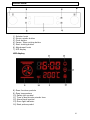
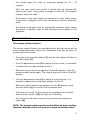
o Turn the selector knob (1) to select the oven function that you
require. The oven function symbols will light to show you which
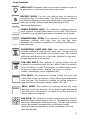
oven function is currently being selected. (See page 15 for a list of
oven functions / symbols).
o Turn the adjustment knob (6) to select the cooking temperature
you desire.
o Press the start cooking button (5) to confirm the oven function and
temperature that you have chosen and the oven will start cooking.
o During cooking, it is possible to select and adjust the cooking time
by turning the selector knob (1).
o Press the start cooking button (5) to confirm the oven cooking
duration that you have chosen and the oven timer will start.
o During cooking, you can adjust the cooking temperature by turning
the adjustment knob (6). The oven temperature (9) will appear on
the LED display as you turn the adjustment knob. When the correct
temperature appears on the LED display, press the start cooking
button.
o If the start button is not pressed within 3 seconds of an oven
time or temperature being selected then the oven will revert
back to the previously set conditions.
o At the end of the cooking time, an audible signal will sound and the
oven will enter stand-by mode.
NOTE: The unit of adjustment for temperature will change 5°C
at a time. The Grill function will adjust in 30°C units.
13