1
SPT 1550 Product Reference Guide
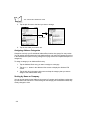
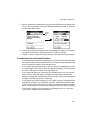
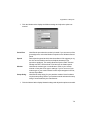
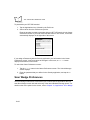
7. Repeat steps 2 through 6 to change conduit settings for other applications or for a
different user name.
8. Click the OK button to close the Change HotSync Action dialog and activate your
settings.
Using File Link
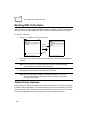
The File Link feature enables you to synchronize the Address Book and Memo Pad
information on your SPT 1550 terminal with a separate external file such as a company
phone list. HotSync Manager stores the data in a separate category on your Symbol Palm
Terminal Desktop and your SPT 1550 terminal. You can configure the File Link feature to
check for changes to the external file when you perform a HotSync operation.
With File Link you can synchronize with data stored in any of the following formats:
•
Comma delimited (*.csv)
•
Tab delimited (*.tsv)
•
Memo Pad archive (*.mpa)
•
Address Book archive (*.aba)
•
Text (*.txt)
For information on how to set up a File Link, refer to the Symbol Palm Terminal Desktop
Software online Help.
Conducting a HotSync Operation via Modem
You can use a modem to synchronize your SPT 1550 terminal when you are away from
your computer.
Note: You must first conduct an initial local HotSync operation using any
of the SPT 1550 cradles before you perform a modem HotSync
operation. Refer to Conducting a Local HotSync Operation on page
7-6 for details.
To perform a HotSync operation via modem you need:
•
A modem connected to your computer.
•
A modem connected to your SPT 1550 terminal with a special modem cable. (The
cradle is not used for a modem HotSync operation.)
7-12