1
bdiGDB for BDI2000 (PowerPC 6xx/7xx/82xx/83xx/7400/7410)
User Manual
15
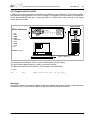
2.5.2 Configuration with a Windows host
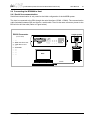
First make sure that the BDI is properly connected (see Chapter 2.1 to 2.4).
!
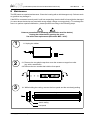
To avoid data line conflicts, the BDI2000 must be disconnected from the target system while
programming the logic for an other target CPU (see Chapter 2.1.1).
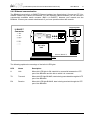
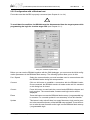
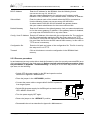
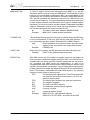
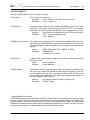
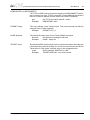
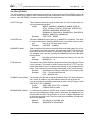
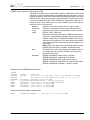
dialog box «BDI2000 Update/Setup»
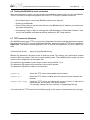
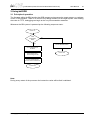
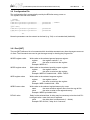
Before you can use the BDI2000 together with the GNU debugger, you must store the initial configuration parameters in the BDI2000 flash memory. The following options allow you to do this:
Port / Speed
Select the communication port and baudrate used to communicate with
the BDI2000 loader during this setup session.
Connect
Click on this button to establish a connection with the BDI2000 loader.
Once connected, the BDI2000 remains in loader mode until it is restarted
or this dialog box is closed.
Current
Press this button to read back the current loaded BDI2000 software and
logic versions. The current loader, firmware and logic version will be
displayed.
Erase
Press this button to erase the BDI2000 flash memory / programmable logic contents. For a normal update it is not necessary to use this function.
Update
This button is only active if there is a newer firmware or logic version present in the execution directory of the bdiGDB setup software. Press this button to write the new firmware and/or logic into the BDI2000 flash memory
/ programmable logic.
© Copyright 1997-2015 by ABATRON AG Switzerland
V 1.31