1
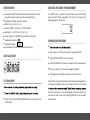
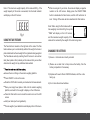
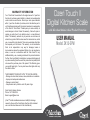
Note 2: The maximum weight capacity of this scale is 8000 g. If the weight capacity of this scale is exceeded, the Overload Indicator will display on the LCD screen: USING THE TARE FEATURE: The Tare button is located on the right side of the scale. The Tare feature allows you to automatically subtract the weight of a bowl or plate and determine the net weight of the ingredients being weighed. The Tare feature works by resetting the LCD screen to zero with an item (bowl, plate or other) already on the scale so that you can then determine the weight of any additional items added. After removing all of your items, the scale will display a negative number on the LCD screen. Simply press the ON/OFF/TARE button to deactivate the Tare feature, and the LCD will return to zero. Turning off the scale will also deactivate the Tare feature. Note: When using the Tare feature with an item weighing more than 600 g, the symbol “TARE” will display on the LCD screen, and the maximum weight capacity of the scale will be reduced by the weight of the item being tared. CHANGING THE BATTERIES 1) Ensure +/- terminals are correctly oriented. 2) Please use a small tool to help remove the battery from the battery compartment if necessary. Ensure there is nothing on the scale’s weighing platform. Press ON/OFF to turn on the scale. 3) Replace with new 2 Lithium CR2032 batteries, with the + side facing up. Press the UNIT button to select your desired unit of measurement. 4) Do not mix old and new batteries. Place your empty bowl, plate or dish onto the scale’s weighing platform, and wait for the weight to display on the LCD screen. Press the Tare button once to reset the scale to zero on the LCD screen. Add your items (such as ingredients). The net weight of your added items will display on the LCD screen. 4 5