1
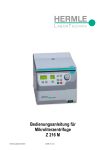
Instruction Manual for Microcentrifuge Z 216 M © Hermle Labortechnik GmbH Z216M_V1.14 CONTENT 1. PRODUCT DESCRIPTION ...................................................................................... 1 1.1 Safety instructions ................................................................................................................................................ 1 1.2 Intended purpose .................................................................................................................................................. 1 1.3 Brief Description ................................................................................................................................................... 1 1.4 Delivery package ................................................................................................................................................... 1 1.5 Operating and display elements ......................................................................................................................... 2 1.5.1 LCD-Display ........................................................................................................................................................ 3 1.6 Signs and indications of the centrifuge ............................................................................................................. 3 1.6.1 General ............................................................................................................................................................... 3 1.6.2 Product-nameplate (Example)............................................................................................................................ 4 1.6.3 Warning and information signs ........................................................................................................................... 5 1.6.4 Danger, precautions and warranty ..................................................................................................................... 5 1.6.5 Following rules must strictly be adhered to: ....................................................................................................... 5 1.6.6 Warranty ............................................................................................................................................................. 6 1.7 Installation of the centrifuge................................................................................................................................ 7 1.7.1 Unpacking the centrifuge .................................................................................................................................... 7 1.7.2 Space requirements ........................................................................................................................................... 7 1.7.3 Installation ........................................................................................................................................................... 7 1.8 Grundeinstellung .................................................................................................................................................. 8 1.8.1 Adjustment of the rotortype ................................................................................................................................ 8 1.8.2 Access to mode "Operating Data" ...................................................................................................................... 9 1.8.3 Signal turn on / off ............................................................................................................................................ 10 1.8.4 Volume pre-selection of sound signal .............................................................................................................. 10 1.8.5 Song selection for sound signal - end of run.................................................................................................... 11 1.8.6 Keyboard sound turn on / off ............................................................................................................................ 11 1.8.7 Call up operating data (by skilled or service engineer only!) ........................................................................... 12 2. OPERATION .......................................................................................................... 13 2.1 Mounting and loading angle rotor .................................................................................................................... 13 2.1.1 Installation of rotors .......................................................................................................................................... 13 2.1.2 Loading angle rotors ......................................................................................................................................... 13 2.1.3 Loading and overloading of rotors.................................................................................................................... 14 2.1.4 Removing the rotor ........................................................................................................................................... 14 2.2 Lid ......................................................................................................................................................................... 15 2.2.1 Lid release ........................................................................................................................................................ 15 2.2.2 Lid lock .............................................................................................................................................................. 15 2.3 Preselection ......................................................................................................................................................... 16 2.3.1 Preselection of speed / RCF-value .................................................................................................................. 16 2.3.2 Preselection of running time ............................................................................................................................. 16 2.3.3 Preselection of brake intensity and acceleration ............................................................................................. 17 2.4 Radius correction................................................................................................................................................ 18 2.5 Program ................................................................................................................................................................ 18 2.5.1 Storage of programs ......................................................................................................................................... 18 2.5.2 Recall of stored programs ................................................................................................................................ 20 © Hermle Labortechnik GmbH Z216M_V1.14 I CONTENT 2.5.3 Leaving program mode..................................................................................................................................... 20 2.6 Starting and stopping the centrifuge................................................................................................................ 20 2.6.1 Starting the centrifuge ...................................................................................................................................... 20 2.6.2 The "STOP" key................................................................................................................................................ 21 2.7 Imbalance detection ........................................................................................................................................... 21 3. MAINTENANCE ..................................................................................................... 23 3.1 Maintenance and cleaning ................................................................................................................................. 23 3.1.1 General ............................................................................................................................................................. 23 3.1.2 Cleaning and disinfection of the unit ................................................................................................................ 23 3.1.3 Cleaning and disinfection of the rotor............................................................................................................... 24 3.1.4 Disinfection of aluminum rotors ........................................................................................................................ 24 3.1.5 Disinfection of PP-rotors ................................................................................................................................... 24 3.1.6 Glass breakage................................................................................................................................................. 25 3.2 Life time of rotors, round and rectangular buckets, accessories ................................................................. 25 4. 4.1 TROUBLE SHOOTING .......................................................................................... 26 Error message: Cause / Solution ...................................................................................................................... 26 4.2 Survey of possible error messages and their solutions ................................................................................ 26 4.2.1 Lid release during power failure (Emergency Lid Release) ............................................................................. 26 4.2.2 Description of the error message system ........................................................................................................ 27 5. RECEIPT OF CENTRIFUGES TO REPAIR........................................................... 28 6. TRANSPORT, STORAGE AND DISPOSAL ......................................................... 29 6.1 Transport.............................................................................................................................................................. 29 6.2 Storage ................................................................................................................................................................. 29 6.3 Disposal ............................................................................................................................................................... 29 7. APPENDIX ................................................................................................................ I EG - Conformity Declaration ....................................................................................................................................... II Table 1: Technical Data ............................................................................................................................................. III Table 2: Permissible net weight ................................................................................................................................. IV Table 3: Max. speed and RCF-values for permissible rotors .................................................................................... IV Table 4: Acceleration and deceleration times ............................................................................................................ IV Table 5: Error messages ............................................................................................................................................. V Table 6 (part 1): Radius correction............................................................................................................................. VI Table 7: Abbreviations used ....................................................................................................................................... VI Redemption form / Decontamination certificate ......................................................................................................... VI II Z216M_V1.14 © Hermle Labortechnik GmbH PRODUCT DESCRIPTION 1. PRODUCT DESCRIPTION 1.1 Safety instructions This symbol indicates safety instructions and points to potential dangerous situations. Before using the centrifuge the first time, please read the operating manual. Failure to follow these instructions can result in personal injury an property damage . Intended use includes the observance of all instructions in the instruction manual and carrying out inspection and maintenance. 1.2 Intended purpose This Hermle centrifuge was designed only for the separation of materials or mixtures with different density, specifically for the preparation and processing of samples from the human body in context of an in-vitro-diagnostic use, to allow the use of in-vitro-diagnostic in accordance to its intended purpose. The designated device and its accessories listed in the technical documentation for this device are in accordance with Directive 98/79/EC on in-vitro-diagnostic medical devices. Hermle centrifuges are intended exclusively for indoor use and for use by qualified personnel. Only Hermle original rotors and accessories might be used. Any other use or intended use is considered improper. From the resulting damage the company Hermle Labortechnik is not liable. 1.3 Brief Description The unit type Z 216 M is a microlitre centrifuge, which we offer in two voltage variations 230V or 120V. The centrifuge can be used with angle rotors. All parameters are accessible via buttons and selected with the central adjuster. All pre-selected and current values will be shown permanently on the LCD-display. The centrifuge is powered by a maintenance-free induction motor. Detailed technical data are in "table 1: Technical data" (see APPENDIX S.III) 1.4 Delivery package • 1 Centrifuge Z 216 M • 1 Operating Manual Z 216 M • 1 Rotor key Rotor(s) / Accessories will be packed separate. © Hermle Labortechnik GmbH Z216M_V.14 1 PRODUCT DESCRIPTION 1.5 Operating and display elements 11 12 1 3 8 4 10 5 6 7 9 2 2 1 central adjuster run parameters 2 0-I power switch 3 LCD control panel display 4 rpm/rcf speed/ g-force 5 accel/decel acceleration- / deceleration intensity 6 time centrifugation time 7 lid lid release 8 quick short running 9 start start centrifugation 10 stop stop centrifugation 11 prog calling stored programs 12 store program store Z216M_V1.14 © Hermle Labortechnik GmbH PRODUCT DESCRIPTION 1.5.1 LCD-Display The following picture shows the individual elements of the LCD-display. Figure 1 Display fields: A-1 Display field – „rpm/rcf“ A-2 Display field – „acc/dec“ A-3 Display field – „time“ Messages/logos of the display fields: 1.6 M1 „close“ M8 „decel“ M2 „open“ M9 „radius“ M3 „rotor“ M10 „program“ M4 Rotor-No. M11 „error“ M5 „rpm“ M12 „service“ M6 „rcf“ M13 h m s M7 „accel“ Signs and indications of the centrifuge 1.6.1 General Instructions for disposal (see P. 29) Direction of rotation – clockwise rotation for the rotor drive Reference for loading rotors © Hermle Labortechnik GmbH Z216M_V.14 3 PRODUCT DESCRIPTION 1.6.2 Product-nameplate (Example) Company address: Hermle Labortechnik GmbH, Siemensstr. 25, D-78564 Wehingen TYPE: Type designation of the product REF: Order no. of the product SN: Serial number of the product Date of manufacture MAX. Drehzahl: max. allowed speed of the unit KIN. EN.: max. kinetic energy with corresponding rotor U/I/f: Allowable voltage / max. current / frequency P: Electrical input power Before operating, read the operating manual! Labeling, standards and guidelines that are considered 4 Z216M_V1.14 © Hermle Labortechnik GmbH PRODUCT DESCRIPTION 1.6.3 Warning and information signs Four carrier must be used at all times on four place swing out rotors or damage will occur to the centrifuge. Such damage will not be covered under the product warranty. Attention! Check the fastening of the rotor nut before each run. Take off mains plug before opening the housing or the emergency release 1.6.4 Danger, precautions and warranty This device may only be operated by trained specialist stuff. They must have carefully read the operating manual and be familiar with the function of the device. To protect people and environment the following precautions should be observed: • During centrifugation, the presence of people and the setting up of hazardous materials is prohibited within 30 cm around the centrifuge according to the regulations of EN 61010-2-020. • The HERMLE Z 216 M is non explosion-proof and must therefore not be operated in explosion-endangered areas or locations. Centrifugation of flammable, explosive, radioactive, or such substances, which chemically react with high energy, is strictly prohibited. The final decision on the risks associated with the use of such substances is the responsibility of the user of the centrifuge. • Never spin toxic or pathogenic material without adequate safety precautions, i.e. centrifugation of buckets / tubes without or with defective hermetic sealings is strictly prohibited. The user is obliged to perform appropriate disinfection procedures in case dangerous substances have contaminated the centrifuge and or its accessories. When centrifuging infectious substances, always pay attention to the General Laboratory Precautions. If necessary, contact your safety officer! • It is prohibited to run the centrifuge with rotors other than listed for this unit. • Under no circumstances open the lid of the centrifuge while the rotor is still running or rotating with a speed of > 2m/s 1.6.5 Following rules must strictly be adhered to: • Do not operate the centrifuge in case it is not installed correctly. • Do not operate the centrifuge when dismounted (e.g. without housing). © Hermle Labortechnik GmbH Z216M_V.14 5 PRODUCT DESCRIPTION • Do not run the centrifuge when mechanical or electrical assembly groups have been tampered with unauthorized persons. • Do not use accessories such as rotors and buckets, which are not exclusively approved by HERMLE Labortechnik GmbH, except commercially available centrifuge tubes made of glass or plastic. • Do not spin extremely corrosive substances, as they may cause material damages and impair mechanical resistance. • Do not operate the centrifuge with rotors or buckets, which show any signs of corrosion or mechanical damage. The manufacturer is responsible for safety and reliability of the centrifuge, only if: • the unit is operated in accordance with this instruction manual. • modifications, repairs or other adjustments are performed by HERMLE-authorized personnel and the electrical installation of the related location corresponds to the IEC-regulations. 1.6.6 Warranty The centrifuge has been subjected to thorough testing and quality controls. In the unlikely case of any manufacturing faults occurring, the centrifuge and rotors are covered by warranty for a period of two years from date of delivery. This warranty becomes invalid in case of mishandling, damage and negligence and further in case of usage of inappropriate spare parts and / or accessories or unauthorized modification of the unit. Technical modification rights are reserved by the manufacturer in respect to technical improvement! 6 Z216M_V1.14 © Hermle Labortechnik GmbH PRODUCT DESCRIPTION 1.7 Installation of the centrifuge 1.7.1 Unpacking the centrifuge Model Z 216 M is supplied in a carton. Remove the strap retainer, open the carton and remove the centrifuge. The instruction manual must always be kept with the centrifuge! 1.7.2 Space requirements The centrifuge should be installed on an even solid surface, if possible on a laboratory cabinet / table or some other solid vibration free surface. During centrifugation, the centrifuge must be placed in a way, that there is a minimum space of 30 cm on each side of the unit according to the standards EN 61010-2-020. Do not place the centrifuge next to a window or a heater, where it could be disposed to excessive heat, as the performance of the unit is based on an ambient temperature of 23°C. 1.7.3 Installation Follow these steps: • Check whether power supply corresponds with the one named on the manufacturer's rating label, which is mounted on the rear panel. • The line voltage circuit braker is max. 10 A (type K) slow release for commonly used instruments. • In case of emergency, there must be an emergency switch off installed outside the room in order to disconnect the power supply of the unit. • Connect the centrifuge with the mains. (The socket for the power cord must be easy to reach respectively easy to disconnect). Switching it on using the mains power switch (I). Open the lid by using the button LID. • Remove the transport securing device of the motor. © Hermle Labortechnik GmbH Z216M_V.14 7 PRODUCT DESCRIPTION 1.8 Grundeinstellung 1.8.1 Adjustment of the rotortype Before the first operation resp. after each rotor change, you have to settle the respective rotor type. You find each rotor type in the printed order number on the rotor. Example: Angle rotor 220.87 V11 ≙ rotortype „87“ Switch on the unit and open the lid. Now press simultaneously the keys “lid “ (7) and “stop” (10). In the display “rpm/rcf” (A-1) then appears the old settled rotor type, i. e. “96”. With the potentiometer (1) you can settle the used rotor now. (see figure 2) To adopt the data in the unit please press the “start” (9) key. Inside the display (A-1) the stroke “store” appears to the confirmation. Now all important rotor parameters for the centrifuge are stored. Figure 2 Attention: Set rotor must always match with the used rotor, otherwise you might damage the unit. The rotor type can be checked during the run by pressing the key "lid" (7). At commissioning of the centrifuge, you have the options to make the following basic settings: - Acoustic signal turn on / off - Keyboard sound turn on -/ off - Volume pre-selection of sound signal - Song selection of sound signal „end of run“ 8 Z216M_V1.14 © Hermle Labortechnik GmbH PRODUCT DESCRIPTION 1.8.2 Access to mode "Operating Data" If the centrifuge is still turned off, press simultaneously the keys „time“ (6) and „lid“ (7) and turn on the main switch of the centrifuge. Now release both keys again. As a result a display test is executed for approx. 5 seconds. All possible indications will appear at the same time (see figure 3) Figure 3 ATTENTION: - Please notice that you must enter the program as described under point 1.8.2 to change the adjustments of the points 1.8.3 - 1.8.7. After you have stored the settings you change the normal program mode again by switch off the centrifuge for a short while. - All changed settings must be confirmed by the key „start“ (9). As an optical confirmation appears the word „store“ in the display „rpm/rcf“(A-1) - Only then the pre-selections are valid! (see figure 4). Figure 4 © Hermle Labortechnik GmbH Z216M_V.14 9 PRODUCT DESCRIPTION 1.8.3 Signal turn on / off (optional) Proceed as described under point 1.8.2 to enter this program mode and then press the key „accel/decel“ (5). In the display „accel/decel“ (A-2) flashes the word „service“. Now select the letter „L“. with the adjusting knob (1). As a result appear in the display „rpm/rcf“ (4) the words „On Sound“. If you press the key „rpm/rcf“ (4) now, the word „On“ flashes and you can switch off the sound with the adjusting knob (1) (see figure 5). After you have stored the settings (see 1.8.2) you changed to the normal program mode again by switch off the centrifuge for a short while. Figure 5 1.8.4 Volume pre-selection of sound signal (optional) Proceed as described under point 1.8.2 to enter this program mode and then press the key „accel/decel“ (5). In the display „accel/decel“ (A-2) flashes the word „service“. Now select the letter „U“ with the adjusting knob (1). As a result appear in the display „rpm/rcf“ (A-1) the words „Vol=0- 9/Sound“. After pressing the key „rpm/rcf“ (4), you can adjust the desired volume between 0 (low) and 9 (loud) with the adjusting knob (1) (see figure 6). After you have stored the settings (see 1.8.2) you changed to the normal program mode again by switch off the centrifuge for a short while. Figure 6 10 Z216M_V1.14 © Hermle Labortechnik GmbH PRODUCT DESCRIPTION 1.8.5 Song selection for sound signal - end of run (optional) Proceed as described under point 1.8.2 to enter this program mode and then press the key „accel/decel“ (5). In the display „accel/decel“ (A-2) flashes the word „service“. Now select the letter „G“. with the adjusting knob (1). As a result appears in the display „rpm/rcf“ (A-1) the word „ SonGo/Sound“. After pressing the key „rpm/rcf“ (4), you can select a song with the adjusting knob (1). (see figure 7). After you have stored the settings (see 1.8.2) you changed to the normal program mode again by switch off the centrifuge for a short while. Figure 7 1.8.6 Keyboard sound turn on / off (optional) Proceed as described under point 1.8.2 to enter this program mode and then press the key „accel/decel“ (5). In the display „accel/decel“ (A-2) flashes the word „service“. Now select the letter „b“. with the adjusting knob (1). As a result appears in the display „rpm/rcf“ (A-1) the word „ON/BEEP“. After pressing the key „rpm/rcf“ (4), you can turn the keyboard sound (On) or (Off) with the adjusting knob (1). (see figure 8). After you have stored the settings you changed to the normal program mode again by switch off the centrifuge for a short while. Figure 8 © Hermle Labortechnik GmbH Z216M_V.14 11 PRODUCT DESCRIPTION 1.8.7 Call up operating data (by skilled or service engineer only!) In the mode „Basic Adjustments“ you can call up the operating data of the centrifuge. Please proceed as described under point 1.8.2 to enter this program mode. Press the key „accel/decel“ (5). In the display „accel/decel“ (A-2) flashes the word „service“. With the adjusting knob (1) the different information can be called up: A = previous starts of the centrifuge H = previous operating hours S = software version r = converter software E = list of previous error massage h = running time of the motor The list of the last 99 error messages can be looked over by pressing the key „rpm/rcf“ (4) and scroll through it by the adjusting knob (1). The respective error codes appear in the display „rpm/rcf“ (A-1). Please look up in „Table 5: error messages“ (see APPENDIX S. V). Here as well you must shortly switch off the centrifuge for changing to the normal program mode again. Figure 9 12 Z216M_V1.14 © Hermle Labortechnik GmbH OPERATION 2. OPERATION 2.1 Mounting and loading angle rotor 2.1.1 Installation of rotors Clean the drive shaft as well as the rotorshaft with a clean, grease-free piece of cloth. Place the rotor onto the drive shaft. (see figure 10) Take care that the rotor is fully installed onto the motor shaft. Figure 10 Figure 11 Hold the rotor with one hand and secure the rotor to the shaft by turning the fixing nut clockwise. Tighten fixing nut with enclosed allen key (see figure 11) Figure 12 ATTENTION: For safety always ensure that rotor fixing screw is tightened before each run!! (see figure 11) 2.1.2 Loading angle rotors Rotors must be load symmetrically and with equal weight (see figure 13+14). The adapter may only be load with the appropriate vessels. The weight differences between the filled vessels are as low as possible to keep. Therefore we recommend to weighting with a balance. This reduces the wear of drive and the acoustic operating noise. On each rotor is designated how large the maximum load per hole is. (It is allowed to operate e.g. a 12-place-rotor with 2 or 4 loaded tubes only. But the loaded borings must be opposite each other). © Hermle Labortechnik GmbH Z216M_V1.14 13 OPERATION Figure 13: CORRECT Figure 14: WRONG ATTENTION! Do not operate the centrifuge with rotors or buckets which show any signs of corrosion or mechanical damage. Do not operate with extremely corrosive substances, which could damage the rotor and buckets. In case of any questions, please contact the manufacturer! 2.1.3 Loading and overloading of rotors All approved rotors are listed with their maximum speed and maximum filling weight in „table 2: permissible net weight“ (see APPENDIX P. IV). The maximum load permitted for a rotor, which is determined by the manufacturer, as well as the maximum speed allowed for this rotor (see label on rotor), must not be exceeded. The liquids the rotors are loaded with, should have an max. homogeneous density of 1,2 g/ml or less when the rotor is running at maximum speed. In order to spin liquids with a higher density, the speed has to be reduced according to the following formula: , Reduced speed nred = x max. speed (nmax) of the rotor Example: nred = , , x 4.000 = 3.360 rpm If In case of any questions, please contact the manufacturer! 2.1.4 Removing the rotor Untighten the rotor fixing nut complete and lift the rotor vertical out of the centrifuge. (see figure 11) 14 Z216M_V1.14 © Hermle Labortechnik GmbH OPERATION 2.2 Lid 2.2.1 Lid release After the run, respectively closing the lid of the centrifuge, it appears in the display „rpm/rcf“(A-1) the word „close“ (M1). If there is a rotor in the centrifuge, it appears additional the word „rotor“ (M3), as well as the code number of the respective rotor, which is in the centrifuge i. e. „220.72“ (M4). If there is no rotor in the centrifuge it flashes the word „rotor“ (M3) and additional the word „no“ (M4).. By pressing the key „lid“ (7) you can release the lid of centrifuge. As soon as the motor driven lid lock is completely released, it appears the word „open“ (M2). Now you can open the lid of the centrifuge. All with number marked passages refer to figure 17 Figure 17 During the run you can call up the rotor type at any time by pressing the key “lid” (7). 2.2.2 Lid lock The lid must only be lay down slightly. A motor driven lid lock closes the lid, at the same time disappears the word „open“ (M2). As a sign that the centrifuge is ready for starting it appears in the display „rpm/rcf“(A-1) the word „close“ (M1). Simultaneously it appears in that display the word „rotor“ (M3), as well as the code number of the rotor, which is in the centrifuge i. e. „nr 22x.xx“ (M4). With that all rotor specifically data, like e. g. max. speed, acceleration etc., are adopted. All with number marked passages refer to figure 17 ATTENTION: Don't grip your fingers between lid and device or locking mechanism when closing the lid! © Hermle Labortechnik GmbH Z216M_V1.14 15 OPERATION 2.3 Preselection 2.3.1 Preselection of speed / RCF-value Through the key „rpm/rcf“ (4) this pre-selection is activated. By pressing the key once the word „rpm“ (M5) flashes. By pressing the key once again the pre-selection of the centrifugal forces may be chosen. Then it appears the flashing word „rcf“ (M6). You can set the desired values with the adjusting knob (1). In the display (A-1) the regulated value is shown permanently, before, during and after the run. All with number marked passages refer to figure 18 Figure 18 As long as no rotor is inserted, the speed is adjustable between 200 rpm and maximum revolution of the centrifuge. If there is a rotor in the centrifuge the speed can only be pre-selected until the maximum permissible revolution of that rotor. It is the same with the pre-selection of the RCF-value. The setting range is between 20 xg and the maximum permissible centrifugal force of the rotor. See „table 3: max. speed and RCF-values for permissible rotor“ (see APPENDIX P. IV). There are listed all important values. ATTENTION: Please also check the maximum permissible revolutions of your test tubes! (Producer Indication) 2.3.2 Preselection of running time The running time can be pre-selected in three different ranges from 10 seconds up to 99 hours 59 minutes. 1. Range from 10 seconds up to 59 minutes 50 seconds in steps of 10 seconds 2. Range from 1 hour up to 99 hours 59 minutes in steps of 1 minutes 3. Range continuous run „cont”, which can be interrupted by the key “stop” (10). The running time can be pre-selected with the lid open or closed. To activate the setting of the running time press the key „time“ (6). 16 Z216M_V1.14 © Hermle Labortechnik GmbH OPERATION In the display „time“ (A-3) flashes the indication „m : s“ or „h : m“, depending on the previous setting. To set the desired value use the adjusting knob (1). After exceeding of 59 min 50 sec the indication changes automatically into „h : m“. After exceeding of 99 hours 59 min the word „cont” appears in the display „time” (A-3). That continuous run can only be interrupted by pressing the key „stop” (10). The time countdown as soon as the set speed is reached. The display shows always the remaining running time. (see figure 19) All with number marked passages refer to figure 19 Figure 19 2.3.3 Preselection of brake intensity and acceleration Through the key „accel/decel“ (5) this function is activated. By pressing the key once the word „accel“ (M7) flashes in the display „accel/decel“ (A-2). The desired acceleration can be pre-selected by the adjusting knob (1). The value 0 is equivalent to the lowest and the value 9 to the highest acceleration. By pressing the key „accel/decel“ (5) twice, in the display „accel/decel“ (A-2) indicates the word „decel“ (M8). Now the desired brake intensity can be pre-selected by the adjusting knob (1). The value 9 is equivalent to the shortest and the value 0 to longest possible brake time. All with number marked passages refer to figure 20 See „table 4: acceleration and deceleration times“ (APPENDIX P. IV). There are shown the acceleration and deceleration times for the acceleration and deceleration stages 0 to 9 for permissible rotors. Abbildung 20 © Hermle Labortechnik GmbH Z216M_V1.14 17 OPERATION 2.4 Radius correction If you use adapters or reducers it could change the centrifugal radius of the respective rotor. In that case you can correct the radius manually. Please proceed as follows: Press the key „time“ (6) and the key „prog“ (11) at the same time and hold them. In the display „time“ (A-3) appears the word „radius“ (M9). By the adjusting knob (1) you can preselect then the respective radius correction (see table 6, APPENDIX P. VI) in steps of 0,1 cm. As soon as you have set a radius correction the word „radius“ (M9) appears. This hint is as long visible as you put the radius correction back to 0 again. All with number marked passages refer to figure 21 Figure 21 2.5 Program 2.5.1 Storage of programs You can store up to 99 runs with all relevant parameters, incl. the used rotors. You can use any free program number and call it up again. Put the needed rotor into the centrifuge. By pressing the key „prog“ (11) in the display „time“ (A-3) appears the word „program" (see figure 22). With the adjusting knob (1) you can chose the desired program number. If a program number is already occupied in the display „rpm/rcf“ (A-1) will appear the words „rotor” (M3) and „22x.xx“ (M4) (see figure 22). In case of free program numbers it appears 0. Figure 22 18 Z216M_V1.14 © Hermle Labortechnik GmbH OPERATION Close the lid of the centrifuge. Now proceed as already described to set all important run parameters. If the lid isn´t closed when storing the programm, in the display "rpm/rcf" (A-1) flashes alternately the word "FirSt" and "CLOSE Lid" (see figure 23). If you want to start the run without storing the programm, in the display "rpm/rcf" (A-1) flashes alternately the word ""First" and "PrESS StoreE" (see figure 24). Figure 23 Figure 24 For adaption of data press the key „store“ (12) for approx. 1 second. If the programm is stored correctly, the word StorE appears in the display "rpm(rcf" (A-1). As a result the word „program“ (M10) disappears. As soon as the key „store“ (12) is no longer anymore, it reappears the word „programm xx“ (M10) – the (xx) stands for the chosen program place. If all program numbers are occupied you can take an old number that is not necessary anymore and just put in the new parameters. © Hermle Labortechnik GmbH Z216M_V1.14 19 OPERATION 2.5.2 Recall of stored programs To recall stored programs press the key „prog“ (11) while the lid is already closed. Inside the display „time“ (A-3) appears „programm --“(M10). With the adjusting knob (1) you pre-select the desired program number. In the respective displays there will appear the stored values for that program. If there is not the right rotor inside the centrifuge for the pre-selected program, in the display „rpm/rcf“ (A-1) flashes the word „rotor“ (M3). At the same time the word „FALSE“ and the stored rotor number „22x. xx“ (M4) will flashing by turns. All with number marked passages refer to figure 25 Figure 25 2.5.3 Leaving program mode To leave the program mode just press the key „prog“ (11). Then inside the display „time“ appears the word „programm". Set the display to „programm--“ (M10) with the adjusting knob (1). All with number marked passages refer to figure 25. 2.6 Starting and stopping the centrifuge 2.6.1 Starting the centrifuge You can start the centrifuge either with the „start“ key (9) or the „quick“ key (8). By the „start“ key (9) you can start stored runs or runs with manually pre-selected parameters. When the respective pre-selected running time has ended then the centrifuge will stop automatically. By the „quick“ key (8) you can start runs, which will last just a few seconds. By pressing the „quick” key (8) the centrifuge accelerates up to the pre-selected revolution. In the display „time“ (A-3) the passed running time is indicated from the date of pressing the „quick” key (8). By releasing the „quick” key (8) the centrifuge stops and the running time is indicated until the opening of the lid. All with number marked passages refer to figure 26 20 Z216M_V1.14 © Hermle Labortechnik GmbH OPERATION Figure 26 2.6.2 The "STOP" key By the „stop“ key (10) (see figure 27) you can interrupt the run at any time. After pressing the key the centrifuge decelerates with the respective pre-selected intensity down to stand still. Figure 27 2.7 Imbalance detection In case of the rotor not being equally loaded, the drive will turn off during acceleration. The rotor decelerates to stand still. When in the display “time” (A-3) the word “error” (M11) together with the number “01” appear, the weight difference of the samples is too huge. Weigh out the samples exactly! Load the rotor as described in chapter 2.1.2 and 2.1.3. When inside the display “time” (A-3) the word “error” together with the number “02“ (see figure 28) appear, there could be following reasons: The imbalance switch is defective. © Hermle Labortechnik GmbH Z216M_V1.14 21 OPERATION Figure 28 22 Z216M_V1.14 © Hermle Labortechnik GmbH MAINTENANCE 3. MAINTENANCE 3.1 Maintenance and cleaning 3.1.1 General Care: Maintenance of the centrifuge is confined to keeping the rotor, the rotor chamber and the rotor accessories clean as well as to regularly lubricating the rotor insert bolts of a swing out rotor (if available). Lubricants containing molycote and graphite are not allowed. Please pay special attention to anodized aluminum parts. Breakage of rotors can be caused even by slightest damages. In case of rotors, buckets or tube racks getting in touch with corrosive substances the concerned spots have to be cleaned carefully. Corrosive substances are for instance: alkalis, alkaline soap solutions, alkaline amines, concentrated acids, solutions containing heavy metals, water-free chlorinated solvents, saline solutions, e.g. salt water, phenol, halogenated hydrocarbons. Cleaning – units, rotors, accessories: - Turn the device off and disconnect it from the power supply before you begin any cleaning or disinfecting. Do not pour liquids into the housing interior. Do spray disinfectant on the device. Thorough cleaning not only has its purpose in hygiene but also in avoiding corrosion based on pollution. In order to avoid damaging anodized parts such as rotors, reduction plates etc., only pH-neutral Detergents with a pH-value of 6-8 may be used for cleaning. Alkaline cleaning agents (pH-value > 8) must not be used. After cleaning, please ensure all parts are dried thoroughly, either by hand or in a hot-air cabinet (max. Temperature + 50°C). It is necessary to coat anodized aluminium parts with anti-corrosion oil regularly in order to increase their life-spans and reduce corrosion predisposition. Due to humidity or not hermetically sealed samples, condensate may be formed. The condensate has to be removed from the rotor chamber with a soft cloth regularly. The maintenance procedure has to be repeated every 10 to 15 runs, but at least once a week! - Connect the unit to the power supply, after the equipment is completely dry. Do not carry out disinfection with UV-, beta- and gamma-rays or other high energy radiation. Metal rotors can be autoclaved. Rotor lid and adapters can also be autoclaved (max. 121°C, 20 min). The tube racks are made of PP and cannot be autoclaved at 134°C. 3.1.2 Cleaning and disinfection of the unit 1. Open the lid before you turn off the unit. Disconnect it from the power supply. © Hermle Labortechnik GmbH Z216M_V1.14 23 MAINTENANCE 2. Open the rotor nut by turning the rotor key counter clockwise. 3. Remove the rotor. 4. For cleaning and disinfection of the unit and the rotor chamber using the above mentioned cleaner. 5. Clean all accessible areas of the device and its accessories, including the power cord with a damp cloth. 6. Wash the rubber seals and rotor chamber thoroughly with water. 7. Rub the dry rubber seals with glycerol or talc to prevent these to becoming brittle. Other components of the unit, e.g. the lid lock, motor shaft and rotor must not be greased. 8. Dry the motor shaft with a soft, dry and lint-free cloth. 9. Control the unit and accessories for damage. Remove at least every six months adherent dust from the ventilation slots in the centrifuge by using a soft brush. Before doing that, please switch off the unit and disconnect the unit from the power supply. 3.1.3 Cleaning and disinfection of the rotor 1. 2. 3. 4. Clean and disinfect the rotors, rotor lids and adapters with the above mentioned cleaner. Use a bottle brush to clean and disinfect the rotor bores. Rinse the rotors, rotor lid and adapter with clear water. Particular the drillings of angle rotors. For drying of the rotors and accessories set them on a towel. Place the angle rotors with bores down, to dry them to. 5. Dry the rotor cone with a soft, dry and lint-free cloth and look for damage. Do not grease the rotor cone. 3.1.4 Disinfection of aluminum rotors In case of infectious material spilling into the centrifuge, the rotor and rotor chamber have to be disinfected right after the run. Rotors may be autoclaved at a maximum temperature of 121°C. 3.1.5 Disinfection of PP-rotors Autoclaving The recommended time for autoclaving: 15 – 20 min at 121°C (1 bar) ATTENTION: The sterilization time of 20 min. must not be exceeded. Sterilization again and again will cause reduction of the mechanical resistance of the plastic material Before the autoclaving the PP-rotor and adapter must thoroughly be cleaned to avoid the burning in of dirty residues. You can disregard the consequences of some chemical residues to plastic materials at ambient temperatures. But at the high temperatures of the autoclaving those residues may corrode and destroy the plastic. The objects must be thoroughly washed up with distilled water after the cleaning but before the autoclaving. Residues of any cleaning liquids may cause fissures, whitening and stains. Gas sterilization 24 Z216M_V1.14 © Hermle Labortechnik GmbH MAINTENANCE Adapters, bottles and rotors may be gas sterilized with Ethylenoxyd. According to the duration of the application you may give long enough an airing to the items after the sterilization and before using them again. ATTENTION: Because the temperature may rise during the sterilization, rotors, adapters and bottles must not be closed respectively must be totally unscrewed Chemical sterilization Bottles, adapters and rotors may be treated with the usual liquid disinfectants. ATTENTION: Before applying any other cleaning resp. Decontamination method than recommended by the manufacturer, contact the manufacturer to ensure that it will not damage the unit or the rotor. 3.1.6 Glass breakage With high g-values, the rate of glass tube breakage increases. Glass splinters have to be removed immediately from rotor, buckets, adapters and the rotor chamber itself. Fine glass splinters will scratch and therefore damage the protective surface coating of a rotor. If glass splinters remain in the rotor chamber, fine metal dust will build up due to air circulation. This very fine, black metal dust will extremely pollute the rotor chamber, the rotor, the buckets and the samples. If necessary, replace the adapters, tubes and accessories to avoid further damages. Check the rotor bores regularly for residues and damages. ATTENTION: Please check the relevant specifications of the tubes centrifuges with the manufacturer! 3.2 Life time of rotors, round and rectangular buckets, accessories Rotors and rotor lid made of aluminum or stainless steel, have a operating time of max. 7 years from first use. Transparent rotor lids and caps made of PC or PP as well as rotors, tube racks and adapters of PP have a maximum operating time up to 3 years from first use. Condition for the operating time: Proper use damage-free condition, recommended care © Hermle Labortechnik GmbH Z216M_V1.14 25 TROUBLE SHOOTING 4. TROUBLE SHOOTING 4.1 Error message: Cause / Solution The error messages are listed to help localize possible errors faster. The diagnose referred to this chapter may not always be the case, as they are only theoretically occurring errors and solutions. Always, please keep us informed about any kind of error occurring, which is not listed in this chapter. Only through your information we are able to improve and complete this operation manual. Many thanks in advance for your support. HERMLE Labortechnik GmbH 4.2 Survey of possible error messages and their solutions 4.2.1 Lid release during power failure (Emergency Lid Release) In case of power failure or malfunction, the lid of the centrifuge can be opened manually in order to protect your samples. Please proceed as follows (see figure 29): • • • • • • Switch the centrifuge off and unplug the power cord, wait until the rotor stands still (this may take several minutes) At the left side of the centrifuge housing there is a plastic stopper. Remove this stopper and behind it there is a hexagon nut. Take the delivered box spanner, put him in the hole and lock the box spanner with hexagon nut (see figure 29). Now turn the box spanner to the right side (clockwise) up to the limit. ATTENTION: Just turn to the limit, don´t tighten the nut. Now open the lid of the centrifuge. Switch the centrifuge on again, for go on working. Figure 29 26 Z216M_V1.14 © Hermle Labortechnik GmbH TROUBLE SHOOTING 4.2.2 Description of the error message system The error message „error“ (M11) is shown in the „time“ (A-3) display (see figure 30). Detailed information about possible error messages are in „table 5: error messages" (see Appendix P.V). Figure 30 © Hermle Labortechnik GmbH Z216M_V1.14 27 REPAIR 5. RECEIPT OF CENTRIFUGES TO REPAIR Health risk from contaminated equipment, rotors and accessories In case of returning the centrifuge for repairing to the manufacturer, please notice the following: The centrifuge must be decontaminated and cleaned before the shipment for the protection of persons, environment and material. Decontamination certificate at goods return delivery (see APPENDIX P. VIII) We reserve the right to accept contaminated centrifuges. Further on all costs occurred for the cleaning and disinfection of the units will go to the debit of the customer’s account. 28 Z216M_V1.14 © Hermle Labortechnik GmbH TRANSPORT,STORAGE, DISPOSAL 6. TRANSPORT, STORAGE AND DISPOSAL 6.1 Transport Before transporting, take out the rotor. Only transport the unit in the original packaging. Use a transport aid for transporting over longer distances to fix the motor shaft. General transportation Air temperature rel. humidity Air pressure ‐25 bis 60 °C 10 bis 75 % 30 bis 106 kPa 6.2 Storage During storage of the centrifuge the following environmental conditions must be observed: in transport packaging Air temperature rel. Humidity Air pressure ‐25 bis 55 °C 10 bis 75 % 70 bis 106 kPa 6.3 Disposal In the event of disposing of the product, please observe the applicable legal regulations. Information on the disposal of the electrical and electronic devices in the European Community:. The disposal of the electrical devices is regulated within the European Community by national regulations based on EU Directive 2002/96/EC pertaining to waste electrical and electronic equipment (WEEE). In accordance with this, any devices delivered after 13/08/2005 on a business-to-business basis, which includes the product, may no longer be disposed of in household waste. To document this they have been marked with the following identification: Because disposal regulations may differ from one country to another within the EU please contact your supplier if necessary. © Hermle Labortechnik GmbH Z216M_V1.14 29 APPENDIX 7. APPENDIX EG - Conformity Declaration ........................................................................................... II Table 1: Technical Data .................................................................................................. III Table 2: Permissible net weight ..................................................................................... IV Table 3: Max. speed and RCF-values for permissible rotors ...................................... IV Table 4: Acceleration and deceleration times .............................................................. IV Table 5: Error messages ................................................................................................. V Table 6 (part 1): Radius correction ................................................................................ VI Table 7: Abbreviations used .......................................................................................... VI Redemption form / Decontamination certificate .......................................................... VI © Hermle Labortechnik GmbH Z216M_V1.14 I APPENDIX EG - Conformity Declaration EG Konformitätserklärung EC Conformity Declaration Hermle Labortechnik GmbH - Siemensstr. 25 - D-78564 Wehingen – Germany Das bezeichnete Produkt entspricht den einschlägigen grundlegenden Anforderungen der aufgeführten EG-Richtlinien und Normen. Bei einer nicht mit uns abgestimmten Änderung des Produktes oder einer nicht bestimmungsgemäßen Anwendung verliert diese Erklärung ihre Gültigkeit. The Product named below fulfills the relevant fundamental requirements of the EC directives and standards listed. In the case of unauthorized modifications to the product or an unintended use this declaration becomes invalid. Produkttyp Product type Laborzentrifugen mit Zubehör nach „IVD (sonstige Produkte)” Laboratory centrifuge with accessories to “IVD (other device)” Typenbezeichnung Typ designation Z 206 A; Z 233 M-2; Z 216 M; Z 306; Z 326; Z 366; Z 383; Z 400; Z 446; Z 513; Z 216 MK; Z 32 HK; Z 326 K; Z 366 K; Z 36 HK; Z 383 K; Z 446 K; Z 400 K; Z 513 K Einschlägige EG-Richtlinien / Normen Relevant EC directives / standards 98/79/EG(Anhang/Annex III); 2006/95/EG; 2004/108/EG EN 61010-1; EN 61010-2-020: 2007-03; EN 61010-2-101 DIN EN ISO 14971; DIN EN ISO 13485 Wehingen, den 01.05.2014 Alexander Hermle Geschäftsführer, Managing Director II Z216M_V1.14 © Hermle Labortechnik GmbH APPENDIX Table 1: Technical Data Manfacturer HERMLE Labortechnik GmbH Type Z 216 M Dimensions Width 28 cm Depth 39 cm Height 30 cm Weight without rotor 17 kg max. speed max. volume 15000 min 44 x 1,5/2 ml max. RCF 21380 x g allowable density allowable kinetic energy 1,2 kg/dm 7060 Nm Mains power connection AC 230 V / 50-60 Hz 1 ph -1 3 120 V / 50-60 Hz 1 ph Voltage fluctation ± 10 % Current consumption 1,3 A 2,3 A Power consumption 270 W 280 W ± 10 % Radio interference IEC 61326-1 Audit requirement (BGR 500) no Ambient conditions (EN/IEC 61010-1) for indoor use only - Environement Use up to an altitude of 2000 m above MSL - High - Ambient temperature 2°C up to 35 °C - Max. relative humidity Max. relative humidity 80 % for temperatures up to 31°C, decreasing linearly to 50 % relative humidity up to 35°C. - Overvoltage category (IEC 60364-4-443) II - Degree of contamination 2 I Class of protection Not suitable for use in hazardous environements. EMV Interference emission , noise EN / IEC FCC Class B 61326-1 Category B Noise level (depending on the rotor) EN / IEC FCC Class B 61326-1 Category B ≤ 60 +2 dB(A) Write from operator Inventory-No.: Monitoring-No.: Environement: Maintenance contract: HERMLE Labortechnik GmbH or dealer service office Siemensstrasse 25 responsible service office 78564 Wehingen Tel.: (49)7426 / 96 22-17 Fax: (49)7426 / 96 22-49 responsible dealer © Hermle Labortechnik GmbH Z216M_V1.14 III APPENDIX Table 2: Permissible net weight Rotor-Number max speed 220.87 V14 220.87 V13 221.17 V06 220.88 V08 221.35 V03 220.92 V07 221.38 V03 220.58 V13 15000 min-1 15000 min-1 13500 min-1 13500 min-1 14500 min-1 13500 min-1 15000 min-1 12000 min-1 permissible weight 82 g 82 g 102 g 150 g 165 g 71 g 14 g 4,8 g Table 3: Max. speed and RCF-values for permissible rotors Rotor-Number 220.87 V14 220.87 V13 221.17 V06 220.88 V08 221.35 V03 220.92 V07 221.38 V03 220.58 V13 max speed permissible 15000 min-1 15000 min-1 13500 min-1 13500 min-1 14500 min-1 13500 min-1 15000 min-1 12000 min-1 weight 21380xg 21380x g 19153xg 17113xg 15342xg 16298xg 15342xg 14970xg Table 4: Acceleration and deceleration times Rotor-Number 220.87 V14 220.87 V13 221.17 V06 220.88 V08 221.35 V03 220.92 V07 221.38 V03 220.58 V13 Acceleration values level 0 level 9 152 21 151 21 235 29 136 18 148 24 136 16 150 17 120 15 Deceleration level 0 level 9 173 18 217 21 258 27 133 17 320 17 180 17 95 20 120 15 in seconds Acceleration time ‐1 from 0 min ‐> Umax IV Deceleration time from Umax ‐> 0 min‐1 Z216M_V1.14 © Hermle Labortechnik GmbH APPENDIX Table 5: Error messages Error-No.: Description 1 Imbalance arose 2 Imbalance sensor is defective 8 Transponder in the rotor is defective 14 Leap of speed is too big between two mesaurements CLOSE lid 33 34 38 40 Open lid while motor is running Lid contact defective Lid motor is blocked Communication with frequency converter distrubed during start 41 Communication with frequency converter distrubed during stop 42 Short circuit in the frequency converter 43 Undervoltage frequency converter 44 Overvoltage frequency converter 45 Over temperature frequency converter 46 Over temperature motor 47 Over current frequency converter 48 Timeout between control unit and frequency converter 49 Other error frequency converter 55 Overspeed 70 Timeout between controler and RS232 interface FALSE Inserted rotor does not exist in the programm © Hermle Labortechnik GmbH Z216M_V1.14 V APPENDIX Table 6 (part 1): Radius correction Rotor No. Adapter/Tuberack Order‐no. Radius (cm) Correction (cm) 8,5 0 704.004 8,2 ‐0,3 704.005 7,4 9,4 ‐1,1 0 704.004 704.005 9,1 8,4 ‐0,3 ‐1,0 8,4/8,5 0 8,3 7,7 ‐0,2 ‐0,7 8,1/7,0 0 6,1 0 8,5 0 701.015 701.016 7 7,3 ‐1,5 ‐1,2 701.017 7,5 ‐1,0 Angle rotor 220.87 Angle rotor 221.17 Angle rotor 220.88 704.004 704.005 Angle rotor 220.92 Angle rotor 221.38 Angle rotor 221.35 Table 7: Abbreviations used Symbol/Abbreviations U (=rpm) [min‐1] RZB(=rcf) [x g] PP PC accel decel prog VI Unit ‐ ‐ ‐ ‐ ‐ Description revolutions per minute relative centrifugal force Polypropylen Polycarbonat acceleration deceleration program Z216M_V1.14 © Hermle Labortechnik GmbH APPENDIX Redemption form / Decontamination certificate Decontamination certificate at goods return delivery Enclose at all returns of equipment and assemblies absolutely! Surname; last name: _____________________________________ Organization / company: _____________________________________ Street: _____________________________________ ZIP CODE: _____________ place:____________________ Telephone: _____________ fax:____________________ E-Mail: _____________________________________ Pos. Crowd Decontaminated object Serial number Please fill out in block capitals! The completely full declaration about the decontamination is prerequisite for the assumption and further processing of the return. If no corresponding explanation is enclosed, we carry out decontamination with costs at your expense. Description / Comment 1 2 3 4 Are these parts listed above in touch with the following substances? Health endangering watery solutions, buffers, acids, alkalis:……….............. ..... Yes No Potentially infectious agents: ………………………………………………………... Yes No Organic reagents and solvent: ………………………………...……..................... Yes No Radioactive substances: ………………………………………..… α.. β.. γ.. Yes No Health endangering proteins: …………………………………….……………......... Yes No DNA: ………………………………………………………………………………….…. Yes No These substances have reached the equipment/assembly? ………………………….. Yes No Which one, if yes: ________________________________________________________________ Description of the measures for the decontamination of the listed parts: I confirm the proper decontamination: Company/dept ._____________ place and date: ____________________________________ Signature of the authorized person:______________________________________ © Hermle Labortechnik GmbH Z216M_V1.14 VII 31 Mayfield Ave. Edison, NJ 08837 · USA US toll free: 888-LABNET 1 · fax: 732-417-1750 International · phone: +1-732-417-0700 · fax +1-732-417-1750 Website: http://www.labnetinternational.com Email: [email protected] Technical modification rights reserved ©HERMLE Labortechnik GmbH 2014 Z216M_V1.14 © Hermle Labortechnik GmbH