1
Before you begin
Before you begin
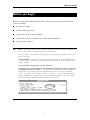
Before you turn to the ALOHA Selection Key, collect some basic information about the
scenario, including
■
the chemical’s name.
■
its state (solid, liquid, or gas).
■
a general idea of the weather conditions.
■
a general idea of how the chemical is escaping from confinement.
■
an LOC for the chemical.
➤
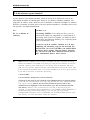
Note ALOHA’s chemical library contains values for IDLH (Immediately Dangerous
to Life and Health), a common LOC, for 214 chemicals.
You can quickly check whether an IDLH value for a particular chemical exists in the
library. To do so,
1. Start ALOHA. To do this, double-click the program icon or, in Windows 95, from
the Start menu, choose the Programs submenu, and then, from the ALOHA menu,
choose ALOHA.
2. From ALOHA’s SetUp menu, choose Chemical....
3. Find the name of the chemical in the alphabetical chemical list, click on the name
to highlight it, then click Select. In the Text Summary window, ALOHA will display
some of the chemical’s properties, including either the IDLH (as, for example,
“ IDLH: 300 ppm”) or the notation “IDLH: -unavail-,” which indicates that no
value is available). If the name of the chemical does not appear in the list, ALOHA
has no information about its properties and no IDLH for it.
3