1
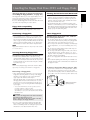
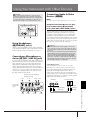
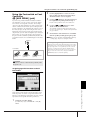
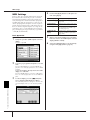
Connecting the Clavinova Directly to the Internet
The special website can be
opened when directly connecting the Clavinova to the Internet.
You can purchase and download Song data and other types of data from the special Clavinova website by directly connecting the instrument to the Internet. This
section contains terms related to computers and online communications. If there
are some terms you are unfamiliar with, refer to the Internet Glossary (page 188).
Connecting the Instrument to the
Internet
Depending on the Internet connection, you may not be able to
connect to two or more devices
(for example, a computer and
the instrument), depending on
the contract with the provider.
This means you cannot connect
with the Clavinova. If in doubt,
check your contract or contact
your provider.
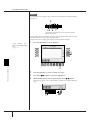
You can connect the instrument to a full-time online connection (ADSL, optical fiber,
cable Internet, etc.) via a router or a modem equipped with a router. For specific
instructions on connecting (as well as information on compatible LAN adaptors, routers, etc.), refer to the Yamaha website:
http://music.yamaha.com/homekeyboard
Use a computer to connect to the Internet and get online before connecting the instrument, since no modem or router settings can be made from
the instrument itself.
To use the Internet connection, you will first need to subscribe to an Internet service or provider.
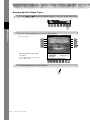
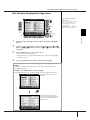
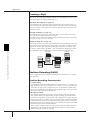
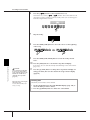
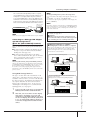
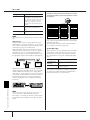
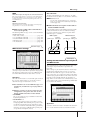
Connection example 1:
Connecting by cable (using a modem without router)
Modem*
No router capability
Router
Cable type
LAN cable
Connect the LAN cable to the
LAN port.
LAN cable
LAN port
Some types of modems require
an optional hub network for
simultaneously connecting to
several devices (such as computer, musical instrument, etc.).
* Here, “modem” refers to an ADSL modem, optical network unit (ONU) or cable modem.
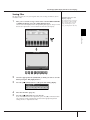
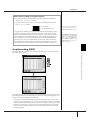
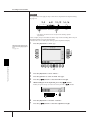
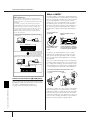
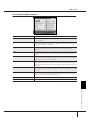
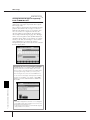
Connection example 2:
Connecting by cable (using a modem with router)
Connecting the Clavinova Directly to the Internet
ADSL modem
Router capability
LAN cable
LAN cable
Connect the LAN cable to the
LAN port.
LAN port
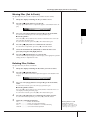
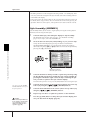
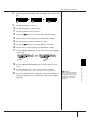
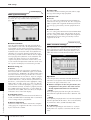
Connection example 3: Wireless connection
Modem*
A USB wireless LAN adaptor
also can be used.
Access point
Wireless Game Adaptor
* Here, “modem” refers to an ADSL modem, optical network unit (ONU) or cable modem.
176
CGP-1000 Owner’s Manual