1
Hardware Installation
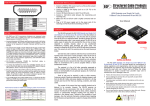
1. Connect one of the CV-117 to your DVI source.
2. Connect the other CV-117 to your DVI display.
3. Make sure the CAT-5/5e/6 LAN cable is tightly connected between the DVI source and the display with the
CV-117.
4. The installation is done.
DVI over Single CAT5 Series Lineup
Output to display
Transmission over CAT5 at 1024x768@60Hz
Transmission over CAT5 at 1920x1200@60Hz
Power requirement
Equalization
EDID learning
CV-15
CV-17
CV-117
CV-117E
WP-117A
HDMI
25m [80ft]
15m [50ft]
No
No
No
DVI
60m [200ft]
40m [130ft]
TX-No / RX-Yes
Yes
Yes
DVI
25m [80ft]
15m [50ft]
No
No
No
DVI
25m [80ft]
15m [50ft]
No
No
Yes
DVI
30m [100ft]
15m [50ft]
No
No
No
~4~