1
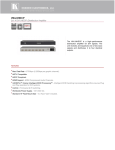
3.1 Defining the VM-2HDCPxl 1:2 DVI Distributor This section defines the VM-2HDCPxl. Figure 1: VM-2HDCPxl 1:2 DVI Distributor # Feature 1 EDID Button Press to read the EDID of the selected display (see section 4.1) 2 INPUT DVI Connector Connect to the DVI source 3 IN LED Lights when the input is active; flashes when the input is not valid 4 OUTPUTS 1 LED LED lights when OUTPUT 1 is connected and active; LED flashes when selecting the EDID (see section 4.1) 5 OUTPUTS 2 LED LED lights when OUTPUT 2 is connected and active; LED flashes when selecting the EDID (see section 4.1) 6 ON LED Lights when the unit is powered 7 OUTPUT 1 DVI Connector Connect to the DVI acceptor 1 8 OUTPUT 2 DVI Connector Connect to the DVI acceptor 2 9 5V DC +5V DC connector for powering the unit VM-2HDCPxl - Overview Function 5