1
W ID E T E C H
R
NEW WIDETECH
WDH-930ED
DEHUMIDIFIER
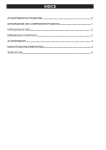
C ONT E NT S
WA R NING C A U T IO N
DESCRIPTION OF COMPONENTS
F U N C T IO N E X P L A N AT IO N
O P E R AT IO N IN S T R U C T IO N S
C O NT INU O U S DR A INA G E
C A U T IO NS
MAINTENANCE EMERGENCY
/
S P E C IF IC AT IO N
USER'S MANUAL
1
2
3
4
5
6
L A S T PA G E
VOLTAGE :
220-240V/50Hz
THANKS FOR YOUR CHOOSING GLENDIMPLEX'S DEHUMIDIFIER.
BEFORE USING IT , PLEASE READ THOROUGHLY OF THIS INSTRUCTION MANUAL.
WARNING
● Do not fold the power cord as
shown below!
● Make sure the plug is placed fully &
firm into the socket!
● Do not use multiple socket as
shown below!
● Make sure the plug is clean!
● After turning the unit off, please take
plug out of the socket.
● Do not have wet hands when
connecting the power plug.
CAUTION
● Do not place anything on top
of the control panel!
● Do not place anything over the inlet
or outlet points.
● Do not let children by play
with the unit or control!
● Do not wet the machine or
the control panel!
● Keep the flammable gas/oil away from
the machine!
● Ask professionals to do the
servicing!
-1-
DESCRIPTION OF COMPONENTS
CONTROL PANEL
HANDLE
MOIST AIR
INTAKE
DEHUMIDIFIED
DRY AIR VENT
AIR FILTER
DRAIN BUCKET
CONTINUOUS
DRAINAGE OUTLET
ROLL CASTORS
FUNCTION EXPLANATION
BUCKET FULL LAMP
DEFROST LAMP
CURRENT TEMP / TIMER SET DISPLAY
Water tank is full,and
lamp lights.
When low temperature,
unit gets into defrosting
mode and lamp lights.
When machine is running, it displays the current temperature. Press
the "Timer" button to set the machine to shut off automatically after a
specified amount of time. 10 seconds after displaying the timer, the
display will change back to current temperature.
FAN SPEED
High / Low
POWER
On / Off
TIMERS
SET HUMIDITY / CURRENT HUMIDITY DISPLAY
When unit operates, press
"TIMER" set hours unit will off
after set hours.
When unit stand-by, press
"TIMER" set hours unit will on
after set hours.
Setting timer from 1~24 hours.
To cancel the timer, proceed
as above but set the "timer off"
to zero hours.
When machine is running, it displays the current
humidity. Press "▲" or "▼" to select humidity
setting. The humidity is adjusted in an increment
of 5% by each pressing of "▲" or "▼". Adjustable
range is within 30%RH to 90%RH. 10seconds
after setting humidity, the display will change
back to the current humidity.
-2-
Press the ℃/℉
switch buttons,
it will switch at
sequence of
℃ and ℉.
OPERATING INSTRUCTIONS
● Start Operation
1) Place the product in an upright position on a flat, steady,
stable, heat-resistant surface. Make sure there is nothing
flammable or heat sensitive within 100 cm (39 inches).
Operating the product in any other position could cause a
hazard.
2) Insert the plug into a suitable wall socket. The dehumidifier
is suitable for operation on an electricity supply having the
same voltage as that shown on its rating label.
3) Make sure the water tank is correctly located. (After
switching on the machine for the first time, if the "Bucket
Full" lamp illuminates, just pull out the water tank, check
the "float" lever is able to move freely, then return the water
tank to the correct position.)
● When Bucket Full Lamp Is On
When the water tank is full the machine will stop and the "Bucket Full" light
will illuminate. The water tank should be carefully removed from the
machine by sliding it outwards from the front of the machine and it should be
emptied. When the empty tank is replaced properly into the machine, the
machine will start up and run normally.
Please use both hands to
carefully empty the water tank.
● DEFROST
When the machine is operated at low temperatures (less than 12℃) the surface of
the evaporator may accumulate a layer of frost which would reduce the efficiency
of the machine. When this happens the machine will go into periodic defrost mode.
The defrost symbol
on the LCD display will come on. The machine will operate
in temperatures down to 5℃. The time taken to defrost may vary. If the machine
freezes up, it should be turned off at the power supply and re-started. If the room
temperature remains below 5℃ the machine should be switched off.
-3-
CONTINUOUS DRAINGE
The function of continuous drainage can be started in following steps when there is a good
condition of drainage near by the unit.
1. To save having to periodically empty the water
tank, this unit can be configured for continuous
drainage. You can use the supplied drain hose
to connect to the continuous drainage connector.
Back of the unit
Drain hose
Drain cover
Drain cover
2. Unscrew and remove the drain cover at the rear
of the unit.
3. Remove the soft rubber stopper. Put it into the
water tank for safe keeping.
4. Insert the drain hose through the hole of the
drain cover.
Soft rubber
stopper
Drain cover
Drain cover
Drain hose
5. Connect the drain hose to the drain port.
6. Tighten the drain cover in clockwise direction
onto the rear of the unit.
Drain cover
Drain hose
7. Place the bucket on its original location.
Drain hose
Bucket
INSTALLING DRAINAGE PVC HOSE
When using the function of continuous drainage, the PVC hose must be placed horizontally
below the drainage hole. Must avoid uneven ground and folding the hose.
-4-
CAUTIONS
● Do not pull the power cord to avoid broken
cord, which lead to danger.
● Do not use insect, oil or paint spray around the
machine, it might cause damage to the plastic
parts or start a fire.
● Do not place the machine on an uneven
ground, to avoid shaking, noise and leakage
of water.
● Please always keep the unit 20 cm away from the
wall to dissipate the heat properly.
20 cm
● It is dangerous to put anything into the
machine.
● Close all the open windows to reach the maximum
possible efficiency of removing moisture.
● Keep the machine away from any type of heat
sources.
● When moving or put in storage, do not place the
dehumidifier on side way or upside down and
avoid violent shaking.
-5-
MAINTENANCE
For safety reasons, make sure the dehumidifier is unplugged before
serving or cleaning the machine.
1) Cleaning the shell:
A. Wipe the shell with a clean, soft cloth.
B. If the dehumidifier is very dirty, use mild detergent then wipe off the detergent with
half dried cloth.
C. Do not wash the machine with a hose or immerse it in water. The may cause leakage
of electricity.
2) Cleaning the air filter:
The propose of the air filter is to filter dust and other materials from the air. If the filter is
blocked by dust the electricity usage will be greater than normal, For optimal moisture
removal efficiency, clean the filter every two weeks.
● Cleaning Steps:
A. Pull the air filter out gently.
B. Clean the filter with a vacuum cleaner or wash it with clean water and dry with
a dry cloth.
C. Put the clean air filter back in place and continue to operate the dehumidifier.
EMERGENCY
If a problem occurs, unplug the machine and contact a qualified serving center
immediately. Do not disassemble the dehumidifier yourself!
-6-
SPECIFICATION
MODEL
WDH-930ED
POWER
220-240V /50Hz
MOISTURE REMOVAL
POWER INPUT
SIZE OF SHELL
(H W D)
15 L/D (27℃ 60%RH)
30 L/D (30℃ 80%RH)
520W
340*253*540
WEIGHT
16 kg
OPERATING
TEMPERATURE
5℃ ~ 35℃
If the power cord on this unit is damaged it must be replaced by the
manufacturer﹐its service agent or qualified persons in order to avoid
a hazard﹒
This appliance is not intended for use by children or other persons
without assistance or supervision if their physical, sensory or mental
capabilities prevent them from using it safely. Children should be
supervised to ensure that they do not play with the appliance.
Waste electrical products should not be disposed of with household waste.
Please recycle where facilities exist. Check with your local authority or retailer
for recycling advice.
NEW WIDETECH INDUSTRIES CO., LTD.
8F-8 NO. 112 SHIN MIN ST.,
CHUNG HO CITY TAIPEI HSIEN TAIWAN
TEL:886-2-22265381 FAX:886-2-22265539