1
Table of Contents
How to use mouse and keyboard 21
Navigation 21
Zoom in/out 21
How to highlight areas and zoom them in 21
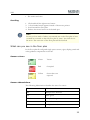
Scrolling 22
What can you see in the floor plan 22
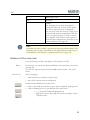
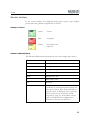
Sensor colours 22
Sensor abbreviations 22
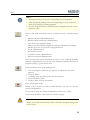
Buttons of the menu bar 23
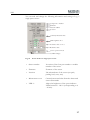
Occupancy bar 25
Menu 26
Sensor details 26
Site layer 30
Info text 32
Default view 32
Long-term parkers 33
Manually reserved spaces 34
Statistics view 34
Parking time diagram 35
Operation mode 35
Sensor 35
Car park 35
Message box 36
New Sensors 37
Troubleshooting 38
iCOM 40
Introduction 41
Start and quit 42
How to close the software manually 42
Restart 42
User interface 43
How to use mouse and keyboard 43
Buttons of the menu bar 44
Sensor window 45
Sensor colours 45
Sensor abbreviations 45
Menu 46
Site layer 46
Sensor details 48
Info text 54
Select 55
Sensor 55
View 56
Car park 58
Abbreviation key 59
Message box 59
Troubleshooting 60
Statistics 62
3