1
WDCFM8912 Manual final2F-062708:Layout 1
6/27/08
BASIC MEASUREMENT
Basic measured parameters of this model:
BASIC MEASUREMENTS
• Air temp.
• Humidity
• Dew Point
• Wet Bulb
• Air Velocity
EXTENDED MEASUREMENTS
• Air Volume
• Sum of Volume
• Capacity
• Sum of Capacity
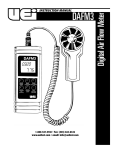
When powered on, the air temperature is the default value to show
on the LCD. To review the other basic parameters, just press the
MODE key then each parameter will be displayed in turn.
While in basic mode, press MODE for over 2 seconds to enter extend
measurement mode. You can also press mode key to switch
between volume and capacity.
MAX, MIN & AVG.
When the meter is powered on, air temp., dew-point, WBT, humidity
& velocity is temporarily saved in meter, so, to press LMx/Mn could
view the average value minimum value and maximum value in
turns. Press LMx/Mn again to back to normal mode. The data will be
re-counted once the meter is powered off and turned on again.
When in Max/Min/Avg MODE, press the MODE key to display the
parameters you need. (Fig. A, Fig. B)
(Fig. A)
(Fig. B)
5