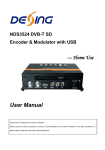
Download ---HomeUse User Manual

Transcript
FMUSERI
NTERNATI
ONALGROUPI
NC.广州市汉婷生物技术开发有限公司
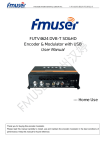
FUTV4622 DVB-T
Encoder & Modulator with USB
-Ho
meUs
e
User Manual
1 / 14
FMUSERI
NTERNATI
ONALGROUPI
NC.广州市汉婷生物技术开发有限公司
Thank you for buying this encoder modulator.
Please read this manual carefully to install, use and maintain the encoder modulator in the best conditions of
performance. Keep this manual for future reference.
Directory
CHAPTER 1 Product Introductions........................................................................... 3
General Description................................................................................................. 3
Working Principle .................................................................................................... 3
Technical Specifications........................................................................................... 4
CHAPTER 2 Safety Instruction and Installations ...................................................... 5
Safety Instructions................................................................................................... 5
Installations ............................................................................................................. 5
Typical Applications ................................................................................................. 7
CHAPTER 3 Operations and Management .............................................................. 8
CHAPTER 4 How to Upgrade ................................................................................. 12
Appendix ............................................................................................................... 13
2 / 14
FMUSERI
NTERNATI
ONALGROUPI
NC.广州市汉婷生物技术开发有限公司
CHAPTER 1 Product Introductions
General Description
FUTV4622 series HD encoder & modulator is FMUSER’s consumer electronics which allow audio/video signal
input in TV distributions with applications in home entertainment, surveillance control, hotel Digital Signage,
shops etc.
It is an all-in-one device integrating MPEG-4 AVC/H.264 encoding and modulating to convert audio/video
signals into DVB-T RF out.
The signals source could be from satellite receivers, closed-circuit television cameras, Blue-ray players, and
antenna etc. its output signal is to be received by a DVB-T standard TVs or STBs etc.
Control Buttons
LCD
Indicator
RF mix in RF out
HDMI in
Grounding
USB Port for Upgrade DC 12V
Working Principle
3 / 14
FMUSERI
NTERNATI
ONALGROUPI
NC.广州市汉婷生物技术开发有限公司
Technical Specifications
HDMI Encoding Section
Encoding
H.264 MP@L 3.0/3.1/4.0
Interface
HDMI*1
Input
Video
Audio
Resolution
Output
[email protected]/60FPS
480p@30FPS
576i@50FPS
576p@25FPS
720p@50/59.94/60FPS
720p@50/59.94/60FPS
1080i@50FPS
1080p@25FPS
[email protected]/60FPS
1080p@30FPS
[email protected]/60FPS
1080p@30FPS
Aspect Ratio
16:9, 4:3
Bit rate
1.000~18.000 Mbps
Encoding
MPEGI layer 2
Sample rate
48KHz
Bit rate
64, 96,128, 192, 256, 320kbps
DVB-T Modulator Section
Standard
Bandwidth
DVB-T COFDM
6M, 7M, 8M
Constellation
QPSK, 16QAM, 64QAM,
Code rate
1/2, 2/3, 3/4, 5/6, 7/8.
Guard Interval
1/32, 1/16, 1/8, 1/4
Transmission Mode:
2K, 8K
MER
≥31dB
RF frequency
142.5~858 MHz, 1KHz step
RF output level
-14 ~ +6dBm, 0.1db step
System
RF mix in ATT
Management
10 dB
LCD + control buttons
Language
English
LCN Insertion
yes
Upgrade
USB
General
Power supply
Dimensions & weight
DC 12V
183*110*50mm / < 1kg
4 / 14
FMUSERI
NTERNATI
ONALGROUPI
NC.广州市汉婷生物技术开发有限公司
CHAPTER 2 Safety Instruction and Installations
Safety Instructions
WARNING: Hot plug is not allowed since it may cause system halted.
To prevent fire or electrical shock, do not expose the device to rain or moisture.
The encoder modulator is powered with a voltage of 12V DC. The power supply voltage
must not exceed the recommended voltage, which otherwise may cause irreparable damage to
the device and the invalidation of the warranty. Therefore:
l Do not replace power supply with a voltage greater than 12V DC.
l Do not connect the device to the power if the power cord is damaged.
l Do not plug the device into mains supply until all cables have been connected correctly.
l Do not cut the cord.
Avoid placing the device next to central heating components and in areas of high
humidity.
Do not cover the device with elements that obstruct the ventilation slots.
If the encoder modulator has been kept in cold conditions for a long time, keep it in a warm
room minimum 2 hours before plugging into the mains.
Mount the device in vertical position with the connectors located on the top side.
When replacement parts are required, be sure the service technician has used replacement
parts specified by the manufacturer or have the same characteristics as the original part.
Unauthorized substitutes may result in fire, electric shock or other hazards.
Safety check- Upon completion of any service or repairs to this device, ask the service
technician to perform safety checks to determine that the device is in proper condition.
Installations
RISK of damage to the unit
Mechanically handling the unit may result in damage. Do not connect the unit to the power
supply before or during assembly. Connect the unit as below instructed.
NO HOT PLUG AND CONNECT THE
CABLE AS FOLLOWING STEPS.
1. Mount and tighten the screws and plugs
1
to secure the unit to the wall. Left 10 cm
of free space around from each unit.
5 / 14
FMUSERI
NTERNATI
ONALGROUPI
NC.广州市汉婷生物技术开发有限公司
2. Connect the signal input in the
respective
connectors.
The
signal source can be from a
surveillance
monitor,
DVD,
set-top box, CCTV and etc.
3. Optionally,
connect
3
the
5
2
loop-through RF input coaxial
cable.
4
4. Connect cable to RF output to
STB/TV.
5. Power supply connection: a) Connect the earth cable; b) Connect the power plug to the unit mains connector; c)
Connect the power plug to the mains socket.
Cascade Installation
FUTV4622 unit has 1 TV signal to RF output encoded as DVB-T Digital TV signal.
Several FUTV4622 units can be
cascaded in order to increase the
capacity. The maximum capacity
of a series of N units is 1xN
incorporated
TV
signals.
To
cascade 2 or more units, connect
the RF output of the preceding unit
to the TV input (loop-through) of
the next unit (see right illustration).
6 / 14
FMUSERI
NTERNATI
ONALGROUPI
NC.广州市汉婷生物技术开发有限公司
Typical Applications
7 / 14
FMUSERI
NTERNATI
ONALGROUPI
NC.广州市汉婷生物技术开发有限公司
CHAPTER 3 Operations and Management
FUTV4622 is controlled and managed through the key board and LCD display.
LCD Display – It presents the selected menu and the parameter settings. The backlight in the
display is on when the power is applied.
LED – These lights indicate the working status
l
Power: It lights on when the power supply is connected.
l
Alarm: It lights on when the there is error, such as the signal source loss.
l
Lock: It lights on when the signal source connected and goes off when the signal lose.
Left/Right/Up/Down buttons – Use these buttons to turn the screen pages, shift the target
items by moving the triangle, or change the parameter settings in the program mode.
Enter – Use this button to enter a submenu or save a new setting after adjustment; press it to
start adjusting the value of certain items with Up/Down buttons when the corresponding
Hue
+001
►
Enter
►
Hue
+001
►
Hue
1
►
underline flash;
Hue
+002
Press it to activate the hidden selections and change the setting with Up/Down (or Left/ Right)
Audio Bit rate Enter
*128
Audio Bit rate
►128
►
Audio Bit rate Enter
128
►
buttons.
Audio Bit rate
►192
Menu – Press this button to step back
Lock – Locking the screen / cancelling the lock state, and entering the main menu after the
initialization of the device. After pressing lock key, the system will question the users to save
present setting or not. If not, the LCD will display the current configuration state.
When the power is connected, the LCD will start to initialize the program. The LCD menu
goes as below chart.
8 / 14
FMUSERI
NTERNATI
ONALGROUPI
NC.广州市汉婷生物技术开发有限公司
Initializing
DVB-T 650.0MHz
1080i
6.93Mbps
Main Menu
Status
Main Menu
Encoder
Main Menu
Stream
Main Menu
Modulator
Main Menu
System
Up
Down
Enter
Menu
Lock
1
Status
Alarm
2
Status
Uptime
3
Encoder
Video In Status
Resolution
Video Bitrate
Audio Bitrate
Audio Format
4
Stream
TSID
ONID
Network ID
Network Name
Service Name
Provider name
Program number
LCN
PMT PID
Video PID
Audio PID
5
Modulator
Country
Country
Default
Australia
NewZealand
6
Modulator
Channel
Bit Rate(atc/max)
6.986M/31.668M
7
Modulator
Bitrate
Audio
Audio Bitrate
Audio Format
8
Modulator
Advanced Config
Modulator
RF Frequency
RF Frequency
650.000 MHz
Modulator
Bandwidth
Bandwidth
►6M
Modulator
Constellation
Constellation
►64QAM
11
Modulator
FEC
FEC
►7/8
12
Modulator
FFT
FFT
►2K 8K
13
Modulator
Guard Interval
Guard Interval
►1/32
14
Modulator
RF Level
RF Level
-10.0 dBm
15
System
Save Config
Save Config?
Yes
►No
16
System
Load Saved CFG
Load SavedCFG?
Yes
►No
17
System
Factory Reset
Reset all sets?
Yes
►No
18
System
LCD Time-out
LCD Time-out
►30 s
19
System
Key Password
Set Password
000000
20
System
Lock Keyboard
Lock Keyboard
Yes
►No
21
System
Product ID
0035564905656
70ec8f7b0000 f
22
System
Version
Encoder Modulator
Ver: 1.01
23
9
10
9 / 14
FMUSERI
NTERNATI
ONALGROUPI
NC.广州市汉婷生物技术开发有限公司
1) DVB-T: modulating standard; XX.XXX MHz: the current output frequency; 1080i: video
resolution of signal source; X.XX Mbps: the current encoding bit rate
2) Alarm Status: For example, if the signals lose, it will give alarm and display error type
under this menu. For example: Video 1 Not Lock
3) Uptime: It displays the working time duration of the device. It times upon power on.
4) Encoder Parameters: User can enter the items respectively to set Encoder parameters.
Video in Status: User can view the video status under this menu. Resolution: signal source
resolution, read-only. Video Bit rate: adjust in the range of 1.000~18.000 Mbps. Audio Bit
rate: Select audio bit rate among 64, 96, 128, 192, 256, 320kbps. Audio Format: audio
format is default to MPEG-1 Layer 2.
5) Stream: User can view or adjust TSID, ONID, Network ID, Network Name, Provider
Name, Program number, LCN (Logical channel number), PMT PID, Video PID and audio
PID after enter this menu.
6) Country: User can choose country under this menu. There are three options Default,
Australia or New Zealand. If user chooses Default, modulating parameters need to be set
manually through advanced configuration. If choose other two, user do not need to set RF
frequency, Bandwidth, Constellation, FEC, FFT, Guard interval and RF Level. It will
configure automatically according to the Country. It is a shortcut.
7) Channel: User can choose Channel under this submenu.
8) Bit Rate: User can read the current modulating bit rate and the maximum bit rate
9) RF Frequency: Adjust it at range of 142.5 MHz to 858 MHz. Set it according your regional
situation or inquire your local services.
10) Bandwidth: choose between 6M, 7M and 8M.
11) Constellation: DVB-T modulator contains 3 constellation modes – 64 QAM, QPSK and
16 QAM.
12) FEC: Forward Error Correction rate. It contains 1/2, 2/3, 3/4, 5/6 and 7/8.
13) FFT (Transmission Mode): Select between 2K and 8K.
14) Guard Interval: Select among 1/32, 1/16, 1/8 and 1/4.
15) RF Level: Adjust it at range of -14~ +6dBm.
Ø
NOTE: The different combination of bandwidth, constellation, guard interval and FEC
(code rate) will form a different output code rate. Please refer to appendix table 2. To
ensure the output image quality, it is required the output code rate to be higher than
22 MHz.
10 / 14
FMUSERI
NTERNATI
ONALGROUPI
NC.广州市汉婷生物技术开发有限公司
16) Save Config: Yes/No-to save/give up the adjustment of setting.
17) Load Saved CFG: Yes/No-to load/ not to load the saved configuration.
18) Factory Reset: Yes/No-choose/not choose the factory’s default configuration.
19) LCD Time out: A time limit that LCD will light off. Choose among 5s, 10s, 45s, 60s, 90s
and 120s (seconds).
20) Key Password: to set a 6-digit password for unlocking the keyboard.
21) Lock Keyboard: Choose Yes to lock the keyboard, then the keyboard will be locked and
cannot be applicable. It is required to input the password to unlock the key board. This
operation is one-off. (Password forgotten, please use the universal code “005599”.)
22) Product ID: User can view the serial number of this device. It is read-only and unique
23) Version: It displays the version information of this device. Encoder Modulator: the name
of the device; Ver: version number of this device.
11 / 14
FMUSERI
NTERNATI
ONALGROUPI
NC.广州市汉婷生物技术开发有限公司
CHAPTER 4 How to Upgrade
FUTV4622 encoder modulator is embedded with USB Port for upgrading. The supported file
format is IMG.
USB Port for Upgrade
Upgrade steps: Insert USB device→Upgrade automatically(It will need 10-20 seconds to
upgrade. After upgrade, FUTV4622 will reboot automatically.) →Remove USB device→
Power off→Power on.
12 / 14
FMUSERI
NTERNATI
ONALGROUPI
NC.广州市汉婷生物技术开发有限公司
Appendix
Australia Air Channels
Frequency
Ch.
Start
Center
Frequency
End
VHF
C00
C01
C02
C03
C04
C05
C5A
C06
C07
C08
C09
C9A
C10
C11
C12
45
56
63
85
94
101
137
174
181
188
195
202
209
216
223
48.5
59.5
66.5
88.5
97.5
104.5
140.5
177.5
184.5
191.5
198.5
205.5
212.5
219.5
226.5
52
63
70
92
101
108
144
181
188
195
202
209
216
223
230
UHF
C20
C21
C22
C23
C24
C25
C26
C27
C28
C29
C30
C31
C32
C33
C34
C35
C36
C37
470
477
484
491
498
505
512
519
526
533
540
547
554
561
568
575
582
589
473.5
480.5
487.5
494.5
501.5
508.5
515.5
522.5
529.5
536.5
543.5
550.5
557.5
564.5
571.5
578.5
585.5
592.5
477
484
491
498
505
512
519
526
533
540
547
554
561
568
575
582
589
596
Ch.
Start
Cente
r
End
C38
596
599.5
603
C39
603
606.5
610
C40
C41
C42
C43
C44
C45
C46
C47
C48
C49
C50
C51
C52
C53
C54
C55
610
617
624
631
638
645
652
659
666
673
680
687
694
701
708
715
613.5
620.5
627.5
634.5
641.5
648.5
655.5
662.5
669.5
676.5
683.5
690.5
697.5
704.5
711.5
718.5
617
624
631
638
645
652
659
666
673
680
687
694
701
708
715
722
C56
722
725.5
729
C57
729
732.5
736
C58
C59
C60
C61
C62
C63
C64
C65
C66
C67
C68
C69
C70
C71
C72
C73
C74
C75
736
743
750
757
764
771
778
785
792
799
806
813
820
827
834
841
848
855
739.5
746.5
753.5
760.5
767.5
774.5
781.5
788.5
795.5
802.5
809.5
816.5
823.5
830.5
837.5
844.5
851.5
858.5
743
750
757
764
771
778
785
792
799
806
813
820
827
834
841
848
855
862
Table 1 Australia Television Frequency/Channels (MHz)
13 / 14
FMUSERI
NTERNATI
ONALGROUPI
NC.广州市汉婷生物技术开发有限公司
Modulation
Constellation
1/4
1/2
2/3
QPSK
16QAM
64QAM
6MHz Bandwidth
Guard Interval
FEC
1/16
1/32
1/4
1/8
1/16
8MHz Bandwidth
Guard Interval
1/4
1/8
1/16
1/32
The weak ability of error-correcting and anti-interference in this area
6.03
5.80 6.45
6.83
7.03
6.64
7.37
7.81
6.03
8.04
3/4
1/8
7MHz Bandwidth
Guard Interval
1/32
6.22
6.58
6.78
6.53
7.25
7.68
7.91
7.46
8.29
8.78
9.05
5/6
6.22
6.91
7.31
7.54
7.25
8.06
8.53
8.79
8.29
9.22
9.76
10.05
7/8
6.53
7.25
7.68
7.91
7.62
8.46
8.96
9.23
8.71
9.68
10.25
10.56
1/2
2/3
7.46
9.95
8.29
11.05
8.78
11.70
9.04
12.06
8.70 9.67
11.61 12.90
10.24
13.66
10.55
14.07
9.95
13.27
11.06
14.75
11.71
15.61
12.06
16.09
3/4
11.19
12.44
13.17
13.57
13.06 14.51
15.36
15.83
14.93
16.59
17.56
18.10
5/6
12.44
13.82
14.63
15.08
14.51 16.12
17.07
17.59
16.59
18.43
19.52
20.11
7/8
13.06
14.51
15.36
15.83
15.24 16.93
17.93
18.47
17.42
19.35
20.49
21.11
1/2
11.19
12.44
13.17
13.57
13.06 14.51
15.36
15.83
14.93
16.59
17.56
18.10
2/3
14.92
16.58
17.56
18.09
17.41 19.35
20.49
21.11
19.91
22.12
23.42
24.13
3/4
16.79
18.66
19.76
20.35
19.59 21.77
23.05
23.75
22.39
24.88
26.35
27.14
5/6
18.66
20.73
21.95
22.62
21.77 24.19
25.61
26.39
24.88
27.65
29.27
30.16
7/8
19.59
21.77
23.05
23.75
22.86 25.40
26.89
27.71
26.13
29.03
30.74
31.67
Table 2 Recommended MPEG-2 Code Rate
14 / 14