1
Telephone settings
Handset settings
Set date/time
The answering system announces the day and time of each message prior
to playing it. Before using the answering system, set the date and time as
follows. If you subscribe to caller ID service, the day, month and time are
set automatically with each incoming call. The year must be set so that the
day of the week can be calculated from the caller ID information. You can
turn off the date and time settings of the caller ID service and set the date
and time manually (see Use caller ID to automatically set date and time
on page 22).
After a power failure or handset registration, the system prompts you to set
the date and time.
To set the date and time manually:
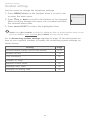
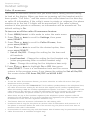
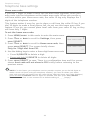
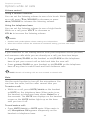
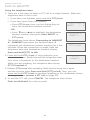
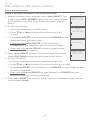
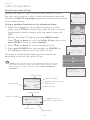
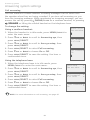
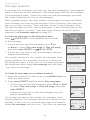
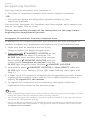
1.When the handset is in idle mode, press MENU/SELECT to
Ringers
enter the main menu.
>Set date/time
2.Press qCID or pDIR to scroll to Set date/time and then
press MENU/SELECT.
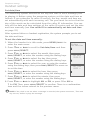
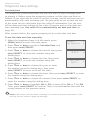
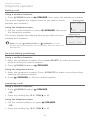
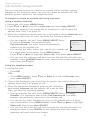
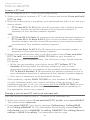
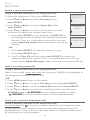
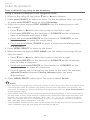
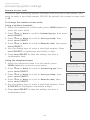
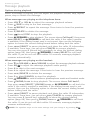
3. Press qCID or pDIR to select the month, then press
MENU/SELECT, or enter the number using the dialing keys.
SET DATE
MM/DD/YY
4. Press qCID or pDIR to select the day, then press
MENU/SELECT, or enter the number using the dialing keys.
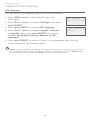
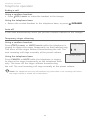
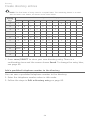
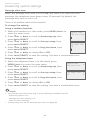
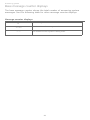
5. Press qCID or pDIR to select the year, or enter the number
using the dialing keys, then press MENU/SELECT to move on
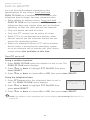
SET TIME
to set the time.
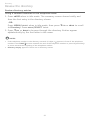
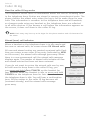
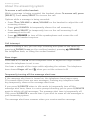
HH:MM -6. Press qCID or pDIR to select the hour, then press
MENU/SELECT, or enter the number using the dialing keys.
7. Press qCID or pDIR to select the minute, then press
MENU/SELECT, or enter the number using the dialing keys.
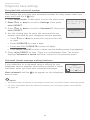
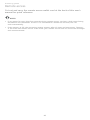
8. Press qCID or pDIR to highlight AM or PM, or press 2 for AM or
7 for PM. Then, press MENU/SELECT to confirm. There is a confirmation
tone and the screen returns to the previous menu.
NOTE: If the clock is not set when a message is recorded, the system announces, “Time and
day not set,” before it plays the message.
16