1
DP10 & DP20 User’s Manual
Hook-Up Summary:
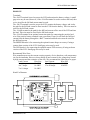
To summarize, the +BATT and -BATT terminals on the LVD must be attached to the
battery to power the circuit. The negative load wire must be attached to the –LOAD
terminal on the LVD. The positive load wire is normally attached directly to the positive
battery terminal (preferred for high current applications); however, it may be connected
to the +LOAD terminal on the LVD if it is more convenient. If the +LOAD terminal is
used, the full load current will flow through the wire connecting the +BATT terminal to
the battery, so that wire must be sized to handle the full load current as well. For the best
performance, the shortest length and largest gage hook-up wires should be used.
OPERATING INSTRUCTIONS
Once the LVD is properly connected to the load and battery, operation is automatic.
When first attached to the battery, the LVD circuit defaults to a connected status and the
–BATT and –LOAD terminals are connected to each other. If the battery is discharged
down to the disconnect voltage, the LVD will wait 3-seconds to make sure it is not a
transient condition before disconnecting the load. While in a disconnected state, the LVD
will draw a small quiescent current to operate the circuit.
Alarm versions will indicate a warning for approximately 60-seconds and the low voltage
condition must be maintained for 60-seconds before the LVD disconnects the load. The
alarm will reset if the low voltage condition is removed for a continuous 3-seconds
during the alarm. If using an LED indicator, alarm versions will draw slightly more
quiescent current after disconnecting.
WARNING: This LVD has an automatic reconnect feature. When charging the battery,
once it has been charged to approximately 50% of capacity, the LVD will automatically
reconnect the load. This may cause unexpected operation of the equipment. If this will
cause a problem with the load or it is a safety issue, then do not charge the battery with
the LVD connected or use a separate switch to disable the load during charging.
LVD OPERATION NOTES AND TIPS
When the LVD is not connected to a battery, the default condition between the –BATT
and –LOAD terminals is disconnected. As soon as the LVD is powered, even at a voltage
below the disconnect voltage, the battery and load terminals are automatically connected
until the LVD runs through a normal disconnect cycle.
For longer battery life, once the load is disconnected it should not be turned on again
until the battery is fully recharged. This will ensure the battery is adequately recharged
between successive discharges. This is especially important when using lead-acid
batteries. If the load can not be controlled this way, then make sure the battery charger is
rated for at least twice the load current so that there will be adequate current available to
finish charging the battery once the load is automatically reconnected.
Xenotronix/TLI, Inc.
6