1
TV3
12 Month Limited Warranty
OWNER’S MANUAL
Audiovox Electronics Corporation (the company) warrants to the original purchaser of this
product that should this product or any part thereof, under normal use and conditions, be
proven defective in material or workmanship within 12 months from the date of original
purchase, such defect(s) will be repaired or replaced with reconditioned product (at the
company’s option) without charge for parts and repair labor. To obtain repair or
replacement within the terms of this warranty, the product along with any accessories
included in the original packaging is to be delivered with proof of warranty coverage (e.g.
dated bill of sale), specification of the defect(s), transportation prepaid, to the company at
the address shown below. DO NOT RETURN THIS PRODUCT TO THE RETAILER.
The warranty does not extend to costs incurred for the installation, removal or
reinstallation of the product.
The warranty does not apply to any product or part thereof which, in the opinion of the
company, has suffered or been damaged through alteration, improper installation,
mishandling, misuse, neglect, accident, or by removal or defacement of the factory serial
number/bar code label(s). THE EXTENT OF THE COMPANY’S LIABILITY UNDER THIS
WARRANTY IS LIMITED TO THE REPAIR OR REPLACEMENT PROVIDED ABOVE AND, IN NO
EVENT, SHALL THE COMPANY’S LIABILITY EXCEED THE PURCHASE PRICE PAID BY
PURCHASER FOR THE PRODUCT.
This warranty is in lieu of all other express warranties or liabilities. ANY IMPLIED
WARRANTIES, INCLUDING ANY IMPLIED WARRANTY OF MERCHANTABILITY, SHALL BE
LIMITED TO THE DURATION OF THIS WARRANTY. ANY ACTION FOR BREACH OF ANY
WARRANTY HERUNDER INCLUDING ANY IMPLIED WARRANTY OF MERCHANTABILITY
MUST BE BROUGHT WITHIN A PERIOD OF 18 MONTHS FROM DATE OF ORIGINAL
PURCHASE. IN NO CASE SHALL THE COMPANY BE LIABLE FOR ANY CONSEQUENTIAL
OR INCIDENTAL DAMAGES FOR BREACH OF THIS OR ANY OTHER WARRANTY. No person
or representative is authorized to assume for the Company any liability other than
expressed herein in connection with the sale of this product.
Some states do not allow limitations on how long an implied
warranty lasts or the exclusion or limitation if incidental or
consequential damage so the above limitations or exclusions
may not apply to you. This warranty gives you specific legal
rights and you may also have other rights that vary from
state to state.
For customer service and
technical information:: 1.800.290.6650
For Customer Service
Visit Our Website At
www.terk.com
Product Information, Photos,
FAQ’s, Owner’s Manuals
and
TERK and the TERK logo are registered trademarks of AUDIOVOX Corp.For customer service
56P008B
technical information::
Audiovox Electronics Corporation, 150 Marcus Blvd., Hauppauge, NY 11788
1.800.290.6650
TV3
Indoor Amplified Television Antenna
About Your TERK TV3
TV3
TV3
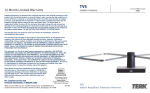
Thank you for choosing the TERK TV3. TERK antennas are
designed to help deliver sharp, clear video reception. Our
engineering department is dedicated to designing
antennas that enhance both the latest technology and the
aesthetics of any viewing environment. The TV3 installs in
minutes, is easy to use and simple to adjust. Before using
your antenna, please remove all parts from the box and
read the owner’s manual carefully.
Installing Your TV3
2
3
5
4
6
7
8
Amplified Indoor Antenna:
The TV3 features a fully adjustable, low-noise amplifier,
designed to optimize signal strength for any location.
TERK’s patented amplifier bypass allows stronger local
stations to bypass the amplifier entirely, preventing
overmodulation and ensuring successful reception of the
maximum number of available channels.
1. VHF Antenna
Dipoles
2. UHF Loop
Antenna
3. UHF Loop
Swivel
4.Power/Amplifier
Adjust Knob
5. DC Power
Input
6. Video Selector
Switch
7. Video Input
8. Coaxial Cable
Connecting your TV3
There are two ways to connect your TV3. This will
depend on your model of television.
Built-In Video Selector Switch:
The TV3 offers the added convenience of a built-in video
selector switch, creating a one cable solution for a video
game, DVD player, VCR or other video component. With
just a push of a button, you can now switch between TV
and another video source without having to disconnect
and reconnect any wires.
1
1
For Televisions with One 75 Ohm Input
for VHF and UHF:
1. Connect the coaxial cable from your TV3 to the
“F” connector input marked VHF/UHF on your TV.
See Fig.1.
2
Installing Your TV3
Operating Your TERK TV3
Amplified Indoor Antenna
(continued)
TV3
TV3
For Televisions with Separate 75 Ohm
VHF and UHF Inputs:
1. Attach the band separator (not included) to the coaxial
cable attached to the back of your TV3.
2. Screw in the VHF connector from the band separator to
the VHF input on your TV or VCR.
3. Attach the 300 ohm twin wire from the band separator
to the two screws marked UHF. See Fig. 2.
Powering your TV3
Attach the AC adapter (included) to the DC input on the
rear of your TV3. Plug the other end of the adaptor into
any 12 volt AC outlet.
For Video Games and Other Video Components:
1. Attach the coaxial cable from your satellite, cable, or
video game adapter to the video input on your TV3.
Ensure a tight fit to avoid interference.
2. Switch the video selector switch to “VIDEO” for
operation.To connect a DVD player, VCR or video game
system to a television that is not equipped with
audio/video jacks, you will need to obtain one of TERK’s
RF modulators.
UHF
Band
Separator
3
VHF/UHF
VHF
Fig. 1
Fig. 2
For VHF and UHF:
1. Switch the video selector switch to “ANTENNA”.
2. Tune your TV to the desired station.
3. For best results on channels 2 through 6, extend the
antenna elements to their full length and horizontal
positions. For channels 7 through 13, shorten the
antenna elements and place at "V" angle as required.
4. Adjust the “amplification” knob for the best picture
and sound.
4
Operating Your TERK TV3
Amplified Indoor Antenna
Frequently Asked Questions
(continued)
TV3
TV3
Please Note:
1. Late model televisions have on-screen menu controls
for viewing VHF/UHF “Off-Air” or cable broadcasts.
Please ensure that this menu control is at the proper
“Off-Air” position.
2. The TV3 is equipped with a high-gain, low-noise amplifier
for strong or weak signal areas. Use the “AMPLIFICATION”
control knob to receive the best picture and sound in your
area. Unwanted interference will occur when too much or
too little amplification is used.
3. Do not place your TV3 near large metal objects or
appliances that would create interference.
4. Do not bend the antenna elements or loop.
Locating Your TV3
Your TV3 is a precision instrument and should be placed in
a location that is best for receiving TV signals. Your TV3 can
be placed on top of any standard TV for ease of adjustment.
Performance Specifications
5
Channels: VHF: 2-13 UHF: 14-69
Operating Bandwidth: 54 MHz to 806 MHz
Output Impedance: 75 ohms
Dimensions: Height 81/2" (includes UHF LOOP)
451/2"(with dipoles extended)
Width: 81/2" Depth: 5"
Amplifier Gain: VHF: 12 dB min UHF: 6 dB min
6
Q. I have a cable ready TV. Why am I not getting any
channels above 13?
A. The tuners inside of cable ready TVs have two modes.
One mode is for cable and the other mode is for
antenna. When the TV is in cable mode, and you are
using an antenna, you will not be able to receive any
channels above 13. To fix this simply access the menu
of your TV and switch the TV from Cable/CATV mode to
ANT/AIR mode.
Q. I have my TV in a metal cabinet. Will the antenna work?
A. Any large metal objects will prevent the antenna signal
from reaching the antenna. You must place the antenna
outside of or above the metal cabinet.
Q. My home has aluminum siding/insulation. Where
should I place my antenna?
A. Place the antenna near a window to minimize
interference and improve your reception.
Q. Can I use my antenna in a basement?
A. Antenna signals cannot penetrate into basement
locations due to their lower elevation.
Please Note:
Other variables, which are not related to antenna
performance, can effect your reception. These include
distance from the source transmitting the desired
station, and man-made and natural conditions.
Example: Obstacles such as buildings between the
transmitting source and your antenna.