1
Aton CL113 Duo / Swisscom en / A31008-M2202-F151-1-2X19 / registr_sett.fm / 07.07.2011
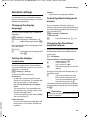
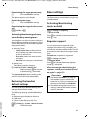
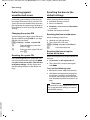
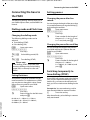
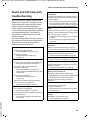
Handset settings
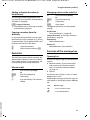
Changing ringtones
For external calls:
u Volume:
You can choose between five volumes
(e.g., volume 3 = ˆ) and the "crescendo" ring (volume increases with each
ring 6 = ‡).
u Ringtones:
You can select from a list of pre-loaded
ringtones and melodies.
You can set different ringtones for the following functions:
u Internal calls
u External calls
u Alarm clock
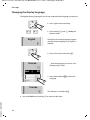
In idle status:
t ¤ Ringtones (Handset)
External Calls
Select and press §OK§.
q can be used for the following:
Melodies
You can set the ringtone as described
above.
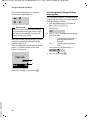
Time Control
You can specify a time period when you
do not want the telephone to signal
external calls e.g., during the night.
Activation is switched on or off by pressing §OK§ (³ = activated)
Settings
Ringer off from: /Ringer off until:
Enter time in 4-digit format.
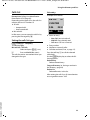
Setting the ringer volume
The ringer volume is the same for all types of
ring.
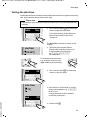
In idle status:
t ¤ Ringer Volume
q
Set the volume.
§OK§
Press the display key to save the
setting.
Please note
You can also adjust the ringer volume via
the menu (¢ page 24).
Setting ringtone
Set different ringtones for external calls,
internal calls and the alarm clock.
For internal calls and the alarm clock
Version 4, 16.09.2005
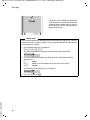
In idle status:
t ¤ Ringtones (Handset)
Internal Calls / Alarm Clock
Select and press §OK§.
q
Select melody and press §OK§
(³ = selected).
40
Please note
During this period, you will continue to receive calls from numbers to which you have assigned a
personalised melody/background
colour in the directory (VIP).
Anonymous Calls Silent
You can set your handset so that it does
not ring for calls where Calling Line
Identification has been withheld. The call
will only be signalled on the display.
Switch the Anonymous Calls Silent function on or off by pressing §OK§
(³ = activated).
Please note
You can also set the ringtones via the
menu (¢ page 24).
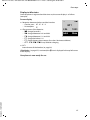
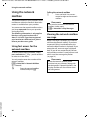
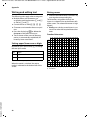
Activating/deactivating the ringer
You can:
u Permanently deactivate the ringer in idle
status or when receiving a call
u Deactivate the ringer for the current call
only.
The ringer cannot be re-activated while a
call is in progress.