1
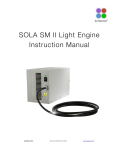
Lumencor
SOLA Light Engine ®
Instruction Manual
Lumencor, Inc. 14964 NW Greenbrier Parkway, Beaverton, OR 97006
T 503.213.4269 F 503.536.6741
www.lumencor.com
Emissions Certifications
This equipment has been tested and found to comply with the limits of EMC directive 2004/108/EC. These limits are
designed to provide reasonable protection against harmful interference when the equipment is operated in a commercial
environment. This equipment generates, uses, and can radiate radio frequency energy and, if not installed and used in
accordance with the instruction manual, may cause harmful interference to radio communications.
Safety Certifications
2006/95/EC
CB Scheme
CE Declaration of Conformity
TUV NRTL Listing
TUV Canadian Listing
TUV European License
SOLA Instruction Manual
1
Table of Contents
1 Introduction
2 Precautions and Warnings
3
Installation and Operating Instructions
4
Spectral Output
5
Routine Maintenance and Trouble Shooting
6
Customer Support
7
Product Specifications
8
Connectors
9
Declaration of Conformance
10 Warranty
SOLA Instruction Manual
2
1. Introduction
The Lumencor SOLA light engine is designed for laboratory use by bioanalytical researchers and/or developers of life
science instrumentation. The light engine provides a white light output by combining 6 discrete, bright, light outputs
directly to a sample; or in the case of fluorescence microscopy, to the objective. Each of the colors is produced by an
independent module that has been optimized to produce a precise set of wavelengths.
Model numbering for SOLA is defined as follows: SOLA 6-YYY-ZZ. 6 denotes the number of colors, YYY denotes a
unique customer code and ZZ denotes option and revision. The first Z denotes simultaneous output “S” and the second
Z denotes the revision level.
The light sources within the SOLA are controlled by software; either via a serial interface (RS-232 or USB) to a computer
running a Lumencor supplied GUI or a third party microscopy software application. The user can enable or disable each
source independently and change the intensity of each source independently. The only manual control is a power switch
on the rear panel to turn on/off the 24-30VDC power into the unit. A green power indicator on the rear cover is lit (“ON”)
when the power supply is connected to the SOLA and the power switch is in the on position.
2. Precautions and Warnings
A few simple practices will ensure trouble-free operation for the life of the light engine.
Safety Instructions:
Please read and follow all safety instructions provided BEFORE using your new SOLA. Failure to comply with the safety
instructions may result in fire, electrical shock, or personal injury and may damage or impair protection provided by
equipment. Please save all safety instructions.
Safety Definitions:
Warning: Statements identify conditions or practices that could result in personal injury.
Caution: Statements identify conditions or practices that could result in damage to your equipment.
Safety Items:
Warning: DO NOT use an unapproved power supply. The Lumencor-supplied external power supply is
recommended for use with the SOLA light engine. Alternate 24-30VDC power supplies may be used provided that the
current is limited to 7.9A max. Also, it is imperative that it has output over-current protection, as the power input of the
SOLA is not fused. Connect the AC power cord to a receptacle with a protective safety (earth) ground terminal.
Warning: DO NOT stare into the output of the light engine. The brightness of this light source is higher than most
commercial lighting fixtures and is intended to couple directly into a microscope or other bioanalytjcal instrument.
SOLA Instruction Manual
3
Caution: DO NOT open the unit. There are no serviceable parts inside and opening the light engine enclosure will void
the manufacturer’s warranty.
Caution: DO NOT set liquids on the light engine. Spilled liquids may damage your light engine.
Caution: DO NOT drop the light engine. It contains glass optical components that could be damaged or misaligned
by the shock produced by a drop onto a hard surface.
DISCLAIMER: Lumencor shall not be liable for injury to the user or damage to the product resulting from the
SOLA being used in a way for which it was not intended and in complete disregard for all posted safety precautions and warnings.
3. Installation and Operating Instructions
The SOLA ships with the following list of standard components.
1.
SOLA light engine configured with six or channels (colors)..
2.
A 28V/7.9A power supply (Lumencor part no. 27-10003).
3.
A 6ft AC power cord for the power supply (for North American customers, Lumencor part no. 29-10002, for UK
customers, Lumencor part no. 29-10004 and for European customers, Lumencor part no. 29-10005).
4.
A USB-to-RS232 cable (Lumencor part no. 29-10011).
SOLA ships with one output adapter included with the unit, a 3mm LLG adapter (82-10012).
When setting the SOLA up for use, be sure to place the unit on a hard surface and avoid blocking or restricting airflow at
the air inlets or exhaust ports on the enclosure. Restricting the airflow will cause the unit to operate at elevated
temperatures and will result in decreased product life and/or premature failure.
Position the unit in such an orientation that allows unrestricted access to the DC power connector. In an emergency, you
may need to disconnect power to the unit quickly.
The SOLA can either be controlled by a Lumencor supplied GUI via a RS-232 port or by 3rd party laboratory software via
the TTL port. The GUI provides a quick and easy way to control your new light engine. You will have the ability to turn the
source within the unit on/off, adjust the power of the source from minimum to maximum power. Refer to the photo
below of the rear panel for the location of the various connectors.
SOLA Instruction Manual
4
Rear Panel of SOLA light engine
3.1 GUI Installation
Installation instructions follow for GUI control of the SOLA. Connectivity between the computer and your SOLA can
be accomplished one of two ways; either using a RS-232 straight-thru cable or using the optional USB-to-RS232
adapter cable. Both methods are covered below.
GUI Installation and Operating Instructions (using RS-232 straight-thru cable)
Download the zip file for the SOLA GUI from http://www.lumencor.com/software_control.html.
Unzip the file and run setup.exe to install the SOLA GUI.
Connect the RS-232 cable between the PC and the SOLA.
Connect the power supply to the SOLA.
Toggle the power switch on the rear panel to the ON “1” position. The green LED next to the switch should light.
Run the GUI by going to the Program Menu and selecting SOLA Controller.
.
SOLA Instruction Manual
5
In the COM pulldown menu, select the COM port assigned to serial communications. Generally this is COM1. [If
you are unsure which one that is then go to Control Panel, then System, then the Hardware tab. Select Device
Manager to see the hardware profile. Expand “PORTS (COM & LPT)” to see which COM port is assigned to the
“Communications Port” and select that port in the GUI.] The PC should now have control of all color channels in
unison in the SOLA. You will have the ability to turn all colors ON or OFF and adjust the intensity of all sources in
unison. Next, hit the INIT button. THIS STEP IS REQUIRED TO RE-ESTABLISH THE COMMUNICATION LINK
WHENEVER THE SOLA LIGHT ENGINE IS POWER CYCLED OR WHENEVER THE GUI IS STARTED.
GUI Installation and Operating Instructions (using USB-to-RS232 cable)
Download the zip file for the SOLA GUI from http://www.lumencor.com/software_control.html.
Unzip the file and run setup.exe to install the SOLA GUI.
Connect the USB-to-RS-232 cable between the PC and the SOLA.
Connect the power supply to the SOLA.
Toggle the power switch on the rear panel to the ON “1” position. The green LED next to the switch should light.
Run the GUI by going to the Program Menu and selecting SOLA Controller.
In the COM pulldown menu, select the COM port assigned to USB-to-Serial communications. [If you are unsure
which one is correct then go to Control Panel, then System, then the Hardware tab. Select Device Manager to see
the hardware profile. Expand “PORTS (COM & LPT)” to see which COM port is assigned to the “USB-to-Serial
Comm Port” and select that port in the GUI.] The PC should now have control of all color channels in unison in the
SOLA. You will have the ability to turn all colors ON or OFF and adjust the intensity of all sources in unison. Next, hit
the INIT button. THIS STEP IS REQUIRED TO RE-ESTABLISH THE COMMUNICATION LINK WHENEVER THE
SOLA LIGHT ENGINE IS POWER CYCLED OR WHENEVER THE GUI IS STARTED.
SOLA Instruction Manual
6
4. Spectral Output
The spectra of the most commonly requested light engine outputs (colored bands) are shown below along with a 75W
Xenon trace (grey) and a 120W metal halide lamp output (brown). Other outputs are available upon request.
30
Relative Spectral Power (mW/nm)
25
20
15
10
5
0
350
400
450
500
550
600
650
700
Wavelength (nm)
5. Routine Maintenance and Trouble Shooting
Remove any built-up dust or accumulation on the air intake ports. A vacuum may be used to remove debris so that a
steady supply of air is available for cooling. It is recommended that these dust-filters be cleaned by a gentle suction
device at least every 6 months and more often in dusty or smoke-filled environments.
There are no user-replaceable components or sub-assemblies in SOLA.
6. Customer Support
T: 503.505.6985
E: [email protected]
W: http://www.lumencor.com/support/software_control
M: Lumencor, Inc., 14964 NW Greenbrier Parkway, Beaverton, OR 97006 U.S.A.
SOLA Instruction Manual
7
7. Product Specifications
The SOLA must be operated and stored within the environmental conditions specified.
Specification
Detail
Temperature
Operating
32 to 95° F (0 to 35° C)
Non-operating
-4 to 158° F (-20 to 70° C)
Humidity
Operating and non-operating
0 to 80% relative humidity, non-condensing
Altitude
Operating
0 to 10,000 feet (3,048 meters)
Non-operating
0 to 20,000 feet (6,096 meters)
Dimensions (LxWxH)
11.0 x 7.0 x 4.0 in / 27.9 x 17.8 x 10.2 cm
Weight
9 lb / 4.1 kg
Lifetime
> 10,000 hr
Input Power Requirements
24-30 VDC / 7.9A
Warm-up Period
Less than 1 minute
Protection
IP Rating of X0
Sound Level
Sound Level at 1 meter < 65db(A)
Connectivity
RS-232, USB
Warranty
36 months parts and labor
SOLA Instruction Manual
8
8. Connectors
8.2 RS-232 Connector
This port conforms to standard RS-232 Interface Protocol.
Pins
Definition
DC Characteristics
1, 2, 3, 4, 6, 7, 8
DCD, RXD, TXD, DTR, D3R, RTS,
CTS
VCC = 5.0V,
Vilow (max) = 0.8V, Vihigh (min) = 2.4V,
Iilow = 0.5mA, Iihigh = 1.0μA
5
Gnd
9
N/C
DB9 Connector Pin Definitions
9. Declaration of Conformance
Manufacturer: Lumencor, Inc.
14964 NW Greenbrier Parkway, Beaverton, OR 97006 USA
We declare under our sole responsibility that the SOLA Light Engine conforms to the following directives and norms:
EMC directive 2004/108/EC
2006/95/EC
CB Scheme
CE Declaration of Conformity
TUV NRTL Listing
TUV Canadian Listing
TUV European License
10. Warranty
The SOLA light engine is backed by a 36 month warranty.
SOLA Instruction Manual
9