1
User’s Manual RespiTrainer Advance, SW 1.2, © IngMar Medical, Ltd. 2014
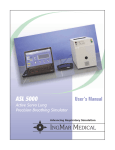
I N G M A R M ED IC A L
Manual Ventilation
Task Trainer
USER'S MANUAL
Software 1.2
2nd edition 2014, © IngMar Medical, Ltd.
2
User’s Manual RespiTrainer Advance, SW 1.2, © IngMar Medical, Ltd. 2014
This page intentionally left blank
User’s Manual RespiTrainer Advance, SW 1.2, © IngMar Medical, Ltd. 2014
Legal Information
Product Warranty
Educational tools and test instruments manufactured or distributed
by IngMar Medical Ltd. are fully warranted, covering materials and
workmanship, for a period of one year from the date of shipment,
except for products with stated warranties other than one year.
IngMar Medical reserves the right to perform warranty service(s) at
its factory, at an authorized repair station, or at the customer's
installation.
IngMar Medical's obligations under this warranty are limited to
repairs, or at IngMar Medical's option, replacement of any
defective parts of our equipment, except fuses and batteries,
without charge, if said defects occur during normal service.
Claims for damages during shipment must be filed promptly with
the transportation company. All correspondence concerning the
equipment must specify both the model name and number, and the
serial number as it appears on the equipment.
Improper use, mishandling, tampering with, or operation of the
equipment without following specific operating instructions will
void this warranty and release IngMar Medical from any further
warranty obligations.
The above is the sole warranty provided by IngMar Medical, Ltd.
No other warranty, expressed or implied, is intended.
Representatives of IngMar Medical are not authorized to modify the
terms of this warranty.
For factory repair service, call:
Toll free:
1-800-583-9910
International:
(412) 441-8228
Facsimile:
(412) 441-8404
or contact us via e-mail: [email protected]
Our shipping address: IngMar Medical, Ltd.
5940 Baum Blvd.
Pittsburgh, PA 15206
USA
Please note that a valid merchandise shipment authorization no. is
always required before sending in any products for repair,
calibrations, or updates.
3
Trademarks
RespiTrainer™, RespiTrainer Advance™ and NeoLung™ are
trademarks of IngMar Medical, Ltd.
QuickLung® is a registered trademark of IngMar Medical, Ltd.
Windows® and MS-DOS® are registered trademarks of Microsoft
Corporation.
LabVIEW™ is a trademark of National Instruments Corporation.
Bluetooth is a trademark of the Bluetooth SIG, Inc. USA.
All other trademarks or registered trademarks are property of their
respective owners.
Copyright
© 2014, IngMar Medical, Ltd.
This document may not be reproduced, stored in a retrieval system,
translated, transcribed, or transmitted, in any form, or by any
means, without prior explicit written permission from IngMar
Medical Ltd.
4
User’s Manual RespiTrainer Advance, SW 1.2, © IngMar Medical, Ltd. 2014
Limitation of Liability
IngMar Medical Ltd.'s liability, whether arising out of or related to
manufacture and sale of the goods, their installation,
demonstration, sales representation, use, performance, or
otherwise, including any liability based upon above defined
product warranty, is subject to and limited to the exclusive terms
and conditions as set forth, whether based upon breach of warranty
or any other cause of action whatsoever, regardless of any fault
attributable to IngMar Medical, and regardless of the form of action
(including, without limitation, breach of warranty, negligence,
strict liability, or otherwise).
THE STATED EXPRESSED WARRANTIES ARE IN LIEU OF ALL
OTHER WARRANTIES, EXPRESSED OR IMPLIED, INCLUDING,
WITHOUT LIMITATION, WARRANTIES OF MERCHANTABILITY,
FITNESS FOR ANY PARTICULAR PURPOSE, OR
NONINFRINGEMENT.
IngMar Medical, Ltd. shall not be liable for, nor shall buyer be
entitled to recover, any special incidental or consequential
damages or for any liability incurred by buyer to any third party in
any way arising out of or relating to the goods.
Software License Agreement
See also software envelope:
LICENSE AGREEMENT
DO NOT BREAK THE SEAL--UNTIL YOU CAREFULLY READ THE FOLLOWING
TERMS AND CONDITIONS. OPENING THIS PACKAGE INDICATES THAT YOU,
AS THE SINGLE END-USER, ACCEPT THESE TERMS AND CONDITIONS.
User’s Manual RespiTrainer Advance, SW 1.2, © IngMar Medical, Ltd. 2014
ENTIRE AGREEMENT
YOU ACKNOWLEDGE THAT YOU HAVE READ THIS AGREEMENT AND
UNDERSTAND THIS AGREEMENT (THE "AGREEMENT") IS THE FINAL,
COMPLETE AND EXCLUSIVE STATEMENT OF THE ENTIRE AGREEMENT
BETWEEN INGMAR MEDICAL, LTD ("INGMAR") AND YOU. THIS AGREEMENT
SUPERSEDES ANY PRIOR AND CONTEMPORANEOUS PROPOSALS,
PURCHASE ORDERS, ADVERTISEMENTS, AND ALL OTHER
COMMUNICATIONS IN RELATION TO THE SUBJECT MATTER OF THIS
AGREEMENT, WHETHER ORAL OR WRITTEN. NO TERMS OR CONDITIONS,
OTHER THAN THOSE CONTAINED IN THIS AGREEMENT, AND NO OTHER
UNDERSTANDING OR AGREEMENT WHICH IN ANY WAY MODIFIES THESE
TERMS AND CONDITIONS, SHALL BE BINDING UPON INGMAR UNLESS
MADE BY A WRITTEN AGREEMENT, EXECUTED BY DULY AUTHORIZED
REPRESENTATIVES OF BOTH INGMAR AND YOU.
SOFTWARE AND DOCUMENTATION LICENSE
1. IngMar hereby grants you a non-exclusive, non-transferable license to use the enclosed
data acquisition and instrumentation software for the IngMar Medical RespiTrainer (the
"Software") and any associated printed documentation (the "Documentation"), subject to
the limitations set forth in this Agreement (the "License"). You may use the Software only
on one central processing unit (Pocket PC or personal commputer) with one input terminal
at any time. All right, title and interest to the Software and the Documentation are, and
shall remain, in IngMar. You have no right of access to the source code of the Software.
You are entitled to updates or upgrades of the Software or Documentation only as set forth
in your purchase agreement for the RespiTrainer product.
2. You may not alter, assign, decompile, disassemble, distribute, lease, modify, reverse
engineer, sublicense, transfer or translate in anyway the Software or Documentation
except as provided in the following clause:
You may permanently and simultaneously transfer all of the Software, Documentation and
the License if: a) you deliver to the transferee the Software and Documentation (including
updates and upgrades) supplied by this Agreement; b) notify IngMar in writing of such
transfer; and c) destroy any archival/backup copy. A transfer immediately terminates the
License. You agree that the transferee must expressly accept all terms and conditions of
this Agreement.
3. YOU MAY NOT COPY THE SOFTWARE OR DOCUMENTATION; provided,
however, that you may make one (1) copy of the Software for archival/backup purposes.
4. If either the Software or Documentation is used in any way not expressly and
specifically permitted by this License, then the License shall immediately terminate. Upon
the termination of the License, you shall thereafter make no further use of the Software or
Documentation, and you shall return to IngMar all licensed materials to IngMar, postage
prepaid.
5. ANY SOFTWARE PROVIDED BY INGMAR MEDICAL IS NOT INTENDED TO
BE USED FOR ACTUAL ANALYSIS AND DIAGNOSIS OF MEDICAL
CONDITIONS OF HUMANS OR ANIMALS.
5
WARRANTIES
1. LIMITED WARRANTY ON MEDIA. For a period of thirty (30) days following the
date of delivery to you as the original licensee, if evidenced by your receipt as such,
(the "Warranty Period") IngMar warrants the media on which the Software is
embodied to be free from defects in materials and workmanship under normal use.
The warranty is personal to you, and no warranty is made to your transferees. THE
FOREGOING WARRANTIES ARE THE SOLE WARRANTIES ON THE MEDIA AND
ARE IN LEIU OF ALL OF WARRANTIES OF ANY KIND, SUCH AS WARRANTIES
OF MERCHANTABILITY OR FITNESS FOR ANY PARTICULAR PURPOSE.
2. NO WARRANTY ON SOFTWARE OR DOCUMENTATION. INGMAR LICENSES
THE SOFTWARE AND DOCUMENTATION SOLELY ON AN "AS IS" BASIS
WITHOUT WARRANTIES OF ANY KIND, SUCH AS WARRANTIES OF
MERCHANTABILITY OR FITNESS FOR ANY PARTICULAR PURPOSE. THE
ENTIRE RISK OF QUALITY AND PERFORMANCE IS WITH YOU. IF EITHER THE
SOFTWARE, DOCUMENTATION OR BOTH PROVE TO BE DEFECTIVE, YOU
ASSUME THE ENTIRE COST OF ALL SERVICING, CORRECTION OR REPAIR.
U.S. GOVERNMENT RESTRICTED RIGHTS LEGEND
The Software and Documentation have been developed exclusively at private expense,
and are provided with RESTRICTED RIGHTS. Use, duplication or disclosure by the
Government is subject to restrictions as set forth in subparagraph (c) of the Rights in
Technical Data and Computer Software clause at DFARS 252.227-7013 or subparagraphs
(c) (1) and (2) of the Commercial Computer Software-Restricted Rights at 48 CFR
52.227-19, as applicable. IngMar is the Contractor, and is located at 4719 Liberty Ave,
Suite 2, Pittsburgh, PA 15224.
EXPORT RESTRICTIONS
The program or underlying information or technology may not be installed or otherwise
exported or re-exported where prohibited by law.
MISCELLANEOUS
This Agreement shall be considered severable, and if for any reason any term or condition
is determined to be invalid, illegal or unenforceable under current or future law, such
invalidity shall not impair the operation of, or otherwise effect, the valid terms and
conditions of this Agreement, so long as the intent of this Agreement is maintained.
This Agreement shall be governed by, construed and enforced in accordance with the laws
of the Commonwealth of Pennsylvania, with the exception of its conflict of law
provisions. The parties consent to the personal jurisdiction of the Commonwealth of
Pennsylvania and agree that any legal proceedings arising out of this Agreement shall be
conducted solely in such Commonwealth.
No action, regardless of form, arising out of this Agreement may be brought by either
party more than one (1) year after a claim has accrued.
6
User’s Manual RespiTrainer Advance, SW 1.2, © IngMar Medical, Ltd. 2014
REMEDY FOR DEFECTIVE MEDIA
Your sole and exclusive remedy in the event of a defect in a warranted item is expressly
limited to replacement of the defective media. To receive a replacement media, you must
send the defective media, with proof of purchase, to IngMar at the address indicated
below, postage pre-paid and postmarked within the Warranty Period.
IN NO EVENT SHALL INGMAR BE LIABLE FOR ANY OTHER OBLIGATIONS OR
LIABILITIES INCLUDING WITHOUT LIMITATION LIABILITY FOR DAMAGES
(WHETHER GENERAL OR SPECIAL, DIRECT OR INDIRECT, CONSEQUENTIAL,
INCIDENTAL, EXEMPLARY), OR FOR ANY CLAIM FOR THE LOSS OF PROFITS,
BUSINESS OR INFORMATION, OR DAMAGE TO GOOD WILL EVEN IF INGMAR
HAS BEEN ADVISED OF THE POSSIBILITY OF SUCH DAMAGES. IN ANY
EVENT, INGMAR'S MAXIMUM LIABILITY SHALL BE LIMITED TO THE
AMOUNT OF THE PURCHASE PRICE.
User’s Manual RespiTrainer Advance, SW 1.2, © IngMar Medical, Ltd. 2014
This page intentionally left blank
7
Contents
1
User’s Manual RespiTrainer Advance, SW 1.2, © IngMar Medical, Ltd. 2014
2
Introduction.............................................................................10
1.1
Operator Safety ................................................ 10
1.2
1.2.1
1.2.2
Definitions........................................................ 10
Warnings and Caution Statements ................... 10
Nomenclature .................................................. 10
1.3
Typing Conventions.......................................... 11
Intended Use ...........................................................................12
2.1
Applications ..................................................... 13
2.1.1 Training and Certification of Medical Personnel
(Paramedic/EMT/nurse/respiratory therapist/ physician) 13
2.1.2 Classroom Instruction ....................................... 14
2.1.3 Validating / Changing Trained Habits of Experienced Staff14
3
Description..............................................................................15
3.1
4
Overview ......................................................... 15
Operation ................................................................................18
4.1
Setup ................................................................ 18
4.2
4.2.1
4.2.2
4.2.3
4.2.4
4.2.5
Use of the Software .......................................... 27
Application notes for software (general) ............ 33
Test Setup ......................................................... 33
Data Display .................................................... 34
Saving Data ...................................................... 35
Performing a Test.............................................. 35
4.3
4.3.1
Advanced Airway Interfaces ............................. 36
Simulation of a Patient Intubation ..................... 36
8
5
4.4
4.4.1
4.4.2
Options ............................................................ 37
RespiTrainer Infant ........................................... 17
Videoscope Stylet ............................................. 37
4.5
Shut Down and Storage .................................... 37
4.6
Installing/Updating Software on the PC............. 38
4.7
Pairing the RespiTrainer Base
With Your PC ................................................... 39
Care ........................................................................................ 40
5.1
Cleaning........................................................... 40
5.2
Maintenance .................................................... 41
Principle of Operation
RespiTrainer Advance............................................................ 42
6.1
Data Sampling and Exchange
With The PC..................................................... 42
6.2
Parameter Definitions ....................................... 43
7
Troubleshooting/FAQs........................................................... 44
8
Technical Data ....................................................................... 45
9
9
Placing a Laryngeal Mask ................................. 36
8.1
QuickLung Specifications ................................. 45
8.2
RespiTrainer Advance Specifications ................ 45
Ordering Information ............................................................. 47
User’s Manual RespiTrainer Advance, SW 1.2, © IngMar Medical, Ltd. 2014
6
4.3.2
10
User’s Manual RespiTrainer Advance, SW 1.2, © IngMar Medical, Ltd. 2014
Introduction
Operator Safety
Definitions
1
Introduction
1.1
Operator Safety
For correct and effective use of the product it is mandatory to read
and to observe all instructions, WARNINGS, and CAUTION
statements in this manual. If the product is not used as instructed,
the safety protection provided may be impaired.
1.2
Definitions
1.2.1
Warnings and Caution Statements
Indicates a potentially harmful condition that can
lead to personal injury.
CAUTION!
Indicates a condition that may lead to equipment damage or
malfunction
NOTE: Indicates points of particular interest or emphasis for more
efficient or convenient operation.
1.2.2
Nomenclature
Throughout this manual and in the software, the word “patient” is
used occasionally to describe a simulated patient as defined by the
lung model settings. This will correspond to the use of “patient” in
respiratory mechanics patient monitoring in that the lung model is
a representation of a patient receiving ventilatory assistance.
10
User’s Manual RespiTrainer Advance, SW 1.2, © IngMar Medical, Ltd. 2014
WARNING!
Introduction
Typing Conventions
Definitions of breath parameters as they are calculated in the
RespiTrainer Software can be found under
"Parameter Definitions", page 43.
1.3
Typing Conventions
For easy recognition within a sentence, file names are typed in
italic font, e.g.:
...\mobile device\program files\RespiTrainer\Respi.exe
Buttons and controls in the software user interface are designated
with < ..>, e.g. :
User’s Manual RespiTrainer Advance, SW 1.2, © IngMar Medical, Ltd. 2014
<Start>
Items on the page selection bar on the bottom of the PC screen or
on the task bar are indicated by use of a bold font, e.g.:
<Options>
11
Intended Use
Typing Conventions
2
Intended Use
The device is an easy-to-operate and reliable tool which can not
only assist beginners to get a feeling for proper manual bag
ventilation without real patient exposure, but also is helpful when
seasoned medical staff is working to improve the efficiency of their
bagging technique.
WARNING!
Do not use RespiTrainer Advance as a patient monitoring
device!
Background: Teaching the proper way of providing manual
ventilation is particularly important, since recent studies have
shown that ventilation is often not adequate and appropriate during
resuscitation even when performed by seasoned staff.
Another point is the manual ventilation of children or infants,
where it is of even more importance to not exceed the volume or
pressure limits.
12
User’s Manual RespiTrainer Advance, SW 1.2, © IngMar Medical, Ltd. 2014
The IngMar Medical® RespiTrainer Advance™ and RespiTrainer®
Infant have been specifically designed to develop and maintain
skills for manual bag-valve mask (BVM) ventilation and intubation/
insertion of laryngeal masks or combi-tubes. This device is
intended exclusively for the training of medical professionals, and
is suitable for all typical training environments (allied health care
schools, simulation centers, EMS training, etc.) and for all skill
levels, from novice to expert. Combined with the QuickLung®
precision test lung, it constitutes a task trainer that can easily be
adjusted to represent different pathological scenarios. It is intended
to assist trainees with applying appropriate airway pressure,
rhythm, and minute ventilation once an appropriate airway
connection has been established.
Intended Use
Applications
It is therefore mandatory to always follow approved guidelines
and procedures for basic life support and manual ventilation.
User’s Manual RespiTrainer Advance, SW 1.2, © IngMar Medical, Ltd. 2014
IngMar Medical, Ltd. does not recommend any specific
certification test for manual ventilation performed by medical
staff and no portion of these instructions shall be construed as
doing so.
2.1
Applications
2.1.1
Training and Certification of Medical Personnel (Paramedic/
EMT/nurse/respiratory therapist/ physician)
A primary application of the RespiTrainer Advance is the training of
medical staff in the specialty of respiratory care. While not
eliminating the need for learning from contact with real human
patients and related special challenges, IngMar Medical’s
RespiTrainer Advance assists in delivering a number of teaching
points critical to the proper performance of manual ventilation.
• Placing the head of an unconscious person into the “sniffing position” to open the airway.
• C-grip technique: Utilizing the TruCorp RespiTrainer Advance
airway management training head, the RespiTrainer Advance allows the user to practice in a realistic fashion the correct grip for
pressing the mask onto the face, including chin lift with both ring
and little finger.
• Properly placing a laryngeal mask (LMA) when trying to provide
added reliability to the interface between patient and bag
• Practicing the procedure of intubating a patient
• Manual ventilation management (correct pressure, inflation
time, volume, and frequency): The RespiTrainer software provides real-time feedback on the PC for acquiring skills and learning proper technique, including a warning for excessive
pressures that cause stomach insufflations.
• For certification testing within a timed framework, the software
can also be used without showing performance feedback to the
13
Intended Use
Applications
student, but giving the teacher a summary of results of the timed
test (see "Results" on page 31).
2.1.2
Classroom Instruction
With the PC software, it is also possible to run a RespiTrainer
Advance in a classroom and sending the data to a large display or
projector, so that a larger group of students may watch the
performance simultaneously.
2.1.3
Validating / Changing Trained Habits of Experienced Staff
Additionally, as medical science evolves, guidelines for manual
ventilation techniques may be reconsidered from time to time. It is
quite difficult to adapt to new guidelines, especially in stress
situations, if you have practiced a manual task in a particular way
for many years. Changing trained habits, therefore, becomes an
important application for a task simulator such as the RespiTrainer
Advance.
14
User’s Manual RespiTrainer Advance, SW 1.2, © IngMar Medical, Ltd. 2014
As recent studies show, the ventilation technique of seasoned
medical staff frequently is not appropriate to the newest guidelines,
a finding with the possibility of profound implications for the
patient.
Description
User’s Manual RespiTrainer Advance, SW 1.2, © IngMar Medical, Ltd. 2014
Overview
3
Description
3.1
Overview
Figure 3-1
The IngMar Medical RespiTrainer Advance system consists of three
main components, which are:
1) the lung model (QuickLung®),
2) the RespiTrainer Base integrated into the patient interface (intubation trainer/mannekin head), and
3) a notebook PC running Windows 7.
In addition, a resuscitation bag (not included) is needed for
intended operation, as well as the medical instruments for patient
intubation (laryngoscope, ET-tube, and LMA, not included).
15
Description
Overview
The precision test lung used is the IngMar Medical QuickLung®,
which features linear response and the possibility to make
reproducible changes in the resistance and compliance parameters.
For further information regarding the operation of this component,
please see the “QuickLung Precision Lung Model: User Quick
Reference” (included) as well as the Quick Reference basic
instructions printed on the bottom the QuickLung device itself. The
optional leak setting must be in the OFF position for accurate
volume calculations in the PC software.
t should be used with both leak settings in the OFF position. Air
will escape otherwise.
16
User’s Manual RespiTrainer Advance, SW 1.2, © IngMar Medical, Ltd. 2014
For neonatal patient settings (C = 3 cmH2O, R = 50 cmH2O/L/s),
the RespiTrainer infant can be ordered separately.
Description
Overview
User’s Manual RespiTrainer Advance, SW 1.2, © IngMar Medical, Ltd. 2014
The RespiTrainer Base integrated into the RespiTrainer allows for
capturing data in a realistic scenario for the assessment of skill
levels of medical trained professionals. This helps to produce a
realistic scenario for medically trained professionals. The
RespiTrainer Advance requires the trainee to first bring the head
into the “sniffing position” before beginning with the resuscitation.
If this is not done properly, the system will generate a respective
message in the software interface, but also present a significantly
higher mechanical airway resistance simulating a (blocked airway),
in this fashion providing feedback to the trainee if this maneuver is
not performed. Note: This feature is not included in the newest
RespiTrainer Infant models.
The PC receives data from measurements via Bluetooth from the
Acquisition Module and performs the calculations for the different
performance parameters. There are several screens showing the
effectiveness of the artificial ventilation (see "Data Display", page
34).
NOTE: The software features and operation PC version of the
RespiTrainer Advance conforms to the standard convention of
menu selections at the top of an application window.
NOTE: The RespiTrainer software installed on a Windows PC may
be used with either the Infant version of the RespiTrainer or with
the RespiTrainer Advance. Both devices share the same data format
and software-related feature set.
17
Operation
Setup for RespiTrainer Advance
4
Operation
4.1
Setup for RespiTrainer Advance
Prerequisites
Bluetooth capable PC running Windows.
Carefully remove components from the soft-sided carrying case or
hard case. Place QuickLung at the “neck end” of the head. Use the
swiveling elbow connector (the optional leak adapter connector)
on the QuickLung for unobstructed settings of Resistance. Make
sure that the leak setting is turned off at this time.
18
User’s Manual RespiTrainer Advance, SW 1.2, © IngMar Medical, Ltd. 2014
Figure 4-1
Operation
User’s Manual RespiTrainer Advance, SW 1.2, © IngMar Medical, Ltd. 2014
Setup for RespiTrainer Advance
Figure 4-2
Make the following connections (please refer to Figure 4-2):
• Pressure line from the bottom panel of the QuickLung to the
Lung Pressure port
on RespiTrainer Base,
• 15 mm patient circuit from neck of mannekin head to port labeled
on RespiTrainer Base,
• 15 mm patient circuit from QuickLung swivel connector to port
labeled
on RespiTrainer Base,
• “stomach bag” with 15mm connector elbow to
port on
RespiTrainer Base.
To charge the NiMH battery in the data acquisition system as
needed, connect 12V table top power supply to line power and
plug the small connector into the DC input socket on the
RespiTrainer Base as needed.
If the battery has been significantly depleted, an orange LED on the
RespiTrainer Base will light, indicating the system is in rapid
charging mode. After the battery is mostly charged, trickle charging
will continue, but the orange LED will be off.
19
Operation
Setup for RespiTrainer Advance
If you acquired your PC through IngMar Medical, and the software
was already preloaded, you are now ready to use the PC.
Switch RespiTrainer Advance ON with the switch on the
RespiTrainer Base. Next, power on your PC and verify the external
Bluetooth adapter is plugged into one of the USB ports.
20
User’s Manual RespiTrainer Advance, SW 1.2, © IngMar Medical, Ltd. 2014
Figure 4-3
After a brief moment for loading the software, the system will
attempt to connect to the RespiTrainer Base and a screen as
depicted in Figure 4-3 (left) will be displayed.
When the first launching of the software, the PC has been
preconfigured to communicate over the Bluetooth using the COM8
port. This COM port can be configured to a different port and the
information will be saved to a configuration file.
You will then have the option to manually change the COM port to
the correct setting. Choose the “Settings” button and select the
desired COM-port from the drop down menu. Do not change any
other settings. This step is only necessary once and the
RespiTrainer software will retain this setting even after it has been
Operation
Setup for RespiTrainer Advance
User’s Manual RespiTrainer Advance, SW 1.2, © IngMar Medical, Ltd. 2014
exited. Usually it is possible to find out which is the COM-port
used by a PC’s Bluetooth module by exploring the settings of the
Bluetooth manager.
.
Figure 4-4
From the Connecting page, it is also possible to access the Patient
Parameters page where the user may change the type of patient and
the parameters to be set for the test lung. Alternatively, the user
may use the last patient model and directly proceed to the
RealTime1 screen (RT1) by selecting ok.
Besides a standard adult, pediatric, or neonatal patient, it is also
possible to set up a customized patient model, with free choice of
compliance and resistance. It is the user's responsibility to match
the parameters indicated to the PC software with the actual
parameters from a test lung.
21
Operation
Setup for RespiTrainer Advance
For accurate results, the assumption of linear compliance and
parabolic resistor characteristics must be valid.
The RespiTrainer Infant is a variant of the RespiTrainer Advance
Manual Ventilation and Intubation Task Trainer dedicated to
training the same skills in caregivers to the infant patient
population. All instructions from the RT-Advance Manual may be
used, respectively.
.
Figure 4-5
22
User’s Manual RespiTrainer Advance, SW 1.2, © IngMar Medical, Ltd. 2014
RespiTrainer Infant is available as part no. 15 30 500 and uses the
same software and Bluetooth
connectivity as the other members of the RespiTrainer family. An
intubation accessory kit is available (analogous to the RT-Advance
kit, part no 15 30 740) as part no. 15 30 730.
Only the setup and the specifics of the model are different.
• The neonatal lung model is directly integrated into the base, no
setup of a separate test lung is necessary
• The neonatal lung model can be set to compliance values of 1,
2, 3, or 4 [mL/cmH2O] based on the stopcock settings. See 1 and
2 in below image.
• Using the leak stopcock, the neonatal lung leak values can be
set to Low (White leak cap engaged only), Medium (Red leak cap
engaged only), and High (white and red leak caps engaged). See
3 in below image.
• For operation with a PC, at startup, the software option “Patient
Parameters” needs to be set to “Neonate” for a 2-bellow system
and to “Custom” for a 4- bellow system.
Operation
Setup for RespiTrainer Advance
User’s Manual RespiTrainer Advance, SW 1.2, © IngMar Medical, Ltd. 2014
.
.
Figure 4-6
The RespiTrainer is normally paired to an individual netbook or PC
prior to shipment from IngMar Medical Ltd. In some instances, for
example the RespiTrainer is sent back to IngMar Medical Ltd. for
repair without the netbook or PC. If this occurs, the end user may
have to update the Bluetooth pairing with the repaired product.
The instructions below describe the procedure for pairing to a
RespiTrainer.
1) Turn on the netbook and make sure the Bluetooth “adapter” is
inserted into the computer.
2) Right-click on the Bluetooth icon in the system tray (typically
bottom right corner of the screen) and select Bluetooth Settings
3) When the Bluetooth settings window opens, the originally
23
Operation
Setup for RespiTrainer Advance
paired RespiTrainer may be visible (Respi295, for example).
Highlight the existing paired device and click on the Delete button.
Select Yes when the window explains that the pairing will no
longer be used.
24
User’s Manual RespiTrainer Advance, SW 1.2, © IngMar Medical, Ltd. 2014
4) Once the Bluetooth Settings window is clear, turn on the
RespiTrainer. On the Bluetooth Settings window, click New
Connection.
5) The next window will prompt the user to use “Express Mode” or
“Custom Mode” to configure the Bluetooth device. Select “Custom
Mode”. Click Next and the computer will search for Bluetooth
devices. NOTE: Custom Mode must be used to assure
proper connectivity to the RespiTrainer. The COM port must be set
to COM8.
Operation
Setup for RespiTrainer Advance
User’s Manual RespiTrainer Advance, SW 1.2, © IngMar Medical, Ltd. 2014
6) When the search is complete (and the RespiTrainer is ON), a
Respixxx should be visible (xxx = the serial number of the unit).
Select the Respixxx device and click Next. Make sure the next
window says SPP and click Next again.
7) The next window has a check in the box stating, “Use default
COM port”. Uncheck this box and click Ok on the pop-up
window. Change the COM port to COM8 and make sure the Auto
Connect box is checked. Click Next to complete the COM setup.
8) Click Next to verify the connection name is Respixxx. Click Next
again to complete the setup process. Finally, click Finish to close
the setup wizard. Verify
the correct Respixxx is present in the Bluetooth Settings window.
25
Operation
Setup for RespiTrainer Advance
9) The computer and the RespiTrainer are now paired and ready for
use
User’s Manual RespiTrainer Advance, SW 1.2, © IngMar Medical, Ltd. 2014
26
Operation
Use of the Software
4.2
Use of the Software
The software offers tools to collect, display, and save performance
data, as well as to configure the RespiTrainer Advance system for
different simulation scenarios, including performance parameter
thresholds and test setups.
The software operates from six basic tabs. Their functions are
described in the following paragraphs. In addition, the <Options>
tab on the task bar at the bottom of the screen allows for
configuration, calibration, display settings, and simulated tests. It is
also from the <Options> tab that the RespiTrainer Advance’s
service mode may be accessed.
User’s Manual RespiTrainer Advance, SW 1.2, © IngMar Medical, Ltd. 2014
RealTime 1 (RT1)
Figure 4-7
27
Operation
Use of the Software
RT1(Figure 4-7) is considered the Main Screen of the RespiTrainer
software. The parameters displayed (pressure, breath rate, and tidal
volume) are updated continuously in real time. The graphical
display of the lungs fills and empties in synchrony with the
ventilation attempts made, and the bargraph on the right will assist
in finding the right level of minute ventilation for the chosen
patient model.
Real Time 2 (RT2)
28
User’s Manual RespiTrainer Advance, SW 1.2, © IngMar Medical, Ltd. 2014
Figure 4-8
Operation
Use of the Software
User’s Manual RespiTrainer Advance, SW 1.2, © IngMar Medical, Ltd. 2014
RT2 (Figure 4-8) shows real time parameters in numeric format
only, without graphical visualization, giving, in addition, max, min,
and current values of the parameters (Tidal) Volume, Peak Pressure,
and (Insp.) Flow.
Data
Figure 4-9
The data screen (Figure 4-9) is split into two pages, due to the
screen limitations of a PC. Pressure and timing data are displayed
first upon selecting "Data". The user may then toggle between this
screen page and another, displaying flow and volume data.
29
Operation
Use of the Software
Trends
Graphic display of trends (Figure 4-10) for tidal volume, peak
pressures, and breath rate are very useful when trying to evaluate
student performance at a glance. The threshold values indicated for
each of the three parameters make obvious during which part of a
test a student’s performance was acceptable or out of line with the
requirements.
30
User’s Manual RespiTrainer Advance, SW 1.2, © IngMar Medical, Ltd. 2014
Figure 4-10
Operation
Use of the Software
User’s Manual RespiTrainer Advance, SW 1.2, © IngMar Medical, Ltd. 2014
Results
Figure 4-11
In the Result page (Figure 4-11), averages and threshold violations
for the parameters tidal volume, peak pressure, breath rate, and
minute ventilation are used to summarize the results of a timed test
as well as of untimed data collection. In addition, the total number
of breaths evaluated is also indicated.
31
Operation
Use of the Software
Tests
The Tests page (Figure 4-12) allows the user to setup, launch and
stop a test. File names for data file recordings can be assigned in
the Name field. Timed tests can conveniently be launched from
this page, and a countdown timer will show the remaining test
duration once a timed test is in progress.
The <Patient>, <Test Duration>, and <MV Sample> selection
boxes will adjust the respective settings.
32
User’s Manual RespiTrainer Advance, SW 1.2, © IngMar Medical, Ltd. 2014
Figure 4-12
Operation
Use of the Software
4.2.1
Application notes for software (general)
User’s Manual RespiTrainer Advance, SW 1.2, © IngMar Medical, Ltd. 2014
Data acquisition may be started from different points in the
software. Most prominently this can be done after launching the
software, from the RT1 screen. Besides this screen, data acquisition
may be initiated from the Test page and from the <Options> menu.
You may also tap on the clock symbol next to <Options> (at the
top of the window in the PC software) to start, and tap the same key
(which had changed to a hand symbol) to stop.
The selection between a timed test and free data collection is made
under the <Options> menu (timed test indicated by checkmark).
When launching data collection from the Test page, it will always
start a timed test of the duration selected (Start timed test) and sets
the checkmark on timed test in <Options>. When starting data
collection from either the task bar toggle key, from the RT1 page, or
from “Start Data” under <Options>, the type of test performed
(timed or free) depends on the checkmark in <Options>
4.2.2
Test Setup
Timed tests are essential to the intended use of the RespiTrainer
Advance as a feedback tool for a student practicing manual
ventilation. It is on the Test page that you can select how to save a
data file for further use as a reference or to document a student's
progress. The user simply has to provide a data file name, which
the software will then automatically increment for multiple tests, if
so desired. Alternatively, each test may be given a different name
manually. Saving of data is selected by the Save check box on the
Test setup page. Data may be saved for timed tests as well as for
untimed data collections.
The duration of a test is chosen from a drop down menu as
1,2,5,10,20, or 30 minutes.
Additionally, the number of breaths for averaging Minute
Ventilation may be selected as 1,2,5, or 10 breaths.
33
Operation
Use of the Software
If a customized patient model is desired, you can also access the
“Customize Patient” page from the Test page. The initial
parameters showing are those from the last time a customized
patient model was used, and may be simply accepted or modified.
4.2.3
Data Display
The Results screen is particularly helpful when performing timed
tests. In this view, the parameters collected from a test run are
characterized by their mean, as well as showing the number of
threshold violations. This screen also indicates the total number of
breaths performed in a test.
34
User’s Manual RespiTrainer Advance, SW 1.2, © IngMar Medical, Ltd. 2014
Three different views of data are available as it is being collected.
The two screen pages RT1 and RT2 offer updated data in real time.
The first screen, considered the main or default view, shows
updates of the parameters pressure, tidal volume, and breath rate
numerically, in addition to colored bar graph representations of the
filling of the lungs and Minute Ventilation. On these, a green target
zone represents the parameter values within the set thresholds,
whereas a red and purple zone indicate over- or underperformance, respectively. On the RT2 screen, all four parameters
(P, Vt, Rate, MV) are also continuously updated in real time and are
shown together with their set thresholds. The third view option,
Data, shows parameters grouped by type on two separate screens,
one for flow related parameters and the target of Minute Ventilation
(MV) as well as pressure limit, and a second one for pressure and
timing related parameters.
Operation
Use of the Software
4.2.4
Saving Data
Saving of data is initiated from the Test Setup page (see "Test Setup"
on page 33). Data is then written to the file specified there, in a tabdelimited ASCII file, suitable for further analysis via a spreadsheet
program such as Excel or similar. The file location is always
Documents\Tests (in Win7) or My Documents\RespiTrainer\Tests
(in WinXP) may also be transferred to a PC and analyzed there.
User’s Manual RespiTrainer Advance, SW 1.2, © IngMar Medical, Ltd. 2014
4.2.5
Performing a Test
After initial setup has been made and the software has been
launched on the PC, proceed to the Test page and select a file
name for saving data. Also choose the test duration and the number
of samples to be used for calculating minute ventilation (default
=1).
For simulation of adult patients with RespiTrainer Advance, the
mannekin head, at the beginning of the test should be down, which
prompts the message about a blocked airway to appear.
Figure 4-13
35
Operation
Advanced Airway Interfaces
The student is then expected to position the head into the
overstretched (“sniffing”) position, which will move the neck up on
an arc on the head base. This will cause the message to disappear
and also to open up the airway that was otherwise restricted.
4.3
Advanced Airway Interfaces
4.3.1
Simulation of a Patient Intubation
NOTE: The RespiTrainer Advance head is equipped with breakaway teeth.
4.3.2
Placing a Laryngeal Mask
Thanks to the anatomically correct airway, the airway trainer may
also be used to practice placement of an LMA. The appropriate size
LMA is a #3.
Figure 4-14
36
User’s Manual RespiTrainer Advance, SW 1.2, © IngMar Medical, Ltd. 2014
The RespiTrainer Advance intubation trainer head is designed to
allow for a realistic experience when attempting an intubation. An
8 or 9 mm endotracheal tube is the appropriate size for ral
intubation. Note: Do not use larger than 7mm size for nasal
intubation or damage to the nasal passage of the RespiTrainer
Advance head might result. It is recommended to use commercially
available glycol-based lubricant on the ET-tube. Via the nipple
below the chin, it is possible to inflate the tongue to create a
difficult-to-intubate airway.
Operation
Options
4.4
Options
4.4.1
ET-View Option
A stylet with a miniature video camera at its distal end is available
as ET-View option. It allows the instructor (or other students) to see
images from inside the airway on a PC screen and thus to follow
currently in preparation. It will allow ITVA images to be viewed on
the PC. This will allow an instructor to visually follow a student’s
progress in the intubation attempt.
User’s Manual RespiTrainer Advance, SW 1.2, © IngMar Medical, Ltd. 2014
4.5
Shut Down and Storage
After using the system, remove circuits from both the QuickLung
and the RespiTrainer Base.
Exit the RespiTrainer software and turn PC off.
The blue light on the RespiTrainer Base will turn off.
Switch the RespiTrainer Base off, and unplug charger both from
line power and from the RespiTrainer Base.
Place the RespiTrainer Advance head/ RespiTrainer Base inside the
main bag compartment
Store the PC (and its charger, if used) in the smaller bottom pocket
of the RespiTrainer Advance carrying case for optimum protection.
Place the QuickLung in the longer of the two bottom compartments
in the carrying case.
Close the zippers on both bottom compartments to prevent items
from falling out of the bag.
Place the circuits and other small parts into the main compartment
of the carrying case and close the main zipper.
37
Operation
Installing/Updating Software on the PC
4.6
Installing/Updating Software on the PC
38
User’s Manual RespiTrainer Advance, SW 1.2, © IngMar Medical, Ltd. 2014
If your PC was not acquired through IngMar Medical together with
the RespiTrainer Advance system or if you want to reinstall or
update your PC software for the RespiTrainer Advance, first
establish a connection for file transfer with a PC. The PC should
have an available USB port into which you can then insert the USB
memory stick delivered with the RespiTrainer Advance kit. Execute
the file RespiTrainer Advance.msi which will install the software on
the PC. After that, you should see the RespiTrainer Advance item
and logo in the <Start> menu of the PC. If the item does not show
in your <Start> menu, most likely it is already filled to capacity (8
items). In this case, you can either access the RespiTrainer software
using File Explorer (RespiTrainer Advance.exe in the \program
files\RespiTrainer Advance\ - directory), or manually place a
shortcut into the Start menu folder after deleting one of the items in
the list. To do this, you copy RespiTrainer Advance.exe from the
program files directory and paste it as a shortcut onto the Desktop.
Operation
Pairing the RespiTrainer Base With Your PC
4.7
Pairing the RespiTrainer Base With Your PC
If your PC was not acquired through IngMar Medical, the process
of “pairing” the Bluetooth connection should be performed by the
user for a more convenient startup and if the PC is intended to be
linked exclusively to one RespiTrainer Advance RespiTrainer Base.
For this purpose, start the PC and go to the Bluetooth Manager page
which is part of your operating system.
User’s Manual RespiTrainer Advance, SW 1.2, © IngMar Medical, Ltd. 2014
Switch on the RespiTrainer Advance RespiTrainer Base.
From the Bluetooth Manager menu, go to <Paired Devices> and
ask the PC to add a device. Tap on the magnifying glass symbol
next to the <Device> field to search for Bluetooth devices in the
vicinity. The RespiTrainer Advance should be on the list of devices
found. Tap on its entry (Respinnnn) to initiate pairing. The Passkey
value to be entered is "1234". Click OK in the top right corner of
the screen to add the selected RespiTrainer Advance to the list.
After successful pairing, the RespiTrainer Advance connection will
be automatic whenever the RespiTrainer software is launched.
If no pairing is performed, the user will be directed to the Bluetooth
browser after launch of the RespiTrainer software allowing to
manually select a RespiTrainer Advance.
39
Care
Cleaning
5
Care
5.1
Cleaning
Head
For cleaning the head, use mild detergent to remove stains and
visible dirt. Disinfect face as necessary with isopropyl alcohol.
NOTE: It is not possible to remove the face from the head.
Base surfaces (plastic)
Wipe with damp cleaning rag and a mild detergent
Battery
NiMH batteries will be losing their charge if not used for extended
periods of time. It is therefore recommended to charge the
RespiTrainer Advance battery occasionally (approximately once a
month).
Alternatively, if the system is used regularly, keeping the charger
plugged in and connected to line power will not negatively affect
the life of the battery. Only a trickle charge will be performed to
keep the “battery” topped “off”.
40
User’s Manual RespiTrainer Advance, SW 1.2, © IngMar Medical, Ltd. 2014
Circuits
Bath-disinfect as needed using a disinfecting agent compatible
with silicone circuits.
Care
Maintenance
5.2
Maintenance
Both the RespiTrainer Advance RespiTrainer Base and the
QuickLung are designed to be maintenance-free.
WARNING !
User’s Manual RespiTrainer Advance, SW 1.2, © IngMar Medical, Ltd. 2014
Only replace with original 1650 mAh NiMh battery pack,
IngMar Medical part no. 15 30 007.
Using other than the specified battery pack may cause a fire
hazard.
Do not place into a fire. Explosion hazard!
CAUTION!
Follow all Federal, State, and local environmental regulations
when disposing of batteries.
41
Principle of Operation RespiTrainer Advance
Data Sampling and Exchange With The PC
6
Principle of Operation
RespiTrainer Advance
The RespiTrainer Advance™ RespiTrainer Base measures pressure
in two locations, in the airway and inside the simulated lung.
Because of the readily documented behavior of the QuickLung,
flow and volume can be calculated based solely on the chosen
resistance and compliance parameters. Note: It is the user's
responsibility to make sure the PC software is informed properly
about the selected patient parameters in the initial “patient select”
screen, at the time of program start or whenever a change to the
test lung parameters is made
Data Sampling and Exchange With The PC
The RespiTrainer Base incorporates a Bluetooth wireless card that
transmits data from two pressure transducers to the PC. Pressure is
sampled at a port inside the RespiTrainer Base and in the test lung.
With the known compliance of the test lung, volumes can be
determined from the lung pressure at zero flow condition. Flow can
be calculated from the pressure differential across the known
resistance of the test lung. The raw data is transmitted at a sampling
rate of 100 Hz after which averaging (oversampling) is applied for a
net data update rate of 10 Hz.
All parameters displayed carry performance thresholds that can be
altered for adapting to different patient models. For peak pressure
there exists a second (fixed) threshold set to 20 cmH2O. At that
pressure, a valve to the stomach bag opens. The primary upper
pressure threshold (user adjustable) triggers the counting of high
pressure events and the display of the respective “Stomach
insufflation" message. By default, its setting is also 20 cmH2O.
42
User’s Manual RespiTrainer Advance, SW 1.2, © IngMar Medical, Ltd. 2014
6.1
Principle of Operation RespiTrainer Advance
Parameter Definitions
A low pressure threshold serves the purpose of identifying the
stacking of breaths. If pressure does not drop below this threshold,
a full exhalation was not possible and this event is also recorded.
There is, however, no screen message associated with this event.
Tidal volume thresholds are present for high and low Vt. The same
is true for minute ventilation. Its thresholds correspond to the limits
of the green zone of the MV bar graph.
6.2
User’s Manual RespiTrainer Advance, SW 1.2, © IngMar Medical, Ltd. 2014
Vt
Parameter Definitions
Tidal volume is calculated from lung pressures as
(Ppeak-Pmin)/Compliance
Ppeak Peak pressure is the highest value of pressure during a
breath.
BR
Breath rate is determined as the quotient of 60 s and the
momentary value of breath cycle time (inspiration +
expiration).
MV
Minute ventilation is calculated as the prorated average tidal
volume per minute from a sample of 1,2, or 3 breaths
(user-adjustable).
Averages and standard deviations: The assumption is made that the
parameters are approximately normally distributed and the
calculation of average and standard deviation is therefore justified.
43
Troubleshooting/FAQs
Parameter Definitions
7
Troubleshooting/FAQs
Wireless connection not established
Does the Windows PC have Bluetooth powered on?
Is the RespiTrainer Advance RespiTrainer Base switched on?
Is the RespiTrainer software using the correct COM-port (the COMport assigned to serial service by the Bluetooth manager)?
No volume delivered to the test lung
Make sure that Resistance on the QuickLung is not set to OFF.
Are all connections made properly into the respective ports on the
RespiTrainer Base and the head?
44
User’s Manual RespiTrainer Advance, SW 1.2, © IngMar Medical, Ltd. 2014
Large leak present
Check that the stomach bag is connected or that the respective port
on the RespiTrainer Base is plugged. Make sure that the leak setting
on the optional QuickLung swivel elbow adapter is set to “No
Leak”. Check other circuit connections for leaks.
Technical Data
QuickLung Specifications
8
Technical Data
8.1
QuickLung Specifications
For specifications of the IngMar Medical QuickLung, please refer to
the separate QuickLung Quick Reference Guide
8.2
RespiTrainer Advance Specifications
User’s Manual RespiTrainer Advance, SW 1.2, © IngMar Medical, Ltd. 2014
Power
Requirements
Wide range input AC/DC tabletop
charger.
Input: 100 - 240 V AC, 50/60 Hz
Output: 12 V DC, 2 A, regulated
Battery
Data
Communicat.
Wireless
Range
Data sampling
rate
7.2 V 1600 mAh NiMH battery
nominal time of operation with a full
charge: 8 h
Bluetooth Class I
max 10m (30’) distance between PC
and RespiTrainer Base
100 Hz with 10 x oversampling
(averaging) between data points
Volumes
Tidal
MV
dependent on test lung used
Adult (QuickLung):
1.2 L
Infant: 100 mL
50 mL to 50 L /min
45
Technical Data
RespiTrainer Advance Specifications
Breath Rates
dependent on test lung used
0 to 150/min, calculated as real time
from previous breath
Flows
Peak flow
Respiratory
Mechanics
Resistance
Pressure
Measurement
Airway
Lung
dependent on test lung used
Rp5 to Rp200 cmH2O/L/s
parabolic characteristics assumed
2 to 50 mL/cmH2O
no lung leak condition assumed
error < 1% fso (100 cmH2O)
error < 1% fso (100 cmH2O)
Physical
Characteristics
Dimensions
(W x L x H)
185 x 330 x 267 mm
(7.3 x 13 x 10.5 inch)
Data Acquisition Base
185 x 310 x 55 mm
(7.3 x 12.2 x 2.2 inch)
Carrying Case
Weight
280 x 356 x 318 mm
(11 x 14 x 12.5 inch)
6.1 kg (13.5 lbs), complete system
including QuickLung and carrying
case, without PC
NOTE: Specifications are subject to
change without notice.
46
User’s Manual RespiTrainer Advance, SW 1.2, © IngMar Medical, Ltd. 2014
Compliance
Leak
> 270 L/min
Ordering Information
RespiTrainer Advance Specifications
User’s Manual RespiTrainer Advance, SW 1.2, © IngMar Medical, Ltd. 2014
9
Ordering Information
Description
Part No.
RespiTrainer® Advance standard.
15 30 600
QuickLung
15 00 100
10" Netbook Control Module
26 00 500
RespiTrainer® Advance Intubation
Package
15 30 740
ETView™ Intubation Video Assistant
15 30 790
ETView™ ET Tube ADULT Camera
15 30 901
ETView™ Monitor
15 30 903
RespiTrainer® INFANT Intubation
Trainer
15 30 500
10" Netbook Control Module
26 00 500
RespiTrainer® INFANT Intubation Pkg 15 30 730
ETView™ ET Tube INFANT Camera
15 30 493
47
Index
Index
B
Bluetooth .........................................................18, 24
Pairing .............................................................24
C
CAUTION ........................................................10, 41
Certification ...........................................................13
certification test ......................................................13
Cleaning .................................................................40
Contents ...................................................................8
Copyright .................................................................4
Definitions
Nomenclature ..................................................10
Parameter ........................................................43
E
EMS training ...........................................................12
Explosion hazard ....................................................41
F
FAQs ......................................................................44
G
Guidelines, ventilation ...........................................14
46
User’s Manual RespiTrainer, SW 1.2, © IngMar Medical, Ltd. 2014
D
Index
H
Head
Neonatal ..........................................................22
I
Information, legal .....................................................3
Instruction
Classroom ........................................................14
Intended Use ..........................................................12
Intubation ...............................................................36
User’s Manual RespiTrainer, SW 1.2, © IngMar Medical, Ltd. 2014
L
Laryngeal Mask ......................................................36
Leak .......................................................................44
Legal ........................................................................3
Liability, limitation of ...............................................4
M
Maintenance ..........................................................41
Minute Ventilation ..................................................28
N
Neonatal Setting .....................................................22
O
Operation, principle of ...........................................42
Option tab ..............................................................33
Options ..................................................................37
Options menu ........................................................33
Overview ...............................................................15
47
Index
P
Patient ....................................................................12
Q
QuickLung .............................................................43
Quick Reference ..............................................16
Quicklung ..............................................................12
R
Results page ...........................................................31
RT1 screen .............................................................28
RT2 screen .............................................................28
S
48
User’s Manual RespiTrainer, SW 1.2, © IngMar Medical, Ltd. 2014
Safety, operator ......................................................10
Shut Down .............................................................37
Software
Installing ..........................................................38
Updating ..........................................................38
Software License Agreement .....................................5
Specifications
ASL 5000 ...................................................45, 46
QuickLung .......................................................46
Standard deviation .................................................43
Stomach insufflation ...............................................42
Storage ...................................................................37
Index
T
User’s Manual RespiTrainer, SW 1.2, © IngMar Medical, Ltd. 2014
Technical data ........................................................45
Tests
Performing .......................................................32
Setup ...............................................................33
Timed ..............................................................33
Tests page ...............................................................32
Thresholds ..............................................................43
Timed tests .............................................................32
Trademarks ...............................................................4
Training ..................................................................13
Trends ....................................................................30
Troubleshooting .....................................................44
Tube, endotracheal .................................................36
Typing Conventions ................................................11
U
Use, of the Software ...............................................27
V
Ventilation Management, manual ...........................13
W
WARNING ...................................................... 10, 41
Warranty ..................................................................3
Windows
Windows 7 ......................................................18
Workshop ...............................................................14
49
50
User’s Manual RespiTrainer, SW 1.2, © IngMar Medical, Ltd. 2014
This page intentionally left blank