1
®
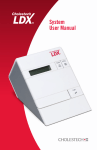
Cholestech LDX
System User Manual
®
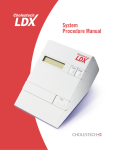
Cholestech LDX
System User Manual
Read Me First
Congratulations on the purchase of your Alere Cholestech LDX®
System. Please take a few minutes to examine the contents
of your package to be sure that nothing has been damaged in
shipment.
Be sure to read the instructions in this user manual before
operating the Alere Cholestech LDX® Analyzer. If you have any
questions now or in the future, please contact Alere.
Table of Contents
Introduction......................................................................4
Troubleshooting & Maintenance.....................................36
Examining Your Package Contents.............................................. 5
Cleaning..................................................................................... 36
How the Alere Cholestech LDX® Analyzer Works......................... 6
Precautions and Warnings......................................................... 37
Getting Started...............................................................10
Setting the Configuration Menu................................................. 12
Configuration Menu Flowchart................................................... 14
Corrective Action........................................................................ 38
Limited Warranty............................................................42
Alere Cholestech LDX® Optics Check........................................ 16
General Specifications....................................................43
Optics Check Cassette Test Procedure..................................... 17
Glossary of Terms...........................................................44
Testing Procedure...........................................................18
Contact Alere..................................................................45
Running a Test............................................................................ 18
Performing a Fingerstick............................................................ 22
Symbols..........................................................................46
®
Using Your MiniPet Pipettes..................................................... 25
Quality Control................................................................26
Results Outside the Control Range............................................ 28
Moderate Complex Tests................................................30
Risk Assessment............................................................31
Coronary Heart Disease (CHD) Risk Assessment Program....... 31
Performing a CHD Risk Assessment.......................................... 32
Risk Assessment Flowchart....................................................... 34
Risk Assessment Modeling........................................................ 35
2
Alere Cholestech LDX® System User Manual
Alere Cholestech LDX® System User Manual
3
Introduction
Examining Your Package Contents
The Alere Cholestech LDX® System is a small, portable analyzer
and test cassette system. It is easy to use and gives fast and
reliable results. To run a test, just add a sample to the cassette
and place it into the analyzer. In a few minutes the results will
appear on the screen.
When you receive your Alere Cholestech LDX® Analyzer, open the
shipping box and check the contents against the packing list.
Please save the shipping box for reuse if you plan to send the
Alere Cholestech LDX® Analyzer and supplies to other sites. The
Alere Cholestech LDX® System Includes:
The Alere Cholestech LDX® System is for in vitro diagnostic use
only. This manual contains all the information you need to operate
and care for the Alere Cholestech LDX® Analyzer. Please read this
entire manual before you use the analyzer.
Alere™ Product Support and Customer Service
Alere will provide every customer with the product support
and training needed to properly use the Alere Cholestech
LDX® System. We maintain a staff of qualified Product Support
Specialists available 24 hours a day, seven days a week.
•
•
•
•
•
•
•
•
•
•
•
Alere Cholestech LDX® Analyzer
Power Supply
Optics Check Cassette
User Manual
Accessory Tray
Capillary Tubes
Capillary Plungers
Single-use Lancets
MiniPet® Pipette
Pipette Tips
Alere™ Thermal Printer and Cable Assembly
A carrying case is available as an optional accessory.
(The carrying case is not intended for shipping the Alere
Cholestech LDX® Analyzer.)
In addition to these supplies, you may need the following
materials that are not provided with your Alere Cholestech LDX®
System:
•
•
•
•
•
•
•
4
Alere Cholestech LDX® System User Manual
Alere Cholestech LDX® Test Cassettes
Alere™ Level 1 and 2 Controls
Biohazardous waste containers
Alcohol swabs
Gloves
Gauze sponges
Vacuum collection tubes, needles and tube holders
if the sample is to be collected by venipuncture.
Alere Cholestech LDX® System User Manual
5
How the Alere Cholestech LDX®
Analyzer Works
The Alere Cholestech LDX® Analyzer uses reflectance photometry
(the amount of light reflected from a solid surface) to measure
the amount of substances in blood. The analyzer measures color
changes of the four reagent pads. The amount of color formed is
converted by the analyzer to a concentration and the results are
shown on the liquid crystal display (LCD) screen.
RUN:
1. Opens the cassette drawer and activates the analyzer
when the analyzer is hibernating.
2. Starts a test. Press the RUN button after a cassette is
placed in the drawer to start a test.
3. Allows you to enter information into the CHD Risk
Assessment Program and change settings in the
Configuration Menu when used with the DATA button.
DATA:
1. Allows you to review the results from the last cassette
tested.
Stop Button
2. Allows you to enter information into the Risk Assessment
Program.
3. Allows you to change settings in the Configuration Menu.
STOP:
1. Stops a test.
Data Button
Liquid Crystal
Display
2. Closes the drawer.
Run Button
3. Allows you to enter and exit the Configuration
Menu of the analyzer.
The drawer will close and the screen will go blank after four
minutes without use.
The Analyzer
The Alere Cholestech LDX® Analyzer has a 32-character display
screen and three buttons that control all the steps needed for
operation. The three buttons are labeled RUN, DATA and STOP.
6
Alere Cholestech LDX® System User Manual
Alere Cholestech LDX® System User Manual
7
In the back of the analyzer are two ports: a circular port for the
power supply and a rectangular port used for connecting the
analyzer to a printer. There is also a ROM pack that contains
upgradable firmware. The power supply provides the analyzer
with 9 volts DC at 1 amp. A country-specific power supply is
included.
NOTE: The Alere Cholestech LDX® Analyzer contains a battery
that cannot be replaced by the user. Battery life is greatly reduced
if the analyzer is left unplugged. To conserve this battery, we
recommend plugging in the analyzer when not in use.
The Test Cassettes
Cassette Type 1 is used for lipids, glucose, ALT and AST.
Cassette Type 2 is used for hsCRP only. Each test cassette has
two parts: the main body and the reaction bar. The main body
contains a sample well where the blood sample is dispensed,
and a brown magnetic stripe. The magnetic stripe contains the
test names, instructions to the analyzer for running the tests on
the cassette, and calibration information for converting the color
reading to test concentration.
Cassette Type 1
Cable Support
Power Socket,
9V—1A
Connects power
supply to analyzer.
Reaction Bar
Sample Well
ROM Pack
Contains upgradable
firmware.
Main Body
Magnetic Stripe
ROM Pack Clip
Cassette Type 2
Printer Port
Connects printer
to analyzer.
Reaction Bar
Sample Well
Magnetic Stripe
Main Body
8
Alere Cholestech LDX® System User Manual
Alere Cholestech LDX® System User Manual
9
Getting Started
Use your Alere Cholestech LDX® System in a location
that has:
•
•
•
•
Room temperature 68–87º F (20–31º C)
A stable work surface (NO centrifuges)
No direct heat (oven or room heater)
No bright light (sunlight or spotlight)
1. Check that the ROM pack is completely inserted and the
clip is in place.
NOTE: Do not remove the ROM pack while the analyzer
is plugged in. The analyzer will lose its optical calibration
and will no longer function.
NOTE: If these messages do not appear, check the power
connections. If these messages still do not appear, or if the screen
reads:
Calibration Fail
...Call Tech Serv
Contact Alere.
If the analyzer is not yet at the proper operating temperature
(warmed up), the screen will display:
Initial Warm-Up
**********
2. Insert the power supply plug into the round socket in the
back of the analyzer.
3. Plug the power supply into a surge protected power
outlet.
The following messages will appear on the screen:
Testing memory
Selftest running
Selftest OK
For Multi-Languages Only.
NOTE: The translations that show on the Alere Cholestech LDX®
Analyzer screen do not include the language accents due to
hardware limitations of the Alere Cholestech LDX® Analyzer’s
display.
10
Alere Cholestech LDX® System User Manual
Alere Cholestech LDX® System User Manual
11
Setting the Configuration Menu
Before using your Alere Cholestech LDX® Analyzer, you should
enter the Configuration Menu and set it to best meet your needs.
The following items can be customized:
Language
English, Italian, Spanish, German, French
Units
mg/dL= milligrams per deciliter
mmol/L = millimoles per liter
NOTE: U/L (units per liter) and mg/L (milligrams
per liter) will be reported when the Configuration
Menu is set for either UNITS=mg/dL or
UNITS=mmol/L.
Sample
Whole B. = Venous or capillary whole blood
Serum = Serum or plasma, calibration verification
or proficiency testing material
NOTE: Check the package insert for the test
cassette you are using to determine the correct
SAMPLE mode when testing quality control or
calibration verification material.
LDL/HDL ratio
12
No = LDL/HDL function turned off, TC/HDL
function turned on
Yes = LDL/HDL function turned on, TC/HDL
function turned off
Printer
On = printer function turned on
Off = printer function turned off
Number of
Copies
1 = 1 printed label
2 = 2 printed labels
3= 3 printed labels
Risk
CHD Risk= Framingham Risk on
Off=Risk assessment option is turned off
Date
Day of week, month, day, and year=English
Day of week, day, month, and year=Alternate
language settings
Time
Hour, minutes, seconds, AM/PM=English
Hour, minutes, seconds, (24 hour)=Alternate
language settings
Alere Cholestech LDX® System User Manual
1. To enter the Configuration Menu, press and hold down
the STOP button until the firmware version appears.
2. The first item in the Configuration Menu then will be
displayed.
3. The DATA button allows you to select choices for each
of the menu items in the Configuration Menu. The RUN
button enters your choice and advances you to the next
menu item.
4. You can press STOP at any time to exit the Configuration
Menu.
Example: The screen will display:
Config menu
UNITS=mg/dL
If you wish to change the units displayed, press the DATA button
to change to:
Config menu
UNITS=mmo1/L
When the desired choice is displayed, press the RUN button to
enter the choice and to advance to the next item.
Alere Cholestech LDX® System User Manual
13
Configuration Menu Flowchart
The analyzer allows you to customize function settings in the
Configuration Menu.
LCD Display:
To Access the Configuration Menu:
Firmware
Version
Press STOP on the analyzer and hold until
the FIRMWARE VERSION appears. The
next display will appear automatically.
Config menu
Lang=English
Press DATA to select LANGUAGE
CHOICES:
– English, Italiano, Español, Deutsch, or
Français
Config menu
UNITS=mg/dL
LCD Display:
To Access the Configuration Menu:
Config menu
num copies? 1
Press DATA to select COPY OPTIONS:
–2 (Two copies of test results will print.) or
–3 (Three copies of test results will print.)
Press RUN to continue.
Config menu
Risk=CHD Risk
–On (CHD Risk Assessment Program is
turned on.) or
Press DATA to select UNITS: mg/dL or
mmol/L
–Off (CHD Risk Assessment Program is
turned off.)
Press RUN to continue.
Press RUN to continue.
NOTE: U/L and mg/L will be reported when
NOTE: If the CHD Risk option is selected,
Press DATA to select SAMPLE MODE:
–Whole B. (Venous or capillary whole blood
samples.) or
the printer will not print test results until the
assessment is complete.
Config menu
Wed Mar 2, 2011
Press DATA to select MONTH: Jan–Dec.
Press RUN to continue.
Press RUN to continue.
Press DATA to select DAY: 1–31.
NOTE: Check the package insert for the test
Press RUN to continue.
cassette you are using to determine correct
Sample option when testing quality control or
calibration verification material.
Press DATA to select LDL/HDL RATIO
OPTION:
– No = reports TC/HDL ratio
– Yes = reports LDL/HDL ratio
Press RUN to continue.
Config menu
Printer on
14
Press DATA to select PRINTER OPTIONS:
–On (Printer function turned on.) or
Press DATA to select DAY OF WEEK:
Mon–Sun.
Press RUN to continue.
–Serum (Serum, plasma, or proficiency test
material.)
LDL/HDL ratio
Press DATA to select CHD RISK
ASSESSMENT PROGRAM OPTIONS:
Press RUN to advance to the next option.
the Configuration Menu is set for either
UNITS=mg/dL or UNITS=mmol/L.
Config menu
SAMPLE=Whole B.
–1 (One copy of test results will print.) or
Press DATA to select YEAR: 1999–2030.
Press RUN to continue.
Config menu
HH:MM:SS XX
XX = AM or PM
Press DATA to select HOUR: 1–12.
Press RUN to continue.
Press DATA to select MINUTES/SECONDS:
0–59.
Press RUN to exit Configuration Menu.
NOTE: When “English” is the selected language, AM or PM is
–Off (Printer function turned off.)
displayed. When any other language setting is selected, the hours are
shown in 24-hour format from 00:00 to 24:00 hours.
Press RUN to continue.
NOTE: Press STOP at any time to exit the Configuration Menu.
Alere Cholestech LDX® System User Manual
Alere Cholestech LDX® System User Manual
15
Alere Cholestech LDX
Optics Check
Optics Check Cassette
Test Procedure
An Alere Cholestech LDX® Optics Check Cassette is supplied with
the analyzer. It should be used to check the optical system of the
analyzer. Store the Alere Cholestech LDX® Optics Check Cassette
at room temperature in the case provided. Do not touch the
reaction bar or allow it to become wet, dirty or scratched. Do not
use a damaged or expired Alere Cholestech LDX® Optics Check
Cassette.
Do not use an Alere Cholestech LDX® Optics Check Cassette that
has become damaged or altered in any way.
®
Run the Alere Cholestech LDX® Optics Check Cassette:
•
•
Once each day before patient samples are tested.
After the Alere Cholestech LDX® System has been moved
or serviced.
NOTE: Do not place any blood sample on the cassette.
1. Press the RUN button. After verifying the Selftest OK
message, the drawer will open. This message will display:
Load cassette
and press RUN.
2. Place the Optics Check Cassette into the cassette
drawer.
3. Press the RUN button again and the analyzer will
automatically perform the optics check. The words Optics
Check and four numbers will display on the screen, one for
each optical channel in the analyzer.
Optics Check
ch#1-ch#2-ch#3-ch#4
4. Check to see that the numbers are within the acceptable
range, which is printed on the Optics Check Cassette.
Record the results in the Optics Check Log.
5. If the numbers are outside the printed range, this
message will display.
Optics Test Fail
ch#1-ch#2-ch#3-ch#4
6. If an expired Optics Check Cassette is used, this
message will display.
Expired Cassette
ch#1-ch#2-ch#3-ch#4
7. If an expired Optics Check Cassette is used, and then a
test cassette is used, this message will display following
the test results.
Expired
Optics Cassette
16
Alere Cholestech LDX® System User Manual
Alere Cholestech LDX® System User Manual
17
Testing Procedure
Running a Test
For more information, see the test cassette package inserts. The
Quick Reference Guide gives a brief summary of the procedure.
NOTE: Gloves should be worn whenever working with samples
that are potentially biohazardous.
NOTE: Fingerstick sample must be applied within minutes after
collection or the blood will clot. Check the package insert for the
test cassette you are using to determine the exact number of
minutes.
1. If the cassettes have been refrigerated, allow them to
come to room temperature (at least 10 minutes) before
opening.
2. Make sure the analyzer is plugged in.
3. Remove the cassette from its pouch. Hold the cassette
by the short sides only. Do not touch the black bar or
the brown magnetic stripe. Place the cassette on a flat
surface.
4. Press RUN. The analyzer will do a selftest, and the screen will display:
Selftest
running.
Selftest OK
7. Keep the cassette level after the sample has been
applied.
WARNING: Allowing the sample to sit in the
cassette will cause inaccurate results.
Immediately place the cassette into the drawer of the
analyzer. The black reaction bar must face toward the
analyzer. The brown magnetic stripe must be on the right.
The cassette should be placed in the center of the drawer.
5. The cassette drawer will open, and the screen will display:
Load cassette
and press RUN....(X)
X = W or S
X indicates current sample setting.
W= Whole Blood, S= Serum
6. Place the sample into the cassette well. Use the Alere
Cholestech LDX® Capillary Tube for fingerstick samples.
Use an appropriate MiniPet® Pipette for venous blood
samples and quality control, calibration verification, and
proficiency testing materials. Check the package insert for
the test cassette you are using to determine the volume
for the sample type you are using. See “Performing a
Fingerstick” and “Using Your MiniPet® Pipettes”, pages
22–25, for additional information.
18
Alere Cholestech LDX® System User Manual
8. DO NOT PUSH IN THE DRAWER. Press RUN. The
drawer will close. During the test, the screen will display:
[Test Name(s)]
Running****
9. Put everything that came into contact with the blood
samples or control, calibration verification or proficiency
testing material into a biohazardous waste container.
Alere Cholestech LDX® System User Manual
19
10. When the test is complete, the analyzer will beep, and the
screen will display:
[Test Name]=###
11. Press DATA to view the additional results.
12. When the results are outside the measuring range of the
test, the screen will display:
[Test Name]=###
or
[Test Name]=###
13. If there is a problem with the test, a message will appear on the
screen. (See the Troubleshooting & Maintenance section, pages
36–41, for further instructions.)
NOTE: If you do not want to run another test and the drawer is
open, press STOP to close drawer.
18. Otherwise, after four minutes a beep will sound and the
screen will display:
System timeout
RUN to continue
NOTE: If the RUN button is not pushed within 15 seconds, the
drawer will close and the screen will go blank.
19. If necessary, press the DATA button to view the results
from the last cassette tested.
NOTE: Pressing the RUN button will erase the previous result.
14. When the drawer opens, remove the cassette, and put
it in a biohazardous waste container. Leave the analyzer
drawer empty when not in use.
15. Record the results on the appropriate form.
16. To run another test cassette, press RUN once.
Load cassette
and press RUN....(X)
17. Repeat step 3, and steps 6 through 15.
20
Alere Cholestech LDX® System User Manual
Alere Cholestech LDX® System User Manual
21
Performing a Fingerstick
NOTE: A warm and clean hand with good blood flow from the
puncture site is essential to collect a good capillary sample.
Alere supplies a variety of capillary tube options. Check the
package insert for the test cassette you are using to determine the
appropriate capillary tube.
6. Squeeze the finger gently to obtain a large drop of blood.
Wipe away this first drop of blood, as it may contain
tissue fluid.
1. The patient should sit quietly for five minutes before
the blood sample is collected.
2. Put a capillary plunger into the end of an Alere™ capillary
tube with the colored mark. Set it aside.
3. Choose a spot on the side of one of the center
fingers of either hand. To help increase blood flow, the
fingers and hands should be warm to the touch. To warm
the hand, you can:
Preferred
fingerstick site
. Wash the patient’s hand with
warm water, or…
. Apply a warm (not hot) compress
to the hand for several minutes,
or…
. Gently massage the finger
from the base to the tip several
times to bring the blood to the
fingertip.
7. Squeeze the finger gently again while holding it
downward until a second large drop of blood forms.
Do not milk the finger. The puncture should provide a
free-flowing drop of blood.
8. Hold the capillary tube horizontally or at a slightly
descending angle by the end with the plunger. Touch it to
the drop of blood without touching the skin. The tube will
fill by capillary action up to the black mark. Do not collect
air bubbles. If it is necessary to collect another drop of
blood, wipe the finger with gauze then massage again from
base to tip until a large drop of blood forms.
4. Clean the site with an alcohol swab. Dry thoroughly
with a gauze pad before pricking the finger.
5. Firmly prick the selected site with a single-use lancet.
9. Fill the capillary tube within 10 seconds.
10. Wipe off any excess blood from the finger and have the
patient apply pressure to the puncture until the bleeding
stops.
22
Alere Cholestech LDX® System User Manual
Alere Cholestech LDX® System User Manual
23
Follow these suggestions to help you consistently perform
good fingersticks:
Suggestion
Reason
Perform a deep and firm
puncture.
An adequate puncture
is crucial to obtaining a
free-flowing drop of blood.
Keep the patient’s hand below
the level of his or her heart.
This will improve the
blood flow.
Hold the capillary tube at a
slight descending angle to the
drop of blood.
This will make the capillary
tube fill faster.
Fill the capillary in less than
10 seconds.
This will ensure proper mixing
of blood and anticoagulant,
which prevents clotting.
Dispense blood from the
capillary tube in less than
five minutes.
After five minutes, the blood
may begin to clot in the
capillary tube.
If blood stops flowing, wipe
finger firmly with gauze.
You can improve blood flow by
reopening the puncture.
WARNING: Squeezing the finger excessively may cause
inaccurate test results.
Using Your MiniPet ® Pipettes
Use this procedure to apply a sample of venous serum, plasma
or whole blood, or control, calibration verification or proficiency
testing material to the cassette. (See cassette-specific package
insert for volume amount.)
1. Firmly attach the pipette tip to the end of the MiniPet®
Pipette. Use a new tip for each sample.
2. To fill the pipette, push the plunger down as far as you
can. Place the pipette tip into the sample and slowly
release the plunger. Confirm that no air bubbles are in the
pipette tip.
3. Place the pipette tip into the cassette sample well.
Dispense the sample by pressing the plunger down. Move
the pipette tip out of the sample well before releasing the
plunger again.
4. Remove the pipette tip and put it into a biohazardous
waste container.
NOTE: If the plunger is released before the pipette tip is removed
from the sample well, the sample may be drawn back into the
pipette tip.
NOTE: Keep the cassette level at all times after applying the
sample.
For additional information about proper handling of blood
specimens, see the package insert for the test cassette you
are using.
24
Alere Cholestech LDX® System User Manual
Alere Cholestech LDX® System User Manual
25
Quality Control
External quality control material should be run routinely to show
that your system is giving accurate results. Alere recommends
the following quality control procedures for the Alere Cholestech
LDX® System.
Choosing Quality Control Materials
Liquid Level 1 and Level 2 controls that work well with the Alere
Cholestech LDX® System are available. If you use other
controls, you will need to establish ranges for the Alere
Cholestech LDX® System.
Handling Controls
• Follow the instructions that come with your controls.
• Check the expiration date before using. Do not use
expired control material.
• Use the appropriate MiniPet® Pipette. Check the package
insert for the test cassette you are using to determine the
volume for the controls.
• Run the Alere Cholestech LDX® Analyzer in the
appropriate SAMPLE mode. See “Setting the
Configuration Menu” on page 12. Check the package
insert for the test cassette you are using to determine the
SAMPLE mode for quality control material.
• See “Running a Test” for the procedure.
External Quality Control
External quality control material should be used to demonstrate
that the reagents and the assay procedure perform properly.
Good Laboratory Practice principles suggest that controls should
be run whenever the laboratory director has any question about
test system integrity, reagent storage conditions, or the reliability
of any test result. If the controls do not perform as expected,
repeat the test or contact Alere before testing patient samples.
Controls should be tested:
•
•
•
•
•
With each new lot of cassettes.
With every new shipment of cassettes, even if the lot has
been received previously;
When reagents may have been stored or handled in a way
that can degrade their performance;
As otherwise required by your laboratory’s standard
quality control procedures;
As otherwise required by federal, state and local
guidelines.
Record the results in a Quality Control Log.
The quality control results should be in range before
testing patient samples. See “Results Outside the Control
Range” on page 28 if they are not.
Please call Alere to report any problems or if you have any
questions about quality control.
Control Range
Results for Alere™ controls should be within the ranges on the
expected value card, included with the control.
Results Within Control Range
If results for all tests are within the expected ranges for both
levels of controls, patient samples may be tested and the results
reported.
26
Alere Cholestech LDX® System User Manual
Alere Cholestech LDX® System User Manual
27
Results Outside the Control Range
If results of one or both levels of control tested are outside the
established ranges:
1. Verify that the lot number on the control vial and the
assay sheet are the same.
2. Check the expiration date for the test cassette and quality
control materials. Discard expired products.
Quality Control Flow Diagram
Begin Testing
of quality control material
Are Results within
Acceptable Limits?
Yes
No
RECORD results on
Quality Control Log
Verify expiration date on:
Quality control
material Cassette
RETEST with sample from
same control vial using
NEW cassette.
3. Retest the control level that is out of range using a new
sample from the same control vial. Pay careful attention to
possible errors in technique.
If the control is within acceptable limits, patient samples may be
tested and results reported.
If the control is outside the acceptable limits, retest with a sample of
control from a new vial.
•
•
If results are in range, continue testing patient samples.
If the control is still outside the acceptable limits, contact
Alere. Do not use the analyzer for testing patient samples
until the problem is resolved.
CONTINUE TESTING
patient samples
Yes
Within
Limits?
No
RETEST with sample from
a NEW control vial using a
NEW cassette
Yes
Within
Limits?
No
Call Alere
28
Alere Cholestech LDX® System User Manual
Alere Cholestech LDX® System User Manual
29
Moderate Complex Tests
Risk Assessment
If you are running a test cassette that is categorized as moderate
complexity (nonwaived) under CLIA, note the following:
Coronary Heart Disease (CHD)
Risk Assessment Program
The Alere Cholestech LDX® CHD Risk Assessment Program is
based on data from the Third Report of the National Cholesterol
Education Program (NCEP) Expert Panel on Detection, Evaluation,
and Treatment of High Blood Cholesterol in Adults.* The
relationship between these risk factors and CHD is derived from the
Framingham Study.
Sample Type
Any appropriate sample type may be used—fingerstick (capillary)
or venous whole blood, serum or heparinized plasma. Check the
package insert for the test cassette you are using to determine
the appropriate sample type(s). When running serum or plasma,
change the SAMPLE mode in the Configuration Menu to “Serum.”
Quality Control Recommendations
Controls should be tested:
•
•
•
•
•
With each new lot of cassettes;
With every new shipment of cassettes, even if the lot has
been received previously;
When reagents may have been stored or handled in a
way that can degrade their performance;
As otherwise required by your laboratory’s standard
quality control procedures;
As otherwise required by federal, state and local
guidelines.
Optics Check Cassette
The Optics Check Cassette should be run each day that patient
samples are tested.
Proficiency Testing
Proficiency testing is required when testing under CLIA
moderately complex (nonwaived) status. Call Alere for more
information on proficiency testing agencies.
Calibration Verification
Call Alere for recommended Calibration Verification material.
The Framingham Study documents and tracks the effects of
variables involved in the development of CHD. The age range for
the study is 20–79 years, and includes both men and women.
The risk assessment program may be used with any test
cassette that provides results for both total cholesterol and
HDL cholesterol. This program calculates the percentage risk of
developing coronary heart disease (CHD) over 10 years based on
test results and the following risk factors:
•
•
•
•
•
•
Sex (male, female)
Smoking (yes, no)
Age (20–79)
SBP (systolic blood pressure)
SBP has been treated or not treated
The risk calculation is valid for persons 20–79 years of
age who are currently free of CHD.
Although the effects of family medical history, obesity and
exercise may be relevant, they were not included as separate
risk factors in the risk assessment developed by the Framingham
Study.
*Expert Panel on Detection, Evaluation, and Treatment of High Blood Cholesterol in Adults. Executive
summary of the Third Report of the National Cholesterol Education Program (NCEP) Expert Panel on
Detection, Evaluation, and Treatment of High Blood Cholesterol in Adults (Adult Treatment Panel III). JAMA
2001; 285:2486-97.
NOTE: Read the package insert for the test cassettes you are
using for any special instructions.
30
Alere Cholestech LDX® System User Manual
Alere Cholestech LDX® System User Manual
31
Performing a CHD Risk Assessment
See “Setting the Configuration Menu” (pages 12–13).
When “Risk=” appears, select CHD Risk.
1. After a cassette is run that includes total cholesterol (TC)
and HDL cholesterol results, press the DATA button until
CHD Risk Assessment Program screen appears.
The screen will display:
Risk?
RUN=yes, STOP=no
2. Press the RUN button to enter the CHD risk data screens.
These screens will look like this:
CHD risk data
Smoke=no
3. Press the DATA button to select patient risk factor data
options. Press the RUN button to enter your selection,
and advance to the next screen for the next patient risk
factor data.
5. Press the DATA button to move to the next screen. If print
option in the Configuration Menu has been set to “On,”
the screen will display:
Print?
RUN=yes, STOP=no
6. If print option in the Configuration Menu has been set to
“Off,” the screen will display:
End of Data Info
7. If print option in the Configuration Menu has been set
to “On” and the answer to “Print?” is “yes,” the Risk
Assessment result will be printed along with the regular
test results. If the answer to “Print?” is “no,” only regular
test results will be printed.
8. You may exit the CHD Risk Assessment Program by
pressing STOP at any time during the program. The result
will be N/A.
4. After all patient risk factor data needed for the CHD Risk
Assessment Program has been entered, the result will be
displayed like this:
10-Year CHD
Risk=13%
32
Alere Cholestech LDX® System User Manual
Alere Cholestech LDX® System User Manual
33
Risk Assessment Flowchart
The Alere Cholestech LDX® Analyzer allows you to access a CHD
Risk Assessment Program based on the Framingham Study. To
access this program, you must first run a patient sample on a
test cassette that includes both total cholesterol (TC) and HDL
cholesterol.
LCD Display:
To Access the Program:
TC=231 HDL=38
non-HDL=193
When the RESULTS appear on the screen,
press DATA to move to the next screen.
TC/HDL=6.1
Press DATA again to move to the RISK
ASSESSMENT PROGRAM.
Risk?
RUN=yes,
STOP=no
Press RUN to move to risk factors screens.
CHD risk data
Age=40-44
Press DATA to select AGE range from: 20-34,
35-39, 40-44, 45-49, 50-54, 55-59, 60-64,
65-69, 70-74, and 75-79.
Press RUN to advance to the next risk factor
screen.
Press DATA to select GENDER:
Male or Female.
Press RUN to advance to the next risk factor
screen.
CHD risk data
Smoke=No
Press DATA to select SMOKING option:
– Yes (Cigarette smoker, or quit within the last
year.) or
To Access the Program:
Press DATA to select BLOOD PRESSURE
Treatment:
– Yes or
– No
Press RUN to advance to the risk assessment
result screen.
Risk=1%
Percentage risk of developing CHD within 10
years is displayed.
CHD Risk Assessment Modeling
After running a test and performing an initial risk assessment,
the Alere Cholestech LDX® CHD Risk Assessment Program
allows you to change the information in the file to see how these
changes will impact the patient’s risk of CHD. This helps to
illustrate the effect that lifestyle changes can have. Only manually
entered items can be modified.
1. Recall the patient’s test results by pressing DATA.
2. Press the DATA button until the CHD Risk Assessment
Program screen appears. The screen will display:
Risk?
RUN=yes, STOP=no
Press RUN to advance to the next risk factor
screen.
3. Press the RUN button to advance to the risk factor data
you wish to modify. Follow the same instructions for
performing a CHD risk assessment.
Press DATA until you reach the desired
SYSTOLIC BLOOD PRESSURE LEVEL
range from: <120, 120-129, 130-139,
140-159, and >=160.
5. To exit the CHD Risk Assessment Program, press STOP.
–No
CHD risk data
SBP=120-129
CHD risk data
BP Treated=No
10 Year CHD
Press RUN to advance to the next risk factor
screen.
CHD risk data
Sex=M
LCD Display:
4. When finished, the new percentage risk of developing
CHD (providing the patient makes the identified changes)
will be displayed.
Press RUN to advance to the next risk factor
screen.
34
Alere Cholestech LDX® System User Manual
Alere Cholestech LDX® System User Manual
35
Troubleshooting & Maintenance
Cleaning
Precautions and Warnings
®
NOTE: Unplug Alere Cholestech LDX Analyzer prior to cleaning.
•
•
No maintenance is required other than routine cleaning.
Routine cleaning:
• Clean the outside of the Alere Cholestech LDX®
Analyzer case with a clean, damp cloth. If necessary,
a mild detergent or disinfectant (such as a 5% bleach
solution) may be used.
Do not immerse the analyzer in water or other
cleaning fluid. Do not use any abrasive cleanser.
• When necessary, clean inside the cassette drawer
with a cotton swab moistened with water, a 70%
isopropyl alcohol solution, a 5% bleach solution, or
disinfectant. Dry with a second (unused) cotton swab.
•
•
•
•
•
•
•
•
•
•
36
Alere Cholestech LDX® System User Manual
Always press STOP. Make sure that the cassette drawer
is closed and the screen is blank before unplugging the
power supply.
Do not remove the ROM pack while the analyzer
is plugged in.
Do not allow any liquid, except the sample in a cassette,
inside the analyzer case. If a liquid is spilled on the
analyzer, unplug the power supply and call Alere at once.
The analyzer drawer must be left empty when not in use.
Do not store cassettes in the analyzer.
The analyzer must be handled carefully to avoid damage
when moving from site to site. Carry only one analyzer
in an Alere Cholestech LDX® Carrying Case. Do not use
the Alere Cholestech LDX® Carrying Case to ship the
analyzer. Do not use the Alere Cholestech LDX® Carrying
Case for air travel as checked baggage. The analyzer
should be shipped in its original box.
There are no user adjustments in the analyzer. Do not
remove the cover of the analyzer. This will void the
warranty agreement.
Do not attach any printer or computer to the analyzer
unless using the cable recommended by Alere.
Keep fingers clear of the cassette drawer when it moves
in or out of the analyzer.
Protect cassettes from magnetic fields that could damage
the magnetic stripe (e.g., magnetic stirrer).
Refer to the package insert that accompanies Alere
Cholestech LDX® test cassettes for precautions specific
for testing with each cassette.
Alere Cholestech LDX® System User Manual
37
Corrective Action
Error Message Problem
WARN 1
WARN 2
WARN 7
A/D Error
Bad Checksum
Calibration
Fail
Call Tech
Service
Action to Take
Unacceptable
temperature
variation during
test run.
Move the analyzer to
another location, or wait
until the current location
reaches acceptable
temperature.
Cassette
expiration date,
month has been
reached.
Check calendar in the
analyzer to make sure it
is set correctly. Check
expiration date on cassette
pouch or box.
Kinetic reaction
for ALT & AST was
not linear.
Repeat the test with a
new cassette. If message
reappears, call Alere.
Internal hardware
problem
Disconnect/Reconnect
analyzer from power
supply. If message
reappears, call Alere.
Indicates a
defective ROM
pack
Unplug the analyzer.
Remove ROM pack and
install a ROM pack from an
analyzer that is functional.
If analyzer is functional
with the ROM pack, then
the problem is the ROM
pack and it will have to be
replaced. Call Alere.
An electrical
problem occurred,
or the analyzer
lost its optical
calibration
information.
Disconnect/Reconnect
analyzer from power
supply. If message
reappears, call Alere.
Error Message Problem
Data file
empty
Action to Take
This is a normal
message
that appears:
1. When the optics check
has been run and DATA
button is pushed.
2. A cassette has been run,
the power supply has been
unplugged from the analyzer,
and DATA button is pushed.
3. When an error message
occurs, i.e., “Used
Cassette,” and DATA
button is pushed.
End of data
info
This is a normal
message that
appears:
1. CHD risk is off and
DATA button is pushed
twice after results appear.
2. Framingham risk is on and
the STOP button is pushed
when “Risk? – RUN=yes,
STOP=no” appears.
Expired
Cassette
Cassette
expiration date,
month has been
reached.
Check calendar in the
analyzer to make sure it
is set correctly. Check
expiration date on cassette
pouch or box.
Low Battery
Internal battery
voltage is too low.
Call Alere. Internal battery
is not user serviceable.
Mag Read
Error
See User
Manual
Unable to read
magnetic stripe on
the cassette.
1. Wipe magnetic stripe
with a soft tissue and
restart test. If second test
fails, repeat test using a new
cassette.
2. Check cassette position;
magnetic stripe must be on
the right.
3. If message reappears,
call Alere.
RUN button
pushed without
cassette in drawer
38
Alere Cholestech LDX® System User Manual
Place cassette in drawer
before pushing RUN
button.
Alere Cholestech LDX® System User Manual
39
Error Message Problem
Optics Test
Fail
See User
Manual
A problem with
the optical system
of the analyzer
or a faulty Optics
Check Cassette.
Repeat optics check with
another Optics Check
Cassette. If the message
reappears, call Alere.
The analyzer will now be
deactivated.
Reaction Did
Not Occur
(nnnn)
Insufficient
sample volume
was applied to
the cassette due
to air bubbles or
incompletely filled
capillary tube or
pipetting error.
1. Repeat test with a
new cassette and new
fingerstick sample.
Insufficient sample
volume reached
reaction pads due
to high hematocrit
of sample.
Repeat test with a new
cassette and new fingerstick
sample. If message
reappears, test patient by
alternate method.
Improper sample
collection: Sample
clotted because it
was left in capillary
tube too long.
Repeat test with a
new cassette and new
fingerstick sample. Pay
close attention to proper
technique.
Improper sample
collection: Finger
was milked to
obtain sample, or
capillary tube was
filled too slowly.
Repeat test with a
new cassette and new
fingerstick sample. Pay
close attention to proper
technique.
The cassette is
malfunctioning.
Repeat test with a new
cassette.
The humidity
sensor has
become
disconnected or
has failed.
Call Alere.
RH Sensor
Fail
40
Action to Take
Alere Cholestech LDX® System User Manual
2. Repeat test with a new
pipette tip and cassette.
Be sure pipette tip is firmly
in place.
Error Message Problem
Action to Take
Selftest
Fail
analyzer has lost
internal memory;
temperature
malfunction or
hardware problem.
Disconnect/Reconnect
analyzer from power
supply. If message
reappears, call Alere.
Temp Too
High
See User
Manual or
Temperature
Out of Range
The analyzer
is in an
environment
outside its proper
temperature
range.
Move the analyzer to
another location or wait
until the current location
reaches acceptable
temperature.
Too Much
Light
See User
Manual
The analyzer is in
an environment
with excessively
bright light.
Move the analyzer to
a location with less
light. When light level is
acceptable, it will again
become operable.
Tray Timeout
See User
Manual
The cassette is
jammed in the
tray.
Press RUN; the drawer
will come out. Replace the
cassette flat in the drawer
and press RUN button.
The
microprocessor is
confused because
the buttons were
pressed too
quickly.
Disconnect/Reconnect
analyzer from power
supply. Repeat test with a
new cassette. If message
reappears, call Alere.
A previously used
cassette has been
placed in the
analyzer.
Repeat test with a new
cassette.
Dispose of used cassette
appropriately.
The cassette was
placed in the
drawer incorrectly.
Repeat test with a new
cassette. Call Alere if
message reappears.
The cassette is
malfunctioning.
Repeat test with a new
cassette.
Used
Cassette
(nnnn)
Alere Cholestech LDX® System User Manual
41
Limited Warranty
Should a malfunction occur, contact Alere. If Alere determines
that the Alere Cholestech LDX® Analyzer should be returned,
and the analyzer is within warranty, you will be assigned a return
authorization number and be provided shipping instructions. If
your analyzer is not in warranty, replacement options will be made
available to you. Should you choose to exercise a replacement
option through Alere, a return authorization number and shipping
instructions will be given to you.
The Limited Warranty above shall not apply if the Customer has
subjected the Product to physical abuse, misuse, abnormal
use, use inconsistent with the Product Manual or Insert, fraud,
tampering, unusual physical stress, negligence or accidents. Any
warranty claim by Customer pursuant to the Limited Warranty shall
be made in writing within the applicable Limited Warranty period.
Immediately after the return has been authorized, Alere will send
out a replacement Alere Cholestech LDX® Analyzer. Return the
malfunctioning analyzer to Alere. Note the return authorization
number on both the shipping box and the airbill and send the
analyzer back to Alere as soon as possible following receipt of the
replacement analyzer.
General Specifications:
Disposal Procedure
Operating Voltage
The product may come into contact with blood during testing.
Used products therefore carry a risk of infection. When disposing
of an analyzer that has been utilized, please do so in accordance
to the regulations applicable in your country. For information about
correct disposal, please contact your local council or authority.
The product falls outside the scope of the European Directive
2002/96/EC (directive on Waste Electrical and Electronic
Equipment (WEEE)).
For the applicable warranty period, Alere warrants that each
product shall be (I) of good quality and free of material defects,
(II) function in accordance with the material specifications
referenced in the product manual, and (III) approved by the proper
governmental agencies required for the sale of products for their
intended use (the “Limited Warranty”). If the product fails to meet
the requirement of the limited warranty, then as a customer's sole
remedy, Alere shall either repair or replace, at Alere's discretion,
the product. Except for the limited warranty stated in this section,
Alere disclaims any and all warranties, express or implied, including
but not limited to, any warranty of merchantability, fitness for a
particular purpose and non-infringement regarding the product.
Alere's maximum liability with any customer claim shall not exceed
the net product price paid by customer. Neither party shall be liable
to the other party for special, incidental or consequential damages,
including, without limitation, loss of business, profits, data or
revenue, even if a party receives notice in advance that these kinds
of damages might result.
42
Alere Cholestech LDX® System User Manual
Normal Environmental Conditions
•
+9 volt DC at 1 amp
Environmental Conditions
•
•
•
•
•
Indoor use
Altitude up to 6,561 feet (2,000 meters)
Temperature 68 – 87°F (20 – 31°C)
Relative humidity from 20% to 80%
Pollution degree: Class 2
If the equipment (Alere Cholestech LDX® Analyzer) is used in a
manner not specified by the manufacturer, the protection provided by
the equipment may be impaired.
Alere Cholestech LDX® System User Manual
43
Glossary of Terms
Contact Alere
ALT (GPT):
Alanine Aminotransferase (glutamic pyruvic transaminase)
Alere™ Product Support
AST (GOT):
Aspartate Aminotransferase (glutamic oxalacetic transaminase)
CLIA:
Clinical laboratory improvement amendments
HDL:
High density lipoprotein
hsCRP:
High sensitivity C-Reactive protein
Contact one of the following Alere™ Product Support Care
Centers or your local distributor if you have any questions
regarding the use of your Alere™ product. You may also contact
us at www.alere.com.
Europe & Middle East
+ (44) 161 483 9032
[email protected]
Asia Pacific
+ (61) 7 3363 7711
[email protected]
In Vitro Diagnostic:
A diagnostic test done outside the body
Africa, Russia, & CIS
+ (972) 8 9429 683
[email protected]
ROM:
Read-only memory
Latin America
+ (57) 01800 094 9393 [email protected]
Return Policy
Please contact Alere™ Product Support prior to returning any
defective components. Refer to the Contact Alere section for
additional information.
44
Alere Cholestech LDX® System User Manual
Canada
+ (1) 613 271 1144
[email protected]
US
+ (1) 877 308 8289
[email protected]
Alere™ Customer Service
Contact the following Alere™ Service Care Center or your local
distributor for order and billing assistance. You may also contact
us at www.alere.com.
Phone
E Mail Address
+ (1) 877 441 7440
[email protected]
Alere Cholestech LDX® System User Manual
45
Symbols
In vitro diagnostic
Medical Device
Use By
Symbols
CE Mark
Manufacturer
Consult Instructions
for Use
Contents
Catalogue Number
Batch Code
Control
Level 1, 2, 3 and 4
Calibration
Verifcation
Restriction of Use
of Hazardous
Substance
Compliance
Indicates compliance
of CAN/CSA-C22.2
No. 6110-1 2nd
edition including
Amendment 1
TÜV Rheinland
Product Safety
Certifcate for USA
and Canada
Printer Port
Input
Authorized
Representative
in the European
Community
Biological Risks
Caution, Consult
accompanying
Documents
Direct Current
Waste Electrical
& Electronic
Equipment
This Direction Up
Fragile
Keep Dry
Temperature
Limitation
Sufficient for <n>
Do Not Reuse
st
er
enc
*
MLN
ab
e M eth o d L
tw
CR
fe r
Ne
ole
Re
ry
*Ch
ol
ork
For Professional Use Only
or
at
o
TÜV
Rheinland
Product Safety
Biohazard
46
Telephone
Alere Cholestech LDX® System User Manual
CRMLN Certified
TÜV Rheinland Product Safety Certificate demonstrating full
compliance with the GPSG (German equipment safety law)
for Germany, but it also demonstrates compliance to the LVD
(minimum EU requirement)
Alere Cholestech LDX® System User Manual
47
12-298
Alere San Diego, Inc.
9975 Summers Ridge Road
San Diego, CA 92121 USA
www.alere.com
MDSS GmbH
Schiffgraben 41
30175 Hannover
Germany
The Alere Logo, Alere and Cholestech LDX are trademarks of the Alere group of companies. MiniPet is a trademark of TriContinent Scientific, Inc.
© 2011 Alere. All rights reserved.
PN: 26189en Rev. B 2011/03