1
Network Video Recorder Quick Start Guide
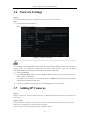
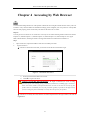
device starts up. You can click YES and follow the wizard to set a strong password.
Figure 3. 4 Warning of Weak Password
3.4 Login and Logout
User Login
Purpose:
If NVR has logged out, you must login the device before operating the menu and other functions.
Steps:
1.
Select the User Name in the dropdown list.
Figure 3. 5 Login
2.
Input Password.
3.
Click OK to log in.
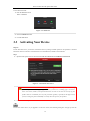
In the Login dialog box, if you enter the wrong password 7 times, the current user account will be locked for 60
seconds.
Figure 3. 6 Account Lock
20