1
Dok-Nr. 85122
Script Language for programmable CAN Terminals
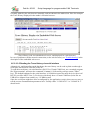
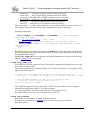
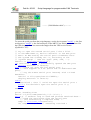
is usually added by the web browser internally, and not shown in the address bar. Here for example
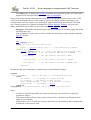
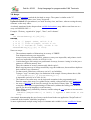
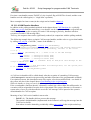
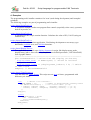
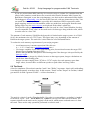
the Trace History displayed in the author's favourite browser:
(Trace History read via embedded web server, and displayed in a web browser)
In case of problems with the network connection (or the web browser), see 'Troubleshooting' in the
description of the embedded web server.
6.5 2.3.3.5 Reading the Trace History via serial interface
Alternatively, and depending on the hardware, the trace history can be read as plain text through a
serial port, and saved as a text file on the PC.
To read the trace history via serial interface (RS-232 or Virtual COM Port), use a terminal program
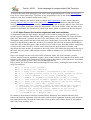
like 'Hyperterminal', and enter the command ***trace*** followed by carriage return ("Enter"
key). The default baudrate for the serial interface is 19200 bits/second for most devices with a 'real'
RS-232 port (like MKT-View 2). For device which only have a Virtual COM Port (looks like an
USB device adapter from outside), try 115 kBit/second.
Since the serial port might have been reconfigured by the application (script), theres no easy way to
tell the correct communication parameters here. Usually either "115200 8-N-1" or "19200 8-N-1"
should work.
© MKT / Dok.-Nr. 85122
Version 2.0
19 / 138