1
IR/09/074; Version 2
Last modified: 2010/03/25 09:11
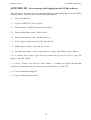
APPENDIX M1. Error message while logging into the STARe software.
This procedure is necessary if an error message is received when attempting to start the STARe
software system. This procedure restarts the INGRES database.
1.1
Log off AD domain.
1.2
Log in as ‘KWP19767 (this computer)’.
1.3
Enter username ‘INGRES’ and password ‘weiqing1’.
1.4
From the Start Menu, select ‘Control Panel’.
1.5
Select ‘Administrative Tools’ and then ‘Services’.
1.6
Select ’Ingres intelligent database [II]’ from the list.
1.7
Within the new window, select the ’log on’ tab.
1.8
Fill in the log in name ’.\ingres’ and password ‘weiqing1’ and click the ’Apply’ button.
1.10 A window ‘The account .\ingres has been granted the Log On As A Service right’ will
appear. Click ‘OK’ button.
1.11 On the ‘General’ tab, click the ‘Start’ button.
A window will appear advising that
‘Windows is attempting to start the Ingres Intelligent Database II’. Click ‘OK’.
1.12 Close all windows and log off.
1.13 log on AD domain as per usual.
22