1
BMS-Plus
User’s Manual
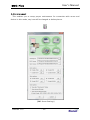
[EKG3000 / Cardio7 Set-up screen]
3.2 CardioXP
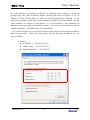
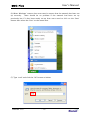
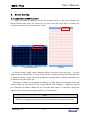
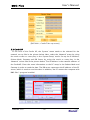
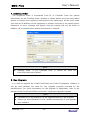
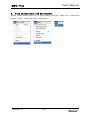
In the case of the Cardio XP, the ‘System’ menu needs to be selected for the
network set-up like in the picture below. Next, select the ‘Network’ menu by using
the touch screen or rotary key in the ‘System Setup’ mode. Set up the IP Address,
Subnet Mask, Gateway and DB Server by using the touch or rotary key in the
‘Network’ screen like in the picture below. The IP Address is the network address of
the CardioXP. Enter the same information as the PC setup in the Subnet Mask and
Gateway in order to send the data. The DB server represents the IP address of the PC
server, which is used to send the data. In addition, the PC means the computer with
BMS-Plus™ program installed.
Version 1.13
- 16-