1
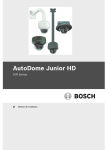
AutoDome Junior HD Series
Table of Contents | en
3
Table of contents
1
Safety
6
1.1
Important Safety Instructions
6
1.2
Safety Precautions
7
1.3
Important Notices
1.4
Customer Support and Service
12
2
Unpacking
13
2.1
Parts List
13
2.2
Safety Rules
13
3
Description
14
4
Installing a Surface Mount
16
4.1
Description
16
4.1.1
Additional Tools Required
16
4.1.2
Preparing the Surface Mount for an Indoor Installation
16
4.1.3
Installing the Camera to the Mounting Plate
18
5
Installing a Wall Mount
22
5.1
Description
22
5.1.1
Additional Tools Required
22
5.1.2
Preparing the Wall Mount for an Indoor Installation
22
5.1.3
Installing the Camera to the Mounting Plate
24
6
Installing a Recessed Mount
29
7
Installing a Pipe Mount
30
7.1
Description
30
7.1.1
Tools/Supplies Required
30
7.1.2
Preparing the Ceiling for Installation
30
7.1.3
Installing the Camera to the Mounting Plate
35
8
Preparing the Wiring
39
8.1
Power
39
8.2
Connecting the Power
39
8.2.1
Power Connections to Indoor Cameras
40
8.3
Ethernet Connection (IP models)
40
9
Audio, Alarms and Relay Connections
42
9.1
Alarm Input
42
9.2
Connecting Alarms (inputs 1 through 2)
42
9.2.1
Connecting a Normally Open Alarm
42
9.2.2
Connecting a Normally Closed Alarm
43
9.3
Alarm Outputs
44
9.3.1
Connecting an Open Collector Output
44
9.4
Audio Cables
44
10
Getting Started
46
10.1
Powering On
46
11
Using the IP Interface
47
11.1
Overview of Features
47
11.2
System Requirements
48
11.3
Connecting the AutoDome Junior HD to the PC
49
11.4
Configuring the AutoDome Junior HD Camera
49
11.4.1
Changing the Network Settings
50
11.5
The Livepage
52
Bosch Security Systems, Inc.
8
Operation Manual
2014.11 | 6.1 | F.01U.275.803