1
CONNECTING THE OPS300
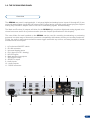
3-1. CONNECTING THE OPS300
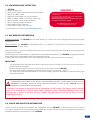
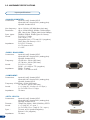
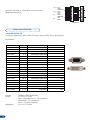
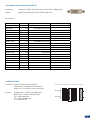
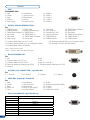
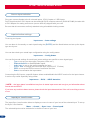
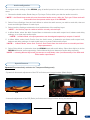
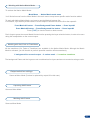
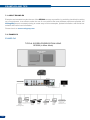
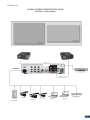
The OPS300 can be set up with up to 12 different sources, and will drive up to 2 digital DVI-D sources, 2 SDSDI sources and 8 analog computer/video sources simultaneously. The versatility of the OPS300 will allow
for almost any event configuration and cater for all your projection needs.
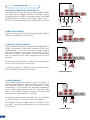
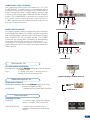
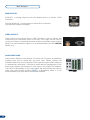
The intuitive rear panel of the OPS300 will let you set up for the first time quickly and easily. Here is an
example of a typical OPS300 setup.
ANNUAL SALES REPORT
TITLE 1
PIP 2
PIP 1
LIVE BACKGROUND
STAGE
Main out
Preview
Monitor
Sources
Preview out
Computer
(Live Background)
20
HD-Cam HD-Cam
(PIP 1)
(PIP 2)
Laptop
(Background Frame)
Laptop
(PIP 1)
Laptop
(PIP 2)
DVD/BluRay
(Live Background)