1
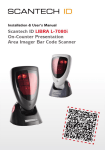
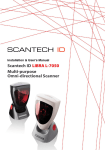
Installation & User’s Manual Scantech-ID LIBRA L-7080i On-Counter Presentation Area Imager Bar Code Scanner Copyright© 2012, Scantech-ID BV This manual is copyrighted, with all rights reserved. Under the copyright laws, this manual may not, in whole or in part, be copied, photocopied, reproduced, translated or converted to any electronic medium or machine readable form without prior written consent of Scantech-ID. Limited Warranty Under all circumstances this manual should be read attentively, before installing and/or using the product. In no event shall Scantech-ID be liable for any direct, indirect, special, consequential or incidental damages arising out of the use or inability to use this documentation or product, even if advised of the possibility of such damages. In particular, Scantech-ID shall not be liable for any hardware, software, or data that is stored or used with the product, including the cost of repairing, replacing or recovering the above. Scantech-ID reserves the right to change parts of the device at any time without preceding or direct announcement to the client. Scantech-ID reserves the right to revise this manual, and to make changes in the contents without obligation to notify any person or entity of the revision or change. A serial number appears on the product. Make sure that this official registration number has not been removed. It should be used whenever servicing by Scantech-ID or an authorized Scantech dealer is necessary. Important This equipment has been tested and found to comply with the limits for a Class B digital device, pursuant to EN55022, and with the limits for a class A digital device, pursuant to part 15 of the FCC rules. These limits are designed to provide reasonable protection against harmful interference when the equipment is operated in a commercial environment. This equipment generates, uses, and can radiate radio frequency energy and, if not installed and used in accordance with the user’s manual, may cause harmful interference to radio communications. Operation of the equipment in a residential area is likely to cause harmful interference in which case the user will be required to correct the interference at his own expense. Any unauthorized changes or modifications to this equipment could void the user’s authority to operate this equipment. For CE-countries: – LIBRA is in conformity with the CE standards. Please note that a Scantech CE-marked power supply unit should be used to conform to these standards. P/N: 0145-SIL0051 V3.0 Oct. 2013 iii Table of contents Preface ......................................................................................1 Chapter 1 Product Safety ..............................................................4 1.1 PRODUCT SAFETY.......................................................................... 5 1.2 DECLARATION OF CONFORMITY ................................................. 6 Chapter 2 Installation ...................................................................8 2.1 UNPACKING ..................................................................................... 9 2.2 CONNECTING ................................................................................ 11 2.3 ADJUSTING .................................................................................... 12 2.4 POWERING ..................................................................................... 13 Chapter 3 Using LIBRA L-7080i ...................................................... 14 3.1 SCANNING BARCODES ................................................................ 15 3.2 MAINTAINING ................................................................................. 17 Chapter 4 Applications ................................................................ 18 Appendices ............................................................................... 20 A. CONNECTOR TYPES AND PIN DEFINITIONS ............................. 23 B. TECHNICAL SPECIFICATIONS .................................................... 25 C. TROUBLESHOOTING .................................................................... 27 1 Preface The LIBRA L-7080i is an omni-directional presentation area imager bar code scanner, it uses digital imaging technology to provide intuitive and fast reading of 1D and 2D bar codes as well as supporting more advanced features like image capture deactivation. Despite its small size, the L-7080i reader provides great performance and reliability along with a rich feature set to provide excellent value in virtually any desktop presentation bar code scanning system. When space is limited but high performance is required, look no further than the L-7080i reader. Its compact size and footprint make it the ideal solution for spaceconstrained environments. Its precise imaging scan volume is perfect for hands-free scanning in confined spaces and helps reduce accidental misreads of items, improving productivity and customer satisfaction. Like all Scantech-ID bar code scanners, the L-7080i reader includes a powerful configuration tool which allows easy integration into existing or new host systems. The LIBRA family of value added features allow management to use valuable data from the scanner to improve throughput and manage maintenance. Improve your productivity and expand your data collection possibilities at the POS and beyond with the versatile L-7080i area imager bar code reader. Features The L-7080i is the new generation in 2D imaging , offering best in class motion tolerance and time to read providing a distinct performance advantage to the products in which it is integrated. Read the most common 1D,2D, composite and stacked codes, reduce your investment cost Boost customer service with good ability to scan virtually any mobile bar code on any type of display With the most compact footprint can fit in the most space constrained areas IP42 rugged design withstands vibrations and shock for extended use in tough environments 2 Boost service for today’s mobile world by reading mobile bar codes Whether you need to scan printed bar codes on paper labels or mobile bar codes on the screen of a mobile phone, with the L7080i, you’ll be ready. You get the versatility to scan any 1D or 2D bar code — from the printed labels in retail that identify product and pricing at the register to mobile coupons, mobile gift and loyalty cards, boarding passes and even theater tickets. With the L7080i, you are ready to complete the mobile bar code transaction chain, able to scan virtually any mobile bar code on any type of display — protecting service levels and customer loyalty. And the L7080i provides all the features you need to keep your workers productive: industry-leading scanning speed; true point-and-shoot scanning simplicity — no need to align bar code and scanner; and hands-free and handheld flexibility. Tiny footprint allows fit in most space constrained area With the most compact footprint, the L7080i can fit in the most space constrained areas —from the POS in a drug , boutique store to the ticket window at a train station or a flight boarding gate. Best cost-effective investment A L7080i can read the most common 1D and 2D bar codes on a wide variety of surfaces, from paper labels to cell phone displays, for able to be applicable to various applications. You can simplify and reduce the cost of L7080i scanners managing with its configuration guide and management tools. 3 About this manual This manual contains four chapters and three appendices: The first chapter provides the product safety information. The second chapter describes LIBRA L-7080i's general features and installation. The third and forth chapters account for the use of LIBRA L-7080i. The connector types and pin definitions, technical specifications, and troubleshooting can be found in the appendices. 4 Chapter 1 Product Safety 5 LIBRA L-7080i 1.1 PRODUCT SAFETY Herewith confirmed to comply with the requirements set out in the FCC Rules and Regulations Part 15, Subpart B and the measurement procedures were according to ANSI C63.4-2003. The said equipment in the con figuration described in this report shows the maximum emission levels emanating from equipment are within the compliance requirements. Herewith confirmed to comply with the requirements set out in the Council Directive on the Approximation of the Laws of the Member States relating to Electromagnetic Compatibility (2004/108/EC). For the evaluation regarding the electromagnetic compatibility, the following standards were applied: EN55022 CLASS B: 2010 EN55024: 2010 EN61000-3-2:2006+A1:2009+A2: 2009 IEC 61000-4-2 : 2008 EN61000-3-3:2008 IEC 61000-4-3 : 2006+A1:2007+A2:2010 IEC 61000-4-4 : 2004+A1:2010 IEC 61000-4-5: 2005 IEC 61000-4-6: 2008 IEC 61000-4-8: 2009 IEC 61000-4-11: 2004 6 1.2 DECLARATION OF CONFORMITY Hereby declares under our sole responsibility that the product: Product: LIBRA Model number: L-7080i (and equivalent) Product View: Comply with the following product specifications: Electrical Safety: EMC: - EN 60950-1: 2001 - EN 55022 CLASS B: 2010 - EN 61000-3-3:2008 - EN 61000-3-2:2006+A1:2009+A2: 2009 - EN 55024: 2010 Please note that a Scantech-ID CE-marked power supply unit should be used to confirm the product specifications stated above. LIBRA L-7080i 7 SCANNER LABELING All labels are attached by the manufacturer and should not be removed. The information about the serial and part numbers can be found on the product label. These official registration numbers are strictly related to the device. The supplier may ask for these numbers when the scanner needs servicing. 8 Chapter 2 Installation 9 LIBRA L-7080i 2.1 UNPACKING Your package comes with the following items: Item Name 1 Scanning unit, packed by plastic bag 2 EPE packing foam 3 AC adapter set (for RS-232 model only) 4 Configuration Guide 5 Interface Cable NOTE If anything is missing or appears to be damaged, immediately contact your dealer. You can mount LIBRA L-7080i without the fit plate, but the plate may be suitable for your special mounting requirements. Contact your dealer for more information. Store the original packaging box. Use it to transport LIBRA L-7080i for future servicing. 10 Exterior View 11 LIBRA L-7080i 2.2 CONNECTING Interface Selection LIBRA L-7080i allows you to connect your host system using two different interface cables: RS232, USB . On powering up, the scanner determines the type of the interface used and switches to the appropriate protocol. Interface Cable RS232 (Product Number: 0114-SM01121) USB (Product Number: 0114-SM04121) Connector type Sub-D 9-pin USB connector 12 Changing the interface cables To change the interface connection, follow the steps below: 1. Hold the LIBRA L-7080i upside down. 2. Remove the attached cable. 3. Connect the desired interface cable to LIBRA L-7080i. Wall hooks 4. Align the cable through the cable hook. 5. Connect the other end of the interface cable to your host system. 6. If necessary, mount the scanner on the wall using the wall hooks. 2.3 ADJUSTING LIBRA L-7080i’s angle can be adjusted. To do this, hold LIBRA by its back and adjust the angle as shown below. Front angle: 22° (max) / Back angle: 80° (max) 13 LIBRA L-7080i 2.4 POWERING LIBRA L-7080i is designed to use a single cable for both data transmission and power supply. This requires that your host system can provide sufficient power on its data port (RS232 or USB). Power injector Some applicable LIBRA L-7080i interface cables have a power injector to connect an external power supply in case the host system cannot supply sufficient power for the scanner. Power injector +5.2V AC adapter Cable Power injector RS232 √ USB NOTE Though some cables have a power injector, this does not mean that you must use a power supply. For safety reasons, an automatic switch will disconnect the power provided by the host system, as soon as a separate power adapter is connected to the power injector. 14 Chapter 3 Using LIBRA L-7080i LIBRA L-7080i 15 3.1 SCANNING BARCODES The Libra L-7080i Area Imager presentation scanner delivers the blazing speed on both 1D and 2D barcodes without sacrificing scanning quality or performance. With the L-7080i, not only can identify product pricing barcode label , furthermore, you are ready to complete the mobile bar code transaction chain, able to scan virtually any mobile bar code on any type of display - protecting service levels and customer loyalty. NOTE Since LIBRA L-7080i is a presentation scanner, best results are obtained if the barcode is moved towards the scanner. 16 LIBRA L-7080i 's scan volume is illustrated in the figure below. The scan depth varies depending on the size of the barcode. Resolution 0.127mm/5mil (code 39) 0.33mm/13mil (EAN) 0.5mm/20mil (code 39) 0.23mm/9mil (PDF147) 0.36mm/14mil (Data Matrix) 0.38mm/15mil (QR Code) Depth of Field 30~130mm/1.18~5.11 inch 30~230mm/1.18~9 inch 30~300mm/1.18~11.81 inch 30~150mm/1.18~5.9 inch 30~100mm/1.18~3.93 inch 30~90mm/1.18~3.54 inch LIBRA L-7080i 3.2 MAINTAINING LIBRA 7080i requires little maintenance. Only occasional cleaning of the scanner window is necessary to remove dirt and fingerprints. Cleaning can be performed during operation with a non-abrasive glass spray cleaner and a soft lint-free cloth. NOTE Please contact your dealer for specific cleaning material. 17 18 Chapter 4 Applications LIBRA L-7050 Take LIBRA L-7080i as a Core Module of your Application Solutions Barcodes have become a distinguishing mark of modern civilization. The familiar stripes are popping up almost everywhere in everyday life: Libraries, retail stores, supermarkets, post offices, bill payment for services, law firms, shipping companies, enterprises, distributors, manufacturers, hospitals, … etc. The benefits of bar coding are obvious: improved data accuracy and accessibility enable a company to make correct decisions about future needs and actions. Consequently, profits are up. Case: Benefits of Bar Coding for Retail Stores Building a competitive infrastructure Synchronizing supply with demand Creating high profitability Trimming operational costs 19 20 Appendices Appendices A. B. C. Connection Types and Pin Definitions Technical Specifications Troubleshooting 22 Appendices 23 LIBRA L-7050 A. CONNECTOR TYPES AND PIN DEFINITIONS LIBRA L-7080i supports multiple interfaces RS232 and USB. The various pin definitions for each type of interface are given below. IMPORTANT Various interface cables are available depending on the kind of host system you are using. Contact your supplier for availability. In case you need a special purpose cable, you can refer to the information below. The Connector type of LIBRA L-7080i: RJ-48, 10 pins. Pin Definition for multiple interface Multiple Interface RS-232 USB Pin Description Description Remark 1 - IFID IFID=Interface ID 2 CTS - 3 RxD - 4 TxD 5 RTS - 6 Ground Ground Ground 7 +5V +5V 5V, may be used to power scanner * 8 - - 9 - D+ D + = USB data 10 - D- D - = USB data *LIBRA L-7080i only requires one single DC input. 24 Appendices Pin definition EAS connector ESA Pin 1 2 Description (-) (+) Direction - You can pull the EAS rubber cap out (as shown below), and can find these two pins of the internal deactivation antenna, which can be used to connect to an external EAS control unit. EAS wired rubber cap 25 LIBRA L-7080i B. TECHNICAL SPECIFICATIONS Electrical ( Power Consumptions ) Rush Power Operating Power Standby Power DC +5 V, 500mA (typical) DC +5 V, 270mA (typical) DC +5 V, 250mA (typical) Scanner Characteristics Light source Visible red LED 625nm± 5 nm Depth of field 300mm@20mil/0.5mm, Code 39 View of field 40° horizontal, 25° vertical Frame rate 60 fps in full frame / 120 fps in 1D emulation Indicator Beeper and LED (Stand by - Blue, Good read - Orange) EAS EAS compatible (standard) Barcode types 1D 2-D UPC/EAN (UPCA/UPCE/UPCE1/EAN-8/EAN-13/JAN-8/JAN-13 plus supplementals, ISBN, ISSN, Coupon Code), Code 39, Code 32, Code 128 (Standard, Full ASCII, UCC/EAN-128, ISBT-128 Concatenated), Code 93, Codabar/ NW7, 2 of 5 (Interleaved 2 of 5, Discrete 2 of 5, IATA , Chinese 2 of 5, Matrix 2 of 5, Code 11), MSI Plessey, GS1 DataBar (Omni-directional, Truncated, Stacked, Stacked Omnidirectional, Limited, Expanded, Expanded Stacked), U.S. Postnet and Planet, U.K. Post, Japan Post, Australian Post, Netherlands KIX Code, Royal Mail 4 State Customer, UPU FICS 4 State Postal, USPS 4CB PDF417 (Standard, Macro), MicroPDF417 (Standard, Macro), Composite Codes (CC-A, CC-B, CC-C) TL C-39, Aztec (Standard, Inverse), MaxiCode, DataMatrix/ECC 200 (Standard, Inverse), QR Code (Standard, Inverse, Micro) 26 Physical Characteristics Depth 97.71 mm / 3.84 inch Width 85 mm / 3.35 inch (scanner), 94 mm / 3.70 inch (base) Height 161.51 mm / 6.36 inch Weight 325 g Color Black (Scanner+Base) or Gray (Scanner) + Dark Gray (Base) Environmental Ambient Light Immunity Up to maximum 100,000 lux. Operating Temperature 0°C ~ 40°C (32°F ~ 104°F) Storage Temperature -20°C ~ 60°C (-4°F ~ 140°F) Humidity 5% ~ 95% RH (non-condensing dew) Safety Electrical Safety EN 60950-1: 2001 CE/FCC EM Compatibility Radio and TV Interference EN 55024/22, FCC Part 15 class B, CNS 13438 Electro Static Discharge (ESD) IEC 801-2 (1991) 27 LIBRA L-7080i C. TROUBLESHOOTING This section contains information on solving problems you may encounter when using the scanner. If troubles occur, take a moment to read the information in this section. However, before referring to the diagnostic tips ensure that the scanner is installed as described in Chapter 2 and that all cables are properly connected. Problem Diagnostic Tips The scanner is on but a barcode cannot be read. The scanner window is dirty. Clean the scanner window as described in section 3.3. The presented barcode type is not enabled. Select the barcode type with the Configuration Guide. The scanner is disabled by the host. Refer to section 3.2. The barcode type you presented to the scanner is not supported by LIBRA L7080i. The scanner does not accept more than two or three barcodes. There is no proper handshaking with the host system. Switch the host system on and check connection and communication settings. A barcode is read by the scanner but not accepted by the host system. The communication cable is not connected to the serial port of your host system. Refer to the manual of your host system to locate the serial port. The communication settings of the host and scanner do not match. Ensure that the setting values for both devices are the same. For proper adjustment values, refer to the Configuration Guide. The communication cable does not suit your host system. Contact your supplier for the correct communication cable. The data format is not supported by the software running on the host system. 28 USB communication is not working. In case of KB emulation you can select various ‘keyboard languages’ or the universal ‘Alt-input-method’ (default). In case of KB emulation in combination with the Alt-input method, check that Num-Lock of your keyboard is on. In MS-windows environment, verify with the device manager that the HID (Human Interface Device) is installed for the scanner. Check that the scanner and the host system both expect the same USB protocol (KB emulation, RS232 emulation or IBM POS protocol). See the Configuration Guide for setup codes and reset the scanner after making any changes. When using a standard-USB cable, the scanner defaults to the USB KB emulation protocol with ALT-method character transmission. When using USB plus power cable (with the green connector), the scanner defaults to USBIBM-POS protocol for tabletop scanners. These settings are restored after programming “back to default” using the Configuration Guide. Due to Scantech ID’s continuing product improvement programs, specifications and features are subject to change without notice.