1
Turning on your SIM™
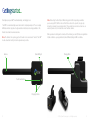
Prior to its first use, the SIM™ should be charged for a minimum of 1 hours using
only the Triax-supplied charging dock.
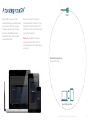
Note: Once the SIM™ is turned on, it will automatically
attempt to communicate with the Triax base station
unit. The LED will periodically flash (color as noted
below) indicating wireless communications activity. If
the button is pressed during normal operation, it will
rapidly flash yellow/amber to indicate a button-press.
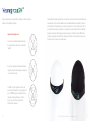
LED indication
Status
Solid Green
Battery charge is OK, ready to use.
Solid Yellow/Amber
Battery charge is low, charge soon.
Solid Red
Battery charge is very low, charge now.
x3
3 Red flashes
Battery is extremely low. SIM has entered
battery protection mode. Charge immediately.
sec.
Solid Red (2 seconds)
The initial self-test detected an internal fault
condition, but normal operation is possible.
The fault condition will be reported to the
SIM™ base station unit the next time the SIM™
links to it.
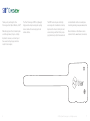
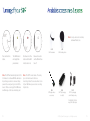
Press the power button and hold it down
until the LED indicator illuminates.
The LED indicator will show the current
battery status. Release the button as soon as
the LED indicator illuminates.
12
2
©2015 by Triax Technologies Inc. - All rights reserved
13