1
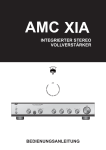
XIA
STEREO INTEGRATED
AMPLIFIER
With option of USB connector for networking to other equipment, computer, LAN
and so the internet.
LAN & Internet
IA
NOTE BOOK
USB
Create CD quality sound from computer & Internet through the USB linking system
designed in A M C I A System
INTRODUCTION
FEATURE
The AMC remote controllable integrated
amplifiers XIA offer in an innovative and
elegant design, an affordable
combination of high quality sound
reproduction and comprehensive
facilities.
The integrated amplifier accepts five
inputs (Phono,CD,Tuner,Aux/USB and
Tape), is compatible with both moving
magnet and moving coil cartridges, has
full tape monitoring capabilities and also
both a direct switch, allowing the tone
control circuitry to be by-passed for
improved sound quality.
To get the best from your amplifier
please study this manual carefully.
Should you experience any problems,
please discuss them with your dealer
who has a f u l l knowledge o f AMC
products and their use in a variety of
systems.
*Unique phono stage design that employs
two audiophile grade op-amps per
channel that provide very low THD, TIM
and noise, together with switchable
MM/MC sensitivities.
*AMC XIA is designed with option of USB
connector for networking to other
equipments, computer, LAN and so the
Internet.
*AMC XIA creates CD quality sound from
computer and Internet through the USB
linking system designed in AMC IA
system.
*The high overload tone control stage can
be completely by-passed with the
DIRECT switch to give natural sound
quality.
*Special designed passive Tone control
circuit to give natural sound quality.
*Uses audiophile grade components
through out, providing exceptional
accuracy to phono and tone control
responses.
*High overload margin on tone control
circuit by virtue of its topologies.
*Power amplifiers with 30 Amp high peak
output current devices to offer
capabilities to drive almost all types of
speaker systems.
*Power amplifiers with special designed
perfect virtual image topology to make it
possible to be without output relays. The
topology connects amplifier outputs to
speaker systems without relay contacts
to offer best possible sound quality.
*Using high output current devices with
optimized power supply designs, the
power amplifiers can be only protected
with fuses on power supplier side in
order to delivery extremely high output
current in demand to give superb sound
quality.
*With universal power transformer passed
all international safety standards, end
users can use the unit in all countries by
re-setting the AC select t o correct
voltage.
*Heavy duty gold plated speaker binding
posts and phono connectors for ultra
reliable connections.
INSTALLATION
Your AMC amplifier is supplied set to
work on your local mains supply
voltage. Check that your local mains
supply voltage agrees with the voltage
setting indicated on the back panel of
the amplifier. If not, please contact your
dealer or national distributor for details
on how to proceed further.
Note: All connections must be
completed and AC Selector should be
set to correct voltage before plugging in
power cord and turning the power on.
FUSES
If the mains plug is fused, fit a 3amp
fuse. Your AMC amplifier contains fuses
which are designed t o protect the
amplifier and prevent the occurrence of
a dangerous fault condition. These
should only be inspected and replaced
by a competent engineer using the
correct replacement types.
2
REAR PANEL CONNECTIONS/FRONT PANEL CONTROLS
REAR PANEL
1
3
2
4
5
6
7
8
9
11
10
1.USB
2.PHONO MM/MC INPUT SELECTION SWITCH
3.PHONO GROUND TERMINAL
4.PHONO INPUT
5.AUX INPUT
6.TUNER INPUT
7.CD INPUT
12
13
14
8.TAPE INPUT
9.TAPE OUTPUT
10. PRE OUT/MAIN IN
11. LOUDSPEAKER TERMINALS
12.AC SELECT SWITCH
13.AC SWITCHED OUTLET
14.AC RECEPTACLE
FRONT PANEL
1
2
3
4
5
6
1.POWER SWITCH
2.INFRARED RECEIVER
3.BALANCE CONTROL
4.PHONES
5.MUTE/NORMAL/DIRECT
SWITCH
7
8
9
10
6.BASS CONTROL
7.TREBLE CONTROL.
8.TAPE MONITOR SWITCH
9.INPUT SELECTION SWITCH
10.VOLUME CONTROL
3
The auxiliary input is in parallel with the
analog output of the USB connector.
USB CONNECTOR
The USB connector is for connecting to
computer, other equipments with USB,
LAN and so the Internet.
The analog output of the USB connector
is in parallel with auxiliary input.
TAPE INPUT
This input is suitable for use with most
cassette, reel to reel or video recorders.
Connect the "record" leads of your tape
recorder to the phono sockets marked
"Tape out" on the rear of your amplifier
using phono/phono leads.
Connect the "playback" leads of your tape
recorder to the phono sockets marked
"Tape in" on the rear of your amplifier
using phono/phono leads. If your tape
machine processing DIN outputs, then
DIN/phono leads, or a DIN/phono adaptor
can be used. If you experience level
matching problems when using DIN
connectors, please consult your tape
machine manufacturer.
PHONO INPUT
This input is suitable for both moving
magnet and moving coil cartridges. For
either type of cartridge the plugs on your
turntable lead should be connected to the
phono input sockets on the rear panel of
your amplifier.
To minimize hum the turntable lead
should be kept away from the mains
wiring, and any separate turntable ground
lead should be attached firmly to the
earth terminal on the rear of the amplifier.
A s w i t c h adjacent t o the d i s c input
sockets allows the selection of either MM
or MC input. Facing the back of the
amplifier, move the switch to the right for
use with MM or high output MC cartridges
and to the left for use with normal(low
output)MC cartridges.
Note: Never operate the MM/MC selector
switch with the volume control turned up
as the resultant electrical surge may
damage your loudspeakers.
PRE OUT/MAIN IN
Normally the pre-amplifier and power
amplifier sections of this unit are
connected together via factory-installed
U-shaped metal jumpers that bridge the
PRE-OUT and MAIN-IN jacks. Check to
be sure that they are fully inserted into
the jacks and that nothing is touching
them.
By switching OFF the power and
removing the metal jumpers, you can
connect a signal processor such as a
surround-sound decoder or an electronic
crossover in the path between preamp
and power amp. Connect a cable from
PRE-OUT to the processor's input and a
second cable from the processor's output
to MAIN IN.
CD INPUT
The CD input is suitable for use with any
CD player. Connect your CD player to the
amplifier using the phono sockets marked
"CD".
TUNER INPUT
The Tuner input is suitable for use with
most AM/FM tuners. Connect your tuner
to the amplifier using the phono sockets
marked "Tuner".
LOUDSPEAKERS
Your AMC amplifier is designed to drive
loudspeakrs with a nominal impedance of
4-8 ohms.
However, XIA c a n only drive 4 ohm
speakers by switching the impedance
selector on the rear panel of the unit to
the 4 ohm setting.
AUXILIARY INPUT
The Auxiliary input is suitable for use with
any extra source processing a line level
output, perhaps a second tuner or CD
player, or an additional tape or video
recorder wired for replay only.
4
LOUDSPEAKER CONNECTIONS
The loudspeaker output terminals will
accept 4mm(banana)plugs, spade
connectors, pin connectors or bare wires.
Connect the negative side(usually
black)of your left hand loudspeaker lead
to the black terminal of the two terminals
marked "left" on the rear of your amplifier.
The other side of your left hand speaker
lead(the positive side or red)should be
connected to the red terminal marked
"left". Repeat this operation for the right
hand loudspeaker.
Yo u r A M C a m p l i f i e r i s c a p a b l e o f
generating high peak currents, so all
connections must be checked to avoid
inadvertent short circuits and to ensure a
good clean contact.
UNDER NO CIRCUMSTANCES
SHOULD THE OUTPUTS BE SHORTED
TOGETHER.
Such action will damage output circuitry
and is not covered by guarantee.
AC SWITCHED OUTLETS
The AC convenience outlet is fitted so
that other components can be powered
when your amplifier is switched on.
UNDER NO CIRCUMSTANCES
SHOULD THE CASE OF THE
AMPLIFIER BE OPENED BY ANYONE
OTHER THAN A QUALIFIED
ENGINEER, AS DANGEROUS
VOLTAGES ARE PRESENT INSIDE.
ANY UNAUTHORISED REPAIR MAY
INVALIDATE YOUR WARRANTY.
HEATSINK/VENTILATION REQUIREMENTS
The heat produced by your AMC amplifier
during normal operation is dissipated by
an during normal operation is dissipated
by an internal finned heatsink. It is
perfectly normal for your amplifier to
become quite warm and to radiate heat
when in use, especially if it is run near full
power. However, if it becomes too hot to
touch, switch off at once and contact your
dealer.
It is very important that there is adequate
5
ventilation for the whole of the amplifier.
Do not place the unit on a rug or other
soft surface t h a t i t could s i n k into,
obstructing the air inlets on its underside,
and take care not to obstruct the outlet
grille on the top cover.
AC Selector (115V or 230V)
The AC Selector will be set to the AC
Power voltage of your country from
factory. But in case if your XIA is not
received directly from factory or you move
from one country to the other, the AC
selector might be set at different voltage.
So, before plug power cord into your wall
AC outlet, please always check if the
Voltage selector set to the voltage of the
country you will use XIA or not and set to
correct voltage. When the AC Selector set
to 115VAC, the XIA c a n be used in
countries with AC Power Voltage between
110V and 120V. When the AC Selector
set to 230V, the XIA can be used in
countries with AC Power Voltage between
220V and 240V.
AC RECEPTACLE
The AC RECEPTACLE is for you to plug
i n w i t h power c o r d a t t a c h e d i n t h e
packing or you can plug in with other
power cord with your preferences.
FRONT PANEL CONTROLS
POWER SWITCH
The amplifier is turned on by depressing
the power switch. The small indicator
above the switch will glow blue. Before
switching on, always set the volume
control to minimum to avoid damage to
your loudspeakers.
headphones.
If your tape machine is a three head type
suitable for A/B monitoring, then turning
the Tape Monitor switch to the "Tape"
position will allow full off-tape monitoring
of the recorded signal to be carried out
via the loudspeakers/headphones.
BALANCE CONTROL
The Balance Control adjusts the relative
levels of the left and right channels. It has
no effect on recordings being made. A
detent at the 12 o'clock position marks
the point of equal balance. Rotation of the
Balance Control to the right(clockwise)
decreases the level of the left channel so
that only the right channel is heard.
Rotation to the left shifts the sonic image
toward the left speaker.
Adjust the Balance Control to produce a
natural spread of sound across the space
between the speakers, with any
monophonic sound(such as a radio
announcer's v o i c e ) appearing a s a
phantom image centered midway
between them. Recordings often contain
small errors in channel balance, typically
no more than 2dB; but this is enough to
degrade stereo imaging. Small
compensating changes in the setting of
the Balance Control can significantly
improve the depth and stability of the
stereo image.
VOLUME CONTROL
The volume control adjusts the overall
loudness level of the sound. It has no
effect on the level of the signals fed to the
TAPE OUT jacks for tape recording. The
Volume control is designed for accurate
tracking of its two channels, so that the
stereo balance will not shift noticeably as
the loudness of the sound is varied.
INPUT SELECTION
The rotary input selector switch selects
which input signal(Phono, CD, Tuner or
Aux/USB)is fed to the power amplifier.
The selected signal is also fed to the
"Tape out" sockets for recording.
TAPE MONITOR SWITCH
The Tape Monitor switch is generally left
in the "Source" position, so that the
programe selected by the input switch is
routed to the loudspeakers/headphones.
If the Tape Monitor switch is turned to the
"Tape" position,the signal from the tape
recorder is routed to the loudspeakers/
6
TONE CONTROLS
The tone controls on your AMC amplifier
use low colouration passive circuitry to
ensure the minimum degradation of the
music signal. They are designed to
gradually modify the tonal emphasis of
the music and to compensate for such
problems as difficult room acoustics.
If required, the tone controls can be
completely by-passed with a resultant
increase in sound quality. To do this
simply turn the Direct/Mute switch to the
"Direct" position.
With the Direct/Mute switch in the
"normal"position, the tone controls will cut
their respective frequencies when turned
anti-clockw ise and boost them when
turned clockwise. The flattest response is
found when the controls are in the "12
o'clock position.
PHONES
The headphone socket will accept any
h e a d p h o n e s f i t t e d with a s t a n d a r d
1/4"(6.35mm)stereo jack plug. When
Headphones are in use, the output to
your loudspeakers will be cut and all the
amplifier's functions will operate as
normal.
MUTING
By turning the Direct/Mute switch to
"Mute" it is possible to cut the output to
your loudspeakers, a feature which will
prove useful in situations where a lower
volume level may be required for short
periods(e.g. for a phone call ect.)
TAPE RECORDING
All sources, Phono, CD, Tuner and
Aux/USB can be recorded via the tape
connections. To record an input, select
the required source and set your recorder
to the record mode.
To record from one tape recorder to
another, the playback recorder should be
plugged into the Aux/USB socket, and the
recording machine into the Tape socket.
The input selector switch should be set to
"Aux/USB". A recording can now be made
in the normal way.
PLAYBACK
Set the Tape Monitor switch to the "Tape"
position and set your recorder into the
playback mode.
7
1
2
1.INPUT SELECTOR
These buttons select any one of the
eight sources that are connected to the
inputs of the XIA (PHONO, CD,
TUNER, AUX/USB).
2.VOLUME CONTROL
8
SPECIFICATIONS
Rated Power into 8/4 ohms........................................................................45/60W
With both channels driven
Rated T.H.D.20Hz-20KHz....................................................................................0.05%
1KHz clipping power into 8/4 ohms...........................................................48/65W
Input Sensitivity for 1W/Rated Power into 8 ohms:
High level inputs.........................................................................................23mV/150mV
Phono input MM.....................................................................0.5mV/2.7mV
MC................................................................................0.05mV/0.27mV
Input impedance:
High level inputs..........................................................................................20K ohms
Phono input MM/MC................................................................................47 ohms/100pF
Frequency response:
Tone bypass 20Hz-20KHz.................................................................................+/-0.5dB
Normal 20Hz-20KHz...........................................................................................+/-1.0dB
High level inputs -3dB..................................................................................10Hz/60KHz
Signal to noise ratio(ref.1W/8 ohms):
High level inputs "A" WTD.......................................................................................88dB
Phono inputs"A" WTD............................................................................................80dB
Separation 20Hz-20KHz .......................................................................................>65dB
Tone control range:
Bass at 100Hz......................................................................................................+/-10dB
Treble at 10KHz.................................................................................................-8/+11dB
Overall feedback................................................................................................26/29dB
PHYSICAL:
Dimensions (W x H x D).........................................................................430x82x288 mm
Net weight............................................................................................................8.2 Kgs
Shipping weight (4 pieces)..................................................................................34.3 Kgs
Finish..........................................................................................................black or silver
Weltronics Corp. reserved the right to improve its products at any time. Specifications are
subject to change without notice.
9
SAFETY INSTRUCTION
16. DAMAGE REQUIRING SERVICE
1. READ INSTRUCTIONS
All the safety and operating instructions should be read
before the appliance is operated.
2. RETAIN INSTRUCTIONS
The safety and operating instructions should be retained for
future reference.
3. HEED WARNINGS
All warnings on the appliance and in the operating instructions
shouldbeadheredto.
4. FOLLOW INSTRUCTIONS
All operating and use instructions should be f ollowed.
The appliance should not be used near water - for example,
near a bathtub, washbowl, kitchen sink, laundry tub, in a wet
basement, or near a swimming pool, etc.
6. CARTS AND STANDS
The appliance should be used only with a cart or stand that is
recommended bythemanufacturer.
7. WALL OR CEILING MOUNTING
17. POWER LINES
(APPLIES TO TUNERANDRECEIVERS ONLY)
Anoutdoor antenna should be located away frompower lines.
5. WATER AND MOISTURE
6A. An appliance and cartcombination should be
movedwithcare.Quick stops, excessive force,
anduneven surfaces m ay cause the appliance
andcart combination to overturn.
The appliance should be serviced by qualified service
personnel when:
a) The p ower-supply c ord or the plug has been damaged; or
b) Objects have fallen, or liquid has been spilled into the
appliance; or
c) The a ppliance has been exposed to rain; or
d) The appliance does not appear to operate normally or
exhibits a marked change i n performance; or
e) The appliance has been dropped, or the enclosure is
damaged.
PORTABLECARTWARNING
S3125A
This equipment is not designed for use mounted on a wall or a
ceiling.
8. VENTILATION
The appliance should be situated so t hat its location or position
does not interfere with its proper ventilation. For example, the
appliance should not be situated on a bed, sofa, rug, or similar
surface that may block the ventilation openings, or placed in a
built-in installation, such as bookcase or cabinet that may
impede the flow of air through t he ventilation openings.
9. HEAT
The appliance should be situated away from heat sources
such as radiators, heat registers, stoves, or other appliances
(including amplifiers) that produceheat.
18. OUTDOOR ANTENNA GROUNDING
(APPLIES TO TUNERANDRECEIVERS ONLY)
If an outside antenna is connected to the receiver, be sure the
antenna system is grounded so as to provide some protection
against voltage surges and built upstatic charges.
Section 810 of t he National Electrical Code,ANSI/NFPANo.
70-1984, provides information with respect to proper
grounding of the mast and supporting structure, grounding of
the lead-in wire to an antenna discharge unit, sizeofgrounding
conductors, location of antenna-discharge unit, connection to
grounding electrodes, and requirements for the grounding
electrode. See Figure.
a) Use No. 10 AWG (5.3 mm2) copper, No. 8 AWG (8.4 mm2)
2
aluminum, No. 17 AWG (1.0 m m ) copper-clad steel or
bronze wire, or larger, as a ground wire.
b) Secure antenna lead-in and ground wires to house with
stand-off insulators spaced from 4-6 feet (1.22-1.83 m)
apart.
c) Mount antenna discharge unit ascloseaspossibletowhere
lead-in enters house.
d) Use jumper wire not smaller than No.6 AWG (13.3 mm2)
copper, or the equivalent, when a separate antennagrounding electrode is used. See NEC Section810-21(j).
Antenna Grounding According to
the National Electrical Code
10. POWER SOURCES
The appliance should be connected to a power supply only of
the type described in the operating instructions or as marked
on the appliance.
Antenna Lead
In Wire
11. POWER-CORD PROTECTION
Power-supply cords should be routed so that theyarenotlikely
to be walked on or pinched by items placed upon or against
them, paying particular attention to cords at plugs,
convenience receptacles, and the point where they exit from
the appliance
12. CLEANING
The appliance should be cleaned only as recommended by
the manufacturer.
Ground
Clamp
Electric
Service
Equipment
The power cord of the appliance should be unplugged from the
outlet when left unused for a long period of time.
Power Service Grounding
Electrode System
(NEC Art 250 Part H)
14. OBJECT AND LIQUID ENTRY
15. SERVICING
The user should not attempt to service the appliance beyond
that described in the operating instructions. All other servicing
shouldbereferredtoqualified service personnel.
Grounding Conductors
(NEC Section 810.21)
Ground Clamps
13. NON USE PERIODS
Care should be t aken so that objects do not fall and liquids are
not spilled into the enclosure through openings.
Antenna
Discharge
Unit (NEC
Section 810.20)
National Electrical Code
AvailablefromLibrary,book
stores, or National FireProtection
Association (Batterymarch Park,
Quincy. MA 02269).
AMC 21-3004
PN: 21-4160