1
Users’ Manual for Eagle- Multi (MTMK) Series ESCs with SimonK Firmware
C). MCU programmer (eg. JTAG or USB ASP)
Disclaimer:
● All the contents of this manual is from the Internet. MAYTECH only try to
collect and summarize it to provide accurate information to the end user, but
will not promise the information completely meet your requirements. This
manual only allows end users for free reference, in the use of Simon K
firmware, and does not allow for any commercial activities, also not as
commercial activity information and basis of MAYTECH and its dealers.
D). PIN-header or micro-clips to connect programmer to MCU
Then you can flash the ESC with the video and other information on
internet.
Note: You can flash your ESC multiple times but only the last
flashed firmware is active on the micro controller. If the wrong
firmware is flashed, you may end up with a damaged ESC when it's
powered by the battery supply. It's important to safely test your
ESC after the firmware upgrade.
● Although SimonK firmware released under GUN license, MAYTECH do
not make any modifications to the source code. So we cannot not guarantee
SimonK firmware is entirely suitable for MAYTECH ESCs.
● MAYTECH firmware has its own intellectual property rights. All Electronic
Speed Controller (ESC) are with MAYTECH firmware. Only if customers
require ESCs to be flashed with Simon K firmware, MAYTECH will flash it to
the ESCs voluntarily. We DO NOT charge any cost. Besides, Simon K
firmware sources are provided by customers or end users. The sources
include, but not limited to, blogs, microblogs, e-mails, links, or other instant
message tools etc.
Ⅴ. How to get Pre-flashed ESCs with Simon K firmware?
Flashing your own ESCs is not so easy as you download music to
your iPhones. It takes time, a flash tool and some research.
For modelers who do not have any knowledge about MCU, the
flashing process is difficult. Or some model flyers just need their
models fly well and do not care about flashes. If you are in one of
them, you can choose MAYTECH to flash them for you. Without
any extra cost or time, you can enjoy the excellent performance of
Simon K firmware.
Ⅰ. What is Firmware?
According to Wikipedia, firmware is the combination of persistent
memory and program code and data stored in it.
Generally speaking, it can be considered to be a built-in program
and command in electronic products. After MCU powered up,
firmware will control MCU process signal. It is the soul of the hardware.
Ⅵ. MAYTECH™ ESCs VS. Simon K firmware ESC
As the factory will download firmware to MCU Flash memory, many
people call this process Flash.
MAYTECH™ ESCs usually come with MAYTECH™ firmware. This
firmware has more functions than Simon K firmware, such as
Helicopter governor mode, set Batt. type, set Brake type, Timing
mode, Low-voltage protection, etc.
In RC model industry, such products need to flash firmware, as
ESC, receiver, digital servo, battery charger, etc.
If you need ESCs specially for multirotor application, as many
functions are realized by the flight controllers. You only need a high
quality ESC. Your best choice is Simon K firmware ESC.
Ⅱ. What is Simon K Firmware?
According to Google, Simon K firmware is a series of ESC firmware
developed by Simon Kirby. This firmware has the advantage of
rapid response, easy handling and good compatibility, which
greatly enhances multirotor performance.
Simon K firmware is continuously optimized and upgraded since its
birth. At the beginning, only ESCs with an ATMEL micro controller
can be upgraded. Now, it can also support SiLabs and Intel 8051
MCU. Besides, the firmware codes are open. You can modify the
codes yourself.
All MAYTECH ™ ESCs (Harrier-Suprem ™ \ Harrier-eXtrem ™ \
Harrier-Economical™\ Falcon-Pro™ Series, etc.) can be flashed to
Simon K firmware, and the Harrier-Suprem™ 8A to 85A ESCs are
recommended. But If you like us flash Simon K firmware to other
series ESCs, pls contact us, we are very glad to do it for you. MAYTECH™ Eagle-Multi™ (Abbr.MTMK) series ESCs are flashed
to Simon K firmware on the basis of MAYTECH™Harrier-Suprem™
series ESCs.
Ⅲ. Why do I need to flash Simon K firmware?
Ⅶ. Install your ESCs
We believe it is easy for you to install ESCs to multi-rotor platform.
We still kindly remind you to make sure the correct and solid
connection of each connector to silicon wire, battery wire to power
distribution board, power distribution board to ESC, ESC to motor.
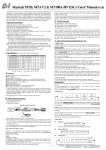
Pls refer to the pic below:
A). Continuous exploration. This is the common interest of RC
model enthusiasts. If you want to know about the principles and
hardware structure of the ESC, you can start by flashing Simon K
firmware, which will allow you to learn the MCU download process.
B). Pursuit of changes. When you are tired of one ESC
“personality”, you can update it by flashing Simon K firmware.
C). When troubles come out. When your ESC cannot power up
your new motors, but your companions’ can. You need to
implement Simon K firmware to your ESC. Simon K firmware has
excellent compatibility. It can start almost every motor, except for
damaged ones.
D). New reasons you can find…
Ⅳ. How to flash Simon K firmware?
Ⅷ Simon K firmware ESC start-up tones
Maybe you once downloaded firmware to the microcontroller in
your college laboratory. But that does not mean you can flash
Simon K firmware into ESC’s MCU.
All ESCs make the motors sing, so does Simon K firmware ESC.
When connected to power, you need firstly unlock the flight
controller. Then ESCs make 3 beeps (di da di), to tell you
self-detection finished. If flight controller also makes control
instructions, a long beep (di----) will tell you ESCs have received
throttle signal from flight controller and ready to start. Then pull up
the throttle stick, motor starts to run. OK! Let's go!
First, pls ensure that your ESC support Simon K firmware.
Second, pls meet following requirements.
A). Hex or Bin file
The firmware for the ESCs is available in a .hex or .bin file. One file
contains the complete firmware for one ESC.
Ⅸ. How to do throttle calibration
Normally, you do not need to do throttle calibration for new
multicopter ESCs. However, in some special cases, you still need
to do it. Remove your props, and disconnect the battery. Push your
radio throttle to maximum, connect the flight battery, wait for the 3
beeps(di da di), wait for 1s, you will hear a short beep(di). Then
B). Interface Software (eg. AVR Studio)
Depending on your platform you will need dedicated interface
software installed on your computer to flash your ESC with the new
firmware.
‐ 1 ‐
Users’ Manual for Eagle- Multi (MTMK) Series ESCs with SimonK Firmware
immediately lower the throttle to minimum. You will then hear
another unique 2 beeps (di di), indicating you are setting the low
value. If you hear a long beep, it means the low throttle set.
Disconnect the battery, throttle calibration is done. If you hear a
short beep, it means low throttle set failed. You need to do the
calibration again. If still no success, pls contact us.
too much throttle increment will cause burst current too high to burn
ESC. We all do not want it happen. To avoid it, we give you the
following suggestions:
Ⅹ. Simon K ESC breakdown
3), Ensure good heat-radiation of the multikopter.
1), Choose low-heating ESCs for your multikopter.
2), Choose ESCs continuous current higher than maximum current
of the motor.
Simon K firmware ESC has big starting-up torque, if your flight
controller algorithm is not reasonable or motor quality is not high,
If your ESC damaged during flight, please contact MAYTECH, we
will solve the problem for you as soon as possible.
Ⅺ. MAYTECH Eagle-Multi™(MTMK) Series ESCs Specification
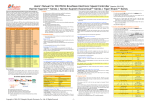
MAYTECH Eagle‐Multi™ (MTMK) Series ESCs (base on Harrier‐ Suprem ™ with SimonK Firmware, Recommended) NO. 1 2 3 4 5 6 7 8 9 10 11 12 13 14 15 16 17 18 19 20 21 22 23 24 25 26 27 28 29 30 31 32 Model No. Cont. Current Burst Current (10sec) BEC Li‐Po Net Weight(g) MT8A‐BEC‐MK MT10A‐BEC‐MK MT12A‐BEC‐MK MT20A‐BEC‐MK MT25A‐BEC‐MK MT30A‐BEC‐MK MT35A‐BEC‐MK MT40A‐SBEC‐MK MT45A‐SBEC‐MK MT50A‐SBEC‐MK MT55A‐SBEC‐MK MT60A‐SBEC‐MK MT65A‐SBEC‐MK MT70A‐SBEC‐MK MT75A‐SBEC‐MK MT85A‐SBEC‐MK MT8A‐OPTO‐MK MT10A‐OPTO‐MK MT12A‐OPTO‐MK MT20A‐OPTO‐MK MT25A‐OPTO‐MK MT30A‐OPTO‐MK MT35A‐OPTO‐MK MT40A‐OPTO‐MK MT45A‐OPTO‐MK MT50A‐OPTO‐MK MT55A‐OPTO‐MK MT60A‐OPTO‐MK MT65A‐OPTO‐MK MT70A‐OPTO‐MK MT75A‐OPTO‐MK MT85A‐OPTO‐MK 8A 10A 12A 20A 25A 30A 35A 40A 45A 50A 55A 60A 65A 70A 75A 85A 8A 10A 12A 20A 25A 30A 35A 40A 45A 50A 55A 60A 65A 70A 75A 85A 10A 13A 16A 30A 35A 40A 50A 60A 65A 70A 75A 80A 85A 90A 95A 100A 10A 13A 16A 30A 35A 40A 50A 60A 65A 70A 75A 80A 85A 90A 95A 100A 5V / 1A 5V / 1A 5V / 1A 5V / 2A 5V / 2A 5V / 3A 5V / 3A 5.5V / 4A 5.5V / 4A 5.5V / 4A 5.5V / 4A 5.5V / 4A 5.5V / 4A 5.5V / 4A 5.5V / 4A 6V / 5A NO BEC NO BEC NO BEC NO BEC NO BEC NO BEC NO BEC NO BEC NO BEC NO BEC NO BEC NO BEC NO BEC NO BEC NO BEC NO BEC 2‐4Cells 2‐4Cells 2‐4Cells 2‐4Cells 2‐4Cells 2‐4Cells 2‐4Cells 2‐6Cells 2‐6Cells 2‐6Cells 2‐6Cells 2‐6Cells 2‐6Cells 2‐6Cells 2‐6Cells 2‐6Cells 2‐4Cells 2‐4Cells 2‐4Cells 2‐4Cells 2‐4Cells 2‐4Cells 2‐4Cells 2‐6Cells 2‐6Cells 2‐6Cells 2‐6Cells 2‐6Cells 2‐6Cells 2‐6Cells 2‐6Cells 2‐6Cells 9 9 9 19 19 27 27 35 35 41 41 51 51 48 48 57 8 8 8 17 17 24 24 31 31 37 37 47 47 44 44 53 Size(mm) (L × W × H) 27×22×7 27×22×7 27×22×7 42×24×13 42×24×13 56×25×8 56×25×8 65×26×10 65×26×10 73×30×10 73×30×10 66×26×15 66×26×15 65×25×14 65×25×14 58×35×9 27×22×7 27×22×7 27×22×7 42×24×13 42×24×13 56×25×8 56×25×8 65×26×10 65×26×10 73×30×10 73×30×10 66×26×15 66×26×15 65×25×14 65×25×14 58×35×9 Golden Connector NO NO NO NO NO NO NO with 3.5mm with 3.5mm with 3.5mm with 3.5mm with 3.5mm with 3.5mm NO NO NO NO NO NO NO NO NO NO with 3.5mm with 3.5mm with 3.5mm with 3.5mm with 3.5mm with 3.5mm NO NO NO Ⅻ. MAYTECH Other SimonK Firmware ESCs Specification
MAYTECH SimonK Firmware ESCs base on Harrier‐eXtrem™ (MTMKHX) Series NO. Model No. Cont. Current Burst Current (10sec) BEC Li‐Po Net Weight(g) Size(mm) (L × W × H) Golden Connector 1 2 3 4 5 6 7 8 9 10 11 12 14 15 16 17 MT20A‐BEC‐MK‐HX MT25A‐BEC‐MK‐HX MT30A‐BEC‐MK‐HX MT35A‐BEC‐MK‐HX MT40A‐SBEC‐MK‐HX MT45A‐SBEC‐MK‐HX MT60A‐SBEC‐MK‐HX MT65A‐SBEC‐MK‐HX MT20A‐OPTO‐MK‐HX MT25A‐ OPTO ‐MK‐HX MT30A‐ OPTO ‐MK‐HX MT35A‐ OPTO ‐MK‐HX MT40A‐ OPTO ‐MK‐HX MT45A‐ OPTO ‐MK‐HX MT60A‐ OPTO ‐MK‐HX MT65A‐ OPTO ‐MK‐HX 20A 25A 30A 35A 40A 45A 60A 65A 20A 25A 30A 35A 40A 45A 60A 65A 30A 35A 40A 45A 60A 65A 80A 85A 30A 35A 40A 45A 60A 65A 80A 85A 5V / 2A 5V / 2A 5V / 3A 5V / 3A 5V / 5A 5V / 5A 5V / 5A 5V / 5A NO BEC NO BEC NO BEC NO BEC NO BEC NO BEC NO BEC NO BEC 2‐4Cells 2‐4Cells 2‐4Cells 2‐4Cells 2‐6Cells 2‐6Cells 2‐6Cells 2‐6Cells 2‐4Cells 2‐4Cells 2‐4Cells 2‐4Cells 2‐6Cells 2‐6Cells 2‐6Cells 2‐6Cells 18 18 25 25 45 45 55 55 16 16 23 23 41 41 51 51 36×29×9 36×29×9 51×29×8 51×29×8 70×30×11 70×30×11 70×30×11 70×30×11 36×29×9 36×29×9 51×29×8 51×29×8 70×30×11 70×30×11 70×30×11 70×30×11 NO NO NO NO with 3.5mm with 3.5mm with 3.5mm with 3.5mm NO NO NO NO with 3.5mm with 3.5mm with 3.5mm with 3.5mm MAYTECH SimonK Firmware ESCs base on Harrier‐ Economical ™ (MTMKHE) Series NO. 1 2 3 4 5 6 Model No. Cont. Current Burst Current (10sec) BEC Li‐Po Net Weight(g) Size(mm) (L × W × H) Golden Connector MT20A‐BEC‐MK‐HE MT25A‐BEC‐MK‐HE MT30A‐BEC‐MK‐HE MT35A‐BEC‐MK‐HE MT40A‐BEC‐MK‐HE MT45A‐BEC‐MK‐HE 20A 25A 30A 35A 40A 45A 25A 30A 35A 40A 45A 50A 5V / 2A 5V / 2A 5V / 2A 5V / 2A 5V / 3A 5V / 3A 2‐3Cells 2‐3Cells 2‐3Cells 2‐3Cells 2‐4Cells 2‐4Cells 23 23 26 26 36 36 51×25×9 51×25×9 51×25×9 51×25×9 66×27×11 66×27×11 NO NO NO NO NO NO Remark: MAYTECH SimonK Firmware ESCs base on Falcon‐Pro™ (MTMKFP) Series ESCs Specification, pls contact MAYTECH Sales Team SHANGHAI MAYTECH ELECTRONICS CO.,
LTD.
Address: RM418, BUILDING A, HUAMAO INDUSTRY ZONE, NO.6785, ZHONGCHUN ROAD, SHANGHAI, CHINA, 201100
Tel: +86-21-2992 2998 Fax: +86-21-2992 2989 Email: [email protected] Web: http://www.maytech.cn
‐ 2 ‐