1
®
The All-Round Flashlight Expert
Features
• The world's smallest rechargeable LED searchlight with a maximum throw of 1100
meters
• Utilizes a LUMINUS SBT-70 (PA-C2) LED
• Thermal protection circuit prevents overheating
• Intelligent charging circuit with voltage detection charges safely and rapidly
• Eight rapidly switchable brightness levels and modes to select from
• Innovative single button two-stage switch provides a user-friendly interface
(patented)
• Integrated power indicator in the switch displays remaining battery power
(patented)
• Optimal heat dissipation to improve overall performance
• Toughened ultra-clear mineral glass with anti-reflective coating
• Integrated "Precision Digital Optics Technology" provides extreme reflector
performance
• Constructed from aerospace grade aluminum alloy
• HAIII military grade hard-anodized
• Waterproof in accordance with IPX-8 (submersible to two meters)
Dimensions
User Manual
TM36 Lite:
NOTICE
The above data has
been measured in
1800
800
400
200
50
accordance with the
LUMENS
LUMENS
LUMENS
LUMENS
LUMENS
international flashlight
testing standards
3h15min 6h45min 12h30min 37h
1h
ANSI/NEMA FL1 using
4 x Nitecore 18650
55min 2h40min 5h30min 9h30min
30h
(3.7V 2600mAh) or 8 x
Nitecore CR123 (3V
1100m (Beam Distance)
1700mAh) batteries
under laboratory
310000cd (Peak Beam Intensity)
conditions. The data
may vary during
1.5m (Impact Resistant)
real-world use due to
battery type, individual
IPX-8, 2m (Waterproof AND Submersible)
usage habits and
environmental factors.
NITECORE (SYSMAX) is a member of PLATO, participating in and helping to develop
the ANSI FL1 standard of measurement. Product testing data is in accordance with
these internationally recognized scientific standards.
TURBO
HIGH
MID
LOW
LOWER
4×18650 8×CR123
• Integrated multi-function OLED display
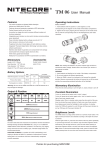
TM36 / TM36 Lite
Operating Instructions
Battery installation
TM36:
TM36: Screw on the NBP52 battery pack as illustrated.
TM36 Lite:
Length: 10.94” (278mm)
Head diameter: 3.54" (90 mm)
Tube diameter: 1.97” (50mm)
Weight: 47.41oz (1344g)
(with battery pack)
Length: 7.68” (195mm)
Head diameter: 3.54" (90 mm)
Tube diameter: 1.97” (50mm)
Weight: 31.24oz (885.5g)
(without battery)
Accessories
Standard charger adapter, shoulder strap and spare O-ring
Battery Options
TM36: Powered by an ultra-high performance NBP52 battery pack
Specifications
Parameters
Capacity
65Wh(2300mAh×8)
Voltage
3.7V
Charging Current
1A(Trickle charge)/2A(Rapid charge)
Charging Port
3.5mm 12V DC Adpater / 4.5mm 12V DC Adpater
TM36 Lite:
Install 4 x 18650 Li-ion or 8 x (R) CR123 batteries with the positive ends (+)
pointing outward and tighten the tube. In emergency situations, between one to
three 18650 Li-ion batteries or between two to six (R) CR123 batteries may be
used. Please see note 1 in the WARNING section below.
TM36 Lite:
TYPE
Nominal voltage
Compatibility
18650 Rechargeable Li-ion battery
18650
3.7V
Yes (Recommended and
can be recharged)
IMR18650 battery
IMR18650
3.6V
Yes (Recommended and
can be recharged)
Primary Lithium battery *
CR123
3V
Yes (Compatible but can
NOT be recharged)
Rechargeable Li-ion battery *
RCR123
3.7V
Yes (Compatible but can
NOT be recharged)
*Warning: Charge rechargeable 18650 Li-ion/IMR batteries only. Do not charge
CR123 or RCR123 batteries.
Brightness & Runtime
TM36:
TURBO
1800
LUMENS
HIGH
800
LUMENS
1h45min 5h30min
MID
400
LOW
200
LOWER
50
LUMENS
LUMENS
LUMENS
11h
21h
67h
1100m (Beam Distance)
310000cd (Peak Beam Intensity)
1.5m (Impact Resistant)
IPX-8, 2m (Waterproof AND Submersible)
NOTICE
1. The above data has
been measured in
accordance with the
international flashlight
testing standards
ANSI/NEMA FL1 using
the Nitecore NBP52
battery pack under
laboratory conditions.
The data may vary
during real-world use due
to battery type, individual
usage habits and
environmental factors.
WARNING
1. Using less than 4 x 18650 or 8 x (R) CR123 batteries might trigger the
overload protection circuit in Li-ion batteries, lead to explosion of (R) CR123
batteries or turbo mode malfunctioning. As such Nitecore recommends this
feature is used with caution and only when necessary.
2. Insert batteries with the positive (+) ends pointing outward.
3. Do not mix rechargeable and non-rechargeable batteries.
4. Do not mix batteries of different types/brands.
5. Do not mix batteries of different charge levels.
6. Please ensure that all 18650 batteries used in the TM36 Lite have a button
top configuration.
OLED Display
1. After tightening the battery pack or loading batteries, “NITECORE” will be
displayed on the OLED screen for 2.5 seconds followed by a 4-second display
of battery voltage (accurate to 0.01V) after which the TM36/TM36 Lite will enter
standby mode.
2. When the TM36/TM36 Lite is turned on, the OLED display will activate
automatically and show output lumen, brightness level, battery voltage, battery
status, remaining runtime and temperature. After displaying these readings, the
OLED display will be off automatically. To reactivate the OLED, simply press
the display switch. To cycle through the readings, press the display button
repeatedly.
Thanks for purchasing NITECORE!
3. When the TM36/TM36 Lite is turned off, press the switch with the display
button being held to enter Demonstration mode. In this mode, the OLED
display will present functioning information of the TM36/TM36 Lite in a
sequential order. To exit demonstration mode, simply press any button.
NOTE: Runtime information is calculated using benchmark parameters of
NBP52 battery pack.
Mode Selection
NOTE:The TM36/TM36 Lite has two modes: Daily Mode and Turbo Mode. And
these modes can be selected by the 2-stage switch according to the depth the
switch is pressed. A halfway press will activate daily mode, and a full press will
activate turbo mode. Please refer to instructions below.
Daily mode: With the light turned off, press the switch halfway and release
within one second to enter this mode with constant-on illumination.
Alternatively, press and hold the switch halfway for more than one second to
activate momentary illumination with previous daily mode brightness.
2. If a problem is detected during charging (e.g. faulty or incorrectly inserted
batteries), the flashlight will stop charging automatically. The blue indicator will
blink rapidly and the OLED display will show the word “ERROR” to notify
users.
3. When charging is completed, the flashlight will stop charging automatically
with the blue indicator remaining on and “Chg.Finished” along with battery
voltage being displayed on the OLED screen.
NOTE: Fully charging four depleted 18650 Li-ion batteries (3.7V, 2600mAh) of
the TM36 Lite takes approximately 7 hours.
The TM36’s NBP52 battery pack can also be recharged independently. As
shown, plug one end of the adapter to the battery pack charging port (1A,
3.5mm), and plug the other end to an outlet. The integrated blue charging
indicator of NBP52 battery pack will blink rapidly when battery pack is being
recharged, or blink slowly when battery power reaches 98%, or illuminate
steadily when battery pack is fully charged.
Turbo mode: With the light turned off, press the switch all the way down and
release within one second to enter this mode with constant-on illumination.
Alternatively, press and hold the switch all the way down for more than one
second to activate momentary illumination with max brightness.
1. In daily mode, press the switch halfway repeatedly to cycle through
brightness levels of ultra-low, low, medium or high. Alternatively, press and hold
the switch halfway for more than one second to enter turbo mode directly. A
second halfway press will resume the brightness level last used. The selected
brightness level will be memorized when the light is turned off.
2. In turbo mode, press the switch halfway to switch between high and turbo
mode. This mode does not have memory effect.
NOTE: In turbo mode, the thermal protection will activate. Please refer to the
“Thermal Protection” section for details.
Special Modes (Strobe / SOS / Location
Beacon)
With the TM36/TM36 Lite turned on, press the switch all the way down twice in
quick succession to access strobe mode. When in strobe mode, press the
switch halfway repeatedly to cycle through SOS, location beacon and strobe
modes. To exit special modes (and enter standby mode), simply press the
switch all the way down and release.
NOTE: When in any of the special modes, the OLED display will remain on
displaying the specific mode being used.
Lockout/Unlock
With the TM36/TM36 Lite turned on, press and hold the switch all the way down
for more than one second until the flashlight is switched off and enters lockout
mode. Lockout mode consumes almost no battery power and prevents
accidental actuation of the flashlight. To exit lockout mode, simply press and
hold the switch all the way down for more than one second again.
NOTE:
1. In lockout mode, the OLED display will show “LOCK OUT” as a reminder
when the switch or the display button is pressed.
2. When the TM36/TM36 Lite is kept in a backpack or left unused for extended
periods, Nitecore recommends users loosen the head to cut off power, thus
saving battery power and preventing accidental actuation of the flashlight.
Switch off/Standby mode
With the TM36/TM36 Lite turned on, press the switch all the way down and
release within one second to enter standby mode. In this mode, the light will
consume small amounts of power to maintain the settings in the MCU (micro
control unit) while appears to be turned off. When in standby mode the power
indicator light will blink once every two seconds to indicate the location of the
light.
NOTE: When in standby mode, a single press of the OLED display button will
activate the OLED and display battery voltage for 10 seconds.
Charging TM36/TM36 Lite
Connect the charging cable of the TM36/TM36 Lite to the flashlight and the A/C
power adapter to the wall outlet as shown in the adjacent images.
NOTE:
1. Charging the TM36 or the NBP52 battery pack directly will require charging
time of approximately 16 hours.
2. Charging time can be reduced to 8 hours if the NBP52 battery pack is
recharged via the rapid charging port (2A, 4.5mm) using an optional 2A
adapter.
Power Tips
1. With the light switched on, the power indicator will blink once every two
seconds when power level drops to 50%.
2. With the light switched on, the power indicator will blink rapidly when power
level is low. Batteries/battery pack should be replaced or recharged when any
of the following occurs: The power indicator blinks rapidly, output appears to be
dim or the flashlight becomes unresponsive.
NOTE: When the light is being used in ultra-low mode, the blue power indicator
will be off to conserve power.
Thermal Protection
Extended operation in turbo mode will cause the temperature of TM36/TM36
Lite to continually rise, making it too scalding to hold. Thus, Nitecore does not
recommend using the TM36/TM36 Lite in turbo mode for extended periods.
Equipped with an integrated thermal protection circuit, the TM36/TM36 Lite will
automatically reduce its output to prevent overheating once temperature has
reached 60 degree Celsius.
Precaution: Do not attempt to cool a heated TM36/TM36 Lite by submerging it
in liquid. This may cause irreparable damage to the TM36/TM36 Lite due to air
pressure difference inside and outside of the tube.
Maintenance
Every 6 months, threads should be wiped with a clean cloth followed by a thin
coating of silicon-based lubricant.
Warranty Service
All NITECORE® products are warranted for quality. Any DOA / defective
product can be exchanged for a replacement through a local distributor/dealer
within the 15 days of purchase. After 15 days, all defective / malfunctioning
NITECORE® products can be repaired free of charge for a period of 60 months
(5 years) from the date of purchase. Beyond 60 months (5 years), a limited
warranty applies, covering the cost of labor and maintenance, but not the cost
of accessories or replacement parts.
The warranty is nullified in all of the following situations:
1. The product(s) is/are broken down, reconstructed and/or modified by
unauthorized parties.
2. The product(s) is/are damaged through improper use.
3. The product(s) is/are damaged by leakage of batteries.
For the latest information on NITECORE® products and services, please
contact a local NITECORE® distributor or send an email to
[email protected].
The Nitecore official website shall prevail in case of any product data changes.
SYSMAX Industry Co., Ltd.
1. Under normal charging conditions, the on/off switch’s blue indicator light will
blink twice every second with the OLED screen displaying "Charging..." and
battery voltage.
Please follow our facebook for
more info: NITECORE Flashlights
TEL:
+86-20-83862000
FAX:
+86-20-83882723
E-mail:
[email protected]
Web:
www.nitecore.com
Address: Rm1401-03 Glorious Tower, 850 East Dongfeng
Road, Guangzhou, China 510600
Thanks for purchasing NITECORE!
20141217
Brightness Selection