1
®
The All-Round Flashlight Expert
TM 26GT
User Manual
Features
Operating Instructions
·Utilizes 4 x CREE XP-L HI V3 LEDs
Unscrew the battery compartment, insert 4 × 18650 Li-ion or 8 × CR123
batteries with the positive (+) ends pointing toward the flashlight head. Tighten
the battery compartment. In special circumstances, TM26GT can run on as few
as one 18650 or two CR123 batteries.
Battery Installation
·Small and lightweight 3500-lumen LED Flashlight
·Integrated multi-function OLED display
·Incorporates Precision Digital Optics Technology (PDOT)
Maximum intensity of 124,000cd
Beam distance up to 704 meters
·Thermal protection circuit prevents overheating
·Compatible with both 18650 Li-ion and CR123 batteries
·Intelligent charging circuit with voltage detection for safe and fast charging
·Exceptionally long runtime using 4 × 18650 Li-ion or 8 × CR123 batteries
·Capable of running on 1 × 18650 or 2 x CR123 batteries in emergency
situations
·Eight rapidly switchable brightness levels and modes to select from
·Innovative single button two-stage switch provides a user-friendly interface
(Chinese Patent: Z L201120062948.1)
·Toughened ultra-clear mineral glass with anti-reflective coating
·A power indicator built into the on/off switch indicates remaining battery power
(Chinese Patent: ZL201220057767.4)
·Stainless steel bezel ring protects core components from damage
·Constructed from aerospace-grade aluminum alloy
·HAIII military grade hard-anodized
·Waterproof in accordance with IPX-8 (two meters submersible)
Note 1: Using less batteries than standard specification increases battery
output voltage, and may lead to potential dangers. Nitecore
recommends using this feature only when necessary and for short
periods of time. Please see point number 1 in the warning section
below.
Note 2: After installing batteries, “NITECORE” will be displayed on the OLED
screen for 2.5 seconds followed by battery voltage (accurate to
0.01V) for 4 seconds, after which the TM26GT will enter into standby
mode.
Dimensions
Length: 142mm (5.6”)
Head diameter: 68 mm (2.68”)
Head side-length: 57mm (2.24”)
Tube diameter: 50mm (1.96”)
Weight: 442g (15.50oz) (without battery)
Accessories
Charger, quality holster, lanyard, and spare O-ring
Battery Options
TYPE
Nominal voltage
Compatible
18650 Rechargeable Li-ion battery
18650
3.7V
Yes (Recommended and
can be recharged)
Primary Lithium battery *
CR123
3V
Yes (Compatible but can
NOT be recharged)
Yes (Compatible but can
NOT be recharged)
*Warning: Charge 18650 rechargeable Li-ion batteries only. Do not attempt to
charge non-rechargeable batteries, CR123 or RCR123 batteries.
Rechargeable Li-ion battery *
RCR123
3.7V
Output & Runtime
TURBO
HIGH
MID
LOW
3500
1700
540
95
LUMENS
LUMENS
LUMENS
4×18650 8×CR123
1h15min 3h15min 9h45min
1h
2h45min 6h30min
LOWER
3
LUMENS
LUMENS
48h
1000h
32h
750h
704m (Beam Distance)
WARNING
1. Using less than 4 x 18650 or 8 x CR123 batteries can lead to turbo mode
malfunctioning, trigger the overload protection circuit in Li-ion batteries and
can even lead to explosion of batteries. As such Nitecore recommends that
this function is used with caution and only when necessary.
2. Insert batteries with the positive (+) ends pointing outward.
3. Do not mix rechargeable and non-rechargeable batteries.
4. Do not mix batteries of different types/brands.
5. Do not mix batteries of different charge levels.
6. Do not use lithium batteries without a protection circuit board.
7. This product does not support unprotected flat-top 18650 Li-ion batteries.
Please also ensure that all the 18650 batteries used in the TM26GT have a
button top configuration or they will not make contact with terminals in the
battery compartment. We recommend Nitecore 18650 batteries for the best
performance and reliability.
Charging the TM26GT
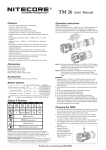
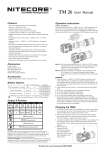
1. Connect the charging cable to the flashlight and the A/C power adapter to
the wall outlet as shown in the adjacent image. Fully charging four depleted
18650 batteries takes approximately 7 hours.
2. Under normal charging conditions, the on/off switch’s blue indicator light will
blink twice every second and the OLED screen will display the word
‘Charging...” together with battery voltage.
3. If a problem is detected during charging, the TM26GT will stop charging, the
blue indicator will blink rapidly and the OLED display will show the word
“ERROR”. This is usually caused by faulty or incorrectly inserted batteries.
124,000cd (Peak Beam Intensity)
4. When charging is complete, the blue indicator will remain on, and
“CHG.FINISHED” along with battery voltage will be displayed on the OLED
screen.
1.5m (Impact Resistant)
IPX-8, 2m (Waterproof AND Submersible)
NOTICE
The above data has been measured in accordance with the international
flashlight testing standards ANSI/NEMA FL1 using 4 x Nitecore 18650(3.7V
3400mAh) and 8 x Nitecore CR123(3V 1700mAh batteries under laboratory
conditions. The data may vary during real-world use due to battery type,
individual usage habits and environmental factors.
Thanks for purchasing NITECORE!
®
The All-Round Flashlight Expert
General Operation
NB: The TM26GT utilizes a 2-stage switch. The light’s numerous functions can
be accessed according to the depth the switch is pressed.
The TM26GT has two modes: Daily mode and Search mode. With the TM26GT
turned off, pressing the switch partway down will activate Daily mode.
Alternatively, with the TM26GT turned off, pressing the switch all the way down
will activate search mode. The TM26GT is turned off by pressing the switch all
the way down.
Brightness Selection in Daily Mode
1. In Daily mode, press the switch partway down to select a brightness level of
ultra-low, low, medium or high. The selected brightness level will be
memorized when the light is turned off.
2. In Daily mode, press the switch partway down and hold to enter turbo mode.
A second partway press will revert back to the brightness level last used.
Brightness Selection in Search Mode
In Search mode, press the switch partway down to cycle between high and
turbo-high levels. There is no memory effect in Search mode.
Momentary Daily / Search Mode
1. With the TM26GT turned off, press the switch partway down and hold to
activate Momentary Daily mode. Release the switch to turn the light off
again.
2. With the TM26GT turned off, press the switch all the way down and hold to
enter Momentary search mode. Release the switch to turn the light off again.
Standby Mode
With the TM26GT turned on, press the switch all the way down and release
within one second to enter standby mode. In this mode, the light will consume
small amounts of power to maintain the settings in the MCU (Micro Control
Unit). When in standby mode the power indicator light will flash once every
three seconds to show the location of the light.
OLED Display
1. When the TM26GT is turned on, the OLED display will activate automatically
and show lumen output, brightness mode, battery voltage, battery status,
approximate runtime and temperature. After displaying this information for
several seconds the OLED display will turn off. The display can be
reactivated by pressing the display switch and the information can be cycled
through with subsequent presses of the switch.
2. When in Standby mode, a single press on the OLED display switch will
activate the OLED and display battery voltage for 10 seconds.
3. When using Nitecore’s NBP52 high-performance battery pack, the actual
runtime will be twice the figure displayed on the OLED panel.
Note: The TM26GT has an integrated thermal protection circuit which
prevents overheating. Please refer to the “Thermal protection” section of
this manual for details.
Special Strobe / SOS mode and
Location Beacon
With the light turned on, press the switch all the way down twice in quick
succession to access strobe mode. When in strobe mode, press the switch
partway down to cycle through SOS, location beacon and strobe modes. To
select any of these modes simply release the switch when it is displayed. To
turn off the light (enter into standby mode) fully press and release the switch.
Note: When in any of the special modes, the OLED display will remain on to
display which mode is being used.
Demonstration Mode
When entering standby mode simultaneously press and hold the display switch
and the on/off switch to enter into Demonstration mode. In Demonstration
mode, the OLED screen will cycle through the TM26’s various messages.
Simply press any button to exit Demonstration mode.
the words “LOCK OUT” as a reminder.
2. When TM26GT is kept in a backpack or left unused for extended
periods, Nitecore recommends the battery compartment is loosened to
cut off the power entirely, thus saving battery power and preventing
accidental activation of the flashlight.
Power Tips
1. With the light turned, the power indicator will blink once every two
seconds when power levels are below 50%.
2. With the light turned, the power indicator will blink rapidly when power
levels are below 10%.
Note: When the light is being used in ultra-low mode, the blue power
indicator will turn off to help conserve power.
Thermal Protection
As the TM26GT is very compact, extended operation in Turbo mode will
cause the body temperature to continually rise, thus, making it too hot to
comfortably hold. As a result, Nitecore does not recommend using the
TM26 in Turbo mode for extended periods. The TM26 has an integrated
thermal protection circuit which prevents overheating. With the light
turned on in Search/Turbo mode, for user safety and to protect the
flashlight from failure, the TM26 will automatically reduce its output to
prevent overheating once it has reached 60 degrees.
Precaution: When the flashlight is hot, do not attempt to cool it by
submerging it in liquid. Due to the differences in internal
and external air pressure the TM26 may suffer irreparable
water damage.
Changing / Charging Batteries
When the power indicator blinks rapidly it means the batteries need to be
replaced or recharged. Alternatively if the light becomes dim or
unresponsive to adjustment this also indicates batteries need to be
replaced or recharged.
Maintenance
Every 6 months, threads should be wiped with a clean cloth followed by a
thin coating of silicon-based lubricant.
Warranty Service
All NITECORE® products are warranted for quality. Any defective /
malfunctioning NITECORE® product can be repaired free of charge for a period
of 60 months (5 years) from the date of purchase. Beyond 60 months (5 years),
a limited warranty applies, covering the cost of labor and maintenance, but not
the cost of accessories or replacement parts.
The warranty is nullified in all of the following situations:
1. The product(s) is/are broken down, reconstructed and/or modified by
unauthorized
parties.
2. The product(s) is/are damaged through improper use.
3. The product(s) is/are damaged by leakage of batteries.
For the latest information on NITECORE® products and services, please
contact a local NITECORE® distributor or send an email to
[email protected]
※All images, text and statements specified herein this user manual are for
reference purpose only. Should any discrepancy occurs between this manual
and information specified on www.nitecore.com, information on our official
website shall prevail. Sysmax Industry Co., Ltd. reserves the rights to interpret
and amend the content of this document at any time without prior notice.
Please find us on facebook: NITECORE Flashlights
With the light turned on, press the switch all the way down and hold for more
than one second. The light will turn off and enter lockout mode. Lockout mode
consumes almost no battery power and prevents the light from accidental
activation. Simply press and hold the switch all the way down for more than
one second to exit lockout mode.
Note:
1. If the display button is pressed in lockout mode, the OLED display will show
SYSMAX Industry Co., Ltd.
TEL:
+86-20-83862000
FAX:
+86-20-83882723
E-mail:
[email protected]
Web:
www.nitecore.com
Address: Rm1401-03, Glorious Tower, 850 East Dongfeng
Road, Guangzhou, China 510600
Thanks for purchasing NITECORE!
20151015
Lockout Function