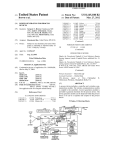
1
US 20040201867A1
(19) United States
(12) Patent Application Publication (10) Pub. No.: US 2004/0201867 A1
Katano
(54)
(43) Pub. Date:
METHOD AND SYSTEM FOR PROVIDING
(52)
Oct. 14, 2004
US. Cl. ........................... .. 358/115; 358/406; 399/8;
UPDATED HELP AND SOLUTION
717/171; 345/705; 710/15;
INFORMATION AT A PRINTING DEVICE
702/ 179
(76) Inventor: Seiichi Katano, San Jose, CA (US)
(57)
ABSTRACT
A method and system for providing updated help and
Correspondence Address:
HICKMAN PALERMO TRUONG & BECKER,
LLP
1600 WILLOW STREET
solution information at a printing device is disclosed.
According to one aspect, a printing device is con?gured to
detect a problem relative to the printing device, to download
solution data from a remote server, and display recom
SAN JOSE, CA 95125 (US)
mended actions to address the problem. According to
another aspect, a printing device is con?gured to receive
(21) Appl. No.:
10/404,755
(22) Filed:
Mar. 31, 2003
user input through a user interface on the printing device,
and to print instructions for operating the printing device in
response to the user input. According to another aspect, a
printing device is con?gured to collect statistics that indicate
Publication Classi?cation
hoW many times one or more particular help instructions or
(51)
Int. Cl.7 ........................... .. G06F 3/12; G06F 15/00;
G06F 17/18; G06F 9/44; G09G 5/00;
particular recommended actions have been selected or dis
played. The printing device is further con?gured to provide
G06F 11/30
the statistics to a remote server.
104
HELP AND SOLUTION DATA SERVER
122
PERSISTENT STORAGE DEVICE
1%
125
125
E MAIL
HELP AND
STATISTICS
SOLUTION
MASTER
MASTER DATA
DATA
I00
7/
‘
APPL'CAT'ON
m
1013
ADMINISTRATOR
NETWORK INTERFACE
COMPUTER
1911
NETWORK
102A
lQZN
PRINTING DEVICE
PRINTING DEVICE
JlQA
112A
IJQN
JlZN
OPERATION
PANEL
PRINTING
MODULE
OPERATION
PANEL
PRINTING
MODULE
PERSISTENT STORAGE DEVICE
. . .
PERSISTENT STORAGE DEVICE
115A
115A
.‘Il?N
Jl?N
HELP AND
SOLUTION DATA
STATISTICS
DATA
HELP AND
SOLUTION DATA
STATISTICS
DATA
lZQA
lZQN
NETWORK INTERFACE
NETWORK INTERFACE
Patent Application Publication Oct. 14, 2004 Sheet 1 0f 10
US 2004/0201867 A1
m4
FIG. 1
HELP AND SOLUTION DATA SERVER
122
PERSISTENT STORAGE DEVICE
114
125
HELP AND
SOLUTION
MASTER DATA
100
128
/
STATISTICS
EMAIL
MASTER
APPLICATION
DATA
1116
ADMINISTRATOR
COMPUTER
m
NETWORK INTERFACE
lQZA
102M
PRINTING DEVICE
PRINTING DEVICE
JJQA
112A
JlQN
JlZN
OPERATION
PANEL
PRINTING
MODULE
OPERATION
PANEL
PRINTING
MODULE
PERSISTENT STORAGE DEVICE
0 O O
m
PERSISTENT STORAGE DEVICE
115A
115A
JJ?N
JJ?N
HELP AND
SOLUTION DATA
STATISTICS
DATA
HELP AND
SOLUTION DATA
STATISTICS
DATA
129A
12!!!
NETWORK INTERFACE
NETWORK INTERFACE
Patent Application Publication Oct. 14, 2004 Sheet 2 0f 10
200‘
US 2004/0201867 A1
ZQZ
DISPLAY INITIAL HELP SCREEN
20A
HAS A USER INTERFACE ELEMENT
THAT REPRESENTS AN ONLINE HELP
REQUEST BEEN SELECTED?
205
RECEIVE ONE OR MORE HELP KEYWORDS
ZQES
CAN THE REMOTE SERVER BE
ACCESSED?
OBTAIN, FROM A DATABASE STORED ON THE REMOTE SERVER, HELP
INFORMATION THAT IS BASED ON THE ONE OR MORE HELP KEYWORDS
I
i
212
OBTAIN, FROM A DATABASE STORED ON THE PRINTING DEVICE, HELP
INFORMATION THAT IS BASED ON THE ONE OR MORE HELP KEYWORDS
FIG. 2A
Patent Application Publication Oct. 14, 2004 Sheet 3 0f 10
200 ‘
@
214
DISPLAY HELP INFORMATION SCREEN
2L6
HAS A USER INTERFACE ELEMENT
THAT REPRESENTS A PRINT REQUEST
BEEN SELECTED?
218
PRINT THE HELP INFORMATION ON SHEET MEDIA
FIG. 2B
US 2004/0201867 A1
Patent Application Publication Oct. 14, 2004 Sheet 4 0f 10
300 \
ma
DISPLAY INITIAL HELP SCREEN
HAS A USER INTERFACE ELEMENT
THAT REPRESENTS A REQUEST TO
PRINT A USER MANUAL BEEN
SELECTED‘?
OBTAIN USER MANUAL DATA FROM A DATABASE
I
BQB
PRINT THE USER MANUAL ON SHEET MEDIA
FIG. 3
US 2004/0201867 A1
Patent Application Publication Oct. 14, 2004 Sheet 5 0f 10
400‘
US 2004/0201867 A1
402
DETECT A PROBLEM RELATIVE TO A PRINTING DEVICE
CAN THE REMOTE SERVER BE
ACCESSED?
OBTAIN SOLUTION DATA FROM A DATABASE STORED ON THE REMOTE SERVER
I
i
40.8
OBTAIN SOLUTION DATA FROM A DATABASE STORED ON THE PRINTING DEVICE
5119
DISPLAY A TROUBLE RECOVERY WIZARD BASED ON THE SOLUTION DATA
412
41A
HAVE THE ONE OR
MORE RECOMMENDED
ACTIONS BEEN
PERFORMED?
HAS THE
PROBLEM
BEEN
SOLVED?
|:|G_ 4
REsuME NORMAL OPERATION
Patent Application Publication Oct. 14, 2004 Sheet 6 0f 10
US 2004/0201867 A1
500‘
522
RECEIVE AN IDENTIFIER FROM A PRINTING DEVICE
I
59A
SEARCH A DATABASE FOR DATA THAT IS ASSOCIATED WITH THE IDENTIFIER
I
505
SEND THE DATA TO THE PRINTING DEVICE
I
5%
BASED ON THE DATA THAT WAS SENT TO THE PRINTING DEVICE, UPDATE
STATISTICAL DATA
5lQ
HAS A SPECIFIED THRESHOLD BEEN
EXCEEDED?
RESUME NORMAL OPERATION
I
51A
GENERATE A NOTIFICATION
I
5.15
SEND THE NOTIFICATION TO A SPECIFIED E-MAIL ADDRESS
FIG. 5
YES
Patent Application Publication Oct. 14, 2004 Sheet 7 0f 10
US 2004/0201867 A1
6.02
HAS A SPECIFIED AMOUNT OF TIME
PASSED SINCE HELP AND SOLUTION
DATA WAS DOWNLOADED FROM A
REMOTE SERVER?
60A
DOWNLOAD HELP AND SOLUTION DATA FROM THE REMOTE SERVER
i
505
STORE THE HELP AND SOLUTION DATA ON A PERSISTENT STORAGE DEVICE
FIG. 6A
6.52
HAS A SPECIFIED AMOUNT OF TIME
PASSED SINCE HELP AND SOLUTION
DATA WAS UPLOADED TO A
REMOTE PRINTING DEVICE?
55A
UPLOAD HELP AND SOLUTION DATA TO THE REMOTE PRINTING DEVICE
FIG. 6B
»
Patent Application Publication Oct. 14, 2004 Sheet 8 0f 10
US 2004/0201867 A1
700
102
L12
ENLARGE
ONLINE HELP
1011
REDUCE
105
STAPLE
1m
KEY PAD
m
sTART
ma
PUNCH
FIG. 7A
700
113
12.0
A:
KEYWORD DISPLAY WINDOW
GO
ONUNE HELP
ZJ?
m
M
ALPHANUMERIC KEYBOARD
KEY PAD
sTART
Z22
PRINT LATEST
54F
MANUAL
FIG. 7B
Patent Application Publication Oct. 14, 2004 Sheet 9 0f 10
US 2004/0201867 A1
700
f
11.2
ONLINE HELP
Z25
m
HELP DATA DISPLAY WINDOW
Z28
13!)
PRINT
EXIT
m
KEY PAD
START
FIG. 7C
700
L12
ONLINE HELP
Z32
SOLUTION DATA DISPLAY WINDOW
FIG. 7D
YlQ
KEY PAD
85%|
Patent Application Publication Oct. 14, 2004 Sheet 10 0f 10
mmw
US 2004/0201867 A1
www.
.mlou
_g
i
H
1
0%
L
Ilil\IiF
__
H
z56mw_<é_o>b_w $m0uas5_m2a
@qm
wad
a
__
i
_
_
_
i
_
_
_
_
k
_
_
_
_
i
i
_
_
_' 20m5ow32u8m
_
_\
M
_M0mm652
v
_
_
AM
_mam
U
mowno
Oct. 14, 2004
US 2004/0201867 A1
METHOD AND SYSTEM FOR PROVIDING
UPDATED HELP AND SOLUTION INFORMATION
AT A PRINTING DEVICE
may become frustrated With the printing device and the
organiZation that made the printing device. Unfortunately,
such organiZations often remain oblivious to the plight of the
user Who cannot operate a printing device due to insuf?cient
FIELD OF THE INVENTION
guidance. Amaker of a printing device is unlikely to remedy
confusion of Which the maker is unaWare.
[0001] The invention relates to printing devices, and more
speci?cally, to a method and system for providing updated
help and solution information at a printing device.
[0007]
Even When a printing device maker is aWare of user
BACKGROUND OF THE INVENTION
confusion, distributing neW printed manuals and/or dis
patching service personnel to update solution information
stored in ?rmWare can be prohibitively expensive. Further
[0002] Printing devices, such as printers, copy machines,
service personnel to arrive While printing devices sit idle.
more, users typically dislike Waiting for neW manuals or
and multi-function peripherals (MFPs) such as the Ricoh
A?cio Color 6513 system, continue to become more sophis
ticated. Despite efforts to make printing devices easy to
operate, many users of unfamiliar printing devices have, in
the past, become perpleXed When attempting to use those
printing devices. To assist users, a maker of a printing device
usually provides a paper copy of a user manual that contains
instructions for operating a printing device. As long as a user
manual remains in a knoWn location close to the printing
device, users can ?nd help in the manual’s pages.
[0003] Unfortunately, user manuals are often lost or mis
placed. Frequently, user manuals are kept in a different
location than the printing device for Which they contain
operating instructions. Even if a user knoWs Where to ?nd a
[0008] Based on the need to provide better guidance to
confused and frustrated users of printing devices, a method
and system for providing updated help and solution infor
mation at a printing device is highly desirable.
SUMMARY OF THE INVENTION
[0009] A method and system for providing updated help
and solution information at a printing device is disclosed.
According to one aspect, a printing device is con?gured to
detect a problem relative to the printing device, to doWnload
solution data from a remote server, and display recom
mended actions to address the problem. According to
another aspect, a printing device is con?gured to receive
user manual for the printing device that he is trying to
operate, the user may be burdened With the task of traveling
user input through a user interface on the printing device,
some distance to Where the user manual is kept, and then
response to the user input. According to another aspect, a
traveling back to the printing device once he has read the
printing device is con?gured to collect statistics that indicate
user manual. This Wastes the user’s time.
[0004] Even easily operated printing devices can experi
ence problems that require user intervention. The paper that
feeds through a printing device may jam, requiring a user to
remove one or more pages that are stuck someplace inside
of the printing device. The printing device may run loW on
toner, requiring a user to supply additional toner to the
printing device. The printing device may use all of the paper
and to print instructions for operating the printing device in
hoW many times one or more particular help instructions or
particular recommended actions have been selected or dis
played. The printing device is further con?gured to provide
the statistics to a remote server.
BRIEF DESCRIPTION OF THE DRAWINGS
in its paper tray, requiring a user to insert more paper into the
[0010] Embodiments are illustrated by Way of eXample,
and not by Way of limitation, in the ?gures of the accom
panying draWings in Which like reference numerals refer to
appropriate tray.
similar elements and in Which:
[0005] Some of the more sophisticated printing devices
include a display that shoWs solution information for solving
problems that the printing device may experience. For
eXample, a printing device may display, on a liquid crystal
display (LCD) panel located on the surface of the printing
device, recommended actions for removing paper that is
stuck Within the printing device. In some instances, the
recommend actions depict components of the printing
device that the user must manipulate in order to remedy the
problem. For eXample, a printing device may display, on an
LCD panel, an image of the printing device With a particular
door or cover opened, thus shoWing the user that he must
[0011]
FIG. 1 is a block diagram that depicts a system for
providing updated help and solution information at printing
devices, according to one embodiment of the invention;
[0012] FIGS. 2A and 2B are How diagrams that depict a
process for providing help information at a printing device,
according to one embodiment of the invention;
[0013] FIG. 3 is a How diagram that depicts a process for
printing an updated user manual at a printing device in
response to user input received at the printing device,
according to one embodiment of the invention;
open that particular door or cover to access the area of the
[0014]
printing device in Which the problem has occurred. Such
solution information is usually stored in ?rmWare of the
providing updated solution information at a printing device,
FIG. 4 is a How diagram that depicts a process for
according to one embodiment of the invention;
printing device.
[0006] While solutions presented on a printing device’s
display and operating instructions printed in a manual may
assist a user, such solutions and instructions are sometimes
[0015]
FIG. 5 is a How diagram that depicts a process for
sending a noti?cation based on help and solution data access
statistics, according to one embodiment of the invention;
dif?cult to understand. Instructions may be unclear, impre
[0016]
cise, incomplete, outdated, or even erroneous. When a user
processes for periodically synchroniZing help and solution
FIGS. 6A and 6B are How diagrams that depict
cannot understand help or solution information, the user
databases, according to one embodiment of the invention;
Oct. 14, 2004
US 2004/0201867 A1
[0017]
FIGS. 7A-7D are block diagrams that depict an
example printing device operation panel, according to one
embodiment of the invention; and
[0018]
FIG. 8 is a block diagram that depicts a computer
system upon Which an embodiment of the invention may be
implemented
DETAILED DESCRIPTION OF THE
INVENTION
[0019] In the folloWing description, for the purposes of
explanation, speci?c details are set forth in order to provide
a thorough understanding of the invention. HoWever, it Will
be apparent that the invention may be practiced Without
these speci?c details. In some instances, Well-knoWn struc
tures and devices are depicted in block diagram form in
order to avoid unnecessarily obscuring the invention.
Example System for Providing Updated Help and
[0020]
Solution Information at Printing Devices
FIG. 1 is a block diagram that depicts a system 100
for providing updated help and solution information at
printing devices, according to one embodiment of the inven
tion. System 100 comprises printing devices 102A-102N,
help and solution data server 104, administrator computer
106, and netWork 108. While, in one embodiment of the
invention, printing devices 102A-102N are communica
tively coupled to netWork 108, and help and solution data
server 104 is communicatively coupled to netWork 108, in
an alternative embodiment of the invention, printing devices
102A-102N are directly connected to help and solution data
server 104 Without any intervening netWork.
[0021] Printing devices 102A-102N may be printers,
MFPs, copy machines, fax machines, or other devices that
can print on sheets of media such as paper or transparencies.
According to one embodiment of the invention, among
printing devices 102A-102N are different sub-types of print
ing devices. For example, in one embodiment of the inven
tion, printing device 102A is a printer, printing device 102B
is an MFP, printing device 102C is a copy machine, and
printing device 102D is a fax machine.
[0022]
Each of printing devices 102A-102N contains or is
connected to multiple components. For example, printing
device 102A has an operation panel 110A, a printing module
112A, a persistent storage device 114A, and, in one embodi
ment of the invention, a netWork interface 120A.
[0023] NetWork interface 120A alloWs printing device
102A to communicate With other devices, such as help and
solution data server 104, through netWork 108. For example,
netWork interface 120A may transmit and receive data
packets according to data link layer, netWork layer, and
transport layer protocols, such as Ethernet, Internet Protocol
(IP), and Transmission Control Protocol (TCP). Thus, in one
embodiment of the invention, netWork interface 120A is an
Ethernet adapter. In an alternative embodiment of the inven
tion, printing device 102A includes a communication inter
face, such as a Universal Serial Bus (USB) port, a parallel
port, or a small computer system interface (SCSI) port,
through Which printing device 102A may be directly con
nected With other devices, such as help and solution data
server 104.
[0024] According to one embodiment of the invention,
persistent storage device 114A is a hard disk drive. In
alternative embodiments of the invention, persistent storage
device 114A comprises other forms of re-Writable magnetic,
optical, or electronic storage media. Persistent storage
device 114A stores help and solution data 116A and statistics
data 118A. In one embodiment of the invention, help and
solution data 116A and statistics data 118A are stored in a
database that is maintained on persistent storage device
114A.
[0025] Help and solution data 116A contains both help
data and solution data. According to one embodiment of the
invention, help data comprises information that is taken
from a user manual, such as instructions for operating
printing device 102A. Help data may be stored in database
records indexed by one or more keyWords to alloW rapid
search and retrieval. For example, a record that is indexed
according to keyWords “bypass tray” may contain informa
tion about the purpose, function, and use of a bypass tray of
printing device 102A. A given record may include text and
images.
[0026]
According to one embodiment of the invention,
solution data comprises one or more separate solutions.
Each solution corresponds to, or is associated With, one or
more problems. A particular solution may comprise one or
more distinct recommended actions that a user is to take
relative to printing device 102A to remedy a problem With
Which the particular solution is associated. For example, a
solution that is associated With a paper jam in the vicinity of
a roller may comprise recommended actions such as opening
a top panel of the printing device and operating a particular
lever to expose the roller to the user so that the user can
remove the jammed paper. A sequence of recommended
actions that are customiZed to solve a particular problem is
sometimes called a “trouble recovery Wizard.”
[0027] Statistics data 118A comprises statistics pertaining
to the access of help and solution data 116A. For example,
statistics data 118A may comprise information about the
number of times that users of printing device 102A have
accessed a particular help data record or solution. This
information can be used to identify parts of help and solution
data 116A that might bene?t from revision, and to improve
future printing devices. According to one embodiment of the
invention, When a user accesses help and solution data 116A,
printing device 102A updates statistics data 118A, in
response, to re?ect the number of times that particular data
has been accessed. For example, if a user accesses a record
for “bypass tray” in help and solution data 116A, then
printing device 102A updates statistics data 118A to re?ect
that access.
[0028] Printing module 112A comprises mechanical and
electronic components that operate to print information,
such as text and images, on sheets of media, such as paper
or transparencies. Printing module 112A further comprises
components that operate to feed sheets of media into the
printing module from one or more selected input trays, and
to output these sheets into one or more selected output bins.
[0029] According to one embodiment of the invention,
operation panel 110A is located on the surface of printing
device 102A to serve as a user interface—to receive input
from a user and to display information to a user. Operation
panel 110A comprises an input device, such as a touch panel
or keypad, and a display device, such as an LCD, cathode
ray tube (CRT), or plasma display. The input device and
Oct. 14, 2004
US 2004/0201867 A1
display device may be integrated. For example, in one
embodiment of the invention, operation panel 110A com
prises an interactive touch-sensitive screen that is capable of
indicating to a user separate regions of a graphical user
interface represented on the screen. These regions, when
touched by the user, cause printing device 102A to perform
[0035] E-mail application 128 is an e-mail client applica
tion. E-mail application 128 is con?gured to send e-mail
messages through network 108 to one or more speci?ed
e-mail accounts. Administrator computer 106 is con?gured
to access such an e-mail account, for example, through
network 108, to obtain such e-mail messages. E-mail mes
different functions. Such regions are referred to as “user
sages may be temporarily stored on one or more e-mail
interface elements” or “user interface objects.”
servers.
[0030] Printing device 102A may comprise components in
addition to those described above. For example, printing
A Printing Device that Downloads Solution Data
device 102A may include a scanning module that operates to
read images from a surface and produce data based on those
images. Printing device 102A may contain one or more
sensors that operate to detect when a problem has occurred
[0036] According to one embodiment of the invention,
printing device 102A detects a problem relative to the
relative to the printing device. Others of printing devices
102A-102N also comprise the components described above
with reference to printing device 102A. Where printing
device 102A is described below, the description may be
applied to any of printing devices 102A-102N.
[0031] Network 108 may be implemented by any medium
or mechanism that provides for the exchange of data
between printing devices 102A-102N and help and solution
data server 104. Examples of network 108 include, without
from a Remote Server
printing device. For example, printing device 102A auto
matically detects, through sensors, a paper jam in printing
module 112A. Printing device 102A downloads, in response
to detecting the problem, solution data from a speci?ed
remote server that stores the solution data. For example,
printing device 102A downloads solution data from help and
solution data server 104, which stores solution data in help
and solution master data 124. Printing device 102A displays,
through a user interface on the printing device, one or more
recommended actions that are based on the solution data and
limitation, a network such as a Local Area Network (LAN),
Wide Area Network (WAN), Ethernet or the Internet, or one
or more terrestrial, satellite or wireless links. Network 108
may include a combination of networks such as those
which address the detected problem. For example, printing
described. Network 108 may transmit data according to
Transmission Control Protocol (TCP) and Internet Protocol
plurality of recommended actions, based on the detected
select the one or more recommended actions from among a
problem. In this manner, printing device 102A may display
one or more recommended actions that are speci?cally
(IP).
[0032]
device 102A displays one or more recommended actions
through operation panel 110A. Printing device 102A may
Help and solution data server 104 may be imple
designed to solve a particular problem.
mented on a computer. Help and solution data server 104
[0037] While, in one embodiment of the invention, print
comprises a persistent storage device 122 and a network
interface 130. Persistent storage device 122 and network
interface 130 are similar to persistent storage device 114A
ing device 102A downloads all of the solution data that
pertains to printing device 102A in response to detecting a
problem, in an alternative embodiment of the invention,
printing device 102A downloads only the solution data that
corresponds to a particular problem in response to detecting
and network interface 120A, respectively, described above.
Persistent storage device 122 stores help and solution master
data 124, statistics master data 126, and an e-mail applica
tion 128. According to one embodiment of the invention,
help and solution master data 124 and statistics master data
126 are stored in a database that is maintained on persistent
storage device 122.
[0033] Help and solution master data 126 is similar in
content to help and solution data 116 described above. Help
and solution master data 126 may comprise help and solu
tion data for each of printing devices 102A-102N. The help
and solution data for one printing device may differ from the
help and solution data for another printing device. For
example, the operating instructions for a fax machine are
typically different than operating instructions for a copy
machine. According to one embodiment of the invention,
help and solution master data is a most recently updated
version of the help and solution information for each of
printing devices 102A-102N.
[0034]
the particular problem.
[0038] By downloading solution data from a remote server
that stores the solution data, printing device 102A can obtain
updated solution data. Thus, a maker of printing device 102
can update the solution data that will be displayed to users
of the printing device by updating the master solution data
that is stored on help and solution data server 104. By
downloading the solution data in response to detecting a
problem, printing device 102A can display solution data that
has been updated as of the time that the problem occurred.
Others of printing devices 102A-102N may be con?gured
similarly to printing device 102A. Therefore, updating help
and solution master data 124 causes the solution data
displayed by each such printing device to be updated,
thereby eliminating any need to update such printing devices
separately and individually.
[0039] Sometimes, communication between a printing
Statistics master data 126 comprises statistical
device and a remote server is interrupted. For example, a
information about the usage of the help and solution data on
portion of network 108 may fail, thereby preventing printing
each of printing devices 102A-102N. Thus, statistics master
data 126 comprises a compilation of statistics data 118A
118N. For example, statistics master data 126 may contain
information about how many times records for “bypass tray”
have been accessed in any of help and solution data 116A
116N.
device 102A from communicating with help and solution
data server 104 through network 108; at least temporarily.
Therefore, according to one embodiment of the invention,
printing device 102A determines, in response to detecting
the problem, whether the printing device can currently
access, through a communication interface of the printing
Oct. 14, 2004
US 2004/0201867 A1
device, the speci?ed remote server that stores the solution
operating instructions, such as a user manual for the printing
data. For example, printing device 102A determines Whether
it can access help and solution data server 104 through
device, should be printed. According to one embodiment of
the invention, the user input consists of the touching of a
netWork interface 120A and netWork 108. Printing device
single user interface element displayed on operation panel
102A may determine Whether an active netWork connection
110A, such as an interface element that depicts the label
is present, and Whether help and solution data server 104
“print latest manual.”
responds to queries made through the netWork connection.
For eXample, help and solution data server 104 may be
[0044]
In response to receiving the user input through the
con?gured With a particular IP address, and printing device
102A may ping the particular IP address to determine
user interface on the printing device, printing device 102A
prints one or more instructions for operating the printing
Whether the help and solution data server is currently
accessible.
Which is stored on persistent storage device 114A as a part
[0040] According to one embodiment of the invention,
printing device 102A displays, in response to determining
that the printing device cannot currently access the speci?ed
102A to obtain operating instructions for the printing device.
remote server that stores the solution data, one or more
recommended actions that are based on solution data that the
printing device previously doWnloaded from the remote
server. For eXample, in response to determining that printing
device 102A cannot currently access help and solution data
server 104, the printing device displays recommended
device. For eXample, printing device 102A prints help data,
of help and solution data 116, through printing module
112A. As a result, users do not need to leave printing device
Users do not need to consult the Website of an organiZation
that supports the printing device, nor do users need to
converse With a technical support agent of such an organi
Zation, to obtain assistance in operating printing device
102A.
[0045] While, in one embodiment of the invention, print
actions that are based on help and solution data 116A that is
stored on persistent storage device 114A. According to one
ing device 102A prints an entire user manual in response to
receiving the user input, in an alternative embodiment of the
embodiment, help and solution data 116A contains solution
data that printing device 102A most recently doWnloaded
section of help data. Auser may select such a section, from
from help and solution data server 104. Thus, even When
printing device 102A cannot connect to help and solution
data server 104, printing device 102A can still display
recommended actions to address detected problems.
The selection may be made from a list of sections, or as a
result of a search for one or more keyWords.
[0041] According to one embodiment of the invention,
printing device 102A also periodically doWnloads solution
data from the speci?ed remote server that stores the solution
data, thus synchroniZing help and solution data 116A With
help and solution master data 124. For eXample, printing
device 102A doWnloads solution data from help and solution
data server 104A at one or more speci?ed intervals of time,
such as every day. According to one embodiment of the
invention, printing device 102A stores the doWnloaded
solution data on persistent storage device 114A. Conse
quently, help and solution data 116A may contain recently
updated solution data even before a problem is detected.
Thus, even if printing device 102A cannot access help and
solution data server 104A at the time that the printing device
detects a problem, the solution data stored on persistent
storage device 114A may be relatively current.
A Printing Device that Prints Operating Instructions
in Response to Receiving User Input Through a
invention, printing device 102A prints only a speci?ed
among a plurality of sections, through operation panel 110A.
[0046] User manuals for printing devices are sometimes
revised to clarify, complete, or correct operating instructions
contained therein. Even if a user can ?nd a copy of a user
manual, that copy might contain outdated information.
Therefore, according to one embodiment of the invention,
printing device 102A determines Whether the printing device
can currently access a speci?ed remote server that stores the
operating instructions described above. Printing device
102A may make the determination in response to receiving
the user input described above. For eXample, printing device
102A determines Whether it can currently access help and
solution data server 104 through netWork interface 120A and
netWork 108. Printing device 102A may ping an IP address
of help and solution data server 104 to determine Whether
the printing device can access the help and solution data
server.
[0047] According to one embodiment of the invention, in
response to determining that printing device 102A can
currently access the speci?ed remote server, the printing
device doWnloads one or more of the operating instructions
User Interface on the Printing Device
from the speci?ed remote server. For eXample, printing
[0042] As mentioned above, printed copies of user manu
device 102A may doWnload help data, such as a user manual
or a section thereof, from help and solution data server 104,
als are sometimes lost or misplaced. Even if the user manual
is stored as a document on a persistent storage device of
and store that help data on persistent storage device 114A.
some computer, ?nding the location of the document Within
[0048] While, in one embodiment of the invention, print
a hierarchical ?le structure can be time-consuming, and the
ing device 102A doWnloads an entire user manual in
response to receiving the user input, in an alternative
document may be outdated. Users typically dislike having to
leave a printing device to ?nd a user manual or other help
information.
[0043]
Therefore, according to one embodiment of the
invention, printing device 102A receives user input through
a user interface on the printing device. For example, printing
embodiment of the invention, printing device 102A doWn
loads only a speci?ed section of help data. Auser may select
such a section, from among a plurality of sections, through
operation panel 110A.
device 102A receives user input through operation panel
[0049] According to one embodiment of the invention, if
printing device 102A determines that the printing device
110A. The user input indicates to printing device 102A that
cannot currently access help and solution data server 104,
Oct. 14, 2004
US 2004/0201867 A1
then printing device 102A prints one or more instructions
104 of the update to statistics data 118A, so that help and
that the printing device previously downloaded from the
solution data server 104 may update statistics master data
126 to re?ect the update to statistics data 118A.
remote server. For example, if printing device 102A cannot
access help and solution data server 104 at the time that the
user input is received, then printing device may print a
version of the help data that is stored on persistent storage
device 114A. Thus, a user may obtain help information, such
as a user manual, even if printing device 102A is not
[0055]
According to one embodiment of the invention,
printing device 102A determines Whether a number of times
that the one or more particular help instructions have been
selected exceeds a speci?ed threshold. For example, printing
the same manner as that described above With reference to
device 102A determines from statistics data 118A Whether
the particular help instructions have been accessed more
than a speci?ed number of times. In response to determining
that the number of times that the one or more particular help
instructions have been selected exceeds the speci?ed thresh
old, printing device 102A generates a noti?cation that indi
doWnloading solution data. Thus, relatively current help data
cates that the number of times that the one or more particular
may be provided to a user even if printing device 102A
cannot access help and solution data server 104A at the time
instructions have been selected exceeds the speci?ed thresh
old.
currently connected to netWork 108.
[0050]
According to one embodiment of the invention,
printing device 102A also periodically doWnloads help data
from a speci?ed remote server that stores the help data, in
that the printing device receives user input that requests the
help data.
A Printing Device that Maintains Statistical Data
about Help and Solution Data Accesses
[0056] According to one embodiment of the invention,
printing device 102A updates statistics relating to recom
mended actions that are displayed in response to problems
that the printing device detects. Printing device 102A
updates statistics that indicate hoW many times one or more
Typically, if help or solution data is unclear or
recommended actions have been displayed. Printing device
erroneous, users Will access that help or solution data many
times in an effort to understand What the help or solution
102A determines Whether a number of times that the one or
more recommended actions have been displayed exceeds a
data means. If a particular function of a printing device is
dif?cult to understand or operate, or if a particular compo
nent of a printing device frequently malfunctions, then users
number of times that the one or more recommended actions
[0051]
Will probably access help or solution data pertaining to that
particular function or component many times. In accordance
With one embodiment of the invention, an organiZation that
makes or supports printing device 102A can obtain, from the
printing device, information that may be used to determine
Which sections of help and solution data should be revised,
and Which aspects of the printing device should be rede
signed or otherWise improved.
speci?ed threshold. In response to determining that the
have been displayed exceeds the speci?ed threshold, print
ing device 102A generates a noti?cation that indicates that
the number of times that the one or more recommended
actions have been displayed exceeds the speci?ed threshold.
[0057] A noti?cation may be included in an e-mail mes
sage that is to be sent to a speci?ed e-mail address. Addi
tionally or alternatively, a noti?cation may be Written to a
log stored on persistent storage device 114A. According to
one embodiment of the invention, printing device 102A
sends noti?cations, such as those described above, to a
[0052] According to one embodiment of the invention,
printing device 102A receives input through a user interface
on the printing device. For example, printing device 102A
send e-mail messages through netWork 108 to one or more
receives user input through operation panel 110A. User
speci?ed e-mail accounts. Administrator computer 106 may
speci?ed e-mail address. For example, printer 102A may
input may comprise one or more keyWords or the selection
access such an e-mail account through netWork 108 to obtain
of one or more particular user interface elements. Based on
such e-mail messages. While, in one embodiment of the
the user input, printing device 102A selects, from among a
invention, printers 102A-102N are each con?gured to gen
plurality of help instructions that specify hoW to operate the
erate and send such noti?cations based on statistics data
printing device, one or more particular help instructions that
118A-118N, respectively, in an alternative embodiment of
the invention, help and solution data server 104 generates
correspond to the user input. For example, if help and
solution data 116 is stored in a database, then printing device
and sends such noti?cations based on statistics master data
102A selects one or more particular database records based
on the user input.
126.
[0053] Printing device 102A displays, through the user
a Printing Device
[0058] FIGS. 2A and 2B are How diagrams that depict a
process 200 for providing help information at a printing
device, according to one embodiment of the invention. For
interface, the one or more particular help instructions. For
example, printing device 102A displays the one or more
particular help instructions through operation panel 110A.
The help instructions may be displayed simultaneously, or in
succession.
[0054] According to one embodiment of the invention,
printing device 102A updates statistics that indicate hoW
many times the one or more particular help instructions have
been selected. For example, printing device 102A updates
statistics data 118A. Printing device 102A may increment
counters that are associated With each of the particular help
instructions. According to one embodiment of the invention,
printing device 102A informs help and solution data server
Example Process for Providing Help Information at
example, any of printing devices 102A-102N may perform
process 200.
[0059]
In block 202, an initial help screen is displayed. For
example, printing device 102A may display an initial help
screen through operation panel 110A. The initial help screen
may comprise selectable user interface elements With labels
such as “print latest manual” and “online help.”
[0060] In block 204, it is determined Whether a user
interface element that represents an online help request has
Oct. 14, 2004
US 2004/0201867 A1
been selected. For example, printing device 102A may
according to one embodiment of the invention. For example,
determine Whether a user interface element labeled “online
any of printing devices 102A-102N may perform process
help” has been selected through operation panel 110A. If it
300.
is determined that such a user interface element has not been
selected, then control passes back to block 204. If it is
determined that such a user interface element has been
selected, then control passes to block 206.
[0061] In block 206, one or more help keywords are
received. For example, printing device 102A may receive a
help keyWord via a keypad that is displayed through opera
tion panel 110A. According to one embodiment of the
invention, the one or more help keyWords are received upon
[0069]
In block 302, an initial help screen is displayed. For
example, printing device 102A may display an initial help
screen through operation panel 110A. The initial help screen
may comprise selectable user interface elements With labels
such as “print latest manual” and “online help.”
[0070] In block 304, it is determined Whether a user
interface element, Which represents a request to print a user
manual, has been selected. For example, printing device
102A may determine Whether a user interface element
the selection of a user interface object that is labeled “go.”
labeled “print latest manual” has been selected through
[0062] In block 208, it is determined Whether a remote
server can be accessed. For example, printing device 102A
may determine Whether it can currently access, through
operation panel 110A. If such a user interface element has
not been selected, then control passes back to block 304. If
such a user interface element has been selected, then control
passes to block 306.
netWork interface 120A and netWork 108, help and solution
data server 104. If the remote server can be accessed, then
control passes to block 210. If the remote server cannot be
accessed, then control passes to block 212.
[0063] In block 210, help information, based on the one or
more help keyWords, is obtained from a database stored on
the remote server. For example, printing device 102A may
obtain help information by doWnloading help data that is
stored in help and solution master data 124. According to
one embodiment of the invention, printing device 102A
[0071] In block 306, user manual data is obtained from a
database. User manual data is one kind of help data. For
example, printing device 102A may obtain user manual data
by doWnloading user manual data that is stored in help and
solution master data 124. For another example, printing
device 102A may obtain user manual data that is stored in
help and solution data 116.
[0072] In block 308, the user manual is printed on sheet
media. For example, printing device 102A may print the user
searches a database for help information that matches or
manual, based on the user manual data, on one or more
contains particular keyWords.
sheets of paper through printing module 112A. Prior to
printing, the user manual data may be formatted according
[0064] In block 212, help information, based on the one or
more help keyWords, is obtained from a database stored on
to a speci?ed format.
the printing device. For example, printing device 102A may
obtain help information that is stored in help and solution
data 116.
[0065]
In block 214, a help information screen is dis
played. For example, printing device 102A may display the
help information through operation panel 110A. Along With
the help information, the help information screen may
Example Process for Providing Updated Solution
Data at a Printing Device
[0073] FIG. 4 is a flow diagram that depicts a process 400
for providing updated solution information at a printing
device, according to one embodiment of the invention. For
example, any of printing devices 102A-102N may perform
process 400.
comprise selectable user interface objects With labels such as
[0074]
“print” and “exit.”
printing device. For example, printing device 102A may
[0066] In block 216, it is determined Whether a user
interface element that represents a print request has been
detect a paper jam in printing module 112A. According to
one embodiment of the invention, each problem is associ
ated With a different problem code.
selected. For example, printing device 102A may determine
Whether a user interface element labeled “print” has been
selected through operation panel 110A. If such a user
interface element has not been selected, then control passes
back to block 216. If such a user interface element has been
In block 402, a problem is detected relative to a
[0075] In block 404, it is determined Whether a remote
server can be accessed. For example, printing device 102A
may determine Whether it can currently access, through
netWork interface 120A and netWork 108, help and solution
selected, then control passes to block 218.
data server 104. If the remote server can be accessed, then
control passes to block 406. If the remote server cannot be
[0067] In block 218, the help information is printed on
sheet media. For example, printing device 102A may print
accessed, then control passes to block 408.
the help information on one or more sheets of paper through
printing module 112A. Prior to printing, the help informa
tion may be formatted according to a speci?ed format.
Example Process for Printing a User Manual at a
Printing Device in Response to User Input
[0076]
In block 406, solution data is obtained from a
database stored on the remote server. For example, printing
device 102A may obtain solution data by doWnloading
solution data that is stored in help and solution master data
124. According to one embodiment of the invention, printing
device 102A searches a database for solution data that
matches a particular problem code.
Received at the Printing Device
[0068] FIG. 3 is a flow diagram that depicts a process 300
for printing an updated user manual at a printing device in
response to user input received at the printing device,
[0077] In block 408, solution data is obtained from a
database stored on the printing device. For example, printing
device 102A may obtain solution data that is stored in help
and solution data 116.
Oct. 14, 2004
US 2004/0201867 A1
[0078]
In block 410, based on the solution data, a trouble
recovery WiZard is displayed. For example, printing device
102A may display one or more recommended actions, Which
are based on the solution data and comprise a trouble
recovery WiZard, through operation panel 110A.
[0079] In block 412, it is determined Whether the one or
more recommended actions have been performed. For
example, printing device 102A may determine Whether its
hardWare status has changed—such as Whether a particular
cover of the printing device has been opened as recom
mended. For another example, printing device 102A may
determine Whether user input, Which indicates that the one
or more recommended actions have been performed, has
been received through operation panel 110A. If the one or
more recommended actions have not been performed, then
control passes back to block 412. If the one or more
recommended actions have been performed, then control
[0086] In block 510, it is determined Whether a speci?ed
threshold has been exceeded. For example, help and solution
data server 104 may determine from statistical data 126
Whether a number of times that the help or solution data has
been sent to the printing device exceeds a speci?ed thresh
old. If the speci?ed threshold has not been exceeded, then
control passes to block 512, in Which normal operation
resumes. If the speci?ed threshold has been exceeded, then
control passes to block 514.
[0087] In block 514, a noti?cation is generated. For
example, help and solution data server 104 may generate a
noti?cation that indicates that the data that Was sent to the
printing device has been sent a number of times that exceeds
a speci?ed threshold.
[0088] In block 516, the noti?cation is sent to a speci?ed
e-mail address. For example, the noti?cation may be sent to
passes to block 414.
an e-mail address that corresponds to an e-mail account from
Which administrator computer 106 can obtain e-mail mes
[0080] In block 414, it is determined Whether the problem
has been solved. For example, printing device 102A may
sages. Based on the noti?cation, the noti?cation’s recipient
may choose to update the help or solution data in an effort
determine Whether the problem is still detected—such as
to reduce the frequency at Which users access that help or
Whether paper still jams printing module 112A. For another
example, printing device may determine Whether user input,
Which indicates that the problem has been solved, has been
solution data in the future.
Example Process for Periodically SynchroniZing
received through operation panel 110A. If the problem has
not been solved, then control passes back to block 404, after
Which additional solution data may be obtained from a
database in either block 406 or block 408. If the problem has
been solved, then control passes to block 416, in Which
normal operation resumes.
Example Process for Sending a Noti?cation Based
on Help and Solution Data Access Statistics
[0081] FIG. 5 is a How diagram that depicts a process 500
for sending a noti?cation based on help and solution data
access statistics, according to one embodiment of the inven
tion. For example, help and solution database server 104
may perform process 500.
[0082]
In block 502, an identi?er is received from a
printing device. For example, help and solution data server
104 may receive a keyWord or a problem code from printing
device 102A.
[0083] In block 504, a database is searched for data that is
associated With the identi?er. For example, help and solution
data server 104 may search help and solution master data
124 for help data that contains or is associated With a
particular keyWord. For another example, help and solution
data server 104 may search help and solution master data
124 for solution data that is associated With a particular
problem code.
[0084] In block 506, the data that is associated With the
identi?er is sent to the printing device. For example, help
and solution data server 104 may upload, to printing device
102A, help data that is associated With a particular keyWord,
Help and Solution Databases
[0089]
FIG. 6A is a How diagram that depicts a process
600 for periodically synchroniZing help and solution data
bases, according to one embodiment of the invention. For
example, any of printing devices 102A-102N may perform
process 600.
[0090] In block 602, it is determined Whether a speci?ed
amount of time has passed since help and solution data Was
doWnloaded from a remote server. For example, printing
device 102A may determine Whether a speci?ed amount of
time has passed since the printing device doWnloaded all of
the relevant data that is contained in help and solution master
data 124. Because help and solution master data 124 may
contain data for printing devices of other kinds than printing
device 102A, the printing device does not need to doWnload
data that is speci?ed as being relevant only to other kinds of
printing devices. If the speci?ed amount of time has not yet
passed, then control passes back to block 602. If the speci
?ed amount of time has passed, then control passes to block
604.
[0091] In block 604, help and solution data is doWnloaded
from the remote server. For example, printer 102A may
doWnload all of the relevant data that is contained in help
and solution master data 124. Such data may include help
data, such as user manual information and instructions for
operating printing device 102A, and solution data, such as
recommended actions for solving particular problems rela
tive to printing device 102A.
or solution data that is associated With a particular problem
code.
[0092] In block 606, the help and solution data is stored on
a persistent storage device. For example, printer 102A may
store the doWnloaded information in help and solution data
116A on persistent storage device 114A.
[0085]
[0093]
In block 508, statistical data is updated based on
the data that Was sent to the printing device. For example,
help and solution data server 104 may increment, in statistics
master data 126, a particular counter that is associated With
the data that Was sent to the printing device.
FIG. 6B is a How diagram that depicts a process
650 for periodically synchroniZing help and solution data
bases, according to one embodiment of the invention. For
example, help and solution data server 104 may perform
process 650.
Oct. 14, 2004
US 2004/0201867 A1
[0094] In block 652, it is determined Whether a speci?ed
amount of time has passed since help and solution data Was
uploaded to a particular remote printing device. For
example, help and solution data server 104 may determine
Whether a speci?ed amount of time has passed since the
server uploaded, to printing device 102A, data that is
contained in help and solution master data 124. If the
speci?ed amount of time has not yet passed, then control
face element 718 is a keyWord display WindoW. Interface
element 720 is a “go” button. Interface element 722 is a
“print latest manual” button. Interface element Interface
element 724 is an “exit” button.
[0101] According to one embodiment of the invention,
When a key on alphanumeric keyboard 716 is selected, the
alphanumeric character represented by that key appears in
keyWord display WindoW 718. Thus, a user may touch
characters that are represented on the alphanumeric key
passes back to block 652. If the speci?ed amount of time has
passed, then control passes to block 654.
board 716 to enter one or more keyWords into keyWord
[0095] In block 654, help and solution data is uploaded to
the particular remote printing device. For example, help and
display WindoW 718. When “go” button 720 is selected, then
operation panel 700 displays an particular online help screen
solution data server 104 may upload, to printing device
102A, all of the relevant data that is contained in help and
solution master data 124.
such as that depicted in FIG. 7C.
Example Printing Device Operation Panel
[0096]
FIG. 7A is a block diagram that depicts an example
printing device operation panel 700, according to one
embodiment of the invention. Operating panel 700 includes
interface elements 702-708, a keypad 710, an online help
button 712, and a start button 714. One or more of the
components of operation panel 700 may be implemented
using a touch-sensitive LCD. Thus, one or more components
of operation panel 700 may be graphically rendered.
[0097] Interface elements 702-708 indicate functions that
a printing device is con?gured to provide relative to a print
job or copy job. Interface element 702 indicates the avail
ability of an enlarge function. Interface element 704 indi
[0102] According to one embodiment of the invention,
When “print latest manual” button 722 is selected, the
printing device on Which operation panel 700 is located
prints an updated copy of a user manual for the printing
device. As described above, updated user manual data may
be obtained from a remote server. Thus, a user does not need
to leave the printing device to obtain a current user manual
for the printing device.
[0103] According to one embodiment of the invention,
When “exit” button 724 is selected, operation panel 700
ceases displaying interface elements 716-724 as depicted in
FIG. 7B, and instead displays interface elements 702-708 as
depicted in FIG. 7A.
[0104] FIG. 7C is a block diagram that depicts example
printing device operation panel 700 displaying a particular
user may select one or more of interface elements 702-708
online help screen, according to one embodiment of the
invention. Instead of interface elements 716-724, interface
elements 726-730 are displayed on operation panel 700.
Interface element 726 is a help data display WindoW. Inter
face element 728 is a “print” button. Interface element 730
by touching the interface elements that the user Wishes to
is an “exit” button.
select. Selection of an interface element may cause that
interface element to differ in appearance to indicate that the
[0105]
cates the availability of a reduce function. Interface element
706 indicates the availability of a staple function. Interface
element 708 indicates the availability of a punch function. A
operation panel has detected the selection of that interface
element. For example, if interface element 702 has been
selected, then interface element 702 may be shoWn in a
darker color.
[0098]
Keypad 710 may include actual physical keys or a
graphical representation of keys. Keypad 710 may include
numerical keys for digits “0” through “9.” Keypad 710 may
also include keys that represent other symbols, such as “*”
and “#”. A user may use the keys of keypad 710 to input
information that is requested by the printing device, such as
a number of copies to be made.
[0099] In one embodiment of the invention, if online help
button 712 is selected, then operation panel 700 displays an
initial online help screen such as that depicted in FIG. 7B.
Online help button 712 may be displayed in a darker color
When online help button 712 is selected. In one embodiment
of the invention, if start button 714 is selected, then a copy
According to one embodiment of the invention,
help data display WindoW 726 depicts help data that is
associated With the one or more keyWords that Were dis
played in keyWord display WindoW 718 at the time that “go”
button 720 Was selected. For example, if the keyWords are
“bypass tray,” then help display WindoW 726 may display
help data such as, “Use When copying onto OHP transpar
encies, adhesive labels, translucent paper, postcards, and
custom siZe paper.” Help display WindoW 726 may addi
tionally display the one or more keyWords themselves. As
described above, updated help data may be obtained from a
remote server. The help data may comprise text and/or
images. Help data display WindoW 726 may comprise a
scroll bar having interface elements that may be selected to
scroll the help data from beginning to end Within the help
display WindoW if the help data is too large to be completely
displayed Within the help display WindoW.
[0106] According to one embodiment of the invention,
When “print” button 728 is selected, the printing device on
job or print job is processed according to Whatever functions
Which operation panel 700 is located prints the help data that
is at least partially displayed in help data display WindoW
have been selected.
726. According to one embodiment of the invention, When
[0100] FIG. 7B is a block diagram that depicts example
printing device operation panel 700 displaying an initial
“exit” button 730 is selected, operation panel 700 ceases
displaying interface elements 726-730 as depicted in FIG.
7C, and instead displays interface elements 702-708 as
depicted in FIG. 7A.
online help screen, according to one embodiment of the
invention. Instead of interface elements 702-708, interface
elements 716-724 are displayed on operation panel 700.
Interface element 716 is an alphanumeric keyboard. Inter
[0107] FIG. 7D is a block diagram that depicts example
printing device operation panel 700 displaying a trouble
Oct. 14, 2004
US 2004/0201867 A1
recovery WiZard screen, according to one embodiment of the
[0113]
invention. Instead of interface elements 702-708, interface
element 732 is displayed on operation panel 700. Interface
element 732 is a solution data display WindoW.
system 800 for con?rming the Wireless transmission of
[0108]
for con?rming the Wireless transmission of image or sound
According to one embodiment of the invention,
The invention is related to the use of computer
image or sound data from a mobile device. According to one
embodiment of the invention, computer system 800 provides
solution data display WindoW 732 depicts one or more
data from a mobile device in response to processor 804
recommended actions for solving a problem that the printing
device detected. As described above, updated solution data,
executing one or more sequences of one or more instructions
upon Which the one or more recommended actions are
based, may be obtained from a remote server. Solution data
display WindoW 732 may depict the one or more recom
mended actions sequentially rather than simultaneously.
Solution display WindoW may depict a next sequential
recommended action When the printing device detects that a
contained in main memory 806. Such instructions may be
read into main memory 806 from another computer-readable
medium, such as storage device 810. Execution of the
sequences of instructions contained in main memory 806
causes processor 804 to perform the process steps described
herein. In alternative embodiments of the invention, hard
Wired circuitry may be used in place of or in combination
former sequential recommended action has been performed.
With softWare instructions to implement the invention. Thus,
The one or more recommended actions may be presented in
an order in Which the must or should be performed.
combination of hardWare circuitry and softWare.
[0109] For example, if the detected problem is a paper
jam, then solution display WindoW 732 may ?rst depict a
recommended action such as, “1. Open the front cover.”
Then, When the printing device detects that the front cover
has been opened, solution data display WindoW 732 may
embodiments of the invention are not limited to any speci?c
[0114] The term “computer-readable medium” as used
herein refers to any medium that participates in providing
instructions to processor 804 for execution. Such a medium
may take many forms, including but not limited to, non
next depict a recommended action such as, “2. Hold the
volatile media, volatile media, and transmission media.
Non-volatile media includes, for example, optical or mag
green lever and pull out the cartridge gently.” Once the
problem has been solved, then operation panel 700 ceases
displaying interface element 732 as depicted in FIG. 7D,
netic disks, such as storage device 810. Volatile media
includes dynamic memory, such as main memory 806.
Transmission media includes coaxial cables, copper Wire
and instead displays interface elements 702-708 as depicted
in FIG. 7A.
Transmission media can also take the form of acoustic or
[0110] Implementation Mechanisms
light Waves, such as those generated during radio Wave and
infrared data communications.
[0111]
FIG. 8 is a block diagram that depicts a computer
system upon Which an embodiment of the invention may be
implemented. For example, help and solution data server
104 may be implemented on computer system 800. Com
puter system 800 includes a bus 802 or other communication
mechanism for communicating information, and a processor
804 coupled With bus 802 for processing information. Com
puter system 800 also includes a main memory 806, such as
a random access memory (RAM) or other dynamic storage
device, coupled to bus 802 for storing information and
instructions to be executed by processor 804. Main memory
806 also may be used for storing temporary variables or
other intermediate information during execution of instruc
tions to be executed by processor 804. Computer system 800
further includes a read only memory (ROM) 808 or other
static storage device coupled to bus 802 for storing static
information and instructions for processor 804. A storage
device 810, such as a magnetic disk or optical disk, is
provided and coupled to bus 802 for storing information and
instructions. Management server 104 may be implemented
on computer system 800.
[0112] Computer system 800 may be coupled via bus 802
to a display 812, such as a cathode ray tube (CRT), for
displaying information to a computer user. An input device
814, including alphanumeric and other keys, is coupled to
bus 802 for communicating information and command
selections to processor 804. Another type of user input
device is cursor control 816, such as a mouse, trackball,
stylus, or cursor direction keys for communicating direction
and ?ber optics, including the Wires that comprise bus 802.
[0115] Common forms of computer-readable media
include, for example, a ?oppy disk, a ?exible disk, hard disk,
magnetic tape, or any other magnetic medium, a CD-ROM,
any other optical medium, punchcards, papertape, any other
physical medium With patterns of holes, a RAM, a PROM,
and EPROM, a FLASH-EPROM, any other memory chip or
cartridge, a carrier Wave as described hereinafter, or any
other medium from Which a computer can read.
[0116]
Various forms of computer readable media may be
involved in carrying one or more sequences of one or more
instructions to processor 804 for execution. For example, the
instructions may initially be carried on a magnetic disk of a
remote computer. The remote computer can load the instruc
tions into its dynamic memory and send the instructions over
a telephone line using a modem. Amodem local to computer
system 800 can receive the data on the telephone line and
use an infrared transmitter to convert the data to an infrared
signal. An infrared detector can receive the data carried in
the infrared signal and appropriate circuitry can place the
data on bus 802. Bus 802 carries the data to main memory
806, from Which processor 804 retrieves and executes the
instructions. The instructions received by main memory 806
may optionally be stored on storage device 810 either before
or after execution by processor 804.
[0117] Computer system 800 also includes a communica
tion interface 818 coupled to bus 802. Communication
interface 818 provides a tWo-Way data communication cou
information and command selections to processor 804 and
for controlling cursor movement on display 812. This input
device typically has tWo degrees of freedom in tWo axes, a
pling to a netWork link 820 that is connected to a local
?rst axis (e.g., X) and a second axis (e.g., y), that alloWs the
device to specify positions in a plane.
or a modem to provide a data communication connection to
netWork 822. For example, communication interface 818
may be an integrated services digital netWork (ISDN) card
a corresponding type of telephone line. As another example,