1
USER MANUAL
BH08
1. Introduction
Thank you for purchasing our BH08. Together with Bluetooth mobile phones or other Bluetooth embedded
devices, Bluetooth headset BH08 allows you the freedom to make and receive calls while on the move or in
the office. You can connect the headset to a compatible phone that supports Bluetooth wireless technology.
Please read the user manual to make the best use of this BH08 headset and its many features.
Bluetooth wireless technology
Bluetooth wireless technology makes it possible to connect compatible communication devices without
using cables. A Bluetooth connection does not require the phone and the headset be in line of sight, but both
devices should be within 10 meters (30 feet) of each other. Connections can be subjected to interference
from obstructions, such as walls or other electronic devices.
The headset is compliant with Bluetooth Specification 2.0 supporting Headset profiles 1.1 and Hands-Free
profiles 1.5. Check with the manufactures of the other devices to determine their compatibility with this
device.
There may be restrictions on using Bluetooth technology in some locations. Check with your local authorities
or service provider.
2. Get started
2.1 Overview
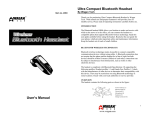
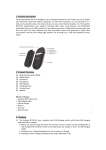
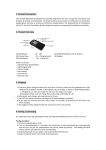
The headset contains the following parts as shown in the figure:
(1) Multi Function Button (MFB)
(2) Led Indicator (red/blue)
(3) Volume up and volume down buttons
(4) Microphone
(5) Earphone
(6) Charging socket
Before start using the headset for the first time, you must make full charge to the headset.
Note: Parts of the headset are magnetic. Metallic materials may be attracted to the headset. Do not place
credit cards or other magnetic storage media near the headset, because information stored on them may be
erased.