1
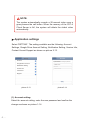
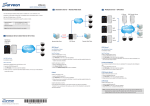
(1). Account setting
Select the account setting, enter the new password and confirm the
change as shown on picture 1-14.
NOTE:
If user forgets the password, you may recover it on:
http://www.competition-viewer.com/
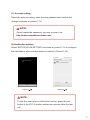
(2).Notification setting
Select 'NOTIFICATION SETTING' as shown on picture 1-15 to configure
the notifications when outdoor station is called in (Picture 1-16).
Notification Setting
September 10,2013
Enable Notification
Notice
Have an event from[0022F482006]
Notifications
Toggles
Apply
picture
picture
NOTE :
To test the smart phone notification function, press the call
button of the SVT-4 outdoor station two minutes lafter the last
call.
-7-