1
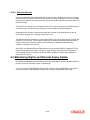
Example:
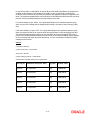
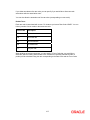
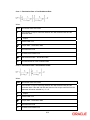
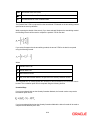
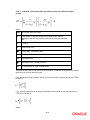
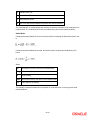
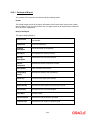
January 31, 1998 translates into the Julian date: 98031. Similarly, February 5, 1998 becomes 98136 in the
Julian format. Here, 036 is arrived at by adding the number of days elapsed in January with those elapsed in
February (31+5 = 36).
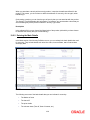
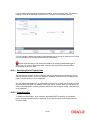
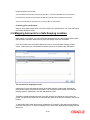
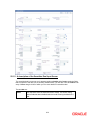
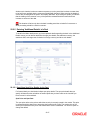
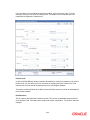
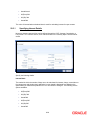
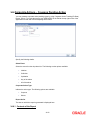
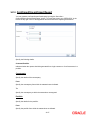
22.2.2 Using a Template to Enter A Deal
A template can be described as a sample deal that has attributes most commonly applicable to
deals in a category. Once a template is defined and stored, it can be used as a base to enter
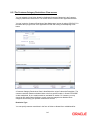
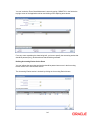
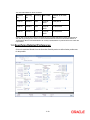
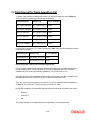
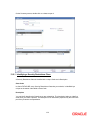
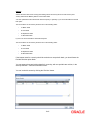
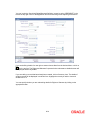
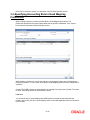
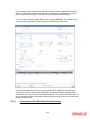
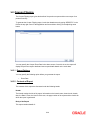
deals. While in the Securities Deal Input screen click ‘T’ button positioned before the field '
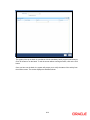
Template'. A list of all the templates that have already been created is displayed. Choose the
code of the template that you want to use to enter the details of the deal.
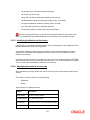
The details that have been stored for the selected template will be defaulted to the new deal. You
can modify all the details (except the Product Code) that are defaulted from the template to suit
the deal you are processing. After you have changed the values that need to be changed, store
the new deal by choosing 'Save' from the Actions menu.
The procedure for saving a deal as a template is discussed later in this chapter under the head
‘About Templates’.
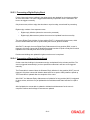
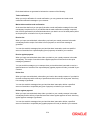
External Reference
If the transaction is being uploaded from an external source, you can specify the identification for
the transaction in the external source, as the external reference number.
Source
You have to indicate the source from which contracts have to be uploaded.
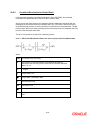
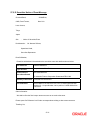
22.2.3 Indicating details of the security that is traded
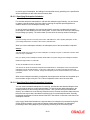
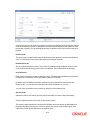
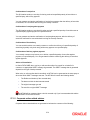
Security Code
While entering the details of a deal, you should indicate the security that the deal involves and the
market in which it is traded.
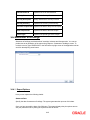
You can select a security code from the picklist. The picklist will contain a list of all the securities
that you maintained in the Securities Definition screen. The trading in the security should be
allowed for the portfolios involved in the deal.
As you have already maintained details of the security, all the features of the security like its
price, the quotation method, the corporate actions that it involves and several other details of the
security will be processed based on these details.
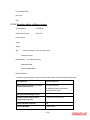
After you indicate the securities that are being traded in the deal, you can indicate the market in
which they are traded.
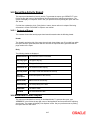
The market in which the security is traded is defaulted from the Security Definition screen. You
can change the default and select a market code from the picklist available. The picklist will
contain valid market codes maintained in the Market Definition screen.
22-7