1
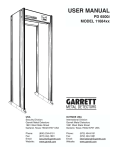
GARRETT PD 6500i
USER MANUAL
Failure
Verify and/or replace
Special Note
RX OPTIC FAIL
1. Make sure panel cables and PC board
are plugged in
2. IR Detector board assembly in panel B
Ensure no blockage
of IR beam (of Panel A
and Panel B) at waist
level of archway.
*POWER
MOD FAIL
Power module
Ensure line voltage is
between 100 and 240 VAC.
*RXA BOARD
FAIL
40-pin cable connection between circuit
boards
Check to see all connectors
are properly seated.
RXA Zn # BAL
FAIL
1. Cable and connector to panel A
2. Circuit Board Connects
(# = zone with balance failure)
Ensure no large metal object
nearby. If necessary, move
object or relocate PD 6500i.
RXB Zn # BAL
FAIL
1. Cable and connectors to panel B
2. Circuit Board Connection
(# = zone with balance failure)
Ensure no large metal object
nearby. If necessary, move
object or relocate PD 6500i.
*RXA Zn # PK
FAIL
1. Panel A cable and connectors
2. Circuit Board Connections
Ensure no TX A or B FAIL.
Ensure no large metal object
nearby. If necessary, move
object or relocate PD 6500i.
*RXB Zn # PK
FAIL
1. Panel B cable and connectors
2. Circuit Board Connections
Ensure no TX A or B FAIL.
Ensure no large metal object
nearby. If necessary, move
object or relocate PD 6500i.
*CABLE
MISCONNECT
Ensure that the cables
attached to the circuit
boards are connected as
described in the inside cover
of the controller module.
*Critical failure: PD6500i cannot operate properly. Correct IMMEDIATELY!
©2003 GARRETT METAL DETECTORS
41
PN 1532000 REV A