1
Contents
MENU.......................................................................................................................30
Advanced Menu......................................................................................................30
Presentation Menu..................................................................................................33
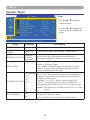
Security Menu.........................................................................................................35
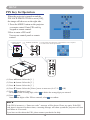
PIN Key In Operation.............................................................................................38
Network Control Software Application.................................................................39
Before Use.................................................................................................................40
Before To Use Network Control Software.............................................................40
Projector Auto Search.............................................................................................41
Modify the Projector Setting..................................................................................44
Registering And Configuring the Projector...........................................................45
Delete...................................................................................................................... 45
Projector Setting..................................................................................................... 46
System Setting / Monitor / Default Setting / Auto Detect Optimal Setting............ 48
Link......................................................................................................................... 49
Control Panel Window Introduction......................................................................50
Power Control / Input Source / Function Key.........................................................50
Function Key / Projector Status...............................................................................51
Network Control Window Introduction...................................................................52
Maintenance Of Projector.......................................................................................53
Air Filter / Replacing the Air Filter......................................................................... 53
Lamp / Replacing New Lamp.................................................................................. 54
Other Care / Cleaning the Lens............................................................................... 56
Troubleshooting........................................................................................................57
Indicator................................................................................................................... 57
Error For Machine Defects...................................................................................... 58
List of Supported Monitor Displays........................................................................ 60
Appendix
Interactive Function Operation(Optional)
2